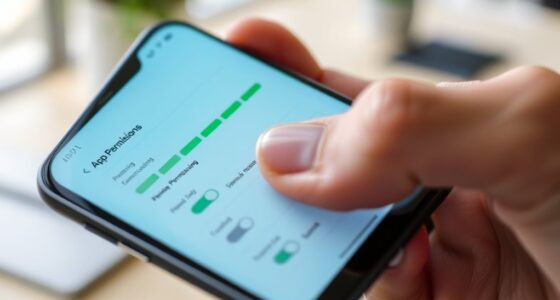
To check your phone’s battery health, start by exploring built-in tools like the Battery Health feature on iPhones or using third-party apps on Android devices. Fully charge your phone, then let it drain until it turns off, and recharge it to recalibrate the battery indicator. Keep an eye on symptoms like rapid discharges or long charging times. If you stay aware of these signs, you’ll better understand when it’s time for a battery replacement.
Key Takeaways
- Use built-in battery health features on iPhones or third-party apps on Android to check current capacity and performance.
- Fully charge and then fully drain your device to recalibrate the battery indicator for more accurate readings.
- Look for symptoms like rapid battery drain, unexpected shutdowns, or long charging times as signs of deterioration.
- Monitor the maximum capacity percentage; below 80% indicates significant wear requiring replacement.
- Consult a professional for battery replacement if capacity is low or performance issues persist to ensure device reliability.

Your phone’s battery health is crucial for ensuring peak performance and longevity. Over time, batteries naturally degrade, leading to shorter usage times and inconsistent charging. To keep your device running smoothly, it’s essential to regularly check its battery health and understand when it’s time for a replacement. Starting with battery calibration can help you get a more accurate reading of your battery’s capacity. To do this, fully charge your phone to 100%, then let it drain completely until it powers off on its own. Afterward, recharge it uninterrupted to 100%. This process recalibrates the battery indicator, giving you a clearer picture of your battery’s true health.
Using power saving modes is a practical way to extend your battery’s lifespan while you assess its condition. These modes reduce background activity, limit CPU performance, and turn off non-essential features like Bluetooth and location services. By activating power saving modes, you can more accurately gauge how well your battery holds a charge during typical usage. If you notice that even with these modes enabled, your phone’s battery drains rapidly or the device struggles to hold a charge, it’s a sign that the battery’s capacity has diminished considerably. Additionally, many smartphones now include built-in tools or settings to check battery health directly, making it easier to monitor performance without third-party apps.
Most smartphones offer built-in tools or settings to check battery health directly. For example, iPhones have a Battery Health feature accessible through settings, which reports the maximum capacity relative to when the battery was new. Android devices may require third-party apps to get similar insights, but these tools typically display the battery’s current capacity, recharge cycles, and whether it’s recommended to replace the battery. If your device shows a maximum capacity below 80%, or if you’re experiencing frequent shutdowns, rapid discharges, or long charging times, it’s a clear indicator that a replacement is due.
Regularly monitoring your battery’s performance and understanding these signs helps prevent unexpected shutdowns and extends your phone’s lifespan. Remember, even if your battery seems to be functioning fine, age and usage wear down its effectiveness. If calibration and power saving modes no longer improve your experience, visiting a professional for a battery replacement might be the best choice. Addressing battery issues early can save you from more costly repairs later and ensure your phone remains reliable for everyday use. Ultimately, staying attentive to your battery’s health means you can enjoy excellent performance and avoid the inconvenience of sudden power loss. Keeping an eye on battery health can also help you prevent overcharging and overheating, which are common causes of battery damage.
Frequently Asked Questions
Can Third-Party Apps Accurately Measure Battery Health?
Third-party apps can give you a good estimate of your battery health, but they might not be 100% accurate. These apps often rely on sensors and software data, which can vary in precision. For the most reliable battery accuracy, it’s best to use built-in diagnostics or consult your phone’s manufacturer. Keep in mind that third-party apps are helpful tools, but they shouldn’t be your only source for understanding your battery’s condition.
How Often Should I Check My Phone’s Battery Health?
You should check your phone’s battery health every few months to guarantee optimal performance. Regularly monitoring helps you spot issues early, potentially avoiding battery calibration problems and ensuring you stay within warranty coverage. If your battery shows significant decline, consider replacing it before it affects your device’s performance. Frequent checks help you make informed decisions, prolonging your phone’s lifespan and avoiding unexpected replacements or repairs.
Does Extreme Temperature Affect Battery Health?
Extreme temperatures can seriously impact your battery’s health. For example, if your phone overheats during a summer hike, high battery temperature can cause faster degradation. Thermal management helps regulate this heat, protecting your battery from damage. Conversely, exposing your phone to cold environments can reduce capacity temporarily. To keep your battery healthy, avoid extreme temperatures and guarantee proper thermal management, especially during outdoor activities or in hot or cold climates.
Can Battery Health Impact Phone Performance?
Yes, battery health can impact your phone’s performance. When the battery’s capacity decreases and the wear level increases, your device may experience slower speeds, reduced responsiveness, or unexpected shutdowns. A worn-out battery struggles to supply consistent power, which affects overall performance. Regularly checking your battery health helps you identify when it’s time for a replacement, ensuring your phone runs smoothly and efficiently.
Is It Safe to Replace the Battery Myself?
Sure, replacing your phone’s battery yourself sounds easy, right? But don’t be fooled—DIY safety isn’t just about having the right tools. You’ll need precision screwdrivers, plastic pry tools, and possibly a heat gun. Without proper precautions, you risk damaging your phone or harming yourself. If you’re not confident, it’s wiser to seek professional help. After all, a well-done battery swap keeps your device safe and reliable.
Conclusion
Just like the wise owl knows when to perch and rest, keeping an eye on your phone’s battery health helps you avoid unexpected drops and surprises. Regular checks can save you from being caught off guard, much like a sailor reading the stars. So, stay vigilant, and when it’s time to replace the battery, you’ll be prepared—ensuring your device remains as reliable as the dawn. Don’t wait for the storm; check now and stay ahead.