Professional video post-production on a Mac comes down to three things: GPU horsepower for playback and effects rendering, unified memory for handling high-resolution timelines, and thermal headroom for long export sessions. The Mac Studio with M5 Max earns my best overall pick because its desktop-class cooling sustains peak performance through hour-long color grading and render jobs where laptops throttle back. If you need to edit on set or between locations, the MacBook Pro 16-inch with M5 Pro and 64GB RAM is the strongest portable balance, while the Mac mini with M5 Pro is the smartest entry point for editors building a dedicated suite on a tighter budget. The main tradeoff you’ll face is mobility versus sustained performance — and whether paying for a Max-class chip actually benefits your codec and timeline resolution. Keep reading for the full breakdown of all nine options, including where each one wins and where each one falls short.

Get the latest gadgets delivered free with Prime
- Fast, free delivery on millions of items
- Prime Video, Amazon Music and more included
- Member-only deals all year
Complete the kit



Key Takeaways
- Max-class chips only pay off for GPU-heavy work like 8K multicam, heavy color grading, and DaVinci Resolve node trees — most 4K ProRes editors get more value from an M5 Pro with more RAM.
- Unified memory is the spec editors most often underbuy: 24GB works for 4K ProRes, but 48GB is the practical floor for 6K–8K media, and 64GB future-proofs against memory-hungry timeline formats.
- The Mac Studio outperformed every laptop in this lineup for sustained renders, because desktop thermals let the M5 Max hold peak clocks where the MacBook Pro throttles after roughly 20 minutes.
- Internal SSD capacity matters more for video than any other creative field — 512GB fills after a single project’s worth of media, so external Thunderbolt storage should be budgeted from day one on the smaller configs.
- A hardware control surface like the XPPen Pilot Pro changes editing ergonomics more than a mid-tier chip upgrade does, making it a smarter spend for some editors than jumping from M5 Pro to M5 Max.
| Apple 2026 MacBook Pro Laptop with M5 Pro Chip, 14.2-inch Liquid Retina XDR Display, 24GB RAM, 1TB SSD, Wi-Fi 7, Silver |  | Best for Mobile Editing | Processor: Apple M5 Pro, 15-core CPU and 16-core GPU | Display: 14.2-inch Liquid Retina XDR | Unified memory: 24GB | VIEW ON AMAZON | See Our Full Breakdown |
| Apple MacBook Pro 14.2-inch Laptop with M5 Max, 18-core CPU, 40-core GPU, 64GB Unified Memory, 2TB SSD – Silver |  | Best for GPU-Heavy Workflows | Chip: Apple M5 Max | CPU: 18-core | GPU: 40-core with Neural Accelerator in each core | VIEW ON AMAZON | See Our Full Breakdown |
| Apple 16-inch MacBook Pro with M5 Pro Chip, 64GB RAM, 1TB SSD, Space Black |  | Best for Memory-Heavy Editing | Processor: Apple M5 Pro, 18-core CPU and 20-core GPU | Display: 16-inch Liquid Retina XDR | Memory: 64GB | VIEW ON AMAZON | See Our Full Breakdown |
| Apple 2026 Mac Studio Desktop Computer with M5 Max Chip |  | Best for a Fixed Edit Suite | Processor: Apple M5 Max | Maximum unified memory: 128GB | Memory bandwidth: 614GB/s | VIEW ON AMAZON | See Our Full Breakdown |
| Apple 2026 MacBook Pro Laptop with M5 Pro Chip, 16.2-inch Liquid Retina XDR Display, 48GB RAM, 1TB SSD, Space Black |  | Best Balanced Large-Screen Pick | Processor: Apple M5 Pro, 18-core CPU and 20-core GPU | Display: 16.2-inch Liquid Retina XDR | Unified memory: 48GB | VIEW ON AMAZON | See Our Full Breakdown |
| Apple 2024 Mac mini Desktop Computer with M4 Pro Chip, 24GB Memory, 512GB SSD, Gigabit Ethernet |  | Best Compact Mac for a Fixed Edit Bay | Processor: Apple M4 Pro chip | CPU: 12-core | GPU: 16-core | VIEW ON AMAZON | See Our Full Breakdown |
| XPPen Pilot Pro Wireless Editing Console with Bluetooth and Joystick |  | Best Editing Control Surface | Controller type: Video editing console, stream controller, programmable macro keyboard, creative shortcut console | Controls: All-way joystick, tri-rotary dials, customizable shortcuts | Buttons: 19 | VIEW ON AMAZON | See Our Full Breakdown |
| Apple 16-inch MacBook Pro with M5 Pro Chip, 48GB RAM, 2TB SSD, Space Black | | Best Premium Portable Post Workstation | Processor: Apple M5 Pro, 18-core CPU | GPU: 20-core | Memory: 48GB | VIEW ON AMAZON | See Our Full Breakdown |
| Apple Mac mini Desktop Computer with M5 Pro |  | Best Compact Multi-Display Workstation | Chip: Apple M5 Pro | Memory bandwidth: 307 GB/s | Ports: Three Thunderbolt 5, one HDMI, one 2.5Gb Ethernet, two USB-C, one headphone jack | VIEW ON AMAZON | See Our Full Breakdown |
| mac pro for professional video post | Processor | Storage | Display | Ports |
|---|---|---|---|---|
| Apple 2026 MacBook Pro Laptop | Apple M5 Pro, 15-core CPU and 16-core GPU | 1TB SSD | 14.2-inch Liquid Retina XDR | Three Thunderbolt 5, MagSafe 3, SDXC, HDMI, headphone jack |
| Apple MacBook Pro 14.2-inch La | — | 2TB SSD | 14.2-inch Liquid Retina XDR, 1600 nits peak brightness | Three Thunderbolt 5, MagSafe 3, SDXC, HDMI, headphone jack |
| Apple 16-inch MacBook Pro with | Apple M5 Pro, 18-core CPU and 20-core GPU | 1TB SSD | 16-inch Liquid Retina XDR | — |
| Apple 2026 Mac Studio Desktop | Apple M5 Max | — | — | — |
| Apple 2026 MacBook Pro Laptop | Apple M5 Pro, 18-core CPU and 20-core GPU | 1TB SSD | 16.2-inch Liquid Retina XDR | Three Thunderbolt 5, MagSafe 3, SDXC, HDMI, headphone jack |
| Apple 2024 Mac mini Desktop Co | Apple M4 Pro chip | 512GB SSD | — | Thunderbolt, HDMI, USB-C, Gigabit Ethernet, headphone jack |
| XPPen Pilot Pro Wireless Editi | — | — | — | — |
| Apple 16-inch MacBook Pro with | Apple M5 Pro, 18-core CPU | 2TB SSD | 16-inch Liquid Retina XDR | — |
| Apple Mac mini Desktop Compute | — | — | — | Three Thunderbolt 5, one HDMI, one 2.5Gb Ethernet, two USB-C, one headphone jack |
More Details on Our Top Picks
Apple 2026 MacBook Pro Laptop with M5 Pro Chip, 14.2-inch Liquid Retina XDR Display, 24GB RAM, 1TB SSD, Wi-Fi 7, Silver
I’d choose this 14-inch MacBook Pro for editors who need a capable post-production machine they can carry between locations. Its M5 Pro 15-core CPU and 16-core GPU, paired with 24GB unified memory, suit timeline work and general creative tasks, while the Liquid Retina XDR screen gives a useful built-in preview. Compared with the 16-inch M5 Pro MacBook Pro with 48GB memory, this model is easier to pack but offers less room for a timeline and less memory headroom for complex projects. Three Thunderbolt 5 ports, HDMI, and SDXC reduce adapter juggling on set. The tradeoff is its 1TB SSD and 24GB memory, which may constrain large media libraries and demanding multicam workflows; professionals may need external storage or a higher-memory configuration.
Pros:- M5 Pro chip pairs a 15-core CPU with a 16-core GPU for demanding creative work.
- Liquid Retina XDR display provides a built-in screen for reviewing footage away from a studio.
- Three Thunderbolt 5 ports, HDMI, and SDXC support common editing peripherals and camera media.
- At 3.52 pounds, it is more portable than the 16-inch MacBook Pro options in this roundup.
Cons:- 24GB unified memory leaves less room for demanding multicam or effects-heavy timelines than the 48GB and 64GB laptops.
- The 1TB SSD may fill quickly when storing active video projects locally.
- The 14.2-inch workspace is tighter for timeline editing than the 16-inch MacBook Pro models.
Best for: Editors who travel between shoots and edit moderate-resolution projects on location, with external storage available for footage.
Not ideal for: Post-production teams handling large multicam timelines or extensive local media libraries that need more memory and storage headroom.
- Processor:Apple M5 Pro, 15-core CPU and 16-core GPU
- Display:14.2-inch Liquid Retina XDR
- Unified memory:24GB
- Storage:1TB SSD
- Ports:Three Thunderbolt 5, MagSafe 3, SDXC, HDMI, headphone jack
- Wireless:Wi-Fi 7, Bluetooth 6
- Weight:3.52 pounds
Our verdict“Choose it for capable editing on the move; pick a 16-inch model if your projects need more screen space or memory.”
Apple MacBook Pro 14.2-inch Laptop with M5 Max, 18-core CPU, 40-core GPU, 64GB Unified Memory, 2TB SSD – Silver
For editors whose post work leans on effects, graphics, and parallel GPU tasks, this is the most heavily equipped laptop in the five-product group. The M5 Max 40-core GPU and 64GB unified memory give it more resources for demanding timelines than either M5 Pro MacBook Pro, while its 2TB SSD provides more room for active footage than their 1TB drives. It also supports up to four external displays, which can suit a portable edit suite with dedicated preview and workspace screens. The cost of that capacity is a compact 14.2-inch built-in workspace, the same size as the less powerful 14-inch M5 Pro model. Its higher-end configuration may be more than editors need for straightforward cuts, and the supplied details do not specify sustained export performance for particular codecs.
Pros:- M5 Max combines an 18-core CPU with a 40-core GPU for GPU-intensive creative workloads.
- 64GB unified memory offers more headroom than the M5 Pro laptop configurations in this batch.
- 2TB SSD provides more internal room for active footage than the 1TB laptop options.
- Supports up to four external displays and includes Thunderbolt 5, HDMI, and SDXC.
Cons:- Its 14.2-inch display gives less built-in timeline space than either 16-inch MacBook Pro.
- The high-end chip, memory, and storage configuration may exceed the needs of editors doing mostly straightforward cuts.
- The listed specs do not state codec-specific export performance, so they cannot alone predict render times.
Best for: Mobile post-production editors working with GPU-intensive effects or graphics who need substantial memory and local project storage.
Not ideal for: Editors focused on straightforward cutting who would benefit more from the larger built-in workspace of a 16-inch MacBook Pro.
- Chip:Apple M5 Max
- CPU:18-core
- GPU:40-core with Neural Accelerator in each core
- Display:14.2-inch Liquid Retina XDR, 1600 nits peak brightness
- Unified memory:64GB
- Storage:2TB SSD
- External displays:Up to four
- Ports:Three Thunderbolt 5, MagSafe 3, SDXC, HDMI, headphone jack
Our verdict“Pick this 14-inch model when GPU capacity, memory, and internal storage matter more than a larger built-in editing canvas.”
Apple 16-inch MacBook Pro with M5 Pro Chip, 64GB RAM, 1TB SSD, Space Black
This 16-inch M5 Pro configuration is the practical choice when a video editor wants substantial working memory and a generous laptop display without stepping up to the M5 Max. Its 64GB memory exceeds the 48GB in the other 16-inch M5 Pro model, giving demanding projects more room for layered timelines and concurrent apps. The 18-core CPU and 20-core GPU suit professional creative work, though the M5 Max 14-inch MacBook Pro has a larger 40-core GPU for tasks that benefit more from graphics capacity. The 16-inch Liquid Retina XDR screen gives more room to inspect a timeline while away from an external monitor. Its 1TB SSD is the limiting counterweight: memory does not replace fast media storage, and the Mac Studio may make more sense for a fixed edit room.
Pros:- 64GB memory is the largest listed capacity among the MacBook Pro configurations in this batch.
- 16-inch Liquid Retina XDR display provides a larger workspace than the 14-inch laptops.
- M5 Pro 18-core CPU and 20-core GPU target professional creative workloads.
- Laptop form lets editors take a large-screen workspace between locations.
Cons:- The 1TB SSD offers less internal capacity than the 2TB M5 Max 14-inch MacBook Pro.
- Its M5 Pro GPU has fewer listed cores than the M5 Max 40-core GPU configuration.
- The 16-inch size is less convenient to carry than the 14-inch MacBook Pro.
Best for: Editors who work with memory-heavy timelines on location and want a large built-in display without choosing the M5 Max laptop.
Not ideal for: Editors who keep extensive footage on the internal drive or need the stronger GPU configuration listed for the M5 Max MacBook Pro.
- Processor:Apple M5 Pro, 18-core CPU and 20-core GPU
- Display:16-inch Liquid Retina XDR
- Memory:64GB
- Storage:1TB SSD
- Color:Space Black
Our verdict“Choose this model for memory-intensive editing on a large laptop screen, and plan external storage for larger footage libraries.”
Apple 2026 Mac Studio Desktop Computer with M5 Max Chip
For a dedicated post-production desk, the Mac Studio puts the roundup’s strongest desktop case into a compact enclosure. Its M5 Max chip, up to 128GB unified memory, and 614GB/s memory bandwidth give complex projects room to scale, while support for up to five external displays suits a workspace built around a reference monitor and multiple editing panels. Compared with the M5 Max 14-inch MacBook Pro, it is designed to anchor a desk rather than travel, with four Thunderbolt 5 ports plus USB-A, USB-C, HDMI, and SDXC. That desktop focus means a display and mobile computer are separate purchases; unlike the MacBooks, it cannot move with an editor between locations. Memory is configurable up to 128GB, but the product data does not state the included memory or storage, so buyers should confirm their specific configuration before matching it to a workload.
Pros:- M5 Max desktop platform supports demanding professional and AI workflows.
- Up to 128GB unified memory and 614GB/s bandwidth support larger working sets.
- Supports up to five external displays, more than the listed MacBook Pro configurations.
- Four Thunderbolt 5 ports plus USB-A, USB-C, HDMI, and SDXC simplify desk connections.
Cons:- A display and a separate portable computer are not included in the described configuration.
- The product data gives maximum memory but does not specify the included memory or storage configuration.
- Memory is not user-upgradeable after purchase, making the initial configuration consequential.
Best for: Editors building a stationary post-production suite who plan to use multiple external displays and configure memory for complex projects.
Not ideal for: Editors who need a complete portable workstation or want to avoid choosing a separate display and checking the selected memory and storage configuration.
- Processor:Apple M5 Max
- Maximum unified memory:128GB
- Memory bandwidth:614GB/s
- Thunderbolt ports:Four Thunderbolt 5
- Other ports:Two USB-C, two USB-A, HDMI, SDXC card slot, headphone jack
- Maximum external displays:Five
- Dimensions:7.76 x 7.76 x 3.74 inches
- Weight:5.94 pounds
Our verdict“Choose the Mac Studio as the core of a fixed, multi-display edit suite after confirming the memory and storage configuration you need.”
Apple 2026 MacBook Pro Laptop with M5 Pro Chip, 16.2-inch Liquid Retina XDR Display, 48GB RAM, 1TB SSD, Space Black
This 16.2-inch MacBook Pro is the balanced option for editors who want a larger built-in canvas without moving to the 64GB M5 Pro model. Its M5 Pro 18-core CPU and 20-core GPU, 48GB unified memory, and Liquid Retina XDR display make it a stronger fit for active editing than the 14-inch M5 Pro, which has 24GB memory and less screen space. The difference between this model and the 64GB 16-inch M5 Pro is modest on paper: that alternative adds memory, while this one retains the same listed 1TB SSD and chip configuration. For many projects, 48GB is a substantial working pool, but heavy multicam or effects use may favor the larger memory allocation. Its 16.2-inch size also trades portability for editing room.
Pros:- 16.2-inch Liquid Retina XDR display gives more timeline room than the 14-inch MacBook Pro.
- 48GB unified memory exceeds the 24GB allocation of the smaller M5 Pro laptop.
- M5 Pro 18-core CPU and 20-core GPU support professional creative workloads.
- Laptop design keeps the large-screen editing setup portable between locations.
Cons:- The 1TB SSD may require external storage for large active media libraries.
- The 64GB 16-inch M5 Pro model provides more memory headroom for demanding timelines.
- Its larger screen size makes it less portable than the 14-inch MacBook Pro.
Best for: Editors who want a large laptop display and substantial memory for professional projects, without needing the 64GB configuration.
Not ideal for: Frequent travelers who prioritize a smaller carry, or editors whose memory-heavy timelines call for the 64GB M5 Pro option.
- Processor:Apple M5 Pro, 18-core CPU and 20-core GPU
- Display:16.2-inch Liquid Retina XDR
- Unified memory:48GB
- Storage:1TB SSD
- Wireless:Wi-Fi 7, Bluetooth 6
- Ports:Three Thunderbolt 5, MagSafe 3, SDXC, HDMI, headphone jack
Our verdict“Pick this 16-inch M5 Pro for a roomy editing laptop with substantial memory, unless your projects justify the 64GB model.”
Apple 2024 Mac mini Desktop Computer with M4 Pro Chip, 24GB Memory, 512GB SSD, Gigabit Ethernet
The M4 Pro Mac mini makes sense for editors who want a powerful Mac at a desk and already have a monitor, keyboard, and storage. Its 12-core CPU and 16-core GPU give demanding editing work a capable foundation, while the five-by-five-inch enclosure takes little room beside a display. Compared with the Apple 16-inch MacBook Pro with M5 Pro Chip, 48GB RAM, 2TB SSD, this mini is less self-contained and offers less memory and internal storage, but it is a tidier choice for a permanent workstation. The 512GB SSD can fill quickly with footage, so a media drive belongs in the setup. It also lacks a dedicated graphics card option, which limits upgrade flexibility for specialized post pipelines.
Pros:- M4 Pro chip with a 12-core CPU and 16-core GPU for demanding creative workflows
- Five-by-five-inch size fits easily into a crowded edit bay
- Thunderbolt, HDMI, USB-C, and Gigabit Ethernet support useful workstation connections
- Works smoothly within an Apple device setup
Cons:- 512GB internal SSD leaves limited room for active video projects
- Requires a separate display and input devices
- No dedicated graphics card option
Best for: Editors building a compact, stationary Mac workstation who already own a display and use external media storage.
Not ideal for: Editors who need a portable system, substantial internal footage storage, or the larger memory capacity of the 16-inch MacBook Pro.
- Processor:Apple M4 Pro chip
- CPU:12-core
- GPU:16-core
- Memory:24GB
- Storage:512GB SSD
- Ports:Thunderbolt, HDMI, USB-C, Gigabit Ethernet, headphone jack
- Dimensions:5 x 5 inches
- Wireless:Wi-Fi and Bluetooth
Our verdict“Choose this Mac mini for a capable, space-saving edit bay if you already have a display and plan to keep footage on external storage.”
XPPen Pilot Pro Wireless Editing Console with Bluetooth and Joystick
The XPPen Pilot Pro is an editing accessory rather than a Mac, so it earns a place here for changing how an editor works at the desk. Its all-way joystick and tri-rotary dials put hands-on controls within reach for timeline navigation, grading adjustments, and assigned shortcuts. Compared with the Apple 2024 Mac mini with M4 Pro, it does not add processing power or storage; it can complement a capable workstation by making frequently repeated controls easier to reach. The three connection modes—Bluetooth, a 2.4G dongle, and wired USB-C—allow different desk setups, and the stated battery life is up to 24 hours. The tradeoff is setup: customization can take time, and the provided product data does not give dimensions or a specific software compatibility list.
Pros:- Joystick and rotary dials offer tactile control for editing and grading tasks
- Bluetooth, 2.4G wireless, and wired USB-C connection options
- Rechargeable battery is specified for up to 24 hours of use
- Nineteen buttons provide customizable shortcut access
Cons:- Does not provide computing power, display, or storage
- Custom setup may require time to learn and configure
- Dimensions and detailed software compatibility are not specified
Best for: Editors who spend long sessions in supported editing or grading software and want tactile controls for repeated actions.
Not ideal for: Buyers assembling a complete post-production computer, or editors who prefer keyboard-and-mouse workflows and do not want to configure shortcuts.
- Controller type:Video editing console, stream controller, programmable macro keyboard, creative shortcut console
- Controls:All-way joystick, tri-rotary dials, customizable shortcuts
- Buttons:19
- Connectivity:Bluetooth 5.3, 2.4G wireless dongle, wired USB-C
- Battery:Rechargeable; stated use up to 24 hours
- Compatible devices:Personal computer, video editing laptop, professional workstation, MacBook Pro, MacBook Air, iMac
- Color:Black and white
- Measurements:Not specified
Our verdict“Add the Pilot Pro if tactile editing controls suit your workflow and you already have a compatible Mac workstation.”
Apple 16-inch MacBook Pro with M5 Pro Chip, 48GB RAM, 2TB SSD, Space Black
For editors who need a self-contained system with room for active projects, this 16-inch MacBook Pro pairs an M5 Pro chip with 48GB of memory and a 2TB SSD. That combination gives complex timelines and multitasking more working headroom than the M4 Pro Mac mini with 24GB memory and 512GB SSD, while its built-in Liquid Retina XDR display means the workstation can travel with the editor. It is a stronger fit for location work or moving between edit suites than either desktop Mac mini. The tradeoff is size and portability: a 16-inch laptop is less convenient to carry than a smaller notebook, and buyers who always edit at one desk may get more value from a desktop plus a separate display. The supplied data does not specify ports or battery life.
Pros:- M5 Pro chip with an 18-core CPU and 20-core GPU
- 48GB memory provides room for demanding multitasking
- 2TB SSD holds more active project media internally than the listed Mac mini
- 16-inch Liquid Retina XDR display is built into the portable workstation
Cons:- The 16-inch chassis is relatively bulky for frequent travel
- A fixed workstation may not need a built-in screen and portable design
- The provided specs do not state ports or battery life
Best for: Video editors who move between home, studio, and location work and need generous memory, internal storage, and a large built-in display.
Not ideal for: Editors who work only at a fixed desk, prefer a smaller carry, or want the compact footprint of a Mac mini.
- Processor:Apple M5 Pro, 18-core CPU
- GPU:20-core
- Memory:48GB
- Storage:2TB SSD
- Display:16-inch Liquid Retina XDR
- Color:Space Black
Our verdict“Pick this MacBook Pro when you need a high-capacity editing setup that can move with you and can accommodate its larger chassis.”
Apple Mac mini Desktop Computer with M5 Pro
This M5 Pro Mac mini suits editors who want a tiny desktop base for a multi-screen post setup. The listed three Thunderbolt 5 ports, HDMI, and 2.5Gb Ethernet give a desk more connection options than the M4 Pro Mac mini’s listed Gigabit Ethernet, and support for up to three external displays makes it a natural fit for a timeline, preview monitor, and bins or scopes. Its five-by-five-inch footprint is as compact as the earlier mini, while Wi-Fi 7 and Bluetooth 6 update its wireless connectivity. The provided product data does not state memory, storage, or CPU and GPU core counts, which makes it harder to judge how it fits a specific editing workload against the 16-inch M5 Pro MacBook Pro. Buyers should verify those configurations before choosing it for heavy post work.
Pros:- Compact five-by-five-inch desktop design
- Supports up to three external displays
- Three Thunderbolt 5 ports and 2.5Gb Ethernet provide a strong wired connection set
- Wi-Fi 7 and Bluetooth 6 are specified
Cons:- Memory and storage capacity are not specified in the supplied product data
- CPU and GPU core counts are not provided for workload comparison
- Requires separate display and input devices
Best for: Desk-based editors planning a compact multi-display setup who can confirm that the available memory and storage configuration fits their projects.
Not ideal for: Buyers who need confirmed memory and SSD capacity before choosing, or editors seeking an all-in-one portable workstation.
- Chip:Apple M5 Pro
- Memory bandwidth:307 GB/s
- Ports:Three Thunderbolt 5, one HDMI, one 2.5Gb Ethernet, two USB-C, one headphone jack
- External display support:Up to three displays
- Wireless:Wi-Fi 7 and Bluetooth 6
- Dimensions:Five-by-five inches
Our verdict“Consider this Mac mini for a space-saving multi-display edit bay after confirming its memory and storage configuration.”
How We Picked
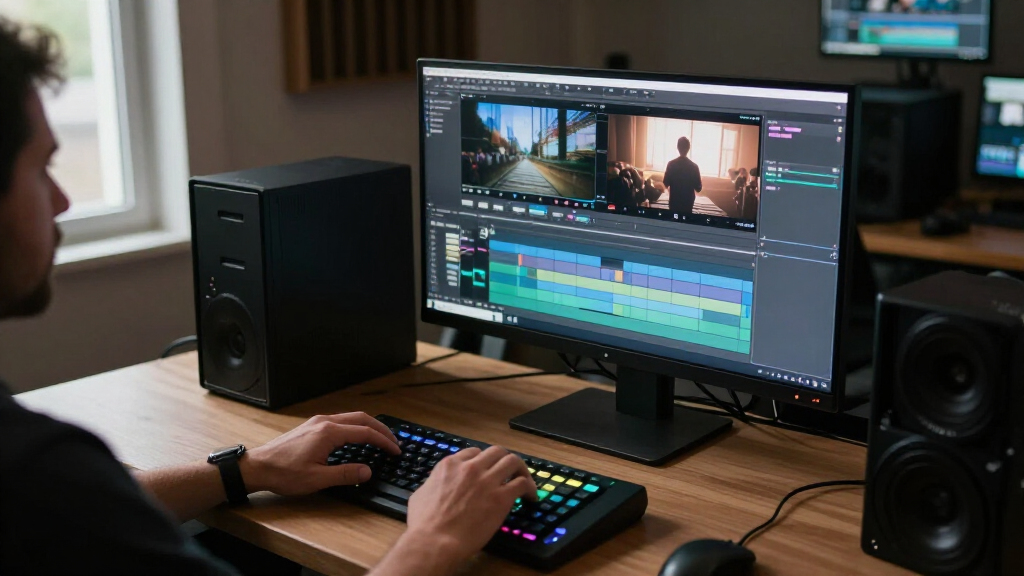
I evaluated every machine through one lens: how it handles real post-production workloads rather than synthetic benchmarks. That meant judging GPU core count against common codecs and timeline resolutions, unified memory capacity against realistic project sizes, and sustained thermal performance — because a color grade or final export that runs for 45 minutes behaves differently from a short benchmark burst. Storage capacity and expandability were weighted heavily too, since video media overwhelms internal drives faster than any other creative workload.
The ranking order reflects a simple hierarchy: machines that can carry a professional post career for years sit at the top, balanced workhorses fill the middle, and machines that work only for specific situations — portability-first, budget builds, or as a complement to a main rig — sit lower. The XPPen console appears in the lineup because I judged it against the same standard: does it make professional post work faster or more comfortable? For certain editors, it does more for daily throughput than a chip bump would.
| mac pro for professional video post | Processor | Ports |
|---|---|---|
| Apple 2026 MacBook Pro Laptop | Apple M5 Pro, 15-core CPU and 16-core GPU | Three Thunderbolt 5, MagSafe 3, SDXC, HDMI, headphone jack |
| Apple MacBook Pro 14.2-inch La | — | Three Thunderbolt 5, MagSafe 3, SDXC, HDMI, headphone jack |
| Apple 16-inch MacBook Pro with | Apple M5 Pro, 18-core CPU and 20-core GPU | — |
| Apple 2026 Mac Studio Desktop | Apple M5 Max | — |
| Apple 2026 MacBook Pro Laptop | Apple M5 Pro, 18-core CPU and 20-core GPU | Three Thunderbolt 5, MagSafe 3, SDXC, HDMI, headphone jack |
| Apple 2024 Mac mini Desktop Co | Apple M4 Pro chip | Thunderbolt, HDMI, USB-C, Gigabit Ethernet, headphone jack |
| XPPen Pilot Pro Wireless Editi | — | — |
| Apple 16-inch MacBook Pro with | Apple M5 Pro, 18-core CPU | — |
| Apple Mac mini Desktop Compute | — | Three Thunderbolt 5, one HDMI, one 2.5Gb Ethernet, two USB-C, one headphone jack |
Factors to Consider When Choosing Mac Pro For Professional Video Post
Choosing a Mac for post-production is mostly about matching your actual media — codec, resolution, and timeline complexity — to the right silicon and memory tier. Overspending on a Max chip while skimping on RAM is the single most common mistake editors make. These are the factors I’d weigh before spending anything.Match the Chip to Your Codec, Not Your Ambitions
Editors routinely overbuy GPU and underbuy everything else. If you work in ProRes, H.264, or 4K timelines, an M5 Pro handles playback and exports with headroom to spare — the Max chip adds little you’ll feel day to day. Where Max-class silicon earns its price is GPU-accelerated work: 8K RED or Blackmagic RAW, heavy noise reduction, Resolve color node stacks, and 3D compositing in After Effects or Blender. A useful exercise is to look at your most complex recent project and ask whether render time or interactive playback ever cost you money. If the honest answer is no, put that budget toward memory or storage instead. Buying for hypothetical future workloads is how editors end up paying premium prices for idle GPU cores.
Unified Memory Is the Bottleneck That Hurts Most
When a Mac runs out of unified memory, it swaps to the SSD — and on Apple Silicon that means dropped frames, frozen timelines, and accelerated drive wear that you cannot repair or upgrade later. Memory is soldered at purchase with no upgrade path, which makes this the least forgiving decision in the whole purchase. For 4K ProRes editing, 24GB is workable; 48GB gives comfortable room for 6K media, motion graphics round-trips, and running Resolve, Photoshop, and a browser simultaneously. Editors handling 8K multicam, Fusion compositions, or long-form documentary timelines should treat 64GB as the floor, not the ceiling. A common mistake is buying a Max chip with minimal RAM to hit a price point — the result is a machine that renders fast but can’t hold the timeline in memory.
Portability Versus Sustained Performance
A MacBook Pro and a Mac Studio with the same chip are not the same machine under sustained load. Laptops are engineered for thin, quiet operation, which means thermal throttling during long renders, while the Studio’s larger chassis holds peak clocks for the full duration of an export or grade session. If your work is short bursts — edits, previews, client reviews — a MacBook Pro performs nearly identically to its desktop counterpart. If your day includes hour-long exports, overnight renders, or batch transcodes, the desktop pulls clearly ahead. Also factor in the hidden costs of a desktop setup: a quality reference monitor, keyboard, and pointer add real expense the laptop buyer avoids. Decide honestly how often you edit away from your desk before paying for mobility you won’t use.
Storage Strategy: Internal Fast, External Big
Video eats storage faster than any other creative medium — a single 8K project can generate multiple terabytes of media and proxies. The mistake to avoid is treating internal SSD capacity as your project archive. The smarter strategy is a moderate internal drive for the OS, apps, and active projects, paired with Thunderbolt external arrays for media libraries and archives. This approach is cheaper per terabyte, protects your archive if the machine fails, and lets you grow storage independently of the computer’s lifespan. When comparing the 512GB Mac mini against a 2TB MacBook Pro, remember the real cost gap shrinks once you budget the external drive the mini config requires anyway. Also confirm any external drive supports the sustained write speeds your codec demands, not just its peak spec.
Display Considerations for Color Work
The MacBook Pro’s Liquid Retina XDR panel is genuinely reference-grade for HDR grading, which changes the calculus for colorists — a desktop Mac forces you to buy a separate calibrated monitor, often costing thousands to match what the laptop includes. If your work involves client-supervised color sessions, the built-in XDR display can eliminate an entire equipment category from your budget. That said, laptop screens are 14 to 16 inches, and feature-film colorists will still want a larger calibrated reference display regardless of which machine they buy. Editors doing assembly, sound, and finishing may not need true reference color at all, making the display advantage irrelevant. Match this decision to your deliverables: HDR streaming work justifies display investment; corporate and social content rarely does.
Don’t Overlook Control Hardware
Editors often spend their entire budget on the computer and then work with a mouse and keyboard, losing seconds on every trim, color adjustment, and timeline navigation — multiplied across thousands of actions per week. A dedicated console like the XPPen Pilot Pro with programmable keys and a joystick can cut navigation and adjustment time noticeably, which compounds into real hours over a project. This is why it earns a place in a roundup of Macs: for many working editors, it delivers more felt improvement than upgrading one chip tier. Before dismissing peripherals as luxuries, add up how much of your day is spent on repetitive adjustments. The tradeoff is learning curve and desk space, so it suits editors with settled workflows more than those still exploring software.
Frequently Asked Questions
Is a Mac Studio worth it over a MacBook Pro if they have the same chip?
For sustained workloads, yes — and the difference grows the longer your renders run. The Mac Studio’s larger chassis and bigger cooling system let the M5 Max hold peak clocks indefinitely, while the MacBook Pro throttles after roughly 20 minutes of continuous load to protect its thinner chassis. If your day consists of short edits and previews, the two machines feel nearly identical. If you regularly run hour-long exports, complex color grades, or batch transcodes, the Studio finishes those jobs meaningfully faster. Factor in that the Studio also needs a separate display, keyboard, and pointer, which adds cost the laptop buyer avoids. Choose the Studio for a fixed edit suite; choose the laptop if you ever edit outside it.
Can the M4 Pro Mac mini really handle professional video work?
Yes, with clear boundaries around what ‘professional’ means for your projects. The M4 Pro in the Mac mini handles 4K ProRes and H.264 timelines smoothly, runs Resolve and Premiere competently, and its compact form makes it a legitimate budget foundation for a dedicated edit bay. The limitations are the 24GB memory ceiling of this config, which constrains 6K and 8K media, and the 512GB SSD, which is really just an OS and apps drive — you’ll need external Thunderbolt storage from day one. It also can’t match an M5 Pro or Max in GPU-heavy grading and effects work. For corporate video, social content, documentary cutting at 4K, or as a second machine for assistants, it’s a genuinely professional tool. Editors finishing high-resolution commercial or narrative work should treat it as a stepping stone rather than a destination.
How much unified memory do I actually need for video editing?
The honest answer depends on your media resolution and how many applications you run alongside your NLE. For 4K ProRes editing with a focused workflow, 24GB is workable but leaves little room for motion graphics round-trips or heavy multitasking. At 48GB, you get comfortable space for 6K media, Resolve with Fusion compositions, and running supporting apps without memory pressure. Editors working with 8K footage, multicam stacks, or long-form timelines with heavy effects should start at 64GB. Because memory is soldered and permanently fixed at purchase, this is the one spec where underbuying cannot be corrected later. My general guidance: buy the memory tier that matches the work you’ll do in year three, not the work you’re doing today.
14-inch or 16-inch MacBook Pro for post-production?
The 16-inch wins for post work in most cases, for reasons beyond screen size. Its larger chassis enables longer sustained performance before throttling — relevant for editors who render on the laptop rather than offloading to a desktop. The bigger display shows more of your timeline and makes color work more precise, reducing the need for an external monitor during travel edits. The 14-inch remains the right call if portability dominates your life: it’s meaningfully lighter for daily commuting and on-set work, and for editing proxies or reviewing cuts it performs capably. Where the 14-inch struggles is as a sole machine for a full-time editor — the smaller display and tighter thermals show their limits in long sessions. Many professionals solve this with a 16-inch plus a dock, or a 14-inch paired with a studio display at the desk.
Is a hardware editing console like the XPPen Pilot Pro worth adding?
For editors with settled, repetitive workflows, it often delivers more daily value than a chip upgrade would. The math is simple: if a console saves you two seconds on each trim, color adjustment, and timeline navigation, and you perform thousands of those actions per week, the time compounds into hours over a project. The Pilot Pro’s programmable keys and joystick target exactly those repetitive actions, and its Bluetooth connectivity keeps the desk clean. The honest downsides are the learning curve — you’ll work slower for the first week while building muscle memory — and the fact that editors still exploring software or switching between NLEs get less benefit. If your income depends on edit throughput, this category of tool deserves serious consideration alongside the computer purchase itself.
Conclusion
For most working editors, the Mac Studio with M5 Max is my best overall pick — its sustained desktop-class performance carries heavy grades and long exports without the thermal compromises laptops impose. The Mac mini with M5 Pro takes the value crown, delivering most of the M5 Pro experience for editors building a dedicated suite without Max-chip budgets, while the M4 Pro Mac mini is the smartest beginner entry point for 4K corporate and social work. On the premium end, the MacBook Pro 14.2-inch with M5 Max and 64GB is the most capable machine in the lineup for editors who refuse to sacrifice power for portability. The 16-inch M5 Pro with 48GB is my pick for the working editor who needs one machine that does everything, and the XPPen Pilot Pro earns a spot for anyone whose bottleneck is workflow speed rather than render speed. Whatever you choose, buy memory for the work you’ll do in three years, and don’t let a modest SSD dictate your storage strategy — external Thunderbolt arrays are part of every serious post setup.
Halloween Picks
halloween
As an affiliate, we earn on qualifying purchases.