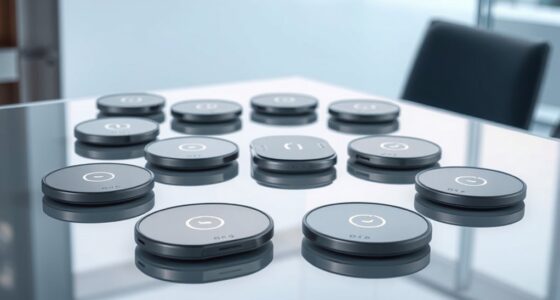

Amazon Fire tablets range from tiny toddler-proof slates to full-size 10-inch media machines, and the right pick depends mostly on who will use it and for what. For most buyers, the Amazon Fire HD 10 (32 GB) is the strongest all-around choice thanks to its sharp Full HD display and the best performance in the lineup. If you’re shopping for a child, the Fire HD 8 Kids (2024) balances a bigger, clearer screen with Amazon’s rugged case and parental controls, while the Fire 7 Kids remains the cheapest way to get a safe first tablet into small hands. The main tradeoffs you’ll face are screen size versus portability, 16 GB versus 32 or 64 GB of storage, and paying new prices versus saving with refurbished units. Read on for the full breakdown.

Get the latest gadgets delivered free — and shop member deals
- Fast, free delivery on millions of items
- Access to Prime Big Deal Days deals on October 6–7
- Prime Video, Amazon Music and more included
Complete the kit



Key Takeaways
- The Fire HD 10 is the only option in this lineup with a 10.1-inch Full HD display, making it the clear pick for video streaming and reading, but it’s also the least portable.
- Every Kids tablet here includes the same protective case and one-year worry-free guarantee, so price differences come down to screen quality and storage — the HD 8 Kids models justify their premium over the Fire 7 Kids with noticeably sharper displays.
- The Kids Pro variant is built for ages 6-12 with a slimmer case and a browser-heavy software experience, while the standard Kids models lock things down for ages 3-7 — choosing the wrong age tier is the most common mistake.
- Like-new refurbished Fire HD 8 and HD 10 units deliver the same hardware as new models at a lower cost, trading a full retail box and that new-device guarantee for savings.
- 16 GB fills up fast once you add a few downloaded videos, so the 32 GB and 64 GB configurations are the safer long-term bets despite the higher entry point.





| amazon fire tablet | Storage | Battery Life | RAM | Processor |
|---|---|---|---|---|
| Amazon Fire 7 Kids Tablet | 16 GB internal, expandable up to 1 TB via microSD | Up to 10 hours | — | — |
| Amazon Fire 7 Kids Tablet | 32 GB internal, expandable up to 1 TB via microSD | Up to 10 hours | 2 GB | Quad-core (up to 30% faster than Fire 7 Kids 9th Gen) |
| Amazon Fire HD 8 Kids Tablet | 64 GB internal, microSD up to 1 TB | Up to 13 hours | 4 GB | Hexa-core 2.0 GHz |
| Amazon Fire 7 Kids Tablet | 16 GB internal, microSD up to 1 TB | Up to 10 hours | 2 GB | Quad-core 2.0 GHz |
| Amazon Fire HD 8 Kids Pro Tabl | 64 GB internal, expandable up to 1 TB (card sold separately) | Up to 13 hours | Up to 4 GB | Hexa-core |
| Amazon Fire HD 10 Tablet | 32 GB, expandable up to 1 TB via microSD | Up to 13 hours | 3 GB | Octa-core |
| Amazon Fire HD 8 Kids Tablet | 64 GB, expandable up to 1 TB via microSD | Up to 13 hours | 4 GB | Hexa-core 2.0 GHz |
| Amazon Fire HD 8 Tablet | 32 GB (25 GB usable), expandable up to 1 TB | Up to 13 hours | 3 GB | Hexa-core 2.0 GHz |
| Amazon Fire HD 10 Tablet | 32 GB, expandable up to 1 TB via microSD | Up to 13 hours | 4 GB | Octa-core |
| Amazon Fire HD 8 Tablet | 64 GB, expandable up to 1 TB via microSD | Up to 13 hours | 4 GB | Hexa-core |
More Details on Our Top Picks
Amazon Fire 7 Kids Tablet (Newest Model), Ages 3-7, 16 GB, Red with Kid-Proof Case
This newest Fire 7 Kids is the most affordable entry point into Amazon’s kids lineup, and that’s exactly its role here. Compared with the Fire HD 8 Kids (2024), the smaller 7-inch screen and 16 GB of storage feel modest, but the core package — kid-proof case, parental controls, and the 2-year worry-free guarantee — is identical. That guarantee matters more than any spec on a tablet aimed at 3-year-olds: if it breaks, Amazon replaces it free. The main tradeoff is the subscription clock. Six months of Amazon Kids+ is generous up front, but it auto-renews monthly afterward, so parents who forget to cancel end up paying more over time than the tablet itself costs. Storage is the other compromise — plan on a microSD card if your child downloads a lot of videos.
Pros:- 2-year worry-free guarantee replaces broken tablets for free
- 6 months of ad-free Amazon Kids+ content from Disney, Nickelodeon, and PBS Kids
- Easy parental controls for time limits, content filters, and educational goals
- Sturdy kid-proof case handles typical drops and bumps
- Expandable storage up to 1 TB via microSD
Cons:- Amazon Kids+ auto-renews monthly after the free 6-month period
- Only 16 GB of internal storage — small for downloaded content
- Low-resolution 7-inch screen is less enjoyable for video than the HD 8 models
Best for: Parents of toddlers and preschoolers who want a low-commitment first tablet with full parental oversight
Not ideal for: Families with heavy video downloaders — 16 GB fills up fast without a microSD card
- Screen Size:7 inches
- Age Range:3-7 years
- Storage:16 GB internal, expandable up to 1 TB via microSD
- Battery Life:Up to 10 hours
- Included Case:Kid-Proof Case
- Subscription:6 months of Amazon Kids+ (auto-renews monthly after)
- Warranty:2-year worry-free guarantee
Our verdict“A sensible first tablet for very young kids where durability and parental control matter more than screen quality.”
Amazon Fire 7 Kids Tablet (Ages 3-7), 32 GB, Red, with Kid-Proof Case
This 32 GB Fire 7 Kids makes the most sense for budget-conscious parents who want the longest included subscription in the compact kids range. A full year of Amazon Kids+ comes bundled — double the six months you get with the Fire 7 Kids (Newest Model) and the Fire HD 8 Kids Pro — which means a year before renewal fees kick in. It also runs a quad-core processor up to 30% faster than the previous generation, with 2 GB of RAM, so apps open more smoothly than on older Fire 7 hardware. The tradeoff versus the Fire HD 8 Kids is screen quality: this is a 1024 x 600 display, not HD, so videos look noticeably softer. For book-heavy, app-light use, though, that’s a compromise many families can happily make.
Pros:- Full year of Amazon Kids+ included — the longest bundled subscription here
- Quad-core processor up to 30% faster than the previous Fire 7 Kids generation
- Kid-Proof Case with built-in stand for hands-free viewing
- 2-year worry-free guarantee with free replacement if broken
Cons:- Amazon Kids+ auto-renews monthly after the first year
- Non-HD 7-inch display is dated for video watching
- Ads and promotional content can appear on lock screens
Best for: Cost-conscious parents who want a full year of kid-safe content included before any subscription renewals
Not ideal for: Kids who mostly watch videos — the 7-inch non-HD screen can’t match the Fire HD 8 Kids display
- Screen Size:7 inches
- Storage:32 GB internal, expandable up to 1 TB via microSD
- RAM:2 GB
- Processor:Quad-core (up to 30% faster than Fire 7 Kids 9th Gen)
- Battery Life:Up to 10 hours
- Age Range:3-7 years
- Subscription:1 year of Amazon Kids+ (renews monthly after)
- Warranty:2-year worry-free guarantee
Our verdict“The strongest value play for young kids if a year of included content beats having an HD screen.”
Amazon Fire HD 8 Kids Tablet (2024 Release), 64GB, Blue
The Fire HD 8 Kids (2024) is the pick I’d point most families toward because it fixes the two biggest weaknesses of the 7-inch kids models without demanding much more. The 8-inch HD display (1280 x 800) makes a real difference for video and picture books, the 4 GB of RAM and hexa-core processor keep apps responsive, and 64 GB of storage means you’re not buying a microSD card on day one. Battery life stretches to 13 hours — three more than either Fire 7 — which matters on long car rides. Compared with the Fire HD 8 Kids Pro, the differences are audience-based rather than quality-based: this one targets ages 3-7 with a chunkier protective case, while the Pro opens up filtered web browsing for older kids. Drawbacks are minor but real: no Wi-Fi 6 support, and the Kids+ subscription renews automatically after six months.
Pros:- Sharp 8-inch HD display — a clear step up from the Fire 7 kids models
- Up to 13 hours of battery life for travel days
- 64 GB of storage plus microSD expansion up to 1 TB
- Kid-proof case doubles as a stand and handle
Cons:- No Wi-Fi 6 support on dual-band Wi-Fi
- Faster charging adapters and cables are sold separately
- Amazon Kids+ subscription renews automatically after the included period
Best for: Families with kids ages 3-7 who want the best balance of screen quality, storage, battery life, and durability
Not ideal for: Parents who want to avoid subscription auto-renewals entirely — the Kids+ trial converts automatically
- Display:8-inch HD touchscreen, 1280 x 800, 189 ppi
- Processor:Hexa-core 2.0 GHz
- RAM:4 GB
- Storage:64 GB internal, microSD up to 1 TB
- Battery Life:Up to 13 hours
- Weight:18.3 oz (518 g)
- Ports:USB-C 2.0, microSD slot, 3.5 mm stereo jack
- Subscription:6-month Amazon Kids+ included
- Guarantee:2-year worry-free guarantee
Our verdict“The most complete package for young kids — better screen, storage, and stamina than the 7-inch options at a modest premium.”
Amazon Fire 7 Kids Tablet, 16 GB, Blue
At 15.1 oz, this Fire 7 Kids is the lightest tablet in this lineup, and that weight advantage is its whole argument. A three-year-old can hold it one-handed in a way that’s simply harder with the 18.3 oz Fire HD 8 Kids (2024), and the smaller 7-inch frame fits toddler backpacks and car-seat pockets better. Like the red 32 GB Fire 7 Kids, it bundles a full year of Amazon Kids+ and the same 2-year replacement guarantee. The compromise is capacity: of the 16 GB onboard, only about 9.5 GB is actually usable after system files, so this model leans on a microSD card for any serious media library. If your child mostly streams over Wi-Fi rather than downloading, that limitation barely registers — but frequent travelers without connectivity should size up.
Pros:- Lightest option here at 15.1 oz — easiest for toddlers to hold
- Full year of Amazon Kids+ included before renewal
- Kid-proof case plus 2-year free replacement guarantee
- Parental controls cover content filters, educational goals, and time limits
Cons:- Only about 9.5 GB of the 16 GB is available to the user
- Low-resolution 1024 x 600 display lags behind the HD 8 models
- Amazon Kids+ renews monthly after the included year unless canceled
Best for: Parents of the youngest users who prioritize a light, small tablet that’s easy for little hands to grip
Not ideal for: Travel-heavy families who download videos — usable storage is under 10 GB without a microSD card
- Display:7-inch touchscreen, 1024 x 600, 171 ppi
- Processor:Quad-core 2.0 GHz
- RAM:2 GB
- Storage:16 GB internal, microSD up to 1 TB
- Battery Life:Up to 10 hours
- Weight:15.1 oz (429 g)
- Cameras:2 MP front and rear, 720p HD video recording
- Subscription:One-year Amazon Kids+ included
- Warranty:2-year worry-free guarantee
Our verdict“The right choice when portability and grip for very small hands outrank screen quality and storage.”
Amazon Fire HD 8 Kids Pro Tablet, 8″ HD Display, 64GB, Hello Teal, Ages 6-12 (2024 Release)
The Fire HD 8 Kids Pro solves a specific problem: what happens when your child outgrows the closed garden of a ages 3-7 tablet but isn’t ready for an unrestricted device. It matches the Fire HD 8 Kids on hardware — same 8-inch HD display, hexa-core chip, 4 GB of RAM, 64 GB storage, and 13-hour battery — but adds filtered web browsing with guardrails and content aimed at the 6-12 range, including apps like Duolingo and Minecraft-style games the younger model filters out. The case is slimmer too, which older kids prefer and parents of preschoolers should avoid. Tradeoffs mirror its sibling: Kids+ auto-renews after six months, and the microSD card for expansion is a separate purchase. Compared with stepping up to a standard Fire HD 10 for an older child, you give up screen size but keep robust parental oversight and the replacement guarantee.
Pros:- Filtered web browsing with parental guardrails built in
- Same strong hardware as the Fire HD 8 Kids: HD display, hexa-core chip, 64 GB
- 13-hour battery life and slim case that older kids actually want to carry
- 2-year worry-free guarantee with free replacement
Cons:- Amazon Kids+ auto-renews monthly after the 6-month trial
- MicroSD expansion cards sold separately
- Slimmer case offers less drop protection than the chunkier 3-7 model
Best for: Parents of kids ages 6-12 who want gradual independence — real apps and filtered web access with guardrails still in place
Not ideal for: Preschoolers — the slimmer case and older-skewing content make the Fire HD 8 Kids a better fit under age 6
- Screen Size:8 inches HD
- Storage:64 GB internal, expandable up to 1 TB (card sold separately)
- RAM:Up to 4 GB
- Processor:Hexa-core
- Battery Life:Up to 13 hours
- Age Range:6-12 years
- Includes:6-month Amazon Kids+ subscription, slim kid-friendly case
- Warranty:2-year worry-free guarantee
- Release Year:2024
Our verdict“The natural upgrade path for elementary-age kids who need more freedom without giving up parental control.”
Amazon Fire HD 10 Tablet (Like-New Refurbished), 10.1″ Full HD, 32 GB, Black
This certified refurbished Fire HD 10 makes the most sense for buyers who want the 10.1-inch Full HD experience without paying new-model pricing. The screen is the star here — the same 1080p panel you get on the new Fire HD 10, which is noticeably sharper for streaming than the 8-inch HD display on the Fire HD 8. Compared with the refurbished Fire HD 8, this model trades one-handed portability for a bigger canvas, and the warranty backing matches a new device. The tradeoffs are real, though: 3 GB of RAM means heavy multitasking feels tighter than on the 4 GB Fire HD 10, the stylus and microSD card cost extra, and the generic packaging is a fair hint that this isn’t a fresh unit.
Pros:- Certified refurbished with the same limited warranty as a new device
- Vibrant 10.1-inch 1080p Full HD display that outclasses the 8-inch models
- Up to 13 hours of battery life for all-day streaming
- Expandable storage up to 1 TB via microSD
Cons:- Only 3 GB of RAM limits heavy multitasking versus newer 4 GB models
- Stylus pen and microSD card are sold separately
- Refurbished units may arrive in generic packaging
Best for: Streamers and readers who want the largest, sharpest Fire screen at the lowest possible entry cost
Not ideal for: Multitaskers who juggle several apps at once — 3 GB of RAM will feel restrictive compared with 4 GB models
- Screen Size:10.1 inches
- Display:1080p Full HD
- Processor:Octa-core
- RAM:3 GB
- Storage:32 GB, expandable up to 1 TB via microSD
- Battery Life:Up to 13 hours
- Condition:Like-New (Certified Refurbished)
Our verdict“A smart choice if you want the Fire HD 10’s excellent big screen and warranty protection at a refurbished price, as long as light multitasking is acceptable.”
Amazon Fire HD 8 Kids Tablet (2024 Release, Ages 3-7), 64GB, Blue
For the 3-7 age bracket, this Fire HD 8 Kids option stands out because it solves the two problems parents actually care about: breakage and content. The Kid-Proof Case with stand and handle plus a 2-year worry-free guarantee means a dropped tablet is a replacement, not a crisis. Compared with the Fire 7 Kids tablets in this roundup, the HD 8 gives young eyes a larger, sharper screen, double the RAM, and 64 GB of storage for downloaded videos. The bundled 1-year Amazon Kids+ subscription delivers ad-free content from Disney, Nickelodeon, and PBS Kids with real parental controls. The catch is the subscription auto-renews as a monthly cost after year one, and the included 5W charger is slow — a faster adapter costs extra.
Pros:- 2-year worry-free guarantee covers accidental damage with free replacement
- 1-year Amazon Kids+ subscription with ad-free content from trusted brands
- Rugged Kid-Proof Case with built-in stand and handle sized for small hands
- 64 GB of storage with expansion up to 1 TB for downloaded content
Cons:- Amazon Kids+ auto-renews as a monthly subscription after the first year
- Slow charging with the included 5W adapter (under 5 hours)
- Only a 2 MP front-facing camera for video calls
Best for: Parents of 3-7 year olds who want a rugged, content-rich tablet with a genuine breakage safety net
Not ideal for: Parents who want to avoid recurring subscription costs, or those buying for kids over 7 — the Kids Pro models fit older children better
- Display:8″ HD, 1280 x 800 IPS
- Processor:Hexa-core 2.0 GHz
- RAM:4 GB
- Storage:64 GB, expandable up to 1 TB via microSD
- Battery Life:Up to 13 hours
- Included:Kid-Proof Case, 5W adapter, USB-C cable, 1-year Amazon Kids+
- Age Range:3-7 years
Our verdict“The most complete package for young children, pairing durability guarantees with curated content — just plan for the subscription renewal.”
Amazon Fire HD 8 Tablet (Like-New, Refurbished), 8″ HD Display, 3GB RAM, 32GB, Black
This refurbished Fire HD 8 is the bare-minimum entry into the Fire ecosystem, and that is exactly its appeal. It shares the same warranty protection as a new device, and the 13-hour battery matches the newest Fire HD 8 — but the 3 GB of RAM and 32 GB of storage (only about 25 GB usable) place it a step behind the newest Fire HD 8 model, which doubles RAM to 4 GB and storage to 64 GB. If your budget is the deciding factor and your use case is casual reading, Alexa control, or light streaming, this option makes sense. The Amazon Appstore limitation applies across all Fire tablets — no Google Play — but it stings more on a device where every gigabyte and every app matters.
Pros:- Certified refurbished with the same limited warranty as new
- 13-hour battery life matches the newest model
- Genuinely light at 11.88 oz for one-handed use
- Built-in Alexa for video calls and smart home control
Cons:- Only about 25 GB of the 32 GB storage is available to the user
- Slow charging with the included 5W adapter (under 5 hours)
- No Wi-Fi 6 support and apps limited to the Amazon Appstore
Best for: Budget-first buyers who want a basic, battery-efficient tablet for reading, Alexa control, and light streaming
Not ideal for: Anyone who installs lots of apps — 25 GB of usable storage and 3 GB of RAM fill up and slow down quickly
- Display:8″ HD, 1280 x 800 IPS
- Processor:Hexa-core 2.0 GHz
- RAM:3 GB
- Storage:32 GB (25 GB usable), expandable up to 1 TB
- Battery Life:Up to 13 hours
- Connectivity:Dual-band Wi-Fi, Bluetooth 5.2
- Condition:Like-New (Certified Refurbished)
Our verdict“The cheapest credible way into the Fire lineup — accept the storage and RAM limits and it delivers, but spend a little more for the newest Fire HD 8 if you can.”
Amazon Fire HD 10 Tablet, 10.1-inch Full HD Display, 4 GB RAM, 32 GB Storage, Black
The Fire HD 10 is the best all-around Fire tablet because it gets the fundamentals right: a 10.1-inch 1080p Full HD display that makes shows and games genuinely enjoyable, an octa-core processor, and 4 GB of RAM that keeps app switching smoother than the 3 GB refurbished Fire HD 10 earlier in this lineup. Compared with the 8-inch models, the extra screen area changes how you use the tablet — reading, split-screen browsing, and video calls all feel less cramped, at the cost of one-handed portability. The 13-hour battery and 1 TB expandable storage round out a package that suits nearly everyone in the household. Just know that 32 GB of base storage fills fast, so factor a microSD card into the real cost, and the stylus is a separate purchase.
Pros:- Sharpest mainstream Fire display with 1080p Full HD resolution
- 4 GB of RAM keeps multitasking smoother than 3 GB models
- Up to 13 hours of battery life
- Expandable storage up to 1 TB and optional stylus support
Cons:- 32 GB of base storage fills quickly, and expansion requires a separately sold microSD card
- Stylus sold separately
- Apps limited to the Amazon Appstore like all Fire tablets
Best for: Households wanting one shared tablet that handles streaming, reading, browsing, and Alexa duties well
Not ideal for: Buyers who need a pocketable or strictly one-handed device — the 10.1-inch size demands two hands or a stand
- Display:10.1-inch 1080p Full HD
- Processor:Octa-core
- RAM:4 GB
- Storage:32 GB, expandable up to 1 TB via microSD
- Battery Life:Up to 13 hours
- Front Camera:5 MP
- Stylus Support:Made for Amazon Stylus Pen (sold separately)
Our verdict“The Fire tablet to buy if you’re only buying one — big, sharp, fast enough, and flexible for the whole household.”
Amazon Fire HD 8 Tablet (Newest Model), 8″ HD Display, 64GB, Black
The newest Fire HD 8 hits the sweet spot between price, performance, and portability. Its 4 GB of RAM doubles the 2022 model’s allocation, and that shows in day-to-day responsiveness — a clear step up from the refurbished Fire HD 8 with 3 GB elsewhere in this lineup. At under 12 ounces, it is the tablet you actually carry to the kitchen, the commute, or bed, where the Fire HD 10 feels bulky. The 64 GB of storage also removes the biggest frustration of cheap Fire tablets: running out of room for apps and downloads. The screen is only 1280 x 800, so video looks softer than on the Fire HD 10, and the Amazon Appstore limitation remains the ecosystem’s standing weakness.
Pros:- 4 GB of RAM doubles the 2022 model for noticeably faster performance
- 64 GB of built-in storage with expansion up to 1 TB
- Light, portable design with up to 13 hours of battery
- Built-in Alexa for video calls, smart home control, and reminders
Cons:- No Google Play support; apps limited to the Amazon Appstore
- Display resolution falls short of the Fire HD 10 for media
- Expandable storage card sold separately and some apps require subscriptions
Best for: Commuters, readers, and Alexa households who want a light, capable everyday tablet at a mid-tier price
Not ideal for: Video-first buyers — the 8-inch HD screen can’t match the Fire HD 10’s Full HD clarity for movies
- Display:8″ HD
- Processor:Hexa-core
- RAM:4 GB
- Storage:64 GB, expandable up to 1 TB via microSD
- Battery Life:Up to 13 hours
- Rear Camera:5 MP
- App Store:Amazon Appstore (Google Play not supported)
Our verdict“The best-balanced Fire tablet for everyday grab-and-go use — pick it over the Fire HD 10 when portability matters more than screen resolution.”

How We Picked
I ranked these tablets by asking the questions a buyer actually faces: who is the tablet for, how will it be used, and how long will it stay useful. For the adult-facing models, I weighed display resolution and size, processor responsiveness, storage headroom, and whether a refurbished unit sacrifices anything meaningful compared with buying new. For the Kids models, I compared age-appropriateness of the software, durability of the included case, and how much screen quality you gain by stepping up from the Fire 7 to the HD 8.
The ranking logic is straightforward: versatile, higher-spec models come first, followed by the best age-specific Kids picks, with the entry-level and duplicate configurations placed lower because they overlap with better-value alternatives in the same list. Storage tiers mattered too — where two models differ only in capacity, I favored the larger one unless the smaller version serves a genuinely budget-conscious buyer. No tablet earned its spot on brand loyalty alone; each had to justify its place against the model directly above and below it.
| amazon fire tablet | Battery Life | Processor |
|---|---|---|
| Amazon Fire 7 Kids Tablet | Up to 10 hours | — |
| Amazon Fire 7 Kids Tablet | Up to 10 hours | Quad-core (up to 30% faster than Fire 7 Kids 9th Gen) |
| Amazon Fire HD 8 Kids Tablet | Up to 13 hours | Hexa-core 2.0 GHz |
| Amazon Fire 7 Kids Tablet | Up to 10 hours | Quad-core 2.0 GHz |
| Amazon Fire HD 8 Kids Pro Tabl | Up to 13 hours | Hexa-core |
| Amazon Fire HD 10 Tablet | Up to 13 hours | Octa-core |
| Amazon Fire HD 8 Kids Tablet | Up to 13 hours | Hexa-core 2.0 GHz |
| Amazon Fire HD 8 Tablet | Up to 13 hours | Hexa-core 2.0 GHz |
| Amazon Fire HD 10 Tablet | Up to 13 hours | Octa-core |
| Amazon Fire HD 8 Tablet | Up to 13 hours | Hexa-core |
Factors to Consider When Choosing Amazon Fire Tablets
Choosing between Fire tablets is less about specs and more about matching the device to a person and a purpose. These are the factors that actually change the buying decision.Screen Size and Resolution Define the Experience
The gap between a 7-inch, 1024×600 display and a 10.1-inch Full HD panel is the single biggest difference you’ll notice day to day. The Fire 7’s screen is fine for cartoons and simple apps, but text looks soft and video loses detail, which matters if anyone in the house plans to read or watch on it regularly. The HD 8’s 1280×800 panel is the sweet spot for handheld use, while the HD 10’s Full HD resolution only pays off if you’ll actually watch movies or browse on a larger surface. A common mistake is buying the HD 10 for a young child — the extra size makes it heavier and harder for small hands to hold, even inside a protective case. Match the screen to the face that will be in front of it, not to the biggest number on the box.
Storage: Why 16 GB Runs Out Faster Than You Think
Fire tablets ship with a chunk of their storage already consumed by the operating system and preinstalled apps, so a 16 GB model leaves you with far less usable space than the label suggests. Downloaded videos are the biggest storage killer — a couple of seasons of a kids’ show offline for a road trip can fill a 16 GB tablet on their own. The 32 GB and 64 GB configurations age much more gracefully, especially for a child who accumulates apps and games. All Fire tablets accept microSD cards, which softens the problem, but adding one is an extra purchase and an extra step many buyers skip. My advice: if the tablet will ever leave the house without Wi-Fi, pay for more internal storage up front rather than managing space later.
Kids vs. Kids Pro: The Age Tier Is Not a Marketing Gimmick
Amazon’s two kids’ lines look similar but behave differently in practice. The standard Kids tablets (ages 3-7) are locked down by default, with curated content, no web browser in the default setup, and a chunky case built to survive drops. The Kids Pro line (ages 6-12) is designed for children who are outgrowing those limits, with a slimmer case and a filtered web browser, plus a store experience closer to a regular tablet. Buying a Pro for a four-year-old defeats its purpose; buying a standard Kids tablet for a ten-year-old guarantees frustration as they hit content walls. If your child falls right on the boundary between tiers, the Pro is usually the better bet because restrictions can be tightened through parental controls.
New vs. Like-New Refurbished: What You Actually Give Up
Amazon’s like-new refurbished tablets carry the same internal hardware as their new counterparts and are inspected and reboxed, so the performance risk is low. What you trade is the pristine-unboxing experience and, on Kids models, the guarantee terms — which is why the refurbished picks in this lineup are the adult-facing HD 8 and HD 10 rather than the kids’ versions. A refurbished unit makes the most sense for a secondary tablet, a guest-room device, or a first tablet for someone who might not use it much. If the tablet is a primary device or a gift for a child who will test its durability, buying new with full warranty coverage is the safer path. The savings on a refurb are real, but they should be weighed against how hard the device will live.
The Amazon Ecosystem Is a Feature and a Limitation
Every tablet in this lineup runs Fire OS, which is built around Amazon’s Appstore, Prime Video, Kindle books, and Alexa — not the Google Play Store. For households already paying for Prime, this is a strength: content is front and center, parental controls are genuinely good, and setup takes minutes. The limitation is app selection; some popular Android apps are missing or arrive late, and Google services require workarounds that aren’t practical for most buyers. If the recipient lives inside YouTube, Netflix, and Kindle, any Fire tablet will serve them well. If they depend on a specific app for school or work, verify it exists in the Amazon Appstore before buying — this is the most common source of buyer’s remorse with Fire tablets.
Performance Expectations: Set Them Correctly
No Fire tablet competes with a mid-range iPad, and that’s fine — these are content and casual-app devices, not productivity machines. The HD 8 and HD 10 handle streaming, browsing, and light gaming smoothly, while the Fire 7 will feel slow during heavy app switching and is best treated as a single-purpose device. RAM differences matter here: the 3 GB in the HD 8 and 4 GB in the HD 10 keep more apps in memory, which shows up as fewer reloads when you switch between a video and a browser. Battery life is respectable across the board, with the HD 8 typically lasting longest because it drives a smaller screen. The mistake to avoid is expecting a Fire tablet to replace a laptop — at any configuration, it can’t and doesn’t try to.
Frequently Asked Questions
Is the Fire HD 10 worth the extra cost over the Fire HD 8?
It depends entirely on how you watch and read. The HD 10’s 10.1-inch Full HD display is noticeably sharper and better suited to movies, split-screen use, and magazine-style reading, and its 4 GB of RAM keeps apps in memory more reliably. The HD 8 counters with better one-handed portability, a lighter body, and typically longer battery life per charge. If the tablet will mostly sit on a stand or a nightstand, the HD 10 is the better buy; if it will travel in a bag or be held for hours, the HD 8 is the more comfortable companion. Neither is a wrong choice — they’re sized for different habits.
What happens if my child breaks a Fire Kids tablet?
Amazon’s Kids tablets include a two-year worry-free guarantee, which means if the tablet breaks for almost any reason within that window, Amazon replaces it — no repair claims or deductibles. This guarantee is a major reason to buy the Kids model rather than putting a standard tablet in a third-party case. It’s also the strongest argument against buying a refurbished Kids tablet, since that replacement protection is tied to the new purchase. For a child under eight who drops things regularly, this guarantee is arguably worth more than any spec on the spec sheet. Keep your order confirmation handy, since claims are processed through your Amazon account.
Can I add more storage later, or should I buy the bigger capacity now?
Every Fire tablet has a microSD slot, so expansion is always possible — but it’s not a perfect substitute for internal storage. Apps and some game data must live on internal memory, and a card adds another thing to manage and eventually replace. The practical approach: if you plan to download lots of offline video for travel, buy the 32 GB or 64 GB version up front, because that content fills internal storage before you can move it. If the tablet will stay on Wi-Fi and stream everything, the smaller capacity plus a cheap card is a perfectly sensible combo. Just remember the operating system already claims several gigabytes, so a 16 GB model offers less room than the number implies.
Are refurbished Fire tablets reliable, or am I buying someone’s problem?
Amazon’s like-new refurbished program resells returned units that have been inspected, reset, and repackaged, and the hardware is functionally identical to new stock. The genuine tradeoffs are cosmetic risk (minor marks are possible), a non-retail box, and shorter return flexibility compared with a new purchase. For a secondary device, a guest tablet, or a cautious first purchase for an older relative, the savings are usually worth those compromises. Where I’d hesitate is a gift scenario or a primary device you plan to keep for years — the full new-purchase experience and warranty terms have real value there. Check the seller and condition label carefully, as third-party refurbishers don’t all match Amazon’s standards.
Can a Fire tablet replace a regular Android tablet for everyday use?
For streaming, reading, browsing, and casual games, yes — Fire OS covers those bases well and integrates tightly with Prime Video, Kindle, and Audible. The catch is the Amazon Appstore, which lacks some popular Android and Google apps or gets updates later than the Play Store versions. Google services like YouTube work through the browser or workarounds rather than native apps, and that friction adds up for heavy Google users. If your household lives in Amazon’s ecosystem, a Fire tablet is a genuinely good everyday device at its price. If you depend on specific apps for school, work, or smart-home control, confirm they’re available in the Appstore before committing.
Conclusion
The right Fire tablet comes down to the hands it will live in. For most buyers, the Fire HD 10 (32 GB) is the best overall pick — its Full HD display and extra RAM make it the most capable and longest-lasting option here. The Fire HD 8 (64 GB, newest model) is the best value, pairing a sharp screen with enough storage to grow into, while the refurbished Fire HD 10 is the smart move for budget-conscious shoppers who want the big screen at a lower cost. For young children, the Fire HD 8 Kids (2024) is the best-balanced kids’ pick, and the Fire 7 Kids is the best beginner tablet — a low-risk first device for the 3-7 crowd. Older kids age 6-12 are better served by the Fire HD 8 Kids Pro, with its slimmer case and filtered web browser that respects their growing independence. Whatever you choose, buy the storage you’ll need in two years, not the minimum you need today — that single decision separates the Fire tablets that get used daily from the ones that end up in a drawer.
Fall Picks
fall essentials
As an affiliate, we earn on qualifying purchases.