
A smartphone typically lasts around 2-3 years, but its actual lifespan depends on how well you care for it. Battery health declines after about 1-2 years, affecting performance, and lacking updates can cause security risks and app issues. Proper handling, regular updates, and mindful charging habits can extend its usability. As your device ages, signs like sluggish performance mean it might be time to contemplate an upgrade. Keep going to discover more ways to maximize your phone’s lifespan.

Get the latest gadgets delivered free with Prime
- Fast, free delivery on millions of items
- Prime Video, Amazon Music and more included
- Member-only deals all year
Key Takeaways
- A typical smartphone is designed to last around 2-3 years with proper maintenance.
- Battery capacity usually declines after 1-2 years, impacting performance and usage.
- Regular software updates are essential to ensure security and smooth operation over time.
- Physical wear and tear can affect usability, but careful handling extends device lifespan.
- Upgrading is recommended when performance drops significantly or hardware issues arise.
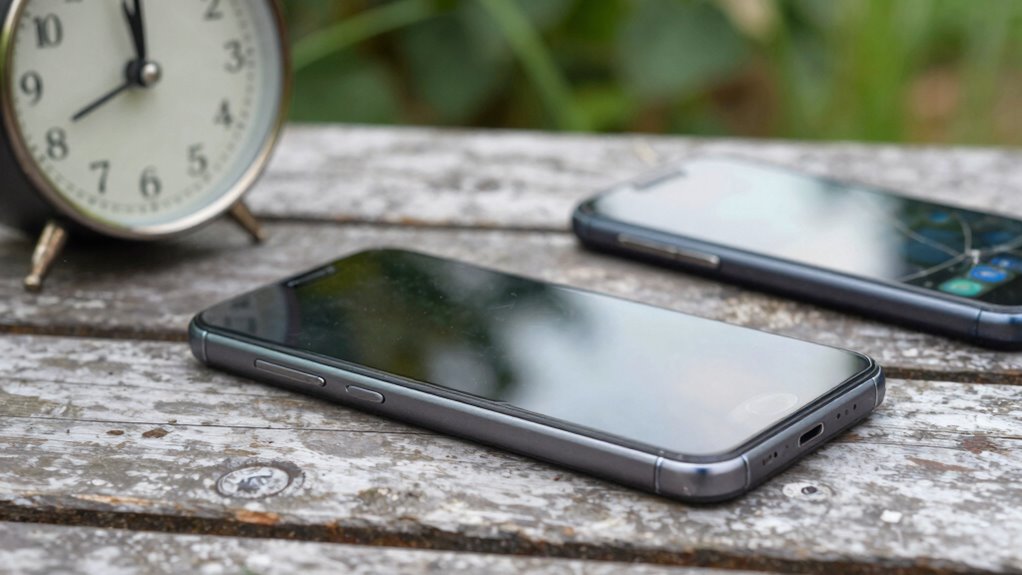
Have you ever wondered how long your smartphone should ideally last before it starts to slow down or show signs of wear? The answer isn’t just about physical durability but also how well your device maintains its performance over time. Typically, smartphones are designed to last around two to three years, but that doesn’t mean they’re useless after that period. Several factors influence a phone’s lifespan, with battery longevity and software updates being two of the most critical.
Your phone’s battery is often the first thing to show signs of aging. Over time, batteries lose their ability to hold a charge, which means you’ll need to recharge more frequently or find your device shutting down unexpectedly. This decline usually begins after about 300 to 500 full charge cycles, roughly equivalent to a year or two of regular use. To extend your battery’s lifespan, avoid letting it drain completely or keeping it plugged in at 100% for long periods. Modern smartphones include features like adaptive charging to slow down battery wear, but you should still be mindful of usage habits. Proper maintenance and mindful charging habits can significantly extend battery life.
Software updates also play a vital role in how long your smartphone remains functional and secure. Manufacturers release periodic updates that patch vulnerabilities, improve performance, and add new features. If you ignore these updates, your device may become more vulnerable to security risks, and some apps might not function correctly over time. Conversely, regularly installing updates can optimize performance and help your phone run smoothly longer. However, it’s worth noting that as devices age, they might not be able to support the latest software versions, which can slow down performance or cause compatibility issues. Additionally, hardware durability affects how well your device can withstand everyday wear and tear, which impacts its overall lifespan. Maintaining awareness of your device’s hardware condition can help you identify when replacement parts or repairs might be necessary to prolong usability.
Beyond battery health and software support, the physical components of your smartphone matter. Screen scratches, charging port wear, and internal hardware fatigue can limit usability. With proper care, your device can last longer, but these physical signs of aging are inevitable over several years. The role of hardware durability is thus crucial in determining overall longevity. Regular cleaning and cautious handling can help maintain these components in good condition.
In the end, a smartphone’s lifespan depends on how well you maintain it and how you adapt to its changing performance. While two to three years is a typical timeframe, with good battery care, timely software updates, and careful handling, your device can serve you well beyond that. Still, it’s wise to start considering upgrades once your phone begins to feel sluggish or battery life drops significantly. That way, you ensure you’re always using a device that meets your needs without sacrificing performance or security.
Products Worth Considering

Apple AirPods Pro (2nd Generation) Wireless Earbuds with USB‑C Charging, Up to 2X More Active Noise Cancelling, Transparency Mode, Adaptive

Bose QuietComfort True Wireless Earbuds with Active Noise Cancellation, Bluetooth 5.3, USB-C Charging, IPX4, Black

Sony WH-1000XM5 Premium Noise Cancelling Wireless Headphones – Midnight Blue
As an affiliate, we earn on qualifying purchases.
Frequently Asked Questions
Can Software Updates Extend My Smartphone’s Lifespan?
Yes, software updates can extend your smartphone’s lifespan. Regular updates improve software optimization, fixing bugs and enhancing security, which keeps your device running smoothly. Staying consistent with update frequency prevents your phone from becoming outdated or vulnerable. By updating promptly, you guarantee your device benefits from the latest features and security patches, ultimately helping it stay functional and secure for a longer period.
How Do Battery Replacement Options Affect Phone Longevity?
Replacing your battery can substantially boost your phone’s lifespan, especially since batteries degrade over time—losing about 20% capacity after 500 charge cycles. You might face replacement costs ranging from $30 to $80, but opting for a battery replacement supports battery recycling efforts and reduces electronic waste. This simple upgrade extends your device’s usability, saving money and the environment while keeping your phone functioning smoothly.
Does Frequent App Switching Impact Hardware Durability?
Frequent app switching can cause some hardware stress, but it generally doesn’t harm your device’s durability if your phone is well-designed. App multitasking increases processor workload and heat, which may contribute to wear over time, especially if your device runs hot. To minimize impact, avoid excessive multitasking, keep your device cool, and update software regularly to optimize performance. Proper care can help extend your smartphone’s lifespan despite frequent app use.
Are There Signs My Phone Needs Urgent Replacement?
If your phone’s battery drains quickly, apps freeze, or it heats up unexpectedly, it’s time to think about replacements. Hardware degradation, slow performance, or frequent crashes signal urgent issues. Check your warranty policies; they might cover repairs or replacements. Ignoring these signs can lead to data loss or security risks. Stay proactive—regularly assess your device’s health to avoid unexpected breakdowns and guarantee peak performance.
How Does Usage Environment Influence Phone Lifespan?
Your usage environment considerably impacts your phone’s lifespan. Environmental hazards like extreme temperatures, humidity, or exposure to dust can damage internal components. Poor storage conditions, such as leaving your phone in direct sunlight or in a damp place, accelerate wear and tear. To extend your phone’s life, keep it in a cool, dry environment, avoid exposure to harsh elements, and store it properly when not in use.
Conclusion
So, how long should your smartphone really last? Remember, time flies when you’re having fun, but your device’s lifespan depends on how well you care for it. Regular updates, proper storage, and avoiding unnecessary stress can extend its life. Think of your smartphone as a trusty companion—treat it well, and it’ll serve you longer. After all, a stitch in time saves nine, so nurture your device now to enjoy it for years to come.