To spot a fake smartphone, start by inspecting the logo for clarity and proper alignment—blurry or misplaced logos are red flags. Check the packaging quality; authentic boxes feel sturdy with precise printing, while fakes often look flimsy or misspelled. Look at the device’s build, ensuring buttons are solid and the design is smooth. Verify the serial number or IMEI with the manufacturer, and if you notice anything suspicious, those signs can help confirm if it’s genuine or counterfeit.

Get the latest gadgets delivered free with Prime
- Fast, free delivery on millions of items
- Prime Video, Amazon Music and more included
- Member-only deals all year
Key Takeaways
- Examine the logo for clarity, proper alignment, and absence of blurriness or pixelation.
- Inspect packaging for sturdiness, accurate branding, consistent fonts, and quality printing.
- Check the device’s build quality, button feel, and startup screen for authenticity indicators.
- Verify the software for official OS, pre-installed brand apps, and updates from the manufacturer.
- Confirm serial number and IMEI through official channels to ensure device legitimacy.

Ever wondered how to tell if a smartphone is genuine or a fake? It’s a common concern, especially with the increasing number of counterfeit devices flooding the market. The first thing you should look at is the brand logo. A real smartphone will feature a crisp, well-defined logo that’s perfectly aligned and free from any misspellings or blurring. Counterfeiters often cut corners here, so the logo might look off — blurry, poorly printed, or slightly misplaced. If the logo appears pixelated or uneven, that’s a red flag.
Another key indicator is packaging quality. Authentic smartphones come in sturdy, high-quality boxes with precise printing and clear branding. The packaging should feel solid and premium, not flimsy or cheap. Check for consistent fonts, proper color matching, and sharp images. Fake packaging often has misspelled words, irregular fonts, or faded colors. Sometimes, the box’s interior compartments might be poorly constructed or misaligned, which isn’t the case with genuine products. Take a moment to inspect the overall presentation; authentic packaging reflects the brand’s attention to detail, while fake packaging tends to be sloppy.
Authentic packaging feels solid, with precise printing and consistent branding—fakes often show misspellings, faded colors, and poor construction.
Beyond the visual cues, don’t forget to examine the physical device itself. Genuine phones usually have a solid build, with smooth edges and high-quality materials. The buttons should feel clicky and well-placed, not loose or wobbly. Turn on the device and look for the startup screen—most brands have distinctive logos or animations during boot-up. If that’s missing or looks different, it’s a sign you might be dealing with a counterfeit.
Also, check the software. Authentic smartphones will run the official operating system with all the pre-installed apps from the brand, and updates come directly from the manufacturer. Fake devices might have a modified or outdated version of the OS, with missing features or unusual app icons. Take time to navigate through the menus and settings. If something looks suspicious or unfamiliar, it’s worth investigating further.
Finally, verify the device’s serial number or IMEI with the manufacturer or official support channels. Genuine phones will have valid, traceable identifiers that match the brand’s database. Fake devices often have altered or invalid serial numbers, which can be checked online. By combining these visual, tactile, and technical checks, you’ll be better equipped to spot a fake smartphone before making a purchase. Remember, a little diligence upfront can save you from costly disappointments later.
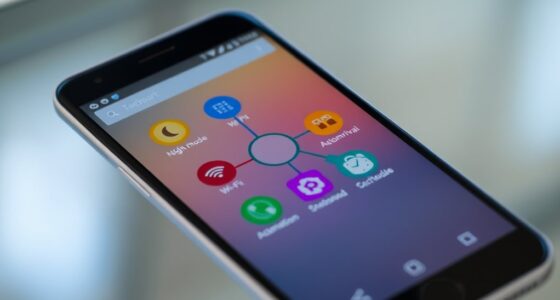
genuine smartphone logo verification
As an affiliate, we earn on qualifying purchases.
As an affiliate, we earn on qualifying purchases.
Frequently Asked Questions
Can Fake Smartphones Damage My Device or Data Security?
Yes, fake smartphones can harm your device or compromise your data security. Poor manufacturing quality in counterfeit phones increases the risk of hardware failures, overheating, and data breaches. Without proper counterfeit detection, you might unknowingly use a device with malicious software or compromised components. Always check for signs of genuine manufacturing quality, and use reliable methods to verify authenticity to protect your device and personal information.
Are There Specific Brands More Commonly Counterfeited?
Yes, certain brands are more commonly counterfeited, especially popular ones like Apple, Samsung, and Huawei. Brand imitation is widespread because these companies’ high demand makes them targets for counterfeit detection efforts. When shopping, be vigilant and scrutinize logos, packaging, and hardware. Recognizing signs of fake devices helps protect your data and guarantees you’re purchasing authentic products. Always buy from reputable sellers to avoid counterfeit smartphones.
How Can I Verify a Seller’s Credibility?
Think of verifying a seller’s credibility as opening a safe. You check their seller reputation on trusted platforms and read reviews like clues to their trustworthiness. Use secure payment verification methods, like credit cards or reputable payment services, to protect yourself. If a seller’s reputation is solid and payments are verified, you’re more likely to buy from someone honest. Trust your instincts and don’t rush—your safety’s worth it.
What Are the Legal Risks of Buying Counterfeit Phones?
Buying counterfeit phones exposes you to serious legal risks, including fines and potential criminal charges for violating intellectual property laws. You could be unknowingly supporting illegal activities, and authorities may seize your device. The legal implications can also damage your reputation and result in lost money. Always guarantee you’re purchasing from reputable sources to avoid these risks and respect intellectual property rights.
Do Counterfeit Smartphones Support Software Updates?
Counterfeit smartphones rarely support official software updates due to their lack of genuine hardware and software licenses. This means you might miss out on essential security patches and features. Supporting software update compatibility is difficult, increasing the counterfeit device risks, such as security vulnerabilities or system instability. Buying authentic devices ensures you get regular updates, keeping your phone secure and functioning properly, unlike counterfeit options that can compromise your data and performance.
As an affiliate, we earn on qualifying purchases.
Conclusion
Now that you know what to look for, spotting a fake smartphone becomes easier than finding a needle in a haystack. Trust your instincts and check every detail carefully—like a detective searching for clues. Remember, a genuine phone should feel solid, work smoothly, and match the seller’s descriptions. Stay vigilant, and don’t let a counterfeit thief your money. With these tips, you’ll be sailing smoothly through your purchase — like a captain steering clear of stormy waters.
As an affiliate, we earn on qualifying purchases.
As an affiliate, we earn on qualifying purchases.
Fall Picks
fall essentials
As an affiliate, we earn on qualifying purchases.