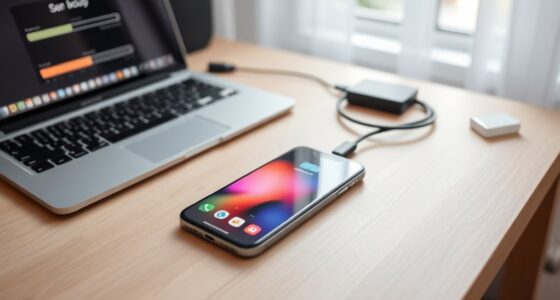
To make a big phone easier to use with one hand, switch to gesture navigation and resize apps for better thumb reach. Use textured cases or pop sockets for a secure grip, and adopt one-handed holding techniques to prevent overextending your thumb. Combining software tweaks with physical grip enhancements helps control larger screens comfortably and reduces strain. Want to discover more practical tips? Keep exploring, and you’ll find even smarter ways to optimize your device’s usability.

Get the latest gadgets delivered free with Prime
- Fast, free delivery on millions of items
- Prime Video, Amazon Music and more included
- Member-only deals all year
Key Takeaways
- Enable gesture navigation to reduce screen reach and improve natural one-handed control.
- Adjust app sizes and layouts to keep important buttons within thumb’s reach.
- Use textured cases or pop sockets to enhance grip and stability during use.
- Adopt one-handed holding techniques to prevent overextension and improve comfort.
- Combine gesture controls with customized app layouts for ergonomic, thumb-friendly access.
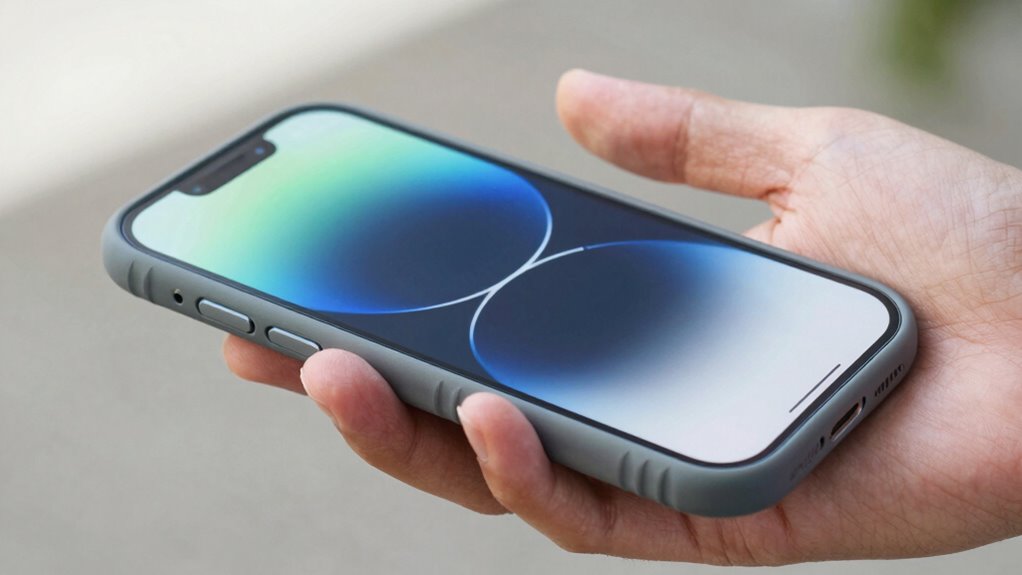
Big phones can be convenient, but their large size often makes them difficult to use comfortably with one hand. If you’re struggling to reach the top corners or navigate smoothly, there are practical ways to improve your experience. One effective method is customizing your gesture navigation settings. Many modern phones allow you to switch from traditional navigation buttons to gesture-based controls. Using gesture navigation, like swiping up from the bottom or swiping sideways, can reduce the need for reaching across the screen, making one-handed use more manageable. This setup lets you operate your phone more naturally, especially when you’re on the go or holding it with one hand. It’s a simple change, but it can notably improve your ability to perform common tasks without stretching your thumb or risking a drop. Adjusting these settings can also help accommodate inclusive casting, ensuring everyone can use the device comfortably regardless of hand size or mobility. Another helpful trick is adjusting app sizes to fit your hand better. Many devices offer options for app resizing or scaling, allowing you to make app interfaces smaller or more accessible. When you resize apps, you can position important buttons and controls closer to your thumb’s natural reach. This is particularly useful for frequently used apps like messaging or social media, where quick access is essential. By resizing or customizing the layout, you minimize the need to stretch your fingers or shift your grip excessively, which can be uncomfortable or cause accidental taps. Additionally, exploring hardware accessories can further enhance one-handed usability by providing better grip options or support.
Beyond software tweaks, consider physically modifying how you hold your phone. Using a one-handed grip can help you stabilize the device and reach more areas of the screen without overextending your thumb. Additionally, investing in a phone case with a textured grip or a pop socket can give you better control, reducing the effort needed to hold and operate your device securely.
Combining gesture navigation with app resizing creates a more ergonomic experience. Swipe gestures streamline navigation, while resizing apps makes your interface more thumb-friendly. These adjustments don’t require expensive accessories or complicated setups, just a few tweaks in your device settings. They allow you to keep your large phone, which offers a bigger display for viewing and multitasking, without sacrificing comfort or ease of use. With these simple changes, you’ll find your big phone more accessible, enabling you to enjoy its benefits without the frustration of awkward handling.
large phone one-handed grip accessories
As an affiliate, we earn on qualifying purchases.
As an affiliate, we earn on qualifying purchases.
Frequently Asked Questions
Are There Specific Apps to Help With One-Handed Use?
Yes, there are apps that can help with one-handed use, especially those with voice control and gesture navigation features. Voice control lets you operate your phone hands-free, while gesture navigation simplifies one-handed scrolling or switching apps. Some apps are built-in, like accessibility settings on Android and iOS, but you can also find third-party apps that enhance these features, making your big phone much easier to manage with one hand.
Can Screen Size Be Adjusted Without Affecting Performance?
Yes, you can adjust your screen size without impacting performance by calibrating your display settings and optimizing your battery. Screen calibration guarantees visuals are clear and comfortable, while battery optimization keeps your device running smoothly. Access your device settings to fine-tune display size or use accessibility features like one-handed mode. These adjustments won’t affect performance if you use built-in options, making your big phone easier to handle with one hand.
Do All Big Phones Support One-Handed Mode?
Not all big phones support one-handed mode, but many do. Manufacturers often include features like battery optimization and privacy settings to enhance usability. To check if your device has one-handed mode, go into settings and look for display or accessibility options. Activating this feature shrinks the screen for easier one-handed use. Keep in mind, enabling these modes can slightly impact battery life and privacy settings, so adjust them as needed.
How Does Case Choice Impact One-Handed Usability?
Your case choice considerably impacts one-handed usability by affecting your phone grip and thumb reach. A slim, textured case improves grip, preventing slips, while a compact design makes it easier to reach all areas of the screen with your thumb. Avoid bulky or heavy cases, as they hinder thumb reach and decrease maneuverability. Opt for minimalist cases to enhance one-handed use, ensuring you can comfortably hold and operate your big phone.
Are There Ergonomic Accessories for Easier One-Handed Handling?
Think of your phone as a trusty steed—ergonomic accessories like a phone grip or a specially designed case become your saddle, making one-handed handling smoother. These accessories are crafted with ergonomic design in mind, providing better control and comfort. A phone grip, for instance, guarantees your hand stays secure, reducing strain. With these tools, you’ll navigate your big phone effortlessly, turning it into an extension of your hand rather than a burden.
As an affiliate, we earn on qualifying purchases.
Conclusion
Now that you’ve mastered maneuvering your massive mobile with one hand, you’re ready to relax and enjoy it. With simple shortcuts, smart settings, and steady stretches, your smartphone becomes less of a struggle and more of a seamless sidekick. So, embrace these easy tweaks, enhance your efficiency, and elevate your experience. Making your mighty mobile more manageable means more moments of multitasking and less of fumbling—fuel your freedom and feel fabulous!
gesture navigation compatible phone cases
As an affiliate, we earn on qualifying purchases.
As an affiliate, we earn on qualifying purchases.
As an affiliate, we earn on qualifying purchases.
Halloween Picks
halloween
As an affiliate, we earn on qualifying purchases.