To back up your phone properly and avoid losing data, use both cloud and local solutions for a thorough approach. Enable automatic backups through your device settings or apps like Google Drive or iCloud, and regularly update these backups. Secure your data with strong encryption and perform full device backups for complete restoration. Test your backup and restore processes periodically to ensure they work smoothly. Keep going to discover more ways to protect your information effectively.

Get the latest gadgets delivered free — and shop member deals
- Fast, free delivery on millions of items
- Access to Prime Big Deal Days deals on October 6–7
- Prime Video, Amazon Music and more included
Key Takeaways
- Use both cloud services (Google Drive, iCloud) and local backups (external drives) for comprehensive data protection.
- Enable automatic, scheduled backups to ensure your data stays updated without manual effort.
- Perform full device backups regularly and test restore processes to verify data integrity and recovery.
- Encrypt backups with strong standards like AES 256-bit and enable two-factor authentication for enhanced security.
- Maintain a hybrid backup strategy, combining online and offline methods, to minimize data loss risks and ensure quick recovery.
Understand Your Backup Options for Mobile Devices

Understanding your backup options for mobile devices is essential to protect your data effectively. You have several choices, including cloud services like Google Drive, iCloud, IDrive, and pCloud, each offering different levels of security and convenience. Cloud backups are easy to automate and access from anywhere, but they may raise privacy concerns or limited storage. Alternatively, you can back up locally using external drives or SD cards, giving you full control and fast access, but these methods require manual effort and regular updates. Some users combine both approaches—a hybrid backup—to maximize security. Knowing the strengths and weaknesses of each option helps you decide which method suits your needs best. Regularly updating your backups ensures your data remains safe, regardless of the solution you choose. Additionally, understanding projector contrast ratio can enhance your viewing experience when setting up multimedia content.
Choose Between Cloud and Local Backup Solutions

Choosing between cloud and local backup solutions depends on your needs for security, convenience, and control. Cloud backups offer easy access and automatic updates, while local storage gives you direct ownership and faster recovery times. Using both methods together provides a more reliable safety net for your data. Additionally, understanding your pool’s data needs can help you select the most appropriate backup strategy.
Cloud Backup Advantages
Cloud backup solutions offer several key advantages that make them an attractive option for safeguarding your mobile data. They provide seamless access to your files from any device with an internet connection, eliminating the need for physical storage devices. You can set up automatic backups, ensuring your data stays current without manual effort. Cloud services also enable easy recovery if your phone is lost, damaged, or stolen. Plus, they often include built-in security features like encryption to protect your information. Imagine your photos, contacts, and app data securely stored in a virtual vault, ready to restore at a moment’s notice. Secure cloud infrastructure ensures your data remains protected against cyber threats. With cloud backups, you gain flexibility, convenience, and peace of mind, knowing your data is safe even if physical devices fail or are misplaced.
Local Storage Benefits
Local storage offers a reliable way to back up your mobile data without relying on internet connectivity or third-party services. By using external hard drives, USB drives, or SD cards, you gain immediate access to your backups anytime, even without an internet connection. This method reduces the risk of data breaches associated with cloud services, as your data stays physically with you. It also offers fast transfer speeds, making backups quick and straightforward. Plus, local backups give you full control over your data, avoiding privacy concerns related to third-party providers. Regularly updating your physical backups ensures your information remains current and protected. Additionally, understanding Gold IRA Markets can help investors explore secure and valuable investment options, highlighting the importance of secure backups for financial data. Overall, local storage provides a simple, secure, and private solution for safeguarding your essential mobile data.
Combining Both Methods
Combining cloud and local backup methods creates a more thorough protection strategy for your mobile data. By doing this, you safeguard against both online threats and physical device failures. Imagine your data stored securely in the cloud, accessible from anywhere, while a physical copy resides on an external drive, ready for quick restores without internet. This dual approach reduces the risk of total data loss. You might picture your backup setup as a fortress:
- Cloud storage with automatic sync, accessible on any device
- External hard drives tucked away safely at home or office
- Encrypted backups to prevent unauthorized access
- Regularly updated copies, minimizing outdated data risks
- Seamless integration between online and offline backups for peace of mind
- Modern backup techniques leverage automation and encryption to enhance data security and efficiency.
This balanced method ensures your data stays protected, no matter what happens.
Set Up Automatic and Regular Backups

Setting up automatic and regular backups guarantees your data stays safe without requiring constant manual effort. Start by enabling scheduled backups through your device’s settings or backup app. For Android, use Google Drive or third-party apps that offer auto-sync options. iPhones automatically back up to iCloud when connected to Wi-Fi and charging, but you can adjust these settings for frequent backups. Establish a routine—either daily or weekly—to ensure your latest photos, messages, and app data are preserved. Consistent backups reduce the risk of losing recent changes and simplify recovery if your device is lost or damaged. Remember, automation helps maintain data integrity without extra effort, so set it up once and let it run in the background. Wave and wind can impact backup stability, so consider your environment when setting up backups.
Use Secure Encryption to Protect Your Data

Using strong encryption during backups keeps your data safe from prying eyes. End-to-end encryption guarantees only you can access your information, even if the storage provider is compromised. Make sure to choose backup services that support high-standard encryption, like AES 256-bit, for maximum security. Additionally, understanding dark psychology tactics can help you recognize and protect yourself from manipulation attempts that might target your digital security.
End-to-End Encryption Benefits
End-to-end encryption plays a crucial role in safeguarding your mobile data by ensuring that only you and your authorized devices can access the information. It encrypts your data at the source and decrypts it only on your device, preventing anyone—even service providers—from reading it during transfer or storage. This means your photos, messages, and backups stay private and protected from hackers or third parties. With end-to-end encryption enabled, you can feel confident that your sensitive information remains secure. Imagine your data as a locked safe, accessible only by your key. Smart home technology can also benefit from similar encryption methods to protect connected devices and personal data.
- Securely locked files that can’t be opened by outsiders
- Data traveling through tangled networks remains unreadable
- Unauthorized access blocked at every point
- Even if data is intercepted, it’s useless to hackers
- Your privacy stays intact, no matter what happens
Choosing Strong Encryption Standards
Choosing strong encryption standards is essential to ensuring your backup data remains secure from unauthorized access. You want your information protected with robust algorithms like AES 256-bit, which offers high-level security. Verify that your backup service uses zero-knowledge encryption, meaning only you hold the keys. This prevents providers from accessing your data even if they’re compromised. Additionally, understanding the paranormal aspects of digital security can help you stay one step ahead of potential threats. Prioritize services that offer end-to-end encryption and regular security updates to keep your data safe.
Perform Full Device Backups for Complete Restoration

Performing a full device backup guarantees that all your data, settings, and apps are saved in a single, exhaustive file, making it easier to restore your phone exactly as it was if something goes wrong. This process captures everything — from your contacts and messages to app data and system preferences. Imagine a snapshot of your entire device, ready to be restored with a few taps. Visualize a secure vault holding your digital life, accessible anytime you need it. You’ll see a complete image of your device, including personalized settings, app configurations, and media files. This extensive backup minimizes the risk of data loss and simplifies recovery, ensuring your phone’s state remains intact. Comprehensive backups include every detail, so you can confidently restore your device without missing any important information.
Test Your Backup and Restore Processes

Testing your backup and restore processes is a crucial step to guarantee your data is safe and recoverable when needed. You should regularly perform a test restore to verify that your backups work correctly. Start by restoring a small, non-critical file or setting to ensure the process completes successfully without errors. If you’re using cloud services, check that your data appears intact and accessible. For full device backups, perform a complete restore on a secondary device or emulator to confirm all data, apps, and settings are correctly restored. Document any issues you encounter during testing and address them promptly. By routinely testing, you minimize surprises during an emergency, ensuring your backup strategy truly protects your valuable data. Additionally, consider home theater setup principles to organize your backup environment efficiently and prevent accidental data loss.
Follow Best Practices to Maintain Data Privacy and Security
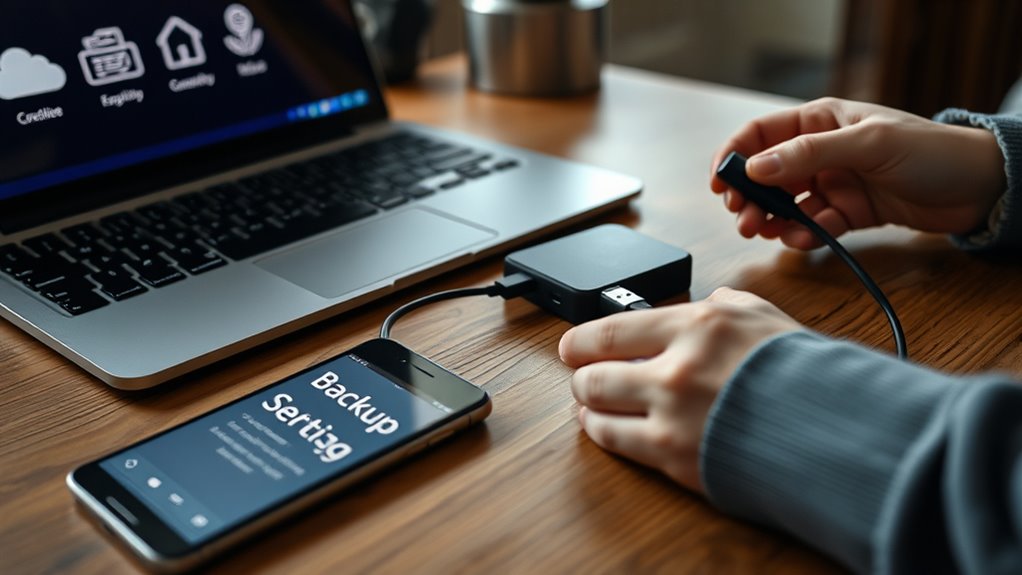
Maintaining your data privacy and security during backups is essential to protect sensitive information from unauthorized access. To do this, follow best practices that keep your data safe and private. Use services that offer end-to-end encryption, like IDrive or pCloud, which prevent anyone but you from accessing your data. Always enable two-factor authentication to add an extra layer of security. Regularly update your backup apps and operating system to patch vulnerabilities. Be cautious with public Wi-Fi when backing up, and avoid sharing backup credentials. Lastly, verify your backup settings to ensure encryption is active and access controls are in place.
Protect your sensitive data with encrypted backups, two-factor authentication, and regular updates to stay secure.
- Visualize your data locked behind strong encryption, accessible only with your password
- Think of your backup being protected by multi-layered security measures
- Imagine your credentials guarded by two-factor authentication prompts
- Picture your device automatically updating to fix security flaws
- Envision your data shielded from prying eyes with secure access controls
Frequently Asked Questions
How Often Should I Update My Phone Backups for Optimal Security?
You should update your phone backups weekly or bi-weekly to guarantee your data stays current and secure. Regular backups minimize data loss risks from accidental deletions, device damage, or theft. Automate your backups whenever possible, using encrypted cloud services or local storage, to save time and enhance security. By maintaining consistent backup routines, you’ll protect your important files, apps, and settings, keeping your data safe and easily recoverable.
Can I Back up Specific Apps and Data Separately From My Entire Device?
Yes, you can back up specific apps and data separately from your entire device. Many backup services, like iDrive and pCloud, allow selective backups of files, photos, or app data. On Android, you can use Google Photos or app-specific backup options. iOS users can back up individual app data via iCloud. This way, you protect essential information without creating a full device backup every time.
Is It Better to Use Paid or Free Backup Services for Mobile Devices?
It’s usually better to use paid backup services because they offer enhanced security, more storage, and reliable features like automatic backups and encryption. Free services are tempting but often come with limited storage, ads, or privacy concerns. Investing in a paid plan guarantees your data is protected with better security measures, consistent backups, and peace of mind, especially if you rely heavily on your device for personal or professional data.
How Do I Recover Data if My Backup Becomes Corrupted?
Imagine your data as a fragile butterfly, easily lost in a storm. If your backup becomes corrupted, don’t panic. First, check if you have multiple copies—local and cloud. Use alternative backup versions or restore from an earlier save if available. Contact your backup service’s support for recovery options. Regularly updating and verifying backups minimizes this risk, keeping your digital butterfly safe from future storms.
What Are the Risks of Not Encrypting My Mobile Backup?
If you don’t encrypt your mobile backup, your data’s vulnerable to unauthorized access, theft, or hacking. Someone could easily retrieve sensitive information like passwords, personal photos, or financial details if they gain access. Without encryption, your data isn’t protected during storage or transfer, increasing privacy risks. To keep your info safe, always enable encryption, use strong passwords, and choose backup services that prioritize privacy and security.
Conclusion
By taking these simple steps, you’re gently wrapping your digital world in a cozy blanket of security. Regular backups become your silent guardian, quietly safeguarding your memories and important info. With a little effort now, you’ll avoid the hassle of lost data later—allowing you to enjoy your device stress-free. Remember, a well-protected phone is like a trusted friend, always there to support you when you need it most.
Evergreen bestsellers Picks
bestsellers
As an affiliate, we earn on qualifying purchases.