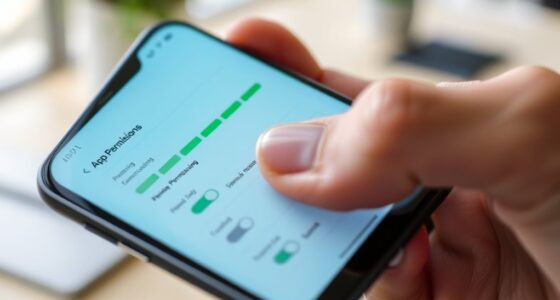

To optimize your phone for gaming, start by enabling battery saver mode and adjusting brightness to save energy. Turn off background apps, disable Bluetooth and location services when not needed, and keep your software updated for better performance. Use a strong Wi-Fi connection or a wired Ethernet adapter for stable connectivity. Consider accessories like portable chargers or cooling fans to enhance your gaming experience. For more tips, explore how to fine-tune your device for top gaming performance.

Get the latest gadgets delivered free with Prime
- Fast, free delivery on millions of items
- Prime Video, Amazon Music and more included
- Member-only deals all year
Key Takeaways
- Enable battery saver mode and reduce screen brightness to extend gaming sessions.
- Connect to a stable Wi-Fi network and place the device closer to the router for better connectivity.
- Close background apps and disable Bluetooth and location services to improve performance and save battery.
- Use a portable power bank and cooling accessories to maintain device performance during long gaming sessions.
- Keep software and apps updated, and consider network booster apps to reduce lag and ensure smooth gameplay.

If you want to get the most out of your mobile gaming experience, optimizing your phone is essential. The first step is to focus on battery saving and network stability, two critical factors that can make or break your gaming sessions. To maximize battery life, start by adjusting your screen brightness. Lower it to a comfortable level or enable auto-brightness to prevent unnecessary power drain. Turning off background app refreshes and closing apps you aren’t using can also conserve battery, ensuring your device lasts longer during intense gaming marathons. Enabling battery saver mode can further optimize your device by limiting background activity and reducing power-hungry processes. Additionally, disabling Bluetooth and location services when they’re not needed can help preserve energy, so you don’t run out of juice mid-play. Keeping your software updated ensures you benefit from the latest performance improvements and bug fixes, which can enhance both battery efficiency and network performance. Network stability is equally important to prevent lag, disconnections, or lag spikes that can ruin your gaming experience. Make sure you’re connected to a strong, stable Wi-Fi network whenever possible, as it offers more reliable bandwidth than cellular data. If you’re using mobile data, check your signal strength and switch to a different network band if needed—some carriers allow you to select LTE over 5G or vice versa for better stability. To minimize latency, avoid downloading or streaming content in the background while gaming, as this can congest your network and cause lag. Consider placing your phone closer to your Wi-Fi router or using a wired Ethernet connection via an adapter if your device supports it, which can considerably boost network stability. Another useful tip is to turn on airplane mode and enable Wi-Fi if you’re in an area with poor cellular reception. This prevents your phone from constantly searching for a signal, saving battery, and maintaining a steady internet connection. Moreover, keeping your device updated ensures you have the latest software improvements and bug fixes, which can enhance both battery efficiency and network performance. Investing in accessories like a high-quality power bank or portable charger can also help you keep your device powered during long gaming sessions, especially if you’ve optimized your settings for battery saving. Ultimately, consider using a gaming VPN or network booster app to prioritize gaming traffic, which can improve network stability and reduce lag, providing you a smoother experience overall. By paying attention to these details, you guarantee your phone is primed for the best possible gaming performance at all times.
As an affiliate, we earn on qualifying purchases.
Frequently Asked Questions
How Can I Reduce Input Lag on My Gaming Phone?
To reduce input lag on your gaming phone, focus on minimizing touch latency and improving touchscreen calibration. Enable developer options and turn on “Show taps” to identify calibration issues. Keep your screen clean and avoid screen protectors that can cause touch delays. Also, disable background apps that might interfere with input responsiveness. Adjust settings to prioritize performance, and consider using accessories like gaming controllers for more precise input.
What Are the Best Battery-Saving Tips for Gaming Sessions?
To extend your gaming sessions, focus on battery optimization and power management. Enable battery saver mode, lower screen brightness, and turn off unnecessary notifications. Close background apps that drain power, and disable Wi-Fi or Bluetooth when not in use. Using a gaming mode or optimizing your device’s settings can help conserve battery life, ensuring you get the most out of each session without your device dying mid-game.
How Do I Improve Wi-Fi Stability During Online Gaming?
To enhance Wi-Fi stability during online gaming, focus on network optimization by placing your router in a central, unobstructed location. Use signal boosters to strengthen your connection, reducing lag and disconnections. Additionally, connect your phone via 5GHz Wi-Fi if possible, as it offers faster, more stable speeds. Avoid interference from other devices and limit background data usage to ensure a smoother gaming experience.
Can I Overclock My Phone for Better Gaming Performance?
You can overclock your phone for better gaming performance, but beware—overclocking risks hardware damage and voids warranties. It’s like pushing a sports car beyond its limits; exciting but dangerous. Hardware modifications may seem tempting, but they often require technical expertise and can lead to overheating or instability. Instead, focus on safe tweaks like adjusting settings or using accessories to enhance performance without risking your device’s longevity.
Which Gaming Accessories Are Essential for Mobile Gamers?
You should definitely get gaming controllers for better control and comfort during long sessions. They enhance your gameplay and make it easier to execute complex moves. Portable chargers are also essential to keep your phone powered up, especially during extended gaming sessions on the go. Combining these accessories guarantees smooth gameplay without interruptions, giving you a competitive edge and a more enjoyable experience.
As an affiliate, we earn on qualifying purchases.
Conclusion
Just like a finely tuned race car, your phone can reach peak performance with the right tweaks. By optimizing settings and choosing the right accessories, you open a smoother, more immersive gaming experience—your very own Excalibur in the domain of mobile gaming. So, take charge and wield your device with confidence. After all, as in any quest, preparation is key to victory. Now, go conquer your gaming world!
wired Ethernet adapter for smartphones
As an affiliate, we earn on qualifying purchases.
As an affiliate, we earn on qualifying purchases.
As an affiliate, we earn on qualifying purchases.
Halloween Picks
halloween
As an affiliate, we earn on qualifying purchases.