
When your battery’s almost drained, act fast by enabling airplane mode to stop network searches, lowering your screen brightness, and disabling unnecessary apps or notifications. Limit your device’s usage to essential tasks and connect to a power source if possible, like a portable charger or USB port. These quick actions can maximize your remaining power. Want to learn more tips? Continue exploring ways to stretch your last remaining battery life effectively.

Get the latest gadgets delivered free — and shop member deals
- Fast, free delivery on millions of items
- Access to Prime Big Deal Days deals on October 6–7
- Prime Video, Amazon Music and more included
Key Takeaways
- Enable airplane mode to disable all wireless functions and conserve power quickly.
- Lower screen brightness or switch to dark mode to reduce display energy consumption.
- Close all unnecessary apps running in the background to prevent battery drain.
- Use a portable power bank or find a USB charging station for rapid recharging.
- Limit device usage to essential functions and disable non-critical notifications to extend remaining battery life.
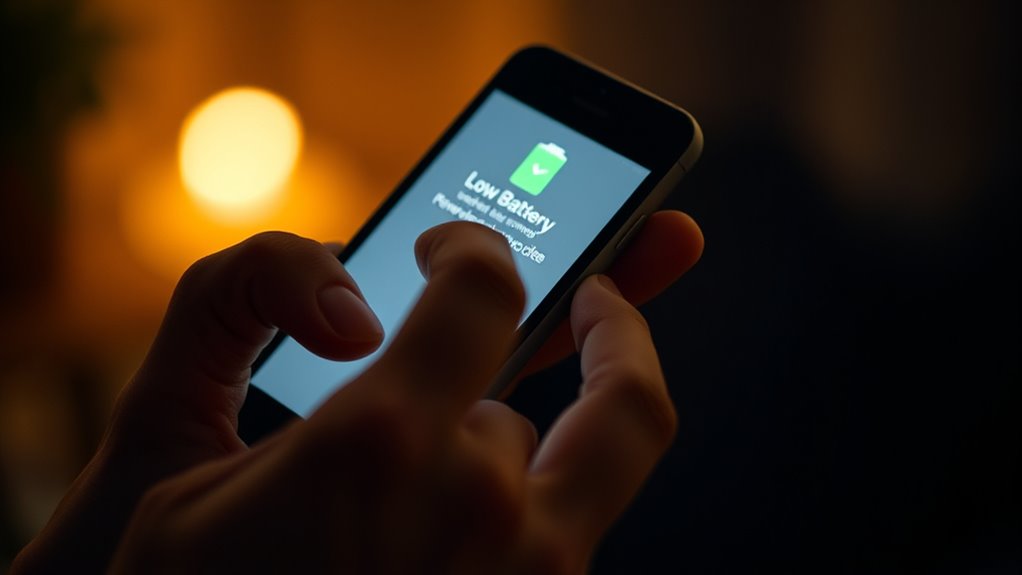
Have you ever been in the middle of an important call or navigation when your device suddenly warns you of a low battery? It’s a stressful situation, especially when you’re counting on your phone for directions, work, or staying connected. The good news is, with some quick thinking and smart strategies, you can squeeze more life out of your device until you find a power source. Knowing a few power saving tips can make all the difference, allowing you to extend your battery life just enough to get through until you can find an outlet or emergency charging option.
Running low on battery? Quick tips to extend your device’s life when you need it most.
The first step is to minimize background activity. Close all unnecessary apps running in the background, as they drain power even when you’re not actively using them. Disable Wi-Fi, Bluetooth, and mobile data if they aren’t essential, because these features tend to consume significant energy looking for signals or maintaining connections. Lower your screen brightness or switch to a darker display mode, since the screen is typically the biggest battery drain. Enabling airplane mode is another quick fix—especially if you’re in an area with poor reception—since your device won’t waste power trying to connect to networks it can’t reach. Using an energy-efficient display mode can also help conserve power and extend your device’s usage time. These simple power saving tips can buy you vital extra minutes of usage.
If you’re truly desperate and don’t see an immediate way to recharge, consider emergency charging options. Portable power banks are your best bet—they’re compact, easy to carry, and can give your device a rapid boost. Keep one in your bag or car for emergencies; it’s a dependable way to extend your device’s life when outlets are nowhere in sight. Alternatively, if you’re near a public space, look for USB charging stations in airports, cafes, or libraries. Sometimes, even a quick 10-15 minute charge can add hours of standby time. If it’s an option, use a car charger to top up your device while on the move. Remember, even charging through a computer’s USB port can provide a marginal boost, especially if you’re in a pinch.
In situations where your battery is critically low, every second counts. Applying these power saving tips helps you conserve energy, but having a backup plan like an emergency charging method can be a lifesaver. Keep an eye on your battery level, and act fast when you notice it dropping. This way, you’re better prepared to handle low-battery emergencies and stay connected when it matters most. Whether it’s closing apps, dimming your screen, or finding a portable charger, quick action can make all the difference in extending your device’s usability.
portable power bank for smartphones
As an affiliate, we earn on qualifying purchases.
As an affiliate, we earn on qualifying purchases.
Frequently Asked Questions
Can I Extend My Battery Life by Turning off Wi-Fi and Bluetooth?
Yes, turning off Wi-Fi toggling and managing Bluetooth can help extend your battery life. When you disable Wi-Fi and Bluetooth, your device doesn’t keep searching for signals, which saves power. So, if you’re running low, turn off Wi-Fi toggling and Bluetooth to reduce background activity. This simple step can give you extra hours of usage, especially when you need your device most.
Does Closing Background Apps Significantly Save Battery During Emergencies?
Closing background apps can help reduce battery drain, especially during emergencies. When you close these apps, your device stops using power to keep them running in the background, which can extend your remaining battery life. While it might not dramatically boost your battery, it’s a simple step to save some power. So, if you’re running low, closing unnecessary background apps is a quick way to squeeze a little more life out of your device.
Are There Specific Settings to Optimize Battery Saving on Ios and Android?
Yes, both iOS and Android have specific settings to optimize battery saving. You can activate Power Management features like Low Power Mode on iOS and Battery Saver on Android, which help extend battery life by reducing background activity. Adjust screen brightness, turn off Bluetooth and Wi-Fi when not needed, and limit app refreshes to protect battery health. These steps ensure your device conserves power during emergencies, making the most of your remaining battery life.
How Effective Are Portable Chargers in Emergency Battery Situations?
Portable chargers are your best friends in a pinch, especially when you’re desperate for a quick boost. They’re surprisingly effective, especially those with solar power options—if you’re outdoors long enough. Just remember to calibrate your device’s battery regularly for accuracy. While they won’t last forever, they can buy you vital extra minutes or hours, making that last call or message possible—until your device finally gives up the ghost.
What Are the Best Practices for Conserving Battery During Low-Power Situations?
To conserve battery during low-power situations, you should calibrate your battery regularly to guarantee accurate readings. Lower your screen brightness and enable dark mode to reduce power consumption. Turn off unnecessary features like Wi-Fi, Bluetooth, and location services. Close unused apps, and switch to airplane mode if you don’t need connectivity. These steps help extend your device’s battery life when it’s critically low, giving you more time to use essential functions.
USB charging station for devices
As an affiliate, we earn on qualifying purchases.
As an affiliate, we earn on qualifying purchases.
Conclusion
Next time your battery hits that alarming low, remember, it’s often when you least expect it that a helpful tip or a chance encounter pops up. Maybe a stranger offers a quick charge, or you stumble upon a power bank in a forgotten bag. Those moments of coincidence remind you that even in tight spots, a little luck—and smart thinking—can keep you connected just a bit longer. Sometimes, the smallest surprises save the day.
As an affiliate, we earn on qualifying purchases.
As an affiliate, we earn on qualifying purchases.
Fall Picks
fall essentials
As an affiliate, we earn on qualifying purchases.