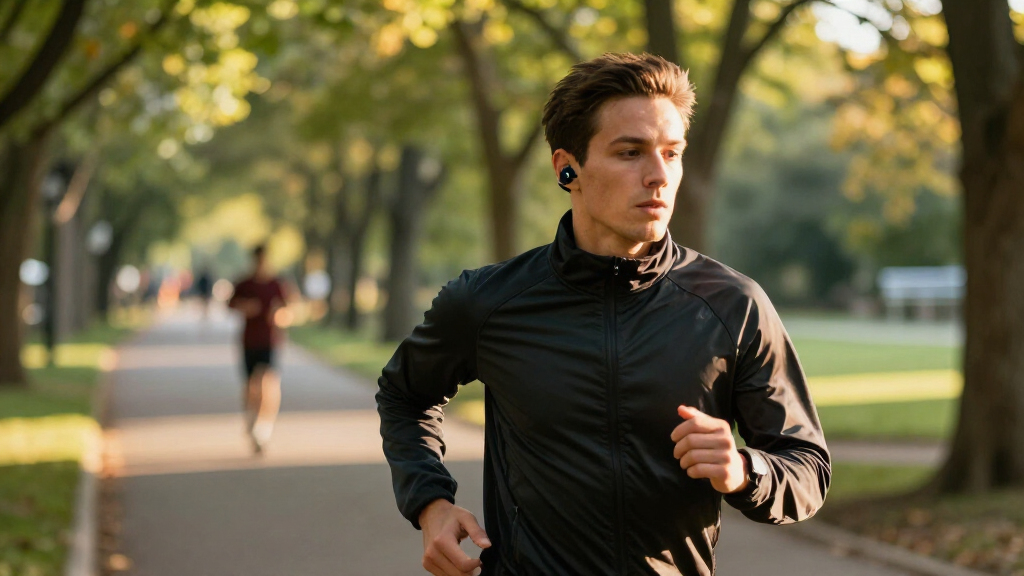

Set up wireless earbuds for fitness by checking their sweat rating, choosing the right ear tips, pairing them with your phone, and testing them with workout movements. This guide is for beginners preparing earbuds for walking, running, gym sessions, or similar exercise. Allow about 15–25 minutes, including a short movement check.

Get the latest gadgets delivered free with Prime
- Fast, free delivery on millions of items
- Prime Video, Amazon Music and more included
- Member-only deals all year

Beats Powerbeats Pro 2 Earbuds, HR Monitor, 45H Battery – Jet Black
- ✔ Fit: Flexible earhook; five ear tip sizes
- ✔ Resistance: IPX4 sweat and water resistance
- ✔ Workout feature: Built-in heart-rate monitoring

JLab Go Sport+, True Wireless Workout Earbuds, Bluetooth Sport Earbuds, Clear Calling, Graphite
- ✔ Fit: Ergonomic earhook
- ✔ Resistance: IP55 sweat and dust resistance
- ✔ Battery: More than 9 hours per earbud plus more than 26 hours from case

JBL Vibe Beam – True Wireless Earbuds – Black
- ✔ Fit: Ergonomic stick-closed design
- ✔ Resistance: Described as splash and dust resistant; no IP code supplied
- ✔ Drivers: 8 mm dynamic drivers
Difficulty: Beginner | Time: 15-25 minutes
What You’ll Need
Tools & Materials:
- Wireless earbuds and their charging case
- A compatible phone or music player with Bluetooth
- Clean, dry hands and a soft, lint-free cloth
Knowledge:
- Basic phone Bluetooth settings
- How to pause audio and adjust volume on your device
Check the earbuds’ manual or product listing for the exact water and sweat resistance rating, fit instructions, and control gestures. Water resistance varies by model; do not assume earbuds or their case can be rinsed or used in heavy rain. Keep the case dry during setup.
Beats Powerbeats Pro 2 Earbuds, HR Monitor, 45H Battery – Jet Black
The Powerbeats Pro 2 put the most workout-specific tools in this group. Their flexible nickel titanium earhooks are designed to stay put during sprints, lifting, and classes, while five included ear tip sizes let us adjust the seal. That combination makes them a stronger candidate for intense movement than the JBL Vibe Beam, which relies on a conventional stick-shaped in-ear fit. Beats also adds in-ear heart-rate monitoring, so compatible training routines can draw on a sensor without requiring a separate chest strap or watch.For adapting a session, the Beats offer ANC and Transparency mode, adaptive EQ, and physical on-ear buttons with volume rockers. Those tactile controls may be easier to use between reps than relying on touch gestures. The stated 45 hours with the case and five-minute fast charge are useful when workouts and commutes share the same earbuds. The feature set works with Apple and Android, though some experiences differ by platform; the product description identifies Android support through the Beats app and highlights additional Apple-specific conveniences.The tradeoff is complexity: these are the most feature-dense option here, and the extra sensors and controls may be unnecessary if we only need music for a short gym visit. Their IPX4 rating covers sweat and water resistance as specified, but it is a different rating from the JLab’s IP55 sweat and dust protection. Buyers who prioritize dust protection or a simpler workout pair may prefer JLab. For demanding training where fit and live workout data matter, however, Beats makes the clearest all-around case.
Pros:
- Flexible earhooks and five ear tip sizes support a more customizable, secure fit.
- Built-in heart-rate monitoring adds workout data without a separate sensor.
- ANC, Transparency mode, and physical volume controls support changing training environments.
- Up to 45 hours with the case and a five-minute fast charge offer flexible listening time.
Cons:
- The extensive training features may be unnecessary for casual gym listening.
- IPX4 is the stated resistance rating; unlike JLab, the description does not specify dust protection.
- Some platform conveniences are Apple-focused, even though Android feature access is also described.
Best for: Athletes who want a secure earhook fit, built-in heart-rate monitoring, and a broad set of workout controls.
Not ideal for: Listeners who want a simple, compact pair or who prioritize a stated dust rating alongside sweat resistance.
Bottom line: We rank the Powerbeats Pro 2 first for combining a training-focused secure fit with heart-rate tracking, adaptable listening modes, and hands-on controls.
“We rank the Powerbeats Pro 2 first for combining a training-focused secure fit with heart-rate tracking, adaptable listening modes, and hands-on controls.”
JLab Go Sport+, True Wireless Workout Earbuds, Bluetooth Sport Earbuds, Clear Calling, Graphite
The JLab Go Sport+ earn their place by focusing on the physical demands of exercise. Their ergonomic earhook is designed to stay in place, including for smaller ears, and the IP55 sweat and dust rating gives this pair the clearest stated protection for dusty routes or gym bags in this lineup. Compared with the Beats, JLab keeps the training package simpler: there is no heart-rate sensor or ANC listed, but the core fit-and-resistance story is direct.For outdoor sessions, Be Aware audio lets surrounding sound in, and its adjustable level through the JLab app gives listeners some control over that balance. Three EQ presets, remappable touch controls, and dual-connect Bluetooth round out the practical features. The claim of more than nine hours per earbud plus more than 26 additional hours from the case suggests infrequent charging for regular use; the case also has a built-in USB cable, so we do not need to pack an extra cord for that connection.JLab is a better match than the JBL Vibe Beam when vigorous movement and an earhook matter most, while JBL offers a closed stick design and its own ambient modes for everyday wear. The main compromises are that JLab relies on touch controls rather than the Beats’ physical buttons, and its described call-noise handling is not as extensive as Beats’ six-microphone setup. Buyers wanting heart-rate tracking or active noise cancellation should step up to Beats; those who want a stable workout fit with dust protection have a more focused option here.
Pros:
- Earhook design targets a secure fit during running and high-intensity workouts.
- IP55 rating specifies sweat and dust resistance.
- Be Aware audio levels and EQ presets are adjustable in the JLab app.
- Built-in case USB cable removes the need to carry a separate charging cord for the case.
Cons:
- No heart-rate monitoring or active noise cancellation is listed.
- Touch controls may be less tactile during movement than the Beats’ physical controls.
- The case charging time is listed as two hours, but the description gives no fast-charge claim.
Best for: Runners and gym-goers who want an earhook, stated dust and sweat protection, and adjustable awareness audio.
Not ideal for: Buyers who want built-in heart-rate tracking, active noise cancellation, or physical button controls.
Bottom line: We recommend the Go Sport+ for workout security and IP55 protection when we do not need Beats’ advanced training features.
“We recommend the Go Sport+ for workout security and IP55 protection when we do not need Beats’ advanced training features.”
JBL Vibe Beam – True Wireless Earbuds – Black
The JBL Vibe Beam suit listeners who want fitness earbuds that can also handle daily entertainment. Their ergonomic stick-closed design is described as comfortable, and the closed fit supports the bass-forward presentation JBL emphasizes. With up to 32 hours total battery and a quick-charge claim of two extra hours from ten minutes, they can cover commutes and gym sessions without frequent top-ups.For awareness, JBL includes Smart Ambient features: Ambient Aware keeps audio playing while bringing in surrounding sound, and TalkThru makes quick conversation easier without removing the earbuds. VoiceAware lets us adjust how much of our own voice we hear on calls. These features make the Vibe Beam more versatile than a basic closed-fit pair, but the shape does not have the securing earhook found on both Beats and JLab. For running intervals or high-impact classes, that makes them a less convincing choice than either workout-oriented design.The product description calls them splash and dust resistant, but it does not provide a specific IP code in the supplied details. That leaves less precise protection guidance than the JLab’s IP55 rating or the Beats’ IPX4. There is also no heart-rate feature, so data-focused training points clearly to Beats. Choose JBL when we value a familiar in-ear silhouette, ambient listening modes, and long stated runtime more than an added mechanism to keep earbuds locked in during harder movement.
Pros:
- Up to 32 hours total playback is suited to regular use between charges.
- Ten-minute speed charge is claimed to add up to two hours of listening.
- Ambient Aware and TalkThru help with awareness and quick conversations.
- VoiceAware lets callers adjust how much of their own voice they hear.
Cons:
- No earhook is listed, so the fit is less explicitly secured for intense movement than Beats or JLab.
- The supplied description does not state a specific IP rating.
- No built-in heart-rate tracking is described.
Best for: Listeners who want one pair for commutes, everyday music, and lower-impact exercise with ambient listening options.
Not ideal for: Runners and high-intensity trainers who want an earhook or buyers who need a clearly specified IP resistance rating.
Bottom line: We place the Vibe Beam third because its comfort and ambient features suit everyday wear, while its conventional fit is less specialized for demanding workouts.
“We place the Vibe Beam third because its comfort and ambient features suit everyday wear, while its conventional fit is less specialized for demanding workouts.”
As an Amazon Associate we earn from qualifying purchases.
Before You Start
Charge the earbuds and case, and remove any protective film covering the charging contacts. If you plan to run outdoors, choose a listening mode that lets you hear nearby traffic and other people. Do not rely on earbuds to replace awareness of your surroundings.
Step-by-Step Instructions
Step 1: Check the fitness and water rating
Find the model’s water-resistance information in its manual or product listing. Look for a stated IP rating and follow the manufacturer’s guidance for sweat, rain, cleaning, and drying. Check whether the charging case has a different rating from the earbuds.
Tip:A water-resistance rating does not mean the earbuds are safe for swimming or that the case is water-resistant. Avoid wearing them in conditions the manufacturer does not list as supported.
Check: You know which exercise conditions the earbuds support and how to clean them afterward.
Step 2: Charge and inspect the earbuds
Place both earbuds in the case and charge them according to the instructions. Check that each earbud sits correctly and that charging indicators appear, if the model has them. Wipe away dust from the earbuds and tips with a dry, soft cloth; do not push debris into openings.
Tip:If an earbud does not charge, check that its contacts are clean and it is seated properly. Avoid metal tools or liquids on the charging contacts.
Check: Both earbuds show a charge or are ready to power on, and the tips are clean and undamaged.
Step 3: Choose an ear tip size
Try the installed tips first, then test the other supplied sizes if the earbuds feel loose, painful, or uneven. Use the same size in both ears if it fits comfortably; ears can differ, so use different sizes when needed. Follow the model’s instructions for attaching tips and using any fit test in its app.
Tip:A tip that is too small may let the earbud slip or sound thin. A tip that is too large may cause pressure or soreness. Do not force the earbud into your ear.
Check: Each earbud feels snug without pain, and normal speech or music sounds balanced between ears.
Step 4: Pair the earbuds with your device
Turn on Bluetooth on your phone or player. Put the earbuds into pairing mode using the manufacturer’s instructions, then select their name from the device’s Bluetooth list. Accept the pairing prompt if one appears. If you have paired them with another device before, disconnect that device or use the earbuds’ pairing instructions to start a new connection.
Tip:Pairing controls differ by model; opening the case alone may not start pairing. Refer to the manual if the earbuds do not appear in the list.
Check: Your device shows the earbuds as connected, and audio plays through both sides.
Step 5: Set the listening mode and controls
Open the earbuds’ companion app if the model uses one. Set a comfortable starting volume, review the tap or button controls, and choose a listening mode for your workout. For outdoor exercise near roads or shared paths, use transparency or another mode that preserves awareness when available. Keep noise cancellation at a level that suits your location.
Tip:Do not turn the volume up to mask all background sound. A secure fit and appropriate mode can help you hear your audio without making it unnecessarily loud.
Check: You can pause, resume, and adjust playback, and you know how to switch listening modes without guessing.
Step 6: Check the fit while moving
Play audio at a low, comfortable level. Walk, turn your head, bend, and make a few gentle jogging motions if you plan to run. Adjust the tips or the earbuds’ position if they loosen, create pressure, or need frequent pushing back in. Repeat the movement check after each adjustment.
Tip:Stop if you feel pain, irritation, dizziness, or unusual pressure. Earbuds should not be wedged deeply into the ear canal.
Check: The earbuds stay in place through the movements you expect to make and remain comfortable.
Step 7: Do a short workout check
Use the earbuds for a brief warm-up or low-intensity portion of your workout. Check that sound stays connected, controls respond, and the fit remains comfortable as you move and perspire. If audio cuts out, note whether your device is in a pocket or bag that blocks the signal, then reposition it and check again.
Tip:Do not wait until a long run or class to discover that a control is hard to reach or an earbud keeps slipping.
Check: Audio remains steady, the earbuds stay seated, and you can pause or change playback when needed.
Step 8: Clean and store them after exercise
Remove the earbuds with clean hands and wipe away sweat using a soft, lint-free cloth. Let them dry fully before putting them in the case, following the manufacturer’s cleaning directions. Store the case in a dry place and check the tips for wear or residue before the next session.
Tip:Do not seal damp earbuds in the case, rinse them, or use alcohol or cleaning products unless the manufacturer explicitly permits it.
Check: The earbuds and tips are clean and dry before storage, and the case has no visible moisture.
Common Mistakes to Avoid
- Choosing earbuds based only on appearance or assuming all models resist sweat. — Check the stated rating and the manufacturer’s care guidance for the earbuds and case before exercising.
- Using tips that feel loose or painful. — Try the supplied sizes and test the fit with movement; stop wearing a tip that causes pain or irritation.
- Running outdoors with audio that blocks nearby sounds. — Use a suitable awareness mode, keep volume moderate, and stay alert to traffic and people.
- Putting sweaty earbuds straight into their charging case. — Wipe them and let them dry as the manual directs before storage.
Troubleshooting
Problem: The earbuds do not appear in the Bluetooth list.
Solution: Confirm they are charged and in pairing mode. Turn Bluetooth off and on, move the earbuds close to the device, and disconnect them from a previously paired device if needed. Follow the manual’s reset or pairing steps if they still do not appear.
Problem: One earbud is quiet or has no sound.
Solution: Check the audio balance and connection settings on your device. Reseat the earbud, inspect its tip and sound opening for blockage, and clean it only as the manufacturer directs. Charge both earbuds and reconnect them.
Problem: The earbuds slip during movement.
Solution: Try another supplied tip size and adjust the angle or placement according to the fit instructions. Retest with walking and gentle jogging. If no combination stays secure, the model may not suit your ears for that activity.
Problem: Audio cuts out during exercise.
Solution: Keep the connected device closer and unobstructed, such as in a front pocket rather than a bag across your body. Check the battery and Bluetooth connection, then test again in a location with less wireless interference.
What Success Looks Like
The earbuds connect to your device, play through both sides, and stay comfortable during the movements of your planned workout. You can control playback, have chosen an appropriate listening mode and volume for your setting, and know how to dry and store the earbuds after exercise.
Next Steps
After each workout, clean and dry the earbuds according to their care instructions. Check tips and charging contacts regularly, and replace damaged or worn tips with compatible ones. Recheck fit if the earbuds begin slipping or become uncomfortable. Before exercising in rain or other wet conditions, confirm that the model’s rating covers those conditions.
Frequently Asked Questions
Can I use any wireless earbuds for running?
Fit, comfort, connection stability, and the manufacturer’s water-resistance guidance all matter. Test the earbuds with walking and gentle jogging before relying on them for a longer run.
How tight should fitness earbuds feel?
They should feel secure without pain or strong pressure. If they slip, try a different tip or placement; if they hurt, remove them and adjust rather than forcing them deeper.
Can I wear earbuds in the rain?
Only if the manufacturer’s stated rating and guidance support the conditions. Check the case rating separately, and dry the earbuds as directed before charging or storing them.
Why do my earbuds keep disconnecting when my phone is in a bag?
Your body or the bag may weaken the Bluetooth signal. Try carrying the device in a closer, unobstructed pocket and check that the earbuds are charged and connected to the intended device.
Should I clean earbuds with water after a workout?
Follow the cleaning instructions for your model. Many earbuds should be wiped with a dry or slightly specified cloth rather than rinsed; do not let moisture reach charging contacts or place damp earbuds in the case.