

To use your phone for translation while traveling, start by downloading a reliable language app and installing any necessary offline packs before your trip. When you arrive, open the app and choose your languages. You can type, speak, or snap pictures of signs and menus for instant translation. Practice pronunciation and use real-time voice translation for conversations. Keep exploring these tips to become more confident in your language skills during your trip.
Listen free for 30 days with Audible
Thousands of audiobooks and originals — cancel anytime.
As an affiliate, we earn on qualifying purchases.
Key Takeaways
- Download offline language packs to ensure translation access without internet.
- Use real-time voice translation features for quick, natural conversations with locals.
- Utilize camera or image translation to read signs, menus, and labels instantly.
- Practice pronunciation with audio tools to improve clarity and confidence in speaking.
- Familiarize yourself with app settings and shortcuts before traveling for seamless use on the go.
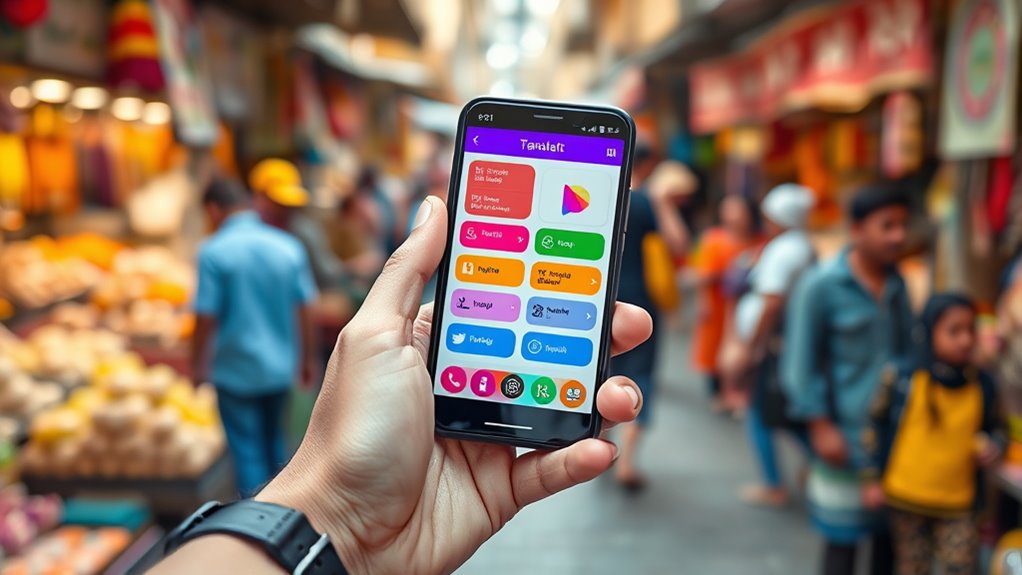
Traveling to a new country can be exciting, but language barriers often make it challenging to communicate effectively. Fortunately, your phone is a powerful tool that can help you bridge that gap effortlessly. With the right language apps, you can translate signs, menus, and conversations in real-time, making your trip smoother and more enjoyable. These apps are designed to be user-friendly, allowing you to type, speak, or even snap pictures of text to get instant translations. Whether you’re trying to order food, ask for directions, or chat with locals, your phone can be your best travel companion.
One of the most useful features of language apps is their ability to translate spoken words. Instead of struggling to find the right phrase or pronunciation, you can simply speak into your phone, and the app will convert your words into the local language. This is especially handy in situations where quick responses are needed, like bargaining at a market or asking for help. Many apps also offer offline capabilities, so you don’t have to worry about poor internet connections—just download the necessary language packs beforehand. This way, you’re always prepared, even in remote areas.
Pronunciation tools are another essential aspect of using your phone for translation. These tools help you learn how to say words correctly, which can be *vital* for clear communication. They often include audio features that let you listen to native speakers pronounce words, then mimic the sounds to improve your accent. Some apps even provide phonetic transcriptions, breaking down tricky words into manageable parts. Practicing pronunciation with these tools boosts your confidence and *guarantees* you’re understood clearly, reducing misunderstandings and awkward situations. Whether you’re trying to make a friendly impression or navigate complex instructions, pronunciation tools give you the confidence to speak more naturally.

AI Language Translator Device, 2026 Upgraded VORMOR Translator No WiFi Needed, Support ChatGPT, Instant Two-Way 150 Languages Translation, Offline/Photo Translation for Business Travel
- Supports 150 Languages: Instant, accurate translation in 150 languages
- Fast Response Time: Translation response within 0.5 seconds
- Supports ChatGPT Integration: Includes ChatGPT and unit conversions
As an affiliate, we earn on qualifying purchases.
As an affiliate, we earn on qualifying purchases.
Frequently Asked Questions
Can I Translate Images or Handwritten Text With My Phone?
Yes, you can translate images or handwritten text with your phone using optical character recognition (OCR) and handwriting translation features. Simply open a translation app like Google Translate, select the camera mode, and point your phone at the text. The app will scan, recognize the handwriting or printed text, and translate it instantly. This makes it easy to understand signs, notes, or menus while traveling, saving you time and hassle.
Are Offline Translation Apps Accurate Enough for Conversations?
Offline translation apps can be quite reliable for conversations, thanks to advances in machine learning. They’re designed to handle everyday dialogue, but accuracy may vary based on language complexity and context. You’ll find these apps useful in most situations, but for nuanced or technical topics, expect some errors. To get the best results, make sure your app is updated regularly, and test its reliability before your trip.
How Do I Ensure My Translation Data Stays Private?
To keep your translation data private, prioritize apps with strong privacy policies. Look for ones that use data encryption and don’t store your conversations on servers. Regularly review app permissions and opt for offline translation options when possible, as they don’t transmit data over the internet. Additionally, keep your phone’s software updated to benefit from the latest security features. This way, your privacy concerns are minimized, and your data stays protected.
Can I Use My Phone to Translate in Real-Time During Calls?
Yes, you can use your phone to translate in real-time during calls, but call quality and app compatibility matter. Many translation apps now support live call translation, but verify your device and app are compatible. Check if your phone’s microphone and speaker work well with the app for clear communication. Keep in mind, some apps may require a stable internet connection to provide accurate, real-time translations during your conversations.
What Should I Do if My Translation App Doesn’t Recognize a Language?
Think of your translation app as a curious explorer that sometimes misses new territories. If it doesn’t recognize a language, first check if your app has the latest updates—these often enhance its language detection skills. If still stuck, try switching to a different app or manually select the language. Keep your app updated, and you’ll ensure it stays sharp enough to navigate even the trickiest linguistic landscapes.

AI Wearable Translator English Spanish Voice Translation Device,Black
- Real-Time Voice Translation: English-Spanish with 165 language support
- AI Language Learning Support: Practice conversations and pronunciation guidance
- Compact & Portable Design: Fits easily in pocket or bag
As an affiliate, we earn on qualifying purchases.
As an affiliate, we earn on qualifying purchases.
Conclusion
Using your phone for translation makes traveling smoother and more enjoyable. With just a few taps, you can break down language barriers and connect with locals. Remember, “A journey of a thousand miles begins with a single step.” Embrace these tools, and you’ll find that language differences become opportunities to learn and grow. So go ahead, explore confidently—your phone is your trusty travel companion!

Wooask A9S AI Translation Earbuds Real Time with Camera, OfflineTranslation Headphones No APP Needed, ChatGPT-Powered, Audifonos Traductores Inglés Español for Global Business Trave (Black)
- AI Translator with Handheld Screen: All-in-one translation device with screen
- High-Accuracy Voice Translation: 98% accuracy in 144 languages online
- Offline Language Support: Supports 16 essential languages offline
As an affiliate, we earn on qualifying purchases.
As an affiliate, we earn on qualifying purchases.

Scan Translator Pen, Language Translator Device, Dyslexia Tools with 142 Online/10 Offline Languages, Text to Speech Reading Pen for Learning Difficulties, Language Learners and Elderly Users
- Instant Scan and Translate: High-precision scanning with voice and photo translation
- Supports 142 Languages: Online voice and scan translation for 142 languages
- Offline Translation: Offline translation for 10 major languages
As an affiliate, we earn on qualifying purchases.
As an affiliate, we earn on qualifying purchases.
Labor Day sales Picks
labor day deals
As an affiliate, we earn on qualifying purchases.