
TL;DR

Get the latest gadgets delivered free with Prime
- Fast, free delivery on millions of items
- Prime Video, Amazon Music and more included
- Member-only deals all year
Building an AI workstation used to be cheaper, but supply shortages and price spikes mean prebuilt systems often now offer better value. Your choice hinges on whether you want control and customization or speed and support.
Imagine this: you need a powerful AI workstation now. Waiting weeks for parts or assembling it yourself might seem appealing, but is it really the best move? The landscape has shifted, and many are now considering prebuilt systems as a viable option. Building your own used to be the cheaper route, but recent shortages and rising component costs mean that prebuilt systems are often just as affordable—and way faster to get up and running.
Deciding whether to build or buy isn’t just about dollars. It’s about time, control, reliability, and peace of mind. This guide breaks down what you need to know to make that call in 2026, when the rules of the game have changed.
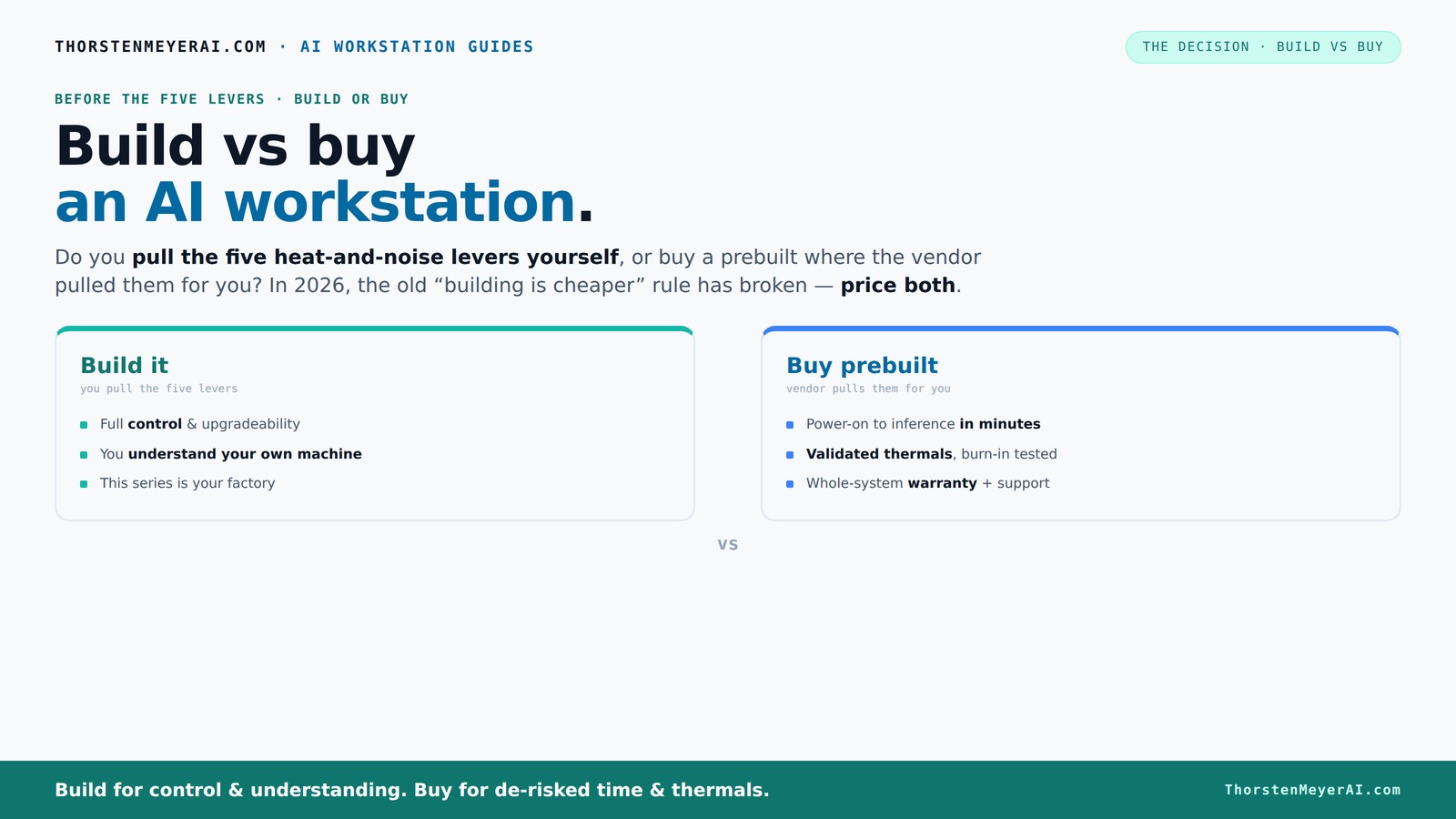
Build vs buy
an AI workstation.
The real question behind this whole series: do you pull the five heat-and-noise levers yourself, or buy a prebuilt where the vendor pulled them for you? And in 2026, the old “building is cheaper” rule has broken. Match your situation in Part 3.
Key Takeaways
- Component shortages and bulk buying have made prebuilt AI workstations often as affordable—or cheaper—than DIY builds in 2026.
- Prebuilts come with factory-validated thermals, noise control, and warranties, reducing setup time and risk.
- Building offers maximum control over parts, upgrade paths, and customization but requires time, expertise, and patience.
- Thermal and acoustic tuning is key—prebuilts handle this at the factory, while DIYers manage it manually.
- Your choice depends on whether you prioritize speed and support or control and future-proofing.
As an affiliate, we earn on qualifying purchases.
Why the old rule 'build is cheaper' no longer applies in 2026
Building your own AI workstation used to be the clear cost winner. But in 2026, supply chain issues have flipped the script. GPU prices, DDR5 RAM, and SSDs have all surged—sometimes up to 30% from last year. Meanwhile, big vendors snapped up bulk supplies early, locking in lower prices. The result? A prebuilt system with a high-end GPU can cost the same—or even less—than sourcing parts yourself.
For example, a DIY build with a top-tier GPU, 64GB RAM, and fast SSDs now easily exceeds $2,000. Meanwhile, a prebuilt from a reputable vendor, fully assembled and tested, can match that price point or come in slightly lower, with the added perk of a warranty.
So, the decades-old 'build always saves money' rule? It’s broken—at least for now. You need to run the numbers for your exact setup before deciding.
custom gaming PC with high-end GPU
As an affiliate, we earn on qualifying purchases.
As an affiliate, we earn on qualifying purchases.
Who pulls the heat and noise levers? Build vs buy in thermal control
In AI workstations, managing heat and noise is critical. Learn more about thermal management and cooling solutions. A high-power GPU under load kicks out heat and noise—think jet engine roar and warm hands. The real question: do you want to pull the levers yourself or let the vendor handle it?
When you buy prebuilt, the vendor has already tuned the system. They validate thermals, set fan curves, and often include water cooling for quieter operation. Some systems boast up to 30% lower noise levels and better cooling, all tested before shipping. You pay a premium, but you skip the thermal engineering hassle.
If you build, you pick your GPU, case, cooler, and fans. You can tune everything to your specific needs—whether that’s a near-silent setup for streaming or maximum cooling for 24-hour training runs. But it takes time, expertise, and patience.
So, your choice hinges on whether you want a machine that's ready to run cool and quiet or if you enjoy tinkering with thermals and acoustics.
As an affiliate, we earn on qualifying purchases.
Cost breakdown: parts, support, or convenience — what are you really paying for?
Let’s break down the dollar signs. Building your own seems cheaper at first glance—just add up parts from Amazon or Newegg. But don’t forget shipping, assembly time, troubleshooting, and potential incompatibilities. Plus, DIY parts can sometimes be cheaper but less reliable.
Prebuilt systems cost more upfront because they include assembly, testing, shipping, and often, a warranty. For example, a high-end AI workstation with dual GPUs might cost around $4,000 prebuilt, but assembling the same parts yourself could run closer to $3,500, factoring in your time and potential quirks.
Support and warranty matter. A prebuilt often comes with 3-5 years of support, minimizing downtime. DIY, you’re on your own—unless you buy extended support or a third-party warranty, which adds to the cost.
In the end, consider what your time is worth. If you’re busy, the convenience of a prebuilt can be worth the extra expense.
As an affiliate, we earn on qualifying purchases.
Performance: Does a prebuilt match DIY for AI workloads?
Performance for AI workloads depends on the GPU, VRAM, CPU, and cooling. For detailed insights, visit product reviews and tech comparisons. A prebuilt with a high-end GPU like the NVIDIA A100 or RTX 4090 is engineered for sustained loads. Vendors tweak BIOS and power delivery for maximum performance, often with ISV-tuned software.
Building your own allows you to pick exactly those components. You can choose a quieter GPU, add extra RAM, or optimize for specific AI frameworks. But you need to know how to balance power, cooling, and compatibility.
Recent tests show that well-validated prebuilts often match or outperform DIY systems on sustained workloads because they’re designed for that purpose. For example, Lambda’s systems are engineered to run at full throttle for days without throttling or overheating.
Bottom line: For AI tasks, a prebuilt can deliver comparable, if not better, performance due to factory tuning and validation.
Upgradeability and future-proofing: DIY wins or prebuilt?
If you plan to upgrade over time, building often gives you better flexibility. You can swap out a GPU, add more RAM, or upgrade storage without much hassle. Most DIY systems use standard parts that are easy to find and replace.
Prebuilts sometimes use proprietary motherboard layouts, power supplies, or cases, which can limit future upgrades. Some vendors lock in specific components or design their systems to be less modifiable.
For example, a DIY build with a standard ATX case allows you to swap GPUs or add drives whenever needed. A prebuilt might require you to replace the entire system down the line.
Think about your long-term plans. If you expect to upgrade, DIY might be smarter. But if you want a system that stays out of your way, prebuilts often keep the upgrade path simple—initially.
Who should buy prebuilt, and who should build?
If you need a machine fast, with minimal hassle, a prebuilt is your best bet. It’s plug-and-play. Plus, you get warranty support if things go wrong—crucial for professional AI work where downtime is costly.
On the other hand, if you love the process, want total control, or plan to tinker and upgrade over time, building is more satisfying. It’s also often cheaper if you already have some skills and time to spare.
For example, a data scientist with a tight deadline for model training might prefer a prebuilt. A hobbyist who enjoys optimizing cooling and tweaking BIOS settings might find building more rewarding.
Frequently Asked Questions
Is it cheaper to build or buy a prebuilt AI workstation?
It depends on current component prices and your specific configuration. Recent shortages have pushed up DIY costs, making prebuilt systems often just as affordable or cheaper, especially when factoring in time and support costs.Which option offers better GPU performance for AI workloads?
Both can deliver top performance, but prebuilt systems are often tuned by vendors for maximum sustained load. Building your own allows you to choose exact components, but requires careful balancing.Can I upgrade a prebuilt later, or are parts proprietary?
Many prebuilts use standard parts, making upgrades possible. However, some rely on proprietary components, which can limit future modifications. Check the vendor’s upgrade policy before buying.What should I consider besides cost when choosing build vs buy?
Think about your timeline, technical skills, need for support, and how much control you want over the hardware. Support and warranty often justify higher upfront costs for prebuilts.How important is thermal management in a high-power AI workstation?
Very important. Proper cooling ensures sustained performance and longevity. Prebuilts often optimize this at the factory, while DIYers tune thermals manually for quieter, cooler operation.Conclusion
In 2026, the choice between build and buy for an AI workstation isn’t just about saving money. It’s about matching your skills, timeline, and needs for control, support, and performance. The best system is the one that gets you up and running with confidence.
Remember, the right decision depends on what you value most—whether that’s quick deployment, ongoing flexibility, or the thrill of building something yourself. Whatever you choose, make sure it’s built to handle the heat, noise, and power demands of your AI ambitions.
Halloween Picks
halloween
As an affiliate, we earn on qualifying purchases.