To clean your phone and accessories safely, power off your device and unplug all cables. Use a microfiber cloth dampened with a small amount of isopropyl alcohol (70% or less) or gentle disinfectant to wipe your screen and surfaces. Carefully clean ports and speakers with compressed air or a soft brush. Remove and disinfect your phone case regularly, ensuring all parts are dry before reassembling. Following these steps helps prevent damage and keeps your devices hygienic, so keep going to learn more essential tips.
Key Takeaways
- Power off your device and unplug accessories before cleaning to prevent moisture damage.
- Use a microfiber cloth or approved disinfecting wipes with 70% isopropyl alcohol for safe cleaning.
- Clean ports, speakers, and crevices regularly with compressed air or soft brushes to prevent dust buildup.
- Remove and disinfect cases weekly with wipes, ensuring they are completely dry before reattaching.
- Handle screens and buttons gently, avoiding harsh chemicals or abrasive tools to prevent damage.

MagicFiber Microfiber Cleaning Cloth, 6 Pack – Premium Cloth for Glasses, Lens, Screens & More
Glasses cleaner – Sourced from the highest quality microfiber that absorbs and removes dust, oil, smudges, fingerprints, dirt,…
As an affiliate, we earn on qualifying purchases.
As an affiliate, we earn on qualifying purchases.
Power Off and Prepare Your Device

Before you start cleaning your phone, make sure to power it off and unplug any accessories. Turning off your device prevents accidental touches and reduces the risk of electrical damage. Unplugging cables, such as charging cords or headphones, helps avoid moisture reaching internal components. Removing accessories like cases or screen protectors allows for a thorough clean and prevents trapping dirt or moisture. If your phone has a removable battery, take it out, following manufacturer instructions. Always handle your device gently to avoid damage. Powering down also minimizes the chance of activating buttons inadvertently. Additionally, understanding the importance of privacy policies can help you make informed decisions about your device’s security and data protection during cleaning. Once powered off and disconnected, you’re ready to start cleaning safely, knowing your device is protected from unintended inputs and potential harm during the process.

Professional Disposables Surface Disinfectant Super Sani-Cloth Wipes, 160Count
Highly Effective Formula: Our Super Sani-Cloth wipe boasts an impressive 55.5% of active germicidal agents, including quat and…
As an affiliate, we earn on qualifying purchases.
As an affiliate, we earn on qualifying purchases.
Cleaning Your Phone Screen Safely
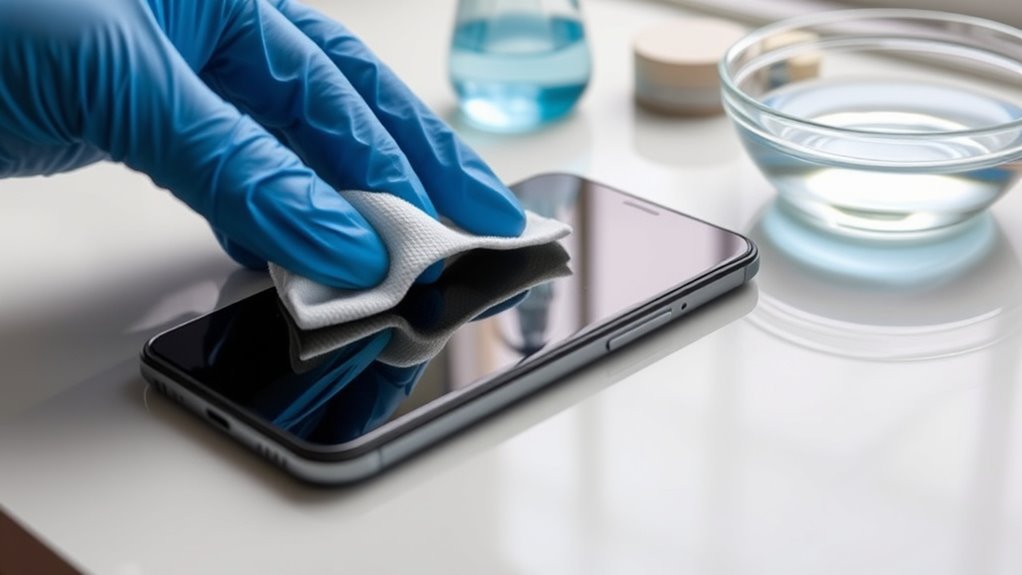
When cleaning your phone screen, use only approved materials like a microfiber cloth or lens wipes to prevent scratches. Be gentle and avoid pressing too hard, wiping in a light, circular motion. Remember, never saturate the cloth or apply excessive pressure, as moisture and roughness can damage your display. To further protect your device, consider using a screen protector to minimize potential damage from scratches or impacts.
Use Proper Cleaning Materials
Using the right cleaning materials is essential to keep your phone screen safe from damage. Always choose a microfiber cloth for daily cleaning, as it gently removes fingerprints and smudges without scratching. For disinfecting, opt for alcohol-based wipes or a cloth lightly dampened with isopropyl alcohol (70% or less). Avoid using household cleaners, bleach, or abrasive chemicals—they can harm the screen’s coating. If you need to dampen your cloth, use distilled or filtered water to prevent mineral streaks. Cotton swabs or soft brushes help clean small crevices like speaker holes without scratching surfaces. Never soak your cloth; it should be barely damp. Using these proper materials ensures your screen stays clean and undamaged, prolonging your device’s lifespan. Additionally, understanding the importance of color accuracy can help you better assess the quality of your display and avoid unnecessary cleaning that might affect color fidelity.
Gentle Wiping Techniques
To clean your phone screen safely, gently wipe it with a microfiber cloth using light, circular motions. This method prevents scratches and evenly lifts fingerprints and smudges without applying too much pressure. Keep the cloth barely damp if needed, but never saturate it—excess moisture can damage the display. Avoid pressing hard or scrubbing vigorously, as this can harm the screen’s surface. When cleaning around the edges or corners, use gentle, controlled motions to reach tight spots. If you notice stubborn smudges, lightly dampen the cloth with a mixture of distilled water and isopropyl alcohol (≤70%), then wipe again with care. Regular, gentle wiping keeps the screen clear and prevents the buildup of grime, ensuring your display remains pristine and functional. Additionally, understanding the importance of proper cleaning techniques can help preserve the longevity of your device and maintain its performance.
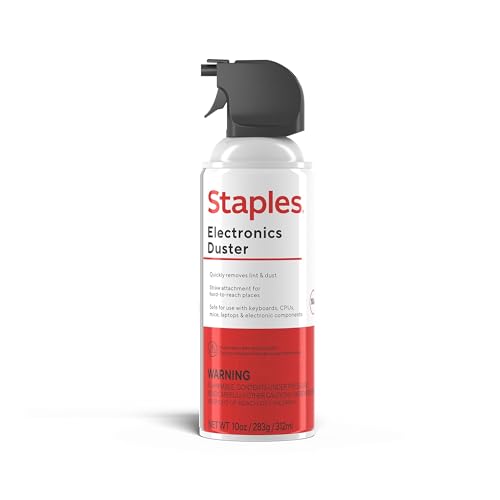
Staples Compressed Air Duster – 10 oz. Can for Electronics, Keyboards & Office Devices
POWERFUL DUST REMOVAL FOR ELECTRONICS – Removes dust, dirt, and debris from keyboards, computers, laptops, printers, gaming consoles,…
As an affiliate, we earn on qualifying purchases.
As an affiliate, we earn on qualifying purchases.
Disinfecting and Sanitizing Your Phone

To effectively disinfect your phone, you need to use isopropyl alcohol wisely, sticking to a concentration of 70% or less. Proper techniques, like wiping gently with a barely damp cloth, help avoid damage while killing germs. Avoid harsh chemicals like bleach or ammonia, which can harm your device’s surfaces. Additionally, using energy-efficient cleaning methods helps reduce environmental impact while maintaining hygiene.
Use Isopropyl Alcohol Wisely
Isopropyl alcohol is an effective disinfectant for your phone when used properly. Keep the concentration at 70% or below to avoid damaging sensitive components. Never spray or pour alcohol directly onto your device; instead, lightly dampen a microfiber cloth or a soft cloth with the alcohol. Ensure the cloth is only slightly damp, not soaked, to prevent excess moisture from seeping into openings. Use gentle, circular motions to wipe the screen and exterior surfaces. Avoid scrubbing or applying too much pressure. Remember, alcohol can degrade certain plastics and coatings if used excessively. Always let your phone air dry completely before turning it back on. Proper cleaning techniques are essential to avoid damaging your device while disinfecting effectively. By using isopropyl alcohol carefully, you disinfect effectively without risking damage.
Proper Disinfecting Techniques
Proper disinfecting techniques guarantee your phone remains free of germs without causing damage. First, power off and unplug your device to prevent short circuits. Use an alcohol-based wipe with at least 70% isopropyl alcohol or a microfiber cloth lightly dampened with it. Never saturate the screen or ports, as excess liquid can harm your device. For targeted cleaning, use a cotton swab or soft brush on crevices and speaker holes. Remember these key points:
- Avoid harsh chemicals like bleach or ammonia.
- Use a barely damp cloth to prevent moisture buildup.
- Focus on high-touch areas like screens, buttons, and ports. Be aware that improper cleaning can sometimes lead to device damage if excess liquid seeps into internal components.
Following these steps ensures thorough disinfection while safeguarding your phone’s integrity. Regularly disinfect to reduce bacteria and maintain hygiene.
Avoid Harsh Chemicals
Using harsh chemicals like bleach, ammonia, or abrasive cleaners can damage your phone’s screen and internal components. These substances can cause discoloration, scratches, or even ruin the protective coatings on your device. Instead, stick to gentle, device-safe options like isopropyl alcohol (70% or less) or disinfecting wipes specifically labeled for electronics. Avoid household cleaners not meant for delicate surfaces. Remember, a barely damp microfiber cloth is enough for cleaning, and excess liquid can seep into ports or screens, causing damage. Always check your phone’s manual for manufacturer-approved cleaning methods. Using the right products not only protects your device but also ensures thorough cleaning without risking costly repairs. Keep it simple, safe, and chemical-free for the best results. Regular cleaning also helps maintain your device’s long-term durability, ensuring it stays in good condition through everyday use.

Weiman Electronics & Screen Disinfecting Wipes – Safely Clean and Disinfect Your Phone, Laptop, Keyboard, Tablets, Lens, Wipe, Glasses Cleaner, 30 Count, 2 Pack with MicroFiber Towel
NEW DISINFECTING FORMULA: Our new and improved formula keeps your devices clean and kills 99.9% of germs and…
As an affiliate, we earn on qualifying purchases.
As an affiliate, we earn on qualifying purchases.
Clearing Dust From Ports and Speakers
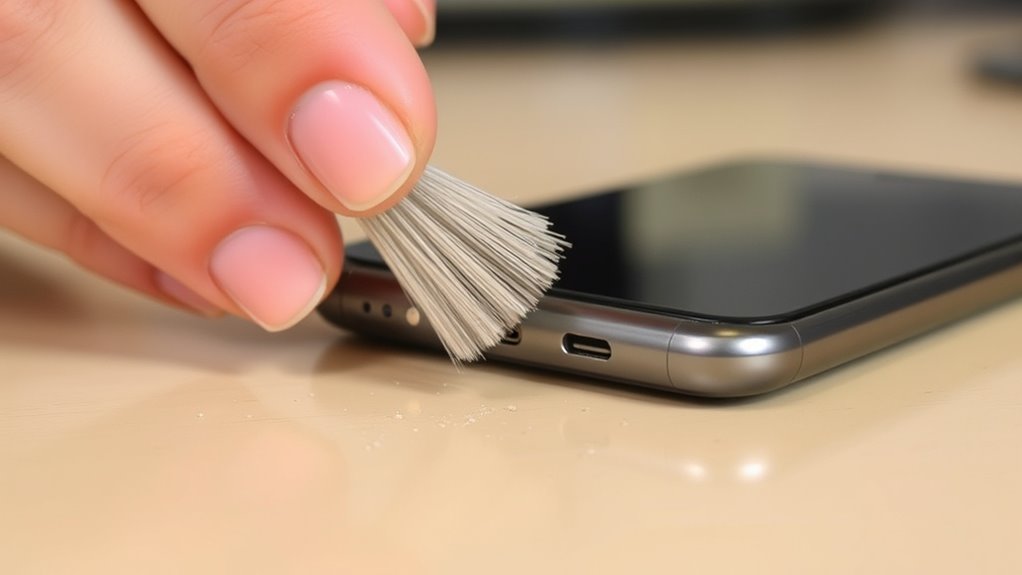
Dust and debris can quickly accumulate in your phone’s ports and speakers, which can lead to charging issues and poor sound quality. To clear this buildup, use compressed air or a bulb syringe to blow out dust gently. If debris persists, try a soft brush or a cotton swab—never metal objects—to loosen particles. Be cautious not to blow debris further into the device. Remember these key points:
Keep ports and speakers clean with gentle compressed air and soft brushes to prevent charging and sound issues.
- Use gentle, controlled bursts of air to avoid damage.
- Avoid inserting sharp or metal objects into ports.
- Clean ports weekly to prevent buildup.
- Regular maintenance of your device’s connected components helps ensure optimal performance and prevents common issues caused by dust. Taking these simple steps ensures your ports and speakers stay clean and free of obstructions.
Maintaining Your Phone Case and Accessories

Your phone case and accessories play a vital role in protecting your device, but they can also trap dirt, grime, and bacteria over time. To maintain them, remove your case weekly and clean both the inside and outside with a disinfecting wipe. Make certain it’s completely dry before reattaching. For accessories like headphones and chargers, wipe them down with a dry microfiber cloth to remove dust and fingerprints. Avoid submerging cases or accessories in water, as moisture can cause damage. Pay special attention to edges and crevices where dirt can accumulate. Regular cleaning prevents buildup that could affect device performance or cause skin irritation. Keeping your cases and accessories clean ensures they continue to protect your phone effectively and stay hygienic for everyday use. Additionally, consider ergonomic organization of your accessories to reduce clutter and make cleaning easier.
Tips for Regular Phone Hygiene and Care

To maintain ideal hygiene and guarantee your phone stays in good working condition, it’s essential to develop a regular cleaning routine. Consistency helps prevent bacteria buildup and keeps your device functioning smoothly. Establish simple habits like wiping the screen daily with a microfiber cloth, disinfecting the case weekly, and checking ports for dust. Remember these key points:
- Use a dry microfiber cloth daily to remove fingerprints and smudges.
- Disinfect your phone and case weekly with appropriate wipes.
- Clear dust from ports and speakers regularly with compressed air or soft tools.
- Incorporate practical, room-by-room solutions into your routine to make cleaning more manageable and less overwhelming.
Sticking to these habits minimizes dirt, extends device lifespan, and reduces germ transfer. Staying vigilant with regular care ensures your phone remains clean, safe, and in top condition for daily use.
Precautions to Avoid Damage During Cleaning

When cleaning your phone, taking steps to prevent damage is just as important as choosing the right tools. Always power off and unplug your device before starting. Use a barely damp microfiber cloth—never a soaking wet one—and avoid household cleaners not labeled for electronics. Keep liquids away from ports, and don’t spray directly onto your phone. When cleaning tight spaces like ports or speaker holes, use compressed air or a soft brush, never metal objects that could scratch or damage components. Be gentle around sensitive areas, especially screens and buttons. For stubborn debris, opt for cotton swabs or soft brushes. Regularly inspect your device for signs of wear or damage, and handle cleaning with care to maintain your phone’s longevity. Incorporating proper cleaning techniques can also help prevent damage and prolong your device’s lifespan.
Frequently Asked Questions
Can I Use Household Cleaners to Disinfect My Phone?
You shouldn’t use household cleaners to disinfect your phone. Many contain harsh chemicals like bleach or ammonia that can damage your device’s screen and coatings. Instead, opt for isopropyl alcohol (70% or less) or alcohol-based disinfecting wipes specifically labeled safe for electronics. Always power off your phone and use a barely damp microfiber cloth to prevent moisture damage. This way, you disinfect effectively without risking harm to your device.
How Often Should I Clean My Phone and Accessories?
Think of your phone as a tiny germ magnet—so, how often should you clean it? Aim for at least once a week to keep bacteria at bay and prevent grime buildup. If you frequently touch it during the day or share it with others, consider cleaning more often. Regular cleaning isn’t just about hygiene; it helps maintain your device’s longevity and keeps everything working smoothly.
Is It Safe to Use Alcohol Wipes on My Screen?
Yes, it’s safe to use alcohol wipes on your screen if they contain no more than 70% isopropyl alcohol. You should gently wipe the screen with a barely dampened wipe or cloth, avoiding excess moisture. Make sure the device is powered off and unplugged before cleaning. Avoid harsh chemicals or soaking the screen, as they can damage the display. Regularly disinfect your phone to keep germs at bay safely.
What Tools Are Best for Cleaning Small Ports and Crevices?
You should use soft tools like cotton swabs or small, soft brushes to clean small ports and crevices. Compressed air or a bulb syringe works well to blow out dust and debris without damaging the components. Wooden or plastic toothpicks can gently loosen lint, but avoid metal objects that could scratch or damage your device. These tools help you clean thoroughly while keeping your phone safe.
Can Cleaning Damage the Phone’s Screen or Internal Components?
Cleaning can cause damage if you’re careless. If you use excessive moisture, harsh chemicals, or brute force, you risk ruining your screen or internal components. Always use gentle, minimal moisture and avoid abrasive substances. Power off your device before cleaning, and steer clear of sharp or metal objects near delicate parts. By being careful and cautious, you protect your phone’s pristine screen and sensitive circuitry from damage and deterioration.
Conclusion
Keeping your phone and accessories clean isn’t just about appearance—it’s essential for your health. Regular cleaning can actually reduce germs more effectively than some believe, as studies show that proper disinfecting kills most bacteria and viruses. By following these safe methods, you protect yourself and prolong your device’s lifespan. So, don’t ignore your phone’s hygiene—think of it as a small step with a big impact on your well-being. Clean smart, stay healthy.