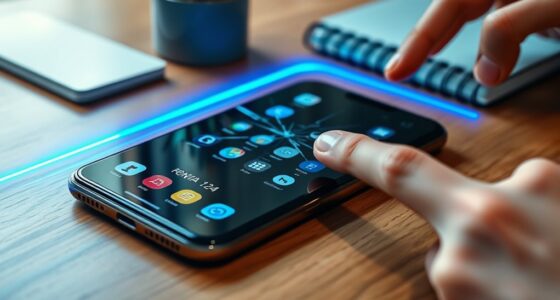
To set up your travel-ready smartphone, start by downloading essential apps like maps, translation tools, and ride-sharing services, then save important documents offline. Activate battery-saving modes, carry a portable charger, and turn off unnecessary features to extend battery life. Make sure your device is updated and organized with quick access to key apps. Protect your device with a sturdy case, stay secure online, and check roaming options. Keep exploring for more tips to make your trip smoother.
Open a free Amazon Business account
Business pricing, bulk buying and tax-exempt orders.
As an affiliate, we earn on qualifying purchases.
Key Takeaways
- Download essential travel apps, offline maps, and documents before departure for quick access without internet.
- Enable battery saver mode, reduce brightness, and carry power banks to extend device life during travel.
- Update device software, organize home screen, and delete unnecessary files to optimize performance and storage.
- Set up international SIM or roaming plans, and turn off unused features to avoid extra charges.
- Protect your device with a sturdy case, screen protector, and practice digital security to ensure safety and durability.

Getting your smartphone travel-ready guarantees you’re prepared for any situation on the road or in the air. To start, you need to enhance your device with essential travel apps. Download maps, translation tools, and ride-sharing services before your trip, so you’re not wasting time searching for them at the last minute. Offline maps are a lifesaver, especially in areas with poor internet connectivity. Save important documents like your boarding passes, hotel reservations, and travel itineraries directly to your device or cloud storage, guaranteeing quick access without relying solely on internet connections. Having these apps and files organized means you can navigate unfamiliar cities, communicate with locals, or manage your bookings smoothly, even if your connection drops out unexpectedly. Ensuring your screen is set to the appropriate brightness levels can also help conserve battery life and improve visibility in different lighting conditions. Utilizing landscape mode can make viewing maps and documents more comfortable and easier to read in various situations.
Prepare for any situation by downloading essential travel apps and saving important documents offline.
Power management is equally critical. Nothing’s worse than your phone dying when you need it most, whether you’re trying to find your way or contact someone. To prevent this, enable battery saver modes and reduce screen brightness when possible. Carry a portable power bank that can recharge your device multiple times, especially during long travel days or layovers. If your device supports it, turn off unnecessary features like Bluetooth, Wi-Fi, and location services when they aren’t needed to conserve battery life. Also, consider disabling background app refresh to limit unnecessary activity that drains power. These simple adjustments can extend your device’s battery life considerably, keeping you connected throughout your journey. Additionally, regularly closing unused apps can prevent background processes from consuming extra power and resources. Battery optimization features can further help in prolonging your device’s charge during critical moments.
Beyond managing power, ensure your smartphone is set up for international travel if applicable. Check your carrier’s policies on roaming charges, or consider getting a local SIM card to avoid hefty fees. Make sure your device’s software is up to date, as updates often include security patches and performance improvements that can help your phone run more efficiently. Organizing your home screen with quick access to essential apps can save valuable time when you need them most. Also, deleting any unnecessary apps or files to free up storage space can prevent your device from slowing down or crashing. Staying informed about emergency contacts and local safety protocols can also be beneficial in unfamiliar environments.
Finally, protect your phone with a sturdy case and a screen protector. This simple step guards against accidental drops or scratches during your adventures. Keep your device clean and in good condition to ensure optimal functionality throughout your trip. Being mindful of digital safety measures, like avoiding suspicious links or unsecured Wi-Fi networks, can also help protect your personal information while traveling. By focusing on these key areas—installing vital travel apps, managing power efficiently, and safeguarding your device—you set yourself up for a smoother, stress-free journey. When your smartphone is truly travel-ready, you can focus on enjoying your trip without tech worries, knowing you’re prepared for whatever comes your way.

INIU 45W Fast Charging Portable Charger, Smaller 10000mAh Travel Power Bank
- Compact and Lightweight Design: 40% smaller and lighter than conventional chargers
- Fast 45W Charging Speed: Charges iPhone 17 Pro Max to 76% in 30 mins
- Detachable Braided USB-C Cable: Replaceable cable for versatile device compatibility
As an affiliate, we earn on qualifying purchases.
As an affiliate, we earn on qualifying purchases.
Frequently Asked Questions
How Do I Optimize Battery Life for International Travel?
To optimize your battery life for international travel, start by lowering screen brightness and enabling battery saver mode. Carry travel-friendly cases that prevent accidental damage and keep your device protected. Use charging accessories like portable power banks and compact chargers to recharge on the go, especially in places without easy power access. Turning off unnecessary apps and disabling Wi-Fi or Bluetooth when not in use also helps conserve battery throughout your trip.
What Security Measures Are Recommended for Public Wi-Fi Use?
When using public Wi-Fi, you should prioritize security to avoid risks. Always enable your device’s firewall and use a VPN to encrypt your connection, shielding you from security risks. Avoid accessing sensitive accounts or sharing personal info on unsecured networks. Turn off file sharing and Wi-Fi auto-connect features, and make certain your device’s software is up to date. These measures help protect your data from potential threats on public Wi-Fi.
How Can I Prevent My Phone From Overheating During Travel?
Imagine your phone basking in the sun like a hot stone—preventing overheating is key. Keep your device cool by avoiding direct sunlight, especially during travel. Use airplane mode when not in use, and remove any bulky cases that trap heat. Enable smartphone cooling features if available. Carry a portable fan or keep your phone in a shaded, well-ventilated spot to maintain ideal temperature and prevent overheating.
What Apps Are Essential for International Travelers?
You should download essential travel apps like maps and transportation tools to navigate easily. Language tools are also vital; they help you communicate in local languages and avoid misunderstandings. Currency converters and offline dictionaries make your trip smoother. Keep your apps updated and choose those that work offline or with minimal data. These essentials guarantee you stay connected, informed, and confident during your journey.
How Do I Back up My Travel Data Securely?
Did you know over 50% of travelers experience data loss? To back up your travel data securely, use cloud storage services like Google Drive or Dropbox, which automatically sync your files. Make sure you enable data encryption features to keep your information private. Regularly update your backups before and during your trip, so if your device is lost or stolen, your important data stays safe and accessible from any device.

QFGasre Cell Phone Holder Smartphone Pouch for Men Dual Phone Cases Holder with Belt Clip Waist Cellphone Holders Card Holders Sturdy Nylon Material for Daily Use Outdoor Activity Hiking Camping
- Durable Nylon Material: Sturdy, abrasion-resistant for harsh environments
- Universal Size Compatibility: Fits most smartphones under 7 inches
- Multi-Compartment Storage: Holds two phones, cards, and pens
As an affiliate, we earn on qualifying purchases.
As an affiliate, we earn on qualifying purchases.
Conclusion
By following these simple steps, you’ll have a travel-ready smartphone that keeps you connected and secure wherever you go. Imagine you’re heading to Europe, and your phone is fully set up with local SIM, essential apps, and offline maps. Just like Sarah, who effortlessly navigated her trip without worries, you’ll enjoy stress-free adventures. Prepare your device today, and turn travel mishaps into memorable stories with a reliable, ready-to-go smartphone by your side.

WowFluy 3 Pack for Blu View 5 Tempered Glass Screen Protector, Scratch-Proof, Bubble-Free,HD Transparent, 9H Hardness,Bubble Free,Case Friendly
- Compatibility: Designed for Blu View 5 only
- Included Tools: Dust stickers and cleaning kit included
- Premium Material: High-quality tempered glass for durability
As an affiliate, we earn on qualifying purchases.
As an affiliate, we earn on qualifying purchases.

Preloaded Orange Travel Sim Card Now with 20GB of 4G Data, Unlimited Calls & SMS in Europe, 30 mins & 200 SMS from Europe to Worldwide (Lasts for 31 Days). Tethering Allowed
- Data Allowance: 20GB 4G data in Europe
- Tethering: Tethering and hotspot use allowed
- Calls and SMS: Unlimited calls and SMS in Europe
As an affiliate, we earn on qualifying purchases.
As an affiliate, we earn on qualifying purchases.
College move-in / dorm season Picks
dorm essentials
As an affiliate, we earn on qualifying purchases.