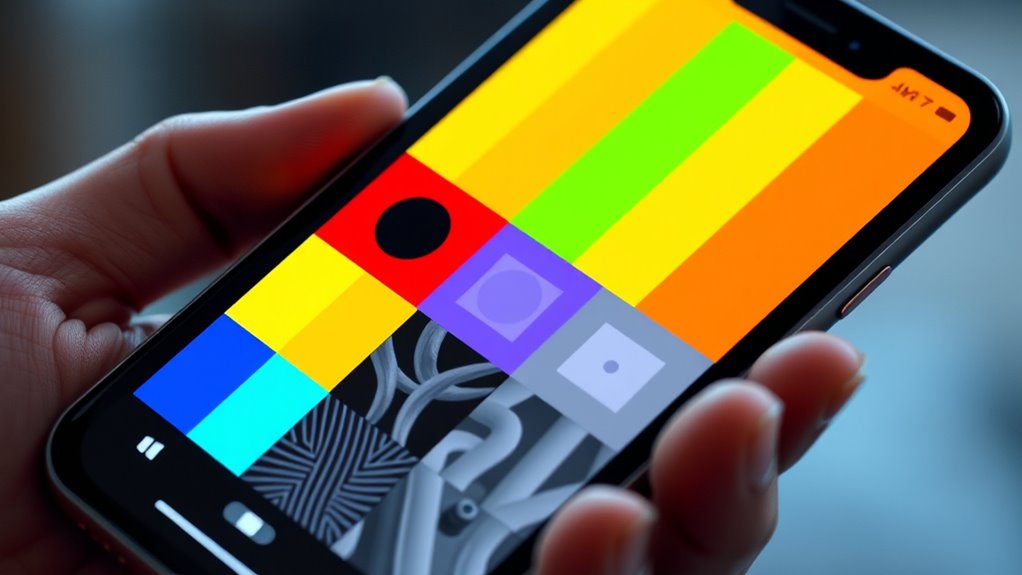

To test your phone’s hardware, start by inspecting the screen for dead pixels, discoloration, or touch issues, and use built-in diagnostic tools or tap around for responsiveness. Next, check the sensors like the accelerometer, gyroscope, and proximity sensor by rotating or moving the device. Test all buttons, speakers, and ports by pressing and playing sound. Regular hardware checks help maintain performance; continue exploring for detailed steps to keep your phone in top shape.
Key Takeaways
- Use built-in diagnostic tools or apps to test the screen for dead pixels, discoloration, and touch responsiveness.
- Conduct sensor tests by rotating the device or using specialized apps to verify accelerometers, gyroscopes, and proximity sensors.
- Manually inspect physical buttons, ports, and speakers for proper response and functionality.
- Capture photos and videos with the camera in different conditions to assess clarity and performance.
- Perform systematic hardware checks regularly to identify issues early and maintain optimal device health.

Testing your phone’s hardware is an essential step to guarantee it’s functioning properly and to identify any issues early on. When evaluating your device, you want to ensure everything from the battery to the camera is working as it should. Start by checking the battery health, which is vital for your phone’s longevity and performance. Most smartphones have built-in tools or apps that provide battery diagnostics, showing you the current capacity compared to when it was new. If your battery drains quickly or the capacity has significantly decreased, it might be time to consider a replacement. Keeping an eye on battery health helps prevent unexpected shutdowns and prolongs your device’s lifespan.
Regularly check your phone’s battery health to ensure optimal performance and longevity.
Next, move on to testing your camera. Performing camera diagnostics is straightforward and helps you catch issues like blurry images, focusing problems, or malfunctioning lenses. Open your camera app and test both the front and rear cameras. Take photos in different lighting conditions to verify clarity and focus. Check the videos too, ensuring they record smoothly without glitches. If you notice any problems, try cleaning the lens or restarting your device. If issues persist, you may need to seek professional repair or consider replacing the camera module. Regular camera diagnostics ensure you’re ready to capture quality photos whenever the moment strikes.
Beyond the battery and camera, you should also evaluate your phone’s screen. Look for dead pixels, discoloration, or touch responsiveness issues. Tap around the display and use any built-in diagnostic tools to check for faults. Sensors like accelerometers, gyroscopes, and proximity sensors are equally important. Test them by rotating your phone or using specific apps that activate these sensors. For instance, flip your phone to see if the screen turns off when you bring it to your ear, indicating the proximity sensor works. If any sensor isn’t responding properly, that could affect features like auto-rotation or face recognition. Power tools and equipment play a crucial role in maintaining device performance and safety.
Finally, examine the physical buttons, speakers, and ports. Press each button to confirm they respond correctly, and test sound output through your speakers and headphones. Check charging ports for debris or damage, ensuring your device can charge without issues. Using built-in diagnostic apps or third-party tools can help you run thorough tests on your hardware. Performing these checks regularly helps you spot problems early, saving you time and money on repairs. By systematically testing your phone’s hardware—covering battery health, camera diagnostics, screen, sensors, and peripherals—you keep your device in top shape and ready for everyday use.

Showpin Smart Phones Suction Cup Tool Opening Pliers Repair LCD Screen, 3 in 1 iPhone Repair Tool Prying Tool Compatible with Cell Phone/Laptop/Tablet PC
Professional Tools: Showpin's 3-in-1 iopener includes LCD and double-headed screen opening tool plus a cleaning cloth. Suitable for…
As an affiliate, we earn on qualifying purchases.
As an affiliate, we earn on qualifying purchases.
Frequently Asked Questions
How Often Should I Test My Phone’s Hardware?
You should test your phone’s hardware every few months to guarantee everything works smoothly. Regularly check the screen, sensors, and battery performance, especially after software updates or if you notice issues. Conduct battery calibration monthly to maintain accuracy. Performing these tests periodically helps catch problems early, so your device stays in top condition and lasts longer. Don’t wait until something breaks—routine checks keep your phone running at its best.
Can Hardware Issues Be Fixed at Home?
Yes, some hardware issues can be fixed at home with DIY repairs if you’re comfortable with small tech tasks. You might also consider hardware upgrades like replacing the battery or adding storage. However, complex problems, such as internal component failures, often need professional repair. Always research thoroughly before attempting repairs, and weigh the risks of DIY fixes against potential damage or voiding your warranty.
Which Tools Are Best for Hardware Diagnostics?
You should use reliable diagnostic tools like phone manufacturer apps or third-party apps such as Phone Doctor Plus to identify hardware issues. These tools help you run tests on your screen, sensors, and battery. Make sure your software is updated to the latest version and perform battery calibration to get accurate results. Regular diagnostics can reveal problems early, making repairs easier and potentially saving you money.
How Do I Interpret Test Results Accurately?
Coincidences happen when your test results align with known issues, helping you interpret them accurately. Focus on sensor calibration data and verify your software compatibility to avoid misreadings. Compare your results against manufacturer specifications or trusted online resources. If discrepancies occur, consider recalibrating sensors or updating your diagnostic app. This approach helps you distinguish between true hardware problems and software glitches, leading to more precise conclusions.
What Signs Indicate a Hardware Failure?
When you notice your phone’s hardware malfunction, it’s a clear sign of a problem. Diagnostic indicators include the screen flickering or remaining blank, unresponsive sensors, unexpected shutdowns, or strange noises. If your device heats up excessively or apps crash frequently, these are also signs of hardware failure. Pay attention to these signs, as they help you identify issues early and decide whether professional repair or replacement is needed.

WiFi Sensor, Smart Motion Detector Kit with Phone App Alerts, Includes Gateway Hub, PIR Motion Sensor, Doorbell Button, Door Sensor, DIY Burglar Alarm for Home Business Apartment (Only 2.4GHz)
Smart WiFi Motion Sensor with Free Instant App Alerts – Build your DIY smart home security system with…
As an affiliate, we earn on qualifying purchases.
As an affiliate, we earn on qualifying purchases.
Conclusion
Now that you’ve explored every corner of your phone’s hardware, imagine it as a finely tuned instrument, each part humming in harmony. Testing your screen, sensors, and buttons turns your device into a canvas of precision and reliability. With just a few simple steps, you guarantee your phone remains a seamless extension of your daily life—ready to respond to your touch, sense your surroundings, and keep pace with your busy moments. Trust your hands to keep it in perfect tune.

NGCG KWS2302C Charging Detector Portable Charging Tool Lightweight Charging Checker Protect Your Phone Battery for Individual
Use it at household, in office, while traveling to check your phone charging and prevent issue.
As an affiliate, we earn on qualifying purchases.
As an affiliate, we earn on qualifying purchases.

K&F CONCEPT 4-in-1 Camera Lens Cleaning Kit with Lens Cleaning Pen, Camera Air Blower, Microfiber Cleaning Cloth, Lens Cleaner Kit for Canon Nikon Pentax Sony DSLR Camera Lens Filter Cell Phones
【PROFESSIONAL LENS CLEANING KIT】:Dslr cleaning kit includes Camera Dust Blower*1, Lens Cleaning Pen*1, Microfiber Lens Cleaning Cloths*2. Safe…
As an affiliate, we earn on qualifying purchases.
As an affiliate, we earn on qualifying purchases.