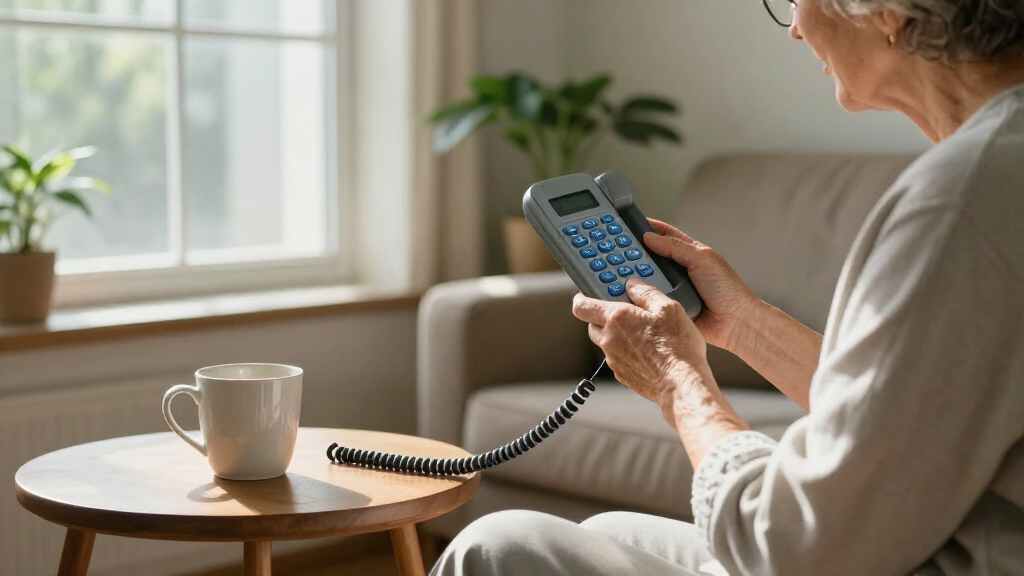

The best keypad phone for seniors overall in this roundup is the VTech SN1117, a corded home phone with large buttons and features aimed at making calls easier to manage. For a simpler, compact landline, the AT&T Trimline 213 stands out, while the artfone A400 suits people who want a mobile phone with an SOS button and charging dock. The main choice is between a dependable home landline and a mobile handset that can travel, with extra decisions around emergency calling, setup, and screen or button size. Some options add smartphone functions, but those can mean more menus to learn. Read on for how the eight picks differ and which type of senior each one may suit.

Get the latest gadgets delivered free with Prime
- Fast, free delivery on millions of items
- Prime Video, Amazon Music and more included
- Member-only deals all year
Complete the kit



Key Takeaways
- The VTech SN1117 is the most balanced home-phone choice here, while the AT&T Trimline models prioritize straightforward calling with fewer extras.
- The artfone A400 and C1+ are mobile keypad options for buyers who need a handset away from home; confirm network compatibility and service before choosing either.
- The VAHVARNA Oasis M1 adds a flip-phone form, which may appeal to someone who prefers a closed handset, but it is a different learning curve from a corded phone.
- The Jitterbug Smart5 is the outlier: it is a smartphone, not a traditional keypad phone, so its broader functions come with more screen-based interaction.
- Large buttons alone do not settle the choice; connection type, sound and visual alerts, emergency-call setup, and the user’s comfort with menus matter just as much.
| VTech SN1117 Corded Senior Phone |  | Best for Photo Speed Dial | Phone type: Corded landline | Speed dial: 8 photo speed-dial keys | Dialing aids: Large high-contrast buttons and talking digits | VIEW LATEST PRICE | See Our Full Breakdown |
| AT&T Trimline Corded Phone with Large Buttons and Visual Ringer, Black (213-11) |  | Best for Wall Mounting | Phone type: Corded, single-line landline | Power: Telephone-line powered | Speed dial: 10 numbers | VIEW LATEST PRICE | See Our Full Breakdown |
| Uvital Big Button Corded Landline Phone with Speakerphone |  | Best for SOS Calling | Phone type: Corded, single-line PSTN landline | Connection: RJ11 | One-touch keys: 8 photo speed-dial buttons and 1 SOS button | VIEW LATEST PRICE | See Our Full Breakdown |
| VAHVARNA Oasis M1 Unlocked 4G Flip Phone for Seniors, Black | 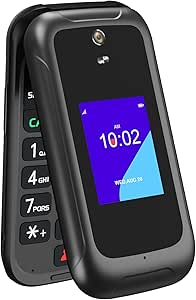 | Best Senior-Friendly Flip Phone | Operating system: KaiOS | Main display: 3.2 inches | External display: 2.0 inches | VIEW LATEST PRICE | See Our Full Breakdown |
| Artfone A400 Big Button Cell Phone for Seniors – 4G LTE Unlocked, SOS Button, 2MP Camera, Charging Dock, Triple SIM, Speed Dial, Volume Boost, Large Fonts, Voice Time, 1800 mAh Battery – Silver |  | Best for Simple Emergency-Focused Mobile Calling | Operating system: artfone Mocor RTOS | Display: 2.4-inch HD LCD | SIM slots: Triple SIM | VIEW LATEST PRICE | See Our Full Breakdown |
| artfone C1+ 4G Senior Cell Phone with Large Buttons, SOS Button, and Charging Dock |  | Best Simple 4G Keypad Phone | Network support: 2G, 3G, 4G LTE | Compatible carriers: T-Mobile and listed T-Mobile-based operators | Display: 1.8-inch color LCD | VIEW LATEST PRICE | See Our Full Breakdown |
| LIVELY Jitterbug Smart5 Smartphone for Seniors |  | Best for Seniors Ready to Move Beyond Keypads | Cellular technology: 5G | Service compatibility: Lively phone service only | Display: 6.75-inch IPS touchscreen, 1600 × 720, 90 Hz | VIEW LATEST PRICE | See Our Full Breakdown |
| AT&T Trimline 213 Corded Phone with Extra-Large Buttons and Visual Ringer |  | Best for a Fixed Home Phone | Operation: Single-line corded phone | Power source: Phone-line powered | Keypad: Extra-large buttons with lighted keypad | VIEW LATEST PRICE | See Our Full Breakdown |
More Details on Our Top Picks
VTech SN1117 Corded Senior Phone
For a senior who wants a landline that makes calling familiar people straightforward, the VTech SN1117 is my strongest fit. Its eight photo speed-dial keys let callers identify contacts visually rather than remember numbers, while oversized, high-contrast buttons and talking digits can help people with low vision or reduced dexterity. The visual ringer adds a cue when sound alerts are easy to miss, and the full-duplex speakerphone supports hands-free conversation.
Unlike the AT&T Trimline 213-11, which offers more number-based speed-dial slots and wall mounting, the SN1117 favors photo-based calling and a tabletop setup. Its main tradeoff is that it still needs a traditional landline and its cord limits movement. Basic calls do not require AC power, a useful advantage during outages, but it is not a mobile phone.
Pros:- Eight photo speed-dial keys make familiar contacts easier to identify and call.
- Oversized, high-contrast buttons and talking digits support users with low vision.
- Visual ringer and adjustable-volume, full-duplex speakerphone offer multiple ways to notice and handle calls.
- Basic calling works without AC power, supporting use during power outages.
Cons:- Requires a traditional landline connection.
- The cord restricts mobility compared with cordless or cellular phones.
- Plastic construction may feel less robust than a premium handset.
Best for: Landline users with low vision or memory challenges who want one-touch photo calling to a small circle of family or caregivers.
Not ideal for: People without a traditional landline, or seniors who need to carry a phone around the home or use cellular service.
- Phone type:Corded landline
- Speed dial:8 photo speed-dial keys
- Dialing aids:Large high-contrast buttons and talking digits
- Audio:Full-duplex speakerphone with adjustable volume
- Call alert:Visual flashing ringer
- Power:Basic calls do not require an AC adapter
- Dimensions:7.47 × 8.23 × 4.11 inches
- Warranty:1-year limited
Our verdict“Choose the VTech SN1117 if photo-based one-touch calling matters more than portability or wall mounting.”
The AT&T Trimline 213-11 suits someone who wants a simple landline that can stay mounted in a convenient, familiar spot. Its lighted, extra-large keypad is easier to use in dim rooms than an unlit keypad, and line-powered operation avoids a separate adapter, batteries, or an outlet. A visual ringer, adjustable volume, mute, and hearing-aid compatibility give it practical call controls without adding a screen or complex menus.
Compared with the VTech SN1117, this AT&T model has more number-based speed-dial entries—10 rather than eight photo keys—and can mount on a wall. The tradeoff is that contacts are not identified by photos, which may matter to callers who have trouble reading or remembering numbers. It remains a corded, single-line phone, so it is a poor match for users seeking room-to-room mobility or cellular service.
Pros:- Wall-mountable design keeps the phone in a fixed, accessible location.
- Lighted, extra-large buttons aid dialing in low light.
- Line-powered operation needs no batteries, AC adapter, or outlet.
- Visual ringer, adjustable volume, and hearing-aid compatibility support different call needs.
Cons:- Corded operation limits movement while talking.
- Single-line landline use does not provide cellular mobility.
- Number-based speed dial may be harder to use than the VTech SN1117’s photo keys for callers with memory or vision difficulties.
Best for: Seniors who use a landline, prefer a wall-mounted phone, and can manage number-based speed dialing.
Not ideal for: People who need photo-labeled contacts, cordless movement, or a mobile phone for use away from the landline.
- Phone type:Corded, single-line landline
- Power:Telephone-line powered
- Speed dial:10 numbers
- Keypad:Lighted, extra-large buttons
- Ringer:Visual ringer with adjustable volume
- Compatibility:Hearing-aid compatible; HAC and T-coil rated
- Mounting:Wall mountable
- Dimensions:3 × 8.5 × 3.5 inches
Our verdict“Pick the AT&T Trimline 213-11 if a wall-mounted, line-powered landline with large illuminated buttons is the priority.”
Uvital Big Button Corded Landline Phone with Speakerphone
The Uvital is the landline pick in this group with a dedicated SOS button, making it worth a look for households that want emergency calling shortcuts alongside everyday phone use. Eight photo keys reduce the effort of reaching regular contacts, while hands-free calling can help a caller who has difficulty holding a receiver. A flashing red LED gives a visual incoming-call cue, and adjustable ringer and earpiece levels offer some flexibility for different hearing needs.
Compared with the VTech SN1117, Uvital adds an SOS key but provides less detail about the phone’s physical dimensions and omits talking digits. It is also more limited as a communications device: it has no display, caller ID, voicemail, or answering machine. It needs an RJ11 PSTN landline and does not support internet service, so I would skip it for homes relying on cellular or internet-based calling.
Pros:- Dedicated SOS button provides a distinct shortcut alongside eight photo speed-dial keys.
- Hands-free calling can help users who have difficulty holding a handset.
- Adjustable ringer and earpiece volumes accommodate different listening preferences.
- Flashing red LED adds a visual alert, and basic operation needs no external power.
Cons:- Requires a single-line PSTN landline connection and does not support internet calling.
- No display, caller ID, voicemail, or answering machine.
- Wall mounting is not recommended, limiting placement options.
Best for: Landline households seeking photo speed dial, a dedicated SOS shortcut, and hands-free calling in one basic phone.
Not ideal for: People who need caller ID, voicemail, an answering machine, a display, or a phone that works without PSTN landline service.
- Phone type:Corded, single-line PSTN landline
- Connection:RJ11
- One-touch keys:8 photo speed-dial buttons and 1 SOS button
- Hands-free calling:Supported
- Ringer volume:Up to 120 dB
- Earpiece volume:Up to 90 dB
- Volume settings:3
- Incoming-call alert:Flashing red LED
Our verdict“Choose Uvital if your senior needs an SOS shortcut on a basic landline and can do without caller ID and messaging features.”
VAHVARNA Oasis M1 Unlocked 4G Flip Phone for Seniors, Black
For seniors who want a mobile phone but still prefer physical keys, the VAHVARNA Oasis M1 offers a more capable step beyond the landline-focused VTech SN1117 and AT&T Trimline. Its large backlit buttons, accessibility features, speed dial, and favorite-contact button keep common actions easier to reach, while the 3.2-inch main display and external screen provide more visual information than the basic Artfone A400. Wi-Fi, Bluetooth, GPS, and a 5 MP camera add utility beyond calls and texts.
That extra flexibility comes with setup and network tradeoffs: this is a KaiOS cellular phone, not a plug-in landline, and it works with compatible T-Mobile and AT&T networks but not Verizon. The single Nano SIM slot also limits multi-SIM use. I would choose it over the A400 for the larger screen and connectivity, but not for someone who wants the simplest possible calling-only handset.
Pros:- Large backlit keys, accessibility features, and a favorite-contact button make common tasks easier to reach.
- Main and external displays provide more visual information than the Artfone A400’s single 2.4-inch screen.
- Wi-Fi, Bluetooth, GPS, and a 5 MP camera extend use beyond calls and texts.
- Removable 2000 mAh battery is rated for up to 10 hours of talk time.
Cons:- Not compatible with Verizon or its MVNOs.
- Single Nano SIM slot does not suit users who need multiple SIMs.
- Requires more mobile-phone setup than the corded VTech and AT&T landline models.
Best for: Seniors who want a physical-key 4G flip phone with accessibility tools, a larger display, and features such as Wi-Fi, GPS, and Bluetooth.
Not ideal for: Verizon users, people who need multiple SIM cards, or seniors seeking a landline-style phone with no mobile setup.
- Operating system:KaiOS
- Main display:3.2 inches
- External display:2.0 inches
- Connectivity:4G LTE, Wi-Fi 2.4 GHz, Bluetooth 4.2, GPS
- Network compatibility:Compatible with T-Mobile and AT&T; not compatible with Verizon
- SIM:Single Nano SIM
- Battery:Removable 2000 mAh
- Camera:5 MP
- Weight:160 g
Our verdict“Choose the Oasis M1 if you want a senior-oriented cellular flip phone with a larger screen and broader connectivity, provided your carrier is compatible.”
The Artfone A400 is aimed at seniors who want a straightforward mobile handset with prominent controls rather than the broader feature set of the VAHVARNA Oasis M1. Its large backlit keypad, red and green call buttons, large-font 2.4-inch screen, and voice-time feature favor routine calls. The SOS button can dial preset emergency contacts and send distress texts, while hearing assistance mode and a charging dock address practical daily needs.
Compared with the Oasis M1, the A400 keeps its focus on calling and SMS instead of Wi-Fi, GPS, and a larger pair of displays; that may suit a user who wants fewer extras, but it also limits what the phone can do. The 2 MP camera and 1 GB of storage are modest, and network support needs careful checking: it is not compatible with CDMA carriers, and the supplied data lists T-Mobile and virtual operators as compatible. Triple SIM support does not remove carrier restrictions.
Pros:- Large backlit keys, prominent call buttons, and large fonts support easier dialing and reading.
- SOS button can dial preset emergency contacts and send distress texts.
- Hearing assistance mode and voice time add practical accessibility options.
- Charging dock and 1800 mAh battery offer a simple charging routine.
Cons:- No internet browsing or app support; use is centered on calls and SMS.
- 2 MP camera and 1 GB storage are limited for photos and other media.
- Carrier compatibility is restricted; it does not support CDMA networks such as Verizon.
Best for: Seniors who want a basic cellular phone with large keys, a charging dock, hearing assistance mode, and an SOS call-and-text shortcut.
Not ideal for: People who want apps or internet browsing, a stronger camera, more storage, or service on an incompatible carrier such as Verizon.
- Operating system:artfone Mocor RTOS
- Display:2.4-inch HD LCD
- SIM slots:Triple SIM
- Network compatibility:2G/3G/4G LTE; listed for T-Mobile and virtual operators; not CDMA
- Battery:1800 mAh
- Camera:2 MP
- Storage:1 GB
- Accessibility and emergency tools:SOS calling and distress texts, hearing assistance mode, voice time
- Charging:Charging dock
Our verdict“Pick the Artfone A400 for a simple, dock-charged mobile phone with an SOS shortcut, after confirming that your carrier is supported.”
artfone C1+ 4G Senior Cell Phone with Large Buttons, SOS Button, and Charging Dock
The artfone C1+ is my pick for seniors who want a mobile phone with physical keys and little temptation to browse apps or websites. Its 21 raised, backlit buttons and large-font display make dialing easier, while the loud speaker, speed dial, and spoken time announcement reduce the need to navigate menus. The SOS button calls five contacts and sends distress messages, a more direct emergency feature than the landline-focused AT&T Trimline 213 can offer.
The included charging dock can make daily charging simpler than relying on a cable alone. The tradeoff is limited carrier support: it works with T-Mobile and listed T-Mobile-based operators, not AT&T or Verizon. It also lacks internet browsing and water resistance, so it is best for basic calls and messages rather than a general-purpose smartphone.
Pros:- Raised, backlit keys and large display text support easier dialing
- SOS feature calls five emergency contacts and sends distress messages
- Charging dock and USB-C charging provide two charging options
- Voice time announcements, speed dial, and loud speaker support simpler everyday use
Cons:- Carrier compatibility is limited to T-Mobile and listed T-Mobile-based operators
- No internet browsing or water resistance
- Small 1.8-inch display may feel cramped for reading messages
Best for: Seniors who want a basic cellular phone with tactile keys, emergency calling, and a charging dock, and who use a supported T-Mobile-based carrier
Not ideal for: People who need internet access, use AT&T or Verizon, or want a water-resistant phone
- Network support:2G, 3G, 4G LTE
- Compatible carriers:T-Mobile and listed T-Mobile-based operators
- Display:1.8-inch color LCD
- Buttons:21 raised, backlit buttons
- Battery capacity:1800 mAh
- Talk time:7–8 hours
- SOS:Calls 5 emergency numbers and sends distress messages
- Charging connector:USB Type-C; charging dock included
Our verdict“Choose the artfone C1+ if tactile dialing and an SOS feature matter more than internet access and your carrier is compatible.”
LIVELY Jitterbug Smart5 Smartphone for Seniors
The Jitterbug Smart5 is the outlier in this keypad-phone roundup: it replaces physical buttons with a large 6.75-inch touchscreen and a senior-oriented menu. I’d choose it for someone who wants a bigger screen, real-time call captioning, and smartphone capabilities rather than the straightforward key-by-key operation of the artfone C1+. The Urgent Response button adds a dedicated help feature, while 128 GB of storage and a 50 MP rear camera support photos and apps.
That added capability brings a service restriction the artfone does not have: the Smart5 requires an activated Lively phone plan and works only with Lively service. Its display is large but 720p, so it may not look as sharp as higher-resolution phones. Skip it if the buyer specifically wants a physical keypad, broad carrier choice, or a basic phone experience.
Pros:- Large 6.75-inch touchscreen and easy-to-navigate menu
- Real-time call captioning can help users follow conversations
- Urgent Response button provides a dedicated way to request assistance
- 128 GB storage and 50 MP rear camera support apps and photo-taking
Cons:- Requires an activated Lively phone plan and is not compatible with other services
- Touchscreen controls are not a substitute for tactile keypad buttons
- The 720p display resolution is modest for a screen this size
Best for: Seniors comfortable using a touchscreen who want call captioning, smartphone functions, and Lively’s Urgent Response feature
Not ideal for: Buyers who need physical keypad buttons, want to choose another carrier, or prefer a basic phone without a required Lively plan
- Cellular technology:5G
- Service compatibility:Lively phone service only
- Display:6.75-inch IPS touchscreen, 1600 × 720, 90 Hz
- Operating system:Android 16 / 17
- Processor:MediaTek Dimensity 6100 Plus, 2.2 GHz
- RAM and storage:8 GB RAM; 128 GB storage
- Rear cameras:50 MP + 5 MP ultra-wide
- Battery capacity:5010 mAh
Our verdict“Pick the Jitterbug Smart5 for a senior who wants a large-screen smartphone and accepts Lively-only service, not for someone seeking a true keypad phone.”
The AT&T Trimline 213 is best for seniors who want an uncomplicated phone that stays in one place. Its extra-large, lighted keypad supports dialing in dim rooms, and the flashing visual ringer offers another cue when a call comes in. Because it is line-powered, it needs no batteries, power adapter, or nearby outlet—an advantage over the cordless or cellular choices such as the artfone C1+.
This is a home landline, not a mobile phone: the cord limits movement during calls, and there is no answering system. It stores up to 10 speed-dial numbers and can be wall-mounted, but it lacks the artfone’s SOS calling and cellular portability. Hearing aid compatibility and adjustable receiver volume make it a practical fixed-phone option; choose it only if a landline connection and stationary use fit the household.
Pros:- Line-powered operation requires no batteries, AC adapter, or outlet
- Extra-large buttons and lighted keypad aid dialing in low light
- Flashing visual ringer provides a visible incoming-call alert
- Hearing aid compatible and supports wall mounting
Cons:- Corded design limits mobility during calls
- Single-line phone with no answering system
- Not a cellular phone and has no SOS calling feature
Best for: Seniors who use a landline at home and want large illuminated buttons, a visual call alert, and no separate power adapter
Not ideal for: People who need a mobile phone, want to move freely while talking, or need an answering system
- Operation:Single-line corded phone
- Power source:Phone-line powered
- Keypad:Extra-large buttons with lighted keypad
- Visual alert:Flashing visual ringer
- Speed dial:10 numbers
- Mounting:Wall mountable
- Hearing aid compatibility:HAC and T-coil rated
- Answering system:None
Our verdict“Choose the Trimline 213 for a stationary landline setup with accessible controls, but pick the artfone C1+ if portability or emergency contact calling is needed.”
How We Picked
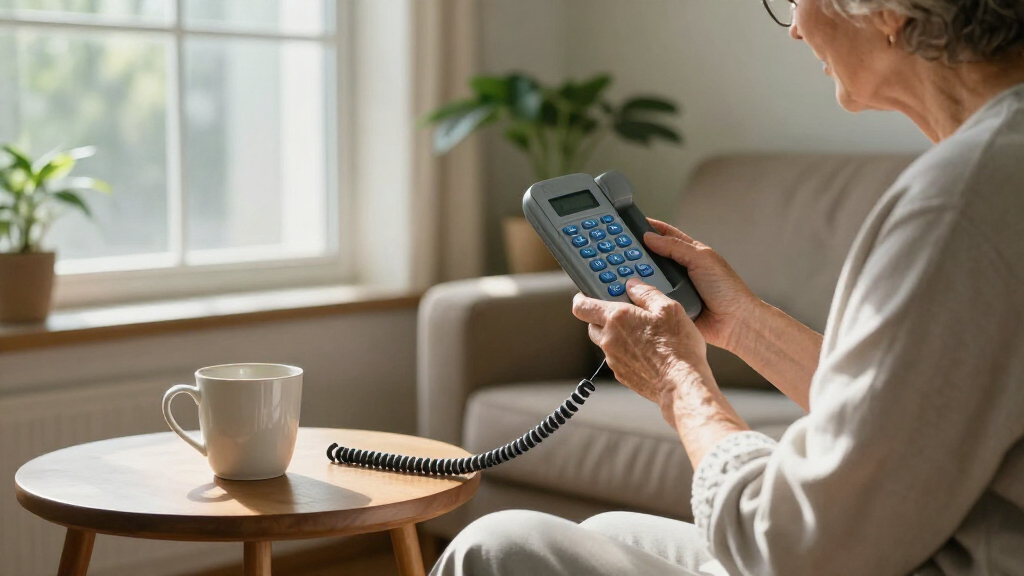
I ranked these eight options around the needs behind the search for a senior-friendly phone: easy-to-find controls, manageable call handling, a connection type that fits the user’s routine, and features that can support independent use. For corded models, I weighed the appeal of a simple home setup and visible alerts against limited mobility. For mobile models, I focused on keypad usability, charging convenience, emergency features, and the added work of selecting a carrier and confirming network support.
The order favors phones with a clear, practical fit for common senior needs rather than the longest feature list. The VTech leads as a versatile home-phone pick; the Trimline models follow for buyers who value straightforward operation. Mobile handsets rank well for portability but bring service and setup questions, while the Jitterbug Smart5 ranks as a specialist choice because its smartphone interface differs from a conventional keypad. I also treated the two AT&T Trimline listings as closely related options, since their shared basic purpose makes the buyer’s specific preference and model details more relevant than assuming a major difference.
Factors to Consider When Choosing Best Keypad Phones For Seniors
Before choosing, I would start with how and where the person actually makes calls. A phone that is easy to use at a bedside may be the wrong fit for someone who needs to stay reachable outside the home. These broader checks can prevent a common mismatch: buying extra features when the user needs simplicity, or choosing a basic landline when mobility matters.
Choose the connection before comparing features
Decide whether the phone needs to work only at home or travel with its owner. A corded landline avoids managing a mobile plan and charging routine, but it ties calls to the home setup. A cellular handset can be carried around, though it depends on compatible network service and an active plan. Check local landline availability and mobile coverage before focusing on button size. A phone that cannot connect reliably is a poor fit no matter how clear its controls are. If the person needs calls during errands or appointments, portability may matter more than extra home-phone functions.
Test the whole calling sequence, not just the keypad
Large, separated buttons can help with dialing, but the user also has to answer, end, and place calls confidently. Look at whether the call controls are easy to distinguish and whether the display or spoken prompts make status clear. A familiar layout may be easier than a feature-rich interface with several menus. If possible, let the intended user try a similar layout before buying. Avoid assuming that a larger screen automatically makes a phone easier; touch controls can be harder for someone who prefers physical keys. The best fit is the one the person can use without relying on another person for routine calls.
Match alerts and sound to the home environment
People who may not hear a ring from another room can benefit from a visible ringer or a phone placed where it is easy to notice. Those with hearing difficulties should check whether the model offers suitable volume controls and whether the handset or speakerphone meets their needs. A loud ringer does not solve every listening challenge, especially during a call. Think about room layout, background noise, and where calls usually happen. Also check whether the phone has a clear indicator for missed calls or voicemail if that information matters to the user. Choose based on the specific difficulty rather than treating every accessibility feature as equally useful.
Treat emergency features as a setup task
An SOS button can be useful only if it is configured correctly and the person knows what happens after pressing it. Before relying on one, confirm which contacts are called, whether a service subscription is needed, and how accidental presses are handled. Explain the process to household members and test it according to the manufacturer’s instructions. A corded phone may be easier to keep in a fixed, familiar place, while a mobile phone can go with its owner but needs charging and network coverage. Do not assume that an emergency button automatically contacts emergency services. Match the feature to a real support plan and keep alternative ways to call for help available.
Check mobile compatibility and ongoing upkeep
For an unlocked cellular phone, verify supported network bands, carrier acceptance, SIM requirements, and service coverage before purchase. “Unlocked” does not mean it will work on every network. Ask the carrier whether it can activate the exact model and whether key functions such as calls and messaging are supported. Consider who will handle charging, plan management, and troubleshooting if the user does not want to manage those tasks. A charging dock can make daily placement more intuitive, but it does not remove the need to charge regularly. If upkeep would become a burden, a home landline may be the more practical choice.
Pay for capabilities the user will actually use
Extra features can help when they solve a defined need, but each added function may bring setup steps or more controls to learn. A camera, multiple SIM support, or smartphone apps may be useful for some owners and irrelevant to others. Ask whether the person wants messaging, internet access, or only dependable voice calls. A simpler phone can reduce confusion and make everyday tasks easier to repeat. A premium smartphone-style option makes more sense when the user wants broader functions and has help available for initial setup. Choose the least complicated model that still meets the person’s communication needs.
Frequently Asked Questions
Should I choose a corded phone or a cellular phone for a senior?
Choose a corded phone if calls mainly happen at home and the user prefers a fixed, simple setup without managing a mobile plan. Choose a cellular model if the person needs to make or receive calls while away from home. Cellular phones add responsibilities such as charging, coverage checks, and service activation. A home landline may also be more familiar for someone who already uses one regularly. If both kinds of access matter, check whether the household should keep a separate home phone rather than expecting one device to cover every situation.
Will an unlocked senior cell phone work with any carrier?
No. Unlocked status means the handset is not restricted to one carrier, but it does not guarantee compatibility with every network. Before buying, ask the carrier to confirm the exact model, supported network bands, SIM type, and whether voice service will work on its network. Check coverage where the phone will be used most, not only at home. If someone else will handle activation, have them confirm the service details before the phone is needed. This step can prevent a handset from arriving that cannot be set up as expected.
Is an SOS button a substitute for an emergency response service?
Not necessarily. An SOS button may call or message preset contacts, but its behavior depends on the phone and how it is configured. Confirm whether it reaches family, a monitoring service, or emergency services, and whether any subscription is required. Set up the contacts and explain the button’s function before relying on it. Test it using the manufacturer’s guidance, taking care not to trigger an unintended emergency call. Keep a backup way to reach help, especially when the phone depends on cellular coverage or battery power.
Is a smartphone a good choice for someone searching for a keypad phone?
It can be, but only if the person wants more than basic calling and feels comfortable with a touchscreen and menus. A smartphone can support additional communication tasks, while a traditional keypad phone keeps calling controls more direct. Think about who will help with setup, updates, and troubleshooting. If the user prefers physical buttons and does not need apps, a smartphone may add complexity without enough benefit. If they already use touchscreens or want broader functions, a senior-oriented smartphone could be a better fit than a basic handset.
What should I do if the senior has both hearing and vision difficulties?
Prioritize the specific tasks that are hardest: noticing incoming calls, reading the display, dialing, or hearing a caller. A visible ringer can help with missed calls, while large, clearly separated keys can support dialing; neither feature alone addresses every need. Check whether volume settings are adjustable and whether the display is readable in the intended lighting. If possible, have the user try the controls before settling on a model. A family member or accessibility specialist can help compare needs, and it may be useful to keep the phone in a consistent, well-lit location.
Conclusion
For a best overall home phone, I’d start with the VTech SN1117 because it balances senior-focused calling features with a straightforward corded setup. The best value in simplicity is the AT&T Trimline 213 for someone who wants a basic landline and does not need mobile features. For beginners who need a mobile keypad, compare the artfone C1+ and A400, then choose based on the user’s comfort with the specific controls and confirmed carrier support; the A400 is the stronger fit when its extra options are genuinely useful. The best premium-style choice for someone who wants broader smartphone functions is the Jitterbug Smart5, though it is not a traditional keypad phone. For a flip-phone form, look at the VAHVARNA Oasis M1, and for a fixed home phone with speakerphone functionality, consider the Uvital. The right pick depends on whether the priority is simple calls at home, mobility, or expanded features—not on having the most functions.