
When your phone’s storage gets too full, it causes multiple problems at once because the device struggles to process data efficiently. You might notice apps freezing, the phone slowing down, or battery draining faster. Overcrowded storage also reduces responsiveness and increases crashes. These issues happen because the system can’t access or save data quickly enough, leading to overheating and other symptoms. Stick around to find out how managing storage can fix these problems effectively.

Get the latest gadgets delivered free — and shop member deals
- Fast, free delivery on millions of items
- Access to Prime Big Deal Days deals on October 6–7
- Prime Video, Amazon Music and more included
Key Takeaways
- Limited storage causes system slowdown, leading to multiple symptoms like app crashes and sluggish performance.
- Storage issues disrupt app functions, resulting in freeze, unresponsiveness, and increased error messages.
- Full storage accelerates battery drain and overheating due to increased processing delays.
- Insufficient space hampers data saving, causing file loss and preventing new app or photo storage.
- Storage-related problems trigger cascading effects, impacting device responsiveness, temperature, and overall stability.
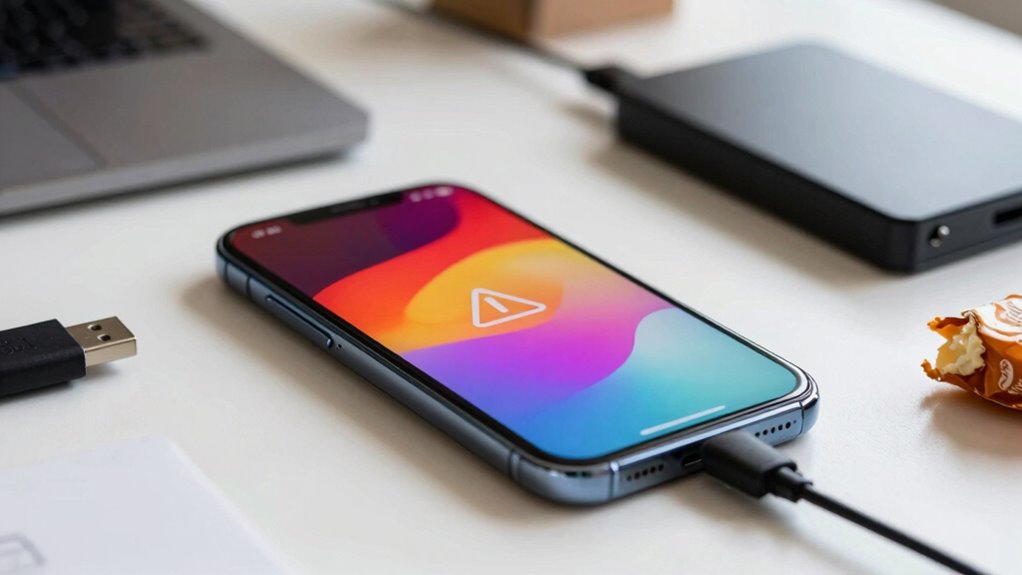
Have you ever noticed your phone slowing down or running out of space just when you need it most? It’s frustrating when your device becomes sluggish, apps freeze, or photos won’t save because of limited storage. These issues often stem from a common root: your phone’s storage problems. When storage gets crowded, it doesn’t just affect one aspect of your device—it triggers a chain reaction of symptoms. Apps may crash more frequently, your device’s speed drops, and even battery life can decline faster. But the good news is, many of these problems can be mitigated through strategies like cloud backup and app optimization.
Your phone’s storage capacity isn’t unlimited, and when it’s nearly full, it hampers the device’s overall performance. Instead of deleting files manually, you can use cloud backup services to free up space without losing important data. Cloud backup allows you to store photos, videos, and documents securely online, giving your device more breathing room. This not only helps your phone run more smoothly but also ensures your data stays safe even if your device is lost or damaged. Implementing cloud backup regularly is a simple step that prevents storage from becoming a bottleneck, which in turn reduces the likelihood of app crashes, slow responsiveness, and other symptoms associated with full storage. Additionally, choosing the right projector technology can improve your viewing experience without adding physical clutter to your space.
Use cloud backup regularly to free space and keep your device running smoothly.
App optimization plays a critical role in managing your device’s health. Many apps store cache files, temporary data, and unnecessary information that accumulate over time, eating up storage space and slowing down your phone. By regularly clearing app caches and updating applications, you can improve performance significantly. Also, cache management techniques can help you identify which apps are consuming the most space and address them proactively. Uninstalling apps you no longer use or need reduces clutter and frees up space. When your device is optimized, it can process tasks more efficiently, which minimizes lag and prevents overheating or battery drain that often accompany storage issues. Implementing storage management techniques can further enhance your device’s longevity and responsiveness. Moreover, being aware of privacy policies and how data is handled can help you make informed decisions about what information to store or delete, ensuring your data privacy is maintained while managing storage. Furthermore, staying aware of emerging trends in digital publishing can help you adopt innovative solutions for efficient device use and data management.
In essence, storage problems don’t just cause one or two inconveniences—they ripple through your entire device experience. Recognizing these symptoms early and taking steps like cloud backup and app optimization can save you from longer-term frustrations. Keeping your storage in check ensures your phone remains responsive, reliable, and ready for whatever you need it for. So, next time your device acts up, check your storage and consider these solutions before frustration takes over. Proper management of storage isn’t just about space—it’s about maintaining your phone’s health and performance.
As an affiliate, we earn on qualifying purchases.
Frequently Asked Questions
Can Storage Issues Affect Phone Battery Life?
Yes, storage issues can impact your phone’s battery life. When your storage is nearly full, your device works harder to manage data, leading to increased battery drain. This extra effort can also affect fast charging capabilities, as the phone might prioritize data processes over charging efficiency. Clearing storage helps your phone run smoother, reduces battery drain, and improves fast charging performance, keeping your device healthier overall.
Do Storage Problems Slow Down App Performance?
Yes, storage problems slow down app performance. Ironically, your phone’s app cache and background processes, meant to make things smoother, get bogged down when storage is full. This overload causes apps to lag or crash, making your device seem sluggish. Clearing cache and managing background processes can help, but if storage remains cramped, you’ll keep experiencing the frustrating slowdown, proving that more storage really equals better performance.
How Does Storage Impact Phone Security?
Storage issues can compromise your phone’s security because limited space affects your ability to update apps and security patches. When storage is full, your device may struggle with cloud security features or data encryption, making it more vulnerable to breaches. You might also neglect deleting old files, increasing risks. Regularly managing storage guarantees your phone runs smoothly, stays secure, and maintains effective cloud security and data encryption.
Can Deleting Files Fix All Storage-Related Symptoms?
Deleting files can help fix some storage-related symptoms, but it doesn’t always solve everything. You need to improve file organization and regularly clear out unnecessary data. Using cloud backup services allows you to store files safely online, freeing up space on your device. However, if system files or hidden data take up space, deleting files alone won’t fix all issues. A complete cleanup and better management are essential.
Is It Possible to Recover Lost Data From Storage Errors?
Did you know that over 70% of data corruption cases can be recovered with proper tools? Yes, it’s possible to recover lost data from storage errors. When your phone encounters storage issues, file recovery software can help retrieve files affected by corruption or deletion. Act quickly, as the chances of successful recovery decrease with continued use. Always back up your data regularly to avoid permanent loss.
As an affiliate, we earn on qualifying purchases.
Conclusion
So, next time your phone slows down or crashes unexpectedly, remember it might just be your storage playing tricks on you. Coincidentally, that forgotten photo or app you overlooked could be the sneaky culprit. Clearing space not only frees up memory but also restores your device’s smooth performance. Sometimes, a simple cleanup is all it takes to prevent those frustrating glitches from sneaking into your day, reminding you how small issues can have big impacts.
external storage for Android/iPhone
As an affiliate, we earn on qualifying purchases.
As an affiliate, we earn on qualifying purchases.
smartphone storage management tools
As an affiliate, we earn on qualifying purchases.
As an affiliate, we earn on qualifying purchases.
Fall Picks
fall essentials
As an affiliate, we earn on qualifying purchases.