Connectivity issues often come in clusters because multiple problems happen at once, like interference, congestion, or outdated hardware. These issues tend to overlap and create ripple effects that make problems seem larger and more persistent. Environmental factors, peak usage times, and overlapping signals all contribute to this cluster of disruptions. If you want to understand how to identify and fix these interconnected problems, there’s more to discover that can help improve your connection stability.
Open a free Amazon Business account
Business pricing, bulk buying and tax-exempt orders.
As an affiliate, we earn on qualifying purchases.
Key Takeaways
- Signal interference from electronic devices and neighboring Wi-Fi networks causes multiple connectivity drops simultaneously.
- Network congestion during peak times amplifies clustered connectivity problems.
- Environmental factors like physical obstructions and electromagnetic interference contribute to issue clusters.
- Outdated hardware or firmware creates recurring problems that tend to occur together.
- Overlapping causes and complex troubleshooting lead to interconnected, clustered connectivity issues.
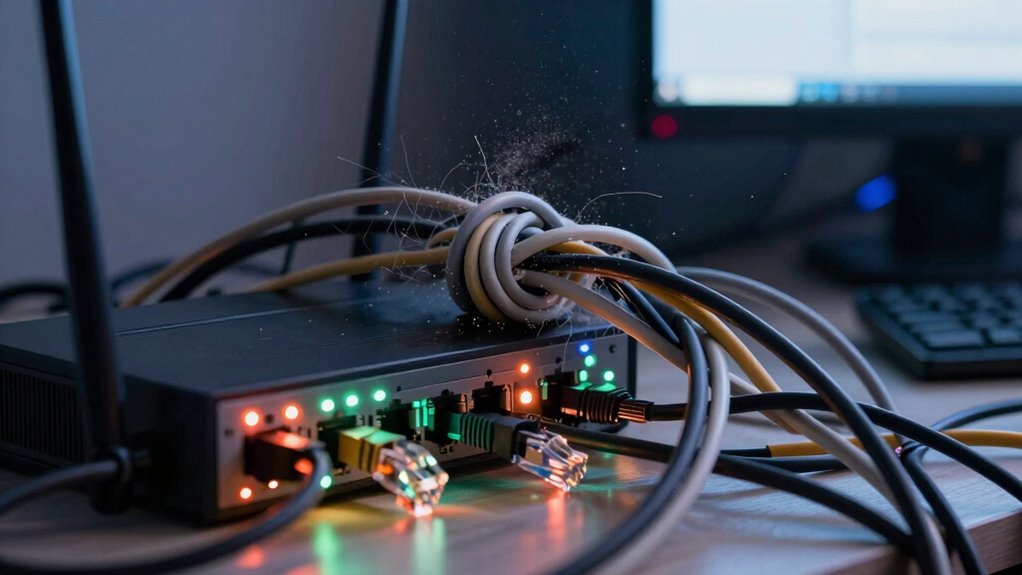
Have you ever noticed that when your internet drops, it often happens in bursts rather than a single, isolated incident? This pattern is common and can be frustrating, especially when you’re trying to work or stream your favorite show. The reason behind these clusters of connectivity issues often boils down to underlying problems like signal interference and the complexities of network troubleshooting. When multiple issues emerge simultaneously, they tend to affect each other, causing a ripple effect that makes the problem seem bigger than it actually is.
Signal interference is one of the primary culprits behind these bursty connectivity problems. Wireless signals, whether Wi-Fi or cellular, are susceptible to interference from a variety of sources. Appliances like microwave ovens, cordless phones, or baby monitors can emit signals that disrupt your Wi-Fi connection. Electronic devices such as Bluetooth gadgets or neighboring Wi-Fi networks operating on similar channels also contribute to interference. When these signals collide, your device struggles to maintain a stable connection, leading to the interruptions you experience. These disruptions often happen in clusters because multiple sources may interfere at once or intermittently, causing your connection to drop repeatedly rather than gradually fade away.
Wireless interference from appliances, Bluetooth devices, and neighboring networks causes bursty connection issues.
Network troubleshooting becomes more complicated when issues cluster together. Often, what starts as a simple problem—like a weak Wi-Fi signal—can snowball into larger issues if not diagnosed correctly. You might notice your connection drops only during certain times of day, or when specific devices are active, indicating multiple problems at play. Troubleshooting these issues requires a systematic approach: checking for signal interference, ensuring your router is updated, and verifying your network settings. Sometimes, the root cause lies in outdated firmware or hardware limitations, but because multiple issues can occur simultaneously, it’s easy to overlook one or misattribute the cause. This is why diagnosing network problems can be so tricky—multiple issues often overlap, making it seem like your entire network is failing. Recognizing that signal interference can be a common cause helps focus troubleshooting efforts more effectively. Additionally, understanding the interplay between hardware and software can further streamline the diagnostic process. Being aware of network congestion and its impact can also help you identify why issues tend to cluster during peak usage times. Furthermore, paying attention to environmental factors like physical obstructions or electromagnetic interference can contribute to the clustering of issues, emphasizing the importance of a holistic approach to troubleshooting. Moreover, considering how electromagnetic interference impacts wireless signals can help in developing more effective solutions.
The interconnected nature of these problems means that when you experience clusters of connectivity issues, they’re rarely isolated. Instead, they’re often linked by common causes like signal interference or network configuration errors. Addressing these problems requires patience and a methodical approach to network troubleshooting. By identifying sources of interference, updating hardware, and optimizing your network setup, you can break the cycle of recurring issues and enjoy a more stable connection. Remember, understanding that these issues tend to come in clusters helps you stay calm and focused when diagnosing and fixing your connectivity problems.

WiFi Router EMF Protection Cover – Faraday Shield for 5G & Standard Routers
- Effective EMF Shielding: Reduces EMF emissions from routers
- Oversized Compatibility: Fits large routers and modem combos
- Maintains Signal & Airflow: Honeycomb design ensures airflow and performance
As an affiliate, we earn on qualifying purchases.
As an affiliate, we earn on qualifying purchases.
Frequently Asked Questions
How Can I Prevent Connectivity Issues From Occurring in Clusters?
To prevent connectivity issues from clustering, guarantee your devices are compatible with your network and keep their firmware updated regularly. Check for device compatibility before adding new hardware, and install firmware updates promptly to fix bugs and improve stability. Restart your router and devices periodically, and avoid overloading your network. These steps help maintain a smooth connection, reducing the chances of multiple issues occurring simultaneously.
Do Certain Devices or Brands Experience Clustered Connectivity Problems More Often?
Certain devices or brands do experience clustered connectivity problems more often, especially if their device compatibility isn’t up to standard or if the brand’s reliability is questionable. You might notice issues more frequently with lesser-known or budget brands, as they may lack robust hardware or software support. To avoid this, choose reputable brands known for consistent connectivity, and always guarantee your devices meet compatibility requirements for your network setup.
Can Network Settings Influence the Likelihood of Clustered Connectivity Issues?
Yes, network settings can influence the likelihood of clustered connectivity issues. Your network configuration, like channel selection and security settings, can either reduce or increase interference sources, which often cause problems. When settings aren’t optimized, interference sources such as neighboring networks or electronic devices can disrupt multiple devices simultaneously, leading to clusters of connectivity problems. Properly adjusting your network configuration helps minimize interference and improves overall stability.
Are There Specific Times When Connectivity Clusters Are More Common?
You might notice connectivity clusters more often during peak hours, when device congestion peaks. Coincidentally, many users access the network simultaneously, straining bandwidth and causing issues. This surge in activity overloads routers and access points, making problems more likely to emerge in clusters. So, during busy times like evenings or weekends, you’re more prone to experiencing these grouped connectivity problems.
How Do Environmental Factors Contribute to Clustered Connectivity Problems?
Environmental factors, like interference sources and changing conditions, markedly contribute to clustered connectivity problems. You might notice issues spike during storms, when metal structures or electronic devices cause interference sources to disrupt signals. Fluctuating weather, humidity, or temperature can weaken signals or cause equipment to malfunction, leading to multiple connectivity issues happening simultaneously. These environmental conditions create a challenging atmosphere, making it harder for your devices to maintain stable connections, especially in specific clustered patterns.
![PiFi Kit - Raspberry Pi 4/5 Gigabit Travel Router Kit (AC1300Mbps USB 3.0 WiFi, OpenVPN/Wireguard VPN Client, OpenWrt, AdGuard Home) [Raspberry Pi NOT Included]](https://m.media-amazon.com/images/I/41rkH-xcJSL._SL500_.jpg)
PiFi Kit – Raspberry Pi 4/5 Gigabit Travel Router Kit (AC1300Mbps USB 3.0 WiFi, OpenVPN/Wireguard VPN Client, OpenWrt, AdGuard Home) [Raspberry Pi NOT Included]
- High-Speed Dual-Band WiFi: 1300 Mbps combined Wi-Fi speed
- Easy Setup Included: Preloaded SD card and PiFi app
- Fast USB 3.0 Adapter: Supports up to 8x faster WiFi
As an affiliate, we earn on qualifying purchases.
As an affiliate, we earn on qualifying purchases.
Conclusion
Just like a sudden storm rolling in, connectivity issues tend to come in clusters, making it feel like everything’s falling apart at once. When you notice multiple devices or services acting up, it’s a sign to check your network setup or call your provider. Addressing the root cause quickly can prevent the problem from spreading like wildfire. Stay proactive, and you’ll keep your digital world running smoothly, even when issues seem to hit all at once.

TP-Link AC1200 WiFi Extender – 1.2Gbps Home Signal Booster, Dual Band 5GHz/2.4GHz, Up to 1600 Sq.ft and 32 Devices, EasyMesh Compatible, One Ethernet Port (RE315)
- Enhanced Wi-Fi Coverage: Eliminates dead zones with strong signal
- Fast Dual-Band Speeds: Up to 1.2Gbps total bandwidth
- Wide Coverage Area: Supports up to 1500 sq.ft
As an affiliate, we earn on qualifying purchases.
As an affiliate, we earn on qualifying purchases.
electromagnetic interference shield
As an affiliate, we earn on qualifying purchases.
As an affiliate, we earn on qualifying purchases.
Flea & tick season Picks
flea and tick prevention
As an affiliate, we earn on qualifying purchases.