To use your phone hands-free in the car safely and legally, activate your vehicle’s voice command system with a button on the steering wheel or dashboard. Pair your phone via Bluetooth for seamless calling and audio streaming. Use voice commands to make calls, send messages, or access navigation, keeping your eyes on the road. Proper setup and familiarization help you stay focused and compliant—continue exploring how to maximize safety and convenience with your in-car technology.

Get the latest gadgets delivered free — and shop member deals
- Fast, free delivery on millions of items
- Access to Prime Big Deal Days deals on October 6–7
- Prime Video, Amazon Music and more included
Key Takeaways
- Pair your phone with the car’s Bluetooth system for seamless hands-free calls and audio streaming.
- Activate voice recognition features to make calls, send messages, and control media without manual interaction.
- Use steering wheel or dashboard controls to answer or reject calls safely while driving.
- Regularly calibrate and maintain system settings to ensure accurate voice command recognition and connection stability.
- Keep your focus on the road by limiting device fiddling and relying on voice commands for safer, legal driving.
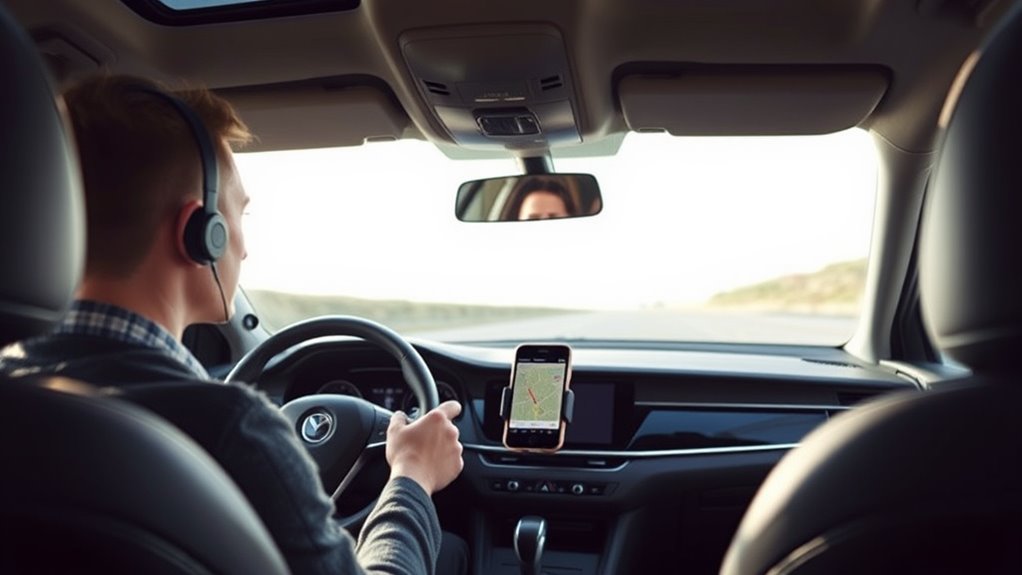
Using your phone hands-free while driving not only helps you stay focused on the road but also keeps you compliant with legal requirements in many areas. When you set up your device correctly, you can make calls, send messages, and access apps without taking your hands off the wheel or your eyes off the road. The key lies in understanding how to use voice commands and Bluetooth connectivity effectively, ensuring your interactions remain safe and legal.
First, familiarize yourself with your vehicle’s voice command system. Most modern cars come equipped with built-in voice recognition features that allow you to control your phone via simple commands. You can activate these systems by pressing a designated button on the steering wheel or dashboard. Once activated, you can say commands like “call John,” “play music,” or “navigate to home,” which are then executed without you needing to manually interact with your phone. This feature minimizes distractions, letting you keep your focus on driving while staying connected.
Familiarize yourself with your vehicle’s voice command system to stay connected safely while driving.
Bluetooth connectivity is essential for a seamless hands-free experience. To get started, pair your phone with your car’s Bluetooth system, usually through the Bluetooth settings menu on both your phone and the vehicle’s infotainment system. Once paired, your phone can automatically connect whenever you enter the vehicle, making calls and streaming audio effortless. When you receive a call, your car’s system will alert you, and you can answer or reject the call with voice commands or by pressing a button on the steering wheel. This setup ensures that your conversations stay private and that your hands stay on the wheel, reducing the risk of accidents.
Using voice commands with Bluetooth also lets you control various functions without touching your device. For example, you can ask your system to read out incoming messages or notifications, and you can respond verbally if needed. Many systems support natural language processing, so you don’t need to remember specific commands. Instead, you speak naturally, and the system understands your requests. This capability is especially useful for quick interactions, preventing you from fumbling with your phone while driving.
To maximize safety, always make sure your voice recognition system is properly calibrated and that your Bluetooth connection is stable. Keep your device within reach to troubleshoot if needed, but avoid fiddling with it while driving. Remember, the goal is to keep your hands on the wheel and your eyes on the road. Using voice control systems and Bluetooth connectivity can significantly enhance your safety by reducing distractions. By mastering voice commands and Bluetooth connectivity, you can stay connected without compromising safety or breaking the law. This approach makes driving safer and more convenient, allowing you to focus on the journey ahead.
Bluetooth car kit for hands-free calling
As an affiliate, we earn on qualifying purchases.
As an affiliate, we earn on qualifying purchases.
Frequently Asked Questions
Can I Use Voice Commands to Dial Contacts Automatically?
Yes, you can use voice commands to dial contacts automatically once you set up voice command setup on your device. Simply activate your voice assistant and say the contact’s name to initiate contact dialing automation. Make sure your contacts are properly saved and your voice recognition is calibrated for better accuracy. This allows you to make calls safely without taking your hands off the wheel, keeping your focus on driving.
Are There Specific Laws for Hands-Free Phone Use in Different States?
Like a map guiding your journey, state regulations shape how you can use your phone hands-free. Laws vary across states, so you need to verify each state’s legal restrictions before driving. Some states ban all handheld use, while others allow certain features. Staying informed ensures you follow the rules and avoid fines. Remember, what’s legal in one state might not be in another, so always stay updated before hitting the road.
How Do I Ensure My Bluetooth Connects Automatically Each Time?
To guarantee your Bluetooth connects automatically each time, check your phone’s pairing settings and prioritize your device. First, pair your phone with your car’s Bluetooth system and set it as a preferred or favorite device. Make sure your Bluetooth is enabled and auto-reconnect is active. Some systems allow you to save the connection as a default, so it connects seamlessly every time you start your car.
Is It Legal to Use a Mounted Phone for Navigation?
Using a mounted phone for navigation is generally legal, but you need to take into account your state’s legal restrictions and mounting options. Many places allow you to use a phone mounted on the dashboard or windshield, as long as it doesn’t obstruct your view. Make sure the mount is secure and doesn’t interfere with your driving. Always check local laws to ensure your setup complies and keeps you safe and legal on the road.
What Should I Do if My Hands-Free Device Disconnects Unexpectedly?
If your hands-free device disconnects unexpectedly, don’t panic—you’re not alone. About 30% of drivers face similar issues. First, try a device reset by turning it off and on again. Then, troubleshoot by checking Bluetooth connections or re-pairing the device. Confirm your phone and device firmware are updated. These simple steps can quickly restore your hands-free setup, keeping you safe and connected on the road.
As an affiliate, we earn on qualifying purchases.
Conclusion
By following these hands-free tips, you can stay connected without compromising safety or breaking the law. Many believe using Bluetooth or voice commands reduces distractions, and studies support that hands-free devices help drivers focus better on the road. So, enjoy the convenience of your phone while driving responsibly. Trust these methods to keep you safe and compliant, proving that staying connected doesn’t have to come at the cost of safety.
hands-free Bluetooth speaker for car
As an affiliate, we earn on qualifying purchases.
As an affiliate, we earn on qualifying purchases.
car infotainment system with voice control
As an affiliate, we earn on qualifying purchases.
As an affiliate, we earn on qualifying purchases.
Fall Picks
fall essentials
As an affiliate, we earn on qualifying purchases.