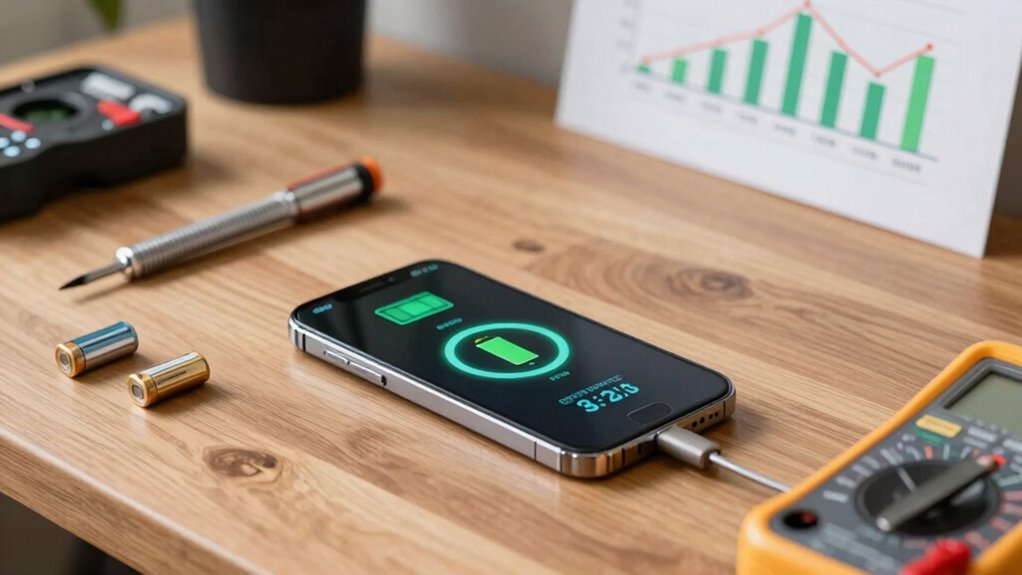

To build a better battery routine, keep your charge levels between 20% and 80% to reduce stress on the battery. Avoid letting it drain completely or stay fully charged for too long. Use wireless charging as a convenient boost and unplug once it hits 80%. Close unused apps, lower screen brightness, and update your device software regularly for efficiency. Implement these tips now, and you’ll discover more ways to keep your phone healthy and performing well.

Get the latest gadgets delivered free with Prime
- Fast, free delivery on millions of items
- Prime Video, Amazon Music and more included
- Member-only deals all year
Key Takeaways
- Keep battery levels between 20% and 80% to extend overall battery lifespan.
- Perform battery calibration every few months to maintain accurate charge readings.
- Use wireless charging as a supplementary method and unplug at 80% to prevent overcharging.
- Close unused apps, reduce screen brightness, and disable unnecessary notifications to conserve power.
- Regularly update device software for optimal battery performance and incorporate sustainable charging habits.

Your phone’s battery life can often feel like a constant battle, but establishing a better routine can make a noticeable difference. One way to do this is by embracing wireless charging. Instead of constantly plugging and unplugging your device, wireless charging pads encourage you to keep your phone on a designated spot, reducing wear on your charging port. This habit not only prolongs the lifespan of your port but also makes topping up your battery more intuitive. However, don’t rely solely on wireless charging; it’s best to use it as a supplementary method rather than your primary charging routine. Keep in mind that wireless chargers can sometimes deliver slower charging speeds, so use wired charging when you need a quick boost.
Using wireless charging reduces port wear and makes topping up more intuitive, but don’t rely on it solely for fast charging needs.
Another vital aspect of maintaining a healthy battery is regular battery calibration. Over time, your phone’s battery percentage can become inaccurate, leading to unexpected shutdowns or misjudged charge levels. To calibrate your battery, start by fully charging your phone to 100%, then use it normally until it completely discharges and powers off. Next, charge it uninterrupted back to 100% without using the device. This process helps recalibrate the battery sensor, ensuring your battery percentage reflects reality. Incorporating this calibration into your routine every few months, especially if you notice irregular battery readings, can help maintain accuracy. Additionally, being aware of natural pools and their eco-friendly design can inspire you to choose sustainable practices in your tech habits, such as selecting energy-efficient chargers. Being mindful of battery capacity and how it degrades over time can help you adjust your charging habits accordingly. A good understanding of battery degradation can help you avoid unnecessary capacity loss caused by improper charging habits. Furthermore, monitoring your device’s charging habits can prevent premature battery wear and extend its overall lifespan.
It’s also necessary to avoid extreme battery levels. Keeping your phone’s charge between 20% and 80% can *considerably* extend its long-term health. Constantly letting your battery drain to 0% or keeping it at 100% for extended periods stresses the battery, accelerating capacity loss. To support this, adopt habits like charging your phone overnight only if you’re using a smart charger with built-in safeguards, or unplugging it once it hits 80%. Additionally, turning on battery saver modes when your battery is low can help stretch each charge, reducing the frequency of full charges and discharges.
Finally, managing your device’s software and settings plays a role in battery health. Closing unused apps, disabling unnecessary notifications, and reducing screen brightness can all help conserve power. Keeping your device’s software updated ensures you benefit from the latest optimizations and bug fixes related to battery performance. By combining these habits—using wireless charging wisely, performing regular battery calibration, avoiding extreme charge levels, and managing your device’s settings—you develop a sustainable routine that extends your phone’s battery life and maintains its performance over time.
wireless charging pad for smartphones
As an affiliate, we earn on qualifying purchases.
As an affiliate, we earn on qualifying purchases.
Frequently Asked Questions
How Often Should I Calibrate My Phone’s Battery?
You should calibrate your phone’s battery about once every three months to maintain ideal battery health. Calibration frequency helps guarantee accurate battery readings, preventing unexpected shutdowns and prolonging battery lifespan. To calibrate, fully charge your phone to 100%, then use it until it completely drains and turns off. Recharge it uninterrupted to 100%. Regular calibration keeps your battery’s performance dependable, especially if you notice inaccurate battery percentage readings.
Does Turning off Background Apps Improve Battery Life?
Turning off background apps definitely improves your battery life. Managing background app activity helps reduce unnecessary power drain caused by apps running when you’re not actively using them. By practicing good app usage habits and managing background app management, you can extend your phone’s battery life considerably. Regularly closing or disabling apps that aren’t needed keeps your device running more efficiently and preserves battery power for when you really need it.
Can Using Airplane Mode Extend Battery Life Significantly?
Using airplane mode can surprisingly extend your battery life, especially when you’re not expecting calls or notifications. Ironically, turning it on when you’re just trying to save power shows how much those signals drain your battery. Enable power saving modes and battery optimization features to maximize this effect. While it’s not a long-term fix, airplane mode gives your phone a breather, making your battery last longer during vital moments.
Are There Specific Apps That Drain Battery Faster?
Yes, some apps drain your battery faster, especially those with constant background activity like social media, GPS, and streaming services. To optimize your battery life, use power management features and close apps you’re not using. Battery optimization helps limit background processes, reducing unnecessary drain. Regularly checking app usage in settings allows you to identify and manage power-hungry apps, extending your device’s battery life effectively.
Is It Better to Keep My Phone Charged Full or Partial?
It’s better to keep your phone charged partially rather than always charging to full, as this supports better battery health. Frequent full charges can strain the battery over time, reducing its capacity. Maintaining charging habits that keep your battery between 20% and 80% helps extend its lifespan. By avoiding constant full charges, you help preserve your phone’s battery health, ensuring it performs well over the long term.
battery calibration tool for phones
As an affiliate, we earn on qualifying purchases.
As an affiliate, we earn on qualifying purchases.
Conclusion
By building a balanced battery routine, you bolster your phone’s longevity and performance. Consistent charging habits, cautious temperature control, and mindful usage create a cycle of care that keeps your device dependable and durable. Embrace these easy, effective practices to extend your battery’s life, ensuring your phone stays powered and prepared for your daily demands. With mindful maintenance, you’ll master maximizing your mobile’s minimal, but mighty, power potential.
As an affiliate, we earn on qualifying purchases.
smartphone screen brightness reducer
As an affiliate, we earn on qualifying purchases.
As an affiliate, we earn on qualifying purchases.
Fall Picks
fall essentials
As an affiliate, we earn on qualifying purchases.