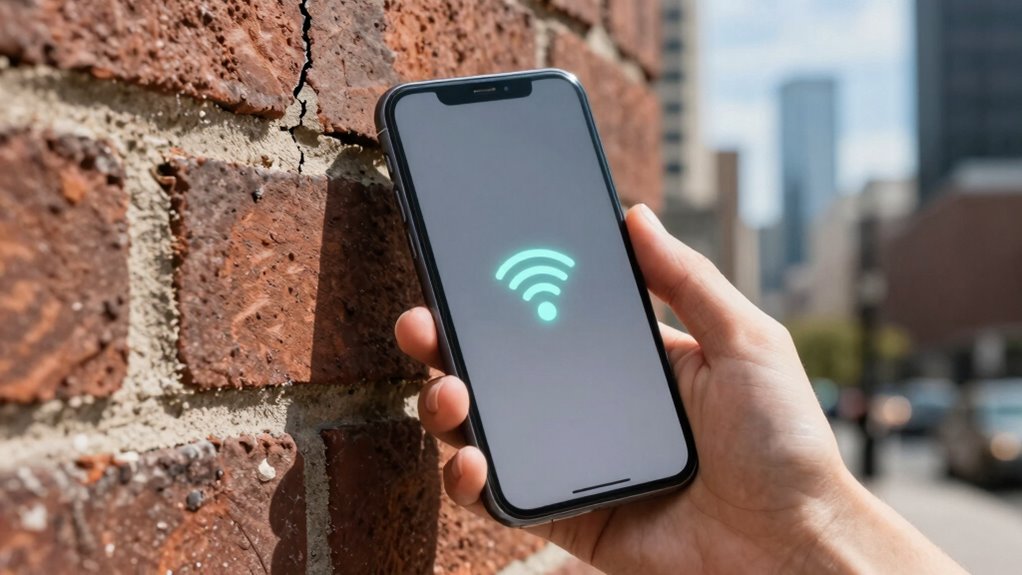

Wi-Fi Calling solves the problem of poor cellular signals by allowing you to make and receive calls over Wi-Fi instead. It’s especially helpful in areas with weak or unreliable cell coverage, thick walls, or high network congestion. With Wi-Fi Calling, you experience clearer calls, fewer drops, and better indoor connectivity. It also reduces strain on cellular networks during busy times. Keep exploring to uncover more ways it can improve your communication experience.

Get the latest gadgets delivered free — and shop member deals
- Fast, free delivery on millions of items
- Access to Prime Big Deal Days deals on October 6–7
- Prime Video, Amazon Music and more included
Key Takeaways
- Eliminates call disruptions caused by weak or unreliable cellular signals.
- Provides clearer, more stable voice quality indoors and in areas with poor cellular coverage.
- Reduces dropped calls and improves connection consistency in congested or high-traffic locations.
- Bypasses obstacles and interference that weaken cellular signals inside buildings.
- Eases network congestion by diverting calls from overloaded cellular networks to Wi-Fi.

Wi-Fi calling is a convenient feature that allows you to make and receive calls using a Wi-Fi connection instead of relying solely on your cellular network. This feature is especially useful when your cell signal is weak or unreliable. If you’ve ever experienced dropped calls or difficulty connecting in certain indoor areas or remote locations, Wi-Fi calling can markedly improve your communication experience. Instead of battling a poor cell signal, you can connect through a stable Wi-Fi network, ensuring clearer calls and fewer disruptions.
Wi-Fi calling improves connection quality by using Wi-Fi instead of relying on weak cellular signals.
One of the main issues Wi-Fi calling addresses is poor cell signal strength. In many urban or rural areas, your cellular reception can be spotty due to building materials, distance from cell towers, or interference. When your cell signal is weak, your calls may cut out or fail to connect altogether. Wi-Fi calling bypasses this problem by routing your calls through your internet connection. As long as you’re connected to a reliable Wi-Fi network, you can enjoy consistent voice quality without worrying about signal bars. This is particularly valuable indoors, where walls and other obstacles can block cellular signals, leaving you frustrated and disconnected. Recognizing how cellular coverage can vary helps you better understand the advantages of Wi-Fi calling. Implementing security scanning practices can further protect your calls from potential threats on open networks.
Another problem Wi-Fi calling helps resolve is network congestion. During peak hours, cellular networks often become overloaded, leading to dropped calls, slow data speeds, and difficulty establishing new connections. This congestion can be especially noticeable in crowded places like stadiums, airports, or city centers. By switching to Wi-Fi calling, you divert your calls from the congested cellular network to an often less crowded Wi-Fi network. This reduces the load on the cellular infrastructure and provides a more reliable way to stay connected. It also helps alleviate network strain for your carrier, which benefits all users in high-traffic areas. Additionally, network management strategies can optimize overall connectivity and performance for users relying on Wi-Fi calling. Understanding the testing accuracy of your Wi-Fi connection can further improve call quality and reliability.
Wi-Fi calling compatible smartphones
As an affiliate, we earn on qualifying purchases.
As an affiliate, we earn on qualifying purchases.
Frequently Asked Questions
Does Wi-Fi Calling Work Internationally Without Extra Charges?
Yes, Wi-Fi Calling often works internationally without extra charges, especially if your carrier includes it in your plan. It allows you to bypass international roaming fees by using Wi-Fi networks for calls, which can improve call quality indoors or in areas with poor cellular signals. However, check with your carrier beforehand to confirm coverage and potential costs, ensuring you enjoy seamless communication abroad without surprises.
Can Wi-Fi Calling Replace My Cellular Service Entirely?
You can replace your cellular service with Wi-Fi Calling, but it’s not foolproof. While it offers a convenient alternative, VoIP security issues and signal stability remain concerns. If your Wi-Fi connection drops or is insecure, your calls could be interrupted or compromised. So, while Wi-Fi Calling can serve as your primary service in some situations, it’s wise to keep traditional cellular backup to guarantee reliable, secure communication.
What Devices Are Compatible With Wi-Fi Calling?
You can use Wi-Fi Calling on many smartphones, including most recent iPhones and Android devices, provided they support VoIP integration and have updated device firmware. Check your phone’s settings or carrier’s website to confirm compatibility. Devices with the latest firmware guarantee smooth operation, enabling you to make calls over Wi-Fi seamlessly. If your device supports VoIP and is updated, you’re likely ready to use Wi-Fi Calling without issues.
How Secure Is Wi-Fi Calling Compared to Traditional Calls?
Wi-Fi calling is generally secure, but you’re right to take privacy concerns into account. It uses encryption protocols like SIP and TLS to protect your calls, making them comparable to traditional networks. However, since Wi-Fi networks can be vulnerable, ensure you’re on a secure, trusted connection. While it offers convenience, staying aware of potential security risks helps you protect your privacy during calls.
Does Wi-Fi Calling Affect My Data Usage?
Wi-Fi calling generally doesn’t considerably impact your data usage, but it can affect your call quality and signal stability. When you use Wi-Fi for calls, your device relies on your internet connection instead of cellular signals, which can improve call clarity if your cellular signal is weak. However, if your Wi-Fi connection is slow or unstable, it might cause dropped calls or poor quality. Keep an eye on your data plan to avoid unexpected charges.
As an affiliate, we earn on qualifying purchases.
Conclusion
So, next time you find yourself in a basement or remote area, imagine your phone seamlessly connecting calls through Wi-Fi, just like a secret passageway hidden behind a bookshelf. Wi-Fi calling isn’t just about better reception—it’s about peace of mind, ensuring your voice reaches loved ones or colleagues without a hitch. It’s a small, invisible bridge that turns everyday obstacles into smooth conversations, making your digital life feel a little more connected and a lot less frustrating.
As an affiliate, we earn on qualifying purchases.
Wi-Fi calling security protection
As an affiliate, we earn on qualifying purchases.
As an affiliate, we earn on qualifying purchases.
Fall Picks
fall essentials
As an affiliate, we earn on qualifying purchases.