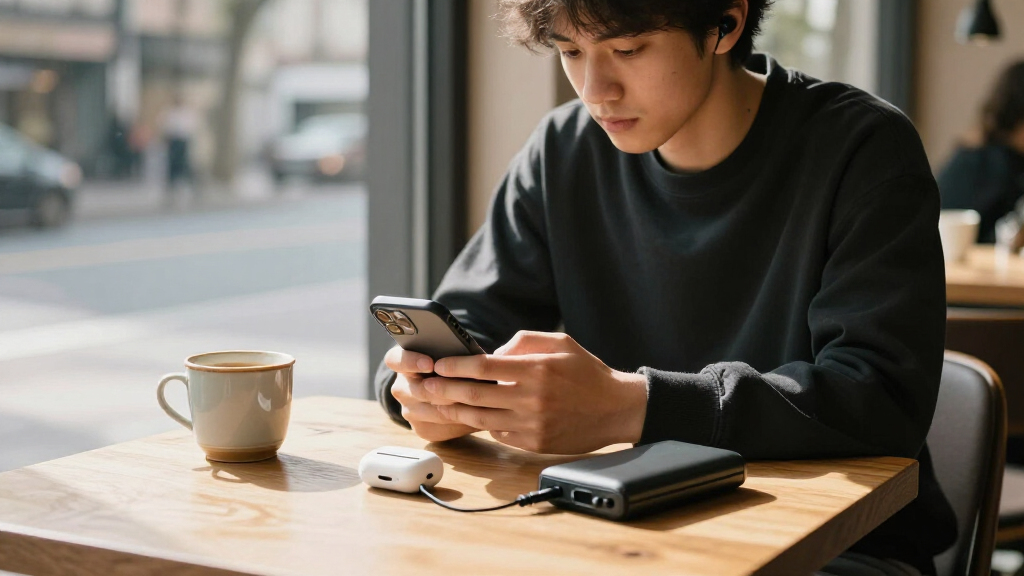
The best iPhone accessories solve a specific daily problem without making your phone harder to carry or use. My best overall pick is the Anker Zolo MagSafe-Compatible Wireless Charger for Qi2 wireless charging, while the Lamicall Ultra-Compact MagSafe Tripod Stand stands out for flexible photo and video setups. For a simpler desk routine, the 3-in-1 MagSafe Charging Stand can charge an iPhone, Apple Watch, and AirPods in one place. The main tradeoffs are portability versus stability, convenience versus charging flexibility, and specialized features versus everyday usefulness. Read on for how these 15 options compare and which fits your routine.

Get the latest gadgets delivered free — and shop member deals
- Fast, free delivery on millions of items
- Access to Prime Big Deal Days deals on October 6–7
- Prime Video, Amazon Music and more included
Complete the kit



Key Takeaways
Qi2 charging is the clearest all-rounder: the Anker Zolo pairs wireless convenience with a defined 15W charging standard, while the Apple MagSafe Charger offers a simple single-device setup.
Two 5,000mAh magnetic power banks serve similar needs: the podoru and the other slim MagSafe-compatible charger prioritize backup power on the move, so size, case compatibility, and charging details should guide the choice.
The Lamicall STTP07 is the most adaptable camera support: its tripod, screw mount, Arca-Swiss mount, and hook offer more setup options than a basic desk stand or phone grip.
Grip choices reflect different habits: SYNCWIRE and Lamicall offer magnetic ring-style grips, amBand adds a suction-style gripping approach for compatible MagSafe cases, and PopSockets uses an adhesive attachment.
Specialized add-ons have narrower value: the Xenvo lens kit suits macro and wide-angle experimentation, while port covers and car mounts make the most sense when they address a regular exposure or driving need.
| COMITOK MOCA iPhone Camera Grip |  | Best for Native Camera Controls | Compatibility: iPhone 17 models; supports iOS 17, 18, and 26 | Camera connection: Native camera control; no additional app required | Remote functions: Launch camera, switch modes, flip lenses, adjust exposure and focus | VIEW LATEST PRICE | See Our Full Breakdown |
| USB-C Dust Plug and Speaker Cover 4-Pack |  | Best for Port and Speaker Protection | Port type: USB-C | Port plugs: 4 | Speaker covers: 4 | VIEW LATEST PRICE | See Our Full Breakdown |
| LISEN Adjustable Cell Phone Stand |  | Best for Desk Viewing | Adjustable height: 7.1–8.5 in | Height adjustment range: 1.4 in | Viewing angle: 5°–85° | VIEW LATEST PRICE | See Our Full Breakdown |
| podoru MagSafe-Compatible 5000mAh Power Bank |  | Best for Compact On-the-Go Charging | Capacity: 5000mAh | Dimensions: 3.74 × 2.55 × 0.55 in | Weight: 120 g | VIEW LATEST PRICE | See Our Full Breakdown |
| Anker Zolo MagSafe-Compatible Qi2 Wireless Charger |  | Best for Fast Magnetic Charging at Home | Wireless standard: Qi2 | Maximum wireless output: 15W | Cable length: 5 ft | VIEW LATEST PRICE | See Our Full Breakdown |
| SYNCWIRE for MagSafe Phone Grip, Magnetic Phone Ring Holder Stand Kickstand |  | Best Magnetic Grip for Mount Switching | Grip type: Ring grip | Rotation: 360 degrees | Flip angle: 90 degrees | VIEW LATEST PRICE | See Our Full Breakdown |
| for Magsafe Portable Charger, 5000mAh Slim Wireless Magnetic Power Bank |  | Best Slim Backup Charger | Capacity: 5,000mAh | Wireless charging standard: MagSafe | Output wattage: 15W | VIEW LATEST PRICE | See Our Full Breakdown |
| amBand Magnetic Suction Phone Grippy for MagSafe Cases – Light Blue |  | Best for Hands-Free Surface Mounting | Dimensions: 3 × 2 × 0.3 inches | Weight: 1 oz | Color: Light blue | VIEW LATEST PRICE | See Our Full Breakdown |
| Lamicall STTP07 Ultra-Compact MagSafe Tripod Stand with 1/4″ Screw, Arca-Swiss Mount & Mantis Hook |  | Best Compact Creator Tripod | Model: STTP07 | Material: Aluminum alloy | Weight: 90g | VIEW LATEST PRICE | See Our Full Breakdown |
| Apple MagSafe Charger (1 m) | 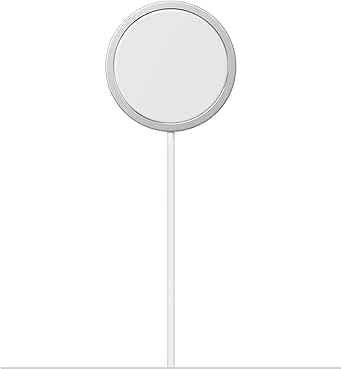 | Best Plug-In Wireless Charger | Cable length: 1 meter | Maximum charging power: 25W with a 30W power adapter | Certifications: Qi2.2 and Qi | VIEW LATEST PRICE | See Our Full Breakdown |
| Lamicall Magnetic Phone Ring Grip for MagSafe with 360° Rotation |  | Best Rotating MagSafe Grip | Brand: Lamicall | Weight: 1.12 oz | Thickness: 4.2 mm | VIEW LATEST PRICE | See Our Full Breakdown |
| PopSockets Adhesive Phone Grip, Holder – Black |  | Best Adhesive Grip | Brand: PopSockets | Type: Adhesive phone grip and holder | Color: Black | VIEW LATEST PRICE | See Our Full Breakdown |
| Xenvo Pro Lens Kit for iPhone and Android with Macro and Wide Angle Lenses, LED Light, and Travel Case | 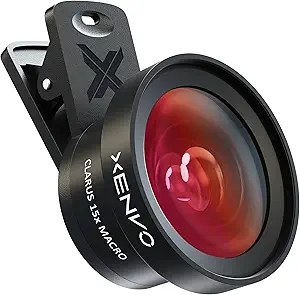 | Best for Phone Photography | Included lenses: 0.45x wide-angle lens and 15x macro lens | Fill light: Rechargeable LED with low, medium, and high brightness settings | Compatibility: Smartphones, tablets, and laptops | VIEW LATEST PRICE | See Our Full Breakdown |
| Kaistyle for MagSafe Car Mount, Magnetic Phone Holder |  | Best Dashboard Mount | Mounting type: MagSafe magnetic mount with dashboard adhesive | Compatibility: MagSafe phones and cases; included metal rings support other phones and cases | Rotation: 360° swivel ball joint | VIEW LATEST PRICE | See Our Full Breakdown |
| 3-in-1 MagSafe Wireless Charging Stand for iPhone, Apple Watch, and AirPods |  | Best Multi-Device Charging Stand | Charging speed: Up to 15W | Compatibility: iPhone 12+ with magnetic case, Apple Watch, AirPods | Magnet type: N52 magnets | VIEW LATEST PRICE | See Our Full Breakdown |
More Details on Our Top Picks
COMITOK MOCA iPhone Camera Grip
The COMITOK MOCA gives iPhone photography a physical grip and camera controls without requiring a separate app. Its removable remote can launch the native camera, switch modes, flip lenses, and adjust exposure or focus, which makes it more useful for deliberate shooting than a simple holder such as the LISEN Cell Phone Stand. The magnetic attachment and built-in keychain also suit quick outings, while a 1/4-inch tripod thread adds a way to mount it for landscape or portrait shots.
The tradeoff is setup: accessibility settings must be configured, and older iPhones may need the included magnetic plate. It is also a specialized photography accessory rather than an everyday charging or viewing upgrade. I’d choose it for hands-on camera control, but skip it if a basic stand or grip is all you need.
Pros:- Removable remote controls camera functions without a separate app
- Magnetic grip is designed for iPhone 17 models
- Built-in 1/4-inch thread supports tripod mounting
- Keychain attachment makes it easy to carry
Cons:- Requires initial accessibility setup for camera functions
- Older iPhones may need the included magnetic plate
- Does not provide charging or a dedicated viewing stand
Best for: iPhone photographers who want physical controls for the native camera and a grip they can attach to a tripod.
Not ideal for: People seeking a simple everyday phone stand, or anyone unwilling to configure accessibility settings before use.
- Compatibility:iPhone 17 models; supports iOS 17, 18, and 26
- Camera connection:Native camera control; no additional app required
- Remote functions:Launch camera, switch modes, flip lenses, adjust exposure and focus
- Mounting:Magnetic attachment and 1/4-inch tripod thread
- Orientation:Portrait and landscape
- Material:Silicone grip
- Weight:116 g
- Dimensions:6.97 × 3.94 × 1.61 in
Our verdict“Choose the MOCA if physical native-camera controls and tripod mounting matter more to you than an everyday stand or charging accessory.”
USB-C Dust Plug and Speaker Cover 4-Pack
This USB-C dust plug kit is a small, protective add-on for people who often carry an iPhone in a pocket, bag, or dusty work area. The soft insert is intended to protect the charging port, while the metal mesh covers speaker openings. That makes it a more protective choice than the Anker Zolo Wireless Charger, which addresses charging but does not shield openings from lint or debris. Four plugs and four speaker covers also allow spares or coverage for multiple phones.
The protection adds a step whenever you need a wired connection, and the speaker covers have a narrower compatibility list: they are not compatible with iPhone 17 Pro or Pro Max. I’d pick this for targeted physical protection, but it is less useful to someone who regularly uses wired accessories or wants a broader daily-use upgrade.
Pros:- Covers the USB-C port and speaker openings
- Soft port insert is designed to avoid scratching the connector
- Includes four plugs, four speaker covers, and five cleaning sticks
- Speaker mesh is designed to preserve audio output
Cons:- Port plug must be removed for wired charging and accessories
- Speaker covers do not fit iPhone 17 Pro or Pro Max
- Adds small pieces that can be misplaced
Best for: Owners of compatible USB-C iPhones who carry their phones in lint-prone pockets or dusty environments.
Not ideal for: iPhone 17 Pro and Pro Max owners seeking speaker covers, or people who frequently connect wired accessories.
- Port type:USB-C
- Port plugs:4
- Speaker covers:4
- Cleaning sticks:5
- Port plug materials:Aluminum and silicone
- Speaker cover material:High-density metal mesh
- Listed phone compatibility:iPhone 15, 16, and 17 families; speaker covers exclude iPhone 17 Pro and Pro Max
Our verdict“Choose this kit if keeping debris out of your compatible iPhone’s port and speaker openings is a priority.”
LISEN Adjustable Cell Phone Stand
The LISEN adjustable stand is the most desk-focused pick here: its height and angle adjustments let you set a more comfortable view for video calls, recipes, or watching clips while the phone charges. A cable opening and anti-slip silicone help keep the setup tidy and steady. Compared with the COMITOK MOCA camera grip, this is built for hands-free viewing rather than controlling the camera or taking the phone outdoors.
Its adjustable range is useful, but the stand reaches only about nine inches, so it cannot replace a taller floor or tabletop support. The screw-based adjustment also means repositioning is less immediate than placing a phone on a simple fixed stand. I’d choose it for a dedicated desk, especially with a case, and skip it if pocketability or frequent repositioning matters more than a stable viewing angle.
Pros:- Adjustable height from 7.1 to 8.5 inches
- Viewing angle adjusts from 5° to 85°
- Cable opening helps keep a charging lead routed neatly
- Anti-slip silicone is designed to steady the phone and protect surfaces
Cons:- Maximum height is about nine inches
- Screw adjustment is less convenient for frequent repositioning
- Serves desk viewing rather than photography or portable charging
Best for: Remote workers, video-call users, and home cooks who want an adjustable phone position at a desk or counter.
Not ideal for: Travelers who need a compact stand, or users who want a tall support for filming from across a room.
- Adjustable height:7.1–8.5 in
- Height adjustment range:1.4 in
- Viewing angle:5°–85°
- Maximum stand height:About 9 in
- Charging access:Built-in cable opening
- Stability features:Anti-slip silicone on stand and base
- Included accessories:Screw and hexagon screwdriver
Our verdict“Choose the LISEN if you want a stable, adjustable phone view for a desk or counter.”
podoru MagSafe-Compatible 5000mAh Power Bank
The podoru 5000mAh magnetic power bank is for iPhone owners who want extra battery capacity attached directly to the phone, without carrying a separate cable for wireless charging. Its compact body is listed at 120 g and is designed not to block the camera, making it easier to keep attached during everyday use than a bulkier battery pack. Compared with the Anker Zolo Qi2 charger, the podoru adds a battery and USB-C output for use away from an outlet; the Anker is a charging pad that needs a power source.
That portability comes with limits: the 5000mAh capacity is modest for extended trips, and magnetic charging works best with a MagSafe-compatible case or no case. The listing also warns that thicker magnetic cases can contribute to heat. I’d choose it for a quick mobile top-up, not as a replacement for a high-capacity travel battery.
Pros:- Magnetic attachment supports cable-free charging
- Compact 120 g design is intended for pocket carry
- USB-C output supports wired charging as well
- Can charge two devices at once
Cons:- 5000mAh capacity is limited for long trips or repeated recharges
- Magnetic hold is less suitable with a non-magnetic case
- Wireless charging can generate heat, especially with thicker cases
Best for: iPhone users who want a pocketable magnetic battery for commutes, errands, and short outings.
Not ideal for: Travelers needing multiple full recharges, or users with non-magnetic cases who do not want to change cases.
- Capacity:5000mAh
- Dimensions:3.74 × 2.55 × 0.55 in
- Weight:120 g
- Maximum wireless output:15W
- Maximum USB-C output:20W
- Maximum USB-C input:18W
- Maximum Lightning input:12W
- Simultaneous charging:Supports charging two devices at once
Our verdict“Choose the podoru for a compact magnetic top-up battery, and look to a larger pack if you need sustained travel power.”
Anker Zolo MagSafe-Compatible Qi2 Wireless Charger
The Anker Zolo Qi2 charger suits iPhone owners who want a magnetic charging pad for a desk or bedside table, with a longer lead than many compact chargers. Its Qi2 certification and 15W wireless output make it a stronger fit for fast wireless charging than the podoru 5000mAh power bank, which is designed to travel with the phone but has a battery capacity tradeoff. The five-foot cable also gives more freedom to use the phone while it remains connected.
This is still a wired accessory: the charger needs a separate 20W-or-higher power adapter, which is not included, and it cannot recharge your phone away from an outlet like the podoru. The stated charging time is tied to a specific iPhone model and setup, so actual results can vary. I’d choose it for a fixed charging spot, not for portable backup power.
Pros:- Qi2-certified wireless charging up to 15W
- Five-foot cable supports more flexible placement
- Compact pad includes a cable tie for storage
- ActiveShield 2.0 monitors temperature for safety
Cons:- 20W-or-higher power adapter is not included
- Requires an outlet and is not a portable battery
- Charging speed can vary by phone and power setup
Best for: iPhone owners who want Qi2 magnetic charging at a desk or bedside and already have a suitable USB power adapter.
Not ideal for: People who need charging away from outlets or expect the package to include a wall adapter.
- Wireless standard:Qi2
- Maximum wireless output:15W
- Cable length:5 ft
- Recommended power adapter:20W or higher; not included
- Safety system:ActiveShield 2.0
- Included accessory:Cable tie
- Warranty:24 months
Our verdict“Choose the Anker Zolo for a convenient fixed charging spot with Qi2 speed, provided you have a compatible power adapter.”
SYNCWIRE for MagSafe Phone Grip, Magnetic Phone Ring Holder Stand Kickstand
The SYNCWIRE ring holder suits iPhone owners who want a grip and kickstand that can move between a phone and magnetic surfaces. Its double-sided magnets let the back attach to compatible car mounts or smooth metal surfaces without removing the ring, a flexibility the Lamicall STTP07 tripod stand does not emphasize. The ring rotates 360 degrees and flips 90 degrees, so it can support different hand positions and viewing angles. The flat base is designed to reduce wobble when propping up a phone. The tradeoff is that a ring grip adds a raised piece to the back of the phone, and its magnetic attachment depends on a MagSafe-compatible phone or case; the included metal rings offer another way to boost attachment. Choose it for everyday holding and quick propping, rather than a full tripod setup.
Pros:- Double-sided magnetic design works with compatible magnetic mounts and metal surfaces
- 360-degree rotation and 90-degree flip provide flexible grip and stand angles
- Flat-bottom design is intended to steady the phone when propped up
- Includes two metal rings to support or strengthen magnetic attachment
Cons:- Adds bulk and a raised ring to the back of the phone
- Magnetic hold depends on MagSafe compatibility or use of an included metal ring
- A ring grip offers less framing flexibility than the Lamicall STTP07 tripod
Best for: iPhone users who want a rotating finger grip that can also attach to a magnetic car mount or metal surface
Not ideal for: Buyers who want a tripod with accessory mounts, or those who prefer a flat-backed phone with no attached grip
- Grip type:Ring grip
- Rotation:360 degrees
- Flip angle:90 degrees
- Magnet type:N55 NdFeB
- Phone-side hold:Up to 2.6–3 lb; up to 10 lb with included metal ring, according to manufacturer
- Back-side hold:Up to 2.2 lb, according to manufacturer
- Material:Plastic enclosure
- Included components:Magnetic ring holder, two round metal rings, positioner, user manual
Our verdict“Choose the SYNCWIRE if you want a versatile magnetic ring grip for holding and quick hands-free viewing, and skip it if you need a compact, flush phone back or a full tripod.”
for Magsafe Portable Charger, 5000mAh Slim Wireless Magnetic Power Bank
This TRKOY W5 magnetic power bank is aimed at iPhone users who want backup power attached to the phone, rather than a separate battery and cable. Its 5,000mAh capacity and 120g weight make it more portable than carrying a larger standalone pack, while the USB-C output can charge a second device as the iPhone charges wirelessly. That two-device option is a useful difference from the Apple MagSafe Charger, which is a plug-in charging puck rather than a travel battery. There are limits: wireless charging speed and delivered battery life depend on the phone and usage, and magnetic attachment requires a compatible phone or case. The listing claims up to a full iPhone 16 charge, but that is a manufacturer estimate, not a guarantee for every use. Pick it for a lightweight commute backup, not for repeated full recharges.
Pros:- 5,000mAh capacity provides portable backup power
- Magnetic wireless charging keeps the pack attached to a compatible iPhone
- USB-C output can charge another device while wireless charging is in use
- Slim 11.8mm profile and 120g weight are suited to carrying with a phone
Cons:- Capacity is limited for users who need multiple full phone recharges
- Magnetic attachment requires a compatible phone or magnetic case
- The claimed full charge for iPhone 16 may vary with conditions and use
Best for: Commuters and day-trip travelers who want a slim magnetic top-up for an iPhone and USB-C charging for a second device
Not ideal for: Heavy phone users who need several full recharges or owners of non-magnetic cases who do not want to add a magnetic ring
- Capacity:5,000mAh
- Wireless charging standard:MagSafe
- Output wattage:15W
- Ports:2
- Thickness:11.8mm
- Weight:120g
- Battery cell:Lithium polymer
- Color:Graphite gray
Our verdict“Choose the W5 for a slim attached backup and occasional second-device charging; choose a larger battery if you need repeated full recharges.”
amBand Magnetic Suction Phone Grippy for MagSafe Cases – Light Blue
The amBand Magnetic Suction Phone Grippy serves a different purpose from the SYNCWIRE ring: it holds an iPhone against smooth surfaces for hands-free filming, calls, or selfies. Its 24 silicone suction cups are designed for mirrors and windows, while the magnetic attachment supports MagSafe-compatible phones and an included adapter ring extends use to non-MagSafe cases. That makes it a simple alternative to the Lamicall STTP07 tripod when a clean, glossy surface is nearby and a pocketable mount is more useful than a standing frame. Its main constraint is also its defining feature: textured, dusty, uneven, or fabric surfaces are poor matches for suction cups. It is not a general-purpose grip or a substitute for a tripod outdoors. Choose it for bathrooms, gyms, and windows; skip it if your filming locations rarely have smooth surfaces.
Pros:- 24 silicone suction cups attach to suitable smooth surfaces
- Magnetic mount supports MagSafe-compatible phones
- Included adapter ring allows use with non-MagSafe cases
- Waterproof construction suits bathroom or gym settings
Cons:- Suction is limited on textured, uneven, or dirty surfaces
- Requires a flat, glossy mounting surface for its main use
- Does not provide the adjustable standing positions of a tripod
Best for: Creators and gym users who want to attach an iPhone to a mirror or window for hands-free recording
Not ideal for: Travel videographers who need stable placement on desks, floors, or textured surfaces, where the Lamicall STTP07 tripod is more flexible
- Dimensions:3 × 2 × 0.3 inches
- Weight:1 oz
- Color:Light blue
- Shape:Rectangular
- Material:Silicone and magnet
- Water resistance:Waterproof
- Mounting type:Mirror or window
- Warranty:1 year
Our verdict“Choose amBand for quick hands-free phone mounting on mirrors and windows, and choose a tripod if you need placement on varied surfaces.”
Lamicall STTP07 Ultra-Compact MagSafe Tripod Stand with 1/4″ Screw, Arca-Swiss Mount & Mantis Hook
The Lamicall STTP07 is the most adaptable mounting option in this group for iPhone creators who carry small accessories. Its five-in-one design shifts between tripod, desktop stand, selfie stick, handheld grip, and hook mount; 1/4-inch and Arca-Swiss compatibility also let it work with supported lights, microphones, and camera supports. At 90g, it is built for portability, though its 11-inch length means compact here describes its weight and carry profile more than a tiny folded accessory. Compared with the amBand suction grip, it can stand on more kinds of surfaces, but it needs a stable place to rest and cannot stick to a mirror by itself. Non-MagSafe phones need the included metal ring, and the adjustable joints may need occasional tightening with the supplied wrench. Choose it when framing options matter more than a simple grip.
Pros:- Converts between tripod, desktop stand, selfie stick, handheld grip, and hook mount
- 1/4-inch screw and Arca-Swiss compatibility support selected accessories
- 90g aluminum-alloy construction is lightweight to carry
- Three adjustable axes offer multiple framing angles
Cons:- Non-MagSafe phones need the included metal ring attached
- At 11 inches long, it may be too long for some pockets
- Joints may need manual tightening with the included wrench
Best for: iPhone creators who want a pocketable stand with accessory mounts for microphones or lights
Not ideal for: Buyers who only need a simple ring grip or suction mount and do not need tripod positions or accessory compatibility
- Model:STTP07
- Material:Aluminum alloy
- Weight:90g
- Length:11 inches
- Adjustable axes:225°, 360°, 270°
- Mount compatibility:Arca-Swiss standard and 1/4-inch screw
- Color:Black
- Included components:Hex wrench, magnetic tripod stand, metal ring, user manual
Our verdict“Choose the STTP07 if you want one lightweight iPhone support for varied shooting positions and accessories, and skip it if a basic magnetic grip will do.”
Apple MagSafe Charger (1 m)
The Apple MagSafe Charger is the straightforward pick for a desk or bedside setup where reliable magnetic alignment matters more than portability. It supports up to 25W with a compatible iPhone and a 30W power adapter, and its Qi2.2 and Qi certifications extend its use beyond MagSafe-only charging. Unlike the TRKOY W5 power bank, this is not a battery for travel; it needs a wall adapter and outlet, and the adapter is not included. That makes the Apple charger a better fit for a regular charging spot, while the W5 makes more sense when you need power away from an outlet. The 1-meter cable may also constrain placement depending on where the outlet sits. Choose this if you want a simple magnetic charging point and already have, or plan to add, the required adapter.
Pros:- Supports up to 25W wireless charging with a compatible iPhone and 30W adapter
- Magnetic alignment helps position compatible iPhones on the charging puck
- Qi2.2 and Qi certification broaden device compatibility
- Supports iPhone 8 or later and AirPods with wireless charging cases
Cons:- 30W power adapter is required for maximum charging power and is not included
- A wired connection to an outlet limits use away from a charging point
- One-meter cable may restrict placement
Best for: iPhone owners setting up a desk or bedside charging spot who have a compatible 30W adapter for maximum output
Not ideal for: Travelers seeking battery backup or buyers who want a complete wall-charging kit in the box
- Cable length:1 meter
- Maximum charging power:25W with a 30W power adapter
- Certifications:Qi2.2 and Qi
- Product dimensions:4.2 × 3.6 × 0.7 inches
- Weight:1.44 oz
- Manufacturer:Apple
- Model number:MGD74LL/A
Our verdict“Choose Apple MagSafe for a regular plug-in charging spot with magnetic alignment, and choose the TRKOY W5 when you need backup power away from an outlet.”
Lamicall Magnetic Phone Ring Grip for MagSafe with 360° Rotation
The Lamicall Magnetic Phone Ring Grip suits iPhone owners who want one accessory to make handheld use steadier and add a quick desk stand. Its 360° rotating ring can shift between grip positions and viewing angles, while its slim profile adds less bulk than a tripod such as the Lamicall STTP07. The included metal ring can extend use to some non-magnetic phones and increase the stated magnetic force, though that added flexibility depends on a compatible surface.
The main tradeoff is charging: remove the grip before wireless charging. Its metal ring also is not intended for soft silicone, TPU, PP, or TPE surfaces. Choose this over a dedicated stand when a finger loop matters more than hands-free stability; skip it if you want an accessory that stays attached while charging.
Pros:- Rotating ring works as both a one-handed grip and a desktop kickstand
- Slim 4.2 mm profile and 1.12 oz weight
- Included metal ring can strengthen the magnetic hold and support some non-magnetic devices
- Can attach to a magnetic car mount
Cons:- Must be removed before wireless charging
- Included metal ring is not suitable for soft silicone, TPU, PP, or TPE surfaces
Best for: MagSafe iPhone owners who want a removable one-handed grip that can also prop up the phone on a desk
Not ideal for: People who rely on wireless charging throughout the day or use a soft silicone or textured case with the included metal ring
- Brand:Lamicall
- Weight:1.12 oz
- Thickness:4.2 mm
- Rotation:360°
- Magnetic force:Up to 4.4 lbs; up to 9.9 lbs with included metal ring
- Compatibility:MagSafe-compatible phones; included metal ring supports some non-magnetic devices
- Included:Magnetic phone ring holder, metal strengthening plate, user manual
Our verdict“Choose the Lamicall ring for a compact grip and stand in one, provided removing it for wireless charging fits your routine.”
PopSockets Adhesive Phone Grip, Holder – Black
The PopSockets Adhesive Phone Grip is the straightforward pick for someone who wants a grip to stay on the case instead of detaching it like the Lamicall Magnetic Phone Ring Grip. Its expanding grip gives fingers a more secure hold for texting and photos, then props the phone up for video calls or viewing recipes. The swappable PopTop lets owners change the top without replacing the attached base, adding some personalization to a simple everyday accessory.
That fixed adhesive setup is also its main limitation: it works best on smooth, hard surfaces and may not stick reliably to silicone or textured cases. Unlike magnetic options in this roundup, it is not designed for quick removal to use a magnetic mount or wireless charging. Pick it for a consistent grip and stand on a compatible case; skip it if you change cases often or need MagSafe flexibility.
Pros:- Provides a more secure hold for texting, scrolling, and taking photos
- Expands into a stand for hands-free viewing and calls
- Swappable PopTop allows style changes while keeping the base attached
- Designed to work with phones, tablets, and Kindles
Cons:- Adhesion may be unreliable on silicone or textured cases
- Fixed adhesive base is less convenient to remove than the Lamicall magnetic grip
- Does not offer the magnetic attachment flexibility of MagSafe accessories
Best for: iPhone owners who keep one smooth, hard case on their phone and want a grip that doubles as a viewing stand
Not ideal for: People with silicone or textured cases, frequent case changers, or users who want a removable MagSafe accessory
- Brand:PopSockets
- Type:Adhesive phone grip and holder
- Color:Black
- Compatibility:Phones, tablets, and Kindles
- Recommended surface:Smooth, hard plastic cases and devices
- Top:Swappable PopTop
Our verdict“Choose this PopSockets grip if you want a stay-on grip and stand for a smooth, hard case and do not need magnetic removability.”
Xenvo Pro Lens Kit for iPhone and Android with Macro and Wide Angle Lenses, LED Light, and Travel Case
The Xenvo Pro Lens Kit is the photography-focused choice in this lineup: it adds separate wide-angle and macro lenses plus a rechargeable fill light, while the other picks mostly improve charging, grip, or mounting. The 0.45x wide-angle lens is meant to include more of a scene in the frame; the 15x macro lens targets close subjects and uses manual focus. A universal clip broadens its use beyond iPhone to other smartphones, tablets, and laptops.
That versatility comes with a more involved setup than simply attaching the COMITOK MOCA camera grip: the clip and lens need positioning, and the macro lens is intended for subjects about half an inch away. The three-level LED light can help illuminate close shots, but the kit is not water resistant. Choose it for occasional creative shots; skip it if you want a pocket-ready camera accessory with no alignment or focusing steps.
Pros:- Includes both 0.45x wide-angle and 15x macro lenses
- Rechargeable LED fill light has low, medium, and high settings
- Universal clip supports smartphones, tablets, and laptops
- Travel case, lanyard, and cleaning cloth help keep the kit together
Cons:- Macro lens is intended for very close subjects, about half an inch away
- Manual focus and clip alignment add setup compared with a camera grip
- Not water resistant
Best for: iPhone photographers who want clip-on wide and close-up perspectives, plus a small fill light for controlled shots
Not ideal for: People who shoot in wet conditions or want a quick, low-setup accessory for everyday snapshots
- Included lenses:0.45x wide-angle lens and 15x macro lens
- Fill light:Rechargeable LED with low, medium, and high brightness settings
- Compatibility:Smartphones, tablets, and laptops
- Lens mount:Universal clip
- Lens coating:Nano coating
- Focus type:Manual focus
- Water resistance:Not water resistant
- Included accessories:Lens clip, charging cable, lanyard, travel case, EasyClip, cleaning cloth
Our verdict“Choose the Xenvo kit for added lens perspectives and fill light, if you are comfortable positioning clip-on optics for each shot.”
Kaistyle for MagSafe Car Mount, Magnetic Phone Holder
The Kaistyle MagSafe Car Mount is the car-focused pick for drivers who want to place and remove an iPhone with one hand. Its magnetic face is designed for MagSafe-compatible phones and cases, while the included metal rings extend compatibility to some other phones and cases. The 360° swivel joint makes it easier to orient the screen for navigation, and the compact dashboard mount takes a different approach from the Lamicall Magnetic Phone Ring Grip, which can attach to a magnetic mount but is primarily a handheld grip.
The adhesive base makes placement a commitment: the dashboard needs a suitable surface, and moving the mount is less convenient than repositioning a removable grip. The listing also describes a vent mount, but the supplied mounting details emphasize a dashboard adhesive, so buyers should confirm the exact installation style they need. Choose it for a dedicated in-car viewing position; skip it if you need a mount that transfers easily between vehicles.
Pros:- Magnetic attachment supports quick one-handed placement and removal
- 360° swivel joint allows portrait or landscape viewing angles
- Included metal rings support some non-MagSafe phones and cases
- Compact dashboard format is intended to take up little space
Cons:- Adhesive dashboard installation is less convenient to move than a removable accessory
- Requires a suitable dashboard surface for the adhesive base
- Listing details mention a vent mount, while the mounting description emphasizes dashboard adhesive
Best for: Drivers with a suitable dashboard surface who want one-handed magnetic phone placement and adjustable navigation viewing
Not ideal for: People who regularly move a mount between vehicles or need a confirmed vent-mounted setup
- Mounting type:MagSafe magnetic mount with dashboard adhesive
- Compatibility:MagSafe phones and cases; included metal rings support other phones and cases
- Rotation:360° swivel ball joint
- Weight:3.84 oz
- Dimensions:5.55 x 4.96 x 2.44 inches
- Color:Black
- Water resistance:Not water resistant
- Warranty support:36-month refund or replacement support, according to the listing
Our verdict“Choose the Kaistyle mount for a dedicated adjustable dashboard position if its adhesive installation suits your car.”
3-in-1 MagSafe Wireless Charging Stand for iPhone, Apple Watch, and AirPods
This 3-in-1 MagSafe charging stand is the most useful pick here for an Apple owner who wants one bedside or desk setup for an iPhone, Apple Watch, and AirPods. Charging all three in one place can reduce cable clutter, while its portrait and landscape orientations let the iPhone serve as a hands-free screen for StandBy Mode, videos, or alarms. Compared with the standalone Apple MagSafe Charger in this roundup, the stand prioritizes an organized multi-device station over a compact charger for the phone alone.
Its stated charging speed is up to 15W, and it includes temperature, over-current, and short-circuit protections. The tradeoff is compatibility: full magnetic iPhone use requires an iPhone 12 or later with a magnetic case. The customizable blue night light has brightness and on/off controls, but even an adjustable light may not suit a dark bedroom. Choose it for a shared charging spot; skip it if you need a small travel charger or use non-magnetic cases.
Pros:- Charges iPhone, Apple Watch, and AirPods simultaneously
- Supports portrait and landscape phone placement for StandBy Mode and viewing
- Night light has touch controls and adjustable brightness
- Lists temperature control, over-current protection, and short-circuit prevention
Cons:- Full MagSafe compatibility requires an iPhone 12 or later with a magnetic case
- Blue night light may still distract light-sensitive sleepers
- Multi-device stand takes more dedicated space than the Apple MagSafe Charger
Best for: People with an iPhone 12 or later, Apple Watch, and AirPods who want a single organized charging station for a desk or bedside table
Not ideal for: Travelers seeking a compact single-device charger, or iPhone owners without a compatible magnetic case
- Charging speed:Up to 15W
- Compatibility:iPhone 12+ with magnetic case, Apple Watch, AirPods
- Magnet type:N52 magnets
- Orientation:Portrait and landscape
- Night light:Blue light with on/off control and brightness adjustment
- Safety features:Temperature control, over-current protection, short-circuit prevention
- Warranty:3-year coverage
Our verdict“Choose this stand for a tidy three-device Apple charging station if its magnetic-case requirement and night light suit your setup.”
How We Picked
I compared these accessories by the job they do for an iPhone owner: charging, carrying, viewing, photography, driving, or protecting ports. I weighed ease of everyday use, compatibility with MagSafe or USB-C where applicable, portability, setup flexibility, and whether a product’s features serve a clear need. A useful accessory should make a routine easier without introducing unnecessary bulk or extra steps.
The ranking favors broad usefulness and clear practical advantages. The Anker Qi2 charger leads as a versatile charging choice, while the Apple charger and 3-in-1 stand serve different charging setups. Portable power, hands-free support, grips, and camera add-ons follow according to how many situations they address and how specialized their fit is. Products with narrower use cases rank lower for general buyers, even when their features may suit a particular routine. I also account for tradeoffs such as attachment style, case compatibility, extra setup, and the limited usefulness of add-ons outside their intended task.
Factors to Consider When Choosing Best IPhone Accessories
I’d choose an accessory by starting with the moment when my iPhone falls short: battery, comfort, hands-free viewing, or a particular photo setup. The right choice depends on how often that problem occurs and what compromises I can live with.
Match the Charging Format to Your Routine
Wireless charging is convenient when you can leave the phone on a pad or stand, while a power bank helps when you need to keep moving. A single-device charger keeps the setup simple; a multi-device stand can reduce cable clutter if you also charge an Apple Watch and AirPods. Check which devices and charging standards a product supports instead of assuming that every magnetic charger works at the same speed. A magnetic connection can make alignment easier, but it does not remove the need to check the phone model and case. Choose a portable battery for time away from outlets, and a fixed charger for a repeatable home or desk routine. Buying both only makes sense if those routines are meaningfully different.
Check Case and Attachment Compatibility
MagSafe-style accessories depend on a compatible magnetic connection, and a thick or non-magnetic case can change how securely they attach. Adhesive grips avoid that dependency but may be harder to reposition or remove cleanly. A suction-style accessory may also rely on a suitable case surface, so check the maker’s fit guidance before buying. Consider how often you switch cases, since an accessory that works with only one setup can become inconvenient. Port covers have a different compatibility issue: match the connector and phone model, and make sure they do not interfere with your charging or speaker use. Compatibility details matter more than a long list of general claims.
Choose Grip and Stand Features You Will Actually Use
A ring grip can help with one-handed handling and double as a viewing stand, but it adds something to the back of the phone. A desk stand is a better fit when you want a stable viewing angle without attaching a grip permanently. Tripod mounts make sense for timed photos, group shots, or video framing, especially when you need a standard camera-support connection. More adjustment points offer flexibility but can take longer to set up and carry. Before choosing, think about whether you need a pocketable grip, a fixed desk position, or a camera support that travels. Paying for features that stay unused only adds bulk or complexity.
Treat Camera Add-Ons as a Specific Creative Choice
Clip-on or mounted lenses can open up macro and wider framing experiments, but they add alignment steps and extra pieces to keep track of. A built-in phone camera is usually easier for quick snapshots and spontaneous video. Camera accessories are more compelling if you already know which shots you want to create and are willing to set up for them. Check whether a lens or mount fits your phone and camera layout, since lens placement can vary between models. A small light may help in some situations, but it does not replace good positioning or a suitable environment. For casual use, a stable tripod may be more useful than extra optics.
For Car Mounts, Prioritize Placement and Use
A car mount should put the screen where you can glance at it without blocking your view or controls. Check whether the included mounting method suits your dashboard and whether your case supports a reliable magnetic connection. A strong attachment claim alone cannot tell you whether the mount fits your vehicle layout. Think about whether you want navigation visible on every drive or only occasionally, since setup and removal affect convenience. Keep the phone positioned for hands-free use and follow local rules on device placement. If the mount is awkward to reach or obstructs the cabin, its convenience can disappear.
Pay for Convenience You Will Notice
A premium multi-device stand earns its place when one organized charging spot replaces several loose cables and chargers. A simpler charger is a sensible choice if you only need to top up one iPhone. Likewise, camera mounts and specialized lenses justify their added parts when photography is a regular hobby, while a beginner may get more daily value from a basic stand or grip. Factor in the cost of any compatible case, cable, or additional device the accessory assumes you own. Avoid choosing by feature count alone; the useful question is how often each feature will save effort. A smaller setup you reach for every day can serve you better than a more elaborate one.
Frequently Asked Questions
Should I choose a magnetic power bank or a wireless charger?
Choose a magnetic power bank if you need backup power while away from an outlet and want to keep the phone usable during charging. A desk or wall charger is better for regular charging at home or work, where you can set the phone down. The two 5,000mAh options in this roundup are aimed at portable use, while the Anker Qi2 charger and Apple MagSafe Charger suit stationary routines. Check compatibility with your iPhone and case before relying on magnetic attachment. If you need both portable backup and a home charging spot, each format serves a different job.
Can I use a MagSafe accessory with any iPhone case?
No; fit depends on the case and accessory, as well as the iPhone model. A case designed for magnetic accessories is more likely to hold a magnetic charger or grip securely than a thick case without a magnetic ring. Some accessories attach with adhesive instead, which can suit phones or cases without built-in magnets but may be less convenient to move. Check the product’s compatibility notes and any limits on case thickness or surface. If you often change cases, consider how easily the accessory can move between them.
Is a 3-in-1 charging stand worthwhile if I only own an iPhone?
Usually, a single-device charger is the simpler choice when your iPhone is the only device you need to charge. A 3-in-1 stand becomes more useful if you also own compatible Apple Watch and AirPods models and want them gathered in one place. It can reduce desk clutter, but it also takes up a fixed spot and may be less useful for travel. Check exactly which devices the stand supports and whether its design fits your desk or bedside setup. Buying for devices you do not own adds little practical value.
Will a phone grip make one-handed use safer?
A grip can give your fingers another point of contact and may make a large phone easier to hold, but it cannot prevent every drop. Ring-style, suction-style, and adhesive grips attach differently, so comfort and case compatibility should shape the decision. A grip may also make the phone harder to slide into a tight pocket or sit flat on a surface. Try to choose a design that fits your usual hand position and can be removed or repositioned if needed. If you want hands-free viewing as well, favor a grip that also works as a stand.
Should I buy a phone lens kit or a tripod first for better photos?
A tripod is the more flexible first purchase if you want steadier shots, group photos, timed pictures, or hands-free video. A lens kit is more specialized: it suits buyers who specifically want macro or wider-angle effects and do not mind extra setup. The Lamicall STTP07 offers several ways to mount or position a phone, while the Xenvo kit adds external optics and a light. Before buying lenses, check that they align with your phone’s camera layout. If your main problem is shaky framing, added lenses may not address it.
Conclusion
For the best overall, I’d choose the Anker Zolo Qi2 charger for convenient everyday wireless charging. The best value depends on the gap you need to fill: the LISEN desk stand is a straightforward viewing aid, while either 5,000mAh magnetic power bank targets portable backup. For a best premium setup, the 3-in-1 charging stand suits buyers who own an iPhone, Apple Watch, and AirPods and want one charging station. The best choice for beginners is the Apple MagSafe Charger for a simple, single-purpose charging setup. For specific needs, pick the Lamicall STTP07 for flexible camera support, Xenvo for macro and wide-angle experiments, or the Kaistyle mount for hands-free navigation in a compatible car. Match the accessory to a routine you have, and the choice becomes much clearer.
Fall Picks
fall essentials
As an affiliate, we earn on qualifying purchases.