To add Bluetooth to your old car, you can pick up a simple Bluetooth adapter that plugs into the auxiliary port or cigarette lighter socket. These adapters are easy to install and pair with your phone quickly, letting you stream music, podcasts, or make hands-free calls wirelessly. They also often support voice commands for safer operation. If you follow the steps, you’ll enjoy a more modern, safer driving experience—keep going to find out more.

Get the latest gadgets delivered free — and shop member deals
- Fast, free delivery on millions of items
- Access to Prime Big Deal Days deals on October 6–7
- Prime Video, Amazon Music and more included
Key Takeaways
- Choose a Bluetooth adapter compatible with your car’s auxiliary or cigarette lighter port for easy installation.
- Connect the adapter to your vehicle, pair it with your smartphone via Bluetooth, and test the connection.
- Use the adapter’s controls or voice commands to manage music, podcasts, and hands-free calls safely.
- Ensure the adapter provides high-quality, stable audio streaming and reliable call clarity for safety.
- Select a high-quality, well-reviewed Bluetooth adapter to maximize compatibility, connection stability, and safety features.
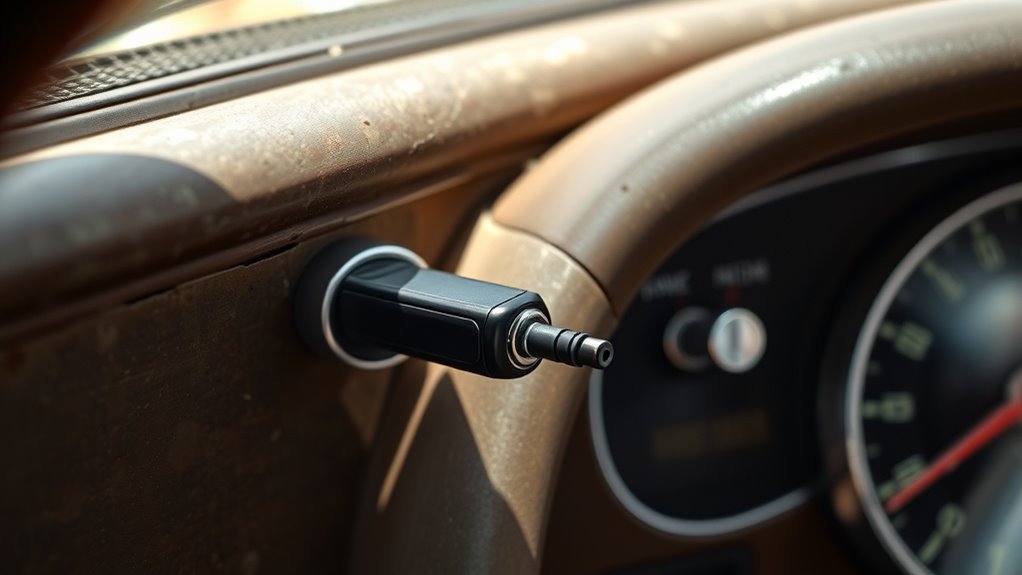
If your old car lacks modern connectivity features, adding Bluetooth can substantially improve your driving experience. With a Bluetooth car adapter, you gain wireless connectivity that allows you to connect your smartphone seamlessly to your vehicle’s audio system. No more tangled cords or fumbling with wires—simply pair your device once, and you’re set for hassle-free audio streaming every time you get in the car. This upgrade is especially valuable if you frequently listen to music, podcasts, or take calls on the go.
Installing a Bluetooth adapter is straightforward and can be done in minutes. Most adapters are designed to plug into your car’s auxiliary port or cigarette lighter socket, making them compatible with a wide range of vehicles. Once plugged in, you’ll need to pair your phone via Bluetooth, which usually involves just a few taps on your device’s screen. After pairing, your phone’s audio can be transmitted wirelessly to your car’s speakers. This means you can enjoy high-quality audio streaming without the hassle of cables, creating a cleaner and more organized interior.
The key benefit here is the convenience of wireless connectivity. You can control your music, podcasts, or calls directly from your phone, without needing to connect and disconnect cables constantly. Many adapters come with built-in controls or support voice commands, so you can switch tracks or answer calls safely while keeping your focus on the road. This setup not only enhances your entertainment options but also boosts safety by reducing distractions caused by fumbling with wires or your phone.
Additionally, Bluetooth adapters often support hands-free calling features. When a call comes in, your phone’s microphone and the adapter’s speaker enable clear conversations without taking your hands off the wheel. This functionality is especially useful, as it keeps you connected without compromising safety. With consistent audio streaming quality, you’ll notice fewer interruptions or dropouts, ensuring your favorite tunes or important calls always come through clearly. Understanding the importance of connection quality ensures a reliable and safe driving experience.
Bluetooth car adapter auxiliary port
As an affiliate, we earn on qualifying purchases.
As an affiliate, we earn on qualifying purchases.
Frequently Asked Questions
Can I Connect Multiple Devices Simultaneously via Bluetooth in My Old Car?
You can’t usually connect multiple devices simultaneously via Bluetooth in your old car due to Bluetooth limitations. Most adapters support only single device connectivity at a time, meaning you’ll need to disconnect one device before connecting another. However, some advanced Bluetooth adapters offer multi-device connectivity, allowing you to switch between devices more easily. Check your adapter’s specifications first, as not all support this feature.
Will Adding Bluetooth Affect My Car’s Existing Audio System?
Adding Bluetooth might seem simple, but it could impact your car’s audio quality and wiring complexity. You might notice subtle changes in sound clarity or experience minor wiring challenges during installation. While most adapters are designed to integrate smoothly, some may introduce background noise or require extra connectors. Stay alert—your audio system could be affected more than you expect, so choose a high-quality Bluetooth adapter and follow installation instructions carefully.
How Long Does It Take to Install a Bluetooth Adapter?
Installation time for a Bluetooth adapter varies based on the adapter’s complexity and your car’s setup. Generally, it takes about 30 minutes to an hour. Simpler plug-and-play models are quick to install, often in under 30 minutes, while more complex adapters requiring wiring or integration with your existing audio system may take closer to an hour. Make sure to follow the instructions carefully for a smooth setup.
Is There a Difference Between Built-In and Aftermarket Bluetooth Solutions?
Think of built-in Bluetooth like a trusted old friend, offering seamless integration and reliable performance, giving you built-in advantages like cleaner design and dedicated controls. In contrast, aftermarket solutions are more like a handy toolbelt, flexible but with limitations—they might not fit perfectly or match your car’s aesthetics. While built-in options generally provide smoother operation, aftermarket adapters can be a quick fix, yet may lack the same level of integration.
Are Bluetooth Adapters Compatible With All Car Models?
Bluetooth adapters aren’t compatible with all car models due to device limitations, but many offer universal compatibility. You should check the adapter’s specifications to guarantee it works with your car’s audio system. Some adapters connect via auxiliary ports, while others use FM transmitters, so verify these details first. If your car has standard inputs, chances are good that a Bluetooth adapter will work seamlessly, making hands-free calls and streaming music easier.
Bluetooth FM transmitter for cars
As an affiliate, we earn on qualifying purchases.
As an affiliate, we earn on qualifying purchases.
Conclusion
Adding Bluetooth to your old car is simple, affordable, and practical. It transforms your driving experience, enhances your safety, and keeps you connected. It’s about upgrading your car, improving your commute, and enjoying hands-free calls. It’s about convenience, comfort, and connectivity, all in one. So, take the step, embrace the technology, and make your old car feel new again. Because with Bluetooth, your driving journey becomes smarter, safer, and more enjoyable.
wireless Bluetooth receiver for car
As an affiliate, we earn on qualifying purchases.
As an affiliate, we earn on qualifying purchases.
As an affiliate, we earn on qualifying purchases.
Fall Picks
fall essentials
As an affiliate, we earn on qualifying purchases.