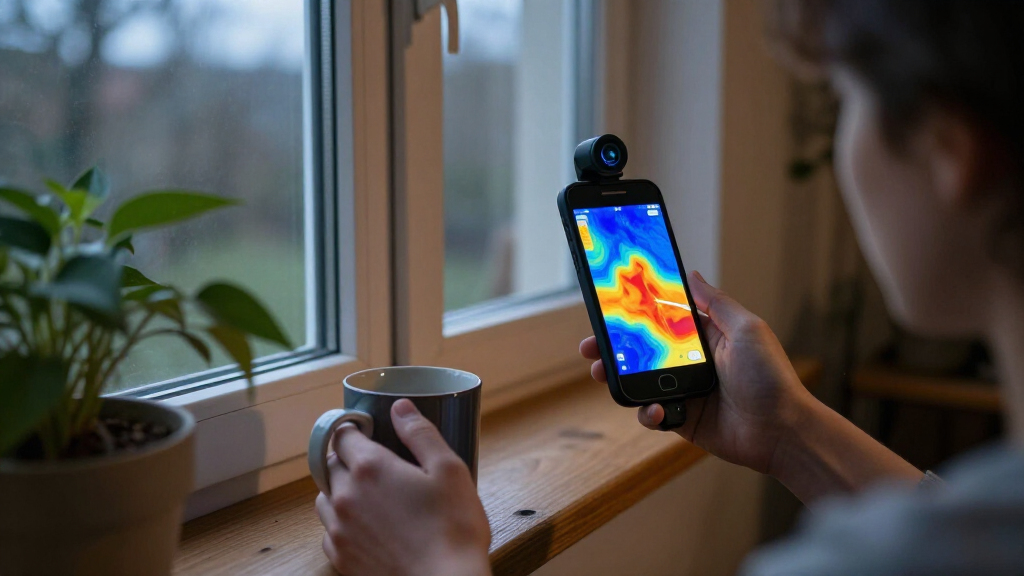

Smartphone thermal cameras turn a compatible phone into a tool for spotting heat patterns during home checks, electrical troubleshooting, and equipment inspections. Based on the listed specifications, the TOPDON TC001 Max stands out as the best overall pick for buyers who want a dual-lens approach, while the REVASRI T160 is a strong option for those prioritizing 320 × 240 Super IR resolution. The Fluke TC01A iSee is another standout for Android users who value a stated 25 Hz refresh rate. The main tradeoffs are image detail, phone and connector compatibility, refresh rate, and whether the camera’s app and workflow suit your tasks. Read on for the full breakdown of all 15 options and a guide to choosing the right fit.

Get the latest gadgets delivered free — and shop member deals
- Fast, free delivery on millions of items
- Access to Prime Big Deal Days deals on October 6–7
- Prime Video, Amazon Music and more included
Complete the kit



Key Takeaways
- The TOPDON TC001 Max is the most distinctive all-rounder in this group: its dual-lens design sets it apart from the many single-camera USB-C options.
- Several REVASRI models emphasize 320 × 240 Super IR resolution: compare their exact connector support and compatibility rather than assuming similar names mean identical fit.
- Refresh rate can matter as much as resolution: the Fluke TC01A lists 25 Hz, a useful point of comparison for users tracking movement or scanning across surfaces.
- Phone compatibility is a major dividing line: some models are Android-focused, while others list iOS, Android, Windows, or tablet support; verify your device and connector before choosing.
- The lineup spans camera modules and more self-contained tools: a smartphone attachment favors portability, while a dedicated camera such as the VEVOR may suit buyers who prefer a separate inspection device.
| REVASRI Thermal Camera for iPhone and Android, 320×240 Super IR Resolution | 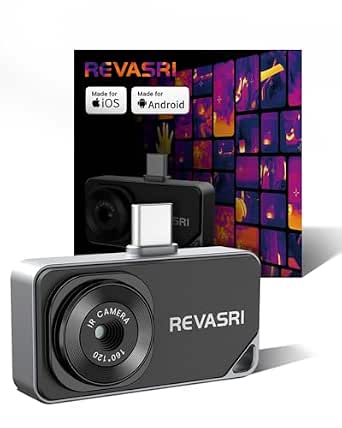 | Best for Rugged, Cross-Platform Inspections | Resolution: 320×240 super-resolution | Refresh rate: 25 Hz | Thermal sensitivity: 40 mK | VIEW LATEST PRICE | See Our Full Breakdown |
| AMPBANK M256 Thermal Imaging Camera for Android |  | Best Lightweight Pick for Android | Native resolution: 256×192 | TISR resolution: 512×384 | Temperature range: -4°F to 842°F (-20°C to 450°C) | VIEW LATEST PRICE | See Our Full Breakdown |
| Thermal Master P3 Thermal Camera for iOS and Android |  | Best for Close-Up Component Work | Native thermal resolution: 256×192 | Super-resolution: 512×384 | Refresh rate: 25 Hz | VIEW LATEST PRICE | See Our Full Breakdown |
| TOPDON TC001 Max Dual-Lens Thermal Camera |  | Best for Thermal and Visible-Light Context | Thermal resolution: 256×192 | Enhanced resolution: 512×384 with TISR | Refresh rate: 25 Hz | VIEW LATEST PRICE | See Our Full Breakdown |
| GOYOJO GW192A USB-C Thermal Imaging Camera for Smartphones |  | Best Compact Basic Pick | Model: GW192A | Infrared resolution: 192×192 | Pixel pitch: 12 μm | VIEW LATEST PRICE | See Our Full Breakdown |
| TOPDON TC001 Thermal Imaging Camera for Android |  | Best for High-Temperature Android Inspections | Base resolution: 256×192 | Enhanced resolution: Up to 512×384 with TISR | Temperature range: -4°F to 1022°F (-20°C to 550°C) | VIEW LATEST PRICE | See Our Full Breakdown |
| Thermal Master P1 USB-C Thermal Camera for iPhone, Android, Tablets, and Windows | 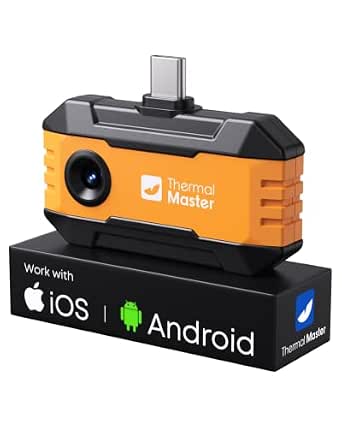 | Best for Rugged, Multi-Device Use | Native infrared resolution: 160×120 | Enhanced resolution: 320×240 | Frame rate: 25 Hz | VIEW LATEST PRICE | See Our Full Breakdown |
| REVASRI T160 Thermal Imaging Camera, 320×240 Super IR Resolution, USB-C for iOS/Android/Windows |  | Best for Cross-Platform 320×240 Imaging | Resolution: 320×240 super-resolution | Refresh rate: 25 Hz | Thermal sensitivity: 40 mK | VIEW LATEST PRICE | See Our Full Breakdown |
| Fluke TC01A iSee Mobile Thermal Camera for Android, 25 Hz |  | Best for Straightforward Android Inspections | Thermal resolution: 256×192 pixels | Frame rate: 25 Hz | Maximum temperature: Up to 1022°F (550°C) | VIEW LATEST PRICE | See Our Full Breakdown |
| VEVOR Thermal Imaging Camera for Android and iOS |  | Best for iOS and Android Versatility | Infrared resolution: 256×192 | Enhanced resolution: 512×384 | Refresh rate: 25 Hz | VIEW LATEST PRICE | See Our Full Breakdown |
| TOPDON TC002C Duo USB-C Thermal Imaging Camera | 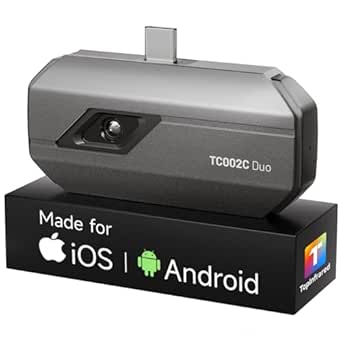 | Best for Broad Temperature Checks | Native IR resolution: 256 × 192 | Enhanced resolution: 512 × 384 with TISR | Refresh rate: 25 Hz | VIEW LATEST PRICE | See Our Full Breakdown |
| Thermal Master P1 USB-C Thermal Camera, 320 × 240 Resolution |  | Best for Higher Native Resolution | IR resolution: 320 × 240 | Refresh rate: 25 Hz | Temperature range: -20°C to 600°C (-4°F to 1112°F) | VIEW LATEST PRICE | See Our Full Breakdown |
| AMPBANK M192 USB-C Thermal Camera for iOS, Android, and Windows |  | Best Accessory Bundle for PC-Based Inspections | Native thermal resolution: 192 × 192 | Enhanced resolution: Up to 384 × 384 | Refresh rate: 25 Hz | VIEW LATEST PRICE | See Our Full Breakdown |
| Thermal Imaging Camera for USB-C Smartphones, 192 × 192 Resolution |  | Best for Wide-Area Phone Inspections | Infrared resolution: 192 × 192 | Field of view: 50° | Pixel pitch: 12 μm | VIEW LATEST PRICE | See Our Full Breakdown |
| FLIR One Thermal Imaging Camera for Android USB-C |  | Best Guided Inspection App | Native infrared resolution: 80 × 60 | Enhanced resolution: 240 × 180 | Temperature range: 5°C–120°C scene temperature | VIEW LATEST PRICE | See Our Full Breakdown |
| smartphone thermal camera | Temperature range | Compatibility | Refresh rate | Thermal sensitivity |
|---|---|---|---|---|
| REVASRI Thermal Camera for iPh | -4°F to 842°F (-20°C to 450°C) | USB-C phones, tablets, and computers; iOS, Android, and Windows | 25 Hz | 40 mK |
| AMPBANK M256 Thermal Imaging C | -4°F to 842°F (-20°C to 450°C) | OTG-enabled Android devices and PCs; not iOS | 25 Hz | <40 mK NETD |
| Thermal Master P3 Thermal Came | -4°F to 1,112°F (-20°C to 600°C) | Android, USB-C iPhones, older iPhones with Lightning adapter, and Windows with supplied cable | 25 Hz | 0.035°C |
| TOPDON TC001 Max Dual-Lens The | -4°F to 1,022°F (-20°C to 550°C) | Android, iPhone, iPad, and Windows devices | 25 Hz | ≤40 mK NETD |
| GOYOJO GW192A USB-C Thermal Im | -4°F to 752°F (-20°C to 400°C) | iPhone 15/16/17 series and compatible Android phones | — | — |
| TOPDON TC001 Thermal Imaging C | -4°F to 1022°F (-20°C to 550°C) | Android devices with OTG; not compatible with iOS | 25 Hz | 40 mK |
| Thermal Master P1 USB-C Therma | -4°F to 1112°F | — | — | — |
| REVASRI T160 Thermal Imaging C | -4°F to 842°F (-20°C to 450°C) | — | 25 Hz | 40 mK |
| Fluke TC01A iSee Mobile Therma | — | — | — | — |
| VEVOR Thermal Imaging Camera f | -4°F to 1022°F | Android 8.0 or later; iOS 12.0 or later | 25 Hz | ≤40 mK |
| TOPDON TC002C Duo USB-C Therma | -4°F to 1022°F | USB-C iOS, Android, and Windows; temporarily incompatible with Mac and Android 16 | 25 Hz | 40 mK |
| Thermal Master P1 USB-C Therma | -20°C to 600°C (-4°F to 1112°F) | USB-C iOS and Android devices and Windows computers; separate adapter required for Lightning iPhones | 25 Hz | — |
| AMPBANK M192 USB-C Thermal Cam | -4°F to 842°F (-20°C to 450°C) | USB-C iOS, Android, and Windows; not compatible with Mac | 25 Hz | 40 mK |
| Thermal Imaging Camera for USB | -4°F to 752°F | iPhone 15/16/17 series and compatible Android devices | — | — |
| FLIR One Thermal Imaging Camer | 5°C–120°C scene temperature | USB-C Android smartphones | — | — |
More Details on Our Top Picks
REVASRI Thermal Camera for iPhone and Android, 320×240 Super IR Resolution
The REVASRI pairs 320×240 super-resolution imaging with a broad -4°F to 842°F measurement range, making it a flexible choice for checking household heat loss, electrical components, or vehicle systems. Its IP54 rating and 1-meter drop protection give it a durability advantage over the compact AMPBANK M256, which is limited to Android and PC use. The REVASRI also offers temperature alarms and tracking, picture-in-picture, and 15× electronic zoom, so there are several ways to inspect and document a suspicious hot or cold spot. The tradeoffs are practical: it draws power from the connected device, and setup requires a compatible USB-C device plus a separate app. Its wide platform support is useful, but USB-C compatibility still needs checking for the specific phone.
Pros:- 320×240 super-resolution imaging with a 25 Hz refresh rate
- Temperature alarms and tracking support quicker fault checks
- IP54 protection and 1-meter drop protection suit field use
- Works with compatible USB-C devices across iOS, Android, and Windows
Cons:- Powered by the connected device, which can draw down its battery
- Requires a compatible USB-C device and a separate app download
Best for: Homeowners, HVAC technicians, and maintenance workers who want a protected plug-in camera that can work across compatible iOS, Android, and Windows devices.
Not ideal for: People who need a standalone thermal imager or want to avoid draining their phone, since the camera has no separate battery.
- Resolution:320×240 super-resolution
- Refresh rate:25 Hz
- Thermal sensitivity:40 mK
- Temperature range:-4°F to 842°F (-20°C to 450°C)
- Temperature accuracy:±2°C or ±2%
- Imaging features:9 color modes, 15× electronic zoom, picture-in-picture
- Compatibility:USB-C phones, tablets, and computers; iOS, Android, and Windows
- Durability:IP54; 1-meter drop protection
- Length:10.2 cm
Our verdict“Choose the REVASRI if you want a feature-rich, more rugged USB-C thermal camera with broad platform support and can accept host-device power draw.”
AMPBANK M256 Thermal Imaging Camera for Android
At 30 g, the AMPBANK M256 is the easiest pick here to keep in a small tool kit for quick Android-based checks. Its TISR processing raises the 256×192 native image to 512×384 displayed resolution, while sensitivity below 40 mK helps reveal subtle temperature differences such as insulation gaps or developing electrical hot spots. That makes it a more detail-focused option than the GOYOJO GW192A, whose stated infrared resolution is 192×192. The M256 also connects to PCs and includes an extension cable, storage bag, data export, and ten palettes. The main limitation is platform reach: it does not support iOS, and Android use requires an OTG-enabled phone. It is powered by the host, so there is no separate battery to charge, but inspections draw on the connected device.
Pros:- Lightweight 30 g design is easy to carry with everyday tools
- TISR-enhanced 512×384 image and <40 mK sensitivity support spotting small temperature differences
- Connects to Android devices and PCs, with data export features
- Includes a 19.7-inch extension cable and storage bag
Cons:- Not compatible with iOS devices
- Mobile use requires an OTG-enabled Android device and draws power from the host
Best for: Android users who want a light plug-in thermal camera for HVAC, insulation, or electrical troubleshooting, plus PC connectivity for reviewing and exporting data.
Not ideal for: iPhone owners or Android users whose phones lack OTG support; this model does not provide the cross-platform flexibility of the REVASRI.
- Native resolution:256×192
- TISR resolution:512×384
- Temperature range:-4°F to 842°F (-20°C to 450°C)
- Temperature accuracy:±3.6°F
- Thermal sensitivity:<40 mK NETD
- Refresh rate:25 Hz
- Compatibility:OTG-enabled Android devices and PCs; not iOS
- Weight:30 g (0.07 lb)
- Dimensions:2.76 × 0.55 × 1.73 inches
Our verdict“Pick the AMPBANK M256 for a compact, detail-oriented Android or PC workflow, but skip it if you need iPhone compatibility.”
Thermal Master P3 Thermal Camera for iOS and Android
The Thermal Master P3 is the strongest fit here for inspecting small, nearby targets: manual focus down to 8 mm lets users bring circuit boards and individual components into clearer view instead of relying only on fixed-focus framing. Its 256×192 native sensor is enhanced to 512×384 super-resolution, and its temperature ceiling of 1,112°F exceeds the REVASRI’s 842°F limit. The P3 also spans Android, USB-C iPhones, older iPhones with the included Lightning adapter, and Windows with the supplied cable. That is broader phone support than the Android-only AMPBANK M256, though the P3’s adapters and cable add setup pieces. It is phone-powered, and its 0.3 W draw is modest on paper, but the listed 5–8 hours of continuous use still depends on the connected device and operating conditions.
Pros:- Manual focus supports close-up inspections from 8 mm
- 512×384 super-resolution imaging with 25 Hz refresh rate
- Measures temperatures up to 1,112°F, above the REVASRI’s upper limit
- Supports Android, USB-C iPhones, older iPhones with adapter, and Windows
Cons:- Windows use requires the supplied extension cable
- Older iPhones require the included Lightning adapter
Best for: Electronics repairers and technicians who need to inspect close-up PCB details and want a thermal camera that can connect to newer or older iPhones as well as Android devices.
Not ideal for: Buyers seeking a simple no-adjustment tool for broad, quick scans; manual focus and multiple connection options add handling steps.
- Native thermal resolution:256×192
- Super-resolution:512×384
- Refresh rate:25 Hz
- Thermal sensitivity:0.035°C
- Temperature range:-4°F to 1,112°F (-20°C to 600°C)
- Temperature accuracy:±3.6°F (±2°C)
- Minimum focusing distance:8 mm
- Compatibility:Android, USB-C iPhones, older iPhones with Lightning adapter, and Windows with supplied cable
- Dimensions and weight:2.32 × 1.06 × 0.68 inches; 0.93 oz
Our verdict“Choose the P3 for close-up electronics diagnostics and flexible phone compatibility, especially when its manual focus and high temperature ceiling matter.”
TOPDON TC001 Max Dual-Lens Thermal Camera
The TC001 Max stands apart by pairing its thermal sensor with a visible-light camera, giving inspection images more visual context than the single thermal imaging described for the REVASRI and AMPBANK M256. That can help when recording a fault location for later review or sharing findings with someone who was not on site. TISR lifts the 256×192 thermal image to 512×384 enhanced resolution, and the 25 Hz refresh rate supports moving the camera across a work area without relying on still snapshots alone. It also handles temperatures up to 1,022°F, between the P3’s higher ceiling and the REVASRI’s lower one. USB-C and an included Lightning adapter broaden device options, but users still need a compatible device and companion app; it also has no standalone battery or wireless connection.
Pros:- Dual-lens design combines thermal and visible-light imaging
- TISR-enhanced 512×384 resolution from a 256×192 thermal sensor
- Captures photos and video through companion apps
- Includes USB-C and USB-C-to-Lightning adapters for supported devices
Cons:- Requires a compatible phone, tablet, or Windows device and companion app
- No battery or wireless pairing; it connects directly by cable
Best for: Inspectors and maintenance teams who want to capture thermal findings alongside visible-light photos or video for records and communication.
Not ideal for: Buyers who want a standalone display, wireless operation, or a device that works without a companion app.
- Thermal resolution:256×192
- Enhanced resolution:512×384 with TISR
- Refresh rate:25 Hz
- Thermal sensitivity:≤40 mK NETD
- Temperature range:-4°F to 1,022°F (-20°C to 550°C)
- Temperature accuracy:±2°C / ±2%
- Connectivity:USB-C; USB-C-to-Lightning adapter included
- Compatibility:Android, iPhone, iPad, and Windows devices
- Dimensions and weight:7.1 × 4.2 cm; 33 g
Our verdict“The TC001 Max is the clearest choice when visible-light context matters as much as the thermal image, but it is not a standalone inspection camera.”
GOYOJO GW192A USB-C Thermal Imaging Camera for Smartphones
The GOYOJO GW192A keeps the setup straightforward: its 192×192 infrared sensor plugs into a compatible USB-C phone, with no separate battery or wireless pairing to manage. At 0.48 ounces and under two inches long, it is the smallest-feeling choice in this group by the listed dimensions, making it convenient for occasional checks around plumbing, vehicles, or the home. Its 50° field of view helps cover a broad area at once, though the REVASRI’s 320×240 super-resolution and the P3’s 512×384 enhanced image offer more detail for locating small defects. The GW192A’s temperature range reaches 752°F, which covers many household and automotive tasks but trails every other model in this batch. Compatibility is also less clearly defined for Android: the listing names supported iPhone generations but does not specify Android phone models.
Pros:- Very compact at 1.77 × 0.43 × 1.34 inches and 0.48 ounces
- 50° field of view covers a relatively broad scene
- USB-C plug-in operation needs no separate battery or wireless pairing
- Temperature range suits many household and automotive inspection tasks
Cons:- 192×192 resolution offers less image detail than the REVASRI and higher-resolution models
- 752°F upper temperature limit is lower than the other cameras in this batch
- Android phone model compatibility is not specified
Best for: Phone owners who want a tiny, uncomplicated thermal camera for occasional home, plumbing, or vehicle checks and do not need enhanced image detail.
Not ideal for: Technicians who need to distinguish small components, measure very high temperatures, or confirm support for a specific Android model before buying.
- Model:GW192A
- Infrared resolution:192×192
- Pixel pitch:12 μm
- Field of view:50°
- Temperature range:-4°F to 752°F (-20°C to 400°C)
- Temperature accuracy:±2%
- Connector:USB-C
- Compatibility:iPhone 15/16/17 series and compatible Android phones
- Dimensions and weight:1.77 × 0.43 × 1.34 inches; 0.48 oz
Our verdict“Choose the GW192A for portability and basic phone-based checks, but select a higher-resolution model for detailed diagnostics or hotter targets.”
TOPDON TC001 Thermal Imaging Camera for Android
The TOPDON TC001 pairs a compact 256×192 sensor with TISR-enhanced resolution up to 512×384, giving Android users a useful balance of portability and image detail. Its range reaches 1022°F, which suits checks on hot equipment as well as household insulation and HVAC work. Point, line, and surface measurement modes also let me compare temperatures across more than a single spot. Against the iOS- and Android-compatible VEVOR Thermal Imaging Camera, the TC001 is less flexible about phone choice, but it specifies a 0.1°C measurement precision and includes a cable, USB converter, and storage bag. The main tradeoff is that TISR support varies by phone, and this camera does not work with iOS. I’d pick it when the user already has a compatible Android device and values detailed readings over broad compatibility.
Pros:- TISR can enhance the 256×192 sensor output to 512×384
- Measures across a wide -4°F to 1022°F range
- Point, line, and surface modes support comparisons across multiple areas
- Compact 1.06-ounce body includes a cable, USB converter, and EVA bag
Cons:- Not compatible with iOS devices
- Requires an Android device with OTG support
- TISR support varies by Android phone
Best for: Android-based HVAC technicians, home inspectors, and maintenance workers who want multiple measurement modes and a high temperature ceiling.
Not ideal for: iPhone owners or Android users without OTG support; TISR enhancement may also be unavailable on some phone models.
- Base resolution:256×192
- Enhanced resolution:Up to 512×384 with TISR
- Temperature range:-4°F to 1022°F (-20°C to 550°C)
- Temperature accuracy:±3.6°F (±2°C) or ±2%
- Refresh rate:25 Hz
- Thermal sensitivity:40 mK
- Compatibility:Android devices with OTG; not compatible with iOS
- Dimensions and weight:2.8 × 1.65 × 0.55 inches; 1.06 ounces
Our verdict“Choose the TC001 for a compatible Android phone when enhanced imaging and flexible temperature measurements matter more than iOS support.”
Thermal Master P1 USB-C Thermal Camera for iPhone, Android, Tablets, and Windows
The Thermal Master P1 stands apart for users who want one thermal camera to move between a USB-C phone, tablet, or Windows device. Its 160×120 native image is enhanced to 320×240, while 25Hz imaging helps keep moving inspections easier to follow than a slower live view. A 1–15× digital zoom and temperature alarms add useful ways to inspect specific areas, though zoom cannot add detail that the sensor did not capture. Compared with the Android-only Fluke TC01A iSee, the P1 offers stated IP54 water resistance and 1-meter drop protection, along with a wider device list. It also draws power from its host, so there is no separate camera battery to charge. That convenience shifts the runtime burden to the connected device, and the native resolution is lower than the REVASRI T160’s stated 320×240 resolution.
Pros:- Works with compatible USB-C phones, tablets, and Windows devices
- Enhanced 320×240 output and 25Hz imaging support a smoother inspection view
- IP54 water resistance and stated 1-meter drop protection
- Uses host-device power and includes an extension cable and carrying case
Cons:- Native infrared resolution is 160×120, below the REVASRI T160’s stated 320×240
- Runtime depends on the connected device
- Requires a compatible USB-C device
Best for: Inspectors and repair technicians who switch among compatible USB-C phones, tablets, and Windows devices and need a portable camera with stated impact and water protection.
Not ideal for: Buyers who need high native thermal resolution or want a camera with its own power source and runtime independent of the phone.
- Native infrared resolution:160×120
- Enhanced resolution:320×240
- Frame rate:25 Hz
- Temperature range:-4°F to 1112°F
- Measurement accuracy:±3.6°F or 2%
- Field of view:52°×39°
- Zoom:1–15× digital
- Protection:IP54 water resistance; 1-meter drop protection
Our verdict“Pick the Thermal Master P1 if device flexibility and stated ruggedness matter more than a higher native sensor resolution.”
REVASRI T160 Thermal Imaging Camera, 320×240 Super IR Resolution, USB-C for iOS/Android/Windows
The REVASRI T160 is a practical choice when the same thermal camera needs to work with compatible iOS, Android, and Windows devices. Its stated 320×240 super-resolution and 25Hz refresh rate target a clearer, smoother inspection view than lower-resolution options such as the Thermal Master P1’s 160×120 native sensor, though those figures describe different resolution approaches and should not be treated as identical sensor performance. The T160’s 15× electronic zoom, nine color modes, and temperature alarms give users several ways to examine and flag areas during home, HVAC, or electrical checks. It measures to 842°F, below the 1022°F ceiling of the TOPDON TC001, so it is less suited to very hot targets. Operation also depends on downloading its specific Camera+ app, and its stated accuracy may not satisfy precision-focused industrial work.
Pros:- 320×240 super-resolution output with a 25Hz refresh rate
- USB-C compatibility includes iOS, Android, and Windows devices
- 15× electronic zoom, nine color modes, and temperature alarms
- Compact design is suited to carrying between inspection tasks
Cons:- Requires the specific Camera+ app to operate
- Maximum stated temperature of 842°F is lower than the TOPDON TC001’s 1022°F
- ±2°C or 2% stated accuracy may not suit precision industrial work
Best for: Home inspectors, HVAC users, and multi-device households that want a compact USB-C thermal camera with a stated 320×240 image and broad operating-system compatibility.
Not ideal for: Users who need readings above 842°F, avoid installing a dedicated app, or require tighter stated accuracy for precision industrial measurements.
- Resolution:320×240 super-resolution
- Refresh rate:25 Hz
- Thermal sensitivity:40 mK
- Temperature range:-4°F to 842°F (-20°C to 450°C)
- Accuracy:±2°C or 2%
- Connectivity and compatibility:USB-C; iOS, Android, and Windows
- Zoom and color modes:15× electronic zoom; 9 color modes
- Length:12.95 cm
Our verdict“Choose the T160 for cross-platform use and stated 320×240 imaging, but look elsewhere for very high-temperature or precision-critical inspections.”
Fluke TC01A iSee Mobile Thermal Camera for Android, 25 Hz
The Fluke TC01A iSee keeps its proposition focused: a compact USB-connected thermal camera for Android users who need 256×192 imaging at 25Hz and practical spot, line, and area analysis. Those measurement tools make it easier to compare a suspect connection with nearby components or scan a wider HVAC surface, rather than relying on one temperature reading. Its 550°C upper limit matches the TOPDON TC001’s stated ceiling, but the TC001 adds TISR-enhanced resolution up to 512×384 and lists more detailed accuracy information. The Fluke instead suits buyers who want a direct inspection tool with real-time image sharing and a quick 40-millisecond response time. Its limitations are clear: it is designed for Android phones, needs a USB connection, and the supplied data does not specify measurement accuracy or a lower temperature limit.
Pros:- 256×192 thermal resolution with a 25Hz frame rate
- Spot, line, and area analysis supports different inspection patterns
- 40-millisecond response time and real-time image sharing
- Compact 22-gram body is easy to carry with an Android phone
Cons:- Designed for Android smartphones and requires a USB connection
- No measurement accuracy or lower temperature limit is specified in the supplied data
- Does not list enhanced-resolution processing like the TOPDON TC001
Best for: Android-based electrical and HVAC technicians who want a compact camera with spot, line, and area analysis for routine inspections.
Not ideal for: iPhone users, buyers seeking enhanced-resolution imaging, or technicians who need clearly stated accuracy and a complete temperature range before choosing.
- Thermal resolution:256×192 pixels
- Frame rate:25 Hz
- Maximum temperature:Up to 1022°F (550°C)
- Response time:40 milliseconds
- Connectivity:USB
- Power source:USB
- Weight:22 g
- Analysis modes:Spot, line, and area temperature analysis
Our verdict“Choose the Fluke TC01A for portable Android inspections with multiple analysis modes, provided its unspecified accuracy details meet your needs.”
VEVOR Thermal Imaging Camera for Android and iOS
The VEVOR Thermal Imaging Camera is the most flexible pick here for people who may use either an Android device or an iPhone: it supports Android 8.0 or later and iOS 12.0 or later, with a Type-C port and 8-pin adapter. Its 256×192 infrared image is enhanced to 512×384, and picture-in-picture mode can pair thermal detail with a visible-light view to help locate the hot or cold area being examined. Compared with the Android-only TOPDON TC001, VEVOR opens the door to iOS users; compared with the REVASRI T160, it has a higher stated maximum temperature of 1022°F but lists six color palettes rather than nine. Hot- and cold-spot tracking, alarms, and 25Hz imaging round out the inspection tools. Buyers still need a compatible phone or tablet and the companion app.
Pros:- Supports compatible Android and iOS devices with Type-C and 8-pin connections
- Enhances 256×192 infrared resolution to 512×384
- Picture-in-picture mode helps relate thermal findings to a visible scene
- 25Hz imaging, hot/cold tracking, and temperature alarms support inspections
Cons:- Requires a compatible smartphone or tablet and a companion app
- Lists six color palettes, fewer than the REVASRI T160’s nine
- The supplied product data does not state measurement accuracy
Best for: Home inspectors, maintenance workers, and mixed-device households that want one thermal camera compatible with supported Android and iOS phones.
Not ideal for: Users who need operation without a companion app, or buyers who want more than six color palettes and a clearly specified temperature-accuracy figure.
- Infrared resolution:256×192
- Enhanced resolution:512×384
- Refresh rate:25 Hz
- Thermal sensitivity:≤40 mK
- Temperature range:-4°F to 1022°F
- Compatibility:Android 8.0 or later; iOS 12.0 or later
- Connectivity:Type-C port and 8-pin cable adapter
- Dimensions and weight:1.97 × 0.71 × 1.5 inches; 0.96 ounces
Our verdict“Pick VEVOR when cross-platform phone compatibility and picture-in-picture inspection matter more than a stated accuracy figure or a larger palette selection.”
TOPDON TC002C Duo USB-C Thermal Imaging Camera
The TC002C Duo is a strong fit for buyers who need a phone-connected camera to cover both everyday inspection work and hotter targets. Its -4°F to 1022°F range reaches higher than the AMPBANK M192’s 842°F ceiling, while its 25 Hz refresh rate supports smoother viewing of moving heat patterns. TISR lifts the displayed image from 256 × 192 to 512 × 384, though that enhancement is not the same as a higher native sensor resolution. At just 1.1 oz, it is easy to keep ready for electrical, HVAC, or automotive checks. The tradeoff is compatibility: it requires USB-C and is temporarily incompatible with Mac and Android 16 devices. I’d choose it over the FLIR One for a wider temperature span, but the FLIR has MSX image detail and guided inspections.
Pros:- Wide -4°F to 1022°F measurement range
- TISR increases displayed resolution to 512 × 384
- 25 Hz refresh rate and 40 mK sensitivity
- Compact 1.1 oz body supports photo and video capture
Cons:- Temporarily incompatible with Mac and Android 16 devices
- Requires a compatible USB-C phone or tablet
- Enhanced resolution does not change the 256 × 192 native sensor resolution
Best for: USB-C phone or tablet owners who inspect equipment that may exceed 842°F and want a lightweight camera for varied tasks.
Not ideal for: Mac users, Android 16 users, and buyers who need native high-resolution thermal imaging rather than software-enhanced output.
- Native IR resolution:256 × 192
- Enhanced resolution:512 × 384 with TISR
- Refresh rate:25 Hz
- Thermal sensitivity:40 mK
- Temperature range:-4°F to 1022°F
- Measurement accuracy:±2°C or 2%
- Compatibility:USB-C iOS, Android, and Windows; temporarily incompatible with Mac and Android 16
- Size and weight:2.8 × 1.7 × 0.55 in; 1.1 oz
Our verdict“Choose the TC002C Duo if you need a very wide temperature range in a compact USB-C camera and your device is compatible.”
Thermal Master P1 USB-C Thermal Camera, 320 × 240 Resolution
The Thermal Master P1 stands out for buyers who prioritize 320 × 240 native resolution in a compact phone-connected camera. That gives it more sensor pixels than the TOPDON TC002C Duo’s 256 × 192 sensor, making it a better fit when distinguishing small heat patterns matters more than relying on image enhancement. It also covers -4°F to 1112°F, the broadest stated upper range among these five picks, and adds 15× digital zoom and temperature alarms for closer monitoring. The 17 g camera comes with an extension cable and case, useful for reaching awkward inspection points. Its main limitation is phone connectivity: Lightning iPhones need a separate adapter, unlike the listed USB-C connection. I’d favor it over the AMPBANK M192 for native resolution, though the M192 includes PC analysis software.
Pros:- 320 × 240 native thermal resolution
- Wide -4°F to 1112°F temperature range
- 15× digital zoom and temperature alarms
- Lightweight body includes a case and 50 cm extension cable
Cons:- Lightning iPhones require a separately sold adapter
- The listed compatibility does not include Mac
- Digital zoom enlarges the image but does not add sensor detail
Best for: Home inspectors, HVAC technicians, and repair-minded users who want higher native resolution, temperature alarms, and a wide measurement range.
Not ideal for: Lightning iPhone owners who do not want to buy an adapter, or users who need Mac compatibility.
- IR resolution:320 × 240
- Refresh rate:25 Hz
- Temperature range:-20°C to 600°C (-4°F to 1112°F)
- Temperature accuracy:±3.6°F
- Minimum detectable temperature difference:0.04°C
- Digital zoom:15×
- Compatibility:USB-C iOS and Android devices and Windows computers; separate adapter required for Lightning iPhones
- Size and weight:2.32 × 1.06 × 0.68 in; 0.62 oz
- Included accessories:Zipper case, 50 cm extension cable, quick start guide
Our verdict“Pick the P1 if native resolution and a high temperature ceiling matter more to you than out-of-box Lightning compatibility.”
AMPBANK M192 USB-C Thermal Camera for iOS, Android, and Windows
The AMPBANK M192 is a practical choice for buyers who want a small phone camera plus tools for reviewing inspection work later. Its 40 mK sensitivity and 25 Hz refresh rate suit routine HVAC, electrical, and automotive checks, while high- and low-temperature alarms can draw attention to readings outside a chosen band. The 192 × 192 native sensor is lower-resolution than the Thermal Master P1’s 320 × 240 sensor; the M192 instead offers enhancement up to 384 × 384. That can improve displayed presentation, but it does not give the sensor the P1’s native pixel count. The included PC analysis software, extension cable, and carrying case make this bundle more useful for organized inspection workflows. Skip it if you use a Mac, since compatibility is limited to iOS, Android, and Windows.
Pros:- 40 mK sensitivity and 25 Hz refresh rate
- High- and low-temperature alarms with adjustable settings
- PC analysis software, carrying case, cloth, and extension cable included
- Compact 1.05 oz USB-C camera
Cons:- Not compatible with Mac
- 192 × 192 native resolution is below the Thermal Master P1’s 320 × 240
- Enhanced 384 × 384 output is not native sensor resolution
Best for: Home inspectors and repair professionals who use Windows for reviewing thermal findings and want alarms and carrying accessories included.
Not ideal for: Mac users or buyers who place native resolution above accessories and software; the Thermal Master P1 has a higher native sensor resolution.
- Native thermal resolution:192 × 192
- Enhanced resolution:Up to 384 × 384
- Refresh rate:25 Hz
- Thermal sensitivity:40 mK
- Temperature range:-4°F to 842°F (-20°C to 450°C)
- Measurement accuracy:±2°C or 2%
- Compatibility:USB-C iOS, Android, and Windows; not compatible with Mac
- Size and weight:2.76 × 1.73 × 0.55 in; 1.05 oz
- Included accessories:EVA case, cleaning cloth, 50 cm extension cable, PC analysis software
Our verdict“Choose the M192 if Windows analysis tools and included inspection accessories matter more than higher native resolution.”
Thermal Imaging Camera for USB-C Smartphones, 192 × 192 Resolution
This JSGO-TOOL camera’s clearest selling point is its 50° field of view, which can help scan a broader section of a wall, appliance, or vehicle without repositioning as often. That makes it a straightforward option for quick home and HVAC checks, especially compared with the AMPBANK M192, whose listed specifications do not state a field of view. Its 192 × 192 resolution is suited to locating general hot and cold areas, but it offers less native detail than the Thermal Master P1’s 320 × 240 sensor. The USB-C connection needs no batteries or pairing, simplifying setup, though the compatibility details are less specific: iPhone 15/16/17 series and compatible Android devices are listed, with no clearer model guidance. I’d avoid choosing it for fine-detail diagnostics or if your phone’s compatibility is uncertain.
Pros:- 50° field of view covers a broad area
- USB-C connection requires no batteries or pairing
- Measures across a -4°F to 752°F range
- Compact dimensions for carrying with a smartphone
Cons:- 192 × 192 resolution offers less native detail than the Thermal Master P1
- Compatibility is stated broadly and may require checking your exact phone
- No refresh rate or thermal sensitivity is provided in the supplied specifications
Best for: USB-C phone owners who want to scan broad areas during basic home, HVAC, electrical, or automotive checks.
Not ideal for: Buyers who need detailed thermal images, precise model-by-model compatibility guidance, or a camera confirmed for older or non-listed phones.
- Infrared resolution:192 × 192
- Field of view:50°
- Pixel pitch:12 μm
- Temperature range:-4°F to 752°F
- Accuracy:±2%
- Connection:USB-C
- Compatibility:iPhone 15/16/17 series and compatible Android devices
- Dimensions and weight:1.77 × 0.43 × 1.34 in; 3.2 oz
Our verdict“Pick this camera for broad, basic scans if your USB-C phone is confirmed compatible and you do not need fine thermal detail.”
FLIR One Thermal Imaging Camera for Android USB-C
The FLIR One is the most guidance-oriented option here: its app provides step-by-step inspection guides for spotting issues such as air leaks and moisture. That makes it more approachable for a homeowner than the measurement-focused TOPDON TC002C Duo, which offers a much wider stated temperature range but no inspection guides in the supplied details. FLIR’s MSX technology blends visible-image detail with thermal imagery, helping users place a heat pattern against recognizable edges. Its native 80 × 60 infrared resolution is low beside the Thermal Master P1’s 320 × 240, even though the enhanced output reaches 240 × 180. The listed one-hour battery life also limits longer sessions, and the unit is not water resistant. I’d pick it for guided troubleshooting, not demanding fieldwork or extended inspections.
Pros:- MSX combines thermal and visible-image detail
- App includes inspection guides for air leaks and moisture
- Drop-rated to withstand falls from up to 1.5 meters
- Focus range runs from 15 cm to infinity
Cons:- 80 × 60 native infrared resolution is much lower than the Thermal Master P1’s 320 × 240
- Listed battery life is one hour
- Not water resistant and limited to compatible Android USB-C phones
Best for: Android phone owners who are new to thermal inspection and want app-based guidance for common home issues.
Not ideal for: Users who need high native thermal resolution, long inspection sessions, water resistance, or compatibility beyond USB-C Android phones.
- Native infrared resolution:80 × 60
- Enhanced resolution:240 × 180
- Temperature range:5°C–120°C scene temperature
- Temperature accuracy:±3°C or ±5% under specified conditions
- Compatibility:USB-C Android smartphones
- Battery life:1 hour
- Weight:34 g
- Focus range:15 cm to infinity
Our verdict“Choose the FLIR One if guided app support and MSX image context matter more than resolution or long battery life.”
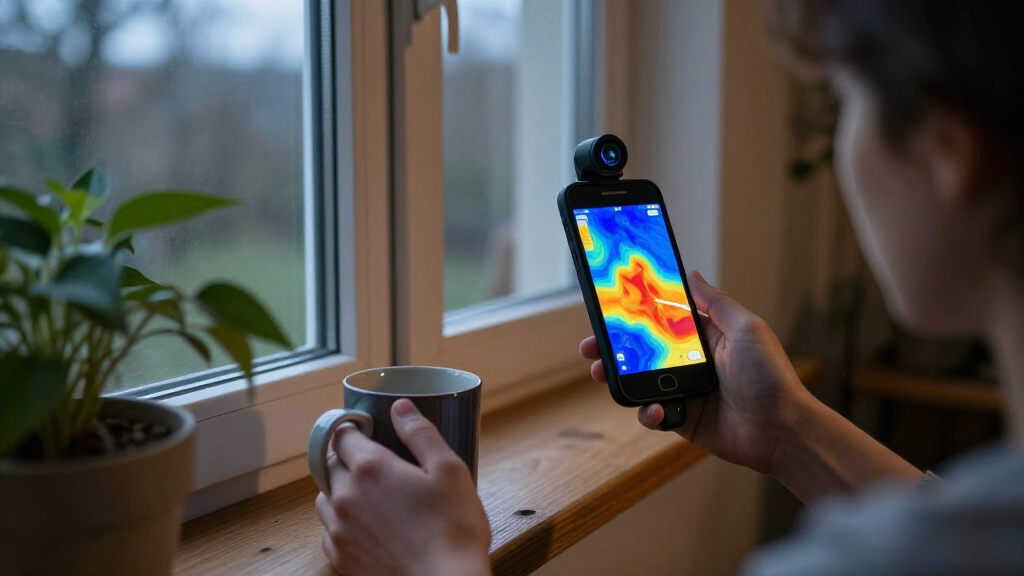
How We Picked
I compared these 15 options by the details that change day-to-day usefulness: stated thermal resolution, refresh rate where specified, connector and operating-system support, lens configuration, and whether the product is a phone attachment or a separate camera. I gave extra weight to clear compatibility claims and features that make a real difference during inspection, rather than treating a high resolution figure as the only measure of quality. Because listed specifications do not establish image quality in every setting, the rankings reflect stated capabilities and likely use cases, not claims of hands-on testing.
The order favors versatile tools with a clear practical distinction, followed by models that may suit a narrower phone ecosystem or task. Dual-lens design, broad device support, and a stated refresh rate help products stand apart, while sparse details or more limited compatibility make a model harder to recommend as a default choice. Similar models are not treated as interchangeable: buyers should compare the exact connector, platform support, resolution claim, and included workflow before ordering.
Factors to Consider When Choosing Smartphone Thermal Cameras
Choosing a smartphone thermal camera is less about picking the biggest number on a spec sheet and more about matching the device to your phone, inspection habits, and tolerance for setup. These checks can prevent common mismatches and help you decide which features are worth prioritizing.
Check Phone, Connector, and Operating-System Compatibility
Start with the exact phone model, not just the words Android or iPhone on a listing. USB-C does not guarantee that every phone supports the camera’s connection method or companion app, and older devices may have software or hardware limits. Check whether the camera supports your operating system version, connector orientation, and any adapter you plan to use. If you switch phones often, broader listed support such as iOS, Android, and Windows can offer more flexibility, but confirm that the app experience is available on each platform. A camera that cannot connect reliably is less useful than one with a lower resolution that fits your setup. Keep a case in mind too: a bulky case or nearby port obstruction can make an otherwise compatible attachment awkward.
Read Resolution Claims in Context
Thermal resolution affects how much spatial detail a camera can distinguish, which matters when locating a small hot component or separating nearby temperature patterns. Some listings highlight enhanced or Super IR output, so check whether a number describes the detector’s native resolution or an enhanced image. Enhancement can improve presentation, but it does not create the same detail as a higher-resolution sensor. For broad checks such as finding a draft or a warm patch on a wall, a modest sensor may be adequate; fine component work tends to reward more detail. Do not compare resolution figures alone: lens field of view, focus behavior, distance, and the target’s size all affect what appears in the image. Choose based on the smallest feature you need to identify, not the most impressive headline number.
Match Refresh Rate to the Way You Scan
Refresh rate affects how fluid the thermal image looks as you move the camera or follow a changing heat source. A stated 25 Hz, such as on the Fluke TC01A, gives buyers a concrete point of comparison, while many product listings may not make the figure equally clear. For stationary checks, refresh rate may be less important than clarity, app controls, and reliable readings. If you plan to scan moving equipment, follow temperature changes, or pan across a large area, a smoother view can make patterns easier to track. Do not assume that a higher refresh rate automatically improves temperature accuracy; it mainly affects how often the displayed image updates. When the specification is absent, ask the seller or manufacturer rather than treating silence as a particular performance level.
Decide Between a Phone Attachment and a Separate Camera
A phone-connected module keeps the kit compact and can make it easy to save images alongside notes, but it depends on your phone, battery, port, and app behaving well together. A separate unit, such as the VEVOR camera in this lineup, can appeal to buyers who prefer a dedicated inspection device instead of attaching hardware to a phone. Consider where you will work: gloves, ladders, tight spaces, and outdoor conditions can make a small attachment convenient or fiddly depending on how it is held. Also think about whether you need to share images quickly, annotate them, or keep the camera ready as a standalone tool. A phone module is not automatically the more portable choice if it requires adapters or a specific handset. Choose the workflow you will actually use, not just the smallest device on paper.
Prioritize App Workflow and Measurement Needs
Thermal images are most useful when the app makes it clear what you are seeing and lets you capture or organize results without interrupting the inspection. Before buying, check whether the software offers spot measurements, selectable palettes, image and video capture, or reporting tools that match your work. For casual home troubleshooting, a simple live view and saved images may be enough; professional documentation may call for clearer file handling and repeatable measurement controls. Treat stated temperature ranges and accuracy figures as separate from image resolution, and look for the conditions under which they apply. A camera can show a warm area without proving the cause, so use thermal readings alongside appropriate inspection methods. If your work depends on recorded measurements, confirm the app’s export and documentation options before choosing.
Choose Features Around Your Typical Target
Different inspections place different demands on a thermal camera. Checking insulation or finding a broad temperature difference favors a useful field of view and straightforward scanning, while examining small electrical parts calls for adequate detail at close range. Dual-lens designs can provide a different way to interpret an inspection scene, but buyers should confirm how the visible and thermal views are presented in the app. A longer tool list is not always an advantage if the extra modes add complexity you will not use. Think about target distance, whether the object is moving, and how often you will repeat the same check. This simple task-based shortlist helps avoid paying attention to features that do not affect your own decisions.
Frequently Asked Questions
Will a USB-C smartphone thermal camera work with every USB-C phone?
No. The connector alone does not confirm that a phone supports the camera’s hardware connection, operating-system requirements, or companion app. Check the manufacturer’s compatibility list for your exact phone model and OS version before buying. Also confirm whether an adapter is needed and whether your phone case could block the port. If the listing only names a broad platform, ask for model-specific confirmation.
Is a 320 × 240 camera always a better choice than a 192 × 192 model?
Not automatically. More thermal pixels can help separate smaller or closer heat patterns, but lens characteristics, focus, distance, and image processing also shape the result. Some listings use enhanced-resolution language, so check whether the number refers to native detector resolution or an upscaled image. For broad home checks, a lower resolution may be sufficient; detailed component inspections place more value on real spatial detail. Compare the full specification and your target size instead of choosing by one number.
Does refresh rate matter if I only inspect buildings and household equipment?
It can, but the importance depends on how you work. A mostly stationary check of a wall or appliance may not call for a particularly high update rate. A smoother live image can help when you scan across a surface, follow a moving target, or compare changing heat patterns. The Fluke TC01A lists 25 Hz, giving it a clearly stated refresh-rate detail in this group. Treat refresh rate as a usability factor, not a substitute for resolution or temperature measurement performance.
Should I buy a smartphone attachment or a standalone thermal camera?
Choose an attachment if you want a compact tool that uses your phone for viewing, saving, and sharing images. It is a weaker fit if your phone is not on the supported list, your port is hard to access, or you prefer not to depend on an app during an inspection. A standalone unit may suit buyers who want a dedicated device, although its controls and file workflow may differ from a phone-based setup. Think about whether you need to document findings on the spot and how you will hold the tool at your worksite. Compare the full workflow, not just the camera module’s size.
Can a smartphone thermal camera identify the cause of a heat problem?
A thermal camera can reveal temperature patterns, but those patterns do not always identify the cause on their own. Reflections, airflow, surface materials, distance, and environmental conditions can affect what appears in the image. Use the camera to locate areas that deserve closer inspection, then confirm the cause with suitable measurements or other diagnostic methods. For electrical or building-safety concerns, follow relevant procedures and consult a qualified professional when needed. If your work depends on dependable recorded measurements, check the camera’s stated accuracy, measurement functions, and app documentation before relying on it.
Conclusion
For most buyers, the TOPDON TC001 Max is my best overall pick because its dual-lens design gives it a distinctive role among the phone-connected options. For best value, compare the AMPBANK M192 and GOYOJO GW192A against your phone support and required detail rather than selecting by name alone. The REVASRI T160 is my best fit for buyers prioritizing a stated 320 × 240 Super IR specification, while the TOPDON TC001 Max is the stronger premium-style choice for those who want a more differentiated design. Beginners should start with the model whose compatibility and app workflow are clearest for their exact phone, rather than paying for features they may not use. For Android users who prioritize a clearly stated refresh rate, the Fluke TC01A iSee deserves a close look; for buyers who prefer a dedicated unit, consider the VEVOR. Verify device support and the meaning of resolution claims before making your final choice.
Halloween Picks
halloween
As an affiliate, we earn on qualifying purchases.