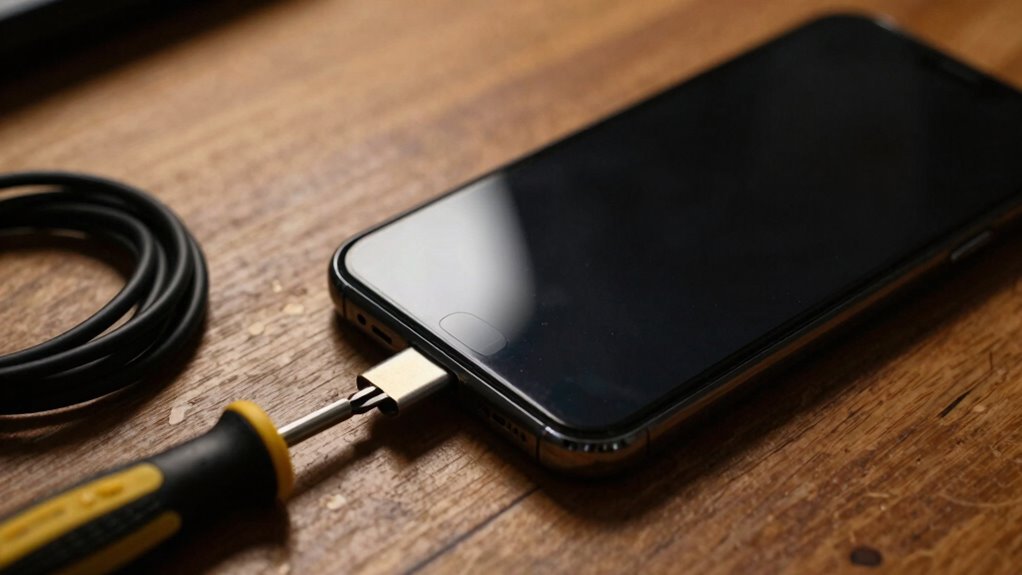
When your phone feels off, start by checking its battery health, as a degraded battery can cause lag, random shutdowns, and sluggish performance. If the battery is bad, replacing it often improves responsiveness. Also, look at recent app changes or background apps that might be using too many resources. Free up storage and update your software to fix bugs. If problems keep happening, there are more steps you can take to get your device back to normal.
Listen free for 30 days with Audible
Thousands of audiobooks and originals — cancel anytime.
As an affiliate, we earn on qualifying purchases.
Key Takeaways
- Check the battery health and consider replacing it if degraded or causing power issues.
- Close or uninstall recent apps that may be conflicting or consuming excessive resources.
- Ensure sufficient storage space is available by deleting unnecessary files or apps.
- Update the device software to the latest version for bug fixes and performance improvements.
- Inspect environmental conditions, like temperature, and avoid physical damage to maintain optimal performance.

When your phone suddenly feels off—whether it’s slow, unresponsive, or behaving strangely—it’s easy to feel frustrated. The first thing to check is your battery health. Over time, batteries degrade, which can cause your phone to lag, shut down unexpectedly, or struggle with basic tasks. If your device’s battery health is poor, replacing it can dramatically improve your phone’s responsiveness and stability. Next, consider the possibility of app conflicts. Sometimes, a recent update or an unfamiliar app can cause your phone to act up. When apps clash, they might consume excessive resources, cause crashes, or make your device sluggish. To identify this, you can check which apps are running in the background and close those you don’t need. Uninstall any apps you recently added or updated, especially if symptoms started afterward. Clearing app caches and data can also help resolve conflicts. For Android users, going into Settings > Apps can give you control over individual app activity, while iOS users can manage app activity through the app switcher and storage settings. It’s also worth considering whether your device has enough free storage space. When storage is nearly full, your phone can slow down significantly because it struggles to find space for temporary files or background processes. Delete unnecessary photos, videos, or apps to free up space. Restarting your phone after clearing storage and closing background apps can give it a fresh start. Additionally, check for system updates. Outdated software can cause compatibility issues, bugs, and security vulnerabilities that impact performance. Updating your phone’s operating system often includes bug fixes and optimizations that can resolve many issues without further troubleshooting. It’s also important to ensure your device isn’t exposed to extreme temperatures or physical damage**, as these environmental factors can also affect performance. Environmental factors like temperature extremes can impact the battery and internal components, leading to degraded performance. Proper device maintenance and regular updates can help prevent many common issues. Also, ensuring your device has proper cooling can prevent overheating that may slow down your phone. If none of these checks resolve the problem, it might be time to consult a professional or perform a factory reset. However, starting with battery health and app conflicts is the most direct, effective way to troubleshoot your phone’s strange behavior, giving you a clearer idea of what might be causing the issue and how to fix it. Regularly monitoring your device’s performance** can help you catch issues early before they become more serious.

ANCEL BA101 Car Battery Tester, 12V Digital Automotive Alternator Meter Diagnostic Tool,100-2000 CCA Load Capacity, Charging & Cranking Analyzer for Truck, Boat, RV, Marine Vehicle, and More
- Early Battery Issue Detection: Identifies problems before breakdowns
- Comprehensive Battery Analysis: Displays SOH, SOC, voltage, current, CCA
- High-Quality Clamps and Chip: Ensures accurate, reliable readings
As an affiliate, we earn on qualifying purchases.
As an affiliate, we earn on qualifying purchases.
Frequently Asked Questions
Can a Software Update Fix My Phone’s Performance Issues?
Yes, a software update can fix your phone’s performance issues. It often improves battery health management and resolves app conflicts that cause lag or crashes. Updates include bug fixes, security patches, and optimization features that keep your device running smoothly. Make sure to back up your data first, then install the latest update. This can enhance speed, stability, and overall functionality, giving your phone a fresh, improved experience.
How Do I Identify if My Phone Has a Hardware Malfunction?
Think of your phone as a delicate orchestra—if it’s out of tune, it’s time to investigate. To identify hardware malfunctions, look for hardware symptoms like unresponsive screens, strange noises, or battery issues. Use diagnostic tools available in settings or third-party apps to run tests. If problems persist, it’s best to consult a professional to avoid further damage, just like calling a conductor when the symphony falters.
What Safety Precautions Should I Take Before Troubleshooting?
Before troubleshooting, you should take safety precautions like checking your phone’s battery health and screen sensitivity. Make certain your device is turned off to prevent electrical issues. Remove any accessories and avoid using sharp objects that could damage the screen. Work in a clean, dry area to prevent moisture or debris from causing further problems. These steps help protect both you and your phone during the troubleshooting process.
Is It Better to Reset or Replace a Malfunctioning Phone?
If your phone malfunctions, deciding whether to reset or replace it depends on battery health and app conflicts. Resetting can fix software issues and improve performance without losing data, making it a good first step. However, if battery health is poor or hardware problems persist after a reset, replacing the phone might be more cost-effective. Consider both factors to determine the best solution for your situation.
How Can I Prevent My Phone From Feeling off in the Future?
Think of your phone as a garden—you need to tend it regularly. To prevent it from feeling off, monitor your battery health and avoid overcharging, which keeps the core strong. Also, manage app conflicts by updating or uninstalling unnecessary apps. Regularly restart your device to clear temporary glitches. These habits help your phone run smoothly, preventing those off moments and ensuring it stays healthy and responsive over time.

Cell Phone Cleaning Kit, 116 Pcs Speaker Cleaner for iPhone & Android
- Complete 116-Piece Kit: Includes brushes, swabs, cloth, organized
- Versatile Cleaning Applications: For ports, lenses, keyboards, earbuds
- Safe for Electronics: Anti-static, lint-free, no damage
As an affiliate, we earn on qualifying purchases.
As an affiliate, we earn on qualifying purchases.
Conclusion
When your phone feels off, start with the basics—check the battery, restart it, and look for updates. These simple steps often fix common issues quickly. Did you know that over 80% of smartphone problems are resolved with just a restart or software update? So, before panicking or seeking help, try these easy fixes first. Staying proactive can save you time and stress, keeping your device running smoothly and you connected.

iPhone Cleaning Kit for Charging Port Cleaner, Cleaner Kit for AirPod Phone
- Effective Charging Port Cleaning: Removes lint, dust, and debris
- Repairs Charging Connections: Restores and revives ports and cables
- Cleans Earbuds and Speakers: Removes dirt from earphone housings and sound outlets
As an affiliate, we earn on qualifying purchases.
As an affiliate, we earn on qualifying purchases.

(2026 Update) 5MP Wireless Security Camera System with 10" Monitor, 10CH NVR & 4 WiFi Cameras, 130° Wide Angle, Dual Band 2.4/5.8GHz, 55% Longer Range, 2-Way Audio, 1TB HDD, IP66, No Monthly Fee
- Ultra HD 5MP & Wide Angle: Crystal-clear 5MP video with 130° view
- Remote Access App: Monitor remotely with free app, no fees
- Integrated 10-inch Monitor: Built-in HD screen for instant viewing
As an affiliate, we earn on qualifying purchases.
As an affiliate, we earn on qualifying purchases.
Atlantic Hurricane Season Peak Picks
hurricane prep
As an affiliate, we earn on qualifying purchases.