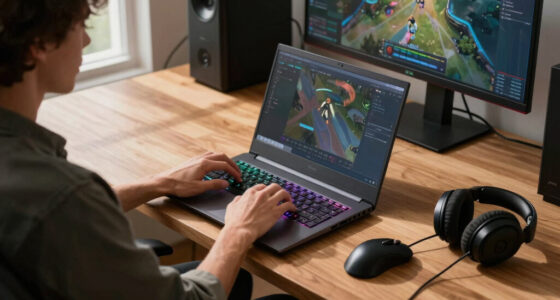
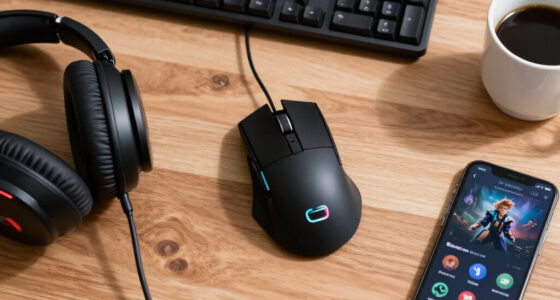
The Razer Viper V3 HyperSpeed is my best overall wireless gaming mouse because it balances accurate tracking, long battery life, and a competitive shape without reaching flagship pricing. The ATTACK SHARK X3 is the stronger value choice for buyers who want a light, rechargeable design, while the Razer Viper V3 Pro is the premium pick for players chasing the lowest practical weight. The main choices come down to speed versus extra buttons, disposable versus rechargeable power, and low weight versus palm-filling support. Buyers who play MMOs or use many shortcuts will get more from button-rich models than from stripped-back esports mice. Continue reading for the full breakdown of all 15 wireless gaming mice and the buyer each one suits best.

Get the latest gadgets delivered free — and shop member deals
- Fast, free delivery on millions of items
- Access to Prime Big Deal Days deals on October 6–7
- Prime Video, Amazon Music and more included
Complete the kit



Key Takeaways
- Razer Viper V3 HyperSpeed takes the top spot because its 30K sensor and claimed battery life of up to 280 hours create the best balance of competitive performance, convenience, and price in this lineup.
- Razer Viper V3 Pro is the speed-focused upgrade: its 54-gram body is more attractive for serious FPS play, but its premium price makes less sense for casual buyers.
- ATTACK SHARK X3 offers the strongest value proposition for buyers seeking a light, rechargeable mouse, though Logitech and Razer provide more established software and support.
- The four Logitech G305 color variants deliver the same core performance, so the lilac, white, blue, and black versions should be chosen by price and appearance rather than ranked as technical upgrades.
- G502 Lightspeed and Redragon M913 serve different button-heavy buyers: the G502 is the more versatile all-rounder, while the M913 is tailored to MMO commands and is less appealing for rapid FPS movement.
| SOLAKAKA SM600 Wireless Gaming Mouse |  | Best Multi-Device Pick | Connectivity: Bluetooth 5.1, 2.4GHz wireless, USB-C wired | Buttons: 7 programmable | DPI: 800–8,000 across 7 levels | VIEW LATEST PRICE | See Our Full Breakdown |
| Razer Viper V3 HyperSpeed Wireless Gaming Mouse |  | Best Overall | Weight: 82g | Sensor: 30K DPI optical | Battery life: Up to 280 hours | VIEW LATEST PRICE | See Our Full Breakdown |
| ATTACK SHARK X3 Wireless Gaming Mouse |  | Best Ultra-Light Pick | Weight: 49g | Connectivity: 2.4GHz wireless, Bluetooth, and USB | Sensor: PixArt PAW3395 | VIEW LATEST PRICE | See Our Full Breakdown |
| Logitech G305 Lightspeed Wireless Gaming Mouse |  | Best Value Pick | Sensor: HERO optical | Maximum DPI: 12,000 | Tracking speed: 400 IPS | VIEW LATEST PRICE | See Our Full Breakdown |
| Logitech G502 Lightspeed Wireless Gaming Mouse | 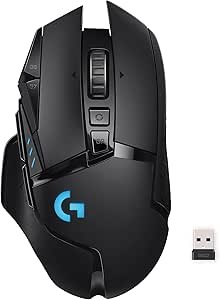 | Best for Custom Controls | Sensor: HERO 25K | Maximum DPI: 25,600 | Wireless technology: Logitech Lightspeed | VIEW LATEST PRICE | See Our Full Breakdown |
| Redragon M656 Wireless Optical Gaming Mouse |  | Best Budget Macro Pick | Sensor: Pixart PAW3104 optical | Maximum DPI: 4000 | Polling Rate: 500Hz | VIEW LATEST PRICE | See Our Full Breakdown |
| Logitech G305 Lightspeed Wireless Gaming Mouse – White |  | Best Minimalist Pick | Sensor: HERO optical | Maximum DPI: 12,000 | Wireless Response Time: 1ms | VIEW LATEST PRICE | See Our Full Breakdown |
| Logitech G305 Lightspeed Wireless Gaming Mouse – Blue |  | Best Travel Pick | Sensor: HERO optical | Maximum DPI: 12,000 | Wireless Technology: Logitech Lightspeed | VIEW LATEST PRICE | See Our Full Breakdown |
| Logitech G305 Lightspeed Wireless Gaming Mouse – Black |  | Best Competitive Value | Sensor: HERO 12K | DPI Range: 200-12,000 | Wireless Technology: Logitech Lightspeed | VIEW LATEST PRICE | See Our Full Breakdown |
| Logitech G703 Lightspeed Wireless Gaming Mouse |  | Best Ergonomic Premium Pick | Sensor: HERO 25K | DPI Range: 100-25,600 | Connectivity: Lightspeed wireless | VIEW LATEST PRICE | See Our Full Breakdown |
| Redragon M913 Wireless RGB MMO Gaming Mouse |  | Best for MMO Command Access | Connectivity: 2.4GHz wireless and USB-C wired | Sensor: Pixart 3335 | DPI Settings: 1,000 / 2,000 / 4,000 / 8,000 / 16,000 | VIEW LATEST PRICE | See Our Full Breakdown |
| Wireless Gaming Mouse with 7-Color LED and Silent Buttons |  | Best Quiet Budget Pick | Connectivity: 2.4GHz wireless via USB receiver | DPI Settings: 1,200 / 1,600 / 2,400 | Buttons: 6 silent-click buttons | VIEW LATEST PRICE | See Our Full Breakdown |
| Redragon M810 Pro Wireless Gaming Mouse |  | Best Value for Programmable Controls | Connectivity: 2.4GHz wireless | Sensor: PAW3325 Pixart optical | Maximum DPI: 10,000 | VIEW LATEST PRICE | See Our Full Breakdown |
| Razer Viper V3 Pro Wireless Esports Gaming Mouse |  | Best Premium Esports Pick | Weight: 54g | Maximum DPI: 35,000 | Polling Rate: Up to 8,000Hz | VIEW LATEST PRICE | See Our Full Breakdown |
| Razer Basilisk V3 X HyperSpeed Wireless Gaming Mouse |  | Best for Battery Life and Versatility | Connectivity: Razer HyperSpeed wireless and Bluetooth | Sensor: Razer 5G Advanced 18K optical sensor | Maximum DPI: 18,000 | VIEW LATEST PRICE | See Our Full Breakdown |
| wireless gaming mice | Battery life | Sensor | Connectivity | Buttons |
|---|---|---|---|---|
| SOLAKAKA SM600 Wireless Gaming | Up to 600 hours | — | Bluetooth 5.1, 2.4GHz wireless, USB-C wired | 7 programmable |
| Razer Viper V3 HyperSpeed Wire | Up to 280 hours | 30K DPI optical | Razer HyperSpeed Wireless | 6 programmable |
| ATTACK SHARK X3 Wireless Gamin | Up to 200 hours | PixArt PAW3395 | 2.4GHz wireless, Bluetooth, and USB | — |
| Logitech G305 Lightspeed Wirel | Up to 9 months | HERO optical | — | — |
| Logitech G502 Lightspeed Wirel | Up to 60 hours | HERO 25K | — | 11 programmable |
| Redragon M656 Wireless Optical | — | Pixart PAW3104 optical | 2.4GHz wireless | 7 |
| Logitech G305 Lightspeed Wirel | Up to 250 hours | HERO optical | — | 6 programmable |
| Logitech G305 Lightspeed Wirel | Up to 9 months | HERO optical | — | — |
| Logitech G305 Lightspeed Wirel | Up to 250 hours | HERO 12K | Nano receiver | 6 programmable |
| Logitech G703 Lightspeed Wirel | Up to 35 hours | HERO 25K | Lightspeed wireless | 6 programmable |
| Redragon M913 Wireless RGB MMO | 45 hours with lighting; 80 hours in eco mode | Pixart 3335 | 2.4GHz wireless and USB-C wired | 16 |
| Wireless Gaming Mouse with 7-C | Up to 20 days with lighting; 25 days without lighting | — | 2.4GHz wireless via USB receiver | 6 silent-click buttons |
| Redragon M810 Pro Wireless Gam | Up to 45 hours | PAW3325 Pixart optical | 2.4GHz wireless | — |
| Razer Viper V3 Pro Wireless Es | Up to 95 hours | — | — | — |
| Razer Basilisk V3 X HyperSpeed | — | Razer 5G Advanced 18K optical sensor | Razer HyperSpeed wireless and Bluetooth | — |
More Details on Our Top Picks
SOLAKAKA SM600 Wireless Gaming Mouse
I rank the SOLAKAKA SM600 as the most flexible choice here because its Bluetooth, 2.4GHz, and USB-C modes let one mouse move between a gaming PC, laptop, tablet, and phone. The Razer Viper V3 HyperSpeed offers a far stronger competitive sensor, but it lacks this connection flexibility. Seven programmable buttons and seven DPI presets give the SM600 more control than a basic travel mouse, while its 90g body remains manageable for everyday play. The claimed 600-hour battery life is another advantage, though lighting and connection mode can shorten that figure. I would not choose it for serious esports: the honeycomb shell is right-handed, the configuration software may frustrate newcomers, and its performance credentials are less convincing than those of the Razer or ATTACK SHARK models.
Pros:- Three connection modes support both gaming and general-purpose devices
- Seven programmable buttons provide useful control flexibility
- Broad DPI range covers desktop work and faster gaming
- Rechargeable battery avoids disposable-cell replacements
Cons:- Right-handed shape excludes many left-handed players
- Customization software can be difficult to configure
- RGB use and connection mode may reduce the quoted battery runtime
Best for: I recommend it to players who regularly switch among a gaming PC, work laptop, tablet, and phone.
Not ideal for: I would skip it for left-handed users and competitive players who prioritize proven tournament-grade tracking.
- Connectivity:Bluetooth 5.1, 2.4GHz wireless, USB-C wired
- Buttons:7 programmable
- DPI:800–8,000 across 7 levels
- Battery life:Up to 600 hours
- Battery:600mAh rechargeable lithium-ion
- Weight:90g
- Dimensions:4.88 x 2.76 inches
- Wireless range:10 meters
- Compatibility:Windows, macOS, Linux, and Android
Our verdict“I would choose the SM600 for multi-device flexibility, but not over the Razer Viper V3 HyperSpeed for competitive play.”
Razer Viper V3 HyperSpeed Wireless Gaming Mouse
I place the Razer Viper V3 HyperSpeed first for buyers focused on competitive performance. Its 30K DPI optical sensor, 82g body, and HyperSpeed connection form a stronger esports package than the heavier Logitech G502 Lightspeed or less established ATTACK SHARK X3. The shape is particularly well suited to claw and fingertip grips, while second-generation mechanical switches offer a stated 60-million-click lifespan. Up to 280 hours from one AA battery also reduces charging interruptions, although the replaceable cell adds weight and ongoing cost. Unlike the SOLAKAKA SM600, this model does not provide Bluetooth or a wired mode, so it is less useful across several devices. Six programmable buttons are enough for shooters, but MMO players will find the G502 or Redragon M913 more accommodating.
Pros:- 30K DPI sensor supports precise high-speed tracking
- 82g design suits fast competitive movements
- Up to 280 hours of battery life limits interruptions
- Mechanical switches carry a 60-million-click rating
Cons:- AA power is less convenient than built-in USB charging
- No Bluetooth or wired connection mode
- Six buttons are restrictive for command-heavy games
Best for: I recommend it to competitive FPS players using claw or fingertip grip who want accurate tracking and long wireless runtime.
Not ideal for: I would skip it for MMO players, rechargeable-battery loyalists, and anyone needing Bluetooth for multiple devices.
- Weight:82g
- Sensor:30K DPI optical
- Battery life:Up to 280 hours
- Battery:1 AA battery included
- Switches:Mechanical Switches Gen-2
- Switch lifespan:60 million clicks
- Buttons:6 programmable
- Connectivity:Razer HyperSpeed Wireless
Our verdict“I see the Viper V3 HyperSpeed as the strongest all-around competitive pick for players comfortable with AA power.”
ATTACK SHARK X3 Wireless Gaming Mouse
The ATTACK SHARK X3 earns my ultra-light slot because its 49g body is dramatically easier to flick than the 82g Razer Viper V3 HyperSpeed and 90g SOLAKAKA SM600. A PixArt PAW3395 sensor, 1,000Hz polling, and PTFE feet support quick, controlled movement, making this a compelling FPS option for players who dislike heavier shells. It also adds Bluetooth and USB alongside 2.4GHz wireless, giving it broader device support than the Razer. That versatility comes with caveats: full configuration depends on software, macOS support is limited to newer versions, and the lesser-known brand carries less long-term support confidence than Logitech or Razer. The claimed 200-hour battery life is strong for such a light mouse, but buyers should expect settings and connection type to affect runtime.
Pros:- 49g weight supports rapid flicks and long low-sensitivity sweeps
- PAW3395 sensor delivers a high 26K DPI ceiling
- Bluetooth, 2.4GHz, and USB provide flexible connectivity
- PTFE feet and 1,000Hz polling suit fast competitive play
Cons:- Full customization requires companion software
- Mac compatibility is limited to macOS 14 or later
- Brand support is less established than Logitech or Razer
Best for: I recommend it to low-sensitivity FPS players who want a sub-50g mouse with several connection modes.
Not ideal for: I would skip it for older Mac users and buyers who value mature software support above minimum weight.
- Weight:49g
- Connectivity:2.4GHz wireless, Bluetooth, and USB
- Sensor:PixArt PAW3395
- Maximum DPI:26,000
- Battery life:Up to 200 hours
- Polling rate:1,000Hz / 1ms
- Switches:Kailh GM 8.0
- Feet:PTFE
- Dimensions:4.67 x 2.4 x 1.56 inches
Our verdict“I would pick the X3 when minimum weight and connection flexibility matter more than polished software support.”
Logitech G305 Lightspeed Wireless Gaming Mouse
I give the Logitech G305 Lightspeed the value role because it concentrates proven gaming fundamentals into a simple, portable design. Its HERO sensor and 1ms report rate are better suited to serious play than the more feature-heavy SOLAKAKA SM600, while the familiar shape and straightforward setup make it less demanding than the ATTACK SHARK X3. The 12,000 DPI ceiling is lower than the Razer Viper V3 HyperSpeed’s 30K figure, but that gap rarely affects normal sensitivity settings. Up to nine months of battery life makes the single-AA arrangement easy to live with, though there is no rechargeable battery, Bluetooth, or wired fallback. At 3.4 ounces, it is portable rather than truly ultra-light, and its compact shape may feel cramped to large-handed palm-grip users.
Pros:- HERO sensor provides dependable 12,000 DPI tracking
- 1ms Lightspeed connection supports responsive gaming
- Up to nine months of battery life reduces maintenance
- Compact body is easy to carry between setups
Cons:- No Bluetooth or wired fallback
- AA battery cannot be recharged inside the mouse
- Compact shape can feel cramped for larger hands
Best for: I recommend it to budget-conscious students and traveling players who want dependable low-latency wireless performance.
Not ideal for: I would skip it for large-handed palm-grip users and buyers who require Bluetooth or USB charging.
- Sensor:HERO optical
- Maximum DPI:12,000
- Tracking speed:400 IPS
- Wireless technology:Logitech Lightspeed
- Report rate:1ms
- Battery life:Up to 9 months
- Battery type:1 AA battery
- Weight:3.4 oz
Our verdict“I recommend the G305 as the sensible value choice when reliable wireless basics matter more than premium extras.”
Logitech G502 Lightspeed Wireless Gaming Mouse
I reserve the Logitech G502 Lightspeed for players who want maximum control rather than minimum weight. Its 11 programmable buttons, onboard memory, hyper-fast wheel, and six adjustable weights make it far more adaptable for strategy games and productivity than the six-button Razer Viper V3 HyperSpeed. The HERO 25K sensor and 1,000Hz report rate keep that flexibility from sacrificing responsive tracking, while PowerPlay support can remove charging interruptions. The compromises are substantial: up to 60 hours of battery life trails every other mouse in this batch, the extra controls create a bulkier feel than the 49g ATTACK SHARK X3, and PowerPlay requires a separately sold charging mat. I would choose it for command-heavy games, but FPS specialists seeking effortless flicks have better options above it.
Pros:- Eleven programmable buttons support command-heavy games
- HERO 25K sensor and 1ms reporting provide responsive tracking
- Adjustable weights let buyers tune the handling
- Onboard memory and PowerPlay support suit elaborate desktop setups
Cons:- 60-hour runtime is short beside the other mice in this group
- Control-heavy design feels bulky compared with ultra-light models
- PowerPlay charging requires an expensive separate accessory
Best for: I recommend it to strategy, action-RPG, and productivity-focused players who regularly use macros and profile switching.
Not ideal for: I would skip it for ultra-light FPS fans and budget buyers unwilling to pay extra for the PowerPlay system.
- Sensor:HERO 25K
- Maximum DPI:25,600
- Wireless technology:Logitech Lightspeed
- Report rate:1,000Hz / 1ms
- Buttons:11 programmable
- Battery life:Up to 60 hours
- Weight adjustment:Six adjustable weights
- Lighting:Lightsync RGB with 16.8 million colors
- Charging compatibility:Logitech PowerPlay
Our verdict“I would choose the G502 Lightspeed for deep control customization, not for the lightest or least expensive wireless setup.”
Redragon M656 Wireless Optical Gaming Mouse
I rank the Redragon M656 as the budget macro choice because its seven buttons provide more command flexibility than the six-button Logitech G305 models. That makes weapon swaps, productivity shortcuts, and repeat actions easier to keep under one hand. Its adjustable 4000 DPI sensor is adequate for casual gaming, but the 500Hz polling rate and lower sensitivity ceiling place it behind the G305 Black for fast competitive play. The right-handed body and 2.88-ounce weight should suit buyers who value easy movement without paying for an esports sensor. The compromises are clear: customization depends on software, the lighting is limited to red, and the required AA battery is not supplied. I place it below the G305 options for raw performance, yet ahead for shoppers who prioritize extra programmable control at a modest price.
Pros:- Seven buttons provide more command capacity than the six-button G305 models
- Adjustable DPI supports quick changes between aiming and desktop work
- Light 2.88-ounce body is easy to move
- 10-meter 2.4GHz wireless range allows a flexible desk setup
Cons:- 500Hz polling rate trails faster competitive gaming mice
- AA battery is required but not included
- Full button customization requires additional software
Best for: Budget-conscious right-handed players who want extra macro controls for casual games and everyday productivity
Not ideal for: Competitive FPS players who need a 1000Hz-class response rate, higher DPI range, or the consistency of a stronger sensor
- Sensor:Pixart PAW3104 optical
- Maximum DPI:4000
- Polling Rate:500Hz
- Buttons:7
- Connectivity:2.4GHz wireless
- Wireless Range:10 meters
- Power Source:1 AA battery
- Weight:2.88 ounces
- Hand Orientation:Right-handed
Our verdict“Choose the M656 for inexpensive wireless macro control, but choose a G305 instead if sensor speed matters more than button count.”
Logitech G305 Lightspeed Wireless Gaming Mouse – White
The white Logitech G305 earns my minimalist slot by pairing a clean, compact shell with performance that does not depend on decorative lighting. Its HERO sensor reaches 12,000 DPI, while the 1ms wireless response makes it far better suited to quick shooters than the 500Hz Redragon M656. Six programmable buttons cover core gaming commands without creating the crowded layout found on the Logitech G502 Lightspeed. I also favor the quoted 250-hour battery life for shared desks, dorm rooms, and laptop setups where frequent charging becomes a nuisance. That simplicity carries limits: there is no RGB, the AA cell must eventually be replaced, and six buttons may frustrate MMO players. The white finish can also show grime sooner than the Black version. This is the G305 colorway I would choose for a bright, understated setup, not for extra functionality.
Pros:- HERO sensor delivers precise tracking up to 12,000 DPI
- 1ms wireless response is suited to reaction-heavy games
- Up to 250 hours of battery life reduces maintenance
- Compact design travels easily between PC and Mac setups
Cons:- Replaceable AA power is less convenient than built-in USB charging
- Six buttons are restrictive for command-heavy games
- White exterior is likely to show dirt and wear more readily than the Black version
Best for: PC or Mac players building a clean white setup who want responsive wireless performance without RGB or numerous side buttons
Not ideal for: MMO players and RGB-focused buyers who need many commands or visual customization
- Sensor:HERO optical
- Maximum DPI:12,000
- Wireless Response Time:1ms
- Buttons:6 programmable
- Battery Life:Up to 250 hours
- Power Source:Replaceable AA battery
- Compatibility:PC and Mac
- Form Factor:Compact and portable
Our verdict“Pick the white G305 for a clean, compact gaming setup with strong fundamentals and little interest in RGB or elaborate controls.”
Logitech G305 Lightspeed Wireless Gaming Mouse – Blue
I assign the blue Logitech G305 the travel role because its 3.4-ounce body, nano receiver, and quoted battery life of up to nine months fit a gaming laptop kit particularly well. The HERO sensor and 1ms response deliver the same core speed as the White and Black G305 variants, so the blue finish is the real reason to choose this one over its siblings. Compared with the Redragon M656, its 12,000 DPI ceiling provides more tuning range for high-resolution displays and fast cursor movement. It still carries the G305 family’s familiar compromises: AA power instead of USB recharging, no adjustable weights, and a shape described for right-handed use. At 3.4 ounces, it is also much heavier than the 54g Razer Viper V3 Pro. I would rank it as the portable personality pick, rather than the lightest competitive choice.
Pros:- HERO sensor offers a broad 12,000 DPI range
- 1ms Lightspeed response supports fast-paced gaming
- Up to nine months of quoted battery life suits travel
- Blue shell adds color without relying on power-consuming RGB
Cons:- AA battery must be replaced rather than recharged by cable
- 3.4-ounce weight is well above modern ultralight esports mice
- No customizable weight system
Best for: Laptop gamers who travel frequently and want a colorful, responsive mouse with long intervals between battery changes
Not ideal for: Ultralight esports players, left-handed users, or anyone who wants rechargeable power and weight adjustment
- Sensor:HERO optical
- Maximum DPI:12,000
- Wireless Technology:Logitech Lightspeed
- Response Time:1ms
- Battery Life:Up to 9 months
- Weight:3.4 ounces
- Receiver:Nano receiver
- Power Source:AA battery
Our verdict“The blue G305 makes sense for mobile players who want proven Lightspeed performance in a more distinctive color.”
Logitech G305 Lightspeed Wireless Gaming Mouse – Black
The Logitech G305 Black is my competitive-value pick because it concentrates the budget on tracking, response, and battery life. Its HERO 12K sensor spans 200 to 12,000 DPI, and the 1ms report rate gives it a clearer FPS advantage over the cheaper Redragon M656 and its 500Hz polling. Performance is functionally similar to the Blue and White G305 versions; I rank black here because the subdued finish fits almost any setup and keeps attention on value rather than appearance. At 99g, however, it cannot match the rapid direction changes of the 54g Razer Viper V3 Pro or even the 82g Viper V3 HyperSpeed. Six buttons also limit complex MMO bindings, and Logitech G HUB is needed for deeper configuration. For buyers who can accept those boundaries, the 250-hour battery rating makes this a dependable entry point into responsive wireless play.
Pros:- HERO 12K sensor provides accurate tracking across a wide sensitivity range
- 1ms report rate delivers wired-like responsiveness
- Up to 250 hours from one AA battery limits interruptions
- Understated black finish suits most gaming and office setups
Cons:- 99g body feels heavy beside current ultralight competitive mice
- Only six programmable buttons are available
- Logitech G HUB is required for full customization
Best for: Budget FPS and action-game players who want low-latency wireless tracking without paying for an ultralight flagship
Not ideal for: Esports players chasing sub-60g weight or MMO players who require a large bank of thumb commands
- Sensor:HERO 12K
- DPI Range:200-12,000
- Wireless Technology:Logitech Lightspeed
- Report Rate:1ms
- Battery Life:Up to 250 hours
- Weight:99g
- Buttons:6 programmable
- Connectivity:Nano receiver
Our verdict“Buy the black G305 when competitive-grade response and long battery life matter more than ultralight weight or abundant buttons.”
Logitech G703 Lightspeed Wireless Gaming Mouse
I rank the Logitech G703 Lightspeed as the premium ergonomic option for right-handed players who want a supportive shape and rubber side grips without sacrificing sensor performance. Its HERO 25K sensor reaches 25,600 DPI, more than double the G305’s ceiling, while the 95g base weight is slightly lower than the G305 Black’s 99g. An optional 10g insert lets buyers favor a steadier feel, and Powerplay compatibility can remove cable charging from a permanent desk setup. Those comforts come at a cost: battery life tops out at 35 hours, far short of the G305’s 250-hour rating, and the Powerplay mat is sold separately. Six buttons also look sparse beside the 11-button Logitech G502 Lightspeed. I place the G703 above cheaper models for grip comfort and charging flexibility, but below specialized choices for travel, MMO controls, or ultralight competition.
Pros:- HERO 25K sensor supports exceptionally broad sensitivity adjustment
- Rubber side grips and right-handed contour favor secure long-session control
- Optional 10g weight allows limited feel adjustment
- Powerplay compatibility supports continuous wireless charging with separate hardware
Cons:- Up to 35 hours of battery life is much shorter than the G305’s rating
- Powerplay charging mat requires a separate premium purchase
- Six buttons offer less command depth than the Logitech G502 Lightspeed
Best for: Right-handed desktop players who prioritize a supportive grip, premium tracking, and optional Powerplay charging
Not ideal for: Frequent travelers, left-handed players, and button-heavy MMO users who need longer battery life or more controls
- Sensor:HERO 25K
- DPI Range:100-25,600
- Connectivity:Lightspeed wireless
- Base Weight:95g
- Optional Weight:10g
- Battery Life:Up to 35 hours
- Buttons:6 programmable
- Lighting:Lightsync RGB
- Charging Compatibility:Logitech Powerplay
Our verdict“Choose the G703 for a comfortable premium desktop mouse, provided short battery life and the added cost of Powerplay do not outweigh its ergonomic benefits.”
Redragon M913 Wireless RGB MMO Gaming Mouse
I rank the Redragon M913 as the strongest MMO-focused choice here because its 12-button side grid places far more commands under the thumb than the Redragon M810 Pro or Razer Basilisk V3 X. That difference matters for ability rotations, inventory shortcuts, and complex macros that would otherwise require keyboard movement. Its wired fallback also keeps it usable when the battery runs down, while eco mode extends battery life to 80 hours. I would choose the M810 Pro instead for a less crowded control layout, since the M913’s large body and dense button cluster demand more adjustment. Full remapping also relies on software that may feel cumbersome. For dedicated MMO players, though, its high input count outweighs those usability costs.
Pros:- Twelve side buttons support elaborate MMO and productivity command sets
- Wired mode provides a dependable fallback when charging
- Pixart 3335 sensor offers adjustable sensitivity up to 16,000 DPI
- Eco mode stretches rated battery life to 80 hours
Cons:- Large body may be difficult to control with smaller hands
- Dense side-button grid has a learning curve
- Software setup is required for full remapping and lighting control
Best for: I recommend it to MMO and strategy players with medium or large hands who want many abilities mapped directly to the mouse.
Not ideal for: I would skip it for small-handed players or anyone who wants a light, uncluttered mouse for rapid competitive aiming.
- Connectivity:2.4GHz wireless and USB-C wired
- Sensor:Pixart 3335
- DPI Settings:1,000 / 2,000 / 4,000 / 8,000 / 16,000
- Buttons:16
- Side Buttons:12 customizable buttons
- Battery Life:45 hours with lighting; 80 hours in eco mode
- Lighting:RGB with 16.8 million colors
- Software Support:Remapping and customization supported
Our verdict“I would pick the M913 for maximum thumb-accessible commands, provided its size and setup demands are acceptable.”
Wireless Gaming Mouse with 7-Color LED and Silent Buttons
I place this silent wireless mouse in the budget-friendly quiet role rather than among the performance leaders. Its six subdued buttons suit shared bedrooms, libraries, and late-night play, while the rechargeable battery avoids the disposable AA cell used by the Logitech G305. The claimed 20-day illuminated runtime is convenient for casual use, and three DPI levels make sensitivity changes simple. Against the Redragon M810 Pro, however, its 2,400 DPI ceiling, unspecified sensor, and absent polling-rate information provide less confidence for fast competitive games. No listed weight or material details also make comfort and durability harder to judge before purchase. I see it as an inexpensive crossover between office and casual gaming gear, with quiet operation taking priority over advanced tracking or deep customization.
Pros:- Silent buttons reduce distraction in shared spaces
- Rechargeable design avoids routine battery replacement
- Lighting can be switched off to extend rated runtime
- Three DPI presets make basic sensitivity adjustment easy
Cons:- Sensor model and polling rate are not specified
- Maximum 2,400 DPI offers less adjustment range than performance-focused rivals
- Unspecified weight and materials make build quality difficult to evaluate
Best for: I recommend it to casual players in shared or noise-sensitive spaces who want rechargeable wireless operation at a budget-oriented level.
Not ideal for: I would skip it for competitive FPS players who need documented sensor performance, polling rate, weight, and low-latency credentials.
- Connectivity:2.4GHz wireless via USB receiver
- DPI Settings:1,200 / 1,600 / 2,400
- Buttons:6 silent-click buttons
- Battery Type:Rechargeable
- Battery Life:Up to 20 days with lighting; 25 days without lighting
- Backlight:Switchable 7-color LED
- Compatibility:Windows, macOS, Android, and iOS
- Color:Black
Our verdict“I would choose this model for quiet, low-cost casual play, not for demanding competitive performance.”
Redragon M810 Pro Wireless Gaming Mouse
I give the Redragon M810 Pro the macro-value position because it pairs eight programmable buttons with a 10,000 DPI sensor and 1,000Hz polling without moving into Razer Viper V3 Pro pricing. Compared with the Redragon M913, its less crowded button layout is easier to learn and better suited to mixed gaming and work, though MMO players lose the M913’s 12-button thumb grid. Its rated 45-hour battery covers several long sessions, but it trails the Razer Basilisk V3 X by a wide margin on runtime. I also reserve this pick for buyers willing to configure software, since macros and RGB depend on it. The PAW3325 sensor is capable for mainstream play, yet serious esports buyers gain lower weight and much faster polling from the Viper. This is the lineup’s balanced customization choice, not its specialist speed option.
Pros:- Eight programmable buttons offer useful control without an overcrowded side grid
- 1,000Hz polling rate suits mainstream gaming
- 10,000 DPI sensor provides a broad sensitivity range
- Wireless design includes customizable RGB lighting
Cons:- Rated 45-hour battery life trails the Razer Basilisk V3 X
- Full macro and RGB setup depends on software
- Less specialized for MMO commands than the Redragon M913
Best for: I recommend it to value-focused PC players who want several macros for mixed genres and productivity without an MMO-style side grid.
Not ideal for: I would skip it for tournament-level FPS players or anyone unwilling to install software for button and lighting customization.
- Connectivity:2.4GHz wireless
- Sensor:PAW3325 Pixart optical
- Maximum DPI:10,000
- Polling Rate:1,000Hz
- Programmable Buttons:8
- Battery Life:Up to 45 hours
- Lighting:Customizable RGB backlighting
Our verdict“I would buy the M810 Pro for affordable macro flexibility across several game genres rather than maximum speed or button count.”
Razer Viper V3 Pro Wireless Esports Gaming Mouse
I rank the Razer Viper V3 Pro highest for competitive performance because its 54g body, 35,000 DPI optical sensor, and 8,000Hz polling rate target rapid aim corrections and frequent input updates. The Razer Viper V3 HyperSpeed offers long runtime for less demanding buyers, but its heavier 82g build cannot match the Pro’s low-mass handling. The Viper V3 Pro also lasts up to 95 hours, giving it far more endurance than the Redragon M810 Pro despite its performance focus. The tradeoff is specialization: the eight-control layout provides fewer productivity or MMO shortcuts than the Basilisk V3 X and Redragon M913. Its premium pricing is also difficult to justify without a high-refresh display and competitive ambitions. I reserve this performance-first recommendation for players who value speed and low weight above versatility.
Pros:- Very light 54g body supports fast directional changes
- 8,000Hz polling rate targets highly responsive competitive input
- 35,000 DPI optical sensor provides extensive sensitivity adjustment
- Up to 95 hours of rated battery life balances speed with endurance
Cons:- Premium price is difficult to justify for casual gaming
- Fewer command inputs than MMO and productivity-oriented alternatives
- High polling capability may offer limited benefit on modest PC setups
Best for: I recommend it to serious FPS and esports players seeking an extremely light wireless mouse with high polling performance.
Not ideal for: I would skip it for budget buyers, MMO players, and people who need numerous thumb commands for work or complex games.
- Weight:54g
- Maximum DPI:35,000
- Polling Rate:Up to 8,000Hz
- Switches:Gen-3 optical switches
- Programmable Controls:8
- Battery Life:Up to 95 hours
- Compatibility:PC and Mac
Our verdict“I would pay for the Viper V3 Pro only when low weight and esports-level responsiveness outrank price and extra controls.”
Razer Basilisk V3 X HyperSpeed Wireless Gaming Mouse
I assign the Razer Basilisk V3 X HyperSpeed the versatility lead because it combines gaming-grade HyperSpeed wireless with Bluetooth, nine programmable controls, and exceptional rated endurance. Its 285-hour HyperSpeed battery life dwarfs the Redragon M810 Pro’s 45 hours, while Bluetooth can extend the figure to 535 hours for everyday work. The sculpted shape and extra controls make it more useful across games and desktop tasks than the performance-focused Razer Viper V3 Pro. That flexibility comes with compromises: it is not the lightweight esports pick, its 18,000 DPI sensor is less ambitious than the Viper’s 35,000 DPI unit, and the listed runtime changes with connection and lighting use. It also lacks the Redragon M913’s extensive MMO grid. I favor its dual-device flexibility and long maintenance intervals for buyers who want one mouse to cover work and varied gaming.
Pros:- HyperSpeed and Bluetooth support both gaming and everyday device connections
- Rated battery life reaches 285 hours on HyperSpeed and 535 hours on Bluetooth
- Nine programmable controls suit varied games and productivity shortcuts
- 18,000 DPI optical sensor offers ample sensitivity range for mainstream play
Cons:- Less speed-focused than the lighter Razer Viper V3 Pro
- Fewer thumb commands than the Redragon M913
- Actual battery life depends on wireless mode, lighting, and usage
Best for: I recommend it to multi-device users who alternate between work and varied PC games and want very infrequent battery changes.
Not ideal for: I would skip it for ultra-light FPS enthusiasts or MMO players who require a full 12-button side grid.
- Connectivity:Razer HyperSpeed wireless and Bluetooth
- Sensor:Razer 5G Advanced 18K optical sensor
- Maximum DPI:18,000
- Programmable Controls:9
- Switches:Razer Mechanical Switches Gen-2
- HyperSpeed Battery Life:Up to 285 hours
- Bluetooth Battery Life:Up to 535 hours
- Lighting:Razer Chroma RGB with 16.8 million colors
Our verdict“I would choose the Basilisk V3 X as a long-running all-purpose mouse for gaming and work across multiple devices.”
How We Picked
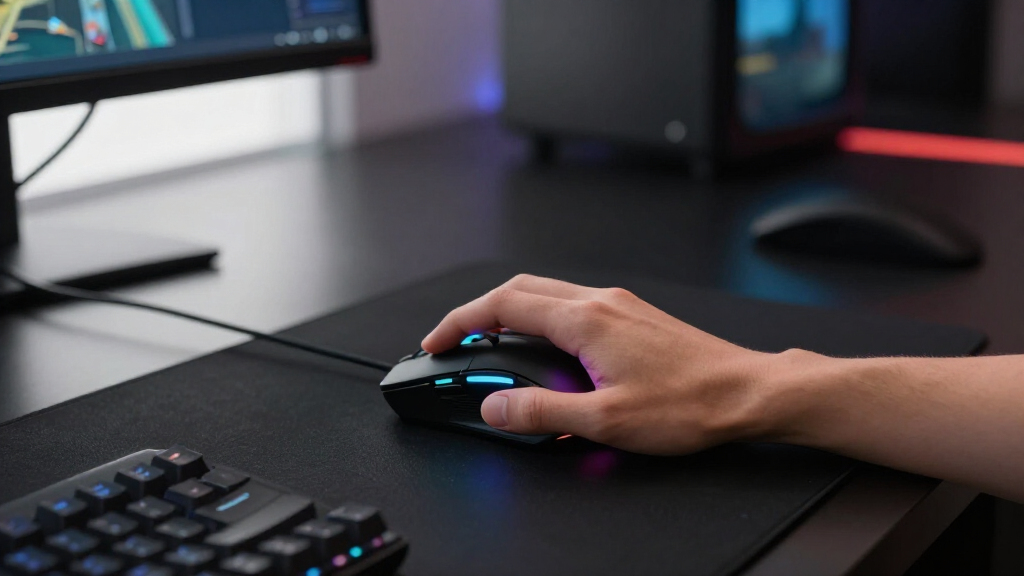
I ranked these wireless gaming mice by how well their designs translate into real buyer benefits, with the greatest weight placed on tracking performance, wireless reliability, shape, weight, and power management. I treated extreme DPI figures as supporting specifications rather than automatic proof of better performance. Battery type, expected runtime, button placement, onboard memory, software support, and compatibility also shaped each position. Because the roundup spans esports, MMO, budget, and general-purpose models, I judged each mouse against its intended buyer rather than rewarding one design style across every category.
The top positions went to models with the fewest major compromises at their respective prices. Premium mice had to offer a clear advantage in weight, sensor hardware, or competitive responsiveness, while budget picks needed to retain dependable controls and practical connectivity. I ranked specialized mice lower for general use when extra weight or dense button layouts limited their versatility, but I still highlighted them for the players they serve well. Identical Logitech G305 variants were separated only as retail choices because a different shell color does not alter gaming performance.
Factors to Consider When Choosing Wireless Gaming Mice
I would choose a wireless gaming mouse by starting with shape and game type, then narrowing the field by weight, power system, controls, and price. Marketing specifications can make two mice appear similar even when they feel very different during fast aiming or long sessions. The factors below explain where paying more produces a useful benefit and where a simpler model may be the smarter purchase.
Match Shape and Weight to Your Grip
Shape affects control more than maximum DPI, yet it is easy to overlook when comparing specification sheets. Palm-grip players often benefit from a taller, supportive body, while claw and fingertip users usually gain faster movement from a lower, lighter shell. A 54-gram esports mouse can reduce fatigue during repeated flicks, but it may feel insubstantial or poorly supported in a large hand. Heavier ergonomic mice provide steadier control and room for more buttons, though lifting them repeatedly takes more effort. I would check dimensions against a familiar mouse rather than relying only on labels such as small or ergonomic. Buyers who switch between work and gaming may prefer moderate weight and a neutral shape over the most specialized competitive design.
Choose Between Rechargeable and Replaceable Power
Rechargeable batteries reduce ongoing purchases and let manufacturers keep weight concentrated inside the shell. Their weakness is downtime or cable use when a charge runs out, especially if the charging port or cable is inconvenient. AA-powered mice can run for months and return to wireless operation immediately after a battery swap, but the cell adds weight and changes the balance. Lithium AA batteries can reduce that penalty compared with alkaline cells, although they cost more. Charging mats and docks are convenient only when their added price fits the rest of the setup. I would favor AA power for long, low-maintenance runtime and rechargeable power for lower weight and fewer disposable cells.
Do Not Buy by DPI Alone
Maximum DPI is a poor shortcut for sensor quality because most players use settings far below the advertised ceiling. Stable tracking, low latency, sensible lift-off behavior, and consistent performance across surfaces matter more during play. A higher polling rate can make cursor updates smoother, but it also consumes more battery and may place extra load on an older computer. Competitive players with high-refresh monitors have the strongest case for paying for advanced sensor and polling hardware. For everyday gaming, a dependable modern sensor at a moderate DPI setting is usually enough. I would spend extra on lower weight, better shape, and reliable wireless before paying solely for a larger DPI number.
Select Buttons for the Games You Actually Play
More buttons are useful only when their placement remains manageable. MMO and productivity users can map abilities, commands, or editing shortcuts to a side grid, saving frequent trips to the keyboard. FPS players usually benefit from two accessible side buttons and a shell without extra controls that can be pressed accidentally. Adjustable weights and profile switching add flexibility, but they also increase complexity and may go unused. Software quality matters when macros, remapping, lighting, and onboard profiles are part of the purchase decision. I would choose a button-rich mouse for repeatable command workflows, not simply because its feature list is longer.
Know When Premium Pricing Pays Off
Premium pricing makes the most sense for competitive players who can benefit from very low weight, refined click response, and current sensor hardware. Casual players may notice a larger improvement from a comfortable midrange shape than from an esports flagship. Budget mice can provide strong headline specifications, but software polish, replacement support, coating durability, and quality consistency may be less predictable. Established models also tend to have more replacement feet, grips, and troubleshooting information available. Sales can distort the ranking, particularly when an older Logitech or Razer model approaches the price of a lesser-known alternative. I would compare the final checkout price and warranty rather than assuming newer or more expensive means better value.
Frequently Asked Questions
Should I Choose a Rechargeable Mouse or One That Uses AA Batteries?
I would choose based on whether low weight or uninterrupted runtime matters more. Rechargeable mice are often lighter and avoid disposable cells, but they eventually need a charging break or wired session. AA-powered models such as the Razer Viper V3 HyperSpeed and Logitech G305 can return to wireless play immediately after a battery swap and may run for long periods between changes. Their battery adds weight, and alkaline cells can make the rear of a mouse feel heavy. A lithium AA cell is a practical middle ground when a buyer wants replaceable power with less weight.
Is a Lightweight Wireless Mouse Always Better for Gaming?
No, although low weight is valuable for fast FPS aiming and frequent lift-and-reset movement. Some players aim more steadily with a heavier mouse, while palm-grip users may prefer the support of a larger ergonomic shell. Button-heavy designs also need more internal hardware, making an ultralight build less realistic. The 54-gram Razer Viper V3 Pro makes sense for competitive speed, whereas the Logitech G502 Lightspeed favors control variety and a substantial feel. I would treat weight as a fit preference tied to grip and game type, not a universal quality score.
How Much DPI Do I Really Need?
Most buyers do not need the 16,000 to 30,000 DPI maximums advertised by gaming mice. Common settings sit much lower because moderate sensitivity offers finer control during aiming and desktop use. A high ceiling can indicate current sensor hardware, but it does not reveal shape quality, latency, or tracking consistency by itself. Players should also account for in-game sensitivity and monitor resolution before copying another person’s setting. I would prioritize a sensor with stable tracking and adjustable steps rather than chase the largest number.
Is There Any Performance Difference Between the Four Logitech G305 Colors?
The lilac, white, blue, and black G305 listings in this roundup share the same basic gaming platform, so color does not improve speed or accuracy. Retail price and availability can differ, making the cheapest finish the best functional value at a given moment. Lighter shells may show grime sooner, while darker finishes can make skin oils or dust more visible under certain lighting. Buyers matching a desk setup may still reasonably pay a small appearance premium. I would choose the least expensive preferred color rather than treat one version as a hardware upgrade.
When Is a Premium Wireless Gaming Mouse Worth the Extra Cost?
A premium model is most defensible when competitive play is the main priority and small gains in weight, click feel, and sensor response matter to the buyer. The Razer Viper V3 Pro fits that case better than it fits a casual or occasional gamer. Paying more can also bring stronger software, better accessory availability, and a more refined shell, though price alone cannot guarantee a comfortable fit. MMO players may gain more from extra buttons than from ultralight construction, and beginners can start effectively with a G305-class mouse. I would upgrade only when the premium feature addresses a specific limitation in the current setup.
Conclusion
My best overall recommendation is the Razer Viper V3 HyperSpeed for buyers seeking accurate tracking, exceptional claimed battery life, and competitive performance at a price below the flagship tier. The ATTACK SHARK X3 is the best value pick for a buyer who prioritizes a light, rechargeable design, while the Logitech G305 is my beginner choice for simple controls, broad familiarity, and multiple color options. For serious FPS players willing to pay for minimal weight, the Razer Viper V3 Pro is the premium choice. The Logitech G502 Lightspeed makes more sense for buyers who want adjustable weight and many programmable controls, and the Redragon M913 is the more focused choice for MMO command layouts. Players seeking a lower-cost macro mouse can look toward the Redragon M810 Pro, while quiet shared-space use is the strongest reason to choose the rechargeable six-button silent model. I would match the purchase to grip, preferred games, and power routine rather than paying for sensor numbers or buttons that will go unused.
Fall Picks
fall essentials
As an affiliate, we earn on qualifying purchases.