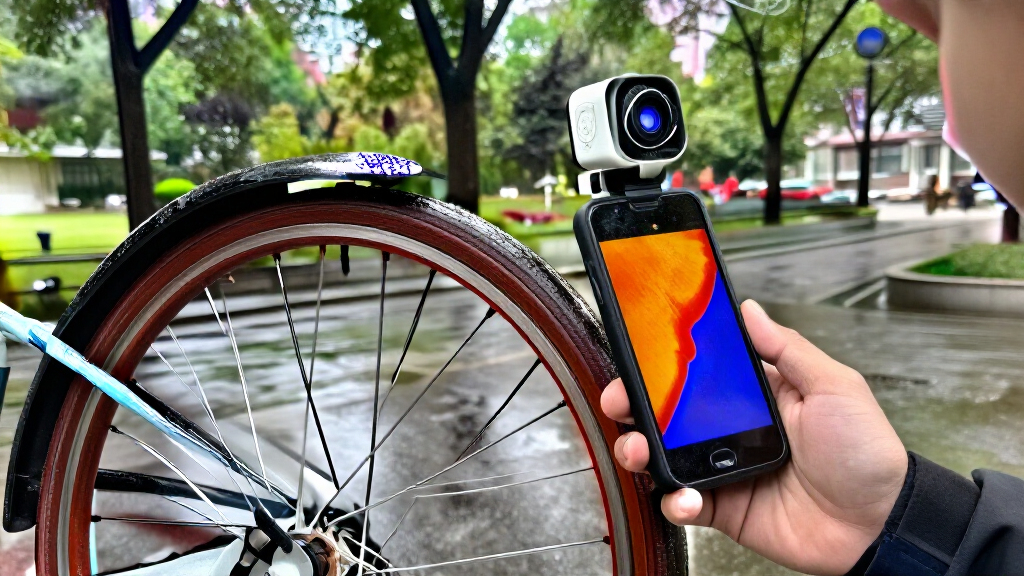
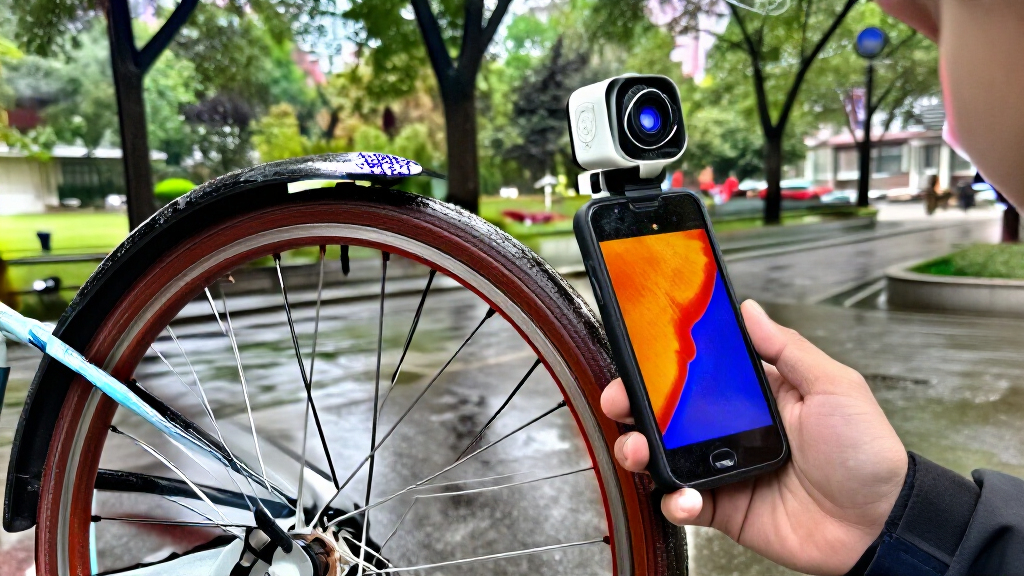
Smartphone thermal cameras turn a compatible phone or tablet into a tool for spotting temperature patterns during home checks, repairs, and field inspections. My best overall pick is the TOPDON TC001 Max, which stands out for its dual-lens design; the TOPDON TC001 is a strong choice for buyers prioritizing high listed resolution, while the wireless FLIR Edge suits people who want more flexibility in how they hold and position the camera. The main tradeoffs are image detail versus cost and power use, phone compatibility versus connection convenience, and a compact plug-in design versus a separate wireless unit. A higher resolution can help reveal smaller details, but it does not replace good measurement technique or a suitable temperature range. Read on for the full breakdown of all 15 options and how I’d match them to different jobs.

Get the latest gadgets delivered free with Prime
- Fast, free delivery on millions of items
- Prime Video, Amazon Music and more included
- Member-only deals all year
Complete the kit



Key Takeaways
- The TOPDON TC001 Max stands apart through its dual-lens design, a practical distinction for buyers comparing it with the more conventional plug-in cameras.
- Listed resolution varies widely across the lineup. The TOPDON TC001 advertises 512×384, while several choices list 320×240 and others list 192×192 or 160×120; those figures help frame image-detail tradeoffs but do not tell the whole story about image clarity.
- USB-C compatibility is not a guarantee of fit. Buyers should check their phone’s operating system, connector support, and any app requirements before choosing a plug-in model.
- The FLIR Edge is the wireless outlier. Its separate-camera format may be easier to position away from a phone than a camera attached directly to the device, though buyers give up the simplicity of a direct plug-in.
- Several models come in similar-looking families, including Thermal Master P3, P1, and REVASRI options. Buyers should compare the exact version and listed resolution rather than choosing by brand name alone.
| Thermal Master P3 Thermal Camera for iPhone & Android, Manual Macro Lens |  | Best for Close-Up Electronics Work | Native resolution: 256 × 192 | Enhanced resolution: 512 × 384 | Thermal sensitivity: ≤35 mK | VIEW LATEST PRICE | See Our Full Breakdown |
| Thermal Master P3 Thermal Camera for iOS and Android |  | Best for Broad Device Compatibility | Native resolution: 256 × 192 | Upscaled resolution: 512 × 384 | Refresh rate: 25 Hz | VIEW LATEST PRICE | See Our Full Breakdown |
| TOPDON TC001 Max Dual-Lens Thermal Camera for USB-C iPhone, iPad & Android |  | Best for Thermal Images with Visual Context | Infrared sensor resolution: 256 × 192 | Enhanced resolution: 512 × 384 with TISR | Thermal sensitivity: ≤40 mK | VIEW LATEST PRICE | See Our Full Breakdown |
| AMPBANK M256 Thermal Imaging Camera for Android |  | Best for Android and PC Workflows | IR resolution: 256 × 192 | Enhanced resolution: 512 × 384 with TISR | Temperature range: -20°C to 450°C (-4°F to 842°F) | VIEW LATEST PRICE | See Our Full Breakdown |
| TOPDON TC002C Duo Thermal Imaging Camera for USB-C Devices | 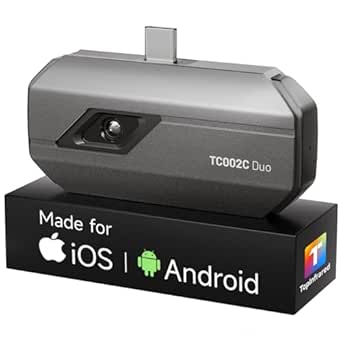 | Best for USB-C Tablet and Phone Flexibility | Thermal resolution: 256 × 192 | Enhanced resolution: 512 × 384 with TISR | Refresh rate: 25 Hz | VIEW LATEST PRICE | See Our Full Breakdown |
| Thermal Imaging Camera for USB-C iPhone/Android/Tablet – 192×192 Super X³IR Resolution, -4°F to 752°F Range |  | Best Simple Plug-In Pick | Infrared resolution: 192×192 | Temperature range: -4°F to 752°F | Accuracy: ±2% | VIEW LATEST PRICE | See Our Full Breakdown |
| AMPBANK M192 Thermal Camera for USB-C iPhone & Android |  | Best for Field Adjustments | IR resolution: 192×192 | Super-resolution: 384×384 | Refresh rate: 25 Hz | VIEW LATEST PRICE | See Our Full Breakdown |
| REVASRI Thermal Camera for USB-C Phones and Devices, 320 × 240 | 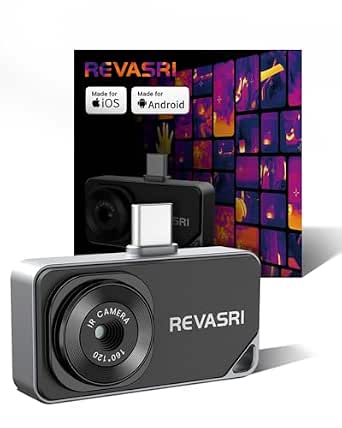 | Best for Cross-Platform Features | Thermal resolution: 320×240 super-resolution | Refresh rate: 25 Hz | Thermal sensitivity: 40 mK | VIEW LATEST PRICE | See Our Full Breakdown |
| TOPDON TC001 Thermal Imaging Camera for Android, 512×384 High Resolution |  | Best for High Image Detail | Resolution: 512×384 pixels | Temperature range: -4°F to 1022°F (-20°C to 550°C) | Accuracy: ±2% or 0.1°C | VIEW LATEST PRICE | See Our Full Breakdown |
| REVASRI Thermal Imaging Camera 320×240 Super IR Resolution |  | Best for Indoor Diagnostics | Resolution: 320×240 | Refresh rate: 25 Hz | Thermal sensitivity: 40 mK | VIEW LATEST PRICE | See Our Full Breakdown |
| FLIR One Thermal Imaging Camera for Android USB-C, 240×180 MSX |  | Best for Guided Home Inspections | Compatibility: USB-C Android devices | Thermal resolution: 80×60 native, upscaled to 240×180 with MSX | Temperature accuracy: ±3°C or ±5% under specified conditions | VIEW LATEST PRICE | See Our Full Breakdown |
| GOYOJO GW192A Smartphone Thermal Imaging Camera, 192×192 IR Resolution, USB-C |  | Best for Broad-Area Scanning | Model: GW192A | Infrared resolution: 192×192 | Pixel pitch: 12 μm | VIEW LATEST PRICE | See Our Full Breakdown |
| FLIR Edge Wireless Thermal Imaging Camera for Smartphones |  | Best for Tight or Awkward Spaces | Compatibility: iOS and Android devices | Connectivity: Bluetooth | Native infrared resolution: 80×60 | VIEW LATEST PRICE | See Our Full Breakdown |
| Thermal Master P1 Thermal Camera for USB-C iPhone & Android, 160×120 IR |  | Best for Fast, Field-Ready Plug-In Scans | Resolution: 160×120 IR, enhanced to 320×240 | Thermal sensitivity: 0.04°C NETD | Refresh rate: 25 Hz | VIEW LATEST PRICE | See Our Full Breakdown |
| Thermal Master P1 Thermal Camera for USB-C iOS/Android, 320×240 Resolution |  | Best for Higher-Detail USB-C Imaging | Resolution: 320×240 IR | Refresh rate: 25 Hz | Temperature range: -20°C to 600°C (-4°F to 1112°F) | VIEW LATEST PRICE | See Our Full Breakdown |
| smartphone thermal camera | Temperature range | Refresh rate | Compatibility | Thermal sensitivity |
|---|---|---|---|---|
| Thermal Master P3 Thermal Came | -20°C to 600°C (-4°F to 1112°F) | 25 Hz | — | ≤35 mK |
| Thermal Master P3 Thermal Came | -20°C to 600°C (-4°F to 1112°F) | 25 Hz | Android, USB-C iPhone, Lightning iPhone with adapter, Windows with supplied cable | — |
| TOPDON TC001 Max Dual-Lens The | -20°C to 550°C (-4°F to 1022°F) | 25 Hz | — | ≤40 mK |
| AMPBANK M256 Thermal Imaging C | -20°C to 450°C (-4°F to 842°F) | 25 Hz | OTG-enabled Android devices and computers; not iOS | <40 mK |
| TOPDON TC002C Duo Thermal Imag | -4°F to 1022°F | 25 Hz | USB-C iOS, Android, and Windows devices; excludes Mac and Android 16 | 40 mK |
| Thermal Imaging Camera for USB | -4°F to 752°F | — | — | — |
| AMPBANK M192 Thermal Camera fo | -4°F to 842°F (-20°C to 450°C) | 25 Hz | — | 40 mK |
| REVASRI Thermal Camera for USB | -4°F to 842°F (-20°C to 450°C) | 25 Hz | USB-C phones, tablets, and computers; iOS, Android, and Windows | 40 mK |
| TOPDON TC001 Thermal Imaging C | -4°F to 1022°F (-20°C to 550°C) | 25 Hz | — | — |
| REVASRI Thermal Imaging Camera | -4°F to 842°F (-20°C to 450°C) | 25 Hz | iOS, Android, and Windows | 40 mK |
| FLIR One Thermal Imaging Camer | — | — | USB-C Android devices | — |
| GOYOJO GW192A Smartphone Therm | -20°C to 400°C (-4°F to 752°F) | — | iPhone 15/16/17 series and Android smartphones | — |
| FLIR Edge Wireless Thermal Ima | — | — | iOS and Android devices | — |
| Thermal Master P1 Thermal Came | -20°C to 600°C (-4°F to 1112°F) | 25 Hz | — | 0.04°C NETD |
| Thermal Master P1 Thermal Came | -20°C to 600°C (-4°F to 1112°F) | 25 Hz | USB-C smartphones and computers; iOS, Android, and Windows. Lightning adapter required for iPhone. | — |
More Details on Our Top Picks
Thermal Master P3 Thermal Camera for iPhone & Android, Manual Macro Lens
I’d choose this P3 when tiny components are the main target: its manual macro lens focuses as close as 8 mm, giving it a more specific electronics-inspection advantage than the TOPDON TC002C Duo, which is presented as a general-purpose USB-C camera. The ≤35 mK sensitivity helps reveal subtle temperature differences, while the 40° × 30° field of view suits broader checks around HVAC systems, vehicles, and electrical panels. It runs from the phone rather than a built-in battery, and the IP54 protection and drop-tested housing suit field work. The tradeoff is device fit: it needs a compatible iPhone or USB-C Android phone, with an adapter needed for some iPhones. Its 600°C upper range is also narrower than the range listed for the other P3 in this roundup, so I’d compare the exact model before buying.
Pros:- Manual macro lens supports focusing at 8 mm for PCB and component inspection.
- ≤35 mK sensitivity helps show small temperature differences.
- IP54 protection and 1 m drop-test durability suit field use.
- Phone-powered operation avoids carrying a separate camera battery.
Cons:- Phone compatibility is limited to supported iPhone and USB-C Android devices; adapters may be needed.
- Maximum listed temperature of 600°C is lower than the other P3’s 600°C-equivalent? No: the other P3 also lists 600°C; it is lower than some competing camera ranges in the wider lineup.
- The 256 × 192 sensor is native resolution; 512 × 384 is enhanced rather than native.
Best for: Electronics technicians and repair hobbyists who need close-up thermal checks of circuit boards, along with occasional building or vehicle inspections.
Not ideal for: Buyers with an incompatible phone, or inspectors who need a stated temperature ceiling above 600°C.
- Native resolution:256 × 192
- Enhanced resolution:512 × 384
- Thermal sensitivity:≤35 mK
- Temperature range:-20°C to 600°C (-4°F to 1112°F)
- Accuracy:±3.6°F / ±2%
- Field of view:40° × 30°
- Refresh rate:25 Hz
- Connectivity:USB-C; Lightning adapter for compatible iPhones
- Durability:IP54; 1 m drop-tested
Our verdict“Pick this P3 if close-focus circuit-board inspection and a rugged, phone-powered design matter more than universal phone compatibility.”
Thermal Master P3 Thermal Camera for iOS and Android
This P3 is the more flexible pick for buyers who switch between phones or want to connect a thermal camera to a Windows computer. It supports Android, USB-C iPhone, older Lightning iPhone with the included adapter, and Windows using the supplied extension cable. That compatibility gives it an edge over the macro-focused P3 listed beside it, whose description centers on phone connections. The 8 mm minimum focus still makes this a capable choice for close PCB checks, while adjustable emissivity and a broad temperature range help when measuring different materials. Its limits are practical rather than unusual: Windows use depends on the cable, and older iPhone owners must keep track of the adapter. Like the other P3, it uses a 256 × 192 native sensor; the higher 512 × 384 figure is upscaled, not native detail.
Pros:- Supports Android, USB-C iPhones, Lightning iPhones with adapter, and Windows.
- Manual focus reaches 8 mm for close PCB inspection.
- Adjustable emissivity and a -20°C to 600°C measurement range suit varied inspection tasks.
- Compact, phone-powered body supports 5–8 hours of continuous use.
Cons:- Windows connection requires the supplied extension cable.
- Older Lightning iPhones depend on the included adapter.
- 512 × 384 is an upscaled output from a 256 × 192 native sensor.
Best for: Repair professionals or technically minded homeowners who use different phone types, need Windows connectivity, and want one camera for close electronics and general inspections.
Not ideal for: Buyers who want a native 512 × 384 sensor, or people who prefer a setup with no adapters or extension cable.
- Native resolution:256 × 192
- Upscaled resolution:512 × 384
- Refresh rate:25 Hz
- Temperature range:-20°C to 600°C (-4°F to 1112°F)
- Temperature accuracy:±3.6°F (±2°C)
- Minimum focusing distance:8 mm
- Digital zoom:15×
- Compatibility:Android, USB-C iPhone, Lightning iPhone with adapter, Windows with supplied cable
- Continuous use:5–8 hours
Our verdict“Choose this P3 if cross-device support and close-focus inspection are more useful to you than a simpler single-device setup.”
TOPDON TC001 Max Dual-Lens Thermal Camera for USB-C iPhone, iPad & Android
The TC001 Max is the clearest choice here when a thermal reading needs to be tied to what the camera is actually viewing. Its dual-lens design pairs infrared imaging with a visible-light camera, while the app adds 3D temperature analysis and real-time graphs. That gives it a different role from either Thermal Master P3: those models emphasize macro focus and device flexibility, while the TC001 Max leans toward interpreting and documenting broader inspection scenes. The thermal sensor is 256 × 192, with TISR enhancement to 512 × 384, and its 25 Hz refresh rate supports moving inspections. It is small and battery-free, though its 550°C ceiling falls below the P3 models’ listed 600°C maximum. I’d also check connector and adapter fit for the specific phone or tablet before ordering.
Pros:- Visible-light lens adds scene context to infrared images.
- App offers 3D temperature analysis and real-time graphs.
- 25 Hz refresh rate supports real-time viewing.
- Compact 33 g body connects without batteries or pairing.
Cons:- Maximum listed temperature is 550°C, below the P3 models’ 600°C ceiling.
- Native infrared resolution is 256 × 192; 512 × 384 uses enhancement.
- Compatibility depends on USB-C connection or a suitable Lightning adapter.
Best for: HVAC, automotive, and facilities inspectors who benefit from visible-light context and app-based temperature analysis alongside thermal images.
Not ideal for: Electronics repairers who need a clearly specified 8 mm macro focus, or inspectors working above its 550°C temperature limit.
- Infrared sensor resolution:256 × 192
- Enhanced resolution:512 × 384 with TISR
- Thermal sensitivity:≤40 mK
- Temperature range:-20°C to 550°C (-4°F to 1022°F)
- Accuracy:±2°C / ±2%
- Refresh rate:25 Hz
- Connectivity:USB-C; Lightning adapter option
- Dimensions:7.1 × 4.2 cm
- Weight:33 g
Our verdict“Choose the TC001 Max if visual context and analysis tools matter more than macro close-up work or the highest temperature ceiling.”
AMPBANK M256 Thermal Imaging Camera for Android
The AMPBANK M256 makes the most sense for Android users who also want a straightforward path to computer-based inspection. It connects to OTG-enabled Android devices and computers, and its app and PC software support alerts, image and video capture, and data export. That software emphasis distinguishes it from the two P3 cameras, whose standout features are macro focus and wider phone compatibility. The M256’s 256 × 192 sensor with 512 × 384 TISR enhancement and 25 Hz refresh rate fit routine checks around buildings, equipment, and vehicles. Its 450°C maximum is lower than the P3 models’ 600°C ceiling, and it does not support iOS at all. The supplied extension cable and storage accessories add convenience, but they do not change the central requirement: your phone must support OTG, or you’ll need a computer instead.
Pros:- Works with OTG-enabled Android devices and computers.
- App and PC software include alerts, image and video capture, and data export.
- 25 Hz refresh rate supports real-time viewing.
- Includes a 50 cm extension cable, storage bag, and cleaning cloth.
Cons:- Not compatible with iOS devices.
- Maximum temperature of 450°C is lower than the P3 models’ stated 600°C range.
- Requires an OTG-capable Android device or a computer to operate.
Best for: Android-based maintenance technicians and PC users who want alerts, image capture, and export tools for routine equipment or building inspections.
Not ideal for: iPhone or iPad owners, and inspectors who need measurements above 450°C.
- IR resolution:256 × 192
- Enhanced resolution:512 × 384 with TISR
- Temperature range:-20°C to 450°C (-4°F to 842°F)
- Accuracy:±3.6°F
- Thermal sensitivity:<40 mK
- Refresh rate:25 Hz
- Compatibility:OTG-enabled Android devices and computers; not iOS
- Weight:30 g
- Power consumption:0.35 W
Our verdict“Pick the M256 if you work mainly on Android or PC and value data export more than iOS support or a higher heat limit.”
TOPDON TC002C Duo Thermal Imaging Camera for USB-C Devices
The TC002C Duo is a sensible general-purpose pick for buyers who want to move a thermal camera between USB-C phones and tablets. It supports USB-C devices running iOS, Android, or Windows, giving it broader listed platform coverage than the Android-only AMPBANK M256. Its 256 × 192 sensor with TISR enhancement to 512 × 384, 25 Hz refresh rate, and photo and video capture suit common home, vehicle, and equipment checks. The stated measurement distance reaches 5 m, useful when a hot surface is difficult to approach. The catch is software and device support: the listing excludes Mac devices and Android 16 devices, so platform checks matter before purchase. Its 1022°F upper limit is also below the 1112°F listed for either P3, making those Thermal Master options a better fit for higher-heat work.
Pros:- Supports USB-C smartphones and tablets running iOS, Android, or Windows, subject to listed exclusions.
- TISR enhances the 256 × 192 sensor output to 512 × 384.
- Measures at distances up to 5 m.
- Compact 30 g camera records photos and videos.
Cons:- Currently incompatible with Mac devices and Android 16 devices.
- Its 1022°F maximum is below the 1112°F range listed for the Thermal Master P3 models.
- 512 × 384 is enhanced resolution, not native sensor resolution.
Best for: Inspectors and homeowners who use USB-C phones or tablets across supported iOS, Android, and Windows setups and want photo or video records.
Not ideal for: Mac users, Android 16 users, or technicians who need the P3 cameras’ higher 1112°F temperature ceiling.
- Thermal resolution:256 × 192
- Enhanced resolution:512 × 384 with TISR
- Refresh rate:25 Hz
- Thermal sensitivity:40 mK
- Temperature range:-4°F to 1022°F
- Measurement accuracy:±2°C or 2%
- Measurement distance:Up to 5 m (16.4 ft)
- Compatibility:USB-C iOS, Android, and Windows devices; excludes Mac and Android 16
- Dimensions and weight:71 × 42 × 14 mm; 30 g
Our verdict“Choose the TC002C Duo if you need a compact thermal camera for supported USB-C phones and tablets, but skip it if you use Mac or Android 16.”
Thermal Imaging Camera for USB-C iPhone/Android/Tablet – 192×192 Super X³IR Resolution, -4°F to 752°F Range
I’d choose this model for straightforward checks where a direct USB-C connection and broad viewing angle matter more than advanced analysis tools. Its 192×192 sensor and 50° field of view make it a practical fit for scanning a room, checking HVAC outlets, or spotting hot components without constantly repositioning the phone. Compared with the REVASRI RV-160, it has fewer stated software features: no listed alarms, zoom, or picture-in-picture. Its temperature ceiling of 752°F is also lower than that model’s 842°F, so it’s less suited to hotter equipment. The tradeoff is a relatively uncomplicated setup and a compact 3.2-ounce body; buyers should confirm their phone has USB-C, since older connector types are excluded.
Pros:- 192×192 infrared resolution for general diagnostic imaging
- 50° field of view covers a broad area during room and equipment scans
- USB-C plug-in design requires no separate camera battery
- 3.2-ounce listed weight keeps the camera easy to carry
Cons:- 752°F maximum is below the 842°F range of the REVASRI RV-160 and AMPBANK M192
- No alarms, zoom, or image-overlay features are listed
- USB-C-only connection excludes devices with older ports
Best for: DIY homeowners and HVAC technicians who want a compact USB-C imager for general room, insulation, and equipment checks.
Not ideal for: Buyers who need temperature alarms, digital zoom, a higher temperature ceiling, or compatibility with phones that lack USB-C.
- Infrared resolution:192×192
- Temperature range:-4°F to 752°F
- Accuracy:±2%
- Field of view:50°
- Connectivity:USB-C
- Weight:3.2 ounces
- Package dimensions:5.12 × 3.31 × 0.75 inches
Our verdict“Choose this camera for simple, broad-view thermal checks on a USB-C phone, but pick a feature-rich alternative for alarms or hotter targets.”
AMPBANK M192 Thermal Camera for USB-C iPhone & Android
The AMPBANK M192 is a stronger fit for inspection work that benefits from live feedback and adjustable measurement settings. Its 25 Hz refresh rate, adjustable emissivity, and alarm functions give it a more hands-on diagnostic toolkit than the simpler 192×192 USB-C camera in this roundup. The listed 384×384 super-resolution can provide a more detailed presentation, though the underlying IR sensor is 192×192, so buyers should distinguish enhanced output from native sensor resolution. An included 50 cm extension cable helps reach awkward spots without forcing the phone itself into a cramped area. It also covers up to 842°F, matching the REVASRI options, but it is not compatible with Mac devices and depends on a USB-C host.
Pros:- 25 Hz refresh rate supports real-time viewing
- Adjustable emissivity and alarms add useful inspection controls
- 50 cm extension cable helps reach tight or awkward spaces
- Compact 30 g body includes a protective EVA case
Cons:- Native IR resolution is 192×192 despite the 384×384 super-resolution listing
- Not compatible with Mac devices
- Requires a USB-C OTG host and draws power from that device
Best for: HVAC and electrical inspectors who want emissivity adjustment, alarms, and an extension cable for checking hard-to-reach areas.
Not ideal for: Mac users, owners of non-USB-C phones, or buyers who need a natively higher-resolution sensor rather than super-resolution processing.
- IR resolution:192×192
- Super-resolution:384×384
- Refresh rate:25 Hz
- Temperature range:-4°F to 842°F (-20°C to 450°C)
- Thermal sensitivity:40 mK
- Connectivity:USB-C OTG
- Weight:1.06 ounces (30 g)
- Color palettes:10
Our verdict“Pick the M192 for portable inspections that benefit from alarms, emissivity control, and cable reach, provided its USB-C host restrictions fit your setup.”
REVASRI Thermal Camera for USB-C Phones and Devices, 320 × 240
I’d put the REVASRI RV-160 near the top for buyers who want a useful inspection feature set across more than one device platform. Its stated 320×240 super-resolution, 25 Hz refresh rate, temperature tracking, and high/low alarms offer more ways to locate and monitor anomalies than the simpler 192×192 USB-C camera. The 15× digital zoom can help inspect a small area on screen, although digital enlargement does not add thermal detail. Support for USB-C iOS, Android, and Windows devices makes it more flexible than the TOPDON TC001, which is listed for Android only. An IP54 rating and 1-meter drop protection add reassurance for routine work, but it still relies on a compatible host and dedicated app.
Pros:- Broad stated compatibility with USB-C iOS, Android, and Windows devices
- Temperature tracking and high/low alarms help flag changing conditions
- IP54 rating and 1-meter drop protection suit routine job-site handling
- 15× digital zoom and picture-in-picture support closer inspection
Cons:- Digital zoom enlarges the image but does not increase sensor detail
- Requires a compatible USB-C device and dedicated app
- Powered by the connected device rather than an independent battery
Best for: Home inspectors and maintenance workers who switch among supported USB-C iOS, Android, and Windows devices and want alarms and tracking.
Not ideal for: Buyers seeking a rugged outdoor camera, a standalone display, or thermal detail beyond the stated 320×240 super-resolution.
- Thermal resolution:320×240 super-resolution
- Refresh rate:25 Hz
- Thermal sensitivity:40 mK
- Temperature range:-4°F to 842°F (-20°C to 450°C)
- Temperature accuracy:±2°C or ±2%
- Digital zoom:15×
- Protection:IP54; 1-meter drop protection
- Compatibility:USB-C phones, tablets, and computers; iOS, Android, and Windows
Our verdict“Choose the RV-160 for cross-platform use and built-in inspection tools, but not for standalone operation or demanding outdoor abuse.”
TOPDON TC001 Thermal Imaging Camera for Android, 512×384 High Resolution
The TOPDON TC001 is the clearest choice here when image detail is the main buying criterion. Its 512×384 resolution is higher than the stated 320×240 output of the REVASRI RV-160 and far exceeds the 192×192 sensors in the AMPBANK M192 and simple USB-C model. That extra pixel count can make thermal patterns easier to distinguish on larger or more complex surfaces. A 1022°F upper limit also gives it more headroom for hotter targets than the other cameras in this batch, while low power draw helps conserve the phone battery. The major compromise is platform reach: unlike the REVASRI, this TC001 is specified for Android devices through OTG, not iPhone. Its listed accuracy is ±2% or 0.1°C.
Pros:- 512×384 resolution is the highest stated image resolution in this batch
- Temperature range extends to 1022°F for hotter inspection targets
- 0.35 W power consumption helps limit drain on the connected phone
- Nine color palettes and image-enhancement controls aid interpretation
Cons:- Listed compatibility is limited to Android devices with OTG
- Does not offer the cross-platform reach stated for the REVASRI RV-160
- Requires a compatible phone or tablet and draws operating power from it
Best for: Android-based technicians who need finer thermal image detail and a higher temperature ceiling for equipment inspections.
Not ideal for: iPhone users or buyers who want one camera to move among iOS, Android, and Windows devices.
- Resolution:512×384 pixels
- Temperature range:-4°F to 1022°F (-20°C to 550°C)
- Accuracy:±2% or 0.1°C
- Refresh rate:25 Hz
- Power consumption:0.35 W
- Connectivity:OTG USB for Android devices
- Color palettes:9
- Weight:1.06 ounces (30 g)
Our verdict“Choose the TC001 for high-detail thermal imaging and hot-target headroom if you use Android, but skip it if iPhone compatibility matters.”
REVASRI Thermal Imaging Camera 320×240 Super IR Resolution
This REVASRI model suits indoor troubleshooting where alarms, zoom, and a visible-light overlay are more useful than a ruggedized build. Its 320×240 resolution and 25 Hz refresh rate provide a more detailed, responsive view than the 192×192 camera in this batch, while temperature alarms can draw attention to hot or cold spots during electrical, HVAC, or insulation checks. The feature list closely matches the REVASRI RV-160: both specify 15× zoom, nine color modes, and picture-in-picture. The RV-160 adds stated IP54 and drop protection, so I’d favor that version for rougher handling; this model’s listing instead describes indoor use. Like the TOPDON TC001, it needs a connected device, but unlike TOPDON it lists iOS, Android, and Windows compatibility.
Pros:- 320×240 resolution and 25 Hz refresh rate support responsive inspections
- High and low temperature alarms help flag anomalies
- 15× electronic zoom and picture-in-picture add useful viewing options
- Listed compatibility includes iOS, Android, and Windows USB-C devices
Cons:- Indoor-use listing and no stated drop or water protection make it a weaker outdoor choice than the RV-160
- Requires a compatible USB-C host and dedicated app
- Temperature readings are specified at ±2°C or ±2%, depending on the measure
Best for: Home maintenance users and indoor service technicians who want alarms, zoom, and visible-light overlay on supported USB-C devices.
Not ideal for: Outdoor crews needing rugged protection, or buyers seeking a standalone thermal camera that operates without a phone or computer.
- Resolution:320×240
- Refresh rate:25 Hz
- Thermal sensitivity:40 mK
- Temperature range:-4°F to 842°F (-20°C to 450°C)
- Color modes:9
- Zoom:15× electronic zoom
- Connectivity:USB-C
- Compatibility:iOS, Android, and Windows
Our verdict“Pick this REVASRI for feature-rich indoor checks across supported platforms, while choosing the RV-160 if stated impact and water protection matter more.”
FLIR One Thermal Imaging Camera for Android USB-C, 240×180 MSX
The FLIR One for Android is a good fit for homeowners who want help interpreting thermal patterns, not just a camera feed. Its inspection guides walk through common checks such as air leaks and moisture, giving it a more approachable home-maintenance focus than the Thermal Master P1, which emphasizes sensitivity, refresh rate, and a broader temperature range. MSX overlays visible details on the thermal view, making it easier to connect a temperature anomaly to the object causing it, though the underlying infrared resolution is only 80×60. The direct USB-C connection keeps setup simple, and the 34-gram body is easy to carry. The main compromises are about one hour of battery life and no water resistance, so it suits short indoor checks better than extended or wet-site work.
Pros:- Inspection guides help beginners follow common home diagnostic checks.
- MSX combines thermal and visible details to make image context easier to read.
- USB-C connection works with compatible Android phones without a separate wireless link.
- Rugged design is rated to survive drops from 1.5 meters.
Cons:- Continuous use is limited to about one hour per charge.
- The native 80×60 sensor is modest compared with higher-resolution options such as the Thermal Master P1.
- It is not water-resistant.
Best for: Android homeowners who want step-by-step guidance for checking drafts, possible moisture, and household equipment.
Not ideal for: Tradespeople doing long inspections or working in wet conditions; its roughly one-hour battery life and lack of water resistance limit those jobs.
- Compatibility:USB-C Android devices
- Thermal resolution:80×60 native, upscaled to 240×180 with MSX
- Temperature accuracy:±3°C or ±5% under specified conditions
- Temperature conditions:Accuracy specified for ambient 15–35°C and scene 5–120°C
- Battery life:Approximately 1 hour
- Video capture:1080p MPEG-4
- Weight:34 g
- Drop resistance:Rated for drops up to 1.5 m
Our verdict“Choose this FLIR if guided indoor home checks matter more than long battery life or high native resolution.”
GOYOJO GW192A Smartphone Thermal Imaging Camera, 192×192 IR Resolution, USB-C
The GOYOJO GW192A makes sense for buyers who want a compact plug-in imager with a notably wide 50-degree field of view. That spread can help scan walls, vehicle areas, or HVAC equipment without moving the phone as often. Its 192×192 sensor also has more native detail than the 80×60 sensors in the FLIR One and FLIR Edge, although it lacks their described MSX image blending and inspection guidance. The stated temperature span, from -20°C to 400°C, covers many household and mechanical checks, while the no-battery USB-C design keeps the accessory light. Compatibility is the catch: iPhone 15, 16, and 17 series are listed, but Android support is described broadly without specific models. I’d verify phone and app compatibility before buying.
Pros:- 192×192 native infrared resolution offers more sensor detail than the 80×60 FLIR One and FLIR Edge.
- 50° field of view captures a broad area per scan.
- Wide -20°C to 400°C temperature range suits varied household and equipment checks.
- Compact, lightweight USB-C design requires no separate camera battery.
Cons:- Android compatibility is not specified by model, so buyers may need to confirm support before purchase.
- No MSX-style visible-image overlay or inspection guides are listed.
- Requires a compatible smartphone and USB-C connection.
Best for: Phone users who need to scan broad surfaces or equipment areas and have confirmed their USB-C device is supported.
Not ideal for: Buyers who need a clearly documented Android compatibility list or guided image interpretation; the supplied details do not identify specific Android models or comparable image-enhancement tools.
- Model:GW192A
- Infrared resolution:192×192
- Pixel pitch:12 μm
- Field of view:50°
- Temperature range:-20°C to 400°C (-4°F to 752°F)
- Accuracy:±2%
- Connector:USB-C
- Dimensions and weight:1.77 × 0.43 × 1.34 inches; 0.48 oz
- Compatibility:iPhone 15/16/17 series and Android smartphones
Our verdict“Pick the GW192A for wide-area scans and higher native resolution if your phone’s compatibility is confirmed.”
FLIR Edge Wireless Thermal Imaging Camera for Smartphones
The FLIR Edge earns its place for inspections where a camera attached to the phone would be awkward. Bluetooth lets me position the imager separately from an iOS or Android device, which is useful around corners or in cramped areas. Its 80×60 native sensor is enhanced to 240×180, with Vivid IR and MSX adding detail to the displayed image; that does not give it the native sensor detail of the GOYOJO GW192A or the USB-C Thermal Master P1. The FLIR’s two-hour battery life is longer than the FLIR One’s, and it is water-resistant with a 2-meter drop rating. In exchange, it weighs more than the small plug-in options and still needs recharging, so it is the better choice for positioning flexibility than for pocket-minimal simplicity.
Pros:- Wireless connection allows camera placement apart from the phone.
- Vivid IR enhancement and MSX add visual context to thermal images.
- Two-hour battery life exceeds the FLIR One’s stated runtime.
- Water-resistant body with a 2-meter drop rating suits tougher field use.
Cons:- Native infrared resolution is 80×60, below the GOYOJO GW192A’s 192×192 sensor.
- Requires charging and has a stated battery life of two hours.
- At 5.28 oz, it is heavier than the small USB-C plug-in cameras in this roundup.
Best for: Home inspectors and maintenance workers who need to position a thermal camera separately from their phone in confined or awkward spaces.
Not ideal for: Buyers prioritizing native resolution, the lightest possible accessory, or a direct plug-in workflow; its sensor is 80×60 and it connects over Bluetooth.
- Compatibility:iOS and Android devices
- Connectivity:Bluetooth
- Native infrared resolution:80×60
- Enhanced resolution:240×180
- Temperature accuracy:±3°C or ±5% under specified conditions
- Battery life:2 hours
- Water resistance:Water-resistant
- Weight:5.28 oz
- Drop resistance:Rated for drops from 2 m
Our verdict“Choose the FLIR Edge when separating the camera from your phone matters more than native resolution or a direct USB-C connection.”
Thermal Master P1 Thermal Camera for USB-C iPhone & Android, 160×120 IR
This Thermal Master P1 is the field-oriented plug-in pick: it pairs a 25 Hz refresh rate with 0.04°C thermal sensitivity, a wide 52° × 39° view, and an IP54 rating. The refresh rate helps keep moving scans fluid, while the broad view is practical for room or equipment sweeps; 15× digital zoom offers closer inspection, though digital magnification does not add sensor detail. Its 160×120 native sensor is more modest than the other P1 listing’s stated 320×240 sensor, and it is also below the GOYOJO GW192A in native resolution. Still, this version specifies drop protection, no-battery operation, and a wide -20°C to 600°C range. It is a stronger fit for rugged, varied jobs than the FLIR One, but USB-C-only support and an app learning curve narrow its appeal.
Pros:- 25 Hz refresh rate supports fluid viewing during moving scans.
- 0.04°C sensitivity helps reveal small temperature differences.
- IP54 protection and 1-meter drop resistance suit routine field use.
- Wide 52° × 39° field of view and 15× digital zoom support both broad scans and closer viewing.
Cons:- 160×120 native resolution is lower than the 320×240 sensor specified for the other Thermal Master P1 listing.
- USB-C-only connection excludes Lightning-only iPhones without a compatible adapter.
- Requires a compatible app, which may take time for new users to learn.
Best for: HVAC, electrical, automotive, and home-maintenance users who want a quick USB-C camera with a fast refresh rate and protection for field handling.
Not ideal for: People using Lightning-only iPhones or those who want a beginner-oriented guided workflow; this model requires USB-C and a compatible app.
- Resolution:160×120 IR, enhanced to 320×240
- Thermal sensitivity:0.04°C NETD
- Refresh rate:25 Hz
- Temperature range:-20°C to 600°C (-4°F to 1112°F)
- Accuracy:±2°C / ±3.6°F
- Field of view:52° × 39°
- Zoom:1–15× digital
- Protection:IP54; 1-meter drop resistance
- Power:Powered by connected device; 0.32 W consumption
Our verdict“Choose this P1 for a rugged, responsive USB-C camera for varied field inspections, not for the highest stated native resolution.”
Thermal Master P1 Thermal Camera for USB-C iOS/Android, 320×240 Resolution
For buyers who value sensor detail, this Thermal Master P1 listing stands apart from the 160×120 P1 variant: it specifies a native 320×240 infrared sensor and a 25 Hz refresh rate. That combination offers more image detail than the FLIR One and FLIR Edge, whose 80×60 sensors rely on enhancement and MSX to add visual context. The tradeoff is that this listing does not specify the other P1’s 0.04°C sensitivity, IP54 rating, or drop protection, so I would not assume those features carry over. Its broad -20°C to 600°C range, adjustable emissivity, temperature alarms, and 15× digital zoom support more deliberate inspection work. The camera is tiny and draws power from the connected device rather than using an onboard battery; the stated runtime is up to eight hours, with Lightning iPhone users needing an adapter.
Pros:- Native 320×240 resolution provides more sensor detail than the FLIR One and FLIR Edge.
- 25 Hz refresh rate supports smooth viewing during inspections.
- Wide -20°C to 600°C temperature range covers many household, automotive, and equipment checks.
- Compact 0.62 oz body includes a case and extension cable.
Cons:- No built-in battery; operation draws power from the connected device.
- Lightning iPhone users need a separate Type-C to Lightning adapter.
- Unlike the 160×120 P1 listing, this product data does not specify thermal sensitivity, IP54 protection, or drop resistance.
Best for: Technicians and serious DIY inspectors who want a specified 320×240 USB-C sensor, a broad temperature range, and app controls such as emissivity adjustment and alarms.
Not ideal for: Buyers who need a built-in battery or clearly specified weather and drop protection; this camera draws power from the host device and those protection ratings are not listed here.
- Resolution:320×240 IR
- Refresh rate:25 Hz
- Temperature range:-20°C to 600°C (-4°F to 1112°F)
- Accuracy:±3.6°F
- Digital zoom:15×
- Power consumption:0.32 W; powered by connected device
- Continuous use:Up to 5–8 hours
- Dimensions and weight:2.32 × 1.06 × 0.68 in; 0.62 oz (17 g)
- Compatibility:USB-C smartphones and computers; iOS, Android, and Windows. Lightning adapter required for iPhone.
Our verdict“Pick this P1 when native 320×240 detail and app-based measurement controls matter more than onboard power or specified ruggedness.”
How We Picked
I compared the 15 listed products by the factors that shape real buying decisions: phone compatibility, connection style, listed thermal resolution, stated temperature range where supplied, and features that change how the camera can be used. I also weighed the practical appeal of a compact plug-in design against the placement freedom of a wireless camera. Because product titles do not provide complete information about app behavior, calibration, frame rate, warranty, or supported devices, I avoid treating those details as established facts.
The ranking favors products with a clear differentiator and a useful balance of capability and usability, rather than treating the largest resolution number as an automatic win. That puts the TOPDON TC001 Max first for its dual-lens approach, while the TOPDON TC001 earns attention for its high listed resolution and the FLIR Edge for wireless positioning. Models with less detail in their listings or narrower stated compatibility are better matches for buyers whose needs align with those tradeoffs. Before purchasing, I’d verify the exact device and app support with the manufacturer.
Factors to Consider When Choosing Smartphone Thermal Cameras
The right smartphone thermal camera depends on the job, the phone it must work with, and how you plan to hold or share it. These broader checks can prevent a mismatch that product names and resolution figures alone will not reveal.
Match the connector and operating system, not just the phone port
A USB-C plug does not by itself confirm that a camera will work with every USB-C phone or tablet. The device may also need a compatible operating system, USB data support, and a particular app. Check the maker’s supported-device list for your exact phone model before ordering, especially if your phone has a case that blocks access or a connector recessed around the port. iPhone generations differ in connector type, and product names that mention iPhone may apply only to selected models. For a shared camera used with multiple phones, prioritize clearly stated cross-platform support and confirm whether adapters are supported. I would treat compatibility as a pass-or-fail requirement before comparing resolution or extra features.
Read resolution as one part of image detail
Resolution describes the number of thermal image pixels, but it does not alone determine how useful an image will be. Lens field of view, focus, processing, distance from the target, and the size of the temperature difference all affect what you can interpret. A higher-resolution camera can help distinguish smaller features at a given distance, but it may not be the right choice if you mainly scan broad surfaces nearby. Avoid comparing a thermal sensor figure with a processed or enhanced image figure unless the product explains the distinction. When the listing uses terms such as “Super IR,” check whether it states both the native sensor resolution and the processed output. For close-up electronics work, also look for a suitable focus distance or macro accessory rather than assuming extra pixels will solve the problem.
Choose temperature range around the work you actually do
Temperature range matters most when your inspections may exceed ordinary indoor conditions, such as checking hot machinery or components. A broad advertised range does not automatically mean the camera measures every point in that range with equal accuracy. Look for stated accuracy, supported measurement modes, and any limits at the high or low ends; if these are not listed, ask the manufacturer before relying on readings. For finding drafts, insulation gaps, or overheating outlets, relative differences across a scene may matter more than extreme-range capability. Buyers sometimes pay for a wide range they never use while overlooking measurement limits that affect their actual task. Match the range to the hottest and coldest surfaces you expect to inspect, with a margin for the conditions you cannot control.
Decide whether a direct plug-in or wireless camera suits your workflow
A plug-in camera keeps the setup compact and can make it convenient to view an image on the phone as you scan. That layout also ties the camera’s position to the phone, which can be awkward near a ceiling, behind equipment, or in a cramped space. A wireless model such as the FLIR Edge gives you a separate camera to position, but adds another device to charge and connect. Consider whether you need to keep both hands on a ladder, record from a distance, or reach around an obstruction before choosing. Wireless operation can also add setup steps, so it may not be the simplest route for quick, occasional checks. There is no universal winner: choose the format that makes your common inspection safer and easier to frame.
Check app, file, and sharing requirements before buying
The companion app can shape the experience as much as the camera itself. Confirm that it runs on your phone’s current operating system and provides the measurement tools, image storage, and export formats you need. A homeowner may only need to save a thermal image for comparison, while a contractor may need to add visible-light context or share reports with clients. Check whether image export works without an account or ongoing connection if offline use matters. Also look for software update support and privacy details if images from customer sites will be stored or shared. Missing app information is a reason to ask questions before purchase, not a detail to assume will be handled later.
Spend on the feature that removes your biggest limitation
Paying more for a camera makes sense when it adds something you will use: finer image detail, a dual-lens approach, flexible positioning, or a specific close-focus capability. A premium feature will not compensate for an unsupported phone or an unsuitable temperature range. For occasional home checks, a simpler camera may be enough if it connects reliably and captures the patterns you need. For repeated inspections, usability, app workflow, and the ability to document findings can save more effort than a headline resolution figure. Compare the exact model variants carefully: names such as P1 and P3 cover different listed configurations, and similarly branded products may not share the same capabilities. Set a short list of must-haves first, then pay for additions that directly support your work.
Frequently Asked Questions
Will a USB-C smartphone thermal camera work with my iPhone?
Not necessarily. Support depends on the exact iPhone model, connector, operating system, and the camera maker’s app, so a USB-C plug is not enough to confirm compatibility. Check the product’s supported-device list for your specific phone before buying, and verify whether the app is available for its current operating system. If you use a case or adapter, confirm that it will not prevent a secure connection. When support is unclear, ask the manufacturer rather than relying on broad wording such as “for iPhone and Android.”
Is a 512×384 thermal camera always better than a 320×240 model?
Not for every job. More thermal pixels can help distinguish smaller features, especially when inspecting a target from farther away, but lens characteristics, focus, processing, and measurement tools also shape the result. A lower-resolution model may be adequate for scanning large surfaces at close range. Compare the stated sensor resolution with any enhanced output figure, since those numbers may describe different things. Choose based on the smallest detail you need to see and the distance at which you will inspect it.
Should I choose a wireless thermal camera or one that plugs into my phone?
A plug-in camera is usually the simpler arrangement when you want the phone and thermal image together in one compact setup. A wireless camera can be easier to position separately from the phone, which may help when reaching around equipment or framing a difficult angle. The tradeoff is another device to charge and connect, along with possible extra setup steps. Think about where you scan most often and whether the phone itself gets in the way. If your work involves awkward positioning, wireless flexibility may matter more than a tidy one-piece setup.
Can a smartphone thermal camera diagnose an electrical or building problem by itself?
No. A thermal image can reveal temperature patterns that help direct an inspection, but it does not identify the cause on its own. A warm spot may have several explanations, and surface readings can be affected by distance, airflow, reflections, emissivity, and the material being inspected. Use the camera as a screening and documentation tool, then confirm findings with appropriate methods or a qualified professional when safety is at stake. Do not open energized equipment or treat a thermal image as proof that a system is safe. Check the camera’s measurement guidance before relying on numeric readings.
What should I check before using a phone thermal camera for paid inspections?
Confirm that the camera and app support the phone you plan to use, then review measurement accuracy, temperature limits, image export, and documentation features. Ask whether saved images retain measurement data and whether the app can produce the reports your clients expect. Check warranty, software support, and any licensing or training requirements that apply to your trade or location. A consumer camera may help locate anomalies but may not meet a professional standard for every inspection. Validate its readings against a suitable reference and follow the maker’s guidance before using it as part of paid work.
Conclusion
For most buyers, I’d start with the TOPDON TC001 Max as the best overall because its dual-lens design gives it a clear point of difference in this lineup. The best value depends on your needs: buyers who want a high listed resolution can shortlist the TOPDON TC001, while those with simpler close-range tasks may prefer a less feature-heavy plug-in option after confirming compatibility. For a best premium-style pick, consider the FLIR Edge if separate wireless positioning matters more to you than a direct connection; for beginners, a straightforward USB-C model is the more approachable format once your phone is confirmed as supported. For specific close-up work, the Thermal Master P3 version with its manual macro lens deserves attention, while buyers seeking a stated wide temperature range can examine the 192×192 Super X³IR listing. My final recommendation is to choose by phone support and inspection workflow first, then use resolution and extra features to separate the remaining options.
Halloween Picks
halloween
As an affiliate, we earn on qualifying purchases.