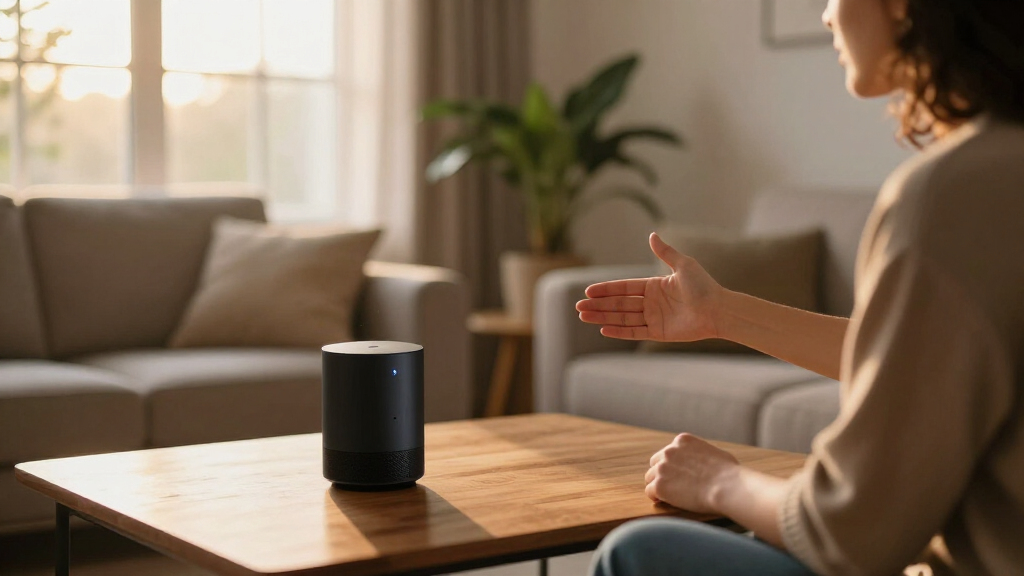
Smart home voice assistants have become the control layer for nearly every connected device, and in 2026 the choice comes down to how you want to interact with your home: voice only, voice plus a screen, or a fully local privacy-first setup. Amazon Echo Show 11 takes the best overall spot because its large touchscreen, spatial audio, and Alexa+ support handle everything from camera feeds to complex routines in one device. For tighter budgets, the Echo Dot (5th Gen) delivers surprisingly capable Alexa control at a fraction of the price, while the Third Reality Voice/Music Assistant Dev Edition stands out for anyone who wants an open-source, Home Assistant-friendly alternative to cloud dependence. The main tradeoffs you’ll face are screen versus no screen, speaker quality, privacy, and whether you want your assistant to double as a Wi-Fi extender or smart home hub. Keep reading for the full breakdown of each model and who it suits best.

Get the latest gadgets delivered free — and shop member deals
- Fast, free delivery on millions of items
- Access to Prime Big Deal Days deals on October 6–7
- Prime Video, Amazon Music and more included
Complete the kit



Key Takeaways
- The Echo Show 11 earns the top spot because Alexa+ conversational abilities genuinely benefit from a large screen — shopping lists, camera feeds, and routines are all faster to manage visually than by voice alone.
- The Echo Dot (5th Gen) remains the best value in the lineup, and its variant with a built-in eero Wi-Fi extender solves a real problem for homes with dead zones near where the speaker sits.
- The amazon.com/dp/B0DC91H3JK?tag=thenewhandset-20&ascsubtag=dc-1060223″ target=”_blank” rel=”nofollow sponsored noopener”>amazon.com/dp/B09B2SRGXH?tag=thenewhandset-20&ascsubtag=dc-1060223″ target=”_blank” rel=”nofollow sponsored noopener”>amazon.com/dp/B0BFC7WQ6R?tag=thenewhandset-20&ascsubtag=dc-1060223″ target=”_blank” rel=”nofollow sponsored noopener”>amazon.com/dp/B09B8V1LZ3?tag=thenewhandset-20&ascsubtag=dc-1060223″ target=”_blank” rel=”nofollow sponsored noopener”>amazon.com/dp/B09B2SBHQK?tag=thenewhandset-20&ascsubtag=dc-1060223″ target=”_blank” rel=”nofollow sponsored noopener”>amazon.com/dp/B0BFCBKXWL?tag=thenewhandset-20&ascsubtag=dc-1060223″ target=”_blank” rel=”nofollow sponsored noopener”>amazon.com/dp/B0GQYW153Z?tag=thenewhandset-20&ascsubtag=dc-1060223″ target=”_blank” rel=”nofollow sponsored noopener”>Third Reality Dev Edition is the only option that works fully locally with Home Assistant, making it the clear pick for privacy-focused buyers — but its 3W speaker means it can’t compete as a music device.
- The Echo Spot is effectively a niche product: ideal as a bedside alarm clock, but a poor substitute for the Echo Show 5 if you ever want to watch camera feeds or follow recipes.
- The Hubitat Elevation C-8 Pro made the list even though it has no speaker or microphone — it’s the local automation brain that pairs with the voice devices above when cloud latency becomes unacceptable.
| Amazon Echo Dot (5th Gen) – Deep Sea Blue |  | Best Overall | Size: 3.9″ x 3.9″ x 3.5″ | Weight: 10.7 oz (304g) | Audio Bandwidth: 62 Hz – 19 kHz | VIEW LATEST PRICE | See Our Full Breakdown |
| Third Reality Voice/Music Assistant Dev Edition |  | Best for Tinkerers and Local Control | Connectivity: Wi-Fi only | Compatible Devices: Home Assistant | Operating System: Linux | VIEW LATEST PRICE | See Our Full Breakdown |
| Amazon Echo Spot (newest model), Glacier White |  | Best for the Nightstand | Size: 4.5″W x 4.1″D x 4.4″H | Weight: 14.3 oz | Display: 2.83-inch touchscreen (240x320px) | VIEW LATEST PRICE | See Our Full Breakdown |
| Amazon Echo Show 5 (newest model), Charcoal |  | Best Compact Smart Display | Display: 5.5 inches | Size: 5.8″W x 3.6″D x 3.2″H | Weight: 16.1 oz (456g) | VIEW LATEST PRICE | See Our Full Breakdown |
| Amazon Echo Dot (5th Gen) – Charcoal |  | Best for Multi-Room Expansion | Size: 3.9″ x 3.9″ x 3.5″ | Weight: 10.7 oz (304g) | Audio Bandwidth: 62 Hz – 19 kHz | VIEW LATEST PRICE | See Our Full Breakdown |
| Amazon Echo Spot (Newest Model), Smart Alarm Clock with Alexa, Black |  | Best Bedside Companion | Model: Newest (Black) | Display: Customizable semicircular screen | Features: Smart alarm clock, Alexa, routines, smart home control | VIEW LATEST PRICE | See Our Full Breakdown |
| Amazon Echo Show 5 (newest model), Smart Display, Alexa-Enabled, Cloud Blue |  | Best Budget Smart Display | Display: 5.5 inches | Camera: 2 MP with shutter | Audio: 2x the bass of previous generation | VIEW LATEST PRICE | See Our Full Breakdown |
| Hubitat Elevation C-8 Pro Smart Home Hub – Z-Wave, Zigbee, Matter |  | Best for Power Users | Protocols: Matter 1.5, Z-Wave 800 Series with Long Range, Zigbee 3.0, Bluetooth | External Antennas: 2 (Z-Wave and Zigbee) | Processing: Local, no cloud dependency | VIEW LATEST PRICE | See Our Full Breakdown |
| Amazon Echo Show 11 (latest model), 11-inch Full-HD touchscreen with spatial audio and Alexa+ |  | Best Premium Pick | Display: 11-inch Full-HD touchscreen | Viewing Area: 60% more than Echo Show 8 | Processor: AZ3 Pro chip | VIEW LATEST PRICE | See Our Full Breakdown |
| Amazon Echo Dot (5th Gen) – Smart speaker with Alexa, Voice Control, and Built-in Eero Wi-Fi Extender, Glacier White |  | Best Value Starter | Dimensions: 3.9″ x 3.9″ x 3.5″ | Weight: 10.7 oz (304g) | Audio: 62 Hz – 19 kHz bandwidth, 1.6″ full-range driver | VIEW LATEST PRICE | See Our Full Breakdown |
| smart home voice assistant | Privacy | Weight | Wi-Fi | Display |
|---|---|---|---|---|
| Amazon Echo Dot | Mic off button, multiple privacy controls | 10.7 oz (304g) | Dual-band 802.11a/b/g/n/ac (2.4 and 5 GHz) | — |
| Third Reality Voice/Music Assi | — | — | — | — |
| Amazon Echo Spot | — | 14.3 oz | Dual-band 802.11a/b/g/n/ac | 2.83-inch touchscreen (240x320px) |
| Amazon Echo Show 5 | Mic/camera off button, camera shutter, encrypted Ring video | 16.1 oz (456g) | Dual-band 802.11a/b/g/n/ac | 5.5 inches |
| Amazon Echo Dot | Mic off button, multiple privacy controls | 10.7 oz (304g) | Dual-band 802.11a/b/g/n/ac (2.4 and 5 GHz) | — |
| Amazon Echo Spot | Mic off button, in-app controls | — | Built-in mesh Wi-Fi extender | Customizable semicircular screen |
| Amazon Echo Show 5 | Mic/camera off button, camera shutter, encrypted Ring video | — | — | 5.5 inches |
| Hubitat Elevation C-8 Pro Smar | — | 0.16 lbs | — | — |
| Amazon Echo Show 11 | Microphone and camera disable buttons | — | — | 11-inch Full-HD touchscreen |
| Amazon Echo Dot | Mic off button, multiple privacy layers | 10.7 oz (304g) | Dual-band 802.11a/b/g/n/ac (2.4 and 5 GHz) | — |
More Details on Our Top Picks
Amazon Echo Dot (5th Gen) – Deep Sea Blue
The Echo Dot (5th Gen) earns the top spot because it nails the three things most buyers actually want from a voice assistant: reliable Alexa responses, surprisingly full audio, and a price low enough to put one in every room. The 1.6-inch driver and 62 Hz low end mean music sounds warmer than any budget puck has a right to, and the built-in eero mesh extension quietly solves dead-zone Wi-Fi without extra hardware. Compared with the Echo Show 5, it trades a screen for a smaller footprint and lower cost — a good deal unless the buyer specifically wants camera feeds or video calls. Against the Third Reality Dev Edition, it is far less customizable but dramatically easier to live with. The tradeoffs: Wi-Fi extension only works with compatible eero routers, and ad-hoc networks are off the table.
Pros:- Warm, vibrant audio that easily fills a bedroom or office
- Doubles as an eero mesh Wi-Fi extender covering up to 1,000 sq. ft.
- Full Alexa ecosystem: routines, smart home control, and Matter support
- Physical mic-off button and layered privacy controls
- Compact design that fits on a nightstand or shelf
Cons:- Wi-Fi extender feature requires a compatible eero router
- No screen, so no video calls, camera feeds, or visual answers
- Bluetooth pairing has limitations, including PIN-code issues with some devices
Best for: First-time smart home buyers and Alexa households who want dependable voice control and decent music in multiple rooms without overspending
Not ideal for: Tinkerers who want local, open-source voice processing — this is a closed Amazon ecosystem with no real customization
- Size:3.9″ x 3.9″ x 3.5″
- Weight:10.7 oz (304g)
- Audio Bandwidth:62 Hz – 19 kHz
- Driver:1.6″ full range
- Wi-Fi:Dual-band 802.11a/b/g/n/ac (2.4 and 5 GHz)
- eero Built-in:Up to 1,000 sq. ft. coverage, speeds up to 100 Mbps
- Bluetooth:A2DP, AVRCP, BLE, Matter
- Privacy:Mic off button, multiple privacy controls
Our verdict“If you want one affordable device that handles voice control, music, and Wi-Fi dead zones, this is the default choice — provided you don’t need a display.”
Third Reality Voice/Music Assistant Dev Edition
This is the lineup’s wildcard, and it occupies a seat no Amazon device can take: a Linux-based, open-source voice assistant that keeps processing local and plugs straight into Home Assistant. For anyone who already runs a Home Assistant setup, this option stands out for privacy-first voice control with zero cloud dependency — something neither the Echo Dot nor the Echo Show 5 can claim, since both route requests through Amazon’s servers. The dual microphones capture wake words reliably, but the 3W speaker and 256MB of RAM make it clear this is a controller, not an entertainment device. Compared with the Echo Dot, buyers give up polish, music streaming services, and plug-and-play setup in exchange for total control. Wi-Fi is the only connectivity option, and advanced features assume Linux familiarity.
Pros:- Preloaded with Home Assistant Voice and Music Assistants
- Local audio processing keeps voice data off the cloud
- Open-source platform allows deep customization and development
- Dual microphones for dependable voice capture
Cons:- Wi-Fi only — no Bluetooth or other connectivity options
- 3W speaker and 256MB RAM limit audio quality and headroom
- Advanced features require Linux and Home Assistant familiarity
Best for: Home Assistant users and privacy-focused hobbyists who want fully local, customizable voice control and don’t mind rolling up their sleeves
Not ideal for: Casual buyers wanting music, timers, and shopping lists out of the box — the setup curve and tiny speaker will disappoint
- Connectivity:Wi-Fi only
- Compatible Devices:Home Assistant
- Operating System:Linux
- Memory:256MB RAM
- Storage:512MB
- Speaker:3W built-in
- Dimensions:2.56″D x 2.56″W x 2.56″H
Our verdict“A niche but genuinely valuable pick for the self-hosting crowd — everyone else should stick with an Echo.”
Amazon Echo Spot (newest model), Glacier White
The Echo Spot carves out a role the Echo Dot can’t fill: a glanceable display for time, weather, and song titles on a nightstand or desk. Its 2.83-inch touchscreen makes it a genuine alarm clock replacement, with customizable clock faces that give it personality the Dot lacks. Audio is livelier than its size suggests thanks to the 1.73-inch driver, though it won’t match the bass of larger speakers. Compared with the Echo Show 5, the Spot skips the camera entirely — a privacy plus, but it means no video calls or security camera viewing, which pushes buyers who need those toward the Show 5 instead. Like the Dot, it includes eero Built-in for mesh coverage, though that again requires a compatible router. Hands-free voice control also doesn’t work with Mac OS X devices.
Pros:- Compact touchscreen with customizable clock faces and colors
- Clear vocals and satisfying bass for its footprint
- Full Alexa routines and smart home control
- Doubles as an eero Wi-Fi extender for up to 1,000 sq. ft.
Cons:- No camera, ruling out video calls and visual security features
- Wi-Fi extender requires a compatible eero router
- Hands-free voice control not supported on Mac OS X
Best for: Sleepers and desk workers who want a smart alarm clock that shows the time, weather, and music at a glance
Not ideal for: Anyone hoping to make video calls or check doorbell cameras — there’s no camera and the small screen isn’t built for it
- Size:4.5″W x 4.1″D x 4.4″H
- Weight:14.3 oz
- Display:2.83-inch touchscreen (240x320px)
- Camera:None
- Wi-Fi:Dual-band 802.11a/b/g/n/ac
- Bluetooth:A2DP and AVRCP
- Speaker:1.73-inch full range
- Materials:36% recycled materials
Our verdict“The best bedside pick in this lineup — choose it over the Dot when a screen matters, and over the Show 5 when a camera doesn’t.”
Amazon Echo Show 5 (newest model), Charcoal
When voice alone isn’t enough, the Echo Show 5 is the most sensible step up in this lineup. Its 5.5-inch screen handles news briefings, weather, camera feeds, and video calls, while the 2 MP camera with a physical shutter gives it a privacy story the camera-less Echo Spot can’t offer. This model is better suited to kitchens and entryways, where checking a doorbell camera or following a recipe benefits from visuals. Sound is fuller than the Spot’s thanks to improved bass, though buyers wanting a genuine entertainment hub should wait for the larger Echo Show 11 rather than stretching this small display. Compared with the Echo Dot, the premium buys eyes, not ears — music still sounds compact. Note that ad-hoc Wi-Fi networks aren’t supported, and some features sit behind subscriptions.
Pros:- 5.5-inch screen for weather, news, camera feeds, and video calls
- 2 MP camera with a built-in physical shutter
- Deeper bass and clearer audio than its size suggests
- Recycled aluminum and fabric construction with 100% recyclable packaging
Cons:- 5.5-inch display is small for extended video or recipe viewing
- No ad-hoc Wi-Fi network support
- Some features and content require subscriptions
Best for: Small-space dwellers who want video calls, security camera viewing, and visual answers without surrendering much counter space
Not ideal for: Buyers wanting a primary media screen — the 5.5-inch display is tight for shows and recipes compared with larger smart displays
- Display:5.5 inches
- Size:5.8″W x 3.6″D x 3.2″H
- Weight:16.1 oz (456g)
- Camera:2 MP with built-in shutter
- Wi-Fi:Dual-band 802.11a/b/g/n/ac
- Bluetooth:A2DP and AVRCP
- Speaker:1.75-inch full range
- Privacy:Mic/camera off button, camera shutter, encrypted Ring video
Our verdict“The right middle ground between a voice-only Dot and a big smart display — pick it when a camera and screen matter more than maximum sound.”
Amazon Echo Dot (5th Gen) – Charcoal
Functionally, this Charcoal Echo Dot is the same hardware as the Deep Sea Blue Best Overall pick — and that’s exactly the point. Once one Dot proves its worth, most households want three or four more, and this model earns its slot as the multi-room workhorse: same vibrant 1.6-inch driver, same Alexa routines, same eero mesh extension. What sets this configuration apart are the built-in motion and temperature sensors, which enable smarter automations — lights that trigger when someone walks in, or HVAC routines tied to room temperature. That makes each additional unit more useful than a dumb repeater. Compared with the Echo Spot, it costs less per room but skips any display; against the Third Reality Dev Edition, it trades local control for effortless setup. The same caveats apply: eero extension needs a compatible router, and Mac OS X Bluetooth support is limited.
Pros:- Built-in motion and temperature sensors enable room-aware automations
- Affordable enough to deploy across several rooms
- eero Built-in extends mesh Wi-Fi up to 1,000 sq. ft. per unit
- Matter, BLE, and mesh support for broad smart home compatibility
Cons:- Requires a compatible eero router for Wi-Fi extension
- Limited Bluetooth support for Mac OS X devices
- Setup requires app installation and account linking, which adds friction per unit
Best for: Alexa households building out multiple rooms who want temperature- and motion-based automations at a low per-room cost
Not ideal for: Anyone wanting visual feedback or video calling — this is audio-only, so a Spot or Show 5 covers those needs better
- Size:3.9″ x 3.9″ x 3.5″
- Weight:10.7 oz (304g)
- Audio Bandwidth:62 Hz – 19 kHz
- Driver:1.6″ full range
- Wi-Fi:Dual-band 802.11a/b/g/n/ac (2.4 and 5 GHz)
- eero Built-in:Up to 1,000 sq. ft. coverage, speeds up to 100 Mbps
- Sensors:Motion and temperature
- Connectivity:Bluetooth Low Energy, Mesh, Matter
- Privacy:Mic off button, multiple privacy controls
Our verdict“Buy the blue Dot first, then add this one (or several) wherever sensor-driven automations and whole-home voice coverage pay off.”
Amazon Echo Spot (Newest Model), Smart Alarm Clock with Alexa, Black
Of everything in this lineup, the Echo Spot is the only one designed around a single room: the bedroom. Its semicircular display shows the time, weather, and alarms at a glance, which the Echo Dot can’t do without asking Alexa out loud — an awkward proposition when a partner is sleeping. Compared with the Echo Show 5, the Spot trades screen size for a friendlier clock-first design and surprisingly full sound for its footprint. This model also pulls double duty as a Wi-Fi extender, which softens the price. The tradeoff is real, though: the tiny screen is useless for video calls or recipe viewing, and it’s an alarm clock first, assistant second.
Pros:- Clock-first display that’s glanceable without voice commands
- Vibrant sound with clear vocals and deep bass for its size
- Built-in Wi-Fi extender adds value beyond the nightstand
- Physical mic-off button and in-app privacy controls
Cons:- Display too small for video content or detailed smart home dashboards
- Wi-Fi extender features require a stable connection and setup to be useful
Best for: Sleepers who want a smart alarm clock that quietly runs their morning and bedtime routines
Not ideal for: Anyone hoping to watch video, follow recipes, or make video calls — the display is too small for anything beyond glanceable info
- Model:Newest (Black)
- Display:Customizable semicircular screen
- Features:Smart alarm clock, Alexa, routines, smart home control
- Wi-Fi:Built-in mesh Wi-Fi extender
- Audio:Vibrant sound with clear vocals and deep bass
- Privacy:Mic off button, in-app controls
- Materials:36% recycled materials
Our verdict“Buy the Spot if your smart home hub lives on your nightstand; skip it if you want a screen you can actually watch.”
Amazon Echo Show 5 (newest model), Smart Display, Alexa-Enabled, Cloud Blue
The Echo Show 5 is the cheapest way into Alexa with a screen, and for a desk or kitchen counter, it covers the basics well: weather, timers, music controls, and quick video calls. Sound has improved over the previous generation with noticeably deeper bass, though it still can’t fill a room the way the Echo Show 11 can with its spatial audio. Where the Show 5 earns its spot is value — it delivers roughly 80% of the daily-use experience of Amazon’s bigger displays at a fraction of the price. The 5.5-inch screen does strain when displaying camera feeds or recipes, and the 2 MP camera is serviceable rather than flattering. Amazon’s privacy hardware helps offset the always-listening concern, with a camera shutter and mic-off button built in.
Pros:- Most affordable Alexa display in the lineup
- Physical camera shutter and mic/camera off button
- Improved bass and vocal clarity over the prior generation
- Compact footprint fits desks and nightstands
Cons:- 5.5-inch screen limits detailed viewing of feeds and video
- 2 MP camera produces soft video call quality
Best for: Budget-conscious buyers who want a screen for timers, weather, and video calls without paying flagship prices
Not ideal for: Anyone wanting an entertainment or smart home dashboard device — the small display can’t render camera grids or video comfortably
- Display:5.5 inches
- Camera:2 MP with shutter
- Audio:2x the bass of previous generation
- Color:Cloud Blue
- Privacy:Mic/camera off button, camera shutter, encrypted Ring video
- Materials:Recycled polyester yarn, recycled aluminum
- Packaging:Recyclable
Our verdict“The Show 5 is the entry point for Alexa-with-a-screen; upgrade to the Show 11 only if display size and audio genuinely matter to you.”
Hubitat Elevation C-8 Pro Smart Home Hub – Z-Wave, Zigbee, Matter
The Hubitat Elevation C-8 Pro is the odd one out here — it isn’t a voice assistant at all, but the brain that serious smart home builders pair with one. Unlike every Echo in this roundup, which routes automations through Amazon’s cloud, the C-8 Pro processes everything locally, meaning lights and locks respond instantly and keep working when the internet drops. It speaks Z-Wave 800, Zigbee 3.0, and Matter, so it can unify devices that Alexa alone can’t touch, and it plays nicely with Alexa, Google Home, and HomeKit as the voice front-end. The catch is steep: setup and the rule engine demand patience and technical comfort that the Echo Show 5 buyer will never need. There’s no speaker, no screen, no voice — it’s infrastructure, not a companion.
Pros:- Local processing keeps automations fast and working during outages
- Supports Z-Wave 800, Zigbee 3.0, and Matter for near-universal device compatibility
- No subscription, with continuous free firmware updates
- External antennas extend wireless range for larger homes
Cons:- Setup and rule building require technical knowledge
- No built-in voice or display — needs a separate assistant device
Best for: Tinkerers and smart home hobbyists who want local, subscription-free automation across mixed device ecosystems
Not ideal for: Casual users who want plug-in-and-go convenience — expect a real learning curve before anything works
- Protocols:Matter 1.5, Z-Wave 800 Series with Long Range, Zigbee 3.0, Bluetooth
- External Antennas:2 (Z-Wave and Zigbee)
- Processing:Local, no cloud dependency
- Voice Platform Compatibility:Alexa, Google Home, Apple HomeKit
- Subscription:None required
- Dimensions:3.23 x 2.95 x 0.67 inches
- Weight:0.16 lbs
Our verdict“The C-8 Pro is for builders who want their smart home to run itself locally; everyone else should stick with an Echo and call it a day.”
Amazon Echo Show 11 (latest model), 11-inch Full-HD touchscreen with spatial audio and Alexa+
If the Echo Show 5 is a peek at your smart home, the Echo Show 11 is the control panel. The 11-inch Full-HD screen offers 60% more viewing area than the Show 8, which matters most for camera feeds, recipe steps, and the smart home dashboard you’ll actually leave on screen. The AZ3 Pro chip and spatial audio make it the only Echo here that doubles as a legitimate kitchen TV or music speaker — the Echo Spot and Dot simply can’t compete on media. The centered auto-framing camera with 3.3x zoom is a genuine step up for video calls. All of that arrives at a premium price, and the extra capability goes to waste in a small room. Buyers paying this much should also confirm their devices are Alexa-compatible, since the Show 11 assumes a fuller ecosystem around it.
Pros:- 11-inch Full-HD display with 60% more viewing area than Echo Show 8
- Spatial audio with up to 2x bass rivals dedicated speakers
- Auto-framing camera with 3.3x zoom for natural video calls
- Alexa+ and Omnisense enable richer routines than smaller Echos
Cons:- Premium price sits well above every other option here
- Full value depends on owning compatible smart home devices
Best for: Smart home owners who want a central command display with serious audio and video in a kitchen or living room
Not ideal for: Budget buyers or those with only a device or two — a Show 5 handles modest setups at half the price
- Display:11-inch Full-HD touchscreen
- Viewing Area:60% more than Echo Show 8
- Processor:AZ3 Pro chip
- Audio:Spatial audio with up to 2x bass
- Camera:Centered, auto-framing, 3.3x zoom
- Assistant:Alexa+ with Omnisense routines
- Privacy:Microphone and camera disable buttons
Our verdict“The Show 11 is the flagship for households ready to make a display the center of their smart home — just don’t pay flagship money for a nightstand.”
Amazon Echo Dot (5th Gen) – Smart speaker with Alexa, Voice Control, and Built-in Eero Wi-Fi Extender, Glacier White
For most people dipping a toe into smart homes, the Echo Dot (5th Gen) remains the default answer, and this version sweetens it with a built-in eero mesh extender covering up to 1,000 sq. ft. That’s a genuinely useful extra in apartments or homes with dead zones — provided you already run an eero router, which is the fine print. Compared with the Echo Spot, you lose the clock display but save money and gain a more conventional speaker shape that blends into any shelf. Against the Show 5, you give up the screen entirely, so no video calls or visual dashboards. What you get is Alexa’s full voice brain — music, routines, smart home control — in the smallest, cheapest package Amazon makes worth recommending.
Pros:- Lowest-cost entry point to full Alexa voice control
- Built-in eero extender covers up to 1,000 sq. ft.
- Surprisingly full sound from a 1.6-inch driver
- Mic-off button and layered privacy controls
Cons:- Mesh extender only works with a compatible eero router
- Bluetooth pairing can be finicky with PIN-protected devices
Best for: First-time Alexa buyers, especially eero router owners who want a speaker that also fixes a Wi-Fi dead spot
Not ideal for: Households wanting visual feedback like clocks, camera feeds, or video calls — there’s no screen at all
- Dimensions:3.9″ x 3.9″ x 3.5″
- Weight:10.7 oz (304g)
- Audio:62 Hz – 19 kHz bandwidth, 1.6″ full-range driver
- Wi-Fi Extender:Built-in eero mesh, up to 1,000 sq. ft.
- Wi-Fi:Dual-band 802.11a/b/g/n/ac (2.4 and 5 GHz)
- Connectivity:Bluetooth Low Energy, Matter, A2DP, AVRCP
- Privacy:Mic off button, multiple privacy layers
Our verdict“The Dot is the smart choice for a first voice assistant — buy it for Alexa, and treat the Wi-Fi extension as a bonus, not the reason.”

How We Picked
I ranked these smart home voice assistants by weighing voice recognition accuracy, speaker and display quality, smart home protocol support (Zigbee, Z-Wave, Matter, Thread), and value for money. Assistant capability mattered most — a device that mishears commands or can’t run multi-step routines fails at its core job, regardless of how good its hardware feels. I also factored in ecosystem lock-in, privacy options, and how well each device works as a bedside, desk, or living-room companion, since placement changes what buyers actually need.
The ranking logic follows usefulness per dollar and per role. Devices that combine strong voice control with a secondary strength — a screen, a Wi-Fi extender, local processing — placed higher than single-purpose speakers. Duplicates in the Echo Dot and Echo Spot lines were collapsed into distinct picks based on color, feature variant, or best-fit placement, so the list reflects real buying decisions rather than catalog entries.
| smart home voice assistant | Wi-Fi | Privacy |
|---|---|---|
| Amazon Echo Dot | Dual-band 802.11a/b/g/n/ac (2.4 and 5 GHz) | Mic off button, multiple privacy controls |
| Third Reality Voice/Music Assi | — | — |
| Amazon Echo Spot | Dual-band 802.11a/b/g/n/ac | — |
| Amazon Echo Show 5 | Dual-band 802.11a/b/g/n/ac | Mic/camera off button, camera shutter, encrypted Ring video |
| Amazon Echo Dot | Dual-band 802.11a/b/g/n/ac (2.4 and 5 GHz) | Mic off button, multiple privacy controls |
| Amazon Echo Spot | Built-in mesh Wi-Fi extender | Mic off button, in-app controls |
| Amazon Echo Show 5 | — | Mic/camera off button, camera shutter, encrypted Ring video |
| Hubitat Elevation C-8 Pro Smar | — | — |
| Amazon Echo Show 11 | — | Microphone and camera disable buttons |
| Amazon Echo Dot | Dual-band 802.11a/b/g/n/ac (2.4 and 5 GHz) | Mic off button, multiple privacy layers |
Factors to Consider When Choosing Smart Home Voice Assistants
Choosing a smart home voice assistant is less about picking the “best” device and more about matching the device to where it will live and what it will control. These are the factors that actually move the needle.Voice-Only, Clock, or Full Display?
The most common mistake buyers make is overbuying screens. A voice-only speaker like the Echo Dot handles 80% of everyday tasks — lights, timers, music, weather — for a third of the price of a display. Clock-style devices like the Echo Spot make sense almost exclusively at a bedside, where a glanceable time display justifies the premium. Full displays like the Echo Show 5 and Show 11 pay off when you want camera feeds, recipe steps, or visual call interfaces. A practical rule: start voice-only in most rooms, and add one display where you’ll actually look at it — usually the kitchen or entryway.
Ecosystem Lock-In Is the Real Decision
Every assistant you buy pulls you deeper into its ecosystem, and switching later means re-authorizing every device, rebuilding every routine, and re-purchasing hardware. Alexa has the broadest third-party device compatibility in 2026, which is why most of this list is Amazon hardware, but Google and Apple ecosystems handle their own phones and media better. The Third Reality Dev Edition and Hubitat represent the escape hatch: local-first platforms that keep working even if a cloud service changes its terms or pricing. Before buying, check whether your existing thermostat, locks, and cameras have native integrations with your chosen assistant.
Protocol Support Determines Future-Proofing
Matter and Thread have settled the smart home standards war, but Zigbee and Z-Wave still power millions of installed devices and often offer better range and reliability. An Echo device with a built-in Zigbee and Thread radio can cut out the need for separate hubs for many devices, while the Hubitat Elevation C-8 Pro speaks all three protocols plus Z-Wave — something no Echo can do. If you already own Z-Wave locks or sensors, a voice assistant alone won’t control them; you’ll need a hub layered underneath. Buying for protocol coverage now avoids repurchasing sensors in two years.
Privacy: Cloud, Local, and the Middle Ground
Every voice assistant with a cloud connection processes some of your audio off-device, and buyers consistently underestimate how much this matters until they read a voice history log. Amazon now offers local voice processing for many commands and automatic deletion schedules, which covers most household needs. The stronger option is the local-first approach: Third Reality’s Dev Edition paired with Home Assistant keeps voice recognition on your own hardware, and Hubitat keeps automation logic entirely in your home. The tradeoff is real — local systems require more setup and lose cloud conveniences like streaming services and natural conversation. Decide your tolerance before, not after, you’ve scattered microphones through every room.
Speaker Quality Changes Where the Device Belongs
A 3W speaker like the Third Reality’s is fine for voice responses but thin for music, while the Echo Dot punches above its size and the Echo Show 11’s spatial audio can genuinely fill a room. Buyers often buy one device expecting it to serve both voice control and whole-room audio, then end up disappointed. Match the device to the job: small speakers for bedrooms and offices where background music suffices, and larger drivers or displays in the living room where music is the primary use. If music matters to you, it’s usually cheaper to buy a modest assistant plus a dedicated speaker than a single compromise device.
When Bundled Extras Are Worth It
The Echo Dot with a built-in eero Wi-Fi extender illustrates a smart bundling pattern: it costs little more than the standard Dot but replaces a separate extender purchase. Similarly, Echo devices that double as Zigbee or Thread hubs save you $50–$100 on standalone bridge hardware. The flip side is that bundles only pay off when you need both functions in the same location — an extender tucked behind a sofa helps nothing if your dead zone is upstairs. Resist paying extra for a bundle feature you can’t place where it’s needed.
Frequently Asked Questions
Do I need an Echo Show with a screen, or is a voice-only Echo Dot enough?
For most rooms, the Echo Dot is enough — it controls lights, answers questions, sets timers, and plays music at a fraction of the price. A screen earns its premium in specific situations: viewing doorbell and camera feeds, making video calls, following recipes, or managing visual dashboards of multiple devices. If you’re only going to buy one display, put it in the kitchen or entryway where you naturally glance at it throughout the day. Many households end up with a mix: Dots in bedrooms and offices, one Show where visuals matter. Starting voice-only and adding a display later is the lower-risk path than buying screens everywhere upfront.
Is the Echo Spot a good alternative to the Echo Show 5?
They look similar but serve different jobs. The Spot is designed as a bedside alarm clock — its small circular display, tap-to-snooze interface, and compact footprint are optimized for a nightstand. The Show 5’s rectangular screen is better for camera feeds, recipes, and anything you’d actually watch, which makes it the more versatile desk or kitchen device. If you’re buying purely for a bedroom, the Spot’s clock-first design is arguably better than the Show 5’s assistant-first design. For anywhere else in the house, the Show 5 gives you more usable screen real estate for the same rough price tier.
Can I use these voice assistants without an internet connection?
Standard Echo devices need internet for almost everything — voice recognition happens in Amazon’s cloud for most commands, and streaming obviously requires connectivity. Some basic controls work locally when your Wi-Fi is up but your internet is down, but the assistant itself goes largely silent. If offline operation matters, the combination of the Third Reality Dev Edition with Home Assistant and a Hubitat hub keeps voice recognition and automation logic running entirely on your local network. That setup trades convenience for resilience: expect more configuration work and fewer streaming integrations. For most households, cloud dependence is an acceptable trade; for homes with unreliable internet or strict privacy requirements, it’s the deciding factor.
Should I buy the Echo Dot with the built-in eero extender or the regular version?
The extender variant makes sense only if you have a mesh dead zone in the same room where the Dot will sit — the extender’s range is limited, and it can’t fix a problem two rooms away. If you already run eero mesh Wi-Fi and have a weak-signal corner near a nightstand or desk, the small price premium replaces a separate extender purchase entirely. If your Wi-Fi is solid or you use a different router brand, the standard Dot is the better buy since you’d be paying for hardware you won’t activate. A quick test: check your phone’s Wi-Fi signal strength where the Dot will live. Anything below two bars makes the extender model worth considering; full bars means skip it.
Why would I buy a Hubitat hub when my Echo already controls my devices?
Echo devices depend on Amazon’s cloud to interpret and route commands, which introduces latency and means your automations stop working if the internet drops or Amazon changes its policies. Hubitat runs automation logic locally — motion-triggered lights, scheduled locks, and sensor alerts execute in milliseconds regardless of cloud status, and it speaks Z-Wave, Zigbee, and Matter natively. Many power users run both: Hubitat as the reliable brain, Echo as the friendly voice interface on top. If you’ve been frustrated by delayed responses or routines that randomly break, a local hub addresses the root cause rather than the symptom. Casual users with a handful of smart bulbs won’t notice the difference and can skip it.
Conclusion
For best overall, the Echo Show 11 is the most complete smart home voice assistant in this lineup — the large display, spatial audio, and Alexa+ support make it the single device that does everything well. For best value, the standard Echo Dot (5th Gen) delivers the core Alexa experience at a price that lets you put a capable assistant in multiple rooms, and the eero extender variant is the smart pick if your Wi-Fi needs help where it sits. Best for beginners is also the Dot: no screen to configure, no hub to wire, just plug in and talk. For a premium bedside setup, the Echo Spot beats full displays with its clock-first design, while the Echo Show 5 is the better desk-and-kitchen display.
Two picks serve specific needs rather than the mainstream. The Third Reality Voice/Music Assistant Dev Edition is the right call for privacy-focused and Home Assistant users who want local voice control without subscription dependence. And the Hubitat Elevation C-8 Pro isn’t a voice assistant at all — it’s the local automation backbone for buyers whose homes have outgrown cloud-only control. Pair it with any Echo above for the best of both worlds.
Fall Picks
fall essentials
As an affiliate, we earn on qualifying purchases.