NFC on your phone uses short-range wireless technology to quickly and securely connect with other devices or tags when they’re very close. You can use it for contactless payments, sharing files or contact info, automating routines with NFC tags, and even unsealing secure doors. It’s fast, simple, and doesn’t need pairing or internet. To get the most out of NFC and explore its full potential, keep going to learn more about how it works and how to use it safely.
Key Takeaways
- NFC is a short-range wireless technology enabling quick data exchange between your phone and nearby devices or tags.
- It supports modes like payment, data sharing, and device pairing for seamless, contactless interactions.
- You can use NFC to make mobile payments, share contacts or links, and automate tasks with programmable tags.
- NFC enhances security for access control, identity verification, and secure file sharing within close proximity.
- To use NFC effectively, enable it when needed, verify data sources, and disable it when not in use for security.
How NFC Technology Works in Your Smartphone

NFC technology in your smartphone works by using an NFC controller chip connected to a dedicated antenna, allowing the device to communicate wirelessly within a very short range—typically 4 centimeters or less. When you bring your phone close to an NFC tag or another device, electromagnetic induction occurs between their antennas. The controller manages this process by generating an alternating magnetic field that activates the tag or partner device. Energy from the field powers passive NFC tags, which then send data back to your phone. This quick exchange happens in less than a tenth of a second, enabling seamless interactions. The process requires no manual setup or pairing, making NFC a simple and secure way to initiate communication with compatible devices and tags within close proximity. European cloud innovation plays a role in supporting secure and reliable NFC applications across various industries.
The Three Main Modes of NFC Functionality

There are three primary ways your smartphone uses NFC technology to interact with other devices and tags. Each mode activate different capabilities, making NFC versatile and powerful. You can enhance your setup by understanding how these modes work with various applications, including home entertainment systems and smart home devices.
- Card Emulation Mode lets your phone act as a contactless card for payments and access control, simplifying transactions.
- Reader/Writer Mode enables your device to scan NFC tags or write data, such as URLs or contact info, to passive tags.
- Peer-to-Peer Mode allows direct data exchange between two NFC-enabled devices, perfect for sharing contacts, photos, or files quickly.
Understanding these modes helps you make the most of NFC’s potential, whether for secure payments, quick data sharing, or interacting with smart tags. Each mode offers a unique way to streamline everyday tasks effortlessly.
What Types of Data Can NFC Tags Share?

NFC tags can store a variety of data that your phone can read and act upon quickly. This includes website links, contact info, or commands that trigger specific actions. By understanding what data NFC tags share, you can make the most of their seamless, automatic interactions. For example, some NFC tags can even share personal information such as social media profiles or business details.
Common Data Stored
NFC tags can share a variety of data types, making them versatile tools for many applications. They typically store information formatted in NDEF (NFC Data Exchange Format), which enables quick and seamless interactions. You might find NFC tags holding:
- Website URLs that open your browser to specific pages
- Contact information for instant addition to your address book
- Commands to trigger actions like connecting to Wi-Fi networks or launching apps
- Payment details for quick, contactless transactions
These data types allow your phone to respond automatically when you tap an NFC tag, simplifying tasks like sharing info, making payments, or automating routines. Their ability to hold diverse data makes NFC a practical, efficient technology for everyday use.
Triggering Smartphone Actions
When you tap an NFC tag, it can trigger a variety of actions on your smartphone by sharing specific types of data. This data is typically formatted in the NFC Data Exchange Format (NDEF), which enables your device to recognize and respond to the information quickly. Common actions include opening a web page, dialing a phone number, sending a text message, or adding a contact. NFC tags can also initiate app launches, connect to Wi-Fi networks, or trigger automation routines like turning on lights or setting reminders. The data stored on the tag guides your phone’s response, making interactions seamless and efficient. Whether for payments, information sharing, or automating tasks, NFC tags enable your device to perform actions instantly with just a tap. Additionally, Free Floating concepts in backyard design can be incorporated into smart home systems to create integrated outdoor environments.
Practical Uses of NFC in Daily Life
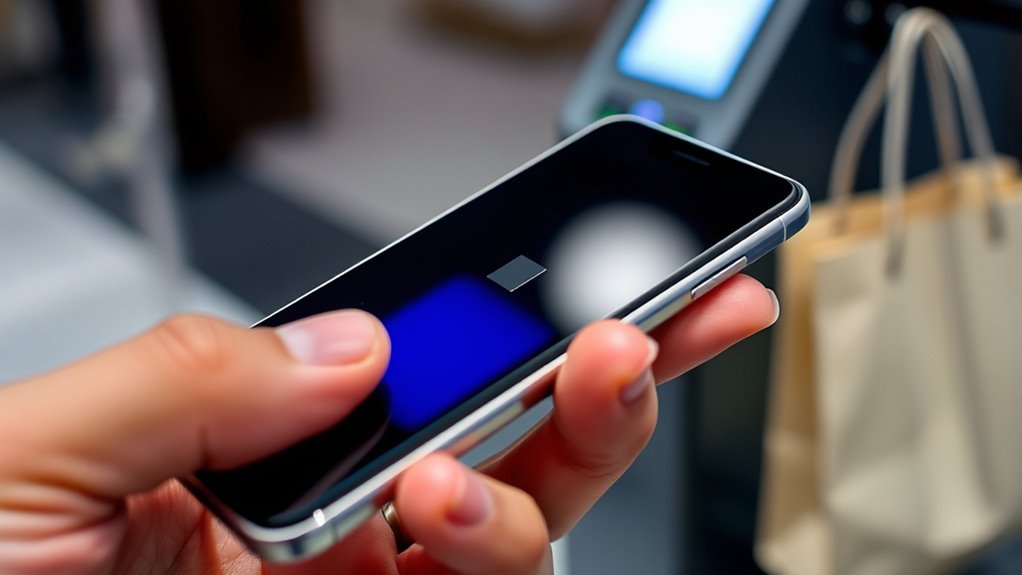
You can make mobile payments quickly and securely just by tapping your phone at a checkout terminal. NFC also allows you to share data like contact info or photos with a simple tap, saving time and effort. These practical uses make your daily routines more convenient and streamlined. Additionally, NFC can be utilized for Vibe coding, an innovative AI-dependent programming technique that enables users to describe problems in a few sentences to generate solutions efficiently.
Mobile Payments Made Easy
Mobile payments have become incredibly convenient thanks to NFC technology, allowing you to make transactions quickly and securely with just a tap. When you use your phone for payments, NFC transmits encrypted data to the payment terminal, ensuring safety and speed. This eliminates the need to carry cash or physical cards. You can also:
- Avoid fumbling with cash or cards at checkout
- Complete transactions in seconds, even during busy hours
- Use your phone for multiple accounts and payment methods
- Benefit from enhanced security features like tokenization and biometric verification
- Additionally, NFC can be used to access essential oils for health and wellness routines, making it a versatile tool in everyday life.
With NFC, you simply tap your device, and your payment is processed seamlessly. It’s an effortless way to handle everyday expenses, whether at retail stores, cafes, or transit stations, making payments faster and more secure than traditional methods.
Quick Data Sharing
Quick data sharing with NFC makes exchanging information effortless and immediate. With a simple tap, you can send contact details, links, or files between compatible devices. This instant transfer saves time and avoids manual input, making everyday interactions smoother. Whether sharing a webpage, a Wi-Fi password, or a photo, NFC streamlines the process. Here’s a visual to help you picture it:
| Device 1 | Device 2 | Data Shared |
|---|---|---|
| Smartphone | Smartphone | Contact info, photos, links |
| NFC Tag | Phone | Website URLs, commands |
| Payment Terminal | Phone | Payment info, tickets |
| Access Card | Phone | Building entry credentials |
This technology simplifies quick exchanges, making your daily routines more seamless, especially when integrated with modern kitchen technology that leverages smart appliances for enhanced convenience.
Mobile Payments and Contactless Transactions

NFC technology has revolutionized the way we handle payments by enabling secure, contactless transactions with just a tap. When you use your phone for payments, it communicates with the point-of-sale terminal using encrypted data, making checkout faster and more convenient. You no longer need cash or physical cards, streamlining your shopping experience. Many mobile payment platforms also support contactless payment options, further enhancing ease of use.
Using NFC for Secure Access and Identification
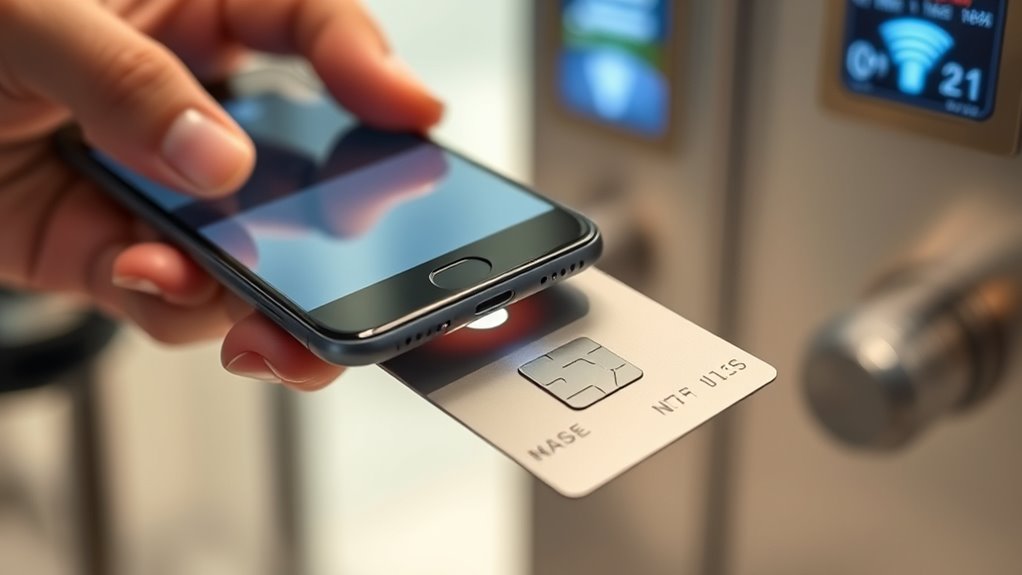
You can use your NFC-enabled phone for secure building access and identity verification, replacing traditional cards or keys. When you tap your device, encrypted data exchanges authenticate your identity instantly and securely. This seamless process enhances security while eliminating the need for physical credentials. Additionally, local automation systems can integrate NFC access to improve convenience and control within your smart home.
NFC for Building Access
Building access systems increasingly rely on NFC technology because it offers a secure and convenient way to authenticate identities with just a tap. When you use your phone as an access key, you streamline entry and enhance security. NFC-enabled access cards or smartphones communicate with readers using encrypted data, ensuring only authorized users gain entry. This system reduces the risk of lost or stolen physical cards and allows easy credential management. Additionally, integrating NFC with digital security protocols further enhances protection against unauthorized access.
- Instant access without manual input
- Encrypted communication prevents hacking
- Easy credential updates remotely
- Seamless integration with existing security systems
With NFC, your phone becomes an extension of your security credentials, making building access faster, safer, and more user-friendly.
Secure Identity Verification
Secure identity verification has become more reliable and efficient thanks to NFC technology, which enables quick and encrypted access to sensitive information. When you tap your NFC-enabled phone, it can securely authenticate your identity for building access, secure facilities, or digital services. NFC uses encryption protocols to protect data during transmission, reducing the risk of interception or fraud. Many organizations now issue NFC-based digital IDs or access cards that store encrypted credentials on your device. By simply holding your phone near a compatible reader, you gain instant, contactless entry without the need for passwords or physical cards. This seamless process enhances security, saves time, and minimizes contact, making secure identity verification smoother and more trustworthy in various environments. encryption protocols play a crucial role in safeguarding your data during these exchanges.
Sharing Files and Information With Peer Devices

Sharing files and information with peer devices using NFC is quick and effortless, thanks to the technology’s peer-to-peer mode. When you tap two NFC-enabled devices together, they establish a secure connection within milliseconds, allowing data transfer without complicated pairing. This mode is perfect for exchanging contacts, photos, or even small documents. Keep in mind that NFC’s short range guarantees secure sharing, as devices must be close together. To make the most of this feature, consider these points:
NFC peer-to-peer mode enables quick, secure sharing of contacts, photos, and small files by simply tapping devices together.
- Data transfers are fast, usually completing in less than a second
- There’s no need for Wi-Fi or mobile data during the transfer
- The process is simple: just tap devices to initiate sharing
- Limited to small files due to NFC’s bandwidth constraints
- The security of NFC’s short-range communication helps protect your data from unauthorized access.
This makes NFC ideal for quick, casual exchanges on the go.
Automating Tasks With Nfc-Enabled Tags

NFC-enabled tags make it easy to automate tasks by simply tapping your smartphone against them. You can program these tags to trigger specific actions instantly, saving time and effort. For example, tap a tag on your desk to turn on Wi-Fi, launch your favorite playlist, or send a preset message. Setting up is straightforward: use an NFC writing app to encode commands or shortcuts onto the tag. When you tap your phone, it reads the stored data and performs the action automatically. This capability is especially useful for daily routines, like silencing your phone at work or opening navigation to your home. With NFC tags, you create a seamless, personalized experience that simplifies your smartphone interactions.
Comparing NFC to Other Wireless Technologies

When comparing NFC to other wireless technologies, one of its key advantages is speed; it establishes connections in less than a tenth of a second, far faster than Bluetooth’s pairing process. This rapid connection makes NFC ideal for quick interactions like payments or data sharing. Unlike Bluetooth, NFC requires no manual pairing or complex setup, simplifying user experience. However, NFC’s transfer rates are lower than Bluetooth’s, limiting large data exchanges. NFC also consumes less power, making it more efficient for brief interactions. Additionally, NFC’s very short range enhances security by reducing the risk of interception. Consider these points:
- Fast connection speed for quick transactions
- No pairing process needed
- Lower power consumption
- Limited transfer distance and data capacity
- The carrier oils used in essential oil applications are chosen for skin safety and absorption properties.
Tips for Using NFC Effectively and Safely

To use NFC effectively and safely, you should make sure that your device’s NFC feature is enabled only when needed and turned off afterward to prevent accidental or unauthorized interactions. Always verify the recipient or destination before tapping your phone to ensure you’re sharing data with the intended device or accessing trusted systems. Avoid using NFC in public or crowded places where malicious actors could attempt unauthorized access or data theft. Keep your device’s software updated to benefit from security patches and improvements. Be cautious with NFC tags from unknown sources, as they could contain malicious content or trigger unwanted actions. Regularly review your device’s NFC settings and disable the feature if you’re not actively using it to reduce security risks. Additionally, understanding NFC security risks can help you stay vigilant against potential threats and protect your personal information.
Frequently Asked Questions
Can NFC Work Through Thick or Metal Cases on Smartphones?
NFC usually doesn’t work well through thick or metal cases. Metal can block or interfere with the electromagnetic fields needed for communication, preventing your phone from connecting with NFC tags or devices. Thick cases may also weaken the signal, making it harder to establish a quick connection. To guarantee reliable NFC use, remove metal or thick cases before tapping your phone against an NFC tag or reader.
Is NFC Secure for Transmitting Sensitive Personal Information?
Think of NFC as a guarded vault, locking sensitive info tight during transmission. It’s generally secure for personal data like payments and contacts, thanks to encryption and secure protocols. However, since it operates at close range, you need to tap your device intentionally. Avoid sharing sensitive info over NFC in crowded areas, and keep your device’s security features updated to make certain your personal data stays safe from prying eyes.
Do All Smartphones Have NFC Capabilities?
Not all smartphones have NFC capabilities. You’ll find it mainly on newer models, especially in flagship devices from popular brands like Apple and Samsung. If your phone is relatively recent, there’s a good chance it includes NFC, but some budget or older phones might not have this feature. Check your device’s specifications or settings to confirm if NFC is available and enabled on your phone.
How Close Do Devices Need to Be for Successful NFC Communication?
You need to have your devices within about 4 centimeters or less for successful NFC communication. Keep in mind, the closer they are, the better the connection. When you tap your phone or device against another NFC-enabled item, the short-range electromagnetic field allows them to exchange data quickly and securely. So, make sure your devices are close enough—almost touching—for smooth and reliable NFC interactions.
Can NFC Be Used to Connect to Wi-Fi Networks Automatically?
Sure, because everyone loves the thrill of automatic Wi-Fi connections, right? Unfortunately, NFC isn’t designed to connect your phone to Wi-Fi networks automatically. Instead, it’s mainly used for quick data transfers, payments, or pairing Bluetooth devices. While NFC can trigger a web link or open a network setup page, you’ll still need to manually enter your Wi-Fi password. So, no magic Wi-Fi hookups—just a tap for other quick tasks.
Conclusion
Now that you know how NFC works and all the ways it can make your life easier, it’s clear this technology is a game-changer. With a simple tap, you can streamline payments, share info effortlessly, and even automate tasks. Think of NFC as your pocket-sized wizard, ready to work its magic whenever you need it. Embrace it, and you’ll be surprised how smoothly things can run when you keep your finger on the pulse of innovation.