

Bokeh is the quality of the out-of-focus areas in your photos that creates a soft, dreamy background. In portrait mode, your camera uses a wide aperture to narrow the depth of field, blurring the background while keeping your subject sharp. This effect isolates your subject and adds an artistic touch. To get the most out of bokeh, it’s helpful to understand how different settings and lenses influence this beautiful blur—there’s more to discover if you keep exploring.
Key Takeaways
- Bokeh is the aesthetic, blurry quality in the out-of-focus areas of a photo, highlighting the subject.
- Portrait mode uses wide apertures to create a shallow depth of field, producing background blur.
- A wide aperture (like f/1.4 or f/2.8) is essential for achieving smooth, creamy bokeh in images.
- The distance between the subject and background enhances the blur effect, making the background appear more out of focus.
- Lens type and setting choices influence the shape, softness, and overall quality of the bokeh effect.

Have you ever wondered how photographers achieve that dreamy, blurry background in their images? It’s all about creating a bokeh effect, which turns the background into a soft, out-of-focus canvas that makes your subject stand out. While it might look effortless, achieving this look involves understanding specific camera settings and artistic effects. When you’re shooting, your camera’s aperture plays a vital role. Using a wide aperture, like f/1.4 or f/2.8, narrows the depth of field, causing the background to blur beautifully while keeping your subject sharp. This isn’t just a technical trick; it’s a deliberate choice to direct viewers’ attention and evoke emotion.
Your camera settings are key to mastering bokeh. When you switch to portrait mode, many smartphones and cameras automatically select the best aperture and focus settings to create that blurred background. But if you’re manually adjusting, setting a wide aperture ensures the background falls into a lovely, artistic blur. The distance between your subject and the background also matters—if the background is far away, the effect becomes more pronounced. Additionally, the lens you use impacts the quality of bokeh. Prime lenses with large maximum apertures tend to produce more pleasing, circular bokeh shapes, adding to the artistic effect you’re aiming for.
This blurred background isn’t just a byproduct of technical settings; it’s an artistic effect that adds depth and focus. It isolates your subject and enhances the overall composition, giving your photos a professional, polished look. Portrait mode, in particular, is designed to emulate the shallow depth of field you’d get with a high-end camera and lens, making it easier for anyone to create stunning portraits with beautifully blurred backgrounds. The effect can be subtle or dramatic, depending on how you adjust your camera settings. For instance, a very wide aperture creates a soft, creamy background, while a slightly narrower one still blurs but retains some background details.

Canon EF 50mm f/1.8 STM Lens, Black, Compatible with Canon EOS DSLR Cameras
50 millimeter focal length and maximum aperture of f/1.8
As an affiliate, we earn on qualifying purchases.
As an affiliate, we earn on qualifying purchases.
Frequently Asked Questions
Can Bokeh Be Achieved With Smartphone Cameras?
Yes, you can achieve bokeh with smartphone cameras by adjusting the depth of field through specific aperture settings or using portrait mode. Many smartphones now have software features that mimic the effect of a wider aperture, blurring the background while keeping your subject sharp. To enhance this effect, guarantee good lighting and focus carefully, and explore your phone’s camera settings or dedicated portrait mode options for the best results.
How Does Lens Shape Influence Bokeh Quality?
Your lens shape plays a vital role in bokeh quality, contrasting sharp edges with soft, rounded ones. A lens with a circular aperture creates smooth, pleasing bokeh, while a polygonal shape results in harsher, star-like highlights. Larger aperture sizes enhance this effect by producing more pronounced background blur. Additionally, lens coatings reduce reflections and glare, further refining the bokeh’s softness, making your photos more aesthetically pleasing.
Is Bokeh Affected by Lighting Conditions?
Yes, bokeh is affected by lighting conditions. Bright, point-like light sources create more prominent, smooth bokeh, while dim or uneven lighting can produce harsher or less appealing backgrounds. The aperture influence plays a role too; wider apertures enhance bokeh by creating a shallow depth of field, making background lights more blurred and visually pleasing. So, lighting impact and aperture settings together shape the quality of your bokeh effect.
Can Post-Processing Enhance Bokeh Effects?
Yes, post-processing can enhance bokeh effects by adjusting depth of field and simulating a wider lens aperture. You can blur backgrounds further, soften edges, and emphasize your subject for a more striking portrait. Use editing tools to selectively blur areas, mimic lens characteristics, or increase background separation. While it can’t perfectly replicate real bokeh, thoughtful editing can make your images look more professional and visually appealing.
What Are Common Mistakes When Trying to Create Bokeh?
You might mistake a busy background for a pleasing bokeh, but cluttered scenes often ruin the effect. Rushing to adjust aperture settings can lead to uneven background blur, making your subject stand out awkwardly. Avoid using a too-small aperture, which reduces background softness, or placing your subject too far from the background. Focus carefully and control your depth of field to create smooth, aesthetically pleasing bokeh that highlights your subject beautifully.
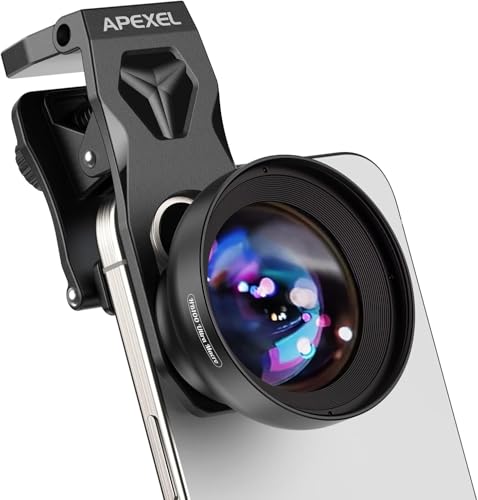
Upgraded Professional Macro Lens for Smartphone, HB100U Macro Photography Lens for iPhone, Aluminum Phone Camera Lens Kit with Universal Clip. Phone Lens Attachment Fit for iPhone, Android Phone.
【Ultra-HD Optical Technology】Our professional macro lens use the 4-group, 5-elements design with Nitto A-grade imported optics. Adopt double-sided…
As an affiliate, we earn on qualifying purchases.
As an affiliate, we earn on qualifying purchases.
Conclusion
Now that you understand bokeh, think of it as the painter’s soft glow that turns your photos into dreamy masterpieces. When you activate portrait mode, you’re fundamentally igniting a magic wand that blurs the background into a silky canvas, making your subject pop like a star against a velvet night. So go ahead, experiment and let your camera’s bokeh transform everyday moments into enthralling works of art, whispering stories through beautiful, blurred backgrounds.

KOGJAERS Lens Filter 77mm Half Bokeh Effects Filters Foreground Blur Camera Filter Creative Photographer's Perfect Photography Set Camera Accessories
[Product advantage] This innovative Half moon filterr is suitable for camera creative photography, this is a good photographic…
As an affiliate, we earn on qualifying purchases.
As an affiliate, we earn on qualifying purchases.
Canon EF 50mm f/1.8 STM Lens, Black, Compatible with Canon EOS DSLR Cameras
50 millimeter focal length and maximum aperture of f/1.8
As an affiliate, we earn on qualifying purchases.
As an affiliate, we earn on qualifying purchases.