
Always-on displays save battery by using OLED or AMOLED screens, where individual pixels can turn off completely when not in use, reducing power consumption. They show only essential info like time or notifications, with dark or black backgrounds that keep most pixels dark. Smart power management controls the display’s refresh rate and brightness, making sure it stays on without draining your battery. Want to discover the smart tricks behind these energy-efficient displays?
Key Takeaways
- OLED/AMOLED screens can turn off dark pixels completely, reducing power consumption significantly.
- Only essential information like time and notifications are displayed, minimizing active pixels.
- Display technology allows selective illumination, keeping unnecessary areas dark to save energy.
- Software optimizations limit refresh rates and brightness to conserve battery.
- Simplified, monochrome content reduces energy use while maintaining visibility.

Have you ever wondered how your smartphone’s always-on display shows the time and notifications without draining your battery? The secret lies in the clever use of display technology combined with smart power management. Unlike traditional screens that turn off when not in use, always-on displays are designed to show essential information while consuming minimal power. The key is in how the display technology is engineered to operate efficiently, reducing energy consumption without sacrificing visibility.
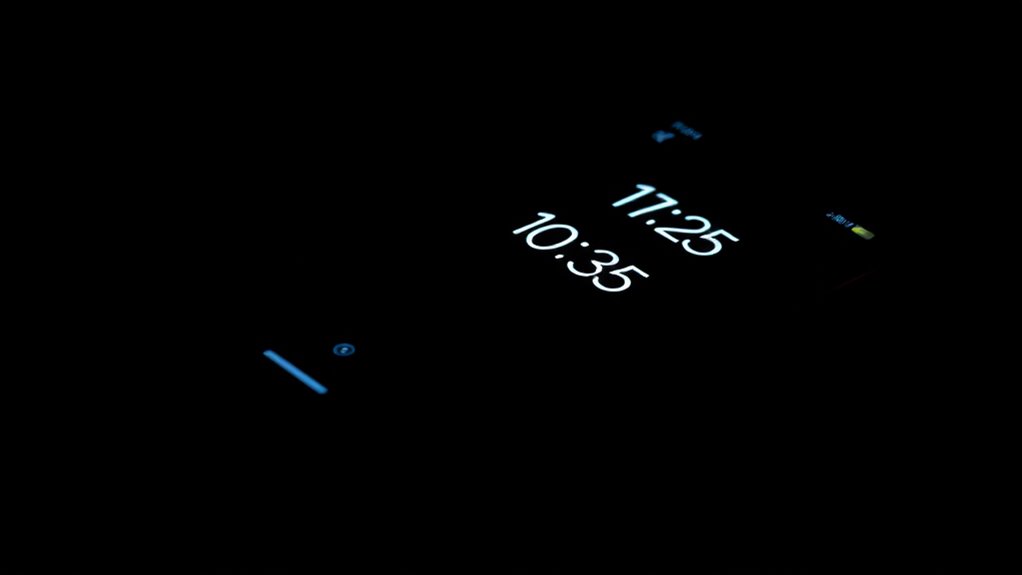
Most modern smartphones use OLED (Organic Light Emitting Diode) or AMOLED (Active Matrix Organic Light Emitting Diode) screens for their always-on displays. These display technologies are different from LCDs because each pixel in an OLED or AMOLED panel emits its own light. This means that when displaying black or dark content, many pixels can be turned off completely, saving energy. As a result, the display can show the clock, notifications, and other info with minimal power use, because only a subset of pixels are active at any given time. This is a significant advantage over traditional LCD screens, which require backlighting across the entire display regardless of what’s being shown.
OLED and AMOLED screens turn off dark pixels to save energy, making always-on displays highly efficient.
Power management plays an essential role in ensuring your always-on display doesn’t drain your battery. Device manufacturers implement software optimizations that control what and how information appears on the screen. For example, they limit the refresh rate—how often the display updates—so it only updates when necessary. They also use low-power modes that dim the display further, making it less demanding on the battery. Additionally, the content shown on the always-on display is usually simplified, often monochrome or with limited color, which further reduces power consumption. Advanced display technology helps optimize energy efficiency while maintaining visibility.
Another strategy involves selectively illuminating pixels only where needed. For instance, if your watch face shows the time and date, only those specific parts of the display are active, while the rest remains dark. This targeted illumination helps conserve energy. Furthermore, manufacturers often give you control over what appears on the always-on display, allowing you to disable certain features or reduce brightness, which helps extend your device’s battery life even further.
In essence, the combination of advanced display technology and intelligent power management makes it possible for your always-on display to keep you informed without killing your battery. The technology behind it is a perfect balance of visibility and efficiency, allowing your device to stay functional and informative with minimal energy expenditure. So, the next time you glance at your screen without waking your device fully, you’ll know it’s thanks to these smart innovations working silently behind the scenes.
Frequently Asked Questions
Do Always-On Displays Drain the Battery Over Time?
Yes, always-on displays can drain your battery over time, but advanced battery optimization and display technology minimize this. Modern displays use low-power modes, like OLED screens that light up only necessary pixels, reducing energy use. You can further conserve battery by adjusting brightness and display settings. So, while they do impact your battery, smart design choices keep the drain minimal, letting you enjoy always-on info without sacrificing too much power.
Can I Customize the Information Shown on the Always-On Display?
Yes, you can customize the information on your always-on display. You just need to explore your device’s customization options and display settings. Most phones let you choose what shows—like the time, notifications, or personal images—so you’re in the driver’s seat. Don’t be afraid to tinker; after all, a little customization can make your device more personal and easier to use, like hitting two birds with one stone.
Are There Any Health Risks Associated With Always-On Displays?
There are minimal health risks associated with always-on displays, but you should consider screen brightness to reduce eye strain. Excessive exposure to bright screens can cause discomfort or headaches, especially in low-light conditions. If you’re concerned about health, lower the brightness or enable night mode. While current research shows little evidence of serious health issues, it’s wise to take breaks and limit prolonged screen time to avoid potential health concerns.
How Do Ambient Light Conditions Affect Always-On Display Performance?
Think of your always-on display as a lantern in a dark room. When ambient light is bright, your device dims the display brightness, much like turning down the lantern’s flame, to save power. Conversely, in low light, it brightens the display to keep details clear. This adaptive adjustment guarantees your display remains visible while optimizing battery life, regardless of ambient light conditions.
Do All Smartphones Support Always-On Display Features?
Not all smartphones support always-on display features, but many high-end models do. Your device’s screen technology and power management capabilities determine this. OLED screens, for example, are more efficient for always-on displays because they light up only the necessary pixels, saving battery. If your phone supports it, you’ll see notifications and info without draining your battery excessively, thanks to optimized power management.
Conclusion
Think of your always-on display as a flickering candle in a dark room, softly illuminating just enough to guide you without burning out. It’s a delicate dance between technology and energy, where tiny LEDs and clever power management keep your phone’s heartbeat alive while showing you what you need. By harnessing the power of symbolism, you realize that even in the quietest moments, your device stays vigilant—like a guardian watching over you without draining its soul.