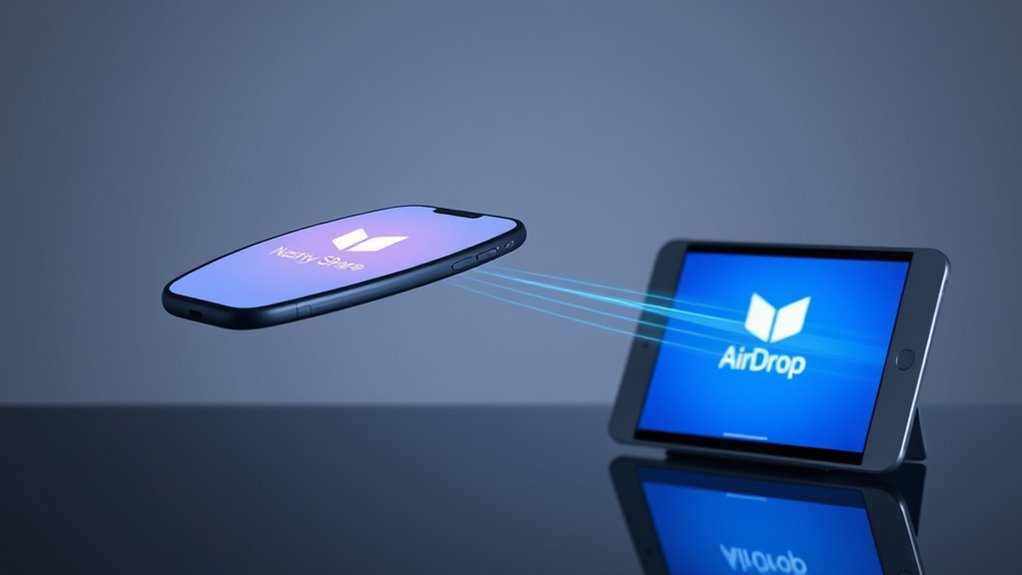

Airdrop and Nearby Share both use Bluetooth and Wi-Fi technologies to discover and securely transfer files between devices nearby. Airdrop primarily relies on Bluetooth for detection and Wi-Fi for fast data transfer, ensuring privacy through encryption. Nearby Share also uses Bluetooth to find devices, then chooses the best transfer method—Wi-Fi Direct, peer-to-peer Wi-Fi, or Bluetooth—based on speed and security needs. If you want to understand how these technologies work together, keep exploring further.

Get the latest gadgets delivered free — and shop member deals
- Fast, free delivery on millions of items
- Access to Prime Big Deal Days deals on October 6–7
- Prime Video, Amazon Music and more included
Key Takeaways
- AirDrop uses Bluetooth for device detection and Wi-Fi Direct for fast data transfer, similar to Nearby Share’s multi-method approach.
- Nearby Share offers more transfer options (Bluetooth, Wi-Fi Direct, peer-to-peer Wi-Fi), providing flexibility based on speed and security needs.
- Both utilize encryption and secure protocols to safeguard data during wireless transfer, ensuring privacy and confidentiality.
- User consent and visibility settings are essential in both systems, giving users control over device discoverability and sharing.
- AirDrop is exclusive to Apple devices, while Nearby Share is designed for Android, supporting cross-platform device detection and transfer.

When you activate Nearby Share, your device uses Bluetooth to detect nearby devices that also have the feature enabled. Bluetooth pairing is again essential here, as it helps establish a connection and verify the identity of the device you’re sharing with. Once a device is detected, Nearby Share offers multiple options for data transfer, including Bluetooth, Wi-Fi Direct, or even peer-to-peer Wi-Fi, depending on which method provides the best speed and security. This flexibility allows for faster transfers over Wi-Fi Direct, especially when sending larger files. Data encryption is also integrated into Nearby Share, safeguarding your files during transit. Android encrypts data while in transit, making it difficult for unauthorized parties to access your information. Additionally, Nearby Share emphasizes user privacy, requiring your consent before sharing files and allowing you to set visibility preferences for your device. The use of secure protocols further enhances the safety of the transfer process, aligning with modern standards for data protection.
As an affiliate, we earn on qualifying purchases.
Frequently Asked Questions
Can Airdrop and Nearby Share Transfer Large Files Efficiently?
Yes, both Airdrop and Nearby Share can transfer large files, but transfer speed and file size limitations vary. Airdrop generally offers faster speeds and handles bigger files more efficiently on Apple devices, while Nearby Share’s performance depends on device compatibility and network conditions. For ideal results, guarantee strong Wi-Fi or Bluetooth connections, and be mindful of file size limits to avoid interruptions or slow transfers.
Are There Security Risks With Wireless File Sharing?
Yes, wireless file sharing can pose security risks, such as privacy concerns if you don’t use strong encryption methods. When you transfer files, verify that both devices have updated security features and use encryption to protect your data. Be cautious about sharing with unknown devices, and disable sharing features when not in use. This way, you minimize potential vulnerabilities and keep your information safe during wireless transfers.
Do These Services Work Across Different Device Brands?
Yes, these services do work across different device brands, but you might encounter some cross-platform compatibility issues. For example, Airdrop is exclusive to Apple devices, while Nearby Share supports Android and Chrome OS. Device brand limitations can affect functionality; some features may not be fully compatible or may require specific app updates. Always verify compatibility beforehand to ensure smooth file transfers between different device brands.
How Do I Troubleshoot Connection Issues During Transfer?
Picture your device as a bridge, but sometimes it shakes, causing connection issues. To troubleshoot, confirm device compatibility first—check if both devices support the transfer service. Then, improve connection stability by restarting both devices, turning Wi-Fi or Bluetooth off and on, and keeping them close. Clear obstructions and avoid interference, and make sure both devices are discoverable. These steps help you restore a smooth, seamless transfer.
What Are the Compatibility Requirements for Each Service?
You need to check device compatibility and software requirements for each service. For AirDrop, your devices must be Apple products running iOS 7 or later and OS X Yosemite or later, with Bluetooth and Wi-Fi enabled. For Nearby Share, your Android device should run Android 6.0 or higher and support Bluetooth and Wi-Fi, while Chromebooks need Chrome OS 79 or later. Ensuring your devices meet these specs guarantees smooth file transfers.
Wi-Fi Direct file transfer adapter
As an affiliate, we earn on qualifying purchases.
As an affiliate, we earn on qualifying purchases.
Conclusion
In the end, whether you choose Airdrop or Nearby Share, both make wireless file transfer simple and quick. Did you know that over 80% of Android and iOS users have used these features at least once? That shows how essential seamless sharing has become in today’s digital world. So, pick the one that fits your device, and enjoy hassle-free transfers anytime, anywhere. After all, staying connected has never been easier.
As an affiliate, we earn on qualifying purchases.
As an affiliate, we earn on qualifying purchases.
Fall Picks
fall essentials
As an affiliate, we earn on qualifying purchases.