
To build a better phone video desk setup, start by choosing a stable mount or tripod at eye level to keep your shot steady. Use soft lighting like natural light near a window or a ring light for even illumination. Invest in an external mic for clear sound and create a quiet environment free of background noise. Keep your background tidy and professional to minimize distractions. Quick adjustments here will boost your quality—explore more tips to perfect your setup.

Get the latest gadgets delivered free — and shop member deals
- Fast, free delivery on millions of items
- Access to Prime Big Deal Days deals on October 6–7
- Prime Video, Amazon Music and more included
Key Takeaways
- Use a stable tripod or adjustable mount positioned at eye level for steady, natural framing.
- Optimize lighting with natural light or softbox sources, avoiding direct sunlight and uneven shadows.
- Incorporate external microphones placed close to your mouth for clear, professional audio.
- Keep your background tidy and uncluttered, using a dedicated, well-organized space.
- Ensure the environment is quiet and acoustically treated with sound-absorbing materials.

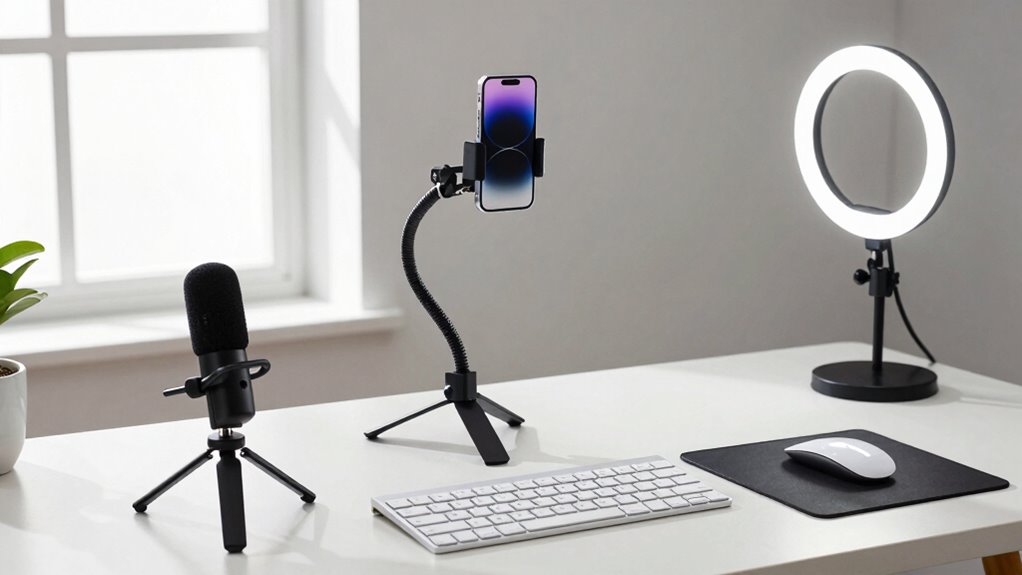
Setting up a better phone video desk can substantially improve the quality of your recordings and make your workspace more efficient. To start, focus on your lighting techniques. Good lighting is essential because it guarantees your face is clear and well-defined on camera. Natural light is often the best option—position your desk near a window, but avoid direct sunlight that can cause harsh shadows or overexposure. If natural light isn’t available, invest in softbox lights or ring lights. These provide even, diffused illumination that minimizes shadows and highlights your features naturally. Position your lights at eye level or slightly above, angled toward your face, to create a flattering and professional appearance. Experiment with different angles and intensities to find what works best for your space and skin tone.
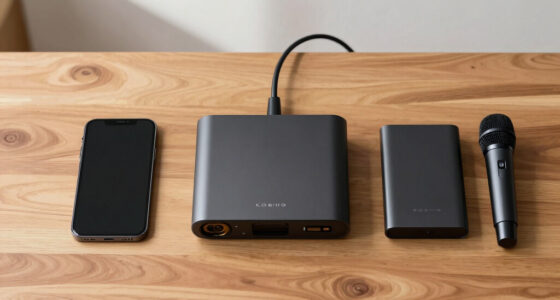
Sound quality is equally important for a polished video. Poor audio can distract viewers more than shaky footage or bad lighting. To improve sound, consider using an external microphone designed for smartphones. Compact shotgun mics or lavalier microphones offer clear, crisp audio that surpasses your phone’s built-in mic. Place the microphone close to your mouth, but out of the camera’s frame, to capture your voice accurately while reducing background noise. Additionally, choose a quiet environment—turn off fans, AC units, or other appliances that create unwanted noise. Use sound-absorbing materials like foam panels, carpets, or curtains around your workspace to minimize echo and reverberation, making your voice sound more natural and professional. Incorporating indoor air quality measures, like proper ventilation and humidity control, can also help maintain a comfortable environment that reduces background noise and discomfort during recording sessions. Improving soundproofing can further enhance the quality of your recordings by limiting external disturbances. Proper lighting techniques and environment control are crucial components of a professional-looking setup that keeps viewers engaged.
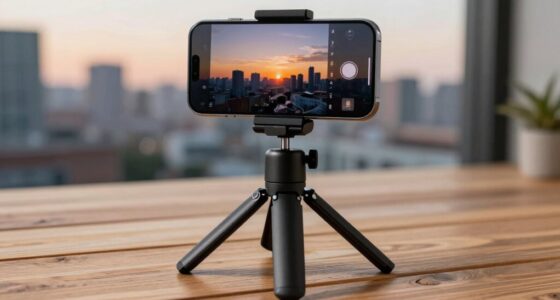
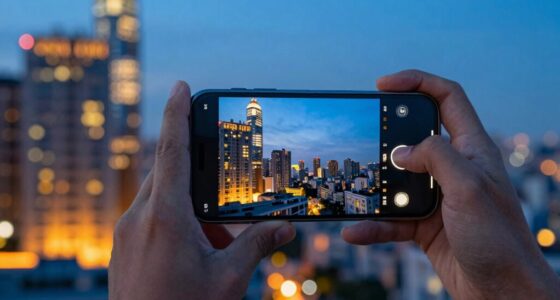
Mounting your phone securely is essential for steady footage. Use a stable tripod or a phone mount that adjusts to your preferred height and angle. Position your phone at eye level to maintain natural eye contact with your viewers. Avoid holding your phone in your hand, which can cause shaky footage and distract from your message. Instead, set it on a dedicated stand or mount that remains steady throughout your recordings. Make sure the background behind you is tidy and uncluttered, as a clean space looks more professional and keeps your viewers focused on you. Remember that camera placement plays a crucial role in how your videos appear and how comfortable you feel during recording sessions.
As an affiliate, we earn on qualifying purchases.
Frequently Asked Questions
How Do I Improve Audio Quality for Phone Videos?
To improve your phone video audio quality, focus on proper microphone placement—keep it close but avoid muffling sound. Use soundproofing techniques like adding soft materials (blankets, foam) around your setup to reduce echo and background noise. Also, consider using an external microphone compatible with your phone, which can considerably enhance clarity. Adjust your environment and positioning to ensure your voice is clear and professional-sounding.
What Lighting Setups Are Best for Phone Video Recording?
Lighting setups for phone videos are like magic tricks, transforming your footage instantly. Use soft, diffused lighting to avoid harsh shadows, and position lights at eye level or slightly above for flattering angles. Experiment with natural light by facing a window, or add ring lights for even illumination. Play with camera angles to maximize light and minimize glare, ensuring your scene looks professional and well-lit every time.
How Can I Reduce Background Noise During Filming?
To reduce background noise during filming, you should focus on background noise reduction and ambient sound control. Use a directional microphone or an external mic to pick up your voice while blocking out unwanted sounds. Record in a quiet space, close windows, and turn off noisy appliances. Consider using soft materials like blankets or foam panels around your setup to absorb ambient sound, creating a cleaner, clearer audio experience.
What Are the Best Apps for Editing Phone Videos?
Did you know that some of the best apps for editing phone videos are surprisingly user-friendly? Apps like InShot, KineMaster, and Adobe Premiere Rush offer powerful editing tools tailored for mobile accessories. With these video editing tips, you can trim clips, add effects, and enhance your footage effortlessly. Whether you’re a beginner or a pro, these apps help elevate your content, making your videos look professional straight from your phone.
How Do I Stabilize My Phone During Recording?
To stabilize your phone during recording, focus on choosing the right tripod options, like a flexible or tabletop tripod, to keep your camera steady. Adjust your camera angles to minimize shaky movements, and consider using a gimbal for smoother footage. Make sure your phone is securely mounted, and avoid touching it during filming. These tips will help you achieve professional-looking videos with steady shots.
As an affiliate, we earn on qualifying purchases.
Conclusion
By refining your phone video desk setup, you’re channeling the spirit of Da Vinci’s ingenuity—merging art and science for perfect results. With thoughtful placement, proper lighting, and stability, you’ll elevate your videos into a masterful craft. Remember, every great creator starts with a solid foundation, much like the Renaissance masters. So, take these tips and build a setup that transforms your content from ordinary to extraordinary, echoing the timeless pursuit of excellence.
external microphone for smartphones
As an affiliate, we earn on qualifying purchases.
As an affiliate, we earn on qualifying purchases.
As an affiliate, we earn on qualifying purchases.
Fall Picks
fall essentials
As an affiliate, we earn on qualifying purchases.