
Your phone charges slowly in the car mainly because of low-quality or damaged cables, incompatible chargers, or a degraded battery. Cheap cables can’t handle higher currents, and old batteries accept less charge, both slowing down the process. Using a car charger supporting fast charging standards can help, but only if your cables and port are in good condition. To learn how to maximize your charging speed, keep exploring these factors and how they work together.

Get the latest gadgets delivered free with Prime
- Fast, free delivery on millions of items
- Prime Video, Amazon Music and more included
- Member-only deals all year
Key Takeaways
- Incompatible or low-quality charging cables can limit power transfer, slowing down charging speed.
- Standard car chargers may not support fast charging protocols, resulting in slower charge times.
- Damaged or worn-out cables reduce efficiency even if they appear intact.
- Poor battery health decreases charging speed regardless of charger quality or setup.
- Faulty or degraded charging ports hinder efficient power transfer to your device.

If your phone charges slowly in the car, it’s often because the charging setup isn’t tailored for fast power transfer. Many car chargers and charging cables aren’t built to deliver the high current needed for quick charging, which can negatively impact your phone’s battery health over time. When you use subpar cables or a low-quality charger, you limit the amount of power reaching your device, leading to longer charging times. To get the best results, you need to pay attention to both the quality of your charging cables and the specifications of your car charger.
Slow car charging often stems from incompatible cables and low-quality chargers limiting power transfer.
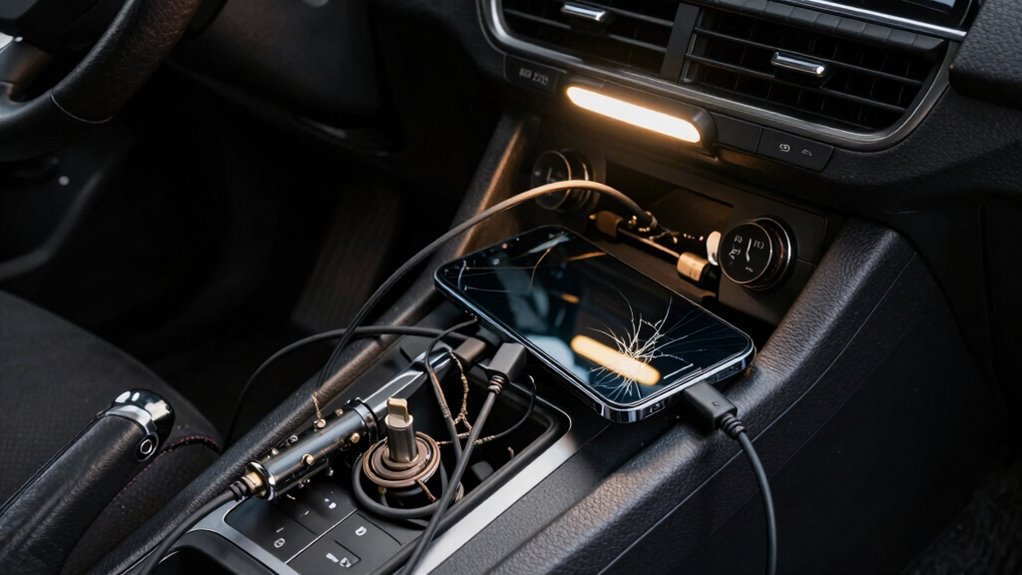
The type of charging cable you use plays a significant role in charging speed. Cheap or worn-out cables may have internal wiring that can’t handle higher currents, which results in slower charging. Over time, these cables can also develop internal damage that reduces their efficiency, even if they seem fine on the outside. Investing in certified, high-quality charging cables designed for fast charging can make a noticeable difference. These cables are built with thicker wiring and better shielding, enabling a higher transfer rate of power without risking damage to your phone or draining its battery health. Additionally, choosing cables that are compatible with your device’s fast charging protocols ensures optimal performance.
Your car’s charging port and the charger itself matter just as much. Many standard car chargers are designed for basic charging needs and don’t support fast charging protocols like USB Power Delivery or Qualcomm Quick Charge. When you use a low-power charger, your phone will draw only the amount of current it can handle safely, which often results in slow charging speeds. Upgrading to a high-output car charger that supports fast charging standards helps ensure your device gets the power it needs, especially during longer trips. Understanding charging standards can help you select the right equipment for optimal performance. Additionally, the quality of the charging port can influence how efficiently power is transferred from the charger to your device.
Another factor to ponder is the condition of your phone’s battery health. As batteries age, their ability to accept charge efficiently can diminish, leading to longer charging times regardless of the charger or cable quality. If your phone’s battery health is poor, even the best charger may not deliver ideal results. In some cases, a battery replacement might be necessary to restore faster charging capabilities. Proper maintenance and understanding of battery health can significantly influence charging performance.
As an affiliate, we earn on qualifying purchases.
Frequently Asked Questions
Can Using Navigation Apps Slow Down Charging?
Yes, using route-planning apps can slow down your phone’s charging. Route-planning apps drain power quickly, forcing your phone to work harder, which can reduce charging efficiency. When you use wireless charging or charging cables while route-planning, the extra power consumption makes it harder for your device to keep up. To speed up charging, consider turning off route-planning temporarily or using a high-quality charging cable that delivers faster power.
Does the Age of My Phone Affect Charging Speed?
Yes, your phone’s age affects charging speed. As batteries age, they experience degradation, reducing their ability to hold and charge power efficiently. Power management systems may also slow charging to protect the deteriorating battery. When your phone gets older, expect slower charging times because the degraded battery and advanced power management work together to preserve battery life, even if it means taking longer to fully recharge.
Do Different Car Chargers Charge at Different Rates?
Yes, different car chargers charge at different rates. Some support fast charging, which can substantially speed up your phone’s charging time, especially with compatible devices. Others may offer wireless charging, providing a convenient, cable-free option but often at slower speeds. To get the best performance, choose a charger that supports fast charging standards like Quick Charge or Power Delivery, especially if your phone is compatible.
Can Temperature Impact My Phone’s Charging Efficiency?
Yes, temperature can impact your phone’s charging efficiency. When it gets too hot or cold, it affects your battery health and slows down charging speed to prevent damage. High temperatures can cause your device to overheat, reducing charging efficiency, while cold temperatures can make the battery less receptive to charging. To maintain ideal charging speed, keep your phone in a moderate temperature environment and avoid extreme conditions.
Is It Better to Turn off My Phone While Charging?
Turning off your phone while charging can be beneficial for your battery health. It reduces background activity, allowing the battery to charge more efficiently and potentially extending its lifespan. Good charging habits, like avoiding overcharging and keeping your device cool, also support battery health. While it’s not always necessary to turn off your phone, doing so can speed up charging and preserve long-term battery performance.
As an affiliate, we earn on qualifying purchases.
Conclusion
So, next time your phone refuses to charge quickly in the car, remember—there’s more at play than just the charger. Sometimes, the real culprit is hidden in plain sight, waiting to reveal itself when you least expect it. Keep an eye on your charging habits, and you might just uncover a surprise that changes everything. After all, the next breakthrough could be just around the corner—are you ready to discover what’s really slowing you down?
Qualcomm Quick Charge car charger
As an affiliate, we earn on qualifying purchases.
As an affiliate, we earn on qualifying purchases.
high-quality USB charging cable for car
As an affiliate, we earn on qualifying purchases.
As an affiliate, we earn on qualifying purchases.
Fall Picks
fall essentials
As an affiliate, we earn on qualifying purchases.