
TL;DR

Get the latest gadgets delivered free — and shop member deals
- Fast, free delivery on millions of items
- Access to Prime Big Deal Days deals on October 6–7
- Prime Video, Amazon Music and more included
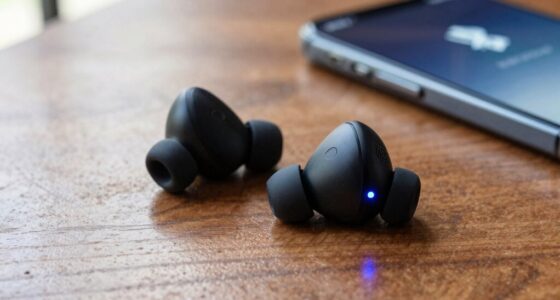
Wireless earbuds work well for gaming when latency stays under roughly 80ms — something Bluetooth codecs like aptX Adaptive and 2.4GHz USB dongles achieve, but basic SBC Bluetooth does not. The best gaming earbuds pair a low-latency connection with decent spatial audio and a beamforming mic, though serious competitive players often still prefer wired headsets for zero delay and better voice quality.
You duck behind cover, hear the shot, and die — except the shot happened half a second before the audio reached your ears. That’s what cheap Bluetooth does to your game. And it’s why most people assume wireless earbuds for gaming are a bad idea.
That assumption is out of date. Modern low-latency codecs and 2.4GHz USB dongles have closed most of the gap between earbuds and traditional gaming headsets. You just have to know what to look for — because the wrong pair will still ruin your aim.
In this guide, you’ll learn the key aspects to check: latency, codecs, mic quality, battery, and platform quirks (yes, Xbox is the awkward one). By the end, you’ll know exactly whether earbuds fit your setup — and which specs separate the good ones from the glossy ones.
Latency under 80ms is the threshold for gaming — aptX Adaptive (40–80ms) and 2.4GHz dongles hit it; SBC Bluetooth (150–300ms) does not.
A 2.4GHz USB-C dongle bypasses Bluetooth latency entirely and is the single most valuable feature for handheld and PC gamers.
Codec support must exist on both the earbuds and your device — aptX buds on an iPhone fall back to slower AAC.
Gaming modes typically cut battery life by 20–30%, so buy for the in-mode runtime, not the marketing number.
Xbox and Nintendo Switch have restrictive Bluetooth audio/mic support — verify compatibility or use a dongle before buying.
Why Your Earbuds Lag — and the Number That Decides Everything
Wireless earbuds lag because Bluetooth transmission adds delay between on-screen action and audio reaching your ears. Think of it like a dubbed movie: the lips move, and the words arrive a beat later. In a film that’s annoying; in a shooter, it’s fatal. That delay — measured in milliseconds — is the single most important spec for gaming. Anything under 50–80ms is imperceptible to most people. Anything over 150ms and you’ll hear your character’s death rattle after the respawn timer starts.
Here’s the part most buyers miss: the codec does the heavy lifting. A codec is just the method your device uses to compress and send audio — like choosing between texting a photo at full quality or as a compressed thumbnail — and they are not created equal.
| Codec | Typical Latency | Where You’ll Find It |
|---|---|---|
| SBC | 150–300ms | Default on everything; the lag culprit |
| AAC | ~100–150ms | iOS standard; moderate lag |
| aptX Adaptive / Low Latency | 40–80ms | Android devices that support aptX |
| LC3 / LE Audio | Promising, still rolling out | Newer Bluetooth LE standard |
To feel the difference: on SBC, you press jump in a platformer and hear the landing sound after your character has already touched down. On aptX Adaptive, the audio and the animation land together, as if wired. Rhythm games like Fortnite Festival make this instantly obvious — SBC makes the notes feel ‘off-beat,’ while a low-latency connection keeps them locked to the music.
One catch: codec support has to exist on both ends. Your aptX earbuds connect to an iPhone? They’ll fall back to AAC, and you’ll eat the extra delay — like buying a sports car and filling it with regular fuel. Always check what your device actually supports before blaming the buds.
The Dongle Trick That Kills Latency Completely
The biggest recent shift in gaming earbuds is the 2.4GHz USB-C dongle. Plug a tiny receiver into your Switch, Steam Deck, ROG Ally, or PC, and your earbuds skip Bluetooth entirely — the same approach gaming headsets have used for a decade. Latency drops to headset-level, often under 40ms, with none of Bluetooth’s compression dance.
Picture it like a private side road next to a congested highway: Bluetooth is the highway, shared with every device in your house and packed with compression tolls, while the dongle is a dedicated lane straight from your console to your ears.
This is why the Razer Hammerhead HyperSpeed and similar models ship with a dongle in the box. It’s the difference between “earbuds I can also game with” and “actual gaming earbuds.” On a Steam Deck, the contrast is dramatic — plain Bluetooth makes Celeste‘s precision jumps feel floaty, while the dongle makes them feel wired.
There’s a tradeoff, of course. The dongle eats a USB port, gives you one more tiny thing to lose, and usually doesn’t work with your phone. That’s where multipoint comes in handy — some earbuds hold a Bluetooth connection to your phone and a dongle connection to your handheld simultaneously, so a call can interrupt your game without you touching anything.
If you game mostly on a handheld or PC, prioritize dongle support over almost everything else. It’s the closest thing to a silver bullet in this space.
Spatial Audio: Can You Really Hear Footsteps Better?
Spatial audio in gaming earbuds means processed 3D positional sound — the technology that tells your brain “that enemy is upstairs, slightly to the left.” Think of how you naturally turn toward a sound in the real room around you; spatial audio tries to recreate that instinct inside your ears.
Formats like Dolby Atmos, Windows Sonic, and Sony 360 Reality Audio handle this processing, and some earbuds add their own HRTF (head-related transfer function) tuning to sharpen directional cues.
Does it matter? For competitive shooters, genuinely yes. In Valorant, a well-tuned spatial profile tells you whether the defender rotated through A-main or snuck the vents; in Call of Duty: Warzone, it’s the difference between pre-aiming the right corner of a building and getting shot from the wrong one — often worth more than 10 extra frames per second. Frequency tuning matters too: good gaming buds emphasize both bass (explosions you feel) and mids (footsteps you track).
The honest caveat: in-ear buds can’t match the soundstage of over-ear cups. A quality headset gives you a wide, concert-hall sense of space; earbuds are more like sitting close to the stage — precise, but less roomy. Earbuds get you 85% of the way there — enough for casual and intermediate competitive play, though esports pros overwhelmingly stay wired.
The Mic Problem Nobody Warns You About
Microphone quality is where earbuds most often fall apart. Tiny in-ear mics pick up keyboard clatter, room echo, and your own breathing, and your squad hears all of it. This is why “earbuds sound great, but you sound terrible” is a running joke in Discord channels — you hear crisp enemy footsteps while your teammates hear what sounds like you gaming inside a popcorn machine.
Look for multiple mics with beamforming — the tech that focuses on your voice and pushes background noise aside, like a spotlight on a speaker while the stage lights dim. Four-mic setups are now common even at mid-range prices. Also watch for sidetone (mic monitoring), which pipes your own voice back into your ears so you don’t unconsciously shout.
Two platform quirks worth knowing:
- Nintendo Switch historically restricts mic input over Bluetooth — chat often requires the dongle or a separate app.
- PS5 and Xbox have similar Bluetooth limitations; Xbox is the strictest, requiring officially licensed models or a compatible dongle.
If you’re the designated shot-caller in your squad, test your mic in a Discord voice check before committing to a pair. Your teammates will thank you.
Battery, Comfort, and the Gaming Mode Tax
Expect 4–8 hours per charge and 20–30 total with the case on current gaming earbuds. But here’s the fine print: low-latency gaming modes often reduce battery life, sometimes by 20–30%, because the earbuds are processing and transmitting more aggressively. A bud rated at 6 hours might give you 4.5 in gaming mode — fine for an evening session, not fine for a weekend Baldur’s Gate 3 binge.
Fast charging is standard now — usually 10 minutes in the case buys you an hour or two of play. That’s your safety net for marathon sessions: buds die mid-raid, drop them in the case while you grab a drink, and you’re back in business.
On comfort, in-ear fatigue is real. Three hours into a raid, hard plastic tips feel like tiny ice cream headaches. What helps:
- Multiple ear tip sizes (silicone or foam — foam isolates better)
- Wings or fins that anchor the bud so it’s not resting on one pressure point
- Light weight — under 5g per bud makes multi-hour sessions painless
- Control locking, so a mid-firefight cheek scratch doesn’t pause your game
That last one is underrated. Touch controls that fire during gameplay are maddening — check whether the app lets you disable them before you buy.
Real-World Examples: The Same Game, Three Different Setups
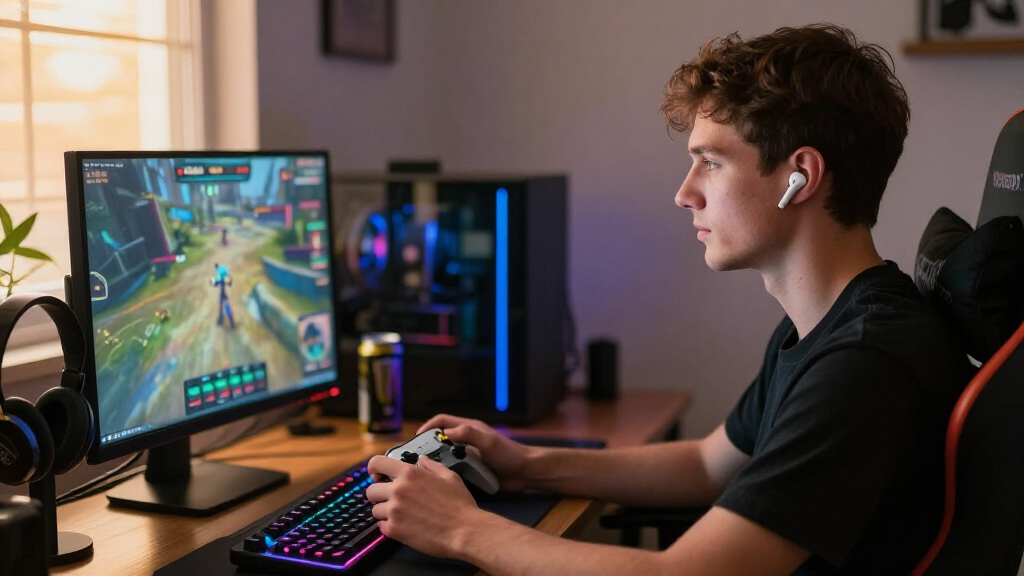
Specs only tell you so much — so here’s what latency, spatial audio, and mic quality actually feel like in practice, using three common player setups playing the same match of Call of Duty: Warzone.
Setup 1: $25 generic earbuds over plain Bluetooth (SBC, ~200ms). You peek a corner, and the gunshot arrives so late that you’ve already decided you’re safe before the audio confirms you were hit. Reload sounds trail the animation by a beat, footsteps arrive after the enemy rounds the corner, and your squad politely asks if you’re “gaming in a wind tunnel.” This is the experience that gives wireless earbuds a bad name.
Setup 2: Mid-range earbuds with aptX Adaptive (~60ms) and a four-mic beamforming array. Now the gunshots land with the muzzle flash, and you can hear an enemy sprinting up the stairs to your left — the spatial cue is sharp enough to pre-aim the doorway. Your voice over Discord is clean; the clack of your mechanical keyboard fades into the background instead of dominating the call. The tradeoff: your rated 6-hour battery gives you about 4.5 hours with the low-latency mode on.
Setup 3: Dongle-based gaming earbuds (2.4GHz, ~35ms) on a Steam Deck. Plug the USB-C receiver in, and Celeste‘s precision jumps feel wired — every landing thud syncs perfectly with the animation. Mid-session, a phone call rings through via multipoint without you pausing the game. The only costs: one occupied USB port and one more tiny dongle to keep track of in your bag.
The pattern across all three: the connection method and mic hardware — not the price — decide the experience. The $25 pair fails because of SBC latency, not because it’s cheap. The mid-range pair succeeds because of codec and mic array, not because of brand. Keep that mapping in mind as you run through the checklist below.
How to Pick the Right Pair: A 5-Step Checklist
The right wireless earbuds for your gaming setup depend on your platform, your games, and your budget — in that order. Work through this list before spending anything:
- Match the connection to your platform. Handheld/PC? Get a 2.4GHz dongle pair. Phone gaming? Check codec support (aptX on Android, AAC on iPhone). Xbox? Confirm official compatibility first.
- Verify latency specs. Look for a stated gaming mode under 80ms. If the box doesn’t mention latency at all, assume it’s bad.
- Check the mic array. Beamforming with 3+ mics minimum, sidetone if you can get it.
- Set your budget tier. Budget ($30–60) covers basics like Soundcore’s gaming lines; mid-range ($60–150) is the sweet spot with dongles and ANC; premium ($150–250+) buys the Razer/HyperX/ASUS ROG flagships.
- Test spatial audio and control locking within your return window. Play one competitive match, one cinematic single-player session, and one long Discord call. If all three feel right, keep them.
Budget tip: a $70 pair with a 2.4GHz dongle will outperform a $230 pair of music-first earbuds connected over plain Bluetooth. Connection method beats price.
Frequently Asked Questions
Do wireless earbuds lag in games?
Sometimes, but not always. Basic SBC Bluetooth can add 150–300ms of delay — very noticeable. Earbuds using aptX Adaptive, a low-latency gaming mode, or a 2.4GHz dongle typically stay under 80ms, which most gamers can’t perceive. The codec and connection method decide everything.
Can I use AirPods or Galaxy Buds for gaming?
Yes, with caveats. They work fine for casual and single-player gaming, and their platform integration (especially AirPods with Apple devices) keeps latency reasonable. But you’ll get no dongle option, mic quality in noisy rooms is mediocre, and there’s no dedicated low-latency mode on most models.
Why doesn’t my mic work on Switch or PS5 with Bluetooth earbuds?
Console Bluetooth implementations restrict audio input. The Nintendo Switch historically blocks mic support over Bluetooth entirely, and PS5 only allows certain connections. Use a 2.4GHz dongle that supports chat, or route voice through the PlayStation or Switch mobile apps instead.
Are wireless earbuds good enough for competitive FPS gaming?
For casual and intermediate competitive play, yes — modern low-latency earbuds with spatial audio handle footsteps and directional cues well. Professional players mostly stick to wired headsets for zero latency and superior soundstage, but that gap has narrowed considerably since dongle-based earbuds arrived.
Does gaming mode drain the battery faster?
Yes. Low-latency modes push more processing and data through the earbuds, typically cutting runtime by 20–30%. A 6-hour rating might mean 4.5 hours in gaming mode, so plan your charging around the in-mode number, not the marketing claim.
Conclusion
If you remember one thing: the connection method matters more than the price tag. A modest pair with a 2.4GHz dongle or a proper low-latency mode will feel instant, while premium music earbuds on plain Bluetooth will make you swear off wireless forever.
Figure out your platform, chase that sub-80ms number, and test the mic before the return window closes. Then enjoy the strange new experience of hearing a gunshot exactly when it happens — light, untethered, and still sitting comfortably three hours later.
Fall Picks
fall essentials
As an affiliate, we earn on qualifying purchases.