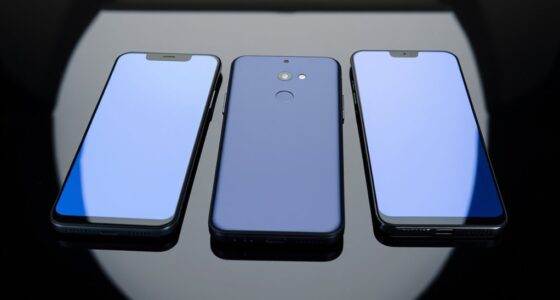

TL;DR

Get the latest gadgets delivered free with Prime
- Fast, free delivery on millions of items
- Prime Video, Amazon Music and more included
- Member-only deals all year
Lifehacker has highlighted 10 apps that use the iPhone Duo’s folding form, including retro-computer and cassette-player interfaces, music and camera tools, and games controlled by folding the phone. The roundup describes app features and listed prices, but does not independently establish how well they work; early App Store reviews cited for Tiny Computers mention bugs.
Lifehacker has rounded up 10 quirky apps designed to use the folding form of the iPhone Duo, with examples ranging from retro computer and cassette-player interfaces to puzzles that respond when users fold or tilt the device. The list gives Duo owners ideas for experimenting with the phone’s two displays and hinge, while app performance and availability should be checked in the App Store.
The roundup’s apps use the Duo in different ways: some turn its screens into playful imitations of older devices, while others make folding part of a game or instrument. Tiny Computers costs $4 and presents computer-inspired layouts including the Commodore 64, Windows 95, the iMac G3, and the Macintosh. In its half-open position, the app uses the lower display as a keyboard and places the computer screen above it. Lifehacker notes that early App Store reviews mention bugs.
Deck-Man, listed at $5, gives Apple Music and local music files a cassette-player-style interface, including an animation in which users insert a virtual cassette before an album plays. Foldissimo, meanwhile, uses opening and closing motions to simulate airflow in an accordion. The app is free with a $10 charge to unlock all songs; unlocking additional instruments, including panpipes and theremin, costs another $10, according to the roundup.
Several entries are games built around the hinge. The $5 puzzle game Orisuji has 69 levels in which folding and unfolding shifts mazes. Toastie, listed at $3, challenges players to make sandwiches by following timed steps and folding the phone to cook. Marbles Unhinged is free to start, with levels in each world priced at $3, and uses folding and phone angle to alter a marble’s route. ChompDuo is also free to start, with a $1 charge to unlock all monsters.
The New Handset · App Roundup
10 Fun and Quirky iPhone Duo Apps Worth Checking Out
Lifehacker’s roundup explores apps that turn the iPhone Duo’s two displays and hinge into playful interfaces, instruments, cameras, and game controls. Features and prices reflect the roundup; check current listings before downloading.
Ten ideas for two screens
The roundup spans retro-inspired interfaces, music, video, playful utilities, and games that respond to folding or tilting.
Tiny Computers
$4Computer-inspired looks include Commodore 64, Windows 95, iMac G3, and Macintosh. Half-open, the lower screen becomes a keyboard.
Retro interface · Bug reports notedDeck-Man
$5Gives Apple Music and local files a cassette-player feel, complete with a virtual tape insertion animation.
Music · Cassette styleFoldissimo
Free + $10Opening and closing simulates accordion airflow. The roundup lists a song unlock, plus another $10 for instruments such as panpipes and theremin.
Music · Hinge motionOrisuji
$5A 69-level puzzle game where folding and unfolding shifts the mazes.
Puzzle · 69 levelsToastie
$3Players follow timed sandwich-making steps, then fold the phone to “cook.”
Game · Timed stepsMarbles Unhinged
Free to startFolding and changing the phone’s angle alter a marble’s route. Individual world levels are listed at $3.
Game · Tilt and foldChompDuo
Free + $1A monster-focused app with an optional charge to unlock all monsters.
Game · Unlockable contentFlipcorder
$5A retro camcorder interface. The outer display previews the frame; folding saves a clip. The roundup says recording is limited to 30 minutes daily.
Camera · Virtual tapesUnfold Your City
Free + $5City artwork opens like a pop-up book; the listed charge unlocks all cities.
Art · City scenesDex Fold
Free + $3 optionsA Pokédex-style app that works only when the Duo is unfolded, with optional paid features.
Utility · Unfolded modeHow the hinge joins in
Across the examples, folding can change the controls, reshape the scene, or help complete an action.
Two displays make room for layouts such as a computer screen above a keyboard.
Fold, unfold, or tilt to shift a maze, steer a marble, or simulate an instrument.
An outer display can show a recording frame or character while the phone is folded.
Games and utilities turn the device’s shape into part of the experience.
Free to start can mean more
Listed prices range from free downloads to $5 upfront, with several optional purchases for added content.
Illustrative listed prices from the roundup; this is not a complete price comparison. Prices and purchase terms may change.
A catalogue, not a quality test
The article offers examples of Duo-focused app design, without independently testing reliability, accessibility, or everyday hinge controls.
“Early App Store reviews mention that the app can be buggy” Lifehacker on Tiny Computers · As reported in the roundup
Early reviews for Tiny Computers mention bugs. The roundup does not state how many reviews or describe the severity.
Current prices, in-app purchases, regional availability, and supported iPhone Duo models may differ from the listed details.
No independent comparison, developer update plans, or timeline for more Duo apps is provided.
What to keep in mind
A short guide to the roundup’s scope and what readers may want to check next.
What is the roundup about?
Ten apps that use the iPhone Duo’s folding design, from retro interfaces and music tools to games and utilities.
Which games use folding?
Orisuji, Toastie, and Marbles Unhinged use folding in play; Marbles Unhinged also uses phone angle. ChompDuo is another playful entry.
Are the apps free?
Some are free to download, while others have upfront prices or paid unlocks for songs, levels, cities, instruments, or features.
Does the article report problems?
It cites early App Store reviews mentioning bugs for Tiny Computers, without specifying the number or severity of reports.
The Hinge Becomes Part of Play
The list illustrates a practical consequence of a folding phone design: developers can make the hinge and two screens part of how an app looks or works, rather than treating them as hardware details. That creates room for interactions that do not translate directly to a conventional single-screen phone, such as tilting a maze or using the outer display to show a recording frame or character.
For readers considering the Duo, the apps offer examples of what its unusual design can be used for beyond opening a larger screen. They also show a range of costs: some titles are free to download but charge for additional content, while others have an upfront price. The roundup is a catalogue of options, not evidence that every app is polished or that the device has a broad app ecosystem.
Products Worth Considering

DJI Mic 3 Wireless Microphone System (2 Transmitters, 1 Receiver, Charging Case)

Logitech MX Keys S Wireless Keyboard, Graphite

Sony WH-1000XM6 Wireless Noise-Canceling Over-Ear Headphones, Blue, Bundle
As an affiliate, we earn on qualifying purchases.
Apps Built Around Folding
The roundup frames the Duo’s form as a new design opportunity, saying its launch marks a fundamental change to the iPhone’s shape. The supplied article does not provide a launch date, technical specifications, or independent confirmation of that characterization. Its focus is narrower: ten examples of apps that use the device’s folding display in distinctive ways.
Beyond music and games, the examples include Flipcorder ($5), which presents a retro camcorder interface in tablet mode and lets people being filmed see a frame on the outer display. Folding the phone saves the clip; the app is described as allowing up to 30 minutes of video recording per day, with clips stored as virtual tapes. Unfold Your City, free with a $5 charge to unlock all cities, presents city artwork like a pop-up book. Dex Fold, a free Pokédex-style app with optional features costing $3, only works when the Duo is unfolded.
““early App Store reviews mention that the app can be buggy””
— Lifehacker
App Quality and Availability
The roundup does not establish whether all ten apps are currently available in every region, which iPhone Duo models they support, or whether their listed prices have changed. It also does not provide independent testing of reliability, accessibility, or how well the hinge-based controls work in everyday use. The only specific performance caveat is that early App Store reviews for Tiny Computers mention bugs; the number and severity of those reports are not stated.
Descriptions of features and prices are presented in Lifehacker’s roundup, not as guarantees of current App Store terms. The article also does not compare these apps with alternatives or say whether developers plan updates. Readers should check each listing for current compatibility, pricing, and in-app purchases before downloading.
Check Listings Before Downloading
No follow-up release, update, or developer announcement is identified in the roundup. For prospective users, the immediate next step is to review the individual App Store pages for current prices, device compatibility, and purchase options, especially for apps with paid unlocks. Owners can then test whether the folding interactions suit their device and preferences.
As more Duo-focused apps appear, their availability and software updates will determine whether the roundup’s playful demonstrations become lasting uses for the format. The article does not provide a timeline for additional releases, so that remains open.
Source: Lifehacker
Key Questions
What is the roundup about?
It describes 10 apps that use the iPhone Duo’s folding design, including retro interfaces, music and video apps, puzzles, and playful utilities.
Which apps use folding as a game control?
Orisuji, Toastie, Marbles Unhinged, and ChompDuo all use the phone’s folding mechanics in gameplay or interactions, according to the roundup. Some titles also use the phone’s angle or outer display.
Are the apps free?
Some are free to download, but several charge for songs, levels, cities, instruments, or other features. The roundup lists prices, but readers should check the App Store for current terms.
Does the roundup report any problems?
It says early App Store reviews of Tiny Computers mention bugs. It does not specify how many reviews raised the issue or describe the bugs in detail.
Source: Lifehacker