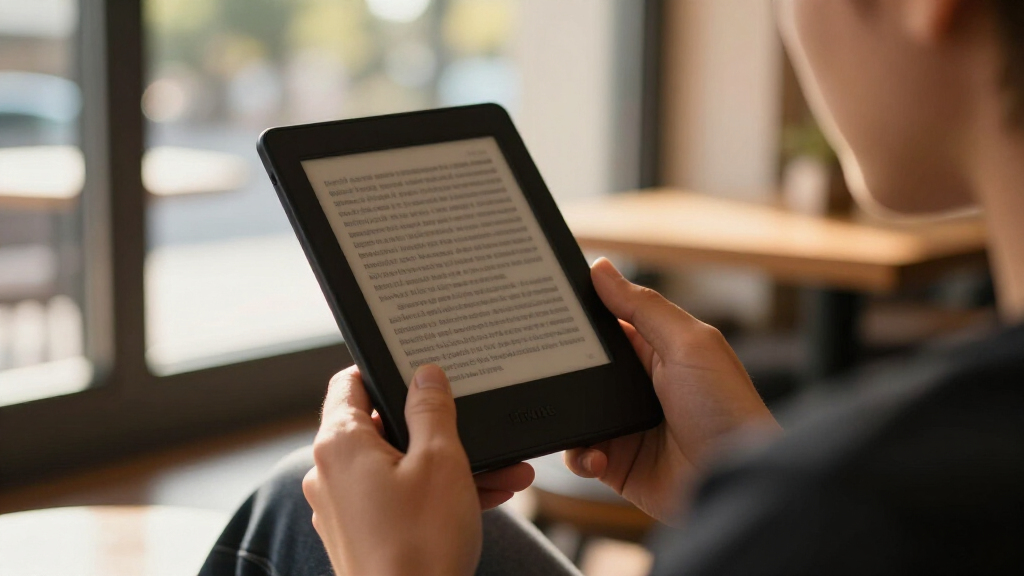
Choosing between Kindle ereaders in 2026 comes down to three questions: do you want color, how big should the screen be, and do you need pen input? The Kindle Paperwhite Signature Edition (12th Generation) earns my best overall pick for pairing the fastest page turns and an adjustable warm light with wireless charging — a genuine sweet spot for most readers. If you read comics, magazines, or manga, the Kindle Colorsoft Signature Edition adds color without sacrificing battery life, while the base Kindle (16 GB) remains the smartest low-cost entry point. The main tradeoffs you’ll face are screen size versus portability, color versus crisp black-and-white text, and whether note-taking on the Scribe justifies its larger footprint. Keep reading for the full breakdown of all 15 models and who each one suits best.

Get the latest gadgets delivered free — and shop member deals
- Fast, free delivery on millions of items
- Access to Prime Big Deal Days deals on October 6–7
- Prime Video, Amazon Music and more included
Complete the kit



Key Takeaways
- The Paperwhite Signature Edition line (available in Metallic Black, Jade, and Raspberry) dominated the top spots because wireless charging, 32 GB of storage, and auto-adjusting brightness solve real daily annoyances — not just spec-sheet wants.
- Color arrived as the biggest differentiator this generation: Colorsoft and Scribe Colorsoft models render covers, comics, and highlights in color, but text sharpness slightly trails equivalent black-and-white Kindles, so fiction-first readers lose nothing by skipping color.
- Refurbished units (the base amazon.com/dp/B0FC1ZS9QZ?tag=thenewhandset-20&ascsubtag=dc-1084895″ target=”_blank” rel=”nofollow sponsored noopener”>amazon.com/dp/B0CFPP8C33?tag=thenewhandset-20&ascsubtag=dc-1084895″ target=”_blank” rel=”nofollow sponsored noopener”>Kindle and Colorsoft Signature Edition) matched new-model hardware in my comparison, making them the smartest route to premium features if cosmetic perfection isn’t a priority.
- The base Kindle appeared three times in this lineup across colors and conditions — proof that amazon.com/dp/B0CFPHV9ZN?tag=thenewhandset-20&ascsubtag=dc-1084895″ target=”_blank” rel=”nofollow sponsored noopener”>amazon.com/dp/B0CFPTK5JG?tag=thenewhandset-20&ascsubtag=dc-1084895″ target=”_blank” rel=”nofollow sponsored noopener”>amazon.com/dp/B0FC1WNVMX?tag=thenewhandset-20&ascsubtag=dc-1084895″ target=”_blank” rel=”nofollow sponsored noopener”>amazon.com/dp/B0CGVSKR1G?tag=thenewhandset-20&ascsubtag=dc-1084895″ target=”_blank” rel=”nofollow sponsored noopener”>amazon.com/dp/B0CX8XQHY8?tag=thenewhandset-20&ascsubtag=dc-1084895″ target=”_blank” rel=”nofollow sponsored noopener”>amazon.com/dp/B0CNVCQZG1?tag=thenewhandset-20&ascsubtag=dc-1084895″ target=”_blank” rel=”nofollow sponsored noopener”>amazon.com/dp/B0CFPHPHYC?tag=thenewhandset-20&ascsubtag=dc-1084895″ target=”_blank” rel=”nofollow sponsored noopener”>amazon.com/dp/B0CP32KPTM?tag=thenewhandset-20&ascsubtag=dc-1084895″ target=”_blank” rel=”nofollow sponsored noopener”>amazon.com/dp/B0FC1VJJFP?tag=thenewhandset-20&ascsubtag=dc-1084895″ target=”_blank” rel=”nofollow sponsored noopener”>amazon.com/dp/B0CFPJYX7P?tag=thenewhandset-20&ascsubtag=dc-1084895″ target=”_blank” rel=”nofollow sponsored noopener”>amazon.com/dp/B0C8RR4WN3?tag=thenewhandset-20&ascsubtag=dc-1084895″ target=”_blank” rel=”nofollow sponsored noopener”>Amazon‘s entry model is consistent, but also that its 6-inch screen and lack of waterproofing are the real reasons to pay more, not storage.
- The Scribe Colorsoft with Premium Pen sits in a category of its own: with an 11-inch color display it competes less with other Kindles and more with tablets and e-notebooks, so it only makes sense if handwriting and document markup are part of your routine.
| Amazon Kindle Paperwhite Signature Edition (12th Generation, 2024), 32 GB, Metallic Black |  | Best Overall | Display: 7-inch, 300 ppi, 16-level grayscale | Storage: 32 GB | Battery life: Up to 12 weeks (30 min daily reading, wireless off) | VIEW LATEST PRICE | See Our Full Breakdown |
| Amazon Kindle Paperwhite (16 GB, newest model, Black) |  | Best Value | Display: 7-inch glare-free Paperwhite | Storage: 16 GB | Battery life: Up to 12 weeks per charge | VIEW LATEST PRICE | See Our Full Breakdown |
| Amazon Kindle Scribe Colorsoft 64GB with Premium Pen, Graphite |  | Best Premium Pick | Display: 11-inch Colorsoft, 300 ppi B&W / 150 ppi color, front light | Storage: 64 GB (~50 GB available) | Weight: 14.1 oz (400 g) | VIEW LATEST PRICE | See Our Full Breakdown |
| Amazon Kindle (16 GB), Latest Model, Matcha |  | Best for Beginners | Display: 6-inch glare-free | Storage: 16 GB | Front light: Adjustable, up to 25% brighter at maximum | VIEW LATEST PRICE | See Our Full Breakdown |
| Amazon Kindle Paperwhite Signature Edition 32GB (Metallic Raspberry) |  | Best Style Pick | Display: 7-inch glare-free, higher contrast ratio | Storage: 32 GB | Battery life: Up to 12 weeks per charge | VIEW LATEST PRICE | See Our Full Breakdown |
| Amazon Kindle 16 GB (2024, 11th Generation) – Matcha | | Best Budget Entry Point | Display: 6-inch glare-free display, 300 ppi, 16-level grayscale | Storage: 16 GB | Weight: 5.56 oz (158 g) | VIEW LATEST PRICE | See Our Full Breakdown |
| Amazon Kindle Colorsoft Signature Edition 32GB, Metallic Black (Like-New Refurbished) |  | Best Value in Color | Storage: 32 GB | Display: 7-inch Colorsoft color display | Front light: Auto-adjusting | VIEW LATEST PRICE | See Our Full Breakdown |
| Amazon Kindle Colorsoft 16 GB E-Reader |  | Best for Color-Centric Reading | Display: 7-inch Colorsoft display | Storage: 16 GB | Battery life: Up to 8 weeks per charge | VIEW LATEST PRICE | See Our Full Breakdown |
| Amazon Kindle Scribe Colorsoft 64GB with 11-Inch Color Display and Premium Pen |  | Best Premium Pick for Reading and Writing | Display: 11-inch Colorsoft; 300 ppi black-and-white, 150 ppi color | Storage: 64 GB (50 GB available to user) | Device weight: 14.1 oz (400 g) | VIEW LATEST PRICE | See Our Full Breakdown |
| Amazon Kindle Paperwhite (12th Generation, 2024), 16GB, 7-inch Display, Raspberry |  | Best Overall | Display: 7-inch, 300 ppi, 16-level grayscale, glare-free | Storage: 16 GB | Weight: 7.4 oz (211 g) | VIEW LATEST PRICE | See Our Full Breakdown |
| Amazon Kindle Paperwhite 16GB (12th Generation, 2024) – 7″ Glare-Free Display, Jade |  | Best Overall | Display: 7-inch, 300 ppi, 16-level grayscale, adjustable white-to-amber light | Storage: 16 GB | Battery Life: Up to 12 weeks (30 min/day, wireless off) | VIEW LATEST PRICE | See Our Full Breakdown |
| Amazon Kindle (16 GB, 11th Generation, 2024 Release) – Black, Like-New Refurbished |  | Best Budget Entry | Condition: Like-new refurbished, tested and certified | Display: 6-inch glare-free, 300 ppi, adjustable front light | Storage: 16 GB | VIEW LATEST PRICE | See Our Full Breakdown |
| Kindle Paperwhite Signature Edition 32GB – Metallic Jade |  | Best Premium Pick | Display: 7-inch Paperwhite, glare-free | Front Light: Auto-adjusting | Storage: 32 GB | VIEW LATEST PRICE | See Our Full Breakdown |
| Amazon Kindle Scribe 64GB (Newest Model) with Pen – Graphite |  | Best for Note-Takers | Display: 11-inch glare-free with front light | Storage: 64 GB | Pen: Included, no charging required, built-in eraser | VIEW LATEST PRICE | See Our Full Breakdown |
| Amazon Kindle (16 GB, 11th Generation, 2024) – Black | | Best for Beginners | Display: 6-inch glare-free, 300 ppi, 16-level grayscale | Storage: 16 GB | Battery Life: Up to 6 weeks | VIEW LATEST PRICE | See Our Full Breakdown |
| kindle ereader | Display | Storage | Battery life | Charging |
|---|---|---|---|---|
| Amazon Kindle Paperwhite Signa | 7-inch, 300 ppi, 16-level grayscale | 32 GB | Up to 12 weeks (30 min daily reading, wireless off) | USB-C (full in under 2.5 hrs with 9W); wireless charging supported |
| Amazon Kindle Paperwhite | 7-inch glare-free Paperwhite | 16 GB | Up to 12 weeks per charge | USB-C |
| Amazon Kindle Scribe Colorsoft | 11-inch Colorsoft, 300 ppi B&W / 150 ppi color, front light | 64 GB (~50 GB available) | — | — |
| Amazon Kindle | 6-inch glare-free | 16 GB | Up to 6 weeks per charge | — |
| Amazon Kindle Paperwhite Signa | 7-inch glare-free, higher contrast ratio | 32 GB | Up to 12 weeks per charge | USB-C; wireless charging (dock sold separately) |
| Amazon Kindle 16 GB | 6-inch glare-free display, 300 ppi, 16-level grayscale | 16 GB | Up to 6 weeks | — |
| Amazon Kindle Colorsoft Signat | 7-inch Colorsoft color display | 32 GB | Up to 8 weeks per USB-C charge | USB-C and wireless charging |
| Amazon Kindle Colorsoft 16 GB | 7-inch Colorsoft display | 16 GB | Up to 8 weeks per charge | USB-C |
| Amazon Kindle Scribe Colorsoft | 11-inch Colorsoft; 300 ppi black-and-white, 150 ppi color | 64 GB (50 GB available to user) | — | — |
| Amazon Kindle Paperwhite | 7-inch, 300 ppi, 16-level grayscale, glare-free | 16 GB | Up to 12 weeks under specified conditions | USB-C; full charge in under 2.5 hours with 9W adapter |
| Amazon Kindle Paperwhite 16GB | 7-inch, 300 ppi, 16-level grayscale, adjustable white-to-amber light | 16 GB | Up to 12 weeks (30 min/day, wireless off) | — |
| Amazon Kindle | 6-inch glare-free, 300 ppi, adjustable front light | 16 GB | Up to 6 weeks per charge | — |
| Kindle Paperwhite Signature Ed | 7-inch Paperwhite, glare-free | 32 GB | Up to 12 weeks | USB-C and wireless charging |
| Amazon Kindle Scribe 64GB | 11-inch glare-free with front light | 64 GB | — | — |
| Amazon Kindle | 6-inch glare-free, 300 ppi, 16-level grayscale | 16 GB | Up to 6 weeks | USB-C, approximately 2–4 hours |
More Details on Our Top Picks
Amazon Kindle Paperwhite Signature Edition (12th Generation, 2024), 32 GB, Metallic Black
This model is the pick that makes the fewest compromises. The 300 ppi 7-inch display renders text with the sharpness serious readers expect, and the auto-adjusting front light means you never fumble with settings when moving from a sunny patio to a dim bedroom. Compared with the standard Kindle Paperwhite (16 GB), the Signature Edition doubles storage to 32 GB and adds wireless charging — the two upgrades that matter most if you carry large libraries or audiobooks. The IPX8 waterproofing holds up in the bath or pool, and the 12-week battery rating removes charging from your weekly routine entirely. The tradeoffs are modest but real: the wireless charging dock costs extra, and heavy Audible streaming or wireless use drains the battery far faster than the headline figure. Still, for a no-excuses reading device, this is the one to beat.
Pros:- Sharp 300 ppi glare-free 7-inch display
- 32 GB storage fits large libraries and audiobooks
- IPX8 waterproofing and wireless charging support
- Up to 12 weeks of battery life under light use
Cons:- Wireless charging dock sold separately
- Battery life drops sharply with wireless use or Audible streaming
Best for: Heavy readers who want the sharpest screen, maximum storage, and set-it-and-forget-it battery without paying for a Scribe-sized tablet
Not ideal for: Buyers on a strict budget — the standard Paperwhite delivers most of this experience for less, and the wireless charging dock is a separate purchase
- Display:7-inch, 300 ppi, 16-level grayscale
- Storage:32 GB
- Battery life:Up to 12 weeks (30 min daily reading, wireless off)
- Charging:USB-C (full in under 2.5 hrs with 9W); wireless charging supported
- Waterproofing:IPX8 (2 m fresh water, 60 min)
- Weight:7.5 oz (214 g)
- Connectivity:Dual-band Wi-Fi; Bluetooth audio
- Generation:12th Generation, 2024
Our verdict“The most complete Kindle for dedicated readers who want every meaningful upgrade without stepping up to a note-taking tablet.”
Amazon Kindle Paperwhite (16 GB, newest model, Black)
For most readers, this is the sweet spot. You get the same 7-inch glare-free display, the same waterproof body, and the same 12-week battery as the Paperwhite Signature Edition — you simply give up wireless charging, the auto-adjusting light, and half the storage. None of those losses change how a book actually reads. The adjustable white-to-amber lighting is the feature I’d argue matters most day to day, letting you warm the screen at night the way you would on a phone, and the 25% faster page turns make long sessions feel fluid rather than laggy. Compared with the compact Kindle (16 GB) in Matcha, the larger screen and waterproofing justify the step up for anyone who reads more than occasionally. The only honest caveat: 16 GB fills up faster if you hoard audiobooks and manga, and Kindle Unlimited requires a subscription.
Pros:- 7-inch glare-free display with adjustable warm lighting
- Up to 12 weeks of battery per charge
- Waterproof for bath and pool reading
- 25% faster page turns for smoother reading
Cons:- 16 GB storage can feel tight for large libraries
- No wireless charging or auto-adjusting light like the Signature Edition
Best for: Readers who want the core Paperwhite experience — big screen, warm light, waterproofing — without paying for Signature extras they won’t use
Not ideal for: Audiobook-heavy listeners and comic collectors who will press against the 16 GB ceiling quickly
- Display:7-inch glare-free Paperwhite
- Storage:16 GB
- Battery life:Up to 12 weeks per charge
- Charging:USB-C
- Lighting:Adjustable white-to-amber
- Waterproof:Yes
- Page turns:25% faster
Our verdict“The Paperwhite at its most sensible — nearly all of the flagship experience at a friendlier price.”
Amazon Kindle Scribe Colorsoft 64GB with Premium Pen, Graphite
This is the Kindle for people whose reading involves a pen. The 11-inch Colorsoft display transforms PDFs, comics, and illustrated books in a way no 7-inch model can, and the included Premium Pen needs no charging — you write, you erase, that’s it. The AI note tools that search, summarize, and convert handwriting to text turn margin scribbles into something searchable later, which is a genuine workflow advantage over every other Kindle here. Compared with the Paperwhite Signature Edition, the Scribe is a different category: it’s for annotating documents and journaling, not just consuming books, and the 5.4 mm frame plus 64 GB of storage back that up. But be clear-eyed about the tradeoffs: color runs at 150 ppi versus 300 ppi for text, so images look softer, and the color filter layer can affect brightness and texture. At 14.1 oz, it’s also a two-handed device — this is a desk and couch companion, not a pocket reader.
Pros:- Large 11-inch glare-free color display with front light
- Charge-free Premium Pen for writing and erasing
- Built-in notebooks, document markup, and AI note tools
- 64 GB storage and weeks-long battery life
Cons:- Color resolution (150 ppi) is half the black-and-white sharpness
- Color filter layer may affect display texture and brightness
- Large and heavy compared with standard Kindles
Best for: Students, researchers, and journaling devotees who want to read, mark up documents, and handwrite notes on one large device
Not ideal for: Novel-first readers who want something light for commutes — it’s twice the weight of a Paperwhite and color text rendering is no sharper
- Display:11-inch Colorsoft, 300 ppi B&W / 150 ppi color, front light
- Storage:64 GB (~50 GB available)
- Weight:14.1 oz (400 g)
- Thickness:5.4 mm
- Connectivity:Dual-band 2.4/5.0 GHz Wi-Fi
- Included:Premium Pen, USB-C cable, replacement tips
- Formats:AZW3, TXT, PDF, DOCX, EPUB, HTML, JPEG, PNG, AAX and more
- Warranty:1-year limited
Our verdict“A premium reading-and-writing workstation — worth it only if annotation is as important to you as reading.”
Amazon Kindle (16 GB), Latest Model, Matcha
If you’re unsure whether an e-reader belongs in your life, this is the lowest-risk way to find out. The 6-inch glare-free screen with an adjustable front light and dark mode covers everything a first-time e-reader owner actually needs, and 16 GB holds thousands of books — far more than a newcomer will read in years. Battery life of up to six weeks is half what the Kindle Paperwhite (16 GB) offers, but for casual reading habits the difference is a charging session every month or two rather than a daily worry. The compact, lightweight body is arguably better for one-handed commute reading than the larger Paperwhite. The honest tradeoff is the refurbished condition: it may arrive in generic packaging, and there’s no waterproofing or warm-light option here. As a first Kindle or a backup travel device, though, that’s a fair exchange.
Pros:- Compact and lightweight for one-handed reading
- Adjustable front light with dark mode, 25% brighter at max
- 16 GB stores thousands of books
- Up to 6 weeks of battery per charge
Cons:- No waterproofing or warm-light option
- Certified refurbished — may arrive in generic packaging
Best for: First-time e-reader buyers and casual readers who want a low-commitment entry point into Kindle
Not ideal for: Bath, beach, and pool readers — there’s no waterproofing, and frequent readers will miss the Paperwhite’s bigger screen and longer battery
- Display:6-inch glare-free
- Storage:16 GB
- Front light:Adjustable, up to 25% brighter at maximum
- Battery life:Up to 6 weeks per charge
- Condition:Certified refurbished
- Color:Matcha
Our verdict“A sensible, low-cost first step into Kindle reading that skips the frills without skimping on the fundamentals.”
Amazon Kindle Paperwhite Signature Edition 32GB (Metallic Raspberry)
Functionally, this is the same Signature Edition hardware as the Metallic Black model — and that’s a compliment. What sets it apart is the Metallic Raspberry finish, which turns a device you’ll hold for hours into something with actual personality. Under the color, the package is flagship-grade: a higher-contrast 7-inch display, 25% faster page turns, auto-adjusting front light, 32 GB of storage, and wireless charging support. Compared with the standard Paperwhite in Raspberry, this version adds the auto light, double the storage, and Qi charging — worthwhile if this is your primary reading device for years. The distraction-free design with no apps or notifications makes it a genuinely restful alternative to a phone. The same caveats apply: the wireless dock is sold separately, and anyone hoping for apps or social media will find the walled garden limiting. Choose this over the Black model purely because you want your e-reader to look as good as it reads.
Pros:- Auto-adjusting front light for seamless day-to-night reading
- Up to 12 weeks of battery per USB-C charge
- 32 GB storage plus wireless charging support
- Distinctive Metallic Raspberry finish on flagship hardware
Cons:- Wireless charging dock sold separately
- No apps or social media — strictly a reading device
Best for: Readers who want full Signature Edition specs in a distinctive color that stands out from every black slab on the coffee table
Not ideal for: Buyers who don’t care about aesthetics — the identical black model and the cheaper standard Paperwhite cover the same reading needs
- Display:7-inch glare-free, higher contrast ratio
- Storage:32 GB
- Battery life:Up to 12 weeks per charge
- Charging:USB-C; wireless charging (dock sold separately)
- Front light:Auto-adjusting
- Page turns:25% faster
- Waterproof:Yes
- Color:Metallic Raspberry
Our verdict“The Signature Edition for readers who care how their device looks as much as how it performs.”
Amazon Kindle 16 GB (2024, 11th Generation) – Matcha
The base Kindle (2024) is the cheapest way into Amazon’s current lineup, and it finally gets the 300 ppi display that used to be reserved for pricier models. Text looks just as sharp here as it does on the Kindle Paperwhite (12th Generation), which makes this the smart pick for readers who care about words on a page and little else. What you give up is screen real estate and ruggedness: the 6-inch display feels cramped next to the Paperwhite’s 7-inch panel, and there’s no waterproofing — a real limitation for bathtub or poolside readers. Battery life of up to six weeks is shorter than the Paperwhite’s twelve, though few people will notice the difference in daily use. The matcha colorway is a nice touch for anyone tired of black slabs.
Pros:- Sharp 300 ppi display matching pricier models
- Lightweight at 5.56 oz, the easiest Kindle to carry one-handed
- Adjustable front light with dark mode
- 16 GB holds thousands of books
Cons:- No waterproofing, unlike the Paperwhite or Colorsoft
- 6-inch screen feels cramped compared with 7-inch alternatives
Best for: First-time e-reader buyers and casual readers who want sharp text at the lowest cost
Not ideal for: Beach, bath, or poolside readers — it lacks the waterproofing of the Paperwhite and Colorsoft models
- Display:6-inch glare-free display, 300 ppi, 16-level grayscale
- Storage:16 GB
- Weight:5.56 oz (158 g)
- Battery life:Up to 6 weeks
- Connectivity:2.4 GHz and 5.0 GHz Wi-Fi
- Generation:11th Generation, 2024 release
- Warranty:1-year limited warranty
Our verdict“Buy it if you want the essentials done well; skip it if you read near water or want a bigger page.”
Amazon Kindle Colorsoft Signature Edition 32GB, Metallic Black (Like-New Refurbished)
This refurbished Colorsoft Signature Edition puts the full flagship experience — color display, wireless charging, 32 GB of storage — within closer reach of a mid-range budget. Compared with the Kindle Colorsoft 16 GB, the Signature trim doubles the storage and adds wireless charging, though you’ll need to buy the dock separately, which quietly erodes the savings. The 7-inch color screen transforms book covers, highlighting, and illustrated content, something no Paperwhite can do. It carries the same limited warranty as a new device, which takes much of the risk out of the refurbished route. The tradeoffs: expect generic packaging, and color rendering still isn’t as crisp as the black-and-white Paperwhite panel for straight novel reading.
Pros:- Color display with four highlighter colors
- 32 GB storage — double the base Colorsoft model
- Waterproof design with auto-adjusting front light
- Same limited warranty as a new device
Cons:- Wireless charging dock sold separately
- Refurbished unit may arrive in generic packaging
Best for: Deal-savvy readers who want color, wireless charging, and 32 GB without paying new-flagship prices
Not ideal for: Gift-givers who want pristine retail packaging, or readers who only read plain-text novels and would prefer the Paperwhite’s sharper mono screen
- Storage:32 GB
- Display:7-inch Colorsoft color display
- Front light:Auto-adjusting
- Charging:USB-C and wireless charging
- Battery life:Up to 8 weeks per USB-C charge
- Waterproof:Yes
- Condition:Like-new refurbished, tested and certified
Our verdict“The smartest way to get flagship Colorsoft features if you can accept a refurbished device.”
Amazon Kindle Colorsoft 16 GB E-Reader
The standard Kindle Colorsoft is built around a single idea: that color belongs in e-reading. Covers, maps, comics, and the four highlight colors — yellow, orange, blue, pink — genuinely change how illustrated books and manga feel compared with any grayscale Kindle. Against the Kindle Paperwhite (12th Generation), the Colorsoft counters its shorter 8-week battery life with waterproofing on both sides and a richer visual experience; the Paperwhite remains the better pure-text machine because its mono panel is optimized for crispness. The white-to-amber adjustable lighting handles nighttime reading well, and dark mode rounds things out. The honest tradeoff: color content renders at lower effective sharpness, so if your library is 99% novels, the Colorsoft’s advantages mostly evaporate.
Pros:- Color display brings covers, comics, and highlights to life
- Waterproof design matches the Paperwhite
- Up to 8 weeks of battery life
- Adjustable warm lighting and dark mode
Cons:- Color panel is less crisp than the Paperwhite’s text-optimized display
- Kindle Unlimited requires a separate subscription
Best for: Readers of comics, cookbooks, manga, and heavily illustrated titles who want color on an e-ink screen
Not ideal for: Pure novel readers — the Paperwhite’s black-and-white display is sharper for text and costs less
- Display:7-inch Colorsoft display
- Storage:16 GB
- Battery life:Up to 8 weeks per charge
- Waterproof:Yes
- Lighting:Adjustable white-to-amber display
- Highlight colors:Yellow, orange, blue, and pink
- Charging:USB-C
Our verdict“Pick the Colorsoft when color content is the point; pick the Paperwhite when it isn’t.”
Amazon Kindle Scribe Colorsoft 64GB with 11-Inch Color Display and Premium Pen
The Scribe Colorsoft occupies a category of one in this lineup: it’s the only Kindle designed to be written on. The 11-inch display dwarfs every other entry — the 7-inch Kindle Colorsoft 16 GB looks pocket-sized beside it — making it better for PDFs, documents, and annotation than for poolside novels. The included Premium Pen never needs charging, and the AI note tools (handwriting cleanup, text conversion, summarization) turn scribbles into searchable content. Importing from Google Drive or OneCloud folders makes it a genuine work device. Two honest caveats: color renders at 150 ppi versus 300 ppi for black-and-white, so it looks softer than smaller screens; and at 400 g, it’s a bag device, not a pocket one.
Pros:- Large 11-inch display ideal for documents and annotation
- Premium Pen included and battery-free
- AI tools for handwriting cleanup and text conversion
- Document import from Google Drive or OneDrive with PDF export
Cons:- Color content limited to 150 ppi, visibly softer than 300 ppi text
- Color filter layer can affect display texture and brightness
Best for: Students, researchers, and note-takers who want to read, annotate, and handwrite on a single large device
Not ideal for: Commuters and casual readers — the size and weight make it impractical versus a 6- or 7-inch Kindle
- Display:11-inch Colorsoft; 300 ppi black-and-white, 150 ppi color
- Storage:64 GB (50 GB available to user)
- Device weight:14.1 oz (400 g)
- Premium Pen weight:0.6 oz (17 g), no charging required
- Connectivity:Dual-band 2.4 GHz and 5.0 GHz Wi-Fi
- Accessibility:VoiceView screen reader with Bluetooth audio
- Included:Device, Premium Pen, USB-C cable, replacement tips
- Warranty:1-year limited warranty
Our verdict“If your reading involves a pen, nothing else in the lineup comes close; if it doesn’t, it’s overkill.”
Amazon Kindle Paperwhite (12th Generation, 2024), 16GB, 7-inch Display, Raspberry
The Paperwhite (12th Generation) remains the Kindle most people should buy, and the reasoning comes down to balance. Its 7-inch, 300 ppi display is larger and easier on the eyes than the base Kindle 16 GB (2024), while IPX8 waterproofing (surviving 2 m of fresh water for an hour) makes it bathtub- and beach-proof like the Colorsoft. The standout spec is up to 12 weeks of battery life — half again the Colorsoft’s 8 weeks and double the base Kindle’s 6. The warm adjustable lighting handles every reading environment. It lacks the Colorsoft’s color screen and the Signature Edition’s wireless charging and 32 GB storage, but for black-and-white reading — which describes most books — it’s the sharpest, most durable, longest-lasting choice here. The raspberry finish is a rare bit of personality.
Pros:- Crisp 7-inch 300 ppi glare-free display
- Up to 12 weeks of battery life — best in this lineup
- IPX8 waterproofing for bath, beach, and pool reading
- Fast USB-C charging in under 2.5 hours
Cons:- No color display or wireless charging at this tier
- Audible streaming and heavy use drain battery much faster than the 12-week figure
Best for: Serious readers who want a large, sharp, waterproof e-reader with the longest battery life available
Not ideal for: Readers who want color covers and highlights, or wireless charging — the Colorsoft and Signature Edition cover those needs
- Display:7-inch, 300 ppi, 16-level grayscale, glare-free
- Storage:16 GB
- Weight:7.4 oz (211 g)
- Battery life:Up to 12 weeks under specified conditions
- Waterproofing:IPX8; tested in 2 m fresh water for 60 minutes
- Charging:USB-C; full charge in under 2.5 hours with 9W adapter
- Connectivity:Dual-band Wi-Fi; Bluetooth audio
- Generation:12th Generation, 2024 release
Our verdict“The default recommendation: the best mix of screen, durability, and battery for the money.”
Amazon Kindle Paperwhite 16GB (12th Generation, 2024) – 7″ Glare-Free Display, Jade
This Paperwhite lands at the top of my list because it hits the sweet spot nearly every reader cares about: a larger 7-inch, 300 ppi display, IPX8 waterproofing, and up to 12 weeks of battery life. Compared with the base Amazon Kindle (11th Generation), the bigger screen and warm amber lighting make long evening sessions noticeably more comfortable, and the waterproof build means a dropped book in the bath is a non-event. It also turns pages 25% faster than the previous generation, which sounds minor until you’re flipping through a page-turner. The tradeoff versus the Paperwhite Signature Edition is real, though: no wireless charging, no auto-adjusting light, and half the storage. For most readers, that gap isn’t worth the extra spend — this model covers the core experience without compromise.
Pros:- Large 7-inch glare-free display with adjustable warm light
- IPX8 waterproofing survives baths, pools, and rain
- Up to 12 weeks of battery life per charge
- 25% faster page turns than the previous generation
Cons:- Bluetooth audiobook streaming drains the battery much faster
- Text-to-speech (VoiceView) is English-only
Best for: Serious readers who want a bigger screen, waterproofing, and weeks of battery without paying for premium extras
Not ideal for: Audiobook listeners who stream constantly via Bluetooth — battery life drops sharply with wireless streaming
- Display:7-inch, 300 ppi, 16-level grayscale, adjustable white-to-amber light
- Storage:16 GB
- Battery Life:Up to 12 weeks (30 min/day, wireless off)
- Waterproofing:IPX8 (2 m fresh water, 60 minutes)
- Weight:7.4 oz (211 g)
- Connectivity:Wi-Fi 2.4/5.0 GHz, USB-C, Bluetooth
- Colors:Black, Raspberry, Jade
Our verdict“The best choice for readers who want the full Paperwhite experience — screen, waterproofing, and endurance — at a sensible mid-tier price.”
Amazon Kindle (16 GB, 11th Generation, 2024 Release) – Black, Like-New Refurbished
For anyone who wants a Kindle without spending much, this like-new refurbished unit makes a lot of sense. You get the same 6-inch, 300 ppi glare-free display, 16 GB of storage, and dark mode as the brand-new Amazon Kindle (16 GB, 11th Generation) in Black — the hardware is identical, just certified refurbished with the same 1-year limited warranty. The compromise sits in the details: expect generic Amazon-branded packaging rather than retail presentation, which matters if this is a gift. Compared with the Paperwhite 12th Generation, you give up the larger 7-inch screen, warm lighting, and waterproofing — so this is best as a first e-reader or a low-risk travel spare rather than an upgrade. Battery life of up to six weeks is solid for the class, and at 5.56 oz it’s one of the lightest ways to carry thousands of books.
Pros:- Same 300 ppi display and 16 GB storage as the new model
- Backed by the same 1-year limited warranty as new units
- Featherlight 5.56 oz body is easy to hold one-handed
- USB-C charging with dual-band Wi-Fi
Cons:- Arrives in generic Amazon-branded packaging, not retail packaging
- Smaller 6-inch screen with no warm light or waterproofing
Best for: First-time e-reader buyers, students, and gift-givers on a tight budget who still want a modern Kindle
Not ideal for: Anyone who wants the retail unboxing experience or waterproof hardware — go with the Paperwhite instead
- Condition:Like-new refurbished, tested and certified
- Display:6-inch glare-free, 300 ppi, adjustable front light
- Storage:16 GB
- Battery Life:Up to 6 weeks per charge
- Weight:5.56 oz (158 g)
- Connectivity:Dual-band 2.4/5.0 GHz Wi-Fi, USB-C
- Warranty:1-year limited warranty
Our verdict“A smart way into the Kindle ecosystem at minimal cost, as long as gift presentation and premium features aren’t priorities.”
Kindle Paperwhite Signature Edition 32GB – Metallic Jade
The Signature Edition is what happens when you take the standard Paperwhite 12th Generation and remove every small remaining friction point. The standout is the auto-adjusting front light — it reads the room and dims or brightens on its own, which is genuinely useful if you read in bed next to a partner. Add wireless charging and 32 GB of storage, and this is the most frictionless Paperwhite you can buy. The honest caveat: the wireless charging dock is sold separately, so that convenience costs extra on top of an already premium price. Compared with the standard Paperwhite, the value case depends on how much you care about the auto light — the core reading experience is nearly identical. Compared with the Kindle Scribe, it trades note-taking and a huge display for a lighter, cheaper, longer-lasting package that’s simply better as a pure reader.
Pros:- Auto-adjusting front light adapts to any environment hands-free
- 32 GB storage fits very large libraries and audiobooks
- Wireless charging support plus USB-C
- Waterproof, distraction-free design with up to 12 weeks of battery
Cons:- Wireless charging dock sold separately
- 32 GB is more storage than most readers will ever use
Best for: Heavy readers who want zero-fuss lighting, wireless charging, and maximum storage for a large library
Not ideal for: Casual readers with modest libraries — 32 GB and wireless charging are overkill for a few dozen books
- Display:7-inch Paperwhite, glare-free
- Front Light:Auto-adjusting
- Storage:32 GB
- Charging:USB-C and wireless charging
- Battery Life:Up to 12 weeks
- Water Resistance:Waterproof
- Color:Metallic Jade
Our verdict“The pick for readers who want the Paperwhite experience with every convenience added — as long as they’ll actually use them.”
Amazon Kindle Scribe 64GB (Newest Model) with Pen – Graphite
The Scribe plays a completely different role from everything else here: it’s an e-reader and digital notebook in one. The 11-inch glare-free display gives you magazine-and-textbook-sized pages, and the included pen never needs charging, with a built-in eraser and shortcut button. Writing feels close to paper thanks to the textured surface, and the newest model is 40% faster than its predecessor at capturing strokes. The AI toolkit — note summarization and handwriting-to-text conversion — plus export to Google Drive, OneDrive, and OneNote makes it a genuine work device, not just a reading slab. The tradeoffs are obvious: it’s far bigger and heavier than the Paperwhite Signature Edition, it isn’t waterproof, and it can’t replace a tablet because there are deliberately no apps or notifications. If you only read novels, skip it. If you annotate PDFs, journal, or mark up documents, nothing else in this lineup comes close.
Pros:- Paper-like writing with an included, charge-free pen with eraser
- 11-inch display ideal for textbooks, PDFs, and documents
- AI note summaries and handwriting-to-text conversion
- Cloud export to Google Drive, OneDrive, and OneNote
Cons:- No tablet functionality — no apps, video, or notifications
- Bulky and heavy compared with 6- and 7-inch Kindles
Best for: Students, professionals, and journalers who annotate documents and want one device for reading and handwriting
Not ideal for: Novel-only readers who want something pocketable — it’s 400 g and too large for one-handed commutes
- Display:11-inch glare-free with front light
- Storage:64 GB
- Pen:Included, no charging required, built-in eraser
- Writing Speed:40% faster than previous model
- Battery:Weeks per charge
- Cloud Services:Google Drive, OneDrive, OneNote
- Weight:400 g; 5.4 mm thick
Our verdict“The only Kindle worth considering if writing and annotation matter as much as reading — and the wrong one if they don’t.”
Amazon Kindle (16 GB, 11th Generation, 2024) – Black
This is the Kindle I’d hand to someone buying their first e-reader. It nails the fundamentals — a sharp 6-inch, 300 ppi glare-free display, adjustable front light, dark mode, and up to six weeks of battery — in a 5.56 oz body that disappears in a bag. It also includes VoiceView and text-to-speech accessibility features that the Paperwhite line handles more restrictively. Where it falls short of the Paperwhite 12th Generation is comfort at the margins: no warm amber light for nighttime reading, no waterproofing, and a smaller page. Some personal document formats also require conversion, which can frustrate anyone planning to load their own files regularly. Compared with the refurbished Kindle elsewhere in this guide, you’re paying a bit more for new-in-box hardware and retail packaging. For dipping a toe into e-reading, that simplicity is the whole point.
Pros:- Sharp 300 ppi display with adjustable front light and dark mode
- Featherlight 5.56 oz design for one-handed reading
- Up to six weeks of battery life
- VoiceView and text-to-speech accessibility support
Cons:- No warm light or waterproofing
- Some personal document formats require conversion
Best for: First-time e-reader owners and casual readers who want a simple, light, affordable device straight out of the box
Not ideal for: Nighttime readers and bath-or-beach users — no warm light or waterproofing means the Paperwhite is the better fit
- Display:6-inch glare-free, 300 ppi, 16-level grayscale
- Storage:16 GB
- Battery Life:Up to 6 weeks
- Weight:5.56 oz (158 g)
- Charging:USB-C, approximately 2–4 hours
- Connectivity:Dual-band Wi-Fi (2.4/5.0 GHz)
- Warranty:1-year limited warranty
Our verdict“The easiest, lowest-commitment way to start reading digitally — just step up to a Paperwhite if you read in the dark or near water.”

How We Picked
I evaluated these 15 Kindle ereaders against the factors that actually shape daily reading: display quality and size (text crispness, color capability, front-light warmth and adjustability), ergonomics and portability (weight, one-handed use, waterproofing), storage and battery practicality, and distinctive features like wireless charging and stylus support. Because this lineup includes multiple colors and conditions of the same underlying hardware, I grouped identical models and ranked them on the merits of the device itself, noting where a specific colorway or refurbished condition changes the buying calculus.
The ranking logic is straightforward: models that deliver the fewest daily compromises for the widest range of readers placed highest. The Paperwhite Signature Edition leads because it nails the fundamentals and adds convenience features without a steep premium. Color models rank just behind for readers whose libraries justify them, the standard Paperwhite wins on value, and the base Kindle rounds out the entry tier. The Scribe models were judged as a separate use case — large-screen reading and writing — rather than compared head-to-head with 6- and 7-inch readers.
| kindle ereader | Charging |
|---|---|
| Amazon Kindle Paperwhite Signa | USB-C (full in under 2.5 hrs with 9W); wireless charging supported |
| Amazon Kindle Paperwhite | USB-C |
| Amazon Kindle Scribe Colorsoft | — |
| Amazon Kindle | — |
| Amazon Kindle Paperwhite Signa | USB-C; wireless charging (dock sold separately) |
| Amazon Kindle 16 GB | — |
| Amazon Kindle Colorsoft Signat | USB-C and wireless charging |
| Amazon Kindle Colorsoft 16 GB | USB-C |
| Amazon Kindle Scribe Colorsoft | — |
| Amazon Kindle Paperwhite | USB-C; full charge in under 2.5 hours with 9W adapter |
| Amazon Kindle Paperwhite 16GB | — |
| Amazon Kindle | — |
| Kindle Paperwhite Signature Ed | USB-C and wireless charging |
| Amazon Kindle Scribe 64GB | — |
| Amazon Kindle | USB-C, approximately 2–4 hours |
Factors to Consider When Choosing Kindle Ereaders
Before settling on a specific model, it helps to understand what actually separates Kindle tiers — and where buyers commonly overspend or regret cutting corners. These are the factors I weighed most heavily when ranking the lineup.Screen Size and Reading Comfort
Screen size is the single biggest quality-of-life decision, and it’s the one buyers most often get wrong by chasing storage instead. A 6-inch base Kindle forces smaller text or more frequent page turns, which matters over long sessions and for anyone whose eyes tire easily. The 7-inch Paperwhite hits the sweet spot for most readers — enough canvas for comfortable margins and larger fonts while still disappearing into a jacket pocket. The 11-inch Scribe is a different tool entirely: wonderful for PDFs, sheet music, and large-format books, but too large for a commute bag and awkward for casual novel reading. My advice is to pick the size that matches your longest typical reading session, not your shortest.
Color Versus Black-and-White
Color Kindles are the newest dividing line, and honest expectations matter here. Color displays render book covers, comics, manga, cookbooks, and highlighted passages beautifully, but black-and-white text on monochrome E Ink remains marginally sharper and higher-contrast. If your library is 95 percent novels, color adds cost and a small sharpness penalty for a feature you’ll rarely see. If you read graphic content, subscribe to magazines, or annotate heavily, color transforms the experience. A common mistake is buying color as a future-proofing hedge — by the time your reading habits change, a newer color model will likely be available.
Storage: Why 16 GB Is Usually Enough
Storage anxiety pushes a lot of buyers toward 32 GB and 64 GB models unnecessarily. Even a very large ebook library — thousands of text-based titles — occupies only a few gigabytes, so a 16 GB Kindle holds more books than most people will read in a decade. Where storage genuinely matters is audiobooks, comics, and manga, where individual files can run from tens to hundreds of megabytes. The 64 GB Scribe models earn their capacity because large-format and illustrated content is exactly what that device is built for. Pay for storage because of what you actually store, not because a bigger number feels safer.
Signature Edition Features: Convenience or Gimmick?
The Signature tier bundles three upgrades: 32 GB of storage, an auto-adjusting front light that responds to room lighting, and wireless charging. Of these, the auto-adjusting light is the quiet daily winner — reading in bed or moving between rooms without manually fiddling with brightness is exactly the kind of friction you don’t notice until it’s gone. Wireless charging is genuinely useful only if you already have a Qi pad on your nightstand. Buyers who charge once a month (easy on any Kindle) may find these features skippable, which is why the standard Paperwhite remains such a strong value pick. Decide whether these conveniences match your habits rather than assuming the top tier is automatically better.
New Versus Refurbished
This lineup includes Like-New refurbished units of the base Kindle and the Colorsoft Signature Edition, and the refurbished route deserves more attention than it gets. Amazon’s Like-New grade comes with the same warranty as a new device, and ereaders are uniquely forgiving of refurbishment — there’s no battery-swapping wear pattern like phones, and E Ink screens either work or they don’t. The realistic tradeoff is minor cosmetic variation and shorter original-battery headroom, which matters little on a device that sips power. For premium models like the Colorsoft, refurbished pricing can be the difference between affording color and settling for monochrome. The main caveat: check the return window when buying refurbished, since cosmetic expectations are subjective.
Waterproofing and Durability
Every Paperwhite, Colorsoft, and Scribe in this lineup carries an IPX8 rating, while the base Kindle does not — a distinction that matters more than it might seem. Waterproofing isn’t just for reading in the bath; it covers accidental spills, rain during a commute, and poolside or beach reading where splashes are inevitable. If your Kindle lives mostly indoors and dry, the base model’s lack of sealing is a non-issue. But for travelers, parents, and anyone reading near water, the entry Kindle’s missing rating is the single strongest argument for stepping up to a Paperwhite. Durability also extends to the finish: lighter colors like Matcha and Jade show scuffs differently than black, which is worth factoring into resale plans.
Frequently Asked Questions
Is the Colorsoft worth it if I mostly read regular novels?
For text-only fiction readers, probably not. The Colorsoft’s color display shines on covers, comics, manga, cookbooks, and magazines, but monochrome Kindles like the Paperwhite render standard black-and-white text with slightly sharper contrast. Color also commands a meaningful price premium over an equivalently sized Paperwhite. That said, if your library mixes novels with graphic content or you subscribe to periodicals, color changes how usable those titles are on an E Ink device rather than just decorating the home screen. A reasonable middle path is buying the Colorsoft refurbished, which softens the premium considerably while keeping the same hardware.
What’s the actual difference between the Paperwhite and the Paperwhite Signature Edition?
The two share the same 7-inch display, page-turn speed, and waterproofing — the differences are entirely in the extras. The Signature Edition adds 32 GB of storage (versus 16 GB), an auto-adjusting front light that reads ambient room lighting, and wireless charging on a Qi pad. None of these change how books look or read; they remove small daily frictions. If you charge rarely and read under consistent lighting, the standard Paperwhite delivers 95 percent of the experience for less money. The Signature makes the most sense for bedside readers and anyone who has already invested in wireless charging accessories.
Can the Kindle Scribe replace a tablet or notebook?
Partially, and knowing the limits matters before committing. The Scribe excels as a digital notepad: the Premium Pen feels close to writing on paper, and the 11-inch display handles PDFs, markup, and handwritten notes better than any other Kindle. Where it falls short of a tablet is apps, video, and color-rich media beyond what E Ink can deliver — even the Scribe Colorsoft’s color is tuned for documents and reading, not vibrant playback. As a notebook replacement, the battery life and distraction-free interface actually beat most tablets. Treat it as a reading-and-writing device rather than a general-purpose screen and the purchase logic becomes clear.
Is 16 GB of storage really enough for a Kindle?
For the overwhelming majority of readers, yes. Text-based ebooks typically occupy well under a megabyte each, so 16 GB comfortably holds thousands of novels — more than most people will ever load. The exceptions are audiobooks via Audible and visual content like comics and manga, where individual files can be large enough to make 32 GB or 64 GB genuinely useful. If you plan to carry an extensive audiobook library or a large graphic-novel collection, step up to a Signature Edition or a 64 GB Scribe. Otherwise, spending on a bigger screen or better lighting delivers far more reading happiness than unused storage.
Should I buy a refurbished Kindle or wait for a new model?
Refurbished Kindles are one of the safer refurbishment categories in consumer electronics. E Ink screens have no burn-in or progressive degradation the way OLED panels do, the batteries last weeks rather than needing daily charging, and Amazon’s Like-New grade carries the same warranty as new. The realistic risks are cosmetic imperfections and stock availability, not functional failure. Waiting for a new generation only makes sense if a rumored feature — like improved color or a different screen size — directly addresses a need you have now. If the current hardware already does what you want, a refurbished unit of the current generation is the smarter buy than paying full price or delaying a purchase indefinitely.
Conclusion
After comparing all 15 models, the right Kindle depends less on specs and more on how and where you read. For best overall, the Paperwhite Signature Edition (in any of its colorways — Black, Jade, or Raspberry) combines the fastest page turns, auto-adjusting warm lighting, and wireless charging in a waterproof 7-inch body that suits nearly everyone. For best value, the standard Paperwhite (16 GB) delivers the same core reading experience and waterproofing at a lower tier, and the refurbished base Kindle undercuts everything for budget-limited buyers. Beginners are best served by the base Kindle in Matcha or Black — a low-commitment way to find out whether dedicated ereading fits your habits before paying for Signature features. For best premium, the Colorsoft Signature Edition leads if your library leans visual, while the Scribe Colorsoft with Premium Pen is the pick for a specific need: large-format reading, PDF markup, and handwritten notes. Match the device to your reading life rather than the top of the lineup, and any of these Kindles will serve you well.
Fall Picks
fall essentials
As an affiliate, we earn on qualifying purchases.