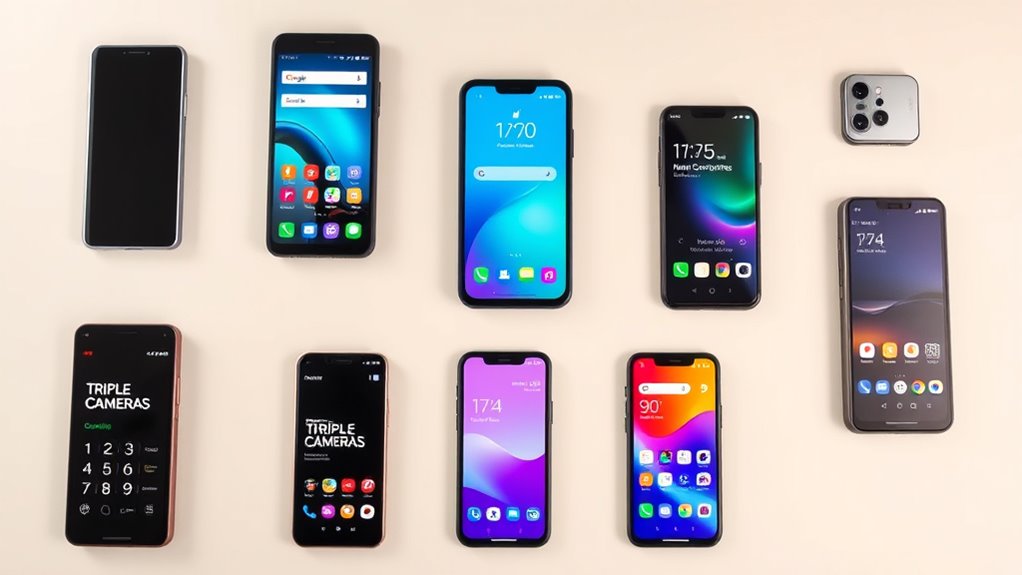

Choosing a smartphone for seniors involves balancing ease of use, accessibility features, and reliable performance. The best overall pick, the LIVELY Jitterbug Smart3, offers a straightforward interface with large icons and emergency support. For those seeking affordability, the Samsung Galaxy A01 provides solid functionality at a lower price, though it lacks some senior-friendly features. The main tradeoffs in this category often involve choosing between simplicity and advanced connectivity options. Continue reading for a detailed breakdown of these options and what makes each one suitable for different needs.

Get the latest gadgets delivered free — and shop member deals
- Fast, free delivery on millions of items
- Access to Prime Big Deal Days deals on October 6–7
- Prime Video, Amazon Music and more included
Complete the kit



Key Takeaways
- The top-ranked LIVELY Jitterbug Smart3 excels in user-friendly design and emergency features, making it ideal for seniors who prioritize safety.
- Affordable options like the Samsung Galaxy A01 offer good basic functionality but may lack accessibility features like large icons or hearing aid compatibility.
- Unlocked phones with larger screens, such as the 4G Senior Cell Phone, provide flexibility but might require more setup and technical know-how.
- Flip phones like LIVELY Jitterbug Flip2 focus on simplicity and tactile buttons, suitable for users who prefer minimal complexity.
- Higher storage and longer battery life are common features among the best picks, supporting longer usability without frequent charging.
| LIVELY Jitterbug Smartphone for Seniors, No SIM Needed, Smart4 |  | Best Overall for Simplicity and Emergency Support | Screen Size: 6.7 inches | Compatibility: Lively Phone Service | Includes: Pre-installed SIM card | VIEW ON AMAZON | See Our Full Breakdown |
| LIVELY Jitterbug Smartphone for Seniors, No SIM Needed, Smart5 |  | Best for Ease of Use with Slightly Larger Screen | Screen Size: 6.75 inches | Compatibility: Lively phone service only | Features: Voice calling, real-time captioning, Urgent Response | VIEW ON AMAZON | See Our Full Breakdown |
| 4G Senior Cell Phone Unlocked, 6.56″ HD+ Display, 3GB RAM, 32GB ROM, 4000mAh Battery, IP52, eSIM Support, Compatible with AT&T and T-Mobile |  | Best for Modern Connectivity and Flexibility | Display: 6.56″ HD+ | Battery: 4000mAh | OS: Android 13 | VIEW ON AMAZON | See Our Full Breakdown |
| Samsung Galaxy A01 4G LTE Prepaid Smartphone – Black, 16GB |  | Best Budget-Friendly Phone with Basic Features | Screen Size: 5.7 inches | Storage: 16 GB | Camera: Dual 13MP + 2MP rear | VIEW ON AMAZON | See Our Full Breakdown |
| Samsung Galaxy A06 4G LTE GSM Unlocked 128GB + 4GB Light Blue |  | Best for Large Screen and Long Battery Life | Display: 6.7 inches | Battery: 5000mAh | Camera: 50 MP dual rear | VIEW ON AMAZON | See Our Full Breakdown |
| LIVELY Jitterbug Flip Cell Phone for Seniors, Flip2, Red |  | Best for Simplicity and Emergency Support | Compatibility: Lively phone service only | Features: High-contrast screen, big buttons, simple menus, powerful speaker, help button | Activation: Online activation available | VIEW ON AMAZON | See Our Full Breakdown |
| LIVELY Jitterbug Smart3 Smartphone for Seniors |  | Best for Easy Smartphone Use with Connectivity Features | Screen: Large display | Menu: List-based | Voice Typing: Yes | VIEW ON AMAZON | See Our Full Breakdown |
More Details on Our Top Picks
LIVELY Jitterbug Smartphone for Seniors, No SIM Needed, Smart4
The Jitterbug Smart4 stands out for its large 6.7-inch screen and straightforward interface, making it ideal for seniors who prioritize easy readability and simple navigation. Compared with the Samsung Galaxy A06, it offers fewer multimedia features but excels in emergency preparedness with its Urgent Response button and 24/7 support. Its reliance on Lively’s network limits flexibility but guarantees dedicated assistance. This phone is best suited for seniors who need a basic device with emergency features above all else, rather than those seeking advanced camera or app capabilities.
Pros:- Large, easy-to-read screen ideal for seniors
- Simple, intuitive interface
- Includes 24/7 emergency support from Lively
- Emergency feature with Urgent Response button
Cons:- Limited to Lively phone service only
- Lacks advanced multimedia or camera features
Best for: Seniors who want a user-friendly device with emergency support and minimal complexity
Not ideal for: Tech-savvy seniors or those wanting a versatile smartphone with extensive multimedia options
- Screen Size:6.7 inches
- Compatibility:Lively Phone Service
- Includes:Pre-installed SIM card
- Features:Voice calling, real-time call captioning, Urgent Response button
Our verdict“This pick makes the most sense for seniors who prioritize safety and simplicity over multimedia versatility.”
LIVELY Jitterbug Smartphone for Seniors, No SIM Needed, Smart5
The Jitterbug Smart5 improves on its predecessor with a slightly larger 6.75-inch display, making reading even easier for seniors who struggle with smaller screens. Its user-friendly menu and emergency features mirror the Smart4 but add a more modern design and slightly enhanced interface. Compared to the Galaxy A01, it offers fewer customization options but prioritizes simplicity and safety. This model is better suited for seniors who want a bigger display and emergency support without complex settings, though it still depends on Lively’s exclusive service.
Pros:- Slightly larger 6.75-inch screen for better readability
- Simple, senior-friendly interface
- Emergency assistance features included
- Quick activation via online support
Cons:- Limited to Lively phone service
- No mention of camera or multimedia enhancements
Best for: Seniors seeking an easy-to-use phone with a bigger display and emergency support
Not ideal for: Those who want multimedia capabilities or camera quality as a priority
- Screen Size:6.75 inches
- Compatibility:Lively phone service only
- Features:Voice calling, real-time captioning, Urgent Response
- Activation:Online
Our verdict“Ideal for seniors who need a larger screen and emergency features without added complexity.”
4G Senior Cell Phone Unlocked, 6.56″ HD+ Display, 3GB RAM, 32GB ROM, 4000mAh Battery, IP52, eSIM Support, Compatible with AT&T and T-Mobile
Compared to the Jitterbug Smart4 and Smart5, this unlocked Android phone offers more advanced features like a 13MP camera, eSIM support, and a more flexible network compatibility with AT&T and T-Mobile. Its large 6.56-inch HD+ display provides clear visuals, yet it may be overwhelming for seniors who prefer simplicity. The long-lasting 4000mAh battery supports all-day use, but its 3GB RAM could slow down multitasking, and lacking a physical SIM slot might complicate activation for some users. It suits tech-savvy seniors who want a modern device but may be less ideal for those seeking straightforward emergency features.
Pros:- Large HD+ display for clear visuals
- Supports eSIM for easy activation
- Long-lasting 4000mAh battery
- Unlocked with broad network compatibility
Cons:- Limited 3GB RAM may affect multitasking
- No physical SIM slot, requiring eSIM setup
- Lacks dedicated emergency features
Best for: Seniors comfortable with smartphones who want modern features and flexible network options
Not ideal for: Seniors who prefer minimal interfaces or primarily need emergency support
- Display:6.56″ HD+
- Battery:4000mAh
- OS:Android 13
- Connectivity:eSIM, USB-C, Wi-Fi, Bluetooth
Our verdict“Best suited for digitally experienced seniors seeking a versatile, modern smartphone with flexible network support.”
Samsung Galaxy A01 4G LTE Prepaid Smartphone – Black, 16GB
The Galaxy A01 provides a compact, affordable option with a 5.7-inch HD display, dual rear cameras, and basic Android 10.0. It supports microSD expansion up to 512GB, making it practical for seniors managing limited storage. Compared with larger phones like the Galaxy A06, it offers a smaller screen and less powerful specs, but its simplicity and affordability make it appealing to those who need a basic device without frills. This phone is ideal for seniors who want a straightforward, inexpensive smartphone, though its small screen might be a drawback for those with visual impairments.
Pros:- Affordable price point
- Supports microSD cards for expanded storage
- Good connectivity with 4G LTE
- Includes SIM card for immediate use
Cons:- Small 5.7-inch display may be hard to see
- Limited internal storage at 16GB
- Basic camera quality
Best for: Budget-conscious seniors needing a simple, reliable smartphone
Not ideal for: Seniors who prefer larger displays or advanced camera features
- Screen Size:5.7 inches
- Storage:16 GB
- Camera:Dual 13MP + 2MP rear
- Network:4G LTE
- Operating System:Android 10.0
- Expandable Storage:Up to 512GB
Our verdict“A solid choice for seniors seeking an inexpensive, straightforward device, but less suited for those with visual or multimedia needs.”
Samsung Galaxy A06 4G LTE GSM Unlocked 128GB + 4GB Light Blue
The Galaxy A06 offers a sizable 6.7-inch LCD display and a robust 5000mAh battery, making it ideal for seniors who want immersive viewing and extended use without frequent charging. Its 50MP dual rear cameras provide better photography options compared to the simpler Jitterbug models, though it lacks safety features like emergency buttons. While its large screen benefits users who enjoy media, its 4GB RAM and lack of water resistance are tradeoffs for affordability and power. This phone is best for seniors who prioritize media consumption and long battery life, but less so for those needing emergency support or rugged durability.
Pros:- Large 6.7-inch display for immersive viewing
- Powerful 50MP dual rear cameras
- Long-lasting 5000mAh battery
- Unlocked for worldwide use
Cons:- No water resistance
- Limited 4GB RAM may impact multitasking
- No dedicated emergency features
Best for: Seniors who enjoy media and need a device with a large display and long-lasting battery
Not ideal for: Seniors seeking straightforward emergency features or rugged water-resistant phones
- Display:6.7 inches
- Battery:5000mAh
- Camera:50 MP dual rear
- OS:Android 14
- Storage:128 GB
- SIM Support:Dual SIM
Our verdict“Perfect for media-loving seniors who want a large screen and long battery life, but not ideal for emergency-focused users.”
LIVELY Jitterbug Flip Cell Phone for Seniors, Flip2, Red
The Jitterbug Flip2 stands out for its straightforward design, featuring large buttons, a high-contrast screen, and a dedicated help button, making it ideal for seniors who prefer a basic phone without the complexity of a smartphone. Compared to the Jitterbug Smart3, which offers more advanced features like voice typing and a larger display, the Flip2 focuses solely on essential calling and emergency support, reducing potential confusion. Its reliance on Lively phone service only limits flexibility but ensures optimized support and safety features. For users who need a reliable, easy-to-use device primarily for calls and emergencies, this model offers peace of mind. However, its limited functionality and dependence on Lively make it less suitable for those wanting internet access or multimedia use. This pick makes the most sense for seniors prioritizing simplicity and safety over advanced features.
Pros:- Large, easy-to-press buttons and high-contrast display for better visibility
- 24/7 U.S.-based support enhances safety and peace of mind
- Dedicated help button for quick emergency assistance
- Simple menus reduce confusion
Cons:- Only compatible with Lively phone service, limiting carrier flexibility
- Limited to basic calling and texting functions, no internet or apps
- Requires activation via Lively, which may be inconvenient
Best for: Seniors who want a basic, reliable phone with emergency support and minimal complexity
Not ideal for: Tech-savvy seniors or those who want internet access and multimedia features
- Compatibility:Lively phone service only
- Features:High-contrast screen, big buttons, simple menus, powerful speaker, help button
- Activation:Online activation available
- Support:24/7 U.S.-based customer support
Our verdict“This phone is perfect for seniors seeking a straightforward device focused on calling and safety, with minimal distractions.”
LIVELY Jitterbug Smart3 Smartphone for Seniors
The Jitterbug Smart3 offers a user-friendly smartphone experience tailored for seniors, featuring a large display, simple list-based menu, and voice typing, which helps those transitioning from basic phones like the Flip2. Unlike the Flip2, it provides internet access, video chat, and app use, expanding possibilities for staying connected with family and entertainment. Its compatibility with Lively phone service ensures dedicated support, but it cannot be used with other carriers, limiting flexibility. This model makes sense for seniors who want the benefits of a smartphone—like messaging and video calls—without the complexity of standard devices. However, its reliance on Lively service and limited plans could be a drawback for those seeking broader carrier options or more plan flexibility. Overall, this pick is best for seniors ready to embrace smartphone features in an easy-to-use format.
Pros:- Large, clear display enhances readability
- Simple, list-based menu simplifies navigation
- Voice typing makes input easier for users with limited dexterity
- Reliable connectivity and dedicated customer support
Cons:- Compatible only with Lively phone service, limiting carrier choices
- Requires activation with Lively, which might be inconvenient
- Limited to specific service plans, possibly restricting data options
Best for: Seniors who want an easy-to-navigate smartphone with internet and video calling capabilities
Not ideal for: Seniors who prefer a basic phone or need compatibility with multiple carriers
- Screen:Large display
- Menu:List-based
- Voice Typing:Yes
- Battery:Long-lasting
- Connectivity:Compatible with Lively phone service
- Included Plans:Unlimited talk and text, 24/7 support
Our verdict“This smartphone is ideal for seniors seeking a straightforward device that combines basic smartphone features with easy operation and reliable support.”

How We Picked
To select these smartphones for seniors, we evaluated key criteria such as ease of use, accessibility features, battery life, build quality, and overall value. Devices that offered large displays, simple user interfaces, and emergency support were prioritized. We also considered the flexibility of connectivity options, compatibility with hearing aids, and affordability. Our rankings reflect a balance between beginner-friendly features and robust performance, ensuring options for different levels of tech familiarity and needs.Factors to Consider When Choosing Smartphones For Seniors
When choosing a smartphone for a senior, it’s important to consider factors that influence usability, safety, and longevity. The right device should simplify communication and provide peace of mind, but buyers often face tradeoffs between advanced features and ease of use. Understanding these considerations can help you select a device that truly fits the user’s lifestyle and comfort level.Ease of Use and Interface
Look for phones with large, legible text, simple menus, and minimal clutter. Devices designed specifically for seniors often feature bigger icons, voice commands, and simplified home screens. Avoid overly complex interfaces that can confuse users, especially those unfamiliar with smartphones. Prioritize models that offer dedicated accessibility settings to enhance usability for users with vision or hearing impairments.
Accessibility Features
Effective accessibility features include hearing aid compatibility, large buttons, and emergency call buttons. Some phones incorporate magnification options, text-to-speech, and customizable alerts. These features are often overlooked but can significantly improve independence and safety. Be cautious of devices that lack these options, as they may limit effective communication or emergency response capabilities.
Battery Life and Durability
Long-lasting batteries reduce the need for frequent charging, which can be reassuring for seniors who may forget or have difficulty managing device power. Look for phones with at least a full day of use on a single charge. Durability is also a consideration; devices with sturdy builds and water resistance can withstand accidental drops or spills, extending their lifespan.
Connectivity and Compatibility
Choosing between unlocked devices and carrier-specific models depends on the user’s existing plans and preferences. Ensure the phone supports essential networks like 4G LTE or 5G if available, and check compatibility with hearing aids or other assistive devices. eSIM support can offer flexibility for switching carriers without changing hardware, which might be advantageous for some users.
Cost and Value
While budget options can meet basic needs, investing a bit more often yields better accessibility, durability, and support features. Consider long-term value over initial price—features like larger screens, emergency buttons, and longer battery life justify higher costs. Avoid overly cheap devices that may lack critical accessibility features or break easily, leading to more replacement costs over time.
Frequently Asked Questions
Are smartphones for seniors difficult to set up?
Many smartphones designed for seniors are built with simplified setup processes, often including guided instructions and pre-installed accessibility features. While some might require initial assistance, most models aim to be as user-friendly as possible, with straightforward onboarding. If setup complexity is a concern, choosing a device with dedicated customer support or step-by-step tutorials can ease the process.
What features should I prioritize for a senior’s safety?
Emergency support features like dedicated emergency buttons, GPS tracking, and quick-dial options are essential. Hearing aid compatibility and large, visible icons also enhance safety by ensuring clear communication and reducing frustration. Long battery life and sturdy build quality further support safety by minimizing the risk of device failure during critical moments.
Is it better to choose a flip phone or a smartphone for a senior?
Flip phones tend to be simpler with tactile buttons, making them ideal for users who prefer minimal complexity and basic calling functions. However, smartphones offer more versatility with larger screens, voice commands, and accessibility options. The choice depends on the user’s comfort with technology and their specific needs—those seeking simplicity should lean toward flip phones, while more tech-savvy seniors may benefit from smartphones with accessibility features.
How important is battery life in a senior smartphone?
Battery life is critical because it reduces the frequency of charging, which can be forgotten or difficult for some users. Devices with at least a full day of use are preferable, especially for emergencies or long outings. Longer battery life ensures the device remains reliable and accessible without frequent interruptions, providing peace of mind for both users and caregivers.
Should I buy an unlocked or carrier-specific phone for a senior?
Unlocked phones offer flexibility to switch carriers and often support multiple network types, which can be advantageous if plans change. Carrier-specific models might include carrier-exclusive features or discounts but can limit options for switching providers. Consider the user’s existing plans, future needs, and whether ease of switching or specific carrier benefits are more important in your decision.
Conclusion
For those seeking the best overall device, the LIVELY Jitterbug Smart3 stands out thanks to its balance of simplicity, safety features, and user-friendly interface. Budget-conscious buyers will find the Samsung Galaxy A01 offers solid basic functionality at a lower price, though with fewer accessibility features. If safety and emergency support are top priorities, the flip-style LIVELY Jitterbug Flip2 provides tactile buttons and straightforward operation. For users new to smartphones, models with large screens and simplified menus are ideal, while more tech-savvy seniors may appreciate unlocked phones with flexible connectivity options. Tailor your choice based on the user’s comfort level, safety needs, and budget to find the perfect fit.
Fall Picks
fall essentials
As an affiliate, we earn on qualifying purchases.