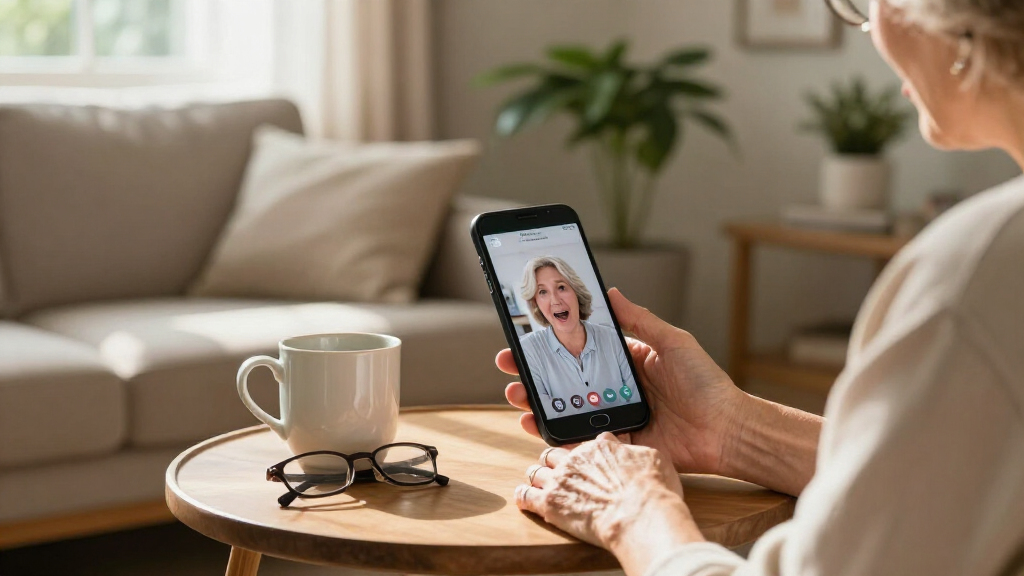

For seniors who miss parts of phone conversations, the right choice depends on whether the priority is reliable captioned calls or a simple mobile phone with large buttons. My strongest caption-first picks are the Hamilton CapTel 2400iSPNBT, which pairs a large touchscreen with captioned voicemail, and the Hamilton CapTel 840i, which puts large physical buttons ahead of touchscreen controls. The Zunate Senior cellphone is the portable option, but it is not a caption phone: its listed features include large buttons and an SOS function, not real-time call captions.

Get the latest gadgets delivered free with Prime
- Fast, free delivery on millions of items
- Prime Video, Amazon Music and more included
- Member-only deals all year
The main tradeoff is clear. Both Hamilton models offer live captions, up to 40 dB amplification, and hearing-focused controls, but they need power, high-speed internet, registration, and a compatible phone-service setup. Zunate avoids a fixed desk-phone setup, yet its listed network support is 2G only, making carrier compatibility a major question before purchase. I rank the Hamilton models first for the specific need of captioned conversations, then include Zunate as a limited mobile alternative for buyers who value one-touch dialing more than captions.
Complete the kit



Key Takeaways
- The Hamilton CapTel 2400iSPNBT is my best overall choice for seniors who want a large touchscreen, real-time captions, amplified audio, and captioned voicemail.
- The Hamilton CapTel 840i is the better fit for someone who prefers large physical buttons and adjustable caption size and tone over touchscreen controls.
- Both Hamilton phones provide automated captions or live operator assistance, but they require internet, electrical power, registration, and phone-service compatibility.
- The Zunate has speed dial for up to nine numbers, an SOS function, and a flashlight, but the supplied details do not list live captioning.
- Zunate’s 2G-only network support is a serious compatibility limitation; confirm that a suitable network is available before relying on it as a daily phone.
| Hamilton CapTel 2400iSPNBT Captioned Telephone with Large Touchscreen |  | Best Overall: a caption-focused desk phone with touchscreen controls | Phone type: Corded, single-line telephone | Captioning: Real-time captions for incoming and outgoing calls; automated or live operator assistance | Amplification: Up to 40 dB | VIEW LATEST PRICE | See Our Full Breakdown |
| Hamilton CapTel 840i Captioned Telephone with Large Buttons |  | Best for Beginners: large physical buttons and adjustable caption display | Phone type: Corded telephone | Captioning: Real-time captions for incoming and outgoing calls; automated or live operator assistance | Amplification: Up to 40 dB | VIEW LATEST PRICE | See Our Full Breakdown |
| Zunate Senior Unlocked Cellphone with 2.6-Inch Screen, Large Buttons, and Loud Speaker, Red |  | Best Mobile Alternative: simple calling features, but no listed captions | Network: 2G bands: 850, 900, 1800, and 1900 MHz | Display: 2.6 inches | Controls: Large buttons; speed dial for up to nine numbers; SOS function | VIEW LATEST PRICE | See Our Full Breakdown |
| AI caption phones for senior | Phone type | Captioning | Amplification | Voicemail |
|---|---|---|---|---|
| Hamilton CapTel 2400iSPNBT Cap | Corded, single-line telephone | Real-time captions for incoming and outgoing calls; automated or live operator assistance | Up to 40 dB | Digital answering system with captioned messages; 18-minute recording capacity |
| Hamilton CapTel 840i Captioned | Corded telephone | Real-time captions for incoming and outgoing calls; automated or live operator assistance | Up to 40 dB | Digital answering system with captioned messages; 18-minute recording capacity |
| Zunate Senior Unlocked Cellpho | — | — | — | — |
More Details on Our Top Picks
Hamilton CapTel 2400iSPNBT Captioned Telephone with Large Touchscreen
I rank the Hamilton CapTel 2400iSPNBT first because its design combines the most useful elements for a senior who wants a clear, readable view of a conversation: real-time captions, a large touchscreen, and up to 40 dB of amplification. Captions cover incoming and outgoing calls, so the benefit is not limited to one side of a conversation. It can also display voicemail captions, which may make it easier to catch a message without replaying it several times.
Compared with the CapTel 840i, this model makes touchscreen interaction the center of the experience rather than emphasizing large physical buttons. That may suit someone comfortable tapping on a screen, especially if visual access to captions and voicemail is the main concern. The 840i is the safer comparison for a senior who prefers tactile keys or wants adjustable caption size and tone called out directly in the product details. Both Hamilton models share the core strengths—captioned calls, amplified audio, and operator-assisted or automated captions—so the choice comes down to interface preference rather than a clear difference in caption coverage.
This is not a plug-in-and-call solution for every household. It requires high-speed internet and electrical power, and telephone service may also be needed depending on the setup. Caption service is restricted to registered US residents with hearing loss. I would confirm eligibility, available service, and the home’s connection before choosing it. It also takes more space than a mobile handset and depends on a fixed location, so it cannot serve as an everyday phone away from home.
For a buyer whose first requirement is understanding phone conversations at home, those limitations may be acceptable. The Zunate is more portable and offers emergency-oriented features, but its listing does not claim captions and its 2G-only network support raises compatibility concerns. The 2400iSPNBT is the more appropriate pick when caption access matters more than portability; skip it if the recipient dislikes touchscreens or needs a phone for use outside the home.
Pros:- Displays real-time captions for incoming and outgoing calls.
- Offers automated captions or live operator assistance.
- Provides up to 40 dB of amplified sound and hearing aid compatibility.
- Shows voicemail captions on its large touchscreen.
Cons:- Needs high-speed internet and electrical power; telephone service may also be required.
- Captioning service requires registration and is limited to eligible US residents with hearing loss.
- A fixed corded phone is less useful for calls away from home.
Best for: A senior who wants captioned home calls and voicemail on a large touchscreen, and who is comfortable using touch controls.
Not ideal for: Someone who needs a portable mobile phone, prefers tactile large keys, lacks reliable high-speed internet, or is not eligible for the captioning service.
- Phone type:Corded, single-line telephone
- Captioning:Real-time captions for incoming and outgoing calls; automated or live operator assistance
- Amplification:Up to 40 dB
- Hearing aid support:Hearing aid compatible
- Voicemail:Digital answering system with captioned messages; 18-minute recording capacity
- Connectivity and power:High-speed internet and standard electrical power; telephone service may be required
- Compatible services:VoIP, analog, digital cable, DSL, and FIOS telephone networks
- Size and weight:3.64 x 12.56 x 9.54 inches; 3 pounds
Our verdict“I recommend the 2400iSPNBT for seniors who want a large touchscreen and full caption-focused home calling, provided the service and connection requirements are met.”
Hamilton CapTel 840i Captioned Telephone with Large Buttons
The Hamilton CapTel 840i is my pick for seniors who would rather press physical keys than work through touchscreen controls. Its large buttons are the defining contrast with the 2400iSPNBT: both models offer real-time captions for incoming and outgoing calls, amplified sound up to 40 dB, captioned voicemail, and automated captions or live operator assistance, but the 840i puts large-button operation and adjustable caption size and tone at the forefront.
Those controls can make a difference for someone with reduced dexterity or who finds small on-screen targets frustrating. Adjusting caption size lets the user prioritize readability, while tone adjustment provides another way to tailor the call audio. The product information also identifies a large screen and digital answering system with an 18-minute recording capacity. Compared with the 2400iSPNBT, the 840i is the more straightforward recommendation for a buyer who values tactile controls; the 2400iSPNBT may be preferable when touchscreen interaction and its listed large touchscreen are more appealing.
The 840i shares the same practical limits as its touchscreen sibling. It needs high-speed internet, telephone service, electrical power, and registration, and captioning is available only to eligible US residents with hearing loss. That combination means a family should check both the home connection and service eligibility before placing the phone where it will be used. It is a corded device, not a mobile phone, and its two-pound weight does not change that fixed-use role.
Against the Zunate, the 840i is much better aligned with hearing accessibility because its listing explicitly describes call captions; Zunate instead focuses on speed dial and emergency-oriented functions. Yet the 840i cannot offer the same mobile convenience. I would choose it for a senior who makes most calls from home and wants a button-first captioning interface. I would skip it if the household cannot meet its service requirements or if a phone must travel with the user.
Pros:- Captions incoming and outgoing calls in real time.
- Large buttons suit users who prefer tactile controls.
- Amplifies sound up to 40 dB and offers adjustable tone and caption size.
- Displays captioned voicemail and supports automated captions or live operator assistance.
Cons:- Requires high-speed internet, telephone service, electrical power, and registration.
- Captioning service is restricted to eligible US residents with hearing loss.
- Corded design is limited to use near the phone’s setup.
Best for: A senior who wants a corded caption phone with large physical buttons, adjustable caption size, and amplified audio.
Not ideal for: Someone who needs a mobile handset, cannot arrange internet and telephone service, or is not eligible for the captioning service.
- Phone type:Corded telephone
- Captioning:Real-time captions for incoming and outgoing calls; automated or live operator assistance
- Amplification:Up to 40 dB
- Controls and display:Large buttons; adjustable caption size and tone
- Voicemail:Digital answering system with captioned messages; 18-minute recording capacity
- Requirements:High-speed internet, telephone service, electrical power, and registration
- Eligibility:Captioning service for eligible US residents with hearing loss
- Size and weight:7.5 x 9 x 6.5 inches; 2 pounds
Our verdict“I recommend the 840i over the touchscreen model for seniors who prefer large physical buttons and want adjustable caption display controls.”
Zunate Senior Unlocked Cellphone with 2.6-Inch Screen, Large Buttons, and Loud Speaker, Red
The Zunate Senior cellphone earns a place here only as a mobile alternative for buyers who value basic accessibility and emergency features more than captions. It has a 2.6-inch screen, large buttons, speed dial for up to nine numbers, an SOS function, and a flashlight. The supplied description also mentions stereo speakers and noise-cancelling microphones intended to support clear calls. These features may make routine dialing simpler, but the listing does not describe real-time captioning, so I would not choose it to solve difficulty understanding speech by reading along.
Its strongest point against the Hamilton models is portability. A senior can carry a handset instead of staying beside a corded desk phone, and speed dial may reduce the steps needed to contact family. The SOS feature adds an emergency-oriented control, while the flashlight can be handy in low light. By contrast, both Hamilton phones provide a much more direct answer to hearing loss with captions for incoming and outgoing conversations, plus amplified audio and captioned voicemail. The products serve different needs, and the Zunate should not be mistaken for an equivalent caption phone.
The biggest concern is the stated 2G-only network support across 850/900/1800/1900 MHz bands. A network listed on a specification sheet does not establish that a particular carrier will support the phone, so I would confirm compatibility and service availability before purchase. That matters especially if the phone is intended for emergencies. The listed memory is 32 MB plus 32 MB, and memory-card support tops out at 16 GB with the card sold separately. Its camera is listed at 300,000 pixels, a basic feature rather than a reason to choose it.
The battery specification is listed as 16,800 mAh, but I would verify that figure with the seller rather than rely on it as a practical estimate of runtime. Compared with either Hamilton, this is the only portable handset in the group, but it gives up documented captions and has a narrower network profile. I would consider it only for a senior who needs a simple mobile phone, has confirmed network compatibility, and does not depend on captions. For the central need in this guide, the Hamilton models are the safer category match.
Pros:- Speed dial supports up to nine numbers.
- Includes an SOS function and dual-LED flashlight.
- Large buttons, a 2.6-inch screen, and a rugged shell are intended to support simpler everyday handling.
- Portable form offers mobility that the corded Hamilton phones do not.
Cons:- The listed network support is 2G only; carrier compatibility must be confirmed.
- The supplied features do not list real-time call captions.
- Memory-card support is limited to 16 GB, and a card is not included.
Best for: A senior who wants a portable handset with speed dial, an SOS function, and a flashlight, and does not require call captions.
Not ideal for: Anyone who needs live captions, wants verified broad carrier compatibility, or expects this phone to replace a dedicated captioned telephone.
- Network:2G bands: 850, 900, 1800, and 1900 MHz
- Display:2.6 inches
- Controls:Large buttons; speed dial for up to nine numbers; SOS function
- Audio:Stereo speakers and noise-cancelling microphones are described
- Memory:32 MB + 32 MB; supports memory cards up to 16 GB, card not included
- Battery:Polymer lithium battery; listed capacity 16,800 mAh
- Other functions:Flashlight, camera, MP3, MP4, radio, Bluetooth, calculator, and calendar
- Weight and material:Approximately 256 g; ABS shell
Our verdict“I would choose the Zunate only as a compatible-network mobile phone for someone who wants simple dialing and emergency features, not as a caption-phone replacement.”
How We Picked
I ranked these options by how directly they meet the phrase AI caption phones for seniors, not by how many extra features they list. A phone that advertises large buttons or an SOS key may be useful to an older adult, but those features do not replace captions when hearing speech is the main challenge. I gave the highest weight to whether the supplied product information confirms live captions for both incoming and outgoing calls, and then compared amplification, caption controls, voicemail access, and the effort required to set up the phone.
The two Hamilton CapTel models lead because each describes real-time call captions, up to 40 dB of amplification, captioned voicemail, and a choice between automated captions and live operator assistance. I separated them by usability: the 2400iSPNBT is the touchscreen pick, while the 840i is the large-button pick with adjustable caption size and tone. The available specifications do not establish that either device uses AI in a particular way, so I describe their stated captioning functions rather than assume a technology or accuracy level.
I included the Zunate as a mobile alternative, not a captioning substitute. Its speed dial, SOS feature, loud-speaker description, and portable format may help someone who needs a basic handset away from a desk. But the listing identifies 2G bands only and does not claim live captions. I treat those as decisive limits for this roundup and recommend checking network availability and actual carrier compatibility before buying. All three products also have meaningful setup or service tradeoffs, which I weigh alongside their accessibility benefits.
| AI caption phones for senior | Phone type |
|---|---|
| Hamilton CapTel 2400iSPNBT Cap | Corded, single-line telephone |
| Hamilton CapTel 840i Captioned | Corded telephone |
| Zunate Senior Unlocked Cellpho | — |
Factors to Consider When Choosing Best AI Caption Phones For Seniors
I would start by matching the phone to the actual communication need. If a senior needs to read speech during calls, choose a product with captions explicitly listed; if the need is simpler dialing while away from home, a mobile phone may be more useful, but it is not automatically a caption phone.Confirm that captions are the main requirement
A large display, loud speaker, and oversized keys can improve access, but they do not provide the same help as live captions during a call. The Hamilton CapTel 2400iSPNBT and 840i both list captions for incoming and outgoing calls and captioned voicemail. The Zunate details do not list any caption function. I would treat that distinction as the first decision, not a small feature difference: if hearing speech is the problem, the Hamilton models are the relevant choices in this group.
Product names and promotional wording can blur the line between senior-friendly and hearing-accessible. I recommend checking the feature description for captions during calls, rather than assuming that a large screen or clear-sounding speaker can transcribe a conversation. The information provided for these products describes captioning on the Hamilton models but does not specify a particular AI system or promise a particular level of caption accuracy. Buyers should judge them by the stated service and confirm any questions with the provider.
Choose touch controls or physical buttons
The choice between the two Hamilton phones is mainly about the interface. The 2400iSPNBT has a large touchscreen, making it a better fit for someone comfortable selecting controls on a display. The 840i has large physical buttons and lists adjustable caption size and tone, which can suit someone who prefers tactile dialing or needs to make captions easier to read. Neither is automatically the right option for every senior; familiarity with touchscreens, vision, dexterity, and household routines all matter.
If possible, ask the person who will use the phone which control style feels more familiar. A caregiver may be tempted to choose the model with the most modern-looking display, but a screen is not helpful if the user avoids tapping it. Conversely, someone who already uses a touchscreen may find it more natural than a set of fixed keys. I would give usability preference more weight than cosmetic differences because the phone needs to be easy to pick up and use without assistance.
Check service, internet, and power before buying
Both Hamilton phones require high-speed internet and electrical power; the 840i also lists telephone service, while the 2400iSPNBT says telephone service may be required depending on the setup. The Hamilton captioning service is limited to eligible US residents with hearing loss and requires registration. These conditions can determine whether the phone works for a particular household, so I would verify eligibility, service activation, and compatibility with the home’s phone arrangement before ordering.
Do not assume that an internet connection alone covers every requirement or that every voice service will work the same way. The 2400iSPNBT lists compatibility with VoIP and several types of telephone networks, but the specific home setup still needs checking. If a senior lives somewhere without reliable internet or electrical access near the phone, the Hamilton models may be impractical despite their accessibility features. In that situation, ask the service provider about alternatives rather than relying on an unverified workaround.
Treat amplification and captioning as separate aids
Both Hamilton models list up to 40 dB of amplified sound, and the 2400iSPNBT is also described as hearing aid compatible. Amplification may help a user hear more of the call, while captions provide a visual route to understanding words. They address related but different needs, so I would not assume that louder audio makes captions unnecessary—or that captions make the sound controls irrelevant. The 840i specifically lists adjustable tone as well as caption size, providing an extra way to tune the experience.
For a person who hears some voices but struggles with particular tones or quiet callers, amplification and tone settings may matter alongside text. For someone who often misses words even when the call is loud, captions may be the more meaningful benefit. The product information does not state that every call condition or speaker will produce perfect captions, so buyers should keep expectations realistic and learn how the service handles automated captions or live operator assistance.
Do not overlook the Zunate’s network limitation
The Zunate stands apart because it is portable and includes speed dial for up to nine numbers, an SOS function, and a flashlight. Those could be useful for a senior who wants a basic mobile handset and has a confirmed compatible network. But its listed bands are 2G only, and the product details do not establish that a buyer’s carrier or location supports it. Check with the carrier directly before relying on this phone, especially for emergency calls.
I would also separate its senior-friendly controls from the caption-phone purpose of this roundup. The Zunate’s large buttons and stated speaker features may simplify use, but they do not replace real-time text captions. If mobility is essential and captions are also needed, these three products do not offer a single option that clearly provides both. In that case, compare dedicated captioning services or devices that explicitly support mobile captioned calling, and verify network coverage and eligibility before choosing one.
Consider where voicemail and everyday calls happen
For a senior who makes most calls from home, captioned voicemail can matter almost as much as live call text. Both Hamilton models list voicemail captions and an 18-minute recording capacity, allowing the user to review messages in text rather than depend only on listening. The 2400iSPNBT gives that experience through a large touchscreen, while the 840i offers a physical-button approach. I would decide based on which interface the user is more likely to check regularly.
If calls happen while walking, traveling, or visiting family, a corded unit will not follow the user. The Zunate can be carried, but the supplied details do not confirm captions, and its network constraint needs careful checking. A buyer may need to keep a home caption phone for calls and use a separate mobile option for mobility. That is less convenient than one device, but it avoids treating features that solve different problems as interchangeable.
Frequently Asked Questions
Which phone in this roundup is best for real-time captions?
I rank the Hamilton CapTel 2400iSPNBT first overall because it combines real-time captions for incoming and outgoing calls with a large touchscreen, amplified sound, and captioned voicemail. The Hamilton CapTel 840i offers the same core captioning functions and may be a better fit for someone who prefers large physical buttons. The Zunate listing does not describe real-time call captions.
Are these phones confirmed to use AI captioning?
The supplied information for the Hamilton models describes automated captions and live operator assistance, but it does not identify a particular AI system or explain how automated captions are produced. I would not infer a specific AI method or guarantee caption accuracy from that wording alone. The Zunate product details do not list a captioning service.
Do the Hamilton CapTel phones work without internet?
No. Both Hamilton models list high-speed internet as a requirement, and they also need electrical power. The 840i lists telephone service as a requirement; the 2400iSPNBT says telephone service may be required depending on the setup. I recommend confirming the home connection and service arrangement with the provider before choosing either model.
Is the Zunate a good replacement for a caption phone?
Not for someone who depends on reading captions to understand calls. The Zunate has large buttons, speed dial, an SOS function, and a flashlight, but the supplied features do not list live captions. It is better viewed as a basic mobile-phone option, and its listed 2G-only network support should be checked with the intended carrier before purchase.
How do I choose between the Hamilton 2400iSPNBT and 840i?
I would choose the 2400iSPNBT for someone comfortable with touchscreen controls who wants a large touchscreen for captions and voicemail. I would choose the 840i for someone who prefers large physical buttons and values its listed caption-size and tone adjustments. Their key captioning and amplification features are similar, so the user’s preferred interface is the clearest deciding factor.
Conclusion
My recommendation depends on what the senior needs from a phone. For the strongest all-around match to captioned home calling, I would choose the Hamilton CapTel 2400iSPNBT, especially for someone who prefers a large touchscreen and wants captioned voicemail. For a buyer who wants tactile controls, the Hamilton CapTel 840i is the better fit, with large buttons and adjustable caption size and tone. Both require internet, power, registration, and the right phone-service setup.
I would choose the Zunate only for a senior who wants a portable handset with speed dial and an SOS function, does not rely on captions, and has confirmed that its 2G network support will work with their service. It is not a substitute for either Hamilton phone. If captions are the central need, my choice is one of the Hamilton models; if mobility is the central need, verify network compatibility first and look for an explicitly caption-capable mobile solution if text access is also required.
Black Friday Picks

Amazon Kindle Paperwhite (16 GB, 11th Generation, 2021) – 6.8-inch Display, Adjustable Warm Light, Black
As an affiliate, we earn on qualifying purchases.