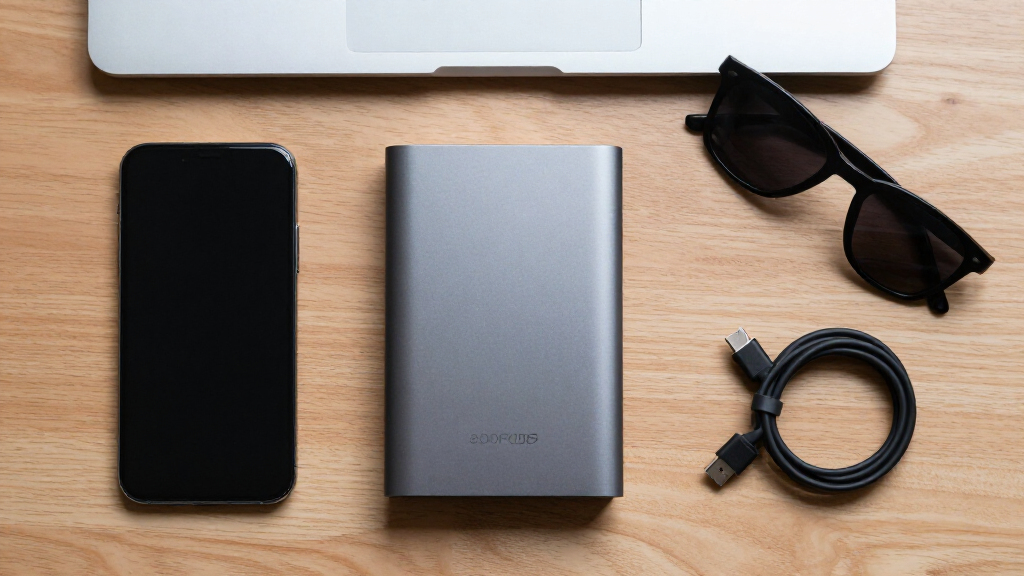

Portable external hard drives offer an affordable way to carry large backups, media libraries, and console games without relying on cloud storage. My best overall pick is the WD 6TB Elements Portable because it combines the highest capacity in this lineup with simple USB-powered operation. The Toshiba Canvio Basics 4TB is my value choice for buyers who want substantial storage without paying for security software, while the WD 4TB My Passport is better for password-protected personal or work files. The main tradeoffs are capacity versus physical size, basic storage versus bundled security, and legacy USB-A convenience versus USB-C flexibility. Smaller 500GB models are easier to carry but provide far less room per device. Continue reading for the full breakdown and buyer-specific recommendations.

Get the latest gadgets delivered free — and shop member deals
- Fast, free delivery on millions of items
- Access to Prime Big Deal Days deals on October 6–7
- Prime Video, Amazon Music and more included
Key Takeaways
- WD 6TB Elements Portable takes the overall lead because no other listed model matches its capacity, making it the strongest single-drive choice for large backup sets.
- Toshiba Canvio Basics 4TB offers the best value balance: it gives most buyers ample space while avoiding the capacity limits of the many 500GB and 1TB options.
- WD 4TB My Passport earns the premium role through its security and backup features, not through faster mechanical-drive performance.
- The six 500GB slim drives mainly compete on portability, connector choice, appearance, and price; their capacity is harder to justify for growing photo or video collections.
- USB-C support on the YOTUO 500GB improves connection flexibility, but it does not make the internal hard drive perform like a portable SSD.
| WD 6TB Elements Portable External Hard Drive |  | Best Overall | Capacity: 6TB | Drive Type: Portable external HDD | Interface: USB 3.2 Gen 1 | VIEW LATEST PRICE | See Our Full Breakdown |
| Seagate 4TB Portable Hard Drive |  | Best for Simple Cross-Platform Backups | Storage Capacity: 4TB | Drive Type: Portable external HDD | Connection: USB 3.0 | VIEW LATEST PRICE | See Our Full Breakdown |
| 500GB Portable USB 3.0 Slim External Hard Drive |  | Best for Multi-Device Compatibility | Capacity: 500GB | Interface: USB 3.0 | Maximum Read Speed: Up to 110MB/s | VIEW LATEST PRICE | See Our Full Breakdown |
| Maxone 500GB Ultra Slim Portable External Hard Drive |  | Best Compact Design | Capacity: 500GB | Design: Ultra slim | Enclosure Material: All-aluminum | VIEW LATEST PRICE | See Our Full Breakdown |
| Seagate Portable 5TB External Hard Drive | | Best for Console Libraries | Capacity: 5TB | Interface: USB 3.0 | Windows Compatibility: Yes | VIEW LATEST PRICE | See Our Full Breakdown |
| Toshiba Canvio Basics 4TB Portable External Hard Drive |  | Best High-Capacity Value | Capacity: 4TB | Interface: USB 3.0 | Backward Compatibility: USB 2.0 | VIEW LATEST PRICE | See Our Full Breakdown |
| UnionSine 500GB Ultra Slim Portable External Hard Drive HDD | 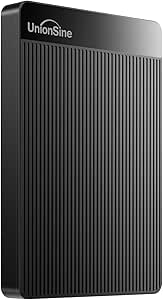 | Best Slim Budget Pick | Capacity: 500GB | Interface: USB 3.0 | Transfer Speed: Up to 125MB/s | VIEW LATEST PRICE | See Our Full Breakdown |
| WD 2TB Elements Portable External Hard Drive |  | Best Everyday Storage | Capacity: 2TB | Interface: USB 3.2 Gen 1 | USB Compatibility: USB 3.0 | VIEW LATEST PRICE | See Our Full Breakdown |
| YOTUO 500GB External Hard Drive |  | Best for Multi-Device Connectivity | Capacity: 500GB | Interfaces: USB 3.0 and USB-C | Maximum Interface Rate: Up to 5Gbps | VIEW LATEST PRICE | See Our Full Breakdown |
| Seagate Portable 2TB External Hard Drive HDD | | Best for Console and Computer Sharing | Capacity: 2TB | Interface: USB 3.0 | Computer Compatibility: Windows and macOS | VIEW LATEST PRICE | See Our Full Breakdown |
| UnionSine 1TB Ultra Slim Portable External Hard Drive HDD |  | Best Slim 1TB Pick | Capacity: 1TB | Interface: USB 3.0 | Maximum Read Speed: Up to 125MB/s | VIEW LATEST PRICE | See Our Full Breakdown |
| Aiolo Innovation 500GB External Hard Drive Ultra Slim Portable HDD |  | Best for Mixed-Device Households | Capacity: 500GB | Interface: USB 3.0 | Maximum Read Speed: Up to 133MB/s | VIEW LATEST PRICE | See Our Full Breakdown |
| WD 4TB My Passport Portable External Hard Drive |  | Best for Secure Backups | Capacity: 4TB | Interface: USB 3.1 / USB 3.0 | Color: Black | VIEW LATEST PRICE | See Our Full Breakdown |
| Seagate Portable 1TB External Hard Drive HDD | | Best for Simple Console Storage | Storage Capacity: 1TB | Connection: USB 3.0 | Computer Compatibility: PC and Mac | VIEW LATEST PRICE | See Our Full Breakdown |
| UnionSine 500GB Ultra Slim Portable External Hard Drive HDD |  | Best Colorful Compact Pick | Capacity: 500GB | Interface: USB 3.0 | Maximum Transfer Speed: Up to 125MB/s | VIEW LATEST PRICE | See Our Full Breakdown |
| portable external hard drife | Capacity | Interface | Warranty | Setup |
|---|---|---|---|---|
| WD 6TB Elements Portable Exter | 6TB | USB 3.2 Gen 1 | — | — |
| Seagate 4TB Portable Hard Driv | — | — | 1 year | — |
| 500GB Portable USB 3.0 Slim Ex | 500GB | USB 3.0 | 1 year | Plug and play |
| Maxone 500GB Ultra Slim Portab | 500GB | — | — | Plug and play; no software required |
| Seagate Portable 5TB External | 5TB | USB 3.0 | 1 year | Plug and play; recognition setup may be required |
| Toshiba Canvio Basics 4TB Port | 4TB | USB 3.0 | — | — |
| UnionSine 500GB Ultra Slim Por | 500GB | USB 3.0 | 3 years | Plug and play |
| WD 2TB Elements Portable Exter | 2TB | USB 3.2 Gen 1 | — | Plug and play |
| YOTUO 500GB External Hard Driv | 500GB | — | — | — |
| Seagate Portable 2TB External | 2TB | USB 3.0 | 1 year | Plug and play |
| UnionSine 1TB Ultra Slim Porta | 1TB | USB 3.0 | 3 years | — |
| Aiolo Innovation 500GB Externa | 500GB | USB 3.0 | 3 years | Plug and play |
| WD 4TB My Passport Portable Ex | 4TB | USB 3.1 / USB 3.0 | 3 years | — |
| Seagate Portable 1TB External | — | — | — | Plug and play |
| UnionSine 500GB Ultra Slim Por | 500GB | USB 3.0 | 3 years | Plug and play |
More Details on Our Top Picks
WD 6TB Elements Portable External Hard Drive
I rank the WD 6TB Elements first because it delivers the largest capacity in this batch while retaining a bus-powered, portable format. Its 6TB ceiling gives photographers, video collectors, and multi-computer households more breathing room than the Seagate Portable 5TB, reducing how soon another drive is needed. USB 3.2 Gen 1 supports practical transfers for large folders, and plug-and-play operation keeps setup simple. Capacity is also its main portability tradeoff: the enclosure may feel bulkier in a travel bag than either 500GB model. It also lacks the console-focused compatibility promoted by the Seagate 5TB. I see this as the strongest general-purpose choice, but buyers prioritizing a tiny footprint or direct console support have better-matched options below.
Pros:- Class-leading 6TB capacity within this batch
- USB 3.2 Gen 1 connection supports quick bulk file transfers
- Plug-and-play setup reduces installation work
- Supports both Windows and Mac computers
Cons:- Potentially bulkier than the 500GB slim models
- No explicit PlayStation or Xbox compatibility
- USB 3.2 Gen 1 is slower than newer high-speed interfaces
Best for: Photographers, video collectors, and households that need a high-capacity portable archive for several computers
Not ideal for: Daily commuters seeking the smallest possible drive or console owners who want explicitly stated gaming-system support
- Capacity:6TB
- Drive Type:Portable external HDD
- Interface:USB 3.2 Gen 1
- Windows Compatibility:Yes
- Mac Compatibility:Yes
- Plug and Play:Yes
Our verdict“I recommend this drive to buyers who value maximum portable capacity more than the smallest enclosure or console-specific support.”
Seagate 4TB Portable Hard Drive
The Seagate 4TB Portable Hard Drive earns its place by balancing useful capacity with no-software setup across Windows and macOS. Compared with the WD 6TB Elements, it gives up 2TB, but that smaller capacity can suit buyers who want straightforward document, photo, and media backups without paying for unused space. It is also more accommodating than the Windows-focused Maxone 500GB when files need to move between computer platforms. USB 3.0 is adequate for routine backup jobs, though it does not offer the newer interface designation of the WD model. The one-year warranty is short for storage hardware, and buyers need a USB 3.0 port to obtain its best performance. I rank it below the WD because capacity and warranty coverage are less compelling.
Pros:- Useful 4TB capacity for household backups
- Works with Windows and macOS
- No bundled software is required for basic use
- USB 3.0 supports efficient everyday transfers
Cons:- Offers 2TB less capacity than the WD 6TB Elements
- One-year warranty is relatively short
- Best transfer performance requires a USB 3.0 port
Best for: Windows and Mac users who want a straightforward shared backup drive with enough room for large personal libraries
Not ideal for: Buyers building very large media archives or anyone seeking warranty coverage beyond one year
- Storage Capacity:4TB
- Drive Type:Portable external HDD
- Connection:USB 3.0
- Windows Compatibility:Yes
- macOS Compatibility:Yes
- Software Requirement:None for plug-and-play setup
- Warranty:1 year
Our verdict“I would choose this model for uncomplicated cross-platform backups when 4TB is enough and a short warranty is acceptable.”
500GB Portable USB 3.0 Slim External Hard Drive
I give this 500GB portable drive the compatibility-focused role because it supports Windows, Mac, Linux, PS4, and Xbox systems. That device range is broader than the Windows-oriented Maxone 500GB, while its listed read and write speeds provide clearer performance expectations. At 0.35 pounds, it is easy to carry between a computer and console, and plug-and-play support removes routine installation work. The compromise is capacity: 500GB fills quickly with modern game installations, video, or full-system backups, making the Seagate 5TB a far better library drive. Mac users may also need to reformat it, and current-generation games cannot run directly from the disk. I favor it as a lightweight file shuttle, not as a long-term storage hub.
Pros:- Broad compatibility across computers and gaming consoles
- Light 0.35-pound design is convenient for travel
- Listed speeds reach 110MB/s read and 103MB/s write
- Plug-and-play operation requires no software installation
Cons:- 500GB capacity is restrictive for large backups and game libraries
- Mac use may require reformatting
- Cannot run current-generation games directly from the drive
Best for: Players and computer users who need a lightweight drive for moving files among older consoles, Windows, Mac, and Linux devices
Not ideal for: Owners of large game or video libraries, especially those expecting to run current-generation games directly from external storage
- Capacity:500GB
- Interface:USB 3.0
- Maximum Read Speed:Up to 110MB/s
- Maximum Write Speed:Up to 103MB/s
- Weight:0.35 lb
- Computer Compatibility:Windows, Mac, Linux
- Console Compatibility:PS4, Xbox One, Xbox 360
- Setup:Plug and play
- Warranty:1 year
Our verdict“I recommend this drive as an inexpensive, highly portable file shuttle for mixed devices rather than a primary media archive.”
Maxone 500GB Ultra Slim Portable External Hard Drive
The Maxone 500GB Ultra Slim is my compact pick because its 0.4-inch aluminum enclosure targets buyers who carry a drive every day. Compared with the generic 500GB portable model, Maxone emphasizes scratch resistance and metal construction rather than broad Mac, Linux, and console support. That makes it a better physical companion for a Windows laptop, but a less flexible choice for mixed-device households. USB 3.0 offers a rated interface speed of up to 5 Gbit/s, while bus-powered, software-free operation keeps the travel setup tidy. Its biggest constraint is the small 500GB capacity; the Seagate 4TB stores eight times as much. There is also no stated encryption, so sensitive files may require separate security software. I rank portability above capacity here.
Pros:- Very slim 0.4-inch profile
- All-aluminum enclosure offers better scratch resistance
- USB 3.0 interface is rated up to 5 Gbit/s
- Bus-powered plug-and-play operation simplifies travel
Cons:- 500GB capacity is too small for extensive media collections
- Compatibility is specified only for Windows PCs and laptops
- No included encryption or security feature is stated
Best for: Windows laptop users who carry a small working library and want a thin, metal drive for frequent travel
Not ideal for: Mac or console users, large-media collectors, and anyone who needs built-in encryption for sensitive files
- Capacity:500GB
- Design:Ultra slim
- Enclosure Material:All-aluminum
- Thickness:0.4 inch
- Connection:USB 3.0
- Rated Interface Speed:Up to 5 Gbit/s
- Compatibility:Windows 7, 8, and 10 PCs and laptops
- External Power Required:No
- Setup:Plug and play; no software required
Our verdict“I would pick the Maxone for a slim Windows travel kit, provided 500GB is sufficient and built-in security is unnecessary.”
Seagate Portable 5TB External Hard Drive
The Seagate Portable 5TB is the most convincing choice here for buyers splitting storage between a computer and game consoles. Its stated PC, Mac, PS4, and Xbox compatibility gives it a broader entertainment role than the WD 6TB Elements, while 5TB is far more useful for game libraries than either 500GB model. Drag-and-drop backup also makes ordinary file management approachable. I place it behind the WD overall because it holds 1TB less, uses USB 3.0, and carries only a one-year warranty. Setup is another wrinkle: although basic operation is described as plug-and-play, device recognition may still require software setup. It also lacks the pocket-friendly build of the Maxone. For buyers who want one portable drive across computers and consoles, those compromises may be reasonable.
Pros:- Large 5TB capacity suits game and media libraries
- Explicit support for PC, Mac, PS4, and Xbox
- USB 3.0 plug-and-play connection
- Drag-and-drop backup keeps file management simple
Cons:- May require setup before some devices recognize it
- One-year warranty offers limited long-term coverage
- Provides 1TB less storage than the WD 6TB Elements
Best for: PC and console owners who want one high-capacity portable drive for backups, media, and large PS4 or Xbox libraries
Not ideal for: Buyers who need the maximum available capacity, a longer warranty, or completely frictionless recognition across every device
- Capacity:5TB
- Interface:USB 3.0
- Windows Compatibility:Yes
- macOS Compatibility:Yes
- PlayStation Compatibility:PS4
- Xbox Compatibility:Yes
- Setup:Plug and play; recognition setup may be required
- Backup Method:Drag and drop
- Warranty:1 year
Our verdict“I recommend this Seagate to computer and console owners who want broad device support and ample capacity in one portable drive.”
Toshiba Canvio Basics 4TB Portable External Hard Drive
I rank the Toshiba Canvio Basics 4TB as the high-capacity value pick because it provides twice the storage of the WD 2TB Elements without adding a power adapter to a travel bag. Its USB-powered, compact design suits large photo archives, video collections, and recurring computer backups. Compared with the Seagate Portable 2TB, the extra capacity gives files more room to grow, though neither drive includes advanced backup tools. The main limitation is its Windows-first formatting: Mac owners must reformat it before regular use, which can create an extra setup step. It also relies on a conventional USB 3.0 connection rather than newer high-speed interfaces. I favor this model for buyers who value storage per dollar over software extras or cutting-edge transfer performance.
Pros:- Generous 4TB capacity for large portable archives
- USB-powered design requires no separate power adapter
- Simple plug-and-play setup on Windows
- Matte, portable enclosure is suited to travel
Cons:- Requires reformatting for normal Mac use
- Mechanical HDD performance trails portable SSDs
- No bundled advanced backup or encryption features
Best for: Windows laptop owners carrying large photo, video, or backup libraries who want 4TB without a separate power supply
Not ideal for: Mac users seeking immediate plug-and-play storage or creative professionals who need SSD-class transfer speeds
- Capacity:4TB
- Interface:USB 3.0
- Backward Compatibility:USB 2.0
- Operating System Format:Pre-formatted for Windows
- Power:USB bus-powered
- Color:Black
- Finish:Matte
Our verdict“I recommend this drive to Windows buyers who want substantial portable capacity at a practical price and can live without premium software.”
UnionSine 500GB Ultra Slim Portable External Hard Drive HDD
The UnionSine 500GB Ultra Slim earns my slim budget role by pairing a small enclosure with claimed transfers up to 125MB/s. That combination works well for documents, school projects, and a modest game collection carried between locations. It is slimmer and easier to pack than capacity-focused options such as the Toshiba Canvio Basics 4TB, but its 500GB ceiling fills far sooner when used for video or full-system backups. Heat-dissipation strips and quiet operation add practical appeal, while the three-year warranty is longer than the Seagate Portable 2TB’s listed one-year coverage. Buyers receive no backup software, and older-device compatibility can vary. I see this as a low-cost secondary drive, not the strongest choice for a growing media archive or automated backup routine.
Pros:- Ultra-slim enclosure is easy to carry
- Claimed transfer speed reaches 125MB/s
- Heat-dissipation design supports sustained use
- Three-year warranty adds longer coverage
Cons:- 500GB offers limited room for large backups or modern game libraries
- No bundled backup software
- Compatibility may vary with older hardware
Best for: Students and commuters who need an inexpensive, pocketable drive for documents, coursework, and a limited media collection
Not ideal for: Video creators and gamers with large libraries because 500GB can be exhausted quickly
- Capacity:500GB
- Interface:USB 3.0
- Transfer Speed:Up to 125MB/s
- Design:Ultra slim
- Cooling:Heat-dissipation strips
- Setup:Plug and play
- Warranty:3 years
- Color:Black
Our verdict“I would choose this for light, portable storage on a tight budget, while capacity-heavy users should move to a 2TB or 4TB model.”
WD 2TB Elements Portable External Hard Drive
I place the WD 2TB Elements in the everyday-storage slot because its capacity, weight, and straightforward setup form a sensible middle ground. Two terabytes gives families and office users far more breathing room than the UnionSine 500GB, yet the drive remains easier to manage than a 4TB archive that may encourage files to pile up unchecked. Its USB 3.2 Gen 1 connection supports convenient transfers, though the label does not mean it matches newer USB standards or a portable SSD. Windows and Mac support broadens its appeal, while plug-and-play operation keeps setup simple. Compared with the Seagate Portable 2TB, this model emphasizes a compact, lightweight design rather than console compatibility. I rank it below larger-capacity options for massive libraries, but its balanced 2TB capacity makes it the safer default for routine backups and personal media.
Pros:- Balanced 2TB capacity suits routine backup needs
- Compact and lightweight body travels easily
- Works with Windows and Mac
- Plug-and-play setup minimizes configuration
Cons:- USB 3.2 Gen 1 performance is well below modern portable SSD speeds
- No advanced backup software is specified
- Lower capacity than the 4TB Toshiba option
Best for: Home and office users who want a compact 2TB drive for routine laptop backups, photos, documents, and media
Not ideal for: Editors transferring large video projects who need the much faster sustained performance of a portable SSD
- Capacity:2TB
- Interface:USB 3.2 Gen 1
- USB Compatibility:USB 3.0
- Platform Compatibility:Windows and Mac
- Design:Portable and lightweight
- Setup:Plug and play
- Storage Type:External hard disk drive
Our verdict“I see this as the dependable middle choice for buyers who want useful capacity and broad computer support without paying for storage they may never fill.”
YOTUO 500GB External Hard Drive
The YOTUO 500GB External Hard Drive takes my multi-device role because it combines USB 3.0 and USB-C connectivity with support for computers and several console families. Its shock-absorbing silicone sleeve also gives carried storage more physical protection than the bare ultra-slim UnionSine 500GB. At 0.16 kg, it remains light enough for a work or gaming bag. The tradeoff is capacity: 500GB is restrictive beside the WD 2TB Elements, particularly when modern games and media projects consume tens of gigabytes each. Console support has another boundary—PS5 and Xbox Series X/S titles cannot run directly from this drive, limiting it to supported storage and transfer duties. With no stated encryption or backup package, I favor it for flexible connection and travel protection, not security-sensitive archives or expansive current-generation game libraries.
Pros:- USB 3.0 and USB-C connectivity supports varied devices
- Silicone sleeve adds shock absorption during travel
- Broad compatibility covers computers and major console families
- Lightweight 0.16 kg body is easy to carry
Cons:- Cannot run PS5 or Xbox Series X/S games directly from the drive
- 500GB is restrictive for large game and media libraries
- No stated encryption or backup software
Best for: Laptop and console owners who move a modest file or game library between USB-A and USB-C devices
Not ideal for: Current-generation console players expecting to run PS5 or Xbox Series X/S games directly from external storage
- Capacity:500GB
- Interfaces:USB 3.0 and USB-C
- Maximum Interface Rate:Up to 5Gbps
- Computer Compatibility:PC, Mac, and Linux
- Console Compatibility:PS4, PS5, Xbox One, and Xbox Series X/S
- Weight:0.16 kg
- Protection:Shock-absorbing silicone sleeve
Our verdict“I recommend this to multi-device users who value connector flexibility and added impact protection more than high capacity.”
Seagate Portable 2TB External Hard Drive HDD
I assign the Seagate Portable 2TB to buyers who want one straightforward drive for a computer and compatible game consoles. Its listed support for Windows, macOS, PlayStation, and Xbox is more explicit than the computer-focused WD 2TB Elements, while drag-and-drop file management keeps everyday transfers approachable. Two terabytes provides a better cushion for game installations and backups than either 500GB model in this batch. That versatility does not include sophisticated software: there is no bundled advanced backup suite, so scheduled or versioned backups require another tool. The one-year warranty is also much shorter than the UnionSine 500GB’s three-year coverage. Reformatting may be needed when moving between certain systems or console uses. I rank it as the best cross-platform 2TB choice, provided simple storage matters more than extended coverage or automated protection.
Pros:- Explicit compatibility with computers and major console platforms
- 2TB capacity accommodates sizeable backups and game libraries
- Plug-and-play operation supports quick setup
- Simple drag-and-drop file management
Cons:- One-year warranty is shorter than some competing coverage
- No advanced backup software is included
- Cross-platform or console switching may require reformatting
Best for: Households sharing a 2TB portable drive across Windows or Mac computers and compatible PlayStation or Xbox consoles
Not ideal for: Buyers wanting a long warranty, bundled automated backup tools, or seamless swapping between differently formatted systems
- Capacity:2TB
- Interface:USB 3.0
- Computer Compatibility:Windows and macOS
- Console Compatibility:PlayStation and Xbox
- Setup:Plug and play
- File Management:Drag and drop
- Warranty:1 year
Our verdict“I would pick this for simple 2TB storage shared across computers and consoles, but buyers seeking longer coverage should choose another model.”
UnionSine 1TB Ultra Slim Portable External Hard Drive HDD
I rank the UnionSine 1TB Ultra Slim above its 500GB sibling for buyers who want a genuinely portable drive without outgrowing it immediately. Its 125MB/s read and 103MB/s write ratings are adequate for document backups, photo libraries, and console game storage, while the heat-dissipating design supports steadier operation during longer transfers. Compared with the Seagate Portable 1TB, UnionSine publishes clearer performance figures and emphasizes a thinner body. Seagate remains the more familiar brand choice, though. The main compromise is capacity: 1TB offers far less breathing room than the WD 4TB My Passport, and mechanical-drive speeds still trail portable SSDs. I see this as the balanced slim option for everyday carrying, not a long-term home for large video collections.
Pros:- Up to 125MB/s read and 103MB/s write speeds
- Ultra-slim body is easy to carry
- Plug-and-play operation requires no extra software
- Heat-dissipating design supports stable transfers
Cons:- 1TB capacity is restrictive for large media libraries
- Older USB connections reduce its available transfer speed
- Lacks the backup and hardware-encryption tools offered by WD My Passport
Best for: Students, commuters, and console owners who want a thin 1TB drive for routine files, photos, and game storage
Not ideal for: Videographers and large-library collectors who are likely to exceed 1TB quickly
- Capacity:1TB
- Interface:USB 3.0
- Maximum Read Speed:Up to 125MB/s
- Maximum Write Speed:Up to 103MB/s
- Color:Black
- Form Factor:Ultra slim
- Warranty:3 years
Our verdict“I recommend this drive to buyers who value a thin profile and usable 1TB capacity more than bundled security software.”
Aiolo Innovation 500GB External Hard Drive Ultra Slim Portable HDD
The Aiolo Innovation 500GB earns its place through broad device support rather than raw capacity. I would choose it for moving modest file collections among Windows, Mac, Linux, Android, PlayStation, and Xbox hardware. Its rated 133MB/s read speed is slightly higher than the 125MB/s figure supplied for the UnionSine 500GB Pink, although real transfer rates will depend on the connected device and files. Compared with the WD 4TB My Passport, Aiolo is lighter on both storage and protective features: there is no bundled backup system or encryption. That makes setup simple, but it leaves security and backup scheduling to the buyer. The 500GB ceiling also fills quickly with modern games or high-resolution video, so I rank it as a flexible shuttle drive rather than a primary archive.
Pros:- Supports PC, Mac, Linux, Android, PlayStation, and Xbox devices
- Rated for up to 133MB/s reads and 103MB/s writes
- Ultra-thin, lightweight design suits frequent travel
- Plug-and-play setup reduces installation work
Cons:- 500GB capacity can fill rapidly with current games and video
- No included backup software
- No built-in encryption features are listed
Best for: Buyers who regularly move a modest library between computers, Android devices, and multiple game-console families
Not ideal for: PC gamers and video creators who need more than 500GB or want automatic backup and encryption tools
- Capacity:500GB
- Interface:USB 3.0
- Maximum Read Speed:Up to 133MB/s
- Maximum Write Speed:Up to 103MB/s
- Computer Compatibility:PC, Mac, Linux, Android
- Console Compatibility:PS4, Xbox One, Xbox 360
- Setup:Plug and play
- Form Factor:Ultra-thin and lightweight
- Warranty:3 years
Our verdict“I recommend Aiolo for buyers prioritizing broad compatibility and easy carrying over capacity and security extras.”
WD 4TB My Passport Portable External Hard Drive
I place the WD 4TB My Passport highest for buyers treating a portable drive as a backup tool rather than a basic file bucket. Its hardware encryption, password protection, and ransomware-aware backup software add safeguards absent from the UnionSine and Aiolo models. Four terabytes also provide four times the listed capacity of the Seagate Portable 1TB, making this better suited to large photo collections, work archives, or several computer backups. That extra capacity and software focus come with tradeoffs: the drive is less minimalist than plug-and-play-only picks, and its USB 3.1/3.0 connection lacks native USB-C convenience. The product family reaches 6TB, but this listing is specifically the 4TB model. I favor it when security and storage headroom matter more than the smallest possible body or lowest purchase price.
Pros:- 4TB capacity accommodates large archives and multiple backups
- Hardware encryption and password protection secure sensitive files
- Backup management software includes ransomware protection
- Slim, durable design remains suitable for travel
Cons:- USB 3.1/3.0 connectivity lacks native USB-C convenience
- Mechanical HDD performance is slower than portable SSD storage
- Bundled software adds complexity for buyers wanting only basic drag-and-drop storage
Best for: Photographers, remote professionals, and households storing several large backups that need password protection
Not ideal for: Buyers seeking a native USB-C drive, SSD-class speed, or a low-cost device for a small file collection
- Capacity:4TB
- Interface:USB 3.1 / USB 3.0
- Color:Black
- Backup Software:Included
- Ransomware Protection:Included with backup management software
- Security:Password protection and hardware encryption
- Design:Slim and durable portable enclosure
- Warranty:3 years
- Product Line Capacity:Available up to 6TB
Our verdict“I recommend the My Passport to buyers who will use its 4TB capacity and security tools rather than merely needing occasional file transfers.”
Seagate Portable 1TB External Hard Drive HDD
The Seagate Portable 1TB is my straightforward choice for console owners who want recognizable-brand storage without bundled utilities. It connects through USB 3.0 and supports PlayStation, Xbox, PC, and Mac, keeping the setup path simpler than the software-centered WD 4TB My Passport. Against the UnionSine 1TB Ultra Slim, Seagate offers the same listed capacity and broad platform coverage, but UnionSine supplies specific read and write ratings while this model does not. Mac buyers may also need to reformat it, which weakens the plug-and-play promise for that group. One terabyte works for a rotating game selection or routine backups, yet it offers little reserve for large modern libraries. I rank it for easy, familiar storage rather than speed transparency, advanced protection, or maximum capacity.
Pros:- Simple plug-and-play setup on supported devices
- Works with PC, Mac, PlayStation, and Xbox
- Portable, lightweight construction
- USB 3.0 connection supports convenient game and file transfers
Cons:- Mac use may require reformatting
- 1TB provides limited room for large game libraries
- No specific read or write speed is supplied
Best for: PlayStation and Xbox owners who want a familiar 1TB USB drive for a rotating collection of installed games
Not ideal for: Mac users avoiding reformatting and players who want space for a large current-generation game library
- Storage Capacity:1TB
- Connection:USB 3.0
- Computer Compatibility:PC and Mac
- Console Compatibility:PlayStation and Xbox
- Setup:Plug and play
- Mac Formatting:Reformatting may be required
- Design:Portable and lightweight
Our verdict“I recommend this Seagate to console players who want uncomplicated 1TB storage and can accept modest capacity.”
UnionSine 500GB Ultra Slim Portable External Hard Drive HDD
The pink UnionSine 500GB Ultra Slim has the clearest niche in this group: compact storage that is easier to identify among a pile of black electronics. I would pick it for light backups, school files, or a small console library when portability and color carry more weight than capacity. It matches the UnionSine 1TB model’s headline 125MB/s transfer figure but provides half the storage, making the 1TB version the smarter choice for most buyers unless budget or appearance drives the decision. The Aiolo Innovation 500GB also claims a slightly higher 133MB/s read ceiling and lists wider operating-system support. UnionSine counters with heat dissipation, quiet operation, and a three-year warranty. Its limitations remain substantial: 500GB fills quickly, no backup software is included, and full speed depends on USB 3.0.
Pros:- Distinctive pink finish is easy to identify
- Ultra-slim body fits easily in a travel bag
- Up to 125MB/s transfer rating
- Heat-dissipating design and quiet operation suit desk use
Cons:- 500GB capacity offers little room for growth
- No backup software is included
- Full transfer performance requires a USB 3.0 connection
Best for: Students and light-duty users who want a distinctive pink drive for documents, photos, and a small game collection
Not ideal for: Video editors, heavy gamers, and backup-focused professionals who need more capacity or included management software
- Capacity:500GB
- Interface:USB 3.0
- Maximum Transfer Speed:Up to 125MB/s
- Color:Pink
- Form Factor:Ultra slim
- Warranty:3 years
- Thermal Design:Heat-dissipating enclosure
- Setup:Plug and play
Our verdict“I recommend this pink UnionSine for light storage needs when compact size and easy visual identification outweigh capacity.”
How We Picked
I ranked these drives around portable usefulness rather than capacity alone. Capacity-to-size balance, straightforward setup, broad device compatibility, connector support, security features, and likely ownership value carried the most weight. I also looked at whether each drive offers a clear advantage over another model in the lineup. Established-brand support mattered more at 4TB to 6TB, where a failure could place a much larger collection of files at risk.
Each recommendation received a clear buyer role based on the problem it solves best. The WD 6TB Elements Portable ranks first for maximum practical capacity, while the Toshiba 4TB model places ahead of smaller drives on value and room for growth. The WD My Passport gains its premium position from security tools, and the Seagate 2TB model suits beginners who want manageable capacity without an elaborate feature set. The slim 500GB models rank as specialist choices because their portability and connector advantages come with a steep capacity sacrifice.
| portable external hard drife | Interface | Setup |
|---|---|---|
| WD 6TB Elements Portable Exter | USB 3.2 Gen 1 | — |
| Seagate 4TB Portable Hard Driv | — | — |
| 500GB Portable USB 3.0 Slim Ex | USB 3.0 | Plug and play |
| Maxone 500GB Ultra Slim Portab | — | Plug and play; no software required |
| Seagate Portable 5TB External | USB 3.0 | Plug and play; recognition setup may be required |
| Toshiba Canvio Basics 4TB Port | USB 3.0 | — |
| UnionSine 500GB Ultra Slim Por | USB 3.0 | Plug and play |
| WD 2TB Elements Portable Exter | USB 3.2 Gen 1 | Plug and play |
| YOTUO 500GB External Hard Driv | — | — |
| Seagate Portable 2TB External | USB 3.0 | Plug and play |
| UnionSine 1TB Ultra Slim Porta | USB 3.0 | — |
| Aiolo Innovation 500GB Externa | USB 3.0 | Plug and play |
| WD 4TB My Passport Portable Ex | USB 3.1 / USB 3.0 | — |
| Seagate Portable 1TB External | — | Plug and play |
| UnionSine 500GB Ultra Slim Por | USB 3.0 | Plug and play |
Factors to Consider When Choosing Portable External Hard Drives
I would choose a portable hard drive by matching its capacity, connector, and protection level to a specific workload. A large drive is not automatically the right purchase, and a USB-C plug does not automatically mean higher speed. The sections below explain the tradeoffs that separate basic backup drives from travel, console, and security-focused choices.
Choose Capacity Around Backup History, Not Current File Size
I recommend estimating both the files stored today and the versions a backup application may retain over time. A 1TB computer can fill a 1TB backup drive quickly once older versions, phone photos, and shared folders are added. For that reason, 2TB is a sensible starting point for documents and moderate photo libraries, while 4TB to 6TB better suits video, game archives, or several household devices. Advertised capacity also appears lower after formatting because operating systems may calculate and reserve space differently. Buying two smaller drives can create separate copies, but it adds cables and manual file management. I would choose one larger drive for convenience only if another copy of irreplaceable files exists elsewhere.
Do Not Mistake USB-C for SSD-Level Speed
USB-C describes the connector, while USB 3.0 and USB 3.2 Gen 1 describe connection standards that can share the same 5Gbps ceiling. A mechanical hard drive normally transfers data far below that ceiling, so changing the plug rarely transforms its performance. USB-C still has value because it may connect directly to newer laptops without a hub. Buyers with older computers or consoles should check whether the box includes USB-A, USB-C, or both. An adapter can solve a plug mismatch, but cheap adapters may disconnect when a drive draws power through the same cable. I would prioritize the connector that fits my devices rather than paying extra for a speed claim the hard drive cannot fully use.
Balance Slim Dimensions Against Drop Risk
The words portable and ultra slim describe convenience, not ruggedness. Every mechanical model here contains moving parts that are more vulnerable during operation than solid-state storage. The 500GB Maxone, UnionSine, and Aiolo models make sense when pocket-friendly dimensions matter, yet their smaller capacity can force more frequent file sorting. Higher-capacity 4TB to 6TB drives may be thicker and heavier, though they remain easy to carry in a laptop bag. I would use a padded case, disconnect the drive before moving it, and avoid letting a short cable leave it hanging from a laptop. Buyers working outdoors or traveling daily may get better value from an SSD despite its higher cost per terabyte.
Check Formatting and Console Rules Before Copying Files
A compatibility label does not mean one format works for every device without preparation. Windows commonly favors NTFS, Macs may use APFS, and exFAT supports easier sharing between the two desktop platforms. Reformatting usually erases existing files, so I would choose the format before starting a large transfer. Game consoles often prepare external drives with their own storage format, which can prevent the same drive from doubling as ordinary computer storage. Newer consoles may also restrict which games can run directly from a USB hard drive, even when archived games can be stored there. For mixed computer and console use, I would assign separate drives to separate jobs rather than repeatedly reformatting one device.
Pay More for Protection or Support, Not Decorative Extras
Basic models such as WD Elements and Toshiba Canvio Basics focus on storage, while the WD My Passport adds security-oriented features that better fit confidential files. Password protection and encryption can justify a premium for work records, tax documents, or a drive carried outside the home. Those tools do not replace a second backup because forgotten credentials, hardware failure, theft, and accidental deletion remain possible. I would also compare warranty length, support access, and return policies before choosing a lesser-known brand for my only archive. Color and thinness can be useful for identifying drives, but they should not outrank capacity or recovery planning. For irreplaceable data, two independent copies are more valuable than spending the entire budget on one feature-rich device.
Frequently Asked Questions
Should I Buy a 2TB, 4TB, or 6TB Portable Hard Drive?
I would choose 2TB for routine documents, photos, and one modest computer backup. A 4TB drive offers more breathing room for large media libraries, retained backup versions, or several devices, which is why the Toshiba 4TB model has broad value appeal here. The WD 6TB Elements Portable makes more sense for video collections or buyers who want fewer drives and less file shuffling. Capacity should exceed the data stored today rather than match it exactly. If the drive will hold the only copy of valuable files, I would divide the budget between two backup locations instead of relying solely on the largest option.
Is a USB-C Portable Hard Drive Faster Than a USB 3.0 Model?
Not automatically, because USB-C is a connector shape rather than a guarantee of higher transfer speed. Mechanical drives are usually limited by their spinning disks before they reach the bandwidth ceiling of USB 3.0 or USB 3.2 Gen 1. The YOTUO model’s USB-C support is useful for direct connections to newer laptops, but it remains a 500GB HDD rather than an SSD-speed device. I would pay more for USB-C when it removes the need for a hub or adapter. Buyers focused on transfer speed should compare portable SSDs instead of choosing by connector alone.
Can One Portable Hard Drive Work With Both Windows and Mac?
Yes, but the drive’s file system determines how easily both platforms can use it. ExFAT is a practical choice for moving ordinary files between Windows and macOS, while NTFS is more Windows-centered and APFS is Mac-centered. Some backup tools require a platform-specific format, so a shared transfer drive and a dedicated system-backup drive may need different setups. Reformatting deletes the existing contents, which is why I would make this decision before copying anything. Hardware compatibility alone does not remove the need to check software and formatting requirements.
Is a Portable HDD or Portable SSD Better for Frequent Travel?
I would favor a portable SSD for daily travel because it has no moving parts, transfers files faster, and handles bumps better. A portable HDD remains attractive when low cost per terabyte and high capacity matter more than speed or impact resistance. The ultra-slim 500GB drives in this roundup are easier to carry than the largest-capacity models, but they are still mechanical devices. A padded case reduces risk without making an HDD drop-proof. For occasional trips and large media archives, an HDD is economical; for field work or constant commuting, the SSD premium is easier to justify.
Can I Use the Same External Hard Drive for Console Games and Computer Backups?
I would avoid sharing one drive between those jobs because a console may reformat it for dedicated game storage. That process can erase computer files and make the drive unreadable as ordinary storage until it is formatted again. Console generations also differ in whether games can run from a USB HDD or only be archived there. The YOTUO and Seagate console-compatible models offer broad connection options, but their labels do not override each console’s software rules. A dedicated console drive is the cleaner choice, while a separate computer drive keeps backups available and reduces accidental deletion risk.
Conclusion
For the widest range of buyers, I recommend the WD 6TB Elements Portable as the best overall pick because its class-leading listed capacity leaves the most room for growing backups. The Toshiba Canvio Basics 4TB is my best-value choice for buyers who want a strong capacity balance without paying for extra software. Buyers handling private files should choose the WD 4TB My Passport as the premium option for its added security and backup features.
For beginners, I favor the Seagate Portable 2TB because its manageable capacity and simple USB connection suit straightforward computer or console storage. The Maxone 500GB is the better compact choice when bag space matters more than storage volume, while the YOTUO 500GB fits buyers who need USB-A and USB-C flexibility. Large game and media collections point toward the Seagate 5TB or WD 6TB models; basic documents and occasional transfers do not require that expense. I would make the final choice by deciding whether my priority is maximum capacity, low entry cost, security, or connector flexibility.
Fall Picks
fall essentials
As an affiliate, we earn on qualifying purchases.