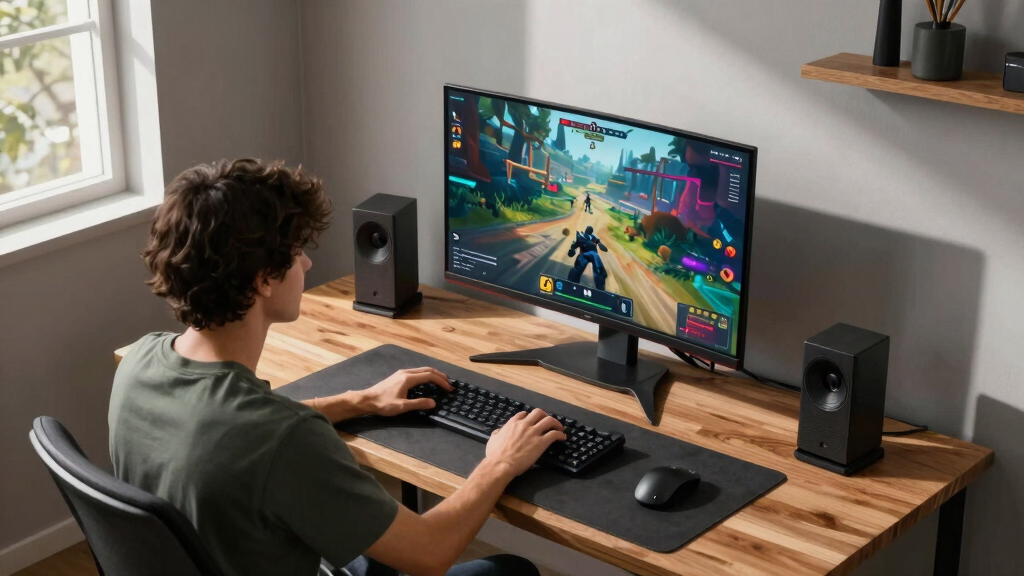

Finding the right 4K gaming monitor in 2026 means balancing stunning visuals with smooth performance. The ASUS ROG Swift 32” OLED stands out for its exceptional OLED picture quality and 240Hz refresh rate, ideal for competitive gamers. The Samsung Odyssey G7 offers a curved display with HDR600 and high refresh rates for immersive gaming. However, tradeoffs exist: higher-end models tend to be more expensive and may have features that go unused by casual players. Continue reading to see how these options compare and which monitor best matches your gaming needs.

Get the latest gadgets delivered free — and shop member deals
- Fast, free delivery on millions of items
- Access to Prime Big Deal Days deals on October 6–7
- Prime Video, Amazon Music and more included
Key Takeaways
- High refresh rates (up to 240Hz) are common in top-tier models, providing smoother gameplay especially in fast-paced games.
- OLED screens deliver superior contrast and color accuracy but come at a premium and may have burn-in concerns.
- Curved monitors like the Odyssey G7 enhance immersion but can distort some visual elements in certain games.
- Multiple connection options, including HDMI 2.1 and USB-C, are increasingly standard and support next-gen consoles and PCs.
- Price varies widely; premium models offer better visuals and features, while budget options prioritize core performance.


More Details on Our Top Picks
ASUS ROG Swift 32” 4K OLED Gaming Monitor (PG32UCDMR): QD-OLED, 240Hz, 0.03ms Response Time
The ASUS ROG Swift PG32UCDMR stands out for its stunning QD-OLED panel, offering vibrant colors with 99% DCI-P3 coverage and perfect contrast ratios. Its 240Hz refresh rate combined with an astonishing 0.03ms response time guarantees incredibly smooth gameplay, surpassing the typical 160Hz seen in many competitors like the ASUS XG27UCG. While the OLED technology provides superior visual quality, it introduces a concern: potential burn-in over prolonged use, despite ASUS’s OLED Care Pro tech. This monitor is ideal for gamers who want the ultimate visual fidelity and are willing to pay a premium, especially content creators needing accurate colors. The main tradeoff is the high cost and burn-in risk, which might be a dealbreaker for more casual users.
Pros:- Exceptional color accuracy with 99% DCI-P3 coverage
- Ultra-fast 0.03ms response time minimizes motion blur
- 240Hz refresh rate delivers ultra-smooth gameplay
- VESA HDR 400 True Black for deep contrast
Cons:- Premium price point limits accessibility
- OLED panel may be prone to burn-in over time
- Limited warranty coverage for burn-in risks
Best for: High-end gamers and professional content creators seeking top-tier visuals and fast response times
Not ideal for: Budget-conscious gamers or users worried about possible OLED burn-in over long-term use
- Display Type:QD-OLED
- Resolution:3840 x 2160 (4K)
- Refresh Rate:240Hz
- Response Time:0.03ms (GTG)
- Color Gamut:99% DCI-P3
- Connectivity:DisplayPort 2.1, HDMI 2.1, USB-C (90W)
Bottom line: This monitor is best suited for enthusiasts demanding the highest visual quality and fast response, despite the premium cost and burn-in concerns.
ASUS ROG Strix 27” 4K HDR USB-C Gaming Monitor (XG27UCG) – UHD (3840×2160) Dual Mode (4K 160Hz or FHD 320Hz), 1ms, Fast IPS, Extreme Low Motion Blur Sync, G-SYNC Compatible, AI Gaming, 3yr Warranty
The ASUS ROG Strix XG27UCG offers remarkable flexibility with dual refresh modes, supporting 4K at 160Hz or FHD at 320Hz, making it suitable for both immersive and competitive gaming. Its 1ms response time and Fast IPS technology ensure sharp visuals with minimal lag, outperforming the typical 1-2ms in many other monitors like the Acer VG270K. This model’s AI Gaming features and G-SYNC compatibility appeal to NVIDIA users, but G-SYNC is limited to NVIDIA GPUs, which could be a drawback for AMD users. Its price is on the higher side, but the versatility and fast response make it a solid choice for gamers who want performance and adaptability in one package.
Pros:- Dual mode support (4K @ 160Hz / FHD @ 320Hz) for versatile gaming
- 1ms response time ensures minimal input lag
- Fast IPS panel for sharp, vibrant visuals
- G-SYNC compatible for tear-free gameplay
Cons:- High price limits accessibility
- G-SYNC compatibility limited to NVIDIA GPUs
- May require additional mounting hardware due to tripod socket
Best for: Gamers who need flexible refresh options and AI enhancements, especially with NVIDIA graphics cards
Not ideal for: Budget buyers or AMD GPU users seeking G-SYNC compatibility or lower-cost options
- Screen Size:27-inch
- Resolution:3840 x 2160
- Refresh Rate Modes:4K @ 160Hz / FHD @ 320Hz
- Response Time:1ms
- Color Gamut:95% DCI-P3
- Connectivity:USB-C with DP Alt mode, HDMI
Bottom line: Ideal for gamers who want flexible high refresh rates and AI features, with a caveat on GPU compatibility and cost.
ASUS ROG Strix XG32UCG 32” 4K HDR Gaming Monitor
The ASUS ROG Strix XG32UCG emphasizes performance with its dual mode support—4K at 160Hz and FHD at 320Hz—catering to both immersive and competitive gamers. Its 0.3ms response time, while slightly slower than ultra-fast models, still offers very low lag, especially when paired with ASUS’s ELMB SYNC technology to eliminate ghosting. Its 95% DCI-P3 color gamut and VESA DisplayHDR 600 certification ensure vibrant, contrast-rich visuals. Compared with the ASUS XG27UCG, this monitor’s larger size and HDR capabilities make it better suited for immersive experiences, but its higher price and limited G-SYNC compatibility might deter some users. The tripod socket adds flexibility but requires extra hardware for mounting.
Pros:- Dual refresh rate modes for versatility
- 0.3ms response time reduces input lag
- VESA DisplayHDR 600 for enhanced contrast
- Large 32-inch screen for immersive gameplay
Cons:- Higher price point
- Limited G-SYNC compatibility
- Requires additional hardware for tripod mounting
Best for: High-performance gamers who prioritize color accuracy and HDR performance in a larger display
Not ideal for: Budget-conscious users or those needing G-SYNC support for NVIDIA GPUs
- Screen Size:32-inch
- Resolution:3840 x 2160
- Refresh Rate Modes:4K @ 160Hz / FHD @ 320Hz
- Response Time:0.3ms (minimum)
- Color Gamut:95% DCI-P3
- Connectivity:USB-C with DP Alt mode, DisplayPort
Bottom line: Best suited for gamers seeking a large, HDR-capable display with fast response times, despite the cost and limited G-SYNC support.
Samsung 37” Odyssey G7 Curved Gaming Monitor with 4K UHD, 165Hz, and VESA DisplayHDR 600
The Samsung Odyssey G7’s 37-inch curved design delivers an enveloping gaming experience, with 4K UHD resolution for sharp visuals. Its 165Hz refresh rate and 1ms response time make it suitable for fast-paced games, with smoother gameplay than typical 144Hz monitors like the Acer VG270K. The VESA DisplayHDR 600 certification enhances contrast and color, but the large size may be less suitable for smaller desks or those preferring a more compact setup. Its high-end features come at a premium price, making it a choice for gamers who want an immersive, curved display that excels in both detail and speed, but may not be ideal for casual or space-constrained setups.
Pros:- Large 37-inch curved display for immersive experience
- 4K UHD resolution with sharp visuals
- 165Hz refresh rate and 1ms response time for smooth gameplay
- VESA DisplayHDR 600 certification for vivid contrast
Cons:- Size may be too large for some desks
- Premium price may limit accessibility
- Curved design not suitable for all workflows
Best for: Gamers seeking an immersive, large curved display with high refresh rates and HDR support
Not ideal for: Small desk setups or budget-focused buyers not needing such a large screen
- Size:37 inches
- Resolution:4K UHD
- Refresh Rate:165Hz
- Response Time:1ms
- DisplayHDR:VESA DisplayHDR 600
- Curvature:1000R
Bottom line: Ideal for players wanting an expansive, immersive curved display with high performance, despite the size and cost considerations.
acer Nitro 27” 4K UHD 3840 x 2160 Gaming IPS Monitor | AMD FreeSync | Up to 72Hz Refresh Rate with DFR to FHD 144Hz | Up to 0.5ms | 1 x Display Port 1.4 & 2 x HDMI 2.0 Ports | VG270K L1bmiipx
The Acer Nitro VG270K offers a compelling option for budget-conscious gamers who still want decent 4K visuals. Its 27-inch IPS panel provides crisp images with 3840 x 2160 resolution and support for HDR10, delivering vibrant colors within a more affordable price range. With a maximum refresh rate of 72Hz, it lags behind higher-end models but still supports AMD FreeSync, which effectively reduces tearing and stuttering at lower frame rates. The DFR technology allows a switch from 4K to FHD at 144Hz for smoother gameplay in fast-paced titles, but this feature may not match the fluidity of monitors with native 144Hz or higher. The response time of up to 0.5ms is excellent for its class, making it suitable for casual competitive gaming, but it isn’t intended for high-end esports setups.
Pros:- Affordable 4K IPS display with vibrant color reproduction
- HDR10 support for better contrast and color accuracy
- Up to 0.5ms response time enhances responsiveness
- Diverse connectivity options including DisplayPort and HDMI
Cons:- Limited to 72Hz native refresh rate, less ideal for fast-paced competitive gaming
- Lower maximum refresh rate even with DFR technology
- Not suitable for those requiring high-end G-SYNC or 240Hz+ performance
Best for: Budget-conscious gamers who want 4K visuals and decent performance without breaking the bank
Not ideal for: Serious competitive gamers or those wanting higher refresh rates for fast-paced esports titles
- Display Size:27 inches
- Resolution:3840 x 2160
- Refresh Rate:Up to 72Hz (144Hz DFR)
- Response Time:Up to 0.5ms
- Color Gamut:HDR10
- Connectivity:DisplayPort 1.4, HDMI 2.0 x 2
Bottom line: A solid budget choice for gamers seeking 4K visuals and decent response times, but not for high-end competitive play.
Dell S2725QS 27-inch 4K Monitor with AMD FreeSync Premium and ComfortView Plus
This Dell model stands out for its well-rounded balance of high refresh rate, vibrant color accuracy, and eye comfort features. With a 120Hz refresh rate, it offers smoother gameplay than many standard 4K monitors, but it doesn’t reach the ultra-high refresh rates of specialized gaming screens like the CRUA 32″. Its 99% sRGB color coverage ensures vivid visuals, making it suitable for both gaming and content creation. The addition of ComfortView Plus reduces blue light, which benefits long gaming sessions, yet its 14.3-pound weight may demand a sturdy mount or desk setup. Compared to the ASUS OLED or CRUA’s dual modes, this monitor prioritizes comfort and color accuracy over ultra-fast refresh rates or HDR capabilities. It’s an excellent choice for gamers who value color fidelity and eye health without sacrificing too much performance, but less ideal for competitive players requiring higher refresh rates.
Pros:- 120Hz refresh rate for smoother gameplay compared to standard 60Hz 4K monitors
- 99% sRGB color accuracy for vivid, true-to-life visuals
- ComfortView Plus technology reduces blue light, easing eye strain during long sessions
Cons:- Relatively heavy at 14.3 pounds, which may complicate mounting options
- Lacks USB-C connectivity, limiting modern device compatibility
Best for: Gamers seeking a versatile 4K monitor that balances smooth gameplay with eye comfort and color accuracy.
Not ideal for: Competitive gamers who need 240Hz or higher for ultra-fast reaction times or those wanting advanced HDR support.
- Display Type:LED with IPS Panel
- Resolution:3840 x 2160 (4K)
- Refresh Rate:Up to 120Hz
- Response Time:0.03ms
- Color Accuracy:99% sRGB
- Contrast Ratio:1500:1
- Weight:14.3 Pounds
Bottom line: This monitor suits gamers who want solid performance with premium color accuracy and eye comfort features without the need for the highest refresh rates.
ASUS ROG Strix 32” 4K OLED Gaming Monitor (XG32UCWMG)
This ASUS OLED model excels in delivering stunning image clarity and vibrant HDR with its trueblack glossy panel. The 32-inch size combined with a 4K@240Hz dual mode—switching between ultra-fast FHD and crisp 4K—caters to high-end gamers who demand buttery-smooth visuals and top-tier HDR performance. Its OLED panel offers perfect blacks and exceptional contrast, surpassing the VA or IPS options like the CRUA or Acer in visual depth. The 0.03ms response time and G-SYNC compatibility make it ideal for competitive gaming, but OLED screens carry a risk of burn-in, which the Neo Proximity Sensor seeks to mitigate. While the panel’s vibrant HDR and color precision are unmatched, the premium price tag and potential burn-in risk make it less suited for casual or budget-conscious gamers.
Pros:- Exceptional HDR with 99% DCI-P3 and perfect black levels from OLED technology
- Dual mode (4K@240Hz, FHD@480Hz) offers versatile high-speed gameplay
- G-SYNC compatible with ultra-low response times for competitive play
Cons:- Premium price point may be prohibitive for many users
- OLED burn-in risk necessitates advanced protective features like Neo Proximity Sensor
Best for: High-end gamers who prioritize image quality, HDR performance, and fast response times, and are willing to invest in premium technology.
Not ideal for: Casual gamers or users concerned about burn-in risks or looking for more affordable options with a focus on basic performance.
- Display Type:OLED
- Size:32 Inches
- Resolution:3840 x 2160 (4K)
- Refresh Rate:240Hz (4K), 480Hz (FHD)
- Response Time:0.03ms
- HDR:VESA DisplayHDR 400 True Black
- Color Gamut:99% DCI-P3
Bottom line: This monitor is best suited for enthusiasts seeking top-tier image quality and smooth gameplay, despite its premium cost and burn-in considerations.
CRUA 27” 4K Gaming Monitor with Dual-Mode IPS Display
This CRUA monitor offers a flexible approach with its dual display modes—4K at 160Hz and FHD at 320Hz—making it suitable for both detailed gaming and fast-paced competitive play. Its IPS panel provides wide color coverage (120% sRGB, 92% DCI-P3) and 178° viewing angles, outperforming many competitors in color vibrancy and consistency. Support for PIP/PBP and an ergonomic stand enhances multitasking and comfort, while HDMI 2.1 and DisplayPort 1.4 ensure broad connectivity. However, its 1ms response time and high refresh rate at FHD are ideal for competitive gamers, but the 160Hz at 4K may not satisfy those seeking ultra-high refresh rates for high-end esports. The built-in speakers are a convenient addition but lack audiophile-level quality. Overall, it balances versatility and performance for varied gaming scenarios.
Pros:- Dual-mode display supports both 4K@160Hz and FHD@320Hz for flexible gaming options
- IPS panel with wide color coverage and excellent viewing angles
- Supports PIP/PBP for multitasking and ergonomic adjustments for comfort
Cons:- 160Hz at 4K may be insufficient for the most competitive players seeking higher refresh rates
- Built-in speakers are basic and may not meet audiophile standards
Best for: Gamers who want a versatile monitor capable of handling both detailed 4K visuals and fast FHD gameplay without switching monitors.
Not ideal for: Users specifically seeking a dedicated 4K monitor with the highest possible refresh rate (e.g., 240Hz or higher) for competitive esports.
- Display Size:27 Inches
- Resolution Modes:3840×2160 (4K, 160Hz) / 1920×1080 (FHD, 320Hz)
- Panel Type:IPS
- Color Gamut:120% sRGB, 92% DCI-P3
- Response Time:1 ms
- Connectivity:HDMI 2.1, DP 1.4
- Adjustments:Tilt, Swivel, Height, Pivot
Bottom line: This monitor provides an adaptable solution for gamers who want both detailed visuals and fast refresh rates in one device, with some compromises at the top end of competitive gaming.
CRUA 32″ Curved Gaming Monitor, 4K UHD, 240Hz VA Display with AMD FreeSync
This 32-inch curved monitor emphasizes immersion with its 1500R curvature and high refresh rate of 240Hz, making it ideal for fast-paced gaming. Its VA panel delivers deep blacks and a contrast ratio of 3000:1, which significantly enhances visual depth over typical IPS or TN panels. AMD FreeSync helps eliminate tearing, and the 120% sRGB coverage ensures vibrant colors. While the large size and curvature create an engaging experience, the VA panel can introduce slightly higher input lag and may have less consistent viewing angles compared to IPS options like the CRUA 27″. It’s best suited for gamers who prioritize immersion and contrast, but those with limited desk space or needing ultra-low input lag for competitive esports might find it less suitable.
Pros:- Large 32-inch curved display enhances immersion during gameplay
- High 240Hz refresh rate supports smooth, fast-paced action
- Deep contrast with 3000:1 ratio and vibrant colors with 120% sRGB coverage
Cons:- VA panels can have higher input lag and less consistent viewing angles than IPS
- Size may be cumbersome for smaller or cluttered spaces
Best for: Gamers who want an immersive, large-screen experience with high contrast and fast refresh rates for casual or semi-competitive play.
Not ideal for: Players requiring the absolute lowest input lag or those with small desks that can’t accommodate a 32-inch curved screen comfortably.
- Resolution:3840×2160 (4K UHD)
- Panel Type:VA (Curved 1500R)
- Refresh Rate:240Hz
- Contrast Ratio:3000:1
- Color Coverage:120% sRGB
- Connectivity:HDMI 2.1, DP 1.4
- Wall Mount:75x75mm
Bottom line: Ideal for gamers seeking an engaging, large curved display with high contrast and fast refresh rates, though not perfect for competitive esports or small setups.
acer Nitro 27” 4K UHD 3840 x 2160 Gaming IPS Monitor | AMD FreeSync Premium | Up to 160Hz Refresh Rate with DFR to FHD 320Hz
This Acer Nitro offers a compelling combination of 4K resolution, high refresh rates, and adaptive sync technology at a more accessible price point. Its 160Hz refresh rate at 4K, with DFR technology scaling to 320Hz at FHD, provides smooth gameplay without the premium cost of OLED or high-end IPS models. The IPS panel ensures wide viewing angles and vibrant colors, supporting 90% DCI-P3 and HDR10, which elevates visual quality. The 0.5ms response time is suitable for fast action, but it still falls short of the ultra-low latency of more specialized gaming screens. The monitor’s multiple HDMI 2.1 and DisplayPort 1.4 ports make it versatile for gaming rigs and consoles. This pick makes the most sense for budget-conscious gamers wanting performance without sacrificing too much visual fidelity.
Pros:- Competitive 160Hz refresh rate at 4K with DFR technology for smooth gameplay
- Vivid IPS panel with 90% DCI-P3 and HDR10 support
- Multiple ports including HDMI 2.1 and DisplayPort 1.4 for flexible connectivity
Cons:- While fast, 0.5ms response time isn’t quite as low as dedicated esports monitors
- HDR support is limited to HDR10, not higher-tier standards like VESA DisplayHDR 600
Best for: Budget-minded gamers who want a high-performance 4K monitor with fast refresh rates and good color reproduction.
Not ideal for: Premium users seeking OLED-level contrast or the absolute lowest latency for professional esports.
- Display Size:27 Inches
- Resolution:3840 x 2160 (4K)
- Refresh Rate:Up to 160Hz
- Response Time:0.5ms
- Color Gamut:90% DCI-P3
- HDR:HDR10
- Ports:HDMI 2.1, DP 1.4
Bottom line: A strong choice for gamers wanting high refresh rates and good visuals at a more affordable price, with some compromises on HDR and latency.
SANSUI 27″ 4K Gaming Monitor with Dual Mode (160Hz UHD / 320Hz FHD), Fast IPS, HDR400, and Ergonomic Stand
This SANSUI monitor stands out for its flexible dual-mode capability, allowing gamers to switch between 4K at 160Hz and FHD at an incredible 320Hz, which is beneficial for high-refresh-rate competitive play compared to the ASUS TUF’s fixed 160Hz. The Fast IPS panel with 1ms response ensures quick reactions, while HDR400 and 93% DCI-P3 support deliver vibrant visuals. Its ergonomic stand with height, tilt, and swivel adjustments makes it comfortable for long gaming sessions. However, the monitor’s weight (11.2 lbs) makes it less portable, and the lack of USB ports or VESA mount options limits expandability. Source device limitations also cap 4K performance at 120Hz, meaning not every console or PC will reach full potential.
Pros:- Dual resolution modes for versatile gaming experiences
- Fast IPS panel with 1ms response and wide color coverage
- Ergonomic stand with full height, tilt, and swivel adjustments
- Includes built-in speakers and AI gaming enhancements
Cons:- Heavy at 11.2 pounds, less portable
- Performance limited by source device capabilities, especially for 4K@160Hz
- No USB ports or VESA mounting options
Best for: Gamers who value dual-mode flexibility for both casual 4K gaming and high-refresh competitive FHD sessions
Not ideal for: Users seeking a lightweight, VESA-compatible monitor or those who need integrated USB hubs
- Screen Size:27 inches
- Resolution:3840 x 2160 (4K UHD)
- Refresh Rate:Up to 160Hz (UHD) / 320Hz (FHD)
- Response Time:1ms (Overdrive)
- Panel Type:IPS
- Brightness:400 nits
Bottom line: This monitor suits gamers who want flexible resolution and high refresh rates but can accept some limitations in expandability and portability.
ASUS TUF Gaming 27” 4K HDR Monitor (VG27UQ1A) – 160Hz, 1ms Response Time
This ASUS TUF monitor excels for players seeking a combination of 4K resolution and high refresh rate, with a solid 160Hz that rivals the dual-mode flexibility of the SANSUI but with a more streamlined, single-resolution approach. The inclusion of ELMB Sync technology and compatibility with G-SYNC and FreeSync Premium ensures tear-free gameplay across multiple systems. Its HDR support with 95% DCI-P3 delivers vibrant visuals suitable for immersive single-player experiences. However, the premium price might be a barrier for budget-conscious buyers, and HDR brightness can diminish during content playback. Its slightly lighter weight (10.6 lbs) makes it easier to move or adjust compared to bulkier options, but it still lacks VESA mounting and USB hubs.
Pros:- High 4K resolution paired with a 160Hz refresh rate for competitive gaming
- ELMB Sync technology for tear-free motion clarity
- Compatibility with NVIDIA G-SYNC and AMD FreeSync Premium
- Vibrant 95% DCI-P3 color gamut and HDR support
Cons:- Premium price point may be prohibitive
- HDR brightness can dim during intense scenes
- No USB ports or VESA mounting options
Best for: Enthusiast gamers who prioritize high 4K resolution, competitive refresh rates, and smooth visuals across PC and consoles
Not ideal for: Budget shoppers or those needing VESA compatibility and extensive port options
- Screen Size:27 Inches
- Resolution:3840 x 2160 (4K UHD)
- Refresh Rate:160 Hz
- Response Time:1 ms
- Color Gamut:95% DCI-P3
- Display Technology:Fast IPS
Bottom line: This monitor makes the most sense for serious gamers who want top-tier 4K visuals combined with high refresh rates and adaptive sync tech.
How We Picked
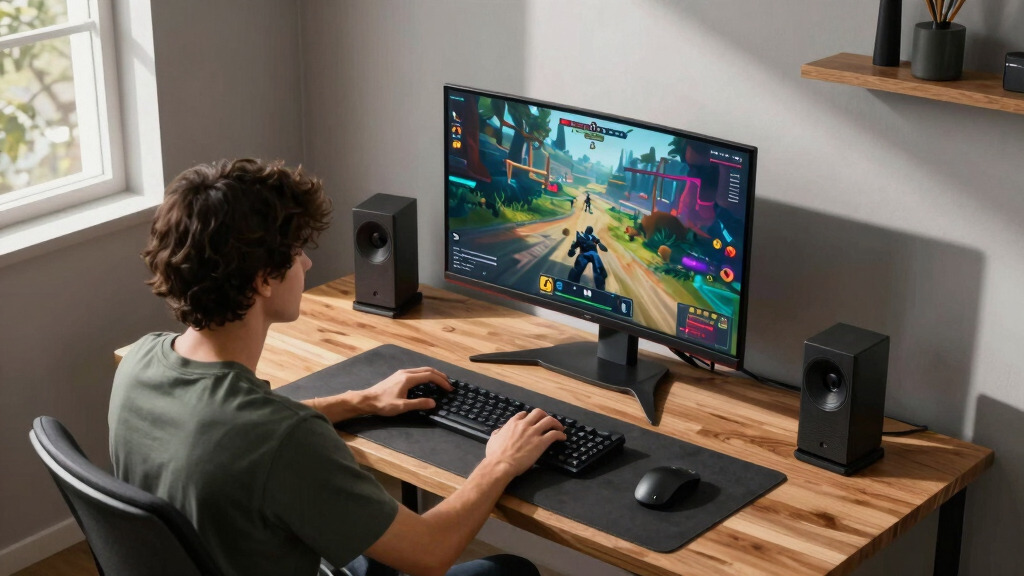
This lineup was curated based on a combination of performance metrics, build quality, feature set, and value. Priority was given to refresh rates, response times, and display technology, as these directly impact gaming smoothness and visual quality. We also considered ergonomic features, connectivity options, and warranty coverage to ensure long-term usability. The ranking reflects a balance between high-end features for enthusiasts and more accessible choices for casual gamers, helping buyers identify the best options for their specific needs.Factors to Consider When Choosing 4K Gaming Monitors
Choosing a 4K gaming monitor involves weighing several key factors that influence both performance and visual experience. Understanding these can help you avoid common pitfalls like overpaying for unnecessary features or selecting a monitor incompatible with your gaming setup. Here are the main considerations to keep in mind before making a purchase.Refresh Rate and Response Time
For fast-paced games, a high refresh rate (at least 144Hz, ideally 240Hz) ensures smoother motion and reduces motion blur. Response time, ideally under 1ms, minimizes ghosting effects, which can be distracting during rapid action. Balancing these specs with your GPU’s capabilities is essential; a high refresh rate is less beneficial if your hardware cannot deliver frame rates that match it.
Display Technology: OLED vs. IPS vs. VA
OLED panels provide unmatched contrast ratios and color vibrancy, making visuals pop, but are typically more costly and prone to burn-in. IPS panels excel in color accuracy and viewing angles but may have higher response times. VA panels tend to offer better contrast than IPS but can suffer from slower response times, which might impact competitive gaming. Your choice depends on whether you prioritize image quality or speed.
Connectivity and Compatibility
Modern gamers should look for HDMI 2.1 and USB-C ports, which support the latest consoles and high-speed data transfer for peripherals. Check if the monitor supports adaptive sync technologies like G-SYNC or FreeSync, which eliminate screen tearing. These features improve gameplay fluidity, especially when paired with capable graphics cards or gaming consoles.
Size and Curvature
Monitor size affects immersion; most gamers prefer 27” to 32” screens for a good balance of visibility and desk space. Curved monitors enhance the sense of immersion but can distort certain visual elements, especially in FPS games. Consider your desk space and eyesight comfort—larger or curved displays might require adjustments in viewing distance for optimal experience.
Price and Long-term Value
Spending more generally yields better display quality and extras like higher refresh rates or premium panels. However, budget-friendly options can still deliver solid 4K performance for casual gaming. Be wary of models with a high price but few additional features; sometimes, a mid-range monitor offers the best balance of cost and performance for most gamers.
Frequently Asked Questions
Is a 240Hz refresh rate worth it for 4K gaming?
While 240Hz refresh rates provide smoother motion, their benefits at 4K resolution depend heavily on your hardware. Achieving high frame rates at 4K can be demanding, so if your GPU can consistently hit high frame rates, a 240Hz monitor enhances responsiveness. However, if your system struggles to reach those levels, a 144Hz monitor may be a more sensible choice without overspending on features you’ll rarely use.
Should I choose an OLED or IPS 4K gaming monitor?
OLED monitors offer superior contrast and color depth, making games look more vibrant and dynamic. However, they tend to be more expensive and have potential burn-in issues if static images are displayed for prolonged periods. IPS monitors are more affordable, have wider color accuracy, and are less prone to burn-in, making them suitable for most gamers who prioritize visual fidelity without the premium price.
How important is curvature in a 4K gaming monitor?
Curved screens can enhance immersion, especially on larger displays, by wrapping the image around your field of view. However, they can also introduce distortion in some games or applications, particularly if the curvature isn’t well-designed. If you play a lot of competitive FPS games, a flat monitor might offer more precise targeting, while curved screens are better for immersive single-player experiences.
Can I use a 4K gaming monitor with a console?
Yes, most modern consoles like the PS5 and Xbox Series X support 4K output and can take advantage of high refresh rates if the monitor supports HDMI 2.1. However, check the monitor’s specifications to ensure compatibility, especially regarding refresh rates and HDR support. For the best experience, pair your console with a monitor that explicitly lists support for your console’s output features.
Is it worth investing in a high-end 4K gaming monitor?
High-end models offer better visuals, faster response times, and advanced features like HDR and G-SYNC/FreeSync. They make sense if you’re a serious gamer who values performance and image quality, especially for competitive titles. However, if gaming is more casual, mid-range monitors often provide enough quality at a more accessible price point, making the investment more justifiable.
Conclusion
For most gamers, the ASUS ROG Swift 32” OLED stands out as the best overall choice due to its stunning display and fast response times, perfect for enthusiasts and serious players. Budget-conscious buyers will find the CRUA 27” 4K Monitor offers solid performance without breaking the bank. If immersion and HDR performance are priorities, the Samsung Odyssey G7 provides a curved, high-contrast experience. Beginners should consider models like the ASUS TUF VG27UQ1A for straightforward features and reliable performance, while professional gamers seeking maximum speed might lean toward the ASUS ROG Strix XG32UCG or similar high-end options.
Fall Picks
fall essentials
As an affiliate, we earn on qualifying purchases.