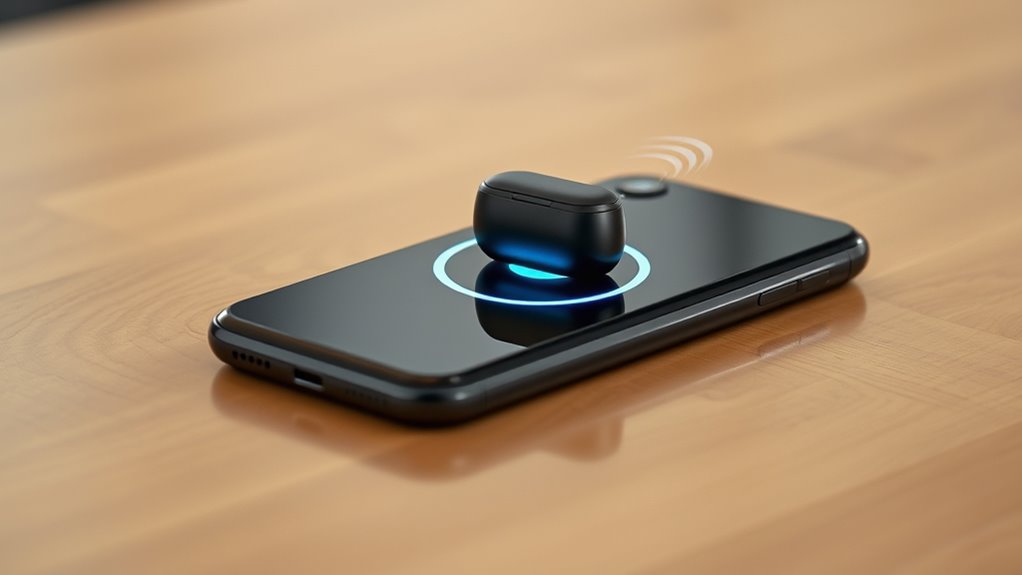

Reverse wireless charging is a feature that lets your smartphone wirelessly power other compatible devices, like earbuds or smartwatches, using electromagnetic fields. It acts like a portable power source, so you don’t need cables or chargers for those gadgets on the go. To use it, you just activate the feature and place the devices on your phone’s wireless charging area. Curious about how to make the most of this handy tech? Keep exploring to discover more.

Get the latest gadgets delivered free — and shop member deals
- Fast, free delivery on millions of items
- Access to Prime Big Deal Days deals on October 6–7
- Prime Video, Amazon Music and more included
Key Takeaways
- Reverse wireless charging allows a device to wirelessly power other compatible gadgets, acting as a power source.
- It uses electromagnetic fields to transfer energy from the phone to devices like earbuds or smartwatches.
- Not all smartphones support this feature; compatibility depends on hardware and software specifications.
- Proper device alignment and activation are essential for efficient energy transfer and safety.
- It provides a convenient, cable-free way to charge devices on the go, especially in emergencies.
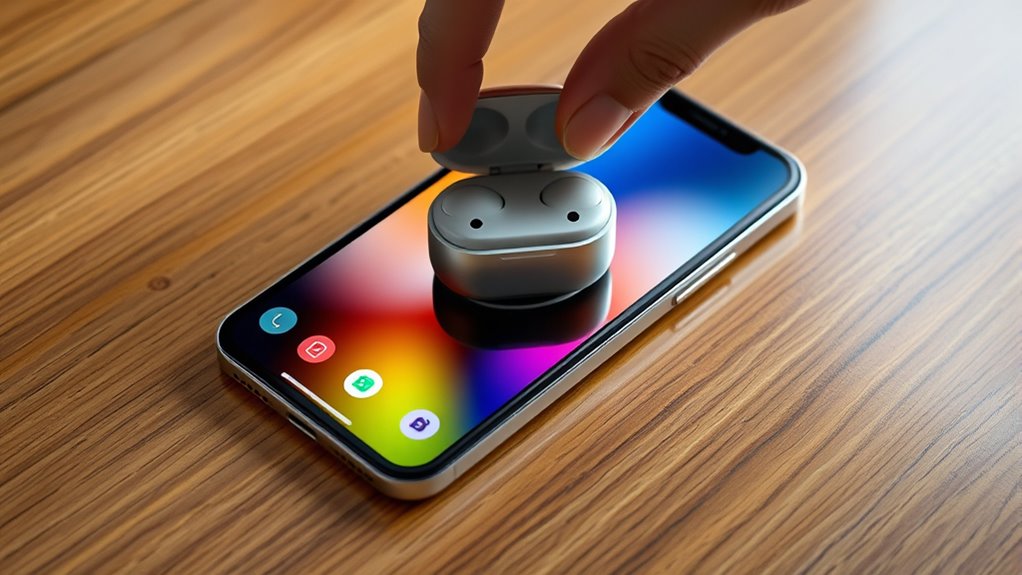
Reverse wireless charging is an innovative feature that allows your device to power other compatible gadgets without the need for cables. Instead of traditional charging, where your phone receives power, this feature enables it to act as a wireless power source. When you activate reverse wireless charging, your device uses electromagnetic fields to transmit energy to nearby compatible devices, such as earbuds, smartwatches, or even another phone. This technology highlights the growing convenience of wireless power, eliminating the need for multiple chargers and cables cluttering your space.
To make the most of reverse wireless charging, you need to guarantee device compatibility. Not all smartphones support this feature, so checking your device’s specifications is essential. Manufacturers typically specify whether a phone has reverse wireless charging capabilities, often found in the settings or technical details. Devices that do support this feature are usually equipped with the necessary hardware and software optimizations to enable efficient power transfer. Keep in mind that the efficiency of wireless power transfer can vary depending on the device models and their respective standards. Certain devices may require specific brands or models to work seamlessly, so verifying compatibility before attempting to share power is vital.
Check your device specifications to ensure compatibility with reverse wireless charging features.
When you activate reverse wireless charging, your device acts like a power bank, transferring energy wirelessly. It’s a handy feature when you’re on the go and your other gadgets are running low. Imagine you’re out and your wireless earbuds need a quick boost; instead of hunting for a cable, you can simply place them on your phone’s charging area. The process is straightforward: ensure both devices are compatible, turn on the feature in your phone’s settings, and position the gadgets close together. The charging pad or surface on your device will transfer power wirelessly, usually indicated by a notification or icon. Be mindful, though, that this process can drain your phone’s battery faster, so use it judiciously when you really need it.
In addition, the quality of wireless power transfer depends on the device’s hardware design and placement. Proper alignment between devices enhances efficiency, making sure a smoother transfer of energy. You should also be aware that some devices might get warm during the process, which is normal but warrants caution to avoid overheating. While reverse wireless charging offers immense convenience, it’s best used as a supplementary charging method rather than a primary one. It’s perfect for quick boosts or emergencies, providing you with added flexibility and reducing dependence on traditional charging cables. As technology advances, expect even more seamless and compatible wireless power solutions to become a standard feature across a wider range of devices. Understanding wireless standards can help you optimize the charging process for better efficiency.
As an affiliate, we earn on qualifying purchases.
Frequently Asked Questions
Can All Smartphones Support Reverse Wireless Charging?
Not all smartphones support reverse wireless charging. Your device must adhere to specific wireless standards, like Qi, to enable this feature. Additionally, a higher battery capacity helps guarantee your phone can charge other devices without draining quickly. Check your phone’s specifications to see if it supports reverse wireless charging, as many mid-range and older models might lack this feature, while newer flagship phones often include it.
Is Reverse Wireless Charging Safe for My Device?
You might worry about reverse wireless charging wearing down your phone’s battery like a slow leak, but it’s generally safe when used properly. Think of it as a gentle tide—occasional use won’t harm your device’s wireless charging safety or battery longevity. Just avoid constant, high-power transfers, and your phone will stay healthy, ready to power up other devices without risking unnecessary wear or damage.
How Fast Is Reverse Wireless Charging Compared to Traditional Charging?
Reverse wireless charging is generally slower than traditional charging due to lower power transfer rates and charging efficiency. While standard chargers can deliver higher wattages for faster charging, reverse wireless charging typically provides around 2-5W, meaning it takes longer to power up devices. You’ll notice that your phone’s battery charges more slowly when used as a wireless charger, making it less ideal for quick recharging needs.
Does Reverse Wireless Charging Impact My Phone’s Battery Health?
You might worry that reverse wireless charging could harm your phone’s battery health, but it’s unlikely to cause significant battery degradation if used sparingly. While every charging cycle slightly impacts your battery over time, occasional reverse charging doesn’t accelerate this process dramatically. Just remember, frequent use could increase wear, so balance it out. Ultimately, your phone’s built to handle regular charging, including reverse wireless, without major damage.
Can I Charge Multiple Devices Simultaneously With Reverse Wireless Charging?
Yes, you can charge multiple devices simultaneously with reverse wireless charging if your phone supports multi-device capability. Keep in mind, though, that charging efficiency decreases when powering several devices at once, which may slow down overall charging speeds. To guarantee peak performance, check your phone’s specifications and avoid overloading it, as this can impact battery health and reduce charging effectiveness.
reverse wireless charging compatible devices
As an affiliate, we earn on qualifying purchases.
As an affiliate, we earn on qualifying purchases.
Conclusion
So, next time your friend’s phone dies, don’t hesitate to offer a quick boost with reverse wireless charging. Sure, it might seem like a small feature, but it can save you in a pinch. No need for cables or extra gadgets—just place your devices together, and you’re good to go. It’s a handy, convenient way to keep your tech powered up without hassle. Once you try it, you’ll wonder how you ever managed without it!
wireless charging pad for smartphones
As an affiliate, we earn on qualifying purchases.
As an affiliate, we earn on qualifying purchases.
wireless earbuds with charging case
As an affiliate, we earn on qualifying purchases.
As an affiliate, we earn on qualifying purchases.
Evergreen bestsellers Picks
bestsellers
As an affiliate, we earn on qualifying purchases.