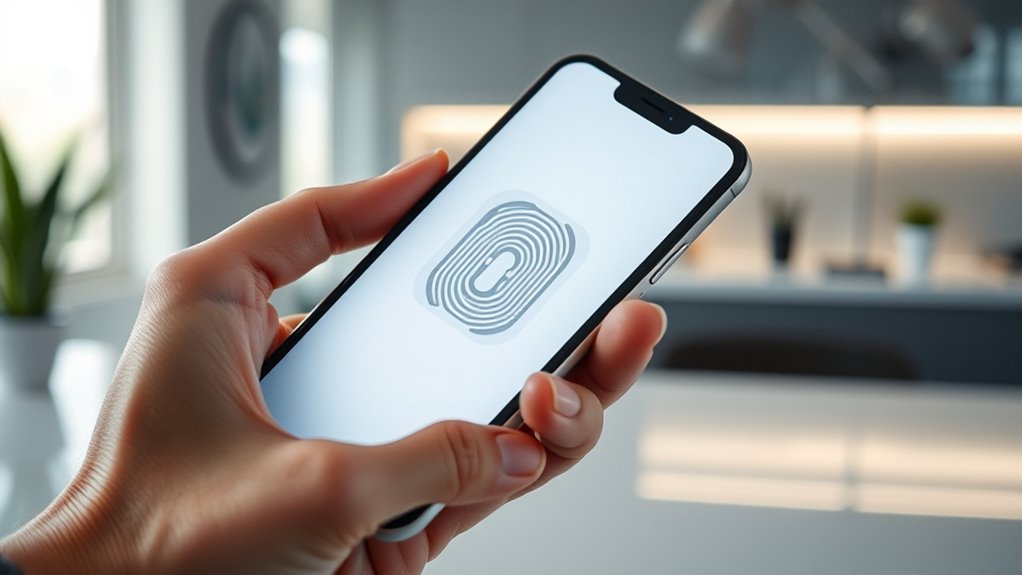

Face ID works by using a TrueDepth camera system that projects over 30,000 infrared dots to create a detailed 3D map of your face. It processes this data with neural networks to quickly and securely recognize you, even in darkness or with appearance changes. Your facial data is stored safely on the Secure Enclave, making spoofing nearly impossible. To see how this technology adapts and keeps your information safe, keep exploring further.
Key Takeaways
- Face ID uses a TrueDepth camera system projecting infrared dots to create a detailed 3D facial map for accurate recognition.
- Recognition occurs in milliseconds by comparing real-time scans to stored data securely on the device’s Secure Enclave.
- It adapts to appearance changes, such as aging or accessories, through continuous learning and manual updates.
- Security features prevent spoofing with photos or masks, relying on 3D depth data and infrared technology.
- Facial data is encrypted, stored only on the device, and never as actual images, ensuring user privacy and data protection.
The Technology Behind Face ID
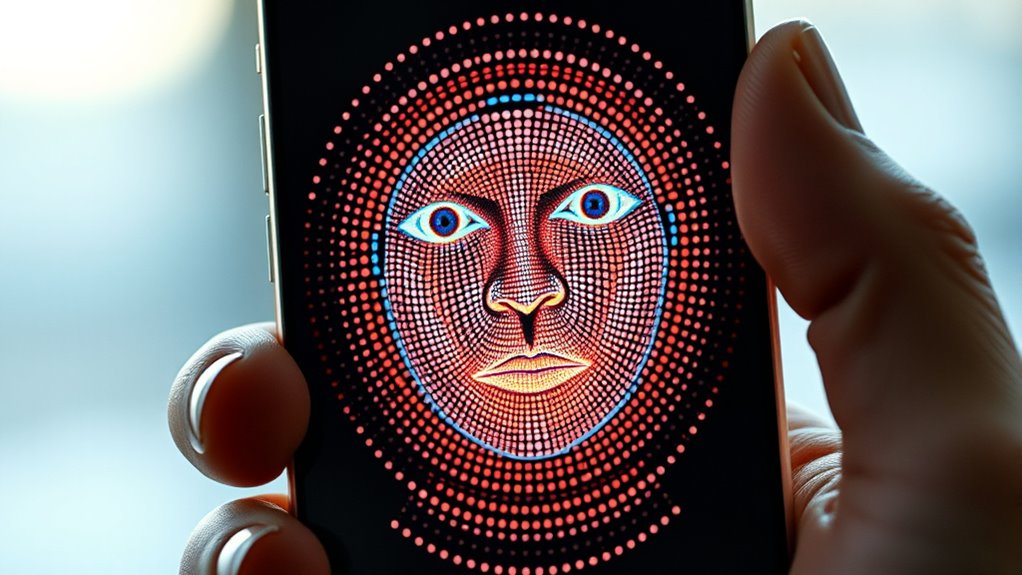
The technology behind Face ID relies on a sophisticated system called the TrueDepth camera, which actively scans and maps your facial features in three dimensions. It projects over 30,000 infrared dots onto your face, creating a detailed 3D model that captures depth and contours. Infrared light allows it to work in complete darkness, making recognition possible even without visible light. The system processes this data with neural networks to compare the new scan to your stored facial template, stored securely on the device. The camera’s components, including the laser projector and infrared camera, work together seamlessly. This combination enables rapid, accurate recognition while preventing spoofing attempts with photographs or masks. Overall, it’s a precise, secure system that adapts to natural changes in your appearance over time. Facial recognition technology continues to evolve, offering enhanced security and convenience for users.
Hardware Components of the System
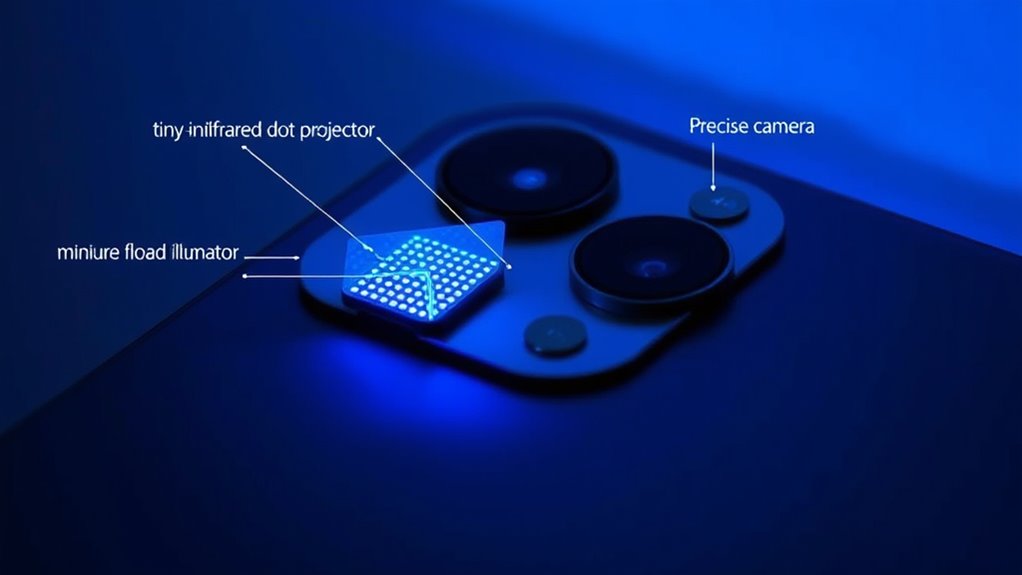
Understanding the hardware components behind Face ID reveals how the system quickly and accurately captures your facial features. The TrueDepth camera system combines three key modules: a laser dot projector, flood illuminator, and infrared camera. The laser projects over 30,000 infrared dots to create a detailed 3D map, even in darkness. The flood illuminator emits infrared light to illuminate your face, while the infrared camera captures the dot pattern and depth data. This hardware works seamlessly with the neural engine to process data rapidly. Here’s a visual overview:
| Component | Function | Key Benefit |
|---|---|---|
| Laser Dot Projector | Projects infrared dots on face | Creates precise 3D facial map |
| Flood Illuminator | Lights face with infrared light | Works in darkness |
| Infrared Camera | Captures infrared dot pattern | Ensures detailed depth sensing |
Additionally, the system’s hardware integration ensures rapid and reliable facial recognition in various lighting conditions.
The Authentication Process Explained

When you attempt to unseal your device, Face ID quickly scans and maps your face using infrared dots to create a detailed 3D model. It then compares this data to your stored facial information to verify your identity. Over time, the system learns from your appearance changes, improving accuracy and reducing false rejections. Additionally, Face ID’s advanced biometric security features help protect your personal data from unauthorized access.
Face Scanning and Mapping
Face scanning and mapping start as soon as you raise your device and look at it. The TrueDepth camera system activates, projecting over 30,000 infrared dots onto your face. These dots create a detailed 3D map by capturing facial contours, depths, and surface features. Infrared light allows the system to work accurately even in darkness, providing consistent recognition. The infrared camera records the pattern of dots and the depth information, which is then processed by the neural engine. This data forms a precise mathematical model of your face, capturing unique facial characteristics. During this process, the system ignores external factors like lighting conditions or accessories, focusing solely on the facial features. The entire scan occurs in milliseconds, preparing the data for comparison with your stored profile.
Matching Against Stored Data
Once the TrueDepth camera captures your facial scan, the system compares the new data to the stored facial template stored securely in your device’s enclave. This template is a mathematical representation of your facial features, not a photo. Neural networks process the infrared dots and depth map data to evaluate similarity. If the captured scan matches the stored template within a set threshold, your device grants access. If it doesn’t, you’ll receive a prompt to retry or use an alternative method like your passcode. The comparison happens rapidly, often in milliseconds, thanks to advanced hardware and machine learning. This process guarantees that only your unique facial features can open your device, maintaining both convenience and security. Wave and wind are also considered in the development of robust facial recognition systems to improve accuracy in various environments.
Adaptive Recognition Features
After your device compares the new facial scan to the stored template and confirms a match, it doesn’t just stop there. It continuously learns and adapts to your changing appearance. Over time, Face ID updates your stored data to account for aging, facial hair, glasses, or accessories. This adaptive feature guarantees reliable recognition even with minor changes. It recognizes you wearing hats, scarves, or makeup, maintaining security while enhancing convenience. This ongoing learning process uses neural networks to refine your facial map without compromising privacy or security. Facial recognition technology is constantly evolving to improve accuracy and user experience.
How Face ID Adapts to Changes in Appearance
Face ID uses a continuous learning algorithm to adapt to your changing appearance over time. It updates your facial data to account for aging, facial hair, glasses, or makeup, making recognition more reliable. If your appearance changes considerably, you can manually update your profile through a quick process to ensure accurate identification. Additionally, modern biometric authentication leverages advanced sensors and software to enhance security and user convenience.
Continuous Learning Algorithm
The ongoing learning algorithm behind Face ID actively updates its facial recognition data to reflect natural changes in your appearance over time. Each time you use Face ID, the neural engine compares your current scan to existing data, adjusting for minor variations like aging, facial hair, or makeup. This adaptive process ensures your device recognizes you even as your look evolves. To manage these updates, the system employs a structured approach, balancing security and flexibility. The table below illustrates how different factors influence recognition updates:
| Factor | Adjustment Method | Limitations |
|---|---|---|
| Aging | Incremental data updates | Major changes may require re-enrollment |
| Facial Hair | Dynamic feature weighting | Heavy growth might reduce accuracy |
| Accessories | Exclusion zones in mapping | Large accessories can block key features |
| Makeup | Enhanced feature detection | Heavy makeup may obscure features |
| Appearance Changes | Continuous model refinement | Significant changes need manual update |
Additionally, machine learning techniques enable Face ID to improve its accuracy over time by learning from new user data.
Accommodating Appearance Changes
Your device’s Face ID system continuously adjusts to changes in your appearance, ensuring reliable recognition over time. As you go about your day, the system learns typical variations like growing facial hair, changing hairstyles, or wearing accessories such as glasses or hats. It intelligently updates your stored facial data through repeated use, allowing it to recognize you despite minor modifications. This adaptive learning helps prevent false rejections when your look shifts slightly. However, major changes—like significant weight loss, aging, or new facial features—may require a passcode to refresh the stored data. The system’s neural networks process these updates seamlessly, balancing security with convenience. Additionally, adaptive learning techniques enable Face ID to improve recognition accuracy over time. Overall, Face ID’s ability to adapt minimizes recognition issues while maintaining robust security standards.
Manual Update Process
When significant changes in appearance occur, the system can’t automatically recognize you and requires a manual update. You’ll need to re-register your face to ensure smooth access. Here’s what you should do:
- Navigate to Settings and select Face ID & Passcode.
- Tap “Set Up Face ID” and follow the prompts to scan your face again from multiple angles.
- Complete the process by confirming your identity with your passcode if necessary.
- Regular updates help your device adapt to major changes like new facial hair, glasses, or aging, preventing security vulnerabilities that could arise if the system fails to recognize you. It’s a simple way to keep Face ID reliable, so you don’t get locked out when your appearance shifts dramatically. Regular updates ensure your device recognizes you effortlessly, maintaining security and convenience.
Security Measures That Protect Your Data

To guarantee your biometric data remains protected, Face ID employs multiple security measures that keep your facial information safe from unauthorized access. The facial template is stored only on your device’s Secure Enclave, which is an isolated processing environment that prevents external access. The data is encrypted, making it nearly impossible for hackers or third parties to retrieve or misuse your information. Instead of storing actual photos, Face ID creates a non-reversible mathematical representation of your face, safeguarding your identity. When you attempt authentication, the device’s neural engine compares the new scan to the stored template within the Secure Enclave, confirming a match without exposing your data. Infrared technology also prevents spoofing using photos or masks, adding an extra layer of security. Additionally, field‑of‑view considerations ensure consistent recognition even with changing lighting or angles.
Limitations and Considerations for Users

While Face ID offers robust security features, it does have limitations that can affect its reliability. You might face challenges if your appearance changes markedly or if your face isn’t fully visible. Here are some considerations:
- Extreme facial changes — Growing a beard, losing weight, or wearing heavy makeup can temporarily prevent recognition until the system updates.
- Line of sight issues — Objects blocking your face or poor lighting can hinder accurate scans, leaving you locked out.
- Accessibility adjustments — If you have specific needs, disabling eye contact requirements may be necessary, but it could slightly reduce security.
- Understanding home and small-shop power implications can help you better manage your device’s energy use, especially if you rely on backup systems during recognition issues.
Being aware of these factors helps you understand when Face ID might not work as expected, ensuring you’re prepared for different situations.
Frequently Asked Questions
Can Face ID Recognize Multiple Users on the Same Device?
Yes, Face ID can recognize multiple users on the same device. When you set up Face ID, you can register additional faces for different people, allowing each person to unlock the device securely. The system creates separate facial maps for each user, and it identifies and authenticates the correct user by comparing the scanned face to the stored data. This feature makes sharing your device more convenient while maintaining security.
How Does Face ID Perform With Facial Accessories Like Masks or Glasses?
Did you know that Face ID can recognize users wearing glasses or facial accessories 90% of the time? When you wear glasses, the system adapts by learning their presence over time, ensuring smooth recognition. Masks can pose challenges, but recent updates improve performance. If recognition fails, you’re prompted to use your passcode. Ultimately, Face ID’s adaptive learning helps it adjust to accessories and minor appearance changes, maintaining security and convenience.
Is Face ID Affected by Facial Injuries or Scars?
Facial injuries or scars can temporarily affect Face ID’s accuracy since the system relies on detailed facial mapping. If injuries or scars substantially change your appearance, the system might not recognize you until it updates your facial data or you verify with your passcode. Over time, Face ID adapts to minor changes, but major injuries may require re-setup or manual updates to guarantee reliable access.
What Happens if Face ID Fails to Recognize the User?
If Face ID fails to recognize you, your device prompts you to try again or use an alternative authentication method, like your passcode. You might need to reposition your face or remove obstructions like glasses or hats. If recognition continues to fail, entering your passcode grants access. The system temporarily disables Face ID after multiple failed attempts for security, requiring you to verify your identity through your passcode or other methods.
Does Environmental Lighting Impact Face ID Accuracy?
Environmental lighting doesn’t impact Face ID accuracy because it uses infrared technology, which works in complete darkness or bright conditions. The TrueDepth camera projects infrared dots onto your face, creating a detailed 3D map regardless of ambient light. This means you can access your device confidently whether you’re indoors, outdoors, in shadows, or in direct sunlight, ensuring consistent and reliable facial recognition without being affected by the lighting environment.
Conclusion
Understanding how Face ID works is like opening a secret vault with your face as the key. It’s a clever blend of hardware and software that adapts to your changes and keeps your data locked tight. While no system is foolproof, Face ID’s security measures act like a vigilant bodyguard, giving you peace of mind. So, as reliable as your best friend, Face ID offers a smart, secure way to access your device and protect your privacy.