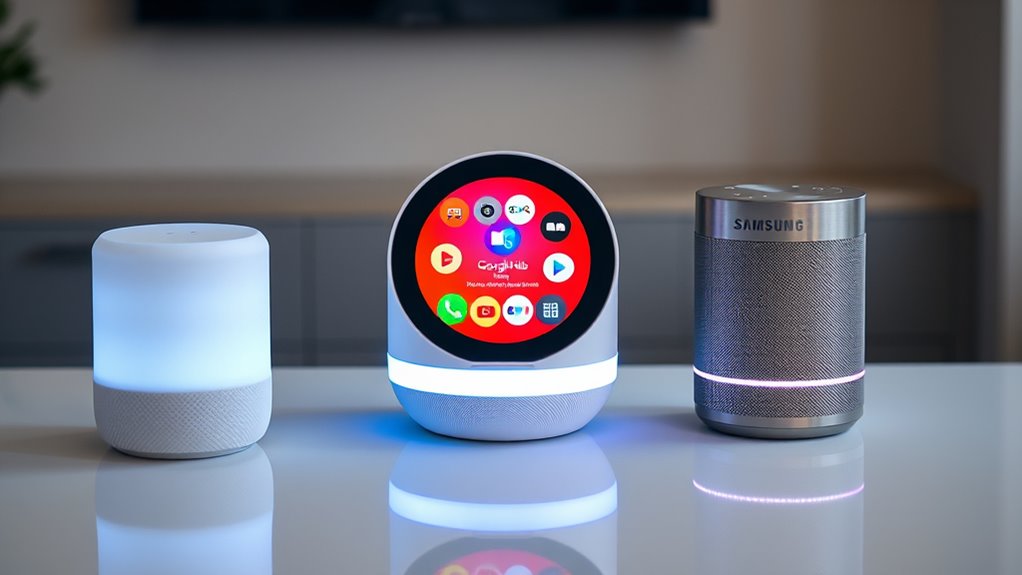

If you’re choosing between Siri, Google Assistant, and Bixby, consider your privacy, device ecosystem, and how much you value detailed responses. Siri is best if privacy’s a priority and you’re all-in with Apple devices. Google Assistant offers smarter, more natural conversations for those who want thorough answers. Bixby works well if you’re deeply integrated with Samsung products. Stay with us to discover which one suits your routines best.
Key Takeaways
- Siri prioritizes user privacy with local data processing and encryption, while Google Assistant relies more on cloud storage for accuracy.
- Google Assistant offers more natural, context-aware conversations and handles complex queries better than Siri and Bixby.
- Bixby integrates deeply with Samsung devices, enabling comprehensive control over device-specific functions.
- Siri provides seamless integration within the Apple ecosystem but offers less detailed responses compared to Google Assistant.
- Privacy considerations influence the choice: Siri emphasizes data security, whereas Google Assistant’s cloud-based approach enhances personalization.
As voice assistants become increasingly common in our daily lives, choosing the right one can feel overwhelming. You’re likely weighing factors like convenience, compatibility, and features, but it’s also essential to consider privacy concerns and user experience. These elements considerably impact how comfortable you feel using a voice assistant regularly and how well it integrates into your routines. Each of the big players—Siri, Google Assistant, and Bixby—approaches these aspects differently, so understanding their strengths and weaknesses helps you make an informed choice.
Starting with privacy concerns, it’s important to note that all three assistants collect data to improve functionality, but their policies differ. Siri, developed by Apple, emphasizes user privacy by processing much of the data on your device itself and encrypting communications. Apple’s focus on privacy means that less of your voice data leaves your device unless you explicitly opt in for certain features. Google Assistant, on the other hand, relies heavily on cloud processing, storing more data in Google’s servers to enhance its capabilities. While this can improve accuracy and personalization, it raises more questions about how your data is stored and used. Bixby, Samsung’s assistant, generally processes data locally when possible but also syncs with Samsung’s cloud services, which introduces similar privacy considerations as Google’s assistant. Additionally, the privacy policies of each platform greatly influence how your data is managed and protected.
All three assistants collect data differently; Siri prioritizes local processing, while Google and Bixby rely more on cloud storage.
When it comes to user experience, each assistant offers a unique feel. Siri’s strength lies in its seamless integration with Apple devices, making it effortless if you already use an iPhone, iPad, or Mac. However, Siri’s responses can sometimes be less detailed or flexible compared to its competitors. Google Assistant excels at understanding complex queries and providing more comprehensive, context-aware answers. Its ability to handle follow-up questions smoothly makes for a more natural interaction. Bixby, designed to work closely with Samsung’s ecosystem, excels at controlling device-specific functions and apps, offering deep integration with Samsung products. Yet, it sometimes falls short in understanding nuanced commands or providing the breadth of answers that Google Assistant can.
Ultimately, your choice depends on your priorities. If privacy is paramount, Siri’s approach aligns well with your concerns. If you want a more conversational, information-rich experience, Google Assistant might serve you better. If you’re deeply invested in Samsung devices and want tight integration, Bixby could be the right pick. Recognizing how each assistant balances privacy concerns with user experience helps you decide which aligns best with your habits and preferences. Whichever you choose, understanding these core differences ensures you’re making a choice that enhances your daily routines while respecting your privacy and comfort.
Frequently Asked Questions
Can Voice Assistants Understand Multiple Languages Simultaneously?
Most voice assistants support multilingual settings and can understand multiple languages, but they usually require you to enable multilingual support in their settings. They do a decent job with language switching, allowing you to seamlessly change languages during conversations. However, switching isn’t always instant, and some assistants may struggle with fluidly understanding mixed-language commands. So, while they support multilingual use, effective language switching depends on the specific assistant and its configuration.
How Do Voice Assistants Handle Privacy and Data Security?
You can trust voice assistants to handle privacy and data security by relying on data encryption and strict privacy policies. They encrypt your data during transmission, making it difficult for unauthorized parties to access. Additionally, companies implement privacy policies that specify how your data is collected, stored, and used. However, always review privacy settings and be cautious about sharing sensitive information to stay protected.
Are Voice Assistants Compatible With All Smart Home Devices?
Smart home compatibility varies, so you’ll want to check if your voice assistant can connect with your specific devices. Some assistants excel at multi-device integration, making controlling lights, thermostats, and security systems seamless. While not all voice assistants work with every smart device, many popular options like Google Assistant and Siri support a broad range of smart home compatibility. Always verify device compatibility before setting up your smart ecosystem.
Can Voice Assistants Function Offline Without Internet Access?
Most voice assistants can’t function fully offline due to their offline limitations, meaning you’ll miss out on many features without internet access. While some basic commands like setting alarms or controlling music might work offline, complex tasks and language switching require a connection. Keep in mind, offline capabilities vary by device and assistant, so you might experience reduced performance or limited functionality when offline.
How Do Voice Assistants Personalize User Experiences Over Time?
You personalize your voice assistant experience through voice recognition and user profiling. As you interact more, the assistant learns your voice patterns, preferences, and routines. It uses voice recognition to accurately identify you and builds user profiles based on your habits, queries, and commands. Over time, this enables the assistant to anticipate your needs, provide tailored suggestions, and improve response accuracy, making your interactions smoother and more personalized.
Conclusion
Think of these voice assistants as a three-way race, each with its own strengths and quirks. While Siri offers seamless Apple integration, Google Assistant excels in search accuracy, and Bixby endeavors to innovate. Ultimately, choosing the right one depends on your needs. Just like a symphony needs different instruments to create harmony, your perfect voice assistant will complement your digital life best when it fits your style. The race continues, but the best choice is the one that listens best to you.