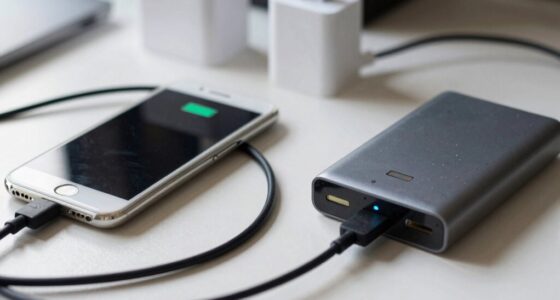
Battery life and battery health aren’t the same, even though they’re related. Battery life shows how long your device runs on a single charge, which depends on usage and power management. Battery health, on the other hand, indicates the overall condition and capacity of your battery, which declines over time due to cycles and heat. Understanding the difference helps you optimize performance now and extend your battery’s lifespan in the long run—if you continue exploring, you’ll discover more.

Get the latest gadgets delivered free with Prime
- Fast, free delivery on millions of items
- Prime Video, Amazon Music and more included
- Member-only deals all year
Key Takeaways
- Battery life measures how long a device runs on a single charge, while battery health indicates overall capacity and condition.
- Usage patterns and power management affect battery life, but they do not impact long-term battery health.
- Battery health declines gradually due to charge cycles and heat, regardless of daily usage.
- Optimizing battery life involves short-term strategies, whereas maintaining battery health requires proper charging habits over time.
- Both are crucial for device performance but refer to different aspects of battery performance and longevity.

Understanding your device’s battery life and health is essential to getting the most out of it. Many people confuse these two concepts, but they actually refer to different aspects of your battery’s performance. Battery life measures how long your device can run on a single charge, while battery health indicates the overall condition and capacity of the battery over time. To maximize both, you need to understand what influences each one and how they’re interconnected.
Your battery life mainly depends on your usage patterns and how efficiently your device manages power. If you stream videos, play games, or run multiple apps simultaneously, your battery drains faster. Conversely, reducing screen brightness, closing unused apps, and enabling power-saving modes extend your battery life. But these measures don’t impact your battery’s health; they only influence how long the charge lasts during a given session. Battery health, on the other hand, deteriorates gradually over time due to factors like charging cycles and temperature effects. Battery degradation is a natural process that occurs despite careful usage. Recognizing the importance of thermal management can help preserve long-term battery performance, as heat is a major factor in accelerating wear. Additionally, understanding charge cycle limits can help you plan better charging habits to extend your battery’s lifespan.
Battery life depends on usage and power management; battery health declines with cycles and temperature.
Charging cycles are a key component of battery health. Every time you charge your device from 0% to 100%, it completes a cycle. Over time, repeated charging cycles cause the chemical composition inside the battery to degrade, leading to reduced capacity. That’s why a battery might start at 100% when new but only hold 80% or less after hundreds of cycles. Managing your charging habits by avoiding frequent full charges and partial charges can slow down this decline. For example, charging your device when it’s around 20-30% instead of waiting for it to completely drain can help prolong battery lifespan. Charging habits also significantly influence overall battery health. Being aware of battery capacity decline helps users make better decisions about usage and charging routines.
smartphone battery health monitor
As an affiliate, we earn on qualifying purchases.
As an affiliate, we earn on qualifying purchases.
Frequently Asked Questions
How Can I Maximize My Device’s Battery Life Daily?
To maximize your device’s battery life daily, start with proper power management by adjusting screen brightness, turning off unused features, and closing background apps. Perform regular battery calibration by fully charging and discharging it monthly to guarantee accurate readings. Avoid extreme temperatures and keep software updated. These practices help optimize performance and extend your battery’s lifespan, giving you longer usage each day without sacrificing overall health.
Does Using Fast Charging Damage Battery Health?
Using fast charging occasionally won’t considerably harm your battery health, but frequent use may accelerate wear over time. To keep your battery happy, practice gentle charging habits and perform regular battery calibration—fully draining and recharging your device. This helps the battery maintain accurate health readings. Think of fast charging as a quick boost rather than a daily ritual, preserving your device’s longevity while still meeting your needs.
Can Software Updates Improve Battery Health?
Yes, software updates can improve battery health by optimizing power management and fixing bugs that cause excessive drain. They often include battery calibration improvements, helping your device better estimate remaining capacity. These updates can reduce unnecessary power consumption, prolonging overall battery health. Keep your device updated to benefit from the latest enhancements, ensuring your battery maintains its capacity longer and performs reliably over time.
What Are Signs of Declining Battery Health?
Imagine your battery as a car’s fuel tank slowly losing its capacity. Signs of declining battery health include shorter battery life, frequent recharging, and unexpected shutdowns. You might notice your device struggles to hold a charge even after a full charge, or needing more frequent calibration. Poor charging habits, like overcharging, accelerate this decline. If these signs appear, it’s time to assess your battery’s health and adopt better charging habits.
Is Replacing the Battery the Only Way to Restore Health?
Replacing the battery isn’t your only option to restore health. You can try battery calibration first, which resets the battery’s reporting system and might improve performance. If calibration doesn’t help and your battery’s health is considerably degraded, then battery replacement is your best bet. Regular calibration can extend your battery’s lifespan, but when health drops too low, replacing it ensures your device runs efficiently again.
As an affiliate, we earn on qualifying purchases.
Conclusion
Think of your battery as a garden. Battery life is the vibrant bloom that lasts through the day, while battery health is the soil’s richness that sustains future growth. Even if your blooms fade quickly, nourishing the soil keeps the garden alive. By caring for your battery’s health, you guarantee your device’s garden remains lush and fruitful for years to come. Remember, tending the soil today secures the blossoms of tomorrow.
portable device battery capacity tester
As an affiliate, we earn on qualifying purchases.
As an affiliate, we earn on qualifying purchases.
battery management and optimization tools
As an affiliate, we earn on qualifying purchases.
As an affiliate, we earn on qualifying purchases.
Fall Picks
fall essentials
As an affiliate, we earn on qualifying purchases.