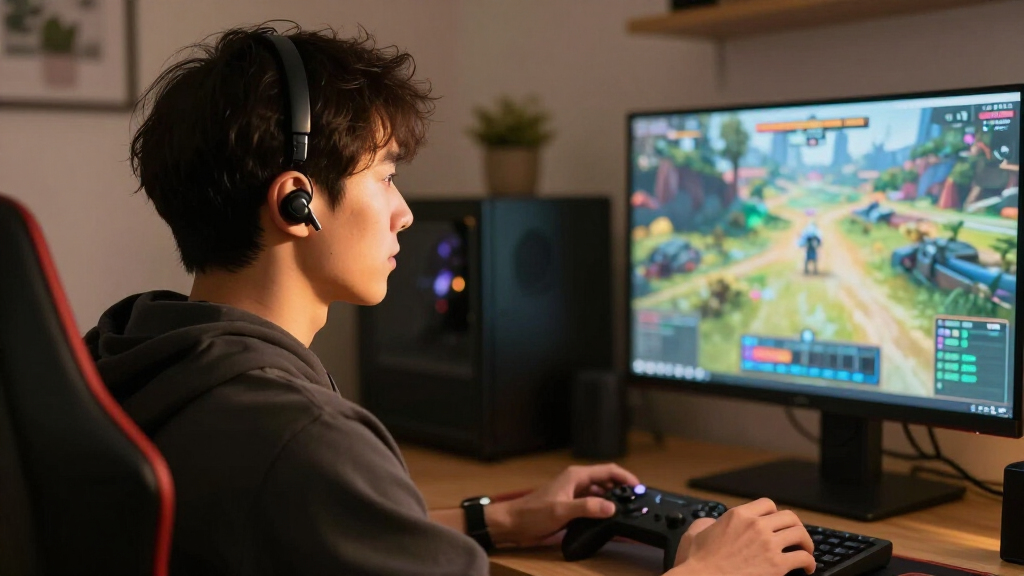

Choosing wireless earbuds for gaming comes down to a practical tradeoff: keeping sound in sync with the game or getting a pair that works easily for music, calls, and multiple devices. Dedicated 2.4 GHz gaming earbuds use a USB transmitter to reduce audio delay, which can help in shooters, rhythm games, and other timing-sensitive play. Bluetooth earbuds are simpler to pair with phones, tablets, and laptops, and often make better all-purpose companions, but standard Bluetooth audio may lag behind fast on-screen action. Neither label guarantees good microphones, comfort, or battery life, so those details still matter. Choose 2.4 GHz if gaming performance is the priority and your device accepts the transmitter; choose Bluetooth if convenience and everyday use matter more than the tightest audio sync.

Get the latest gadgets delivered free — and shop member deals
- Fast, free delivery on millions of items
- Access to Prime Big Deal Days deals on October 6–7
- Prime Video, Amazon Music and more included

SteelSeries Arctis GameBuds Wireless Gaming Earbuds with ANC, Bluetooth 5.3, and Qi Charging Case
- ✔ Connectivity: 2.4 GHz wireless and Bluetooth 5.3
- ✔ Noise control: 4-mic hybrid ANC and transparency mode
- ✔ Audio: 360° spatial audio with custom neodymium magnetic drivers

AOC ACT3512 Wireless Gaming Earbuds with 2.4 GHz Dongle
- ✔ Connectivity: 2.4 GHz wireless and Bluetooth
- ✔ Latency: 20 ms via 2.4 GHz dongle
- ✔ Battery: Up to 8 hours per charge; up to 32 hours with case

AOC ACT3512 Dual-Mode Wireless Gaming Earbuds
- ✔ Connectivity: 2.4 GHz wireless and Bluetooth
- ✔ Dongle: USB-C with USB-C-to-USB-A adapter
- ✔ Latency: 20 ms via 2.4 GHz dongle
At a Glance
| Criteria | 2.4 GHz wireless gaming earbuds | Bluetooth wireless earbuds | Winner |
|---|---|---|---|
| Audio latency | Typically lower with the included 2.4 GHz transmitter; exact performance varies by model. | Can have more noticeable delay, especially with standard Bluetooth codecs and devices without a low-latency mode. | A |
| Connection and setup | Requires plugging in and sometimes configuring a USB transmitter; may support simultaneous Bluetooth on select models. | Pairs directly with supported devices; no separate transmitter to carry. | B |
| Platform compatibility | Works where the transmitter is supported; console, handheld, and phone compatibility varies by model and port. | Broad support across Bluetooth phones, tablets, computers, and some consoles, though console support differs. | B |
| Microphone and chat | Gaming models may include a boom mic or a chat-focused mic, but quality is model-dependent. | Usually relies on small built-in microphones; call quality and game-chat performance vary. | Depends |
| Battery and charging | Varies by model; using a transmitter and extra wireless features can affect runtime. | Varies by model; listening volume, noise cancellation, and other features affect runtime. | Depends |
| Comfort and isolation | Depends on fit and design; gaming models may include multiple ear tips and a charging case. | Often offers several tip sizes; active noise cancellation is available on some models. | Depends |
| Everyday versatility | Best suited to gaming sessions, especially when low delay matters. | Typically stronger for music, calls, commuting, and use across everyday devices. | B |
SteelSeries Arctis GameBuds Wireless Gaming Earbuds with ANC, Bluetooth 5.3, and Qi Charging Case
The SteelSeries Arctis GameBuds are the most complete gaming-focused option in this lineup. Their 2.4 GHz connection is intended for console gaming, and the listing names Xbox, PC, PS5, and Nintendo Switch alongside mobile support. That Xbox compatibility gives them a clear advantage over both AOC ACT3512 models, which explicitly exclude Xbox Series consoles. For players who move among several systems, fewer platform gaps can matter more than a small battery difference.SteelSeries also offers a broader set of listening tools: hybrid active noise cancellation, transparency mode, 360° spatial audio, and more than 100 game audio presets. These features make the earbuds more adaptable to noisy surroundings and different games than either AOC, whose supplied descriptions focus on low-latency connectivity, microphones, and battery life. The Qi charging case and stated 40-hour total battery capacity extend that advantage for players who want one set for longer stretches and mobile use.The extras come with a practical caveat: the stated battery life is up to 10 hours per charge, so longer play still depends on returning the earbuds to the case. And if a player only needs a dongle for PC or PlayStation, the AOC ACT3512 models already supply 20 ms latency claims without the SteelSeries feature set. We rank this model first for its wider platform reach and richer gaming controls, not because every player needs its additional modes.
Pros:
- Supports 2.4 GHz wireless and Bluetooth 5.3
- Listed compatibility includes Xbox, PC, PS5, Switch, and mobile
- Hybrid ANC, transparency mode, spatial audio, and 100+ presets
- Up to 40 hours with the Qi charging case
Cons:
- Up to 10 hours per charge still requires case breaks for extended play
- Its extra listening modes may be unnecessary for a basic gaming setup
Best for: Players who switch between Xbox, PC, PlayStation, Switch, and mobile and want noise control and game-specific audio options.
Not ideal for: Players who only need basic dongle audio on PC or PlayStation, or who prioritize a simpler feature set over ANC and app presets.
Bottom line: We recommend the Arctis GameBuds for players who want the broadest platform support and the most gaming-specific audio features in this comparison.
“We recommend the Arctis GameBuds for players who want the broadest platform support and the most gaming-specific audio features in this comparison.”
AOC ACT3512 Wireless Gaming Earbuds with 2.4 GHz Dongle
For players whose setup centers on a supported PC, Mac, PS5, Switch, VR headset, or phone, the AOC ACT3512 with 2.4 GHz dongle covers the essentials without leaning on app presets or noise cancellation modes. Its headline gaming feature is 20 ms latency over 2.4 GHz; Bluetooth remains available for compatible mobile devices and everyday listening. This dual connection makes it more flexible than a gaming-only headset, while keeping the purchase decision focused on the connection type a player actually needs.Compared with the SteelSeries Arctis GameBuds, AOC leaves out hybrid ANC, transparency mode, spatial audio, and listed Xbox support. In return, it still provides noise-canceling microphones and up to 32 hours of total playback with the case. The USB-C dongle and USB-C-to-USB-A adapter are useful details for systems with different ports, so players can connect without relying solely on Bluetooth for gaming audio.The limitation is decisive for some buyers: Xbox Series consoles are not supported. Battery life is also stated as up to eight hours on a charge, below SteelSeries’ listed 10 hours before using its case. We place this version as the value-oriented essential pick because the description clearly includes the dongle and adapter and delivers the low-latency mode most relevant to gaming. Its supplied details substantially overlap with the other AOC listing, so we would not choose between the two based on an unsubstantiated claim of better audio.
Pros:
- 20 ms low-latency audio through the 2.4 GHz dongle
- Bluetooth is available for compatible mobile devices
- USB-C dongle includes a USB-C-to-USB-A adapter
- Up to 32 hours of playback with the charging case
Cons:
- Not compatible with Xbox Series consoles
- Up to eight hours per charge is less than the SteelSeries listing
- Does not list ANC or game audio preset features
Best for: Players on PC, Mac, PS5, Switch, VR, or Bluetooth mobile devices who want a dongle-based low-latency option with straightforward essentials.
Not ideal for: Xbox Series players, or buyers seeking ANC, transparency, spatial audio, or extensive game presets.
Bottom line: We would choose this ACT3512 when low-latency dongle audio and broad non-Xbox compatibility matter more than extra sound modes.
“We would choose this ACT3512 when low-latency dongle audio and broad non-Xbox compatibility matter more than extra sound modes.”
AOC ACT3512 Dual-Mode Wireless Gaming Earbuds
The AOC ACT3512 Dual-Mode targets much the same buyer as the other AOC pick: someone who wants a 2.4 GHz dongle for gaming and Bluetooth for other devices. It lists the same 20 ms latency, up to eight hours per charge, and up to 32 hours with the case. It also names PC, Mac, PS5, Nintendo Switch, VR headsets, and Bluetooth-enabled mobile devices as compatible. That makes it a straightforward fit for a non-Xbox setup, though it does not broaden platform support beyond the other AOC.The description gives more detail about its sound hardware, naming large-magnet single-diaphragm drivers with a built-in amplifier. That specificity may help buyers comparing the stated construction, but it does not establish a measurable advantage over the first ACT3512 from the information provided. Both AOC versions list silicon noise-canceling microphones, dual-mode connectivity, and the same battery figures. We therefore treat this as the spec-detail pick rather than claiming that the driver wording guarantees better positional cues or clearer game audio.Against the SteelSeries, this AOC is considerably more focused: it omits listed ANC, transparency, spatial audio, preset controls, and Xbox support. Its USB-C dongle and USB-A adapter do preserve practical connection flexibility, but the eight-hour per-charge maximum means the case remains important for longer sessions. Choose it when the explicit driver and amplifier description is useful to your comparison; otherwise, the first AOC ACT3512 fills nearly the same role, and SteelSeries is the better fit for broader console coverage.
Pros:
- 20 ms latency via 2.4 GHz dongle
- Bluetooth support complements gaming connectivity
- Large-magnet drivers and built-in amplifier are specified
- Up to 32 hours of total playback with the case
Cons:
- Xbox Series consoles are not supported
- Up to eight hours per charge is shorter than the SteelSeries claim
- Core listed features closely overlap with the other AOC ACT3512
Best for: Buyers who want low-latency dongle gaming, Bluetooth use, and a listing that explicitly details the driver and amplifier construction.
Not ideal for: Xbox Series owners or players who want active noise cancellation, spatial audio, transparency mode, or game presets.
Bottom line: We would shortlist this AOC for its more explicit driver specification, while recognizing that its listed gaming capabilities closely match the other ACT3512.
“We would shortlist this AOC for its more explicit driver specification, while recognizing that its listed gaming capabilities closely match the other ACT3512.”
As an Amazon Associate we earn from qualifying purchases.
Key Differences
The most meaningful difference is how each connection handles timing. A dedicated 2.4 GHz transmitter is generally the safer choice when an audio cue needs to land close to the action on screen. That can make movement, weapon sounds, and rhythm-game beats feel more immediate. Bluetooth can sound perfectly enjoyable for casual play, but delay depends on the earbuds, codec, and source device; a low-latency mode may help, though support is not universal. For competitive play, check independent measurements or model-specific reviews rather than relying on a gaming label.
Convenience and compatibility pull in the other direction. Bluetooth pairs directly with many phones and computers, so the same earbuds can handle gaming, music, calls, and travel without a dongle. The 2.4 GHz option asks you to carry a transmitter and confirm that it works with your console, handheld, or computer. Microphone quality, comfort, and battery life are model-level questions for both types. A well-fitting Bluetooth set may be more comfortable for a long session than a bulky gaming design, while some gaming earbuds offer a better voice mic. Compare those specifications and reviews before buying.
That makes value a matter of use, rather than price alone. If gaming is the main job and latency affects your enjoyment, paying more for a suitable low-latency model can make sense. If you split your time between games and everyday listening, Bluetooth earbuds may justify their cost through broader use. Avoid paying a premium for features your devices cannot use: transmitter compatibility, chat support, multipoint pairing, and active noise cancellation all vary by product.
Detailed Comparison
Audio latency (2.4 GHz wireless gaming earbuds wins — major)
Winner: 2.4 GHz gaming earbuds, usually; the difference can be major for timing-sensitive play. A dedicated transmitter is designed to keep audio delay low, making quick cues more closely match movement and impacts on screen. Bluetooth delay varies across the earbuds and the source device. A gaming mode can reduce it on some models, but may not eliminate it. For story games and relaxed play, the gap can matter less; for rhythm games and competitive shooters, it can be a reason to favor 2.4 GHz. Check model-specific testing before treating either connection as a guarantee.
Connection and setup (Bluetooth wireless earbuds wins — moderate)
Winner: Bluetooth; moderate convenience advantage. Bluetooth earbuds connect directly to a compatible device, while 2.4 GHz earbuds need their transmitter plugged in and may require a separate pairing or setup step. Once connected, a dongle can be easy to leave in a PC or handheld, but it is another small item to carry and keep track of. Choose based on where you play: a fixed desk setup makes the transmitter less of a nuisance than gaming across several devices or away from home.
Platform compatibility (Bluetooth wireless earbuds wins — moderate)
Winner: Bluetooth for breadth, with a moderate advantage; neither connection works everywhere automatically. Bluetooth support is common on phones, tablets, and computers, though some consoles limit ordinary Bluetooth audio. A 2.4 GHz transmitter can suit a console or handheld only if the device supports its connection and audio profile. USB-C versus USB-A, dock use, and in-game chat support can affect the result. Check the maker’s compatibility list for the exact device and intended connection before buying.
Microphone and chat (moderate difference)
Winner: Depends on the model; the gap is potentially moderate. Some gaming earbuds provide a boom mic or a mic designed for clearer voice chat, while many Bluetooth models use small built-in microphones aimed at calls. But a gaming label does not guarantee better voice quality, and microphone performance can change when a model switches connection modes. Look for voice samples and tests in a noisy room, then confirm that the mic works for chat on your platform. If teammates need clear callouts, prioritize measured mic performance over connection type.
Battery and charging (moderate difference)
Winner: Depends on the specific earbuds; the difference is usually moderate. Runtime varies with volume, microphone use, noise cancellation, and wireless features, so connection type alone is a weak predictor. Both categories commonly use a charging case, and case capacity differs. A transmitter may draw power from the device or be powered separately, depending on its design. Compare stated earbud runtime with independent reports and check how quickly the case can recharge them. For long sessions, a short claimed runtime can be more limiting than a small latency difference.
Comfort and isolation (minor difference)
Winner: Depends on fit; the gap is personal rather than inherent to either connection. Ear shape, weight, pressure, and tip options have more impact than whether the signal is Bluetooth or 2.4 GHz. Gaming-focused models may include extra tips or a design that stays secure during movement; everyday earbuds may be smaller or offer active noise cancellation. Isolation can improve immersion but make surrounding sounds harder to hear. Check included tip sizes, return terms, and long-session comfort reports, especially if you plan to wear earbuds for several hours.
Everyday versatility (Bluetooth wireless earbuds wins — moderate)
Winner: Bluetooth; moderate advantage for people who use earbuds beyond gaming. Direct pairing makes Bluetooth a natural fit for music, calls, commuting, and switching among supported devices. Some 2.4 GHz models add Bluetooth as a second mode, but that feature is not universal and can add cost or complexity. If the earbuds will mostly stay beside a gaming system, broader everyday support may bring little practical value. If they are your only pair, Bluetooth is usually easier to carry through the day.
2.4 GHz wireless gaming earbuds: Pros and Cons
Pros:
- Usually lower audio delay through the dedicated transmitter, which suits timing-sensitive games.
- Can offer gaming-focused microphone or chat features on some models.
- A transmitter can provide a consistent connection at a fixed gaming setup.
Cons:
- Requires carrying or connecting a transmitter.
- Compatibility depends on the exact device, port, and supported audio features.
- May be less convenient as an all-purpose pair for phones, travel, and everyday listening.
Bluetooth wireless earbuds: Pros and Cons
Pros:
- Pairs directly with a wide range of phones, tablets, and computers.
- Useful for music, calls, commuting, and casual gaming in one pair.
- No gaming transmitter to carry or plug in.
Cons:
- Audio delay may be noticeable in fast or timing-sensitive games.
- Console audio and chat support varies, even when the console has Bluetooth for other devices.
- Small built-in microphones may not match the voice clarity of a gaming-focused mic.
Who Should Choose What
Choose 2.4 GHz wireless gaming earbuds if:
- You mainly play games where sound timing affects your response.
- Your console, handheld, or computer supports the specific transmitter.
- You are willing to carry a dongle for a more gaming-focused connection.
Choose Bluetooth wireless earbuds if:
- You want one pair for gaming, music, calls, and travel.
- You play mostly casual or slower-paced games where some delay is less distracting.
- Your usual devices support Bluetooth and you value easy pairing.
Skip both if: Skip both if you need guaranteed tournament-grade synchronization, all-day wear without charging, or reliable console voice chat from a specific device and neither option has verified support. A wired headset or a model tested with your exact setup may be a better fit.
Value for Money
Pay more for 2.4 GHz earbuds only when their low-latency connection solves a problem you notice and the transmitter works with your gaming device. For competitive or rhythm-focused play, that performance can justify a premium over ordinary Bluetooth earbuds. For casual gaming, the improvement may not be worth extra cost if Bluetooth already sounds acceptable. Bluetooth tends to offer stronger overall value when the same pair will handle calls, music, and mobile use. Compare total usefulness, battery runtime, mic quality, and platform support rather than paying for a gaming badge or features your setup cannot use.
Final Verdict
For gaming-first buyers, choose 2.4 GHz wireless gaming earbuds with a transmitter verified for your platform. Their lower typical latency is the clearest benefit, and it matters most when reacting to sound or matching a beat. For an everyday pair that also handles relaxed gaming, choose Bluetooth earbuds. Direct pairing and broad device support make them more useful across the day, though delay can be distracting in fast games. The biggest deciding factor is whether audio sync affects your play. If it does, favor a tested 2.4 GHz model; if it does not, Bluetooth is the more flexible value.
Frequently Asked Questions
Are wireless earbuds good for competitive gaming?
They can be, especially when they use a low-latency 2.4 GHz transmitter and have been tested on your platform. Check latency measurements, microphone quality, and chat support for the specific model. Bluetooth earbuds may add enough delay to affect reaction or rhythm timing.
Can Bluetooth earbuds work with a PlayStation or Xbox?
Support differs by console and model. A console may not accept ordinary Bluetooth earbuds for game audio, or may limit voice chat. A compatible USB transmitter can be an option for some setups, but check the console maker’s guidance and the earbud manufacturer’s compatibility list before buying.
Is a 2.4 GHz dongle better than Bluetooth for gaming?
Usually for latency: a 2.4 GHz gaming connection is designed to keep sound closer to the action. Bluetooth is usually easier for everyday pairing across devices. The actual result depends on the earbuds, transmitter, and source, so model-specific tests matter.
Are gaming earbuds worth paying extra for?
They can be worth the premium if low delay, a gaming-focused mic, or verified console support improves your sessions. If you mostly play casually and want earbuds for music and calls too, a Bluetooth model may provide better value. Pay for a feature you will use, not the gaming label alone.
Fall Picks
fall essentials
As an affiliate, we earn on qualifying purchases.