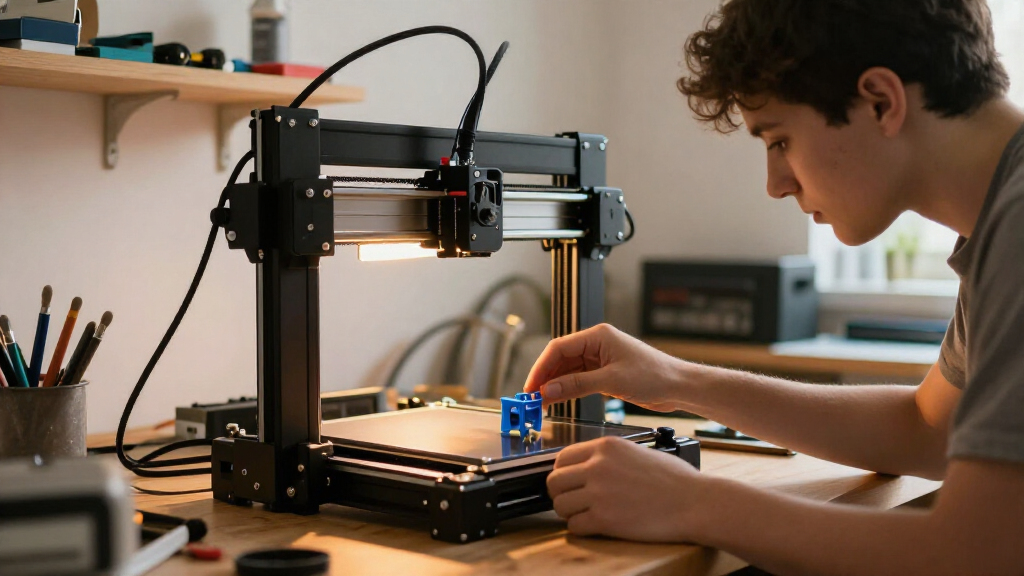

For most first-time buyers, I’d start with the Bambu Lab A1: it offers more room to grow than the compact starter models while keeping setup and operation approachable. The Bambu Lab A1 mini is a strong fit if you want a smaller footprint, while the FLASHFORGE Adventurer 5M stands out for buyers who want speed and straightforward operation. The main tradeoff is between simple, compact machines and more capable printers that take up more space or introduce extra features to learn. Enclosed and multicolor models can broaden what you make, but they may add cost, complexity, or maintenance. Read on for the full breakdown and a match for different first-printer needs.

Get the latest gadgets delivered free with Prime
- Fast, free delivery on millions of items
- Prime Video, Amazon Music and more included
- Member-only deals all year
Complete the kit


Key Takeaways
The Bambu Lab A1 is the strongest all-round choice in this lineup for a beginner who wants an accessible first printer without being limited to a mini build area.
Small Tina2C and TINA2S-style machines prioritize easy starts and compact size; their smaller format makes them less suited to larger projects than the A1 or Adventurer 5M.
The Adventurer 5M family puts speed and convenience ahead of a minimalist starter experience, so it suits buyers ready to use a more capable machine.
The Bambu Lab P1S and Snapmaker U1 aim at more demanding projects; enclosure or multiple toolheads can be useful, but add complexity a first-timer may not need.
Several listings repeat the same or closely related printer models, so compare the exact bundle and included accessories rather than assuming a repeated name means a different machine.
| Entina Tina2C Beginner Mini 3D Printer |  | Best for a Small, Simple First Printer | Printer type: FDM 3D printer | Assembly: Fully assembled | Build volume: 3.9 × 3.9 × 3.9 inches | VIEW LATEST PRICE | See Our Full Breakdown |
| Bambu Lab A1 mini 3D Printer with LED Lamp Kit |  | Best for Quiet, Creative Starter Projects | Product type: 3D printer with LED Lamp Kit | Calibration: Automatic | Noise level: ≤48 dB | VIEW LATEST PRICE | See Our Full Breakdown |
| HEPHI3D TINA2C Mini 3D Printer for Beginners |  | Best Starter Bundle | Product type: Mini 3D printer | Setup: Fully assembled; factory preset | Bed leveling: Automatic | VIEW LATEST PRICE | See Our Full Breakdown |
| FLASHFORGE Adventurer 5M High-Speed 3D Printer |  | Best for Beginners Ready to Grow | Printer type: CoreXY 3D printer | Build volume: 220 × 220 × 220 mm | Maximum print speed: 600 mm/s | VIEW LATEST PRICE | See Our Full Breakdown |
| FLASHFORGE Adventurer 5M High-Speed 3D Printer |  | Best for Filament Variety | Model: Adventurer 5M | Build volume: 220 × 220 × 220 mm | Print speed: Up to 600 mm/s | VIEW LATEST PRICE | See Our Full Breakdown |
| Flashforge Adventurer 5M 3D Printer |  | Best Overall for Fast, Straightforward Printing | Print volume: 220 × 220 × 220 mm | Maximum printing speed: 600 mm/s | Acceleration: 20,000 mm/s² | VIEW LATEST PRICE | See Our Full Breakdown |
| TINA2S Fully Assembled Mini 3D Printer Starter Kit | 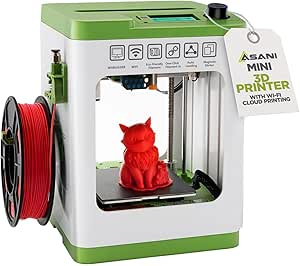 | Best Compact Starter Kit | Dimensions: 8.3 × 8.3 × 11.4 in | Weight: 6.4 lb | Included filament: 10 m of PLA | VIEW LATEST PRICE | See Our Full Breakdown |
| Bambu Lab P1S Enclosed FDM 3D Printer |  | Best Enclosed Printer for Material Range | Printing technology: FDM | Design: Enclosed CoreXY | Maximum print speed: 500 mm/s | VIEW LATEST PRICE | See Our Full Breakdown |
| Flashforge Adventurer 5M 3D Printer |  | Best for Remote Monitoring and Print Flexibility | Build volume: 8.7 × 8.7 × 8.7 in | Printing speed: Up to 600 mm/s | Acceleration: 20,000 mm/s² | VIEW LATEST PRICE | See Our Full Breakdown |
| Anycubic Kobra X Multicolor 3D Printer |  | Best for Built-In Multicolor Printing | Print technology: FDM | Built-in colors: 4 | Maximum colors: Up to 19 with four ACE 2 Pro units | VIEW LATEST PRICE | See Our Full Breakdown |
| Creality Ender 3 V3 SE 3D Printer |  | Best for Learning on a Full-Size Printer | Maximum print speed: Up to 250 mm/s | Supported materials: PLA, PETG, TPU | Leveling: CR Touch auto leveling with automatic Z-offset calibration | VIEW LATEST PRICE | See Our Full Breakdown |
| Entina Tina2C Mini 3D Printer |  | Best for Compact, Guided First Prints | Printer type: Mini 3D printer | Build volume: 3.9 × 3.9 × 3.9 inches | Setup: Fully assembled; guided setup | VIEW LATEST PRICE | See Our Full Breakdown |
| XZN Fully Assembled Mini 3D Printer Starter Kit |  | Best Ready-to-Start Kit for Kids | Printer type: Mini 3D printer | Assembly: Fully assembled | Maximum speed: 250 mm/s | VIEW LATEST PRICE | See Our Full Breakdown |
| Bambu Lab A1 FDM 3D Printer |  | Best Premium Upgrade for Easy Calibration | Printer type: FDM 3D printer | Acceleration: Up to 10,000 mm/s² | Multi-color printing: Requires AMS lite, sold separately | VIEW LATEST PRICE | See Our Full Breakdown |
| Snapmaker U1 3D Printer with Four Toolheads and 5-Second Tool Changer |  | Best for Multi-Material Projects | Toolheads: 4 | Tool change time: 5 seconds | Maximum print speed: 500 mm/s | VIEW LATEST PRICE | See Our Full Breakdown |
| 3D printers for beginner | Weight | Dimensions |
|---|---|---|
| Entina Tina2C Beginner Mini 3D | 5.28 pounds | 8 × 6.5 × 10 inches |
| Bambu Lab A1 mini 3D Printer w | 12.1 pounds | 15.21 × 16.77 × 17.94 inches |
| HEPHI3D TINA2C Mini 3D Printer | 5.46 pounds | 8.27 × 6.7 × 9.84 inches |
| FLASHFORGE Adventurer 5M High- | 20 pounds | 14.8 × 14.3 × 16.3 inches |
| FLASHFORGE Adventurer 5M High- | — | — |
| Flashforge Adventurer 5M 3D Pr | — | 15.83 × 14.29 × 17.64 in |
| TINA2S Fully Assembled Mini 3D | 6.4 lb | 8.3 × 8.3 × 11.4 in |
| Bambu Lab P1S Enclosed FDM 3D | 38.9 lb | — |
| Flashforge Adventurer 5M 3D Pr | 23.3 lb | — |
| Anycubic Kobra X Multicolor 3D | — | — |
| Creality Ender 3 V3 SE 3D Prin | 19.8 pounds | 15 x 19.6 x 15 inches |
| Entina Tina2C Mini 3D Printer | 5.5 pounds | 6.5 × 8 × 10 inches |
| XZN Fully Assembled Mini 3D Pr | 6.61 pounds | 10.63 x 10.12 x 15.94 inches |
| Bambu Lab A1 FDM 3D Printer | 22 pounds | 21.76 x 20.83 x 12.87 inches |
| Snapmaker U1 3D Printer with F | 57.9 pounds | 22.6 × 13 × 14.2 inches |
More Details on Our Top Picks
Entina Tina2C Beginner Mini 3D Printer
The Entina Tina2C makes a straightforward first step into 3D printing: it arrives assembled, adds guided app setup, and handles bed leveling automatically. That means less time adjusting hardware before a beginner can try a first print. Its 2.4 GHz Wi-Fi and TF card options also give users a fallback if they would rather print offline. Compared with the HEPHI3D TINA2C, this model has a clearly stated 3.9-inch cubic build volume, so buyers can judge its limits upfront; the HEPHI3D package, by contrast, lists starter filament and a large model library. The Entina’s magnetic flexible plate and quick-swap printhead simplify part removal and maintenance, but its small build area rules out larger projects. Wi-Fi is limited to 2.4 GHz, too, so this is best for small, uncomplicated prints rather than a printer to grow into.
Pros:- Fully assembled with guided app setup
- Automatic bed leveling reduces manual setup work
- Prints over 2.4 GHz Wi-Fi or from a TF card
- Flexible magnetic plate and quick-swap printhead simplify handling and maintenance
Cons:- 3.9 × 3.9 × 3.9-inch build volume limits print size
- Wi-Fi supports 2.4 GHz only
Best for: First-time users who want an assembled, compact printer for small models and guided app-based setup.
Not ideal for: Makers planning large prints or users who need a clearly specified path to bigger projects; its build volume is only 3.9 inches on each side.
- Printer type:FDM 3D printer
- Assembly:Fully assembled
- Build volume:3.9 × 3.9 × 3.9 inches
- Connectivity:2.4 GHz Wi-Fi, TF card
- Auto leveling:Yes
- Power-loss recovery:Yes
- Dimensions:8 × 6.5 × 10 inches
- Weight:5.28 pounds
- Compatible software:Cura, Simplify3D
Our verdict“Choose the Entina Tina2C for a compact, guided first printer when small print size is an acceptable tradeoff.”
Bambu Lab A1 mini 3D Printer with LED Lamp Kit
The Bambu Lab A1 mini pairs beginner-friendly setup and automatic calibration with a more specific creative hook: its included LED Lamp Kit can turn compatible prints into decorative lights. MakerWorld and the Bambu Handy app offer a route from browsing models to managing prints, while the stated noise level of ≤48 dB may suit shared rooms better than a louder workspace. Compared with the Entina Tina2C, this pick foregrounds app-supported projects and quiet operation rather than a stated compact build volume and TF-card printing. The tradeoff is that the supplied details do not identify its build volume or supported materials, making it harder to judge whether it can handle projects beyond the included lamp idea. The lamp feature also depends on printing compatible models, so it is a bonus for a particular kind of project, not a universal upgrade.
Pros:- Automatic calibration helps simplify setup
- Includes an LED Lamp Kit for compatible printed models
- Rated noise level of ≤48 dB
- MakerWorld and Bambu Handy app support model discovery and print management
Cons:- Product details do not specify build volume
- Supported materials are not specified
- The lamp kit is useful only with compatible lamp models
Best for: Beginners who want app-guided model browsing, quieter operation, and a first project with a decorative lighting angle.
Not ideal for: Buyers who need a confirmed build volume or material compatibility before choosing, or who have no interest in lamp-style prints.
- Product type:3D printer with LED Lamp Kit
- Calibration:Automatic
- Noise level:≤48 dB
- Dimensions:15.21 × 16.77 × 17.94 inches
- Weight:12.1 pounds
- Model number:PF002-M-EU
- Model platform:MakerWorld
- Print management:Bambu Handy app
Our verdict“Pick the A1 mini if quiet, app-supported creative projects matter more than having a clearly stated build volume.”
HEPHI3D TINA2C Mini 3D Printer for Beginners
The HEPHI3D TINA2C is the stronger pick for a beginner who wants basic supplies and print ideas in the box. It comes fully assembled and factory preset, with automatic leveling, starter PLA, tools, a TF card, and access to a library of over 3,500 models. That bundle reduces the need to source essentials before trying a first project. Against the Entina Tina2C, it offers more clearly described included accessories and model resources, while Entina provides a specified 3.9-inch cubic build volume and a quick-swap printhead. HEPHI3D’s central limitation is that its own product details do not state build volume or print speed. App and Wi-Fi controls sit alongside USB-C and TF card options, but buyers who want to plan around larger models or compare print performance will have less information than they do with the FLASHFORGE Adventurer 5M.
Pros:- Fully assembled and factory preset with automatic bed leveling
- Includes starter PLA filament, tools, and a TF card
- App and Wi-Fi controls plus USB-C and TF card connectivity
- Access to over 3,500 models and over 25 design modules
Cons:- Build volume is not specified in the product details
- Print speed is not specified
- Mini format may restrict the size of projects
Best for: New makers who want a ready-to-use mini printer with starter PLA, tools, offline printing, and a built-in source of model ideas.
Not ideal for: Buyers who need to confirm print dimensions or speed before purchasing, or who expect to make larger objects.
- Product type:Mini 3D printer
- Setup:Fully assembled; factory preset
- Bed leveling:Automatic
- Connectivity:App, Wi-Fi, USB-C, TF card
- Model library:Over 3,500 models
- Design modules:Over 25
- Included accessories:Starter PLA filament, tools, TF card
- Dimensions:8.27 × 6.7 × 9.84 inches
- Weight:5.46 pounds
Our verdict“Choose the HEPHI3D TINA2C if a bundled, model-rich introduction matters more than published capacity and speed details.”
FLASHFORGE Adventurer 5M High-Speed 3D Printer
The FLASHFORGE Adventurer 5M suits a beginner who wants room to move beyond tiny starter projects. Its 220 × 220 × 220 mm build volume is far larger than the 3.9-inch cube specified for the Entina Tina2C, and one-click bed leveling removes a common early setup hurdle. The 4.3-inch touchscreen makes core controls more direct, while filament detection and power-loss recovery can help protect longer jobs if a spool runs out or power is interrupted. Its headline speed reaches 600 mm/s, but speed is not the only learning consideration: a CoreXY printer with a 20-pound body occupies more space than the compact Tina2C models. Tool-free nozzle changes are convenient, though replacements must be compatible. The enclosure kit also needs to be printed separately, so this is an open machine rather than a ready-made enclosed setup.
Pros:- One-click automatic bed leveling simplifies setup
- 220 × 220 × 220 mm build volume supports larger projects than the mini printers
- Filament detection and power-loss recovery can help safeguard prints
- Touchscreen and tool-free nozzle changes make routine operation more direct
Cons:- Larger and heavier than compact beginner models
- Enclosure kit must be printed separately
- Nozzle replacements must be compatible
Best for: Beginners who want automatic leveling and a full-size build area for larger projects, and are comfortable setting aside more workspace.
Not ideal for: Buyers seeking a very small, lightweight first printer or a printer that arrives with an enclosure kit ready to install.
- Printer type:CoreXY 3D printer
- Build volume:220 × 220 × 220 mm
- Maximum print speed:600 mm/s
- Acceleration:20,000 mm/s²
- Hotend temperature:Up to 280°C
- Display:4.3-inch touchscreen
- Features:Auto bed leveling, filament detection, power-loss recovery, tool-free nozzle changes
- Dimensions:14.8 × 14.3 × 16.3 inches
- Weight:20 pounds
Our verdict“Choose this Adventurer 5M over a mini printer if you want a larger build area and recovery features, and can spare the space.”
FLASHFORGE Adventurer 5M High-Speed 3D Printer
This version of the FLASHFORGE Adventurer 5M stands out for the materials it lists: PLA, PETG, TPU, PLA-CF, and PETG-CF. Automatic leveling, vibration compensation, and a removable dual-sided PEI steel plate give a newcomer useful support for getting prints started and removing them afterward. It shares the 220 mm cube and high-speed CoreXY approach of the other Adventurer 5M in this lineup, so it offers a much larger working area than the Entina and HEPHI3D mini printers. Its open-frame design is the key compromise: the product details call for a well-ventilated environment, and some listed filaments need a 0.6 mm nozzle. That adds a hardware and workspace consideration a beginner may not want. Choose this variant for material options, not because its headline speed alone makes printing effortless.
Pros:- Lists PLA, PETG, TPU, PLA-CF, and PETG-CF compatibility
- One-click automatic bed leveling reduces setup tasks
- Removable dual-sided PEI-coated steel plate aids print removal
- Filament run-out sensing and power-loss recovery support longer jobs
Cons:- Open-frame design calls for a well-ventilated environment
- Some listed filaments require a 0.6 mm nozzle
- Larger footprint and weight than the Tina2C mini printers
Best for: Beginners who expect to experiment with PLA, PETG, or TPU and want a removable PEI plate on a larger printer.
Not ideal for: Users who need an enclosed printer, lack a well-ventilated workspace, or want to avoid checking nozzle requirements for specialty filaments.
- Model:Adventurer 5M
- Build volume:220 × 220 × 220 mm
- Print speed:Up to 600 mm/s
- Acceleration:Up to 20,000 mm/s²
- Nozzle temperature:Up to 280°C
- Nozzle flow rate:32 mm³/s
- Build plate:Removable dual-sided PEI-coated steel plate
- Supported filaments:PLA, PETG, TPU, PLA-CF, PETG-CF
- Dimensions and weight:14.29 × 15.83 × 17.64 inches; 23.8 pounds
Our verdict“Pick this Adventurer 5M variant if material range and a larger build area matter more than an enclosure or minimal setup complexity.”
Flashforge Adventurer 5M 3D Printer
The Adventurer 5M is my strongest all-round pick for beginners who want room to grow without starting with a tiny machine. Automatic bed leveling cuts down on a common setup hurdle, while its 220 mm cube build area handles more than small practice pieces. The CoreXY frame and speeds up to 600 mm/s can shorten print times, though new owners may need to tune settings before those speeds produce consistent results. Compared with the TINA2S, it takes up more space and asks for more familiarity with print settings, but offers a far more useful build area and faster hardware. Quick-change nozzles and app monitoring add flexibility; some nozzle diameters are optional, so the included setup does not provide every capability out of the box.
Pros:- Automatic bed leveling reduces initial calibration work.
- 220 × 220 × 220 mm build volume accommodates larger projects than mini printers.
- CoreXY system supports high-speed printing.
- Quick-change nozzle system and remote app monitoring add flexibility.
Cons:- Best results at high speeds may require careful tuning.
- Some nozzle sizes must be obtained separately.
- Larger and heavier than compact beginner models such as the TINA2S.
Best for: First-time makers who want a full-size build area, automatic leveling, and a printer they can explore beyond basic PLA projects.
Not ideal for: Buyers with very limited desk space or anyone who wants a compact starter kit with minimal tuning and setup.
- Print volume:220 × 220 × 220 mm
- Maximum printing speed:600 mm/s
- Acceleration:20,000 mm/s²
- Extruder temperature:280°C
- Nozzle:0.4 mm standard; optional sizes from 0.25 mm to 0.8 mm
- Bed leveling:Automatic
- Build structure:All-metal CoreXY
- Dimensions:15.83 × 14.29 × 17.64 in
Our verdict“Choose the Adventurer 5M if you want beginner-friendly setup paired with a full-size build area and fast-printing potential.”
TINA2S Fully Assembled Mini 3D Printer Starter Kit
The TINA2S is the easiest fit here for a beginner who wants a small, ready-to-go machine rather than a project that dominates a desk. It arrives fully assembled and pairs automatic leveling with one-touch filament loading, while the included PLA, microSD card, and accessories give a first-time owner supplies to start with. Its 6.4-pound weight and compact footprint make it much easier to place or move than the Flashforge Adventurer 5M. That convenience comes with a clear limit: the small build area restricts the size of models you can print. The magnetic plate also needs a compatible metal surface for the proximity sensor to work properly. Choose this over the Adventurer 5M for simplicity and space savings, not speed or project scale.
Pros:- Fully assembled design lowers the barrier to a first print.
- Auto leveling and one-touch filament loading simplify routine setup.
- Starter kit includes 10 meters of PLA, a microSD card, and accessories.
- Compact, lightweight body is easier to place than the Flashforge Adventurer 5M.
Cons:- Compact build area limits the size of printable models.
- The proximity sensor requires a compatible magnetic metal build plate.
- Its small format is less suited to projects that benefit from a full-size printer.
Best for: Beginners in apartments, classrooms, or shared workspaces who want an assembled printer and a small bundle of starter supplies.
Not ideal for: Makers planning larger prints, prioritizing high-speed production, or unwilling to check that the magnetic plate works with the leveling sensor.
- Dimensions:8.3 × 8.3 × 11.4 in
- Weight:6.4 lb
- Included filament:10 m of PLA
- Compatible filament:1.75 mm PLA, PLA Pro, and TPU
- Display:2.4-inch LCD
- Connectivity:Wi-Fi
- Build plate:Flexible magnetic
- Compatible operating systems:Mac, Windows, and Linux
Our verdict“Pick the TINA2S if a compact, assembled starter setup matters more to you than print size or speed.”
Bambu Lab P1S Enclosed FDM 3D Printer
The P1S is the pick for beginners who already know they want to try more than standard PLA. Its enclosed CoreXY design and support for materials including ABS and ASA give it a broader material role than the open-frame Adventurer 5M, while automatic bed leveling and a stated setup time of about 15 minutes keep the initial process approachable. At up to 500 mm/s, it is still built for quick printing, though the enclosure and 38.9-pound weight make it less convenient to move than the TINA2S. Multicolor printing is possible, but it requires a separate Bambu Lab AMS; that extra system is not part of the basic printer setup. Buyers interested in reinforced carbon- or glass-fiber filaments should also look elsewhere.
Pros:- Enclosure supports a wider range of materials than the open Adventurer 5M.
- Automatic bed leveling and roughly 15-minute setup help simplify the start.
- CoreXY system supports printing speeds up to 500 mm/s.
- AMS compatibility provides a path to multicolor or multi-material printing.
Cons:- The AMS is required for multicolor or multi-material printing and is separate.
- At 38.9 pounds, it is less portable than compact beginner models.
- Carbon- and glass-fiber-reinforced filaments are not recommended.
Best for: New makers with a dedicated workspace who want an enclosed machine and expect to explore materials such as ABS or ASA.
Not ideal for: Beginners who need a lightweight, compact printer, want multicolor printing without an added AMS, or plan to use carbon- or glass-fiber-reinforced filament.
- Printing technology:FDM
- Design:Enclosed CoreXY
- Maximum print speed:500 mm/s
- Maximum acceleration:20,000 mm/s²
- Bed leveling:Automatic
- Setup time:About 15 minutes
- Supported filaments:PLA, PETG, TPU, PVA, PET, ABS, ASA; capable of PA and PC
- Weight:38.9 lb
Our verdict“Choose the P1S if an enclosure and access to a broader set of filaments matter more than low weight or a self-contained multicolor setup.”
Flashforge Adventurer 5M 3D Printer
This Adventurer 5M configuration suits beginners who want remote oversight and a few practical safeguards as they learn. Along with automatic bed leveling, it includes a filament sensor, a removable PEI plate, and app-based monitoring—useful features when a print runs while you are away from the machine. Its 600 mm/s maximum speed and 220 mm cube build volume put it in the same fast, full-size class as the other Adventurer 5M in this lineup. Compared with the Bambu Lab P1S, though, this version is not enclosed; adding an enclosure requires user-supplied printed panels. Its fast operation may also call for extra material and setting adjustments. It is a better fit for someone who values monitoring and swap-friendly parts than for a buyer seeking an enclosed, ready-for-advanced-material setup.
Pros:- Automatic bed leveling and pressure-sensor compensation help manage setup.
- Removable PEI plate makes finished prints easier to remove.
- Filament sensing and app-based monitoring offer useful print oversight.
- Quick-change nozzles and speeds up to 600 mm/s support flexible workflows.
Cons:- Enclosure is an optional add-on requiring user-supplied printed panels.
- High-speed printing and additional features may require setup and tuning.
- Some nozzle sizes are optional rather than standard.
Best for: Beginners who want a full-size printer with app monitoring, a filament sensor, and a removable build plate.
Not ideal for: Buyers who need an enclosed printer out of the box or want to avoid tuning and add-on panel work.
- Build volume:8.7 × 8.7 × 8.7 in
- Printing speed:Up to 600 mm/s
- Acceleration:20,000 mm/s²
- Nozzle temperature:Up to 280°C
- Nozzle options:0.25–0.8 mm
- Dimensional accuracy:±0.1 mm
- Product dimensions:15.75 × 14.29 × 17.64 in
- Weight:23.3 lb
Our verdict“Choose this Adventurer 5M if you want remote monitoring and convenient print handling, and do not need the P1S’s built-in enclosure.”
Anycubic Kobra X Multicolor 3D Printer
The Kobra X stands apart from the other beginner picks by making four-color printing built in, rather than requiring a separate accessory for an initial multicolor setup. Its 260 mm cube build volume is also larger than the Adventurer 5M’s, giving beginners more room for bigger models. Automatic 49-point bed calibration, AI monitoring, and support for TPU as well as rigid filaments add useful flexibility. The tradeoff is a more involved system: expanding to as many as 19 colors requires four ACE 2 Pro units, and those units are not compatible with ACE Pro. Filament is not included, so a new owner must source material separately. Compared with the compact TINA2S, this is a much larger and more feature-rich machine, but it is a less minimal route into 3D printing.
Pros:- Four-color printing is built in without a separate color system for the initial setup.
- 260 × 260 × 260 mm build volume exceeds the Adventurer 5M’s stated print area.
- 49-point automatic bed calibration reduces manual leveling work.
- Supports PLA, PETG, TPU, PVA, and ASA, with AI monitoring features.
Cons:- Filament is not included, so the buyer must supply it separately.
- Expansion to 19 colors requires four ACE 2 Pro units.
- ACE 2 Pro and ACE Pro units are incompatible, limiting expansion choices.
Best for: Beginners who specifically want four-color printing, a larger build area, and the option to work with both rigid and flexible filaments.
Not ideal for: First-time buyers seeking a small, ready-to-print kit, or anyone who does not want to buy filament and learn a multicolor workflow.
- Print technology:FDM
- Built-in colors:4
- Maximum colors:Up to 19 with four ACE 2 Pro units
- Build volume:260 × 260 × 260 mm
- Maximum print speed:600 mm/s
- Nozzle:Hardened steel
- Maximum nozzle temperature:300°C
- Bed leveling:LeviQ 3.0, 49-point automatic calibration
- Connectivity:Dual-band 2.4 GHz/5 GHz Wi-Fi and LAN
Our verdict“Choose the Kobra X if built-in multicolor printing and a larger build area outweigh the extra supplies and system complexity.”
Creality Ender 3 V3 SE 3D Printer
The Ender 3 V3 SE is a sensible choice for beginners who want room to grow beyond small desk toys. CR Touch auto leveling and automatic Z-offset calibration reduce two common setup hurdles, while the Sprite direct-drive extruder gives it flexibility for PLA, PETG, and TPU. Its 250 mm/s maximum speed is useful for shortening jobs, though actual results depend on material and settings rather than speed alone.
Compared with the compact Entina Tina2C, this Creality offers more scope for larger projects and varied filament, but it takes up more space and asks the owner to work with a more traditional printer setup. The flexible plate helps with print removal, while dual Z-axis lead screws support steadier movement. Choose it for hands-on learning; skip it if you want a tiny, guided, ready-to-go machine.
Pros:- Automatic bed leveling and Z-offset calibration simplify initial setup
- Direct-drive extruder supports PLA, PETG, and TPU
- Flexible spring-steel build plate makes finished prints easier to remove
- Dual synchronized Z-axis supports stable movement
Cons:- Maximum speed depends on compatible materials and recommended settings
- Larger and heavier than mini options such as the Entina Tina2C
Best for: New makers who want a full-size starting printer, plan to try flexible TPU, and are comfortable learning basic slicer and printer settings.
Not ideal for: Families seeking a compact printer with guided app-based projects, or buyers who want the smallest possible footprint.
- Maximum print speed:Up to 250 mm/s
- Supported materials:PLA, PETG, TPU
- Leveling:CR Touch auto leveling with automatic Z-offset calibration
- Extruder:Sprite direct drive
- Motion system:Dual synchronized Z-axis lead screws; Y-axis linear shafts
- Build plate:Flexible PC spring steel
- Dimensions:15 x 19.6 x 15 inches
- Weight:19.8 pounds
Our verdict“Choose the Ender 3 V3 SE if you want a versatile full-size printer to learn on, rather than a compact app-guided starter machine.”
Entina Tina2C Mini 3D Printer
The Tina2C is aimed at beginners who want to spend less time assembling a printer and more time making small projects. It arrives fully assembled, offers guided app setup, and pairs automatic leveling with the Poloprint Cloud library of models and DIY projects. That combination makes the first few prints more approachable than the more hands-on Creality Ender 3 V3 SE, which gives buyers a larger platform but a more traditional learning path.
The tradeoff is its 3.9-inch cubed build volume: small figurines and simple components fit, but larger useful objects do not. Wi-Fi works on 2.4 GHz, and TF card printing provides another route if wireless setup is inconvenient. A flexible magnetic plate and quick-swap nozzle help with routine handling. I’d choose it for a child’s desk or a space-limited home, not as the only printer for ambitious projects.
Pros:- Fully assembled with guided setup for a less intimidating start
- Automatic leveling and power-loss recovery reduce routine setup concerns
- App provides models and DIY projects to help beginners get started
- Compact body and flexible magnetic bed suit small workspaces
Cons:- 3.9 × 3.9 × 3.9-inch build volume limits model size
- Wi-Fi is limited to 2.4 GHz
Best for: Parents, students, and apartment dwellers who want an assembled printer for small models and guided app-based projects.
Not ideal for: Makers who expect to print larger functional parts or need a full-size build area for evolving projects.
- Printer type:Mini 3D printer
- Build volume:3.9 × 3.9 × 3.9 inches
- Setup:Fully assembled; guided setup
- Connectivity:2.4 GHz Wi-Fi; TF card
- App:Poloprint Cloud
- Software compatibility:Cura, Simplify3D
- Print bed:Flexible magnetic build plate
- Dimensions:6.5 × 8 × 10 inches
- Weight:5.5 pounds
Our verdict“Pick the Tina2C for guided small-scale printing in a tight space, but choose the Creality Ender 3 V3 SE if you need room to scale up.”
XZN Fully Assembled Mini 3D Printer Starter Kit
The XZN mini printer has a clear beginner-friendly advantage: its fully assembled kit includes test PLA, an SD card, and accessories, so a new owner has basic supplies on hand rather than needing to source everything before starting. One-button auto-leveling, automatic nozzle cleaning, and one-touch filament loading also keep routine tasks simple. Against the Entina Tina2C, this pick emphasizes included starter materials and straightforward controls, while the Tina2C offers a named app library and a more explicit 3.9-inch build volume.
The XZN’s listed 250 mm/s speed and 0.01 mm precision sound ambitious, but those figures do not by themselves guarantee easy or reliable results; beginners should follow suitable material and slicer settings. The included filament is only a test roll, and a standard 1 kg spool needs a compatible holder printed separately. I’d treat it as a small starter kit, not a shortcut to high-volume production.
Pros:- Fully assembled design avoids a printer assembly project
- One-button auto-leveling and one-touch filament loading simplify common tasks
- Includes test PLA, an SD card, and accessories to get started
- Automatic nozzle cleaning adds a straightforward maintenance feature
Cons:- Included filament is a test roll rather than a full-size supply
- A 1 kg filament spool requires a compatible holder printed separately
- Listed maximum speed does not establish the speed or quality beginners will achieve
Best for: Parents buying a first printer for a child or beginner who values included starter supplies and simple loading controls.
Not ideal for: Buyers who want a substantial filament supply in the box or prefer a clearly specified larger build area for bigger prints.
- Printer type:Mini 3D printer
- Assembly:Fully assembled
- Maximum speed:250 mm/s
- Listed precision:0.01 mm
- Bed:PEI heated bed
- Included items:Test PLA filament, SD card, and accessories
- Dimensions:10.63 x 10.12 x 15.94 inches
- Weight:6.61 pounds
- Support policy:30-day return/replacement policy, 12-month repair service, lifetime technical support
Our verdict“Choose the XZN if included starter accessories and simple controls matter most, but look at the Entina Tina2C for an app-led project library.”
Bambu Lab A1 FDM 3D Printer
The Bambu Lab A1 suits beginners who want more automated calibration and print-management features without starting on a tiny machine. Automatic calibration and active flow rate compensation are designed to reduce manual tuning, while active motor noise cancellation keeps listed noise at or below 48 dB. Its acceleration reaches 10,000 mm/s², a substantial step up from the Creality Ender 3 V3 SE’s listed 2,500 mm/s², though acceleration is not a promise that every print will run at its maximum.
The A1 also supports multi-color printing with the separately sold AMS lite. That makes colorful projects possible, but adds an extra component rather than providing a complete multi-color setup in the box. Compared with the compact Entina Tina2C, the A1 takes up more room and is a more feature-rich commitment. It makes sense for beginners who value automation and plan to explore advanced projects, but not for someone seeking the simplest compact starter.
Pros:- Automatic calibration reduces manual setup work
- Active flow rate compensation is designed to support consistent output
- Active motor noise cancellation with listed noise at or below 48 dB
- Multi-color printing is available with the AMS lite
Cons:- AMS lite is required for multi-color printing and sold separately
- Larger than compact beginner printers such as the Entina Tina2C
- High acceleration figures do not mean every material and model can use maximum settings
Best for: Beginners ready for a more feature-rich FDM printer who want automatic calibration, quieter operation, and a path to multi-color projects.
Not ideal for: First-time buyers with limited workspace or those who want multi-color printing without purchasing an additional system.
- Printer type:FDM 3D printer
- Acceleration:Up to 10,000 mm/s²
- Multi-color printing:Requires AMS lite, sold separately
- Calibration:Automatic
- Flow management:Active flow rate compensation
- Noise level:≤48 dB
- Dimensions:21.76 x 20.83 x 12.87 inches
- Weight:22 pounds
- Model number:PF002-A
Our verdict“Choose the A1 if you want automation and a route to multi-color printing, provided you are comfortable adding the AMS lite separately.”
Snapmaker U1 3D Printer with Four Toolheads and 5-Second Tool Changer
The Snapmaker U1 is the most ambitious choice here for beginners whose projects call for multiple colors or material types. Its four independent toolheads and five-second tool changes are designed to limit the delays and filament waste associated with switching materials. That capability goes beyond the Bambu Lab A1, which supports multi-color printing only with the separately sold AMS lite. Automatic calibration and filament management also take some repetitive setup off the owner’s plate.
This flexibility comes with a much larger and heavier machine: at 57.9 pounds, the U1 is not an easy printer to move between rooms. Its 500 mm/s maximum is a stated ceiling, not a speed beginners should expect across every job or material. While the 270 mm cubed build volume and broad material list leave room for complex work, the system is more printer than a novice needs for basic PLA models. Pick it for a specific multi-material ambition, not merely as a first printer.
Pros:- Four toolheads support multi-color and multi-material printing
- Five-second tool changes are designed to reduce switching delays
- Automatic calibration and filament management limit some manual tasks
- 270 mm cubed build volume accommodates larger projects than the mini printers
Cons:- At 57.9 pounds, it is substantially less portable than the other beginner options
- The 500 mm/s maximum is not a typical guaranteed speed for every print
- Its toolhead and material capabilities may add needless complexity for basic beginner projects
Best for: Beginners with a clear interest in multi-color or multi-material projects who have a sturdy, dedicated workspace.
Not ideal for: Casual first-time users who mainly want to print simple PLA models, or anyone needing a lightweight machine that can be moved easily.
- Toolheads:4
- Tool change time:5 seconds
- Maximum print speed:500 mm/s
- Build volume:270 × 270 × 270 mm
- Supported materials:PLA, PVA, TPU, PETG, PCTG, ABS, ASA, PA, PC, and more
- Display:3.5-inch touchscreen
- Dimensions:22.6 × 13 × 14.2 inches
- Weight:57.9 pounds
- Warranty:1 year
Our verdict“Buy the Snapmaker U1 if multi-material work is the reason you want a printer; for simpler first prints, the Bambu Lab A1 is a less specialized alternative.”
How We Picked
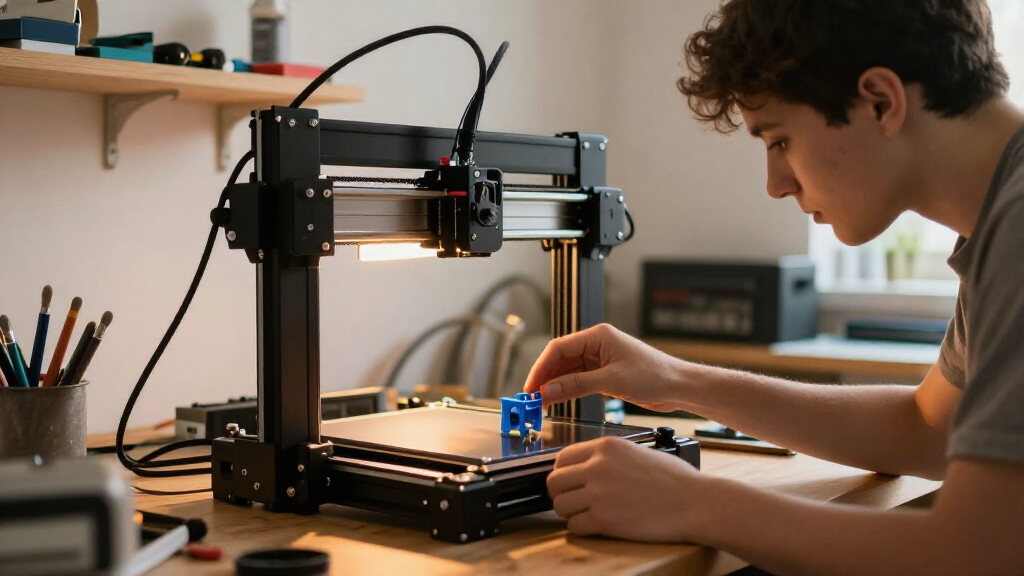
I ranked these 3D printers for beginners by how well they balance approachable setup, dependable day-to-day operation, useful automation, and room to learn. I also weighed practical differences such as build area, whether the machine is enclosed, material flexibility, and how many added systems a new owner must manage. A printer that removes early setup hurdles scored well, but size and capabilities mattered too: a tiny starter model is easy to place, yet it can limit project choices.
The order reflects ease of entry before advanced features. The A1 leads as a capable first machine; the A1 mini and Adventurer 5M offer distinct alternatives for limited space or speed-focused use. Compact Tina2 variants are relevant for simple, small projects, while the P1S, multicolor Kobra X, and multi-toolhead Snapmaker U1 are lower for many newcomers because their extra capabilities may bring added cost, setup, or upkeep. Repeated Adventurer 5M and Tina2C listings are treated as overlapping options, not as separate innovations.
Factors to Consider When Choosing 3D Printers For Beginners
Before choosing a first printer, I’d match the machine to the projects and the amount of hands-on setup you’re comfortable with. A beginner-friendly label alone does not tell you whether a printer has enough room, supports the materials you want, or fits your workspace.
Choose Build Area Around Real Projects
A compact printer can make a first purchase feel manageable, but its build area sets a hard limit on the size of each print. Think about whether you’ll make small figures and desk accessories or larger organizers and functional parts. Splitting a large design into pieces is possible, but it adds assembly and can affect strength or appearance. Buyers choosing a mini model should treat compactness as a deliberate tradeoff, not a temporary detail. If your project ideas already include larger objects, a roomier machine such as the A1 or Adventurer 5M can reduce the need to replace your printer early. Check the stated build volume against the dimensions of your likely prints before buying.
Separate Easy Setup From Easy Ownership
A printer that arrives assembled may reduce the work needed before the first print, but it does not remove routine tasks such as loading filament, cleaning the build surface, or diagnosing a failed job. Look for features that prevent common beginner setbacks, including guided setup and automatic calibration. Then ask how accessible the printer is when something does need attention. A machine with more automated features can save time, while a simpler design may make parts and basic troubleshooting easier to understand. Beginners sometimes focus only on the first-hour setup and overlook the maintenance they will handle over months. Choose the level of assistance that matches how much you want to learn hands-on.
Treat Speed as a Tradeoff, Not a Beginner Shortcut
High advertised speed can shorten print times, but it should not be the only reason to choose a printer. A failed fast print still wastes filament and time, and new users may need slower settings to learn how temperature, adhesion, and design affect results. For a first machine, predictable operation can be more valuable than the shortest possible job time. Speed-focused models such as the Adventurer 5M make more sense when you expect to print often or value faster iteration. If you will print occasionally, straightforward controls and a stable workflow may matter more. Consider whether you will use the extra speed often enough to justify the added capability.
Match the Printer to Filament and Workspace
Many beginners start with common, easy-to-print filament, so a broad material list may not help unless you plan to use those materials. More demanding filaments can call for higher temperatures, better ventilation, or an enclosed printer. An enclosure can help control drafts and may support certain materials, but it also takes up space and can make access less immediate. Check the printer’s supported materials against your actual projects rather than buying on hypothetical future needs. Also plan for the printer itself, filament storage, and room to remove finished prints. A compact machine can be a better fit for a shared desk even if a larger model offers more flexibility.
Decide Whether Multicolor or Multi-Tool Printing Is Worth It
Multicolor and multiple-tool systems can produce more elaborate objects, but they add moving parts, setup steps, and more decisions for a new owner. Color changes can also create extra waste, depending on the system and the design. If your first goal is learning to print useful objects, a single-material workflow is often easier to manage. A multicolor model such as the Anycubic Kobra X or a multi-toolhead option such as the Snapmaker U1 makes more sense when those capabilities are central to your projects. Avoid paying for added systems just because they sound like a future-proof choice. Start with the kind of prints you expect to make regularly, then decide whether color or tool changes solve a real need.
Compare Exact Bundles and Duplicate Listings
Roundups and retail listings can show the same printer under slightly different names or with a bundle added. In this lineup, the Adventurer 5M and Tina2C appear more than once, so the listing title alone may not reveal a distinct machine. Check what is included, such as a lamp, starter filament, tools, or other accessories, and confirm the product specifications match. A bundle can be handy if it includes items you would otherwise need, but extra accessories do not make the printer itself more capable. Compare warranty terms and replacement-part availability as well. This quick check helps prevent choosing a duplicate listing when you meant to compare different printers.
Frequently Asked Questions
Should I choose a mini printer or a full-size model as my first 3D printer?
A mini printer is a sensible first choice if your projects are small and desk space is limited. The Tina2C and TINA2S options emphasize a compact, starter-friendly format, while the A1 and Adventurer 5M offer more room for larger prints. A smaller build area can become frustrating if your designs quickly outgrow it. Before deciding, write down the approximate size of the objects you expect to print most often. If those dimensions regularly exceed a mini printer’s capacity, starting with a larger machine may save you from replacing it.
Is an enclosed printer necessary for a beginner?
No; an enclosure is not a requirement for learning basic 3D printing with common beginner materials. It becomes more relevant if your planned materials or printing environment benefit from controlled conditions, or if you want a more contained machine. The Bambu Lab P1S is the enclosed option in this lineup, but enclosure also affects footprint and access. Check the materials you intend to use and the space where the printer will sit before choosing one. If you expect to print mostly simple projects, an open printer may be a more direct starting point.
Is a high-speed printer a good choice for someone who has never printed before?
It can be, especially if the printer also makes setup and routine operation accessible. Speed does not replace learning the basics of filament handling, print settings, and build-surface care. The Adventurer 5M is a speed-oriented choice, while a compact starter model may better suit someone who values simplicity and small size over output pace. New owners can also use slower settings while learning, even on a faster machine. Pick speed when you expect frequent printing or rapid design revisions, rather than treating it as a guarantee of easier results.
Do I need multicolor printing for my first printer?
Most first-time users can learn the core workflow on a single-material printer. Multicolor capability is useful when color is central to your designs, but it can add setup decisions and material use. The Anycubic Kobra X and Snapmaker U1 offer more specialized approaches than the simpler starter picks. Consider whether you have specific multicolor projects in mind or are mainly drawn to the feature as a possibility. If you are unsure, begin with a straightforward printer and add complexity once you know what you want to make.
How can I tell whether two listings are the same printer with different bundles?
Compare the model name, build volume, hardware specifications, and included accessories rather than relying on the listing title alone. This roundup includes repeated Adventurer 5M and Tina2C names, which can represent overlapping models or listing variations. Check whether the differences are limited to a bundle, such as an included lamp or starter supplies, or involve a real hardware change. Read the exact package contents before deciding that one listing offers a different printer. If the specifications match, focus your comparison on accessories, support, and what you already own.
Conclusion
For the best overall fit, I’d choose the Bambu Lab A1 for its balance of accessibility and room to take on varied projects. The best compact beginner pick is the Bambu Lab A1 mini if workspace is limited; for a simple, small-scale starter, compare the Tina2C and TINA2S listings carefully. The best value direction is a straightforward compact model when you do not need a large build area or advanced systems, while the best premium choice is the Bambu Lab P1S for buyers who specifically want an enclosed printer. For speed, look at the Adventurer 5M; for multicolor or multiple-tool projects, consider the Kobra X or Snapmaker U1 only if those features are central to your plans. My clearest advice: choose the least complicated printer that fits the size and type of objects you genuinely expect to make.
Halloween Picks

10.5 ft Lighted Pumpkin and Ghost Halloween Inflatable Archway

MGparty 14.5FT Halloween Inflatable Walk-in Pumpkin House with LED Lights

8.5 Foot Halloween Inflatable Haunted House Castle with Skeleton, Ghost & Skulls
As an affiliate, we earn on qualifying purchases.