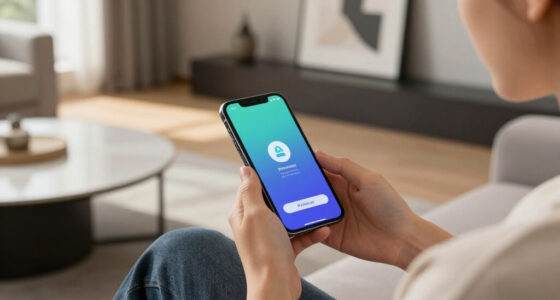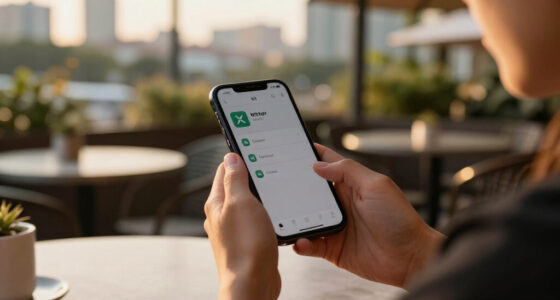
If you set up security features early, you can prevent costly data breaches and protect your personal info from evolving threats. Start using a password manager to store strong, unique passwords easily and enable biometric authentication for quick, secure access. Regularly review and update your security settings to stay ahead of hackers. Taking these steps now builds good habits and creates stronger defenses for your digital life. Keep going, and you’ll discover even more ways to stay protected.

Get the latest gadgets delivered free — and shop member deals
- Fast, free delivery on millions of items
- Access to Prime Big Deal Days deals on October 6–7
- Prime Video, Amazon Music and more included
Key Takeaways
- Implementing security measures early reduces vulnerability to cyber threats and data breaches.
- Using password managers ensures strong, unique passwords and simplifies credential management.
- Setting up biometric authentication provides seamless, highly secure access to devices and accounts.
- Regularly evaluating and updating security settings maintains protection against evolving threats.
- Establishing proactive security habits early safeguards your digital life and prevents costly cyber incidents.

With cyber threats constantly evolving, it’s essential to set up security features sooner rather than later. Waiting to implement safeguards can leave your personal and professional information vulnerable to hackers and data breaches. One of the most effective steps you can take is using a password manager. Instead of juggling dozens of complex passwords or recycling the same one across multiple accounts, a password manager securely stores all your login credentials in one encrypted vault. This way, you only need to remember a single master password, reducing the risk of weak or reused passwords. Password managers also generate strong, unique passwords for each account, making it much harder for cybercriminals to break into your accounts through brute-force or guessing attacks. Setting one up now ensures you don’t fall into the trap of using easily compromised passwords, which is one of the most common security mistakes people make.
Alongside password managers, biometric authentication is another critical security feature to consider. It leverages unique physical traits, such as your fingerprint or facial recognition, to verify your identity. Unlike traditional passwords, biometric authentication provides a seamless and highly secure way to access your devices and sensitive apps. It’s much harder for hackers to bypass biometric security because it’s based on something you inherently possess—your biometric data—rather than a password that can be guessed or stolen. Installing biometric authentication on your smartphones, laptops, and even certain online platforms prevents unauthorized access, especially if you’re often on the go or share your devices with others. The sooner you enable biometric authentication, the less likely you are to fall victim to phishing attacks or keystroke logging that target traditional passwords. Additionally, understanding the contrast ratio of your security features can help you evaluate how effectively your devices protect your information. Regularly reviewing and update security settings is crucial to maintaining strong protection as cyber threats evolve. Incorporating advanced security features now also prepares you for future security challenges. As technology advances, so do cybercriminal tactics, making it essential to understand security best practices and adapt accordingly. Setting up password managers and biometric authentication early means you’re less vulnerable to these evolving threats. It also helps establish good security habits such as regularly updating your passwords and staying vigilant about protecting your biometric data. Don’t wait until you’re compromised to recognize the importance of these tools. The investment in setting them up now pays off by offering peace of mind and protecting your digital life from costly breaches. Cyber threats aren’t going away, but with proactive security measures like these, you can stay one step ahead and safeguard your personal information effectively.
best password manager for Windows and Mac
As an affiliate, we earn on qualifying purchases.
As an affiliate, we earn on qualifying purchases.
Frequently Asked Questions
Can I Set up Security Features on Multiple Devices Simultaneously?
Yes, you can set up security features on multiple devices simultaneously. Many security apps and systems offer a multi-device setup, allowing you to synchronize security settings across all your devices. This synchronized security guarantees consistent protection, making it easier to manage and update your security preferences. By doing this, you save time and ensure all your devices are equally safeguarded, reducing vulnerabilities and simplifying your overall security management.
How Often Should I Update My Security Settings?
Think of your security settings as a garden that needs regular tending. You should update them at least once a month, or whenever you hear of new threats. Strengthen your defenses with fresh password management, and consider biometric authentication for added protection. Just like pruning, updating guarantees your security remains healthy, responsive, and resilient against evolving risks. Stay vigilant, and keep your digital sanctuary secure.
Do These Security Features Require Professional Installation?
Most security features, like data encryption and privacy settings, don’t require professional installation. You can often set them up yourself by following step-by-step guides or using intuitive interfaces. Installing these features helps protect your user privacy and secures sensitive data. However, for complex network security or advanced configurations, consulting a professional might be wise. Nonetheless, many essential security tools are designed for easy, user-friendly setup.
Are There Any Costs Associated With Advanced Security Features?
Like a knight from a medieval tale, you might wonder if advanced security features come with hidden costs. Yes, there are cost implications, often in the form of subscription fees or one-time payments. These fees help keep your system updated and secure. While some features are free, investing in premium options usually enhances your safety, so weigh the benefits against the ongoing costs to decide what’s best for your security needs.
Will Enabling These Features Affect My Device’s Performance?
Enabling security features might slightly impact your device’s performance, but it generally remains minimal, especially if your device is compatible. Modern security options are designed to balance protection and user accessibility, ensuring you don’t experience significant slowdowns. Just check your device’s compatibility beforehand, and you’ll enjoy enhanced security without sacrificing speed or ease of use. Staying protected is worth a small performance trade-off, which is usually barely noticeable.
As an affiliate, we earn on qualifying purchases.
Conclusion
Don’t wait until it’s too late to secure your digital life. Setting up these features now is like locking the barn door before the horse gets out. Taking quick action today can save you from headaches down the road. Think of it as giving yourself peace of mind and a safety net—you’ll thank yourself later. Remember, a stitch in time saves nine, so get those security features in place and stay one step ahead of potential threats.
As an affiliate, we earn on qualifying purchases.
facial recognition security device
As an affiliate, we earn on qualifying purchases.
As an affiliate, we earn on qualifying purchases.
Fall Picks
fall essentials
As an affiliate, we earn on qualifying purchases.