
Choosing the best iPhone screen repair kits requires balancing part quality with the complexity of your specific model. My top recommendation is the iFixit Screen Replacement Kit for iPhone SE, which offers a perfect blend of guide quality and component reliability for older models. For those with newer devices like the iPhone 13, the iPhone 13 6.1-Inch HD LCD Screen Replacement provides a cost-effective alternative, though it demands more patience than the premium kits. The main tradeoff here is between paying for the robust support and tools of a branded kit versus saving money with a bare-bones replacement part. If you are new to electronics repair, sticking with kits that include detailed video guides is the safest path to a successful fix. Continue reading to see how these options stack up against each other in terms of difficulty and value.

Get the latest gadgets delivered free with Prime
- Fast, free delivery on millions of items
- Prime Video, Amazon Music and more included
- Member-only deals all year
Complete the kit



Key Takeaways
- iFixit kits consistently offer superior instructional support and tool quality, making them the safest choice for beginners despite a higher price point.
- Budget LCD replacements like the ZAVERYN and generic iPhone 13 kits save money but often lack Face ID or True Tone preservation without additional programming.
- The JOREST and DIYPHONE tool sets are essential add-ons for users who already have spare parts but lack precision instruments.
- Newer iPhone models (12 and 14) require more delicate handling of ribbon cables, increasing the risk of permanent damage during DIY repairs.
- True Tone and Face ID functionality often require specific calibration tools or professional services, even with high-quality screen replacements.
| iFixit Screen Replacement Kit for iPhone SE (2020 and 2022), Black |  | Best Overall for iPhone SE (2020 and 2022) | Compatible models: iPhone SE (2020 and 2022); not compatible with 1st-generation iPhone SE | Display size: 4.7 inches | Display resolution: 750 × 1334 pixels | VIEW LATEST PRICE | See Our Full Breakdown |
| iFixit iPhone 8 Screen Replacement Repair Kit, Black |  | Best for iPhone 8 Owners Who Also Need SE Compatibility | Compatible models: iPhone 8; iPhone SE (2020, 2nd generation) | Display size: 4.7 inches | Resolution: 750 × 1334 pixels | VIEW LATEST PRICE | See Our Full Breakdown |
| JOREST 40-Piece Precision Screwdriver and Electronics Repair Kit |  | Best Reusable Tool Kit | Total pieces: 40 | Bit count: 30 | Bit material: CR-V chrome vanadium steel | VIEW LATEST PRICE | See Our Full Breakdown |
| iFixit Screen Replacement Kit for iPhone XR, Black |  | Best for iPhone XR Owners | Compatibility: iPhone XR | Display type: IPS LCD | Display size: 6.1 inches | VIEW LATEST PRICE | See Our Full Breakdown |
| iPhone 13 6.1-Inch HD LCD Screen Replacement with Repair Tool Kit |  | Best for iPhone 13 DIY Repairs | Compatibility: iPhone 13 (6.1-inch), models A2482, A2631, A2633, A2634, and A2635 | Display type: LCD | Included components: Replacement screen, adhesive strips, repair tool kit, screwdrivers, and spudger | VIEW LATEST PRICE | See Our Full Breakdown |
| ZAVERYN iPhone 11 6.1-Inch LCD Screen Replacement Kit |  | Best Bundle for Complete Protection | Compatibility: iPhone 11 (A2111, A2223, A2221) | Display Type: LCD Digitizer Assembly | Included Accessories: Tools, adhesive, tempered glass protector | VIEW LATEST PRICE | See Our Full Breakdown |
| iFixit Screen Repair Kit for iPhone 11, Black |  | Best for Guided DIY Repairs | Compatibility: iPhone 11 | Display Resolution: 1792 × 828 | Included Components: Digitizer, camera frame, tools, adhesive | VIEW LATEST PRICE | See Our Full Breakdown |
| iFixit Screen Replacement and Repair Kit for iPhone 12 and iPhone 12 Pro, Black |  | Best for iPhone 12 Series Owners | Compatibility: iPhone 12 and iPhone 12 Pro | Display Technology: In-Cell LCD | Included Tools: Spudger, suction handle, tweezers, driver | VIEW LATEST PRICE | See Our Full Breakdown |
| Warmstor 24-Piece Electronics Opening Pry Tool and Screwdriver Set |  | Best Value Tool Set Only | Piece Count: 24 Pieces | Screwdriver Material: S2 Steel | Included Accessories: Pry tools, tweezers, suction cup, cloth | VIEW LATEST PRICE | See Our Full Breakdown |
| NB+ Soft OLED Screen Replacement Kit for iPhone 14 |  | Best Premium OLED Experience | Compatibility: iPhone 14 (A2649, A2881, etc.) | Display Technology: OLED | Touch Feature: Haptic Touch | VIEW LATEST PRICE | See Our Full Breakdown |
| DIYPHONE 22-in-1 Mobile Phone Repair Tool Kit |  | Best Generalist Toolkit | Brand: DIYPHONE | Model: AZ001 | Number of Items: 22 | VIEW LATEST PRICE | See Our Full Breakdown |
| iPhone screen repair kit | Dimensions | Weight | Compatibility |
|---|---|---|---|
| iFixit Screen Replacement Kit | 4.11 × 2.14 × 0.29 inches | 8.5 ounces | — |
| iFixit iPhone 8 Screen Replace | — | — | — |
| JOREST 40-Piece Precision Scre | — | — | — |
| iFixit Screen Replacement Kit | 4.11 × 2.14 × 0.29 inches | — | iPhone XR |
| iPhone 13 6.1-Inch HD LCD Scre | — | — | iPhone 13 (6.1-inch), models A2482, A2631, A2633, A2634, and A2635 |
| ZAVERYN iPhone 11 6.1-Inch LCD | 7.09 x 5.91 x 0.71 inches | 2.15 ounces | iPhone 11 (A2111, A2223, A2221) |
| iFixit Screen Repair Kit for i | 4.11 × 2.14 × 0.29 inches | 8.5 ounces | iPhone 11 |
| iFixit Screen Replacement and | 4.11 x 2.14 x 0.29 inches | 11.2 ounces | iPhone 12 and iPhone 12 Pro |
| Warmstor 24-Piece Electronics | — | — | — |
| NB+ Soft OLED Screen Replaceme | — | 6 ounces | iPhone 14 (A2649, A2881, etc.) |
| DIYPHONE 22-in-1 Mobile Phone | 1.18 x 1.18 x 0.79 inches | 0.1 kg | — |
More Details on Our Top Picks
iFixit Screen Replacement Kit for iPhone SE (2020 and 2022), Black
For an iPhone SE (2020 or 2022) repair, this iFixit kit stands out because its screen assembly arrives with several small parts already installed. That can reduce the number of delicate components a DIY repairer needs to move from a damaged screen, while the included tools and adhesive cover key repair necessities. Compared with the iFixit iPhone 8 kit, this is the clearer model-specific choice for SE owners who want an assembly listed for both SE generations; the two kits share a 4.7-inch, 750 × 1334 display specification. The tradeoff is that the listing excludes the first-generation SE, and installation still calls for careful disassembly. Choose it for a worn or damaged display, but skip it if you want a repair service or do not have the confidence to handle small phone components.
Pros:- Preinstalled small parts can reduce component transfers during the repair.
- Includes tools and adhesive for installation.
- Designed to restore display appearance and touch function.
- Specifically lists compatibility with both iPhone SE (2020 and 2022).
Cons:- Does not fit the first-generation iPhone SE.
- Requires careful do-it-yourself disassembly and installation.
Best for: Owners of an iPhone SE (2020 or 2022) who want a screen assembly with small parts preinstalled and repair tools included.
Not ideal for: First-generation iPhone SE owners and buyers who want a professional installation rather than a DIY repair.
- Compatible models:iPhone SE (2020 and 2022); not compatible with 1st-generation iPhone SE
- Display size:4.7 inches
- Display resolution:750 × 1334 pixels
- Color:Black
- Dimensions:4.11 × 2.14 × 0.29 inches
- Weight:8.5 ounces
- Included components:Front glass digitizer panel, LCD display, front camera assembly, earpiece speaker, LCD shield plate, tools, and adhesive
Our verdict“Choose this kit for a DIY screen replacement on an iPhone SE (2020 or 2022), especially if you want small parts preinstalled.”
iFixit iPhone 8 Screen Replacement Repair Kit, Black
This kit serves iPhone 8 owners and also lists compatibility with the iPhone SE (2020), making it a useful option when one of those specific models needs a replacement screen. Its assembly includes the LCD, digitizer, camera, earpiece speaker, and shield plate, while the custom-cut adhesive and repair tools give the buyer more of the installation kit in one package than the JOREST screwdriver set, which supplies general-purpose tools but no replacement display. The main catch is the home button: you must transfer the original assembly to retain Touch ID. True Tone is also disabled after replacement. Compared with the iFixit SE (2020 and 2022) kit, this one adds iPhone 8 compatibility but does not list the 2022 SE, so match the kit to the exact phone before ordering.
Pros:- Lists compatibility with both iPhone 8 and iPhone SE (2020).
- Screen assembly includes several small components preinstalled.
- Includes custom-cut display adhesive and repair tools.
- Factory-tested for display, digitizer, camera, and earpiece functionality.
Cons:- The original home button must be transferred to retain Touch ID.
- True Tone is disabled after screen replacement.
Best for: iPhone 8 or iPhone SE (2020) owners who want a model-specific screen kit with adhesive and repair tools included.
Not ideal for: iPhone SE (2022) owners, or buyers who are unwilling to transfer the original home button and accept the loss of True Tone.
- Compatible models:iPhone 8; iPhone SE (2020, 2nd generation)
- Display size:4.7 inches
- Resolution:750 × 1334 pixels
- Color:Black
- Included screen components:LCD, front glass digitizer, front camera assembly, earpiece speaker, and LCD shield plate
- Included tools:Opening pick, spudger, opening tool, suction handle, angled tweezers, precision bit driver, Phillips #000, Pentalobe P2, and Tri-point Y000 bits
- Touch ID:Requires transfer of the original home button assembly
- True Tone:Disabled after screen replacement
Our verdict“Pick this kit for an iPhone 8 or iPhone SE (2020) repair if you can transfer the home button and accept the True Tone limitation.”
JOREST 40-Piece Precision Screwdriver and Electronics Repair Kit
The JOREST kit is the tool-focused choice in this lineup, not a screen replacement bundle: it supplies 30 CR-V steel bits and a broad set of prying and handling accessories, but no iPhone display. That makes it a better fit for someone who already has a compatible replacement screen than for a buyer seeking a one-box repair, such as the iFixit iPhone XR kit with its screen assembly. Its Phillips, Torx, triwing, and pentalobe options support a range of small-device work, while the magnetic, rotating handle helps with controlled screw handling. The tradeoff is that this is a general electronics set, so you still need to identify the correct bit and source the screen and adhesive separately. Small bits and accessories can also be easy to misplace during a phone repair.
Pros:- Includes 30 CR-V steel bits across several precision bit types.
- Rotating handle has a non-slip grip and magnetic bit and screw adsorption.
- Includes multiple spudgers, tweezers, a suction cup, cleaning brush, and SIM card ejector.
- Can support electronics repairs beyond a single iPhone screen job.
Cons:- Does not include a replacement screen or screen adhesive.
- The user must match each bit to the device’s screws.
- Small bits and accessories can be misplaced during repair.
Best for: DIY phone repairers who already have a compatible iPhone screen and want a reusable precision tool set for multiple electronics projects.
Not ideal for: Buyers looking for a complete screen repair kit with a replacement display, model-specific parts, or supplied screen adhesive.
- Total pieces:40
- Bit count:30
- Bit material:CR-V chrome vanadium steel
- Bit types:Phillips, flathead, Torx, security Torx, triwing, pentalobe, and MID
- Handle material:TPR and PP
- Handle features:Rotating top, non-slip grip, magnetic bit and screw adsorption
- Included accessories:Double-ended spudger, long spudger, three triangular spudgers, tweezers, cleaning brush, suction cup, and SIM card ejector
- Intended use:Repairing electronics and small devices
Our verdict“Choose JOREST if you already have the correct replacement screen and want a versatile tool set, not a complete iPhone repair kit.”
iFixit Screen Replacement Kit for iPhone XR, Black
This is the model-specific pick for an iPhone XR with a cracked, scratched, or malfunctioning display. Its 6.1-inch IPS LCD assembly has small parts preinstalled, which can simplify the repair compared with a bare screen that requires more component transfers. Unlike the iFixit iPhone 8 kit, which is built around a 4.7-inch display and has a separate home-button transfer requirement, this kit is tailored to the XR’s larger screen. The available product details do not specify a complete tool list or adhesive, so buyers should not assume it is as fully equipped as the iPhone 13 kit, which explicitly includes tools and adhesive. It is also a compatible replacement rather than an original Apple display. Check your model carefully and confirm what else you need before starting.
Pros:- Designed specifically for iPhone XR compatibility.
- Small parts are preinstalled in the screen assembly.
- Provides a 6.1-inch IPS LCD with an 828 × 1792 resolution.
- Addresses cracked, scratched, or malfunctioning display problems.
Cons:- It is a compatible replacement part, not an original Apple display.
- The supplied product data does not specify a full repair-tool or adhesive set.
- Installation requires phone disassembly and screen repair.
Best for: iPhone XR owners replacing a damaged display who value preinstalled small parts in a model-specific screen assembly.
Not ideal for: Owners of other iPhone models, or buyers who need a clearly specified full tool-and-adhesive bundle or an original Apple display.
- Compatibility:iPhone XR
- Display type:IPS LCD
- Display size:6.1 inches
- Resolution:828 × 1792
- Color:Black
- Dimensions:4.11 × 2.14 × 0.29 inches
- Item weight:9 ounces
- Included:Screen assembly with small parts pre-installed
Our verdict“Choose this kit for an iPhone XR screen replacement if you are prepared to confirm and supply any tools or adhesive not included.”
iPhone 13 6.1-Inch HD LCD Screen Replacement with Repair Tool Kit
For iPhone 13 owners seeking an all-in-one screen-and-tool package, this kit pairs a 6.1-inch LCD replacement with adhesive and repair tools. The digitizer is described as providing responsive touch, so it targets more than cracked glass alone: it may suit a screen with display or touch problems too. Compared with the iFixit iPhone XR kit, it names its included tools and adhesive more clearly, but its front sensor is not included and must be transferred from the original screen. That transfer makes the job more delicate, particularly for a less experienced repairer. The product lists several iPhone 13 model numbers, which helps buyers check fit, but it does not state an iPhone 13 display resolution. Choose it when a bundled tool set matters; skip it if sensor transfer feels beyond your repair skill.
Pros:- Lists compatibility with five iPhone 13 model numbers.
- Includes replacement screen, adhesive strips, and repair tools.
- Digitizer is described as supporting responsive touch.
- Designed for cracked glass, display issues, and touch failures.
Cons:- The original front sensor must be transferred during installation.
- Requires phone disassembly and careful DIY repair.
- The supplied specs do not state the screen resolution.
Best for: iPhone 13 owners with a listed 6.1-inch model who want a replacement LCD, adhesive, and basic repair tools in one kit.
Not ideal for: Beginners unwilling to transfer the original front sensor, or buyers seeking an OLED replacement or a specified display resolution.
- Compatibility:iPhone 13 (6.1-inch), models A2482, A2631, A2633, A2634, and A2635
- Display type:LCD
- Included components:Replacement screen, adhesive strips, repair tool kit, screwdrivers, and spudger
- Front sensor:Not included; transfer from original screen
- Package dimensions:7.13 × 6.18 × 0.87 inches
- Item weight:7.4 ounces
- Warranty support:6-month support
Our verdict“Pick this kit for a listed iPhone 13 model if you want tools and adhesive included and can safely transfer the front sensor.”
ZAVERYN iPhone 11 6.1-Inch LCD Screen Replacement Kit
This kit stands out by including a tempered glass protector and a 12-in-1 tool set, offering immediate post-repair protection that many competitors omit. Compared to the iFixit Screen Repair Kit for iPhone 11, ZAVERYN provides a more comprehensive accessory package, though iFixit often leads in instructional clarity. The LCD assembly is factory-tested for touch response and dead pixels, ensuring a functional baseline. However, users must still transfer the original proximity sensor and front camera, a delicate step that risks Face ID or sensor functionality if mishandled. The inclusion of waterproof frame adhesive is a notable advantage for preserving device integrity. This option makes the most sense for buyers who want an all-in-one solution without sourcing separate tools or protectors.Pros:- Includes a tempered glass protector and 12-in-1 tool kit.
- Factory-tested for touch response and pixel integrity.
- Comes with waterproof frame adhesive for better sealing.
Cons:- Requires precise transfer of the proximity sensor and front camera.
- LCD technology lacks the contrast and brightness of OLED displays.
- Installation involves complex flex cable alignment.
Best for: DIY repairers who prefer a single purchase containing tools, adhesive, and a screen protector.
Not ideal for: Users seeking premium OLED clarity or those unwilling to handle delicate sensor transfers.
- Compatibility:iPhone 11 (A2111, A2223, A2221)
- Display Type:LCD Digitizer Assembly
- Included Accessories:Tools, adhesive, tempered glass protector
- Warranty:1 Year
- Dimensions:7.09 x 5.91 x 0.71 inches
- Weight:2.15 ounces
Our verdict“Choose this kit for its generous accessory bundle and solid build quality, provided you are comfortable with component transfers.”
iFixit Screen Repair Kit for iPhone 11, Black
iFixit remains the gold standard for repair instructions and tool quality. This kit includes a glass digitizer, front camera frame, and precision tools designed specifically for the iPhone 11. While the ZAVERYN kit offers a screen protector, iFixit compensates with superior educational resources and higher-grade tools that reduce the risk of stripping screws. The display restores touch function and addresses visual defects like flickering, though it remains an LCD rather than the OLED found in newer Pro models. This option is better suited to beginners who value step-by-step guidance over extra accessories. The tradeoff is the lack of a bundled screen protector, requiring a separate purchase for immediate protection.Pros:- Industry-leading repair guides and video tutorials.
- High-quality tools included in the package.
- Restores touch function and fixes visual defects.
Cons:- Does not include a screen protector.
- LCD panel offers lower contrast than OLED alternatives.
- Single-model compatibility limits versatility.
Best for: First-time repairers who need reliable instructions and high-quality precision tools.
Not ideal for: Advanced users who already own a tool kit and want a lower-cost part-only option.
- Compatibility:iPhone 11
- Display Resolution:1792 × 828
- Included Components:Digitizer, camera frame, tools, adhesive
- Color:Black
- Dimensions:4.11 × 2.14 × 0.29 inches
- Weight:8.5 ounces
Our verdict“This is the safest choice for novices due to iFixit’s unmatched instructional support and tool reliability.”
iFixit Screen Replacement and Repair Kit for iPhone 12 and iPhone 12 Pro, Black
Designed specifically for the iPhone 12 and 12 Pro, this kit addresses the critical need for a compatible replacement in a generation where screen specs vary. Unlike the Warmstor 24-Piece Set, which is a generic tool collection, this iFixit bundle provides the exact display assembly and specialized tools required for these models. The In-Cell LCD offers a cost-effective restoration option, though buyers must accept a downgrade from OLED, resulting in less vivid colors and lower brightness. True Tone functionality is disabled upon replacement, a significant tradeoff for users who prioritize color accuracy. This pick makes the most sense for iPhone 12 owners seeking a reliable, tool-inclusive repair path without the premium cost of OEM OLED parts.Pros:- Factory-tested for luminance and color balance.
- Includes a comprehensive set of opening and precision tools.
- Restores touch functionality and fixes physical damage.
Cons:- LCD panel is darker and less vibrant than original OLED.
- True Tone feature is permanently disabled after repair.
- Sensor assembly transfer risks disabling Face ID if damaged.
Best for: iPhone 12 and 12 Pro owners needing a reliable, tool-inclusive LCD replacement.
Not ideal for: Users who demand original OLED brightness and True Tone color accuracy.
- Compatibility:iPhone 12 and iPhone 12 Pro
- Display Technology:In-Cell LCD
- Included Tools:Spudger, suction handle, tweezers, driver
- Color:Black
- Dimensions:4.11 x 2.14 x 0.29 inches
- Weight:11.2 ounces
Our verdict“A solid, tool-inclusive choice for iPhone 12 owners who prioritize functionality over perfect color fidelity.”
Warmstor 24-Piece Electronics Opening Pry Tool and Screwdriver Set
This product is distinct because it contains no replacement screen, serving solely as a comprehensive toolkit for electronics repair. Compared to the ZAVERYN iPhone 11 Kit, which bundles a display, Warmstor allows users to source their own screens, potentially saving money if they already have a replacement panel. The set includes S2 steel screwdrivers, pry tools, and ESD tweezers, covering most common fasteners like Pentalobe and Torx. The magnetic tips and ergonomic handles enhance usability during delicate work. However, the lack of a display means it is not a complete repair solution on its own. This option is best for hobbyists who repair multiple device types and already possess or prefer to buy screens separately.Pros:- Includes 24 pieces covering a wide range of screw types.
- Magnetic tips and ergonomic handles improve precision.
- Comes with a durable zippered canvas storage bag.
Cons:- Does not include a replacement screen or adhesive.
- Inconsistent piece counts reported in descriptions.
- Not suitable for larger appliance repairs.
Best for: Experienced repairers who need versatile tools and already possess replacement screens.
Not ideal for: Beginners or those who need a complete kit with a replacement display included.
- Piece Count:24 Pieces
- Screwdriver Material:S2 Steel
- Included Accessories:Pry tools, tweezers, suction cup, cloth
- Screw Types:Pentalobe, Torx, Phillips, Y-tip
- Brand:Warmstor
- Storage:Zippered canvas bag
Our verdict“An excellent standalone toolkit for experienced users who want to customize their screen choices.”
NB+ Soft OLED Screen Replacement Kit for iPhone 14
This kit offers an OLED display for the iPhone 14, providing significantly better contrast and color vibrancy than the LCD options found in kits for older models like the iFixit Screen Repair Kit for iPhone 11. The soft OLED panel supports Haptic Touch, ensuring a familiar user experience. Unlike the LCD kits which disable True Tone automatically, this OLED option may retain True Tone if programming is performed, though it is not guaranteed. The tradeoff is the complexity of installation; transferring the original front camera and sensor assembly is critical to preserving Face ID. This option is better suited to iPhone 14 owners who refuse to compromise on display quality and are confident in their technical skills.Pros:- OLED panel delivers deep blacks and vibrant colors.
- Supports Haptic Touch for a native feel.
- Includes waterproof adhesive and a tempered glass protector.
Cons:- True Tone functionality is not guaranteed without programming.
- High risk of disabling Face ID if sensors are damaged.
- Installation requires careful handling of fragile flex cables.
Best for: iPhone 14 owners who prioritize display quality and Face ID retention.
Not ideal for: Novices who are uncomfortable with complex component transfers and programming.
- Compatibility:iPhone 14 (A2649, A2881, etc.)
- Display Technology:OLED
- Touch Feature:Haptic Touch
- Included Items:Screen, tools, adhesive, protector
- True Tone:May require programming
- Weight:6 ounces
Our verdict“The top choice for iPhone 14 users who demand OLED clarity and are prepared for a complex repair process.”
DIYPHONE 22-in-1 Mobile Phone Repair Tool Kit
This 22-piece set stands out as a versatile, budget-friendly entry point for DIY enthusiasts who need a wide variety of bits without investing in brand-specific bundles. Unlike the iFixit Screen Replacement Kit for iPhone SE, which focuses exclusively on the repair steps for one device, this kit provides the raw mechanical tools needed for dozens of different gadgets. The non-slip magnetic screwdrivers are a practical addition, reducing the frustration of dropped screws during delicate work. However, it lacks the instructional depth and quality assurance found in premium kits. You are buying tools, not a guided repair experience. It is ideal for hobbyists who already understand smartphone anatomy but need a reliable, multi-purpose driver set to keep on their workbench.
Pros:- Includes 22 distinct tools covering various screw types and prying needs
- Magnetic tips help secure tiny screws during disassembly
- Flexible suction cup assists in safely lifting screens
- Compatible with a wide range of small electronics, not just iPhones
Cons:- No included replacement parts or instructions for specific iPhone models
- Accessory colors may vary, leading to less consistent tool identification
Best for: DIY hobbyists who own multiple device types and need a versatile, low-cost screwdriver set for general electronics maintenance.
Not ideal for: First-time repairers who need step-by-step guidance, or those repairing a single specific iPhone model who would benefit more from a dedicated kit with included parts.
- Brand:DIYPHONE
- Model:AZ001
- Number of Items:22
- Materials:Metal, plastic
- Screwdriver Head Types:Pentalobe, Phillips, flat
- Dimensions:1.18 x 1.18 x 0.79 inches
- Weight:0.1 kg
- Recommended Use:Phone opening and repair
Our verdict“Choose this if you need a broad, affordable toolkit for multiple devices rather than a guided repair solution for a single iPhone.”
How We Picked
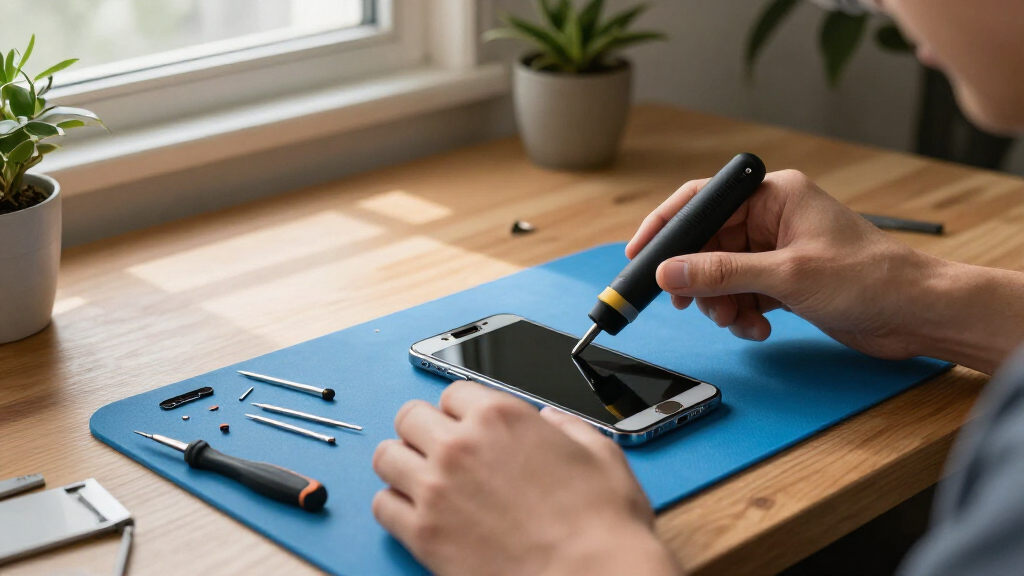
I evaluated these kits based on three primary factors: instructional clarity, component quality, and tool inclusivity. For repair kits, the instructions are just as important as the screen itself; a confusing guide can turn a simple fix into a broken phone. I prioritized products that offer step-by-step video tutorials or highly detailed written manuals, particularly for models with complex internal layouts like the iPhone 12 and 14.
I also assessed the build quality of the included tools. Many low-cost kits come with plastic screwdrivers that strip screws, so I looked for kits with magnetic tips and durable materials. Finally, I compared the fit and finish of the replacement screens, noting which ones maintained color accuracy and touch sensitivity close to the original factory standards. This ranking reflects a balance between ease of use for novices and the technical demands of modern iPhone hardware.
| iPhone screen repair kit | Compatibility |
|---|---|
| iFixit Screen Replacement Kit | — |
| iFixit iPhone 8 Screen Replace | — |
| JOREST 40-Piece Precision Scre | — |
| iFixit Screen Replacement Kit | iPhone XR |
| iPhone 13 6.1-Inch HD LCD Scre | iPhone 13 (6.1-inch), models A2482, A2631, A2633, A2634, and A2635 |
| ZAVERYN iPhone 11 6.1-Inch LCD | iPhone 11 (A2111, A2223, A2221) |
| iFixit Screen Repair Kit for i | iPhone 11 |
| iFixit Screen Replacement and | iPhone 12 and iPhone 12 Pro |
| Warmstor 24-Piece Electronics | — |
| NB+ Soft OLED Screen Replaceme | iPhone 14 (A2649, A2881, etc.) |
| DIYPHONE 22-in-1 Mobile Phone | — |
Factors to Consider When Choosing Best IPhone Screen Repair Kits
Selecting the right repair kit involves more than just matching the model number. You need to consider your skill level, the specific features you want to retain, and the long-term reliability of the replacement part.OLED vs. LCD Screen Quality
Most modern iPhones use OLED panels, which offer vibrant colors and deep blacks. Cheaper kits often substitute these with LCD panels, which are brighter but lack the same contrast ratio and can have thicker bezels. If you watch a lot of media on your phone, stick with OLED replacements if the budget allows. However, if you are fixing an older model like the iPhone 8 or SE, LCD replacements are standard and perform well. Understanding this difference prevents disappointment when the new screen looks different from your original display.
Feature Preservation: Face ID and True Tone
One of the biggest pitfalls in DIY repair is losing features like Face ID or True Tone. Apple pairs certain components, like the earpiece flex cable, to the logic board. If you transfer this cable incorrectly, Face ID may break permanently. Some kits include True Tone programmers or detailed guides on how to swap these delicate parts. If preserving these features is critical, look for kits that explicitly mention compatibility or include the necessary transfer tools. Otherwise, be prepared to lose these functions or pay for professional calibration.
Tool Quality and Ergonomics
A stripped screw can make a repair impossible. Many budget kits come with soft, low-quality screwdrivers that wear out quickly. Premium kits like those from iFixit include magnetic precision screwdrivers that grip screws firmly and reduce slippage. If you plan to do multiple repairs, investing in a higher-quality tool set pays off. For a one-time fix, a basic kit might suffice, but ensure the tools are stiff enough to break the adhesive seal around the screen without breaking your wrist.
Instructional Support and Community
Repairing an iPhone is a tactile process that benefits from visual aids. Kits with embedded QR codes or links to high-definition video tutorials are far less stressful than those with text-only instructions. I found that kits with active user communities are also valuable, as you can often find tips for specific quirks related to your model. If you are a beginner, do not underestimate the value of a good guide; it is the difference between a successful repair and a dead phone.
Warranty and Return Policies
Screen replacements can arrive with dead pixels or touch sensitivity issues. A strong warranty policy is a key differentiator among repair kits. Premium brands often offer 90-day warranties with easy returns, whereas budget sellers may have strict or non-existent return processes. Check the seller’s policy before buying, especially for high-cost OLED screens. A kit with a solid warranty reduces the financial risk if the part is defective upon arrival, giving you peace of mind during the installation process.
Frequently Asked Questions
Will I lose Face ID if I replace the screen myself?
You can lose Face ID if you damage the earpiece flex cable during the transfer, but it is not guaranteed to break just by swapping the screen. The Face ID sensor is located in the top bezel, and most kits guide you through carefully moving this assembly to the new screen. If you break the cable, Face ID is permanently disabled because the sensor is paired to the logic board. Using a kit with clear instructions on this specific step significantly reduces the risk. If you are unsure, many third-party shops can repair the flex cable connection if you accidentally tear it.Do I need to reprogram the screen for True Tone?
Yes, True Tone is a feature that matches the screen’s white balance to the ambient light, and it is tied to the original panel’s serial number. When you replace the screen, the phone detects a new panel and disables True Tone unless you use a programmer to copy the old serial data to the new screen. Some premium kits include a programmer or sell it as an add-on, while others do not support this feature at all. If True Tone is important to you, verify that the kit includes the necessary tools or that your chosen screen is compatible with programming services.Is it better to buy a kit with tools or just the screen?
For first-time repairers, buying a kit with tools is the safer choice because the included screwdrivers and prying tools are designed for the specific tolerances of iPhone screws. Buying just the screen saves money but requires you to source your own tools, which can lead to using inappropriate equipment that strips screws or scratches the frame. If you already own a precision screwdriver set, you can save money by buying the part alone. However, ensure your tools include the specific pentalobe and Y000 bits required for iPhone disassembly.How long does a DIY screen replacement usually take?
For a first-time repair, expect the process to take between 45 minutes to two hours, depending on your patience and the model’s complexity. Older models like the iPhone 8 are quicker, while newer models like the iPhone 14 have more delicate components and tighter tolerances. Rushing the process is the primary cause of failure, as adhesive needs time to soften and cables require gentle handling. I recommend setting aside a full afternoon for your first attempt to avoid feeling pressured. Taking breaks to check your progress against the guide helps prevent mistakes.Are aftermarket screens significantly worse than original ones?
Aftermarket OLED screens have improved dramatically and are often indistinguishable from originals in terms of brightness and color for the average user. However, they may lack the exact color calibration of the factory panel, leading to slight shifts in hue under certain lighting conditions. LCD replacements are more noticeable, often appearing washed out or having thicker bezels. For most users, a high-quality aftermarket OLED is a perfectly acceptable compromise that saves a significant amount of money compared to Apple’s official service. Just be aware that ‘original’ screens sold online are rarely genuine Apple parts.Conclusion
Choosing the right repair kit depends largely on your experience level and which iPhone model you own. For most users, the iFixit Screen Replacement Kit for iPhone SE remains the best overall choice due to its unmatched instructional support and reliable parts. If you are on a tight budget and comfortable with minor compromises, the ZAVERYN iPhone 11 LCD Kit offers solid value, though you may lose True Tone functionality. For those with newer devices like the iPhone 14, the NB+ Soft OLED Kit provides the necessary quality to maintain display fidelity, but it demands a careful hand. Beginners should prioritize kits with video guides and included tools, while experienced fixers can save cash by sourcing parts separately. Whichever option you choose, take your time, organize your screws, and follow the guide precisely to keep your device in top shape.
Black Friday Picks

Amazon Kindle Paperwhite (16 GB, 11th Generation, 2021) – 6.8-inch Display, Adjustable Warm Light, Black
As an affiliate, we earn on qualifying purchases.